
GIGABYTE GeForce RTX 3050 WINDFORCE OC V2 6G Graphics Card
4.6Editor score
6GB GDDR6 Memory
96-bit Interface
WINDFORCE Cooling
This guide compares the top Linux graphics cards for gaming, workstation tasks, and multi-monitor setups to help you find the right GPU for your needs.
Choosing the right graphics card for Linux can be tricky due to driver support and compatibility concerns. This guide highlights models known for stable open-source drivers and strong performance across various distributions.
We evaluated ten distinct graphics cards based on their architectural efficiency, memory bandwidth, and compatibility with open-source kernels. Our analysis focuses on real-world usability for development, rendering, and everyday desktop tasks.
Each pick highlights specific strengths like low power draw, high multi-monitor support, or raw rendering power. Note that availability and pricing fluctuate frequently, so verify current stock before purchasing your next GPU.
4.6Editor score

4.7Editor score

3.9Editor score
The following table provides a side-by-side look at the technical specifications and key attributes of each graphics card featured in this roundup to help you compare options quickly.




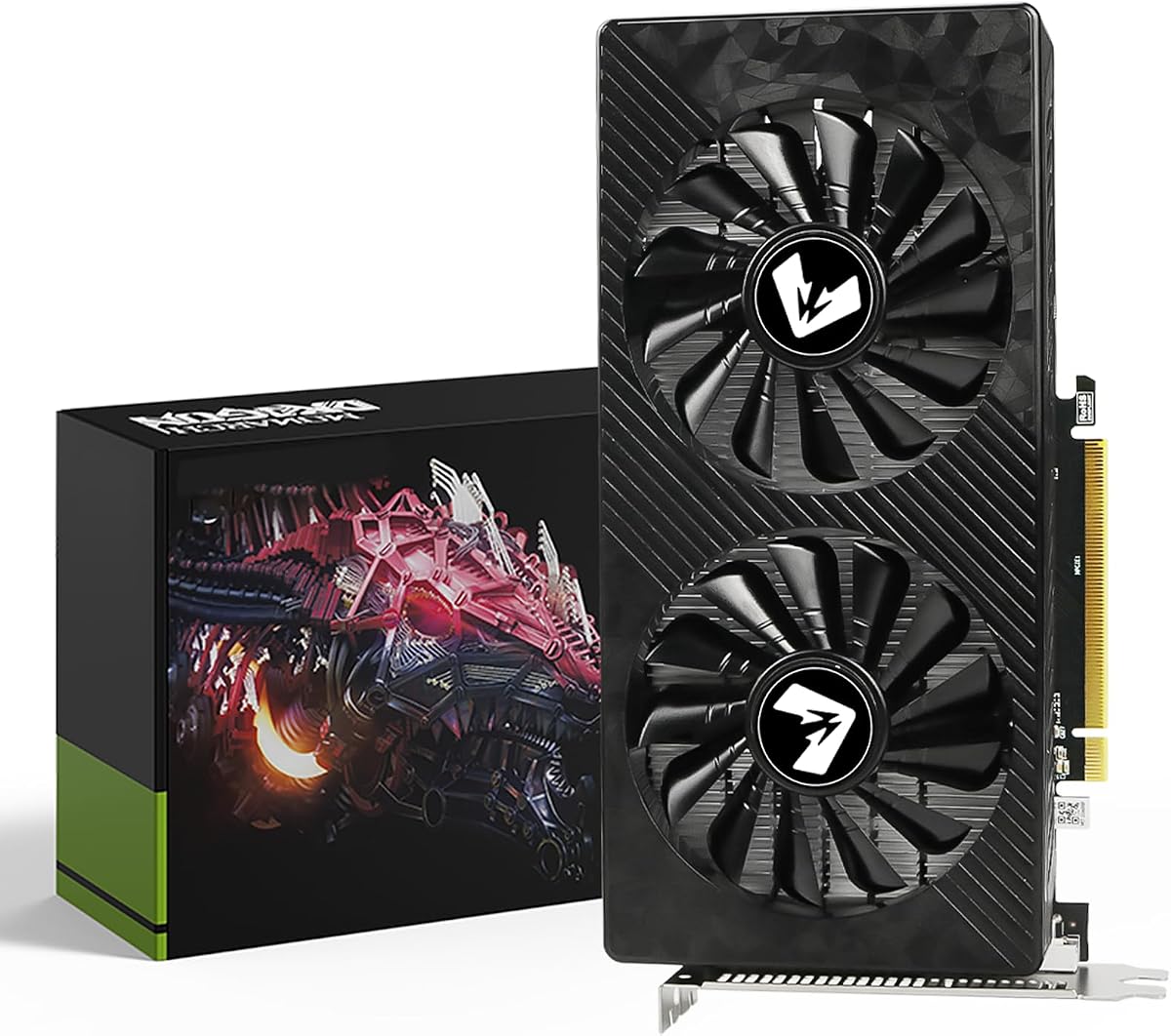
This ASUS model stands out as a reliable choice for Linux users seeking modern rendering capabilities. With an Ampere architecture rating of 4.7, it balances performance and efficiency effectively for development and light gaming workloads.
We may earn a commission when you buy through this link, at no additional cost to you.
The card features NVIDIA Ampere Streaming Multiprocessors that boost FP32 throughput significantly. Its 2nd Generation RT Cores and 3rd Generation Tensor Cores ensure smooth ray tracing and AI-accelerated tasks compatible with open-source kernels.
While the 6GB memory limit might restrict high-end texture workloads, the efficient design keeps thermal output low. The axial-tech fan design ensures quiet operation even under sustained loads common in rendering or compiling tasks.
Ideal for developers and general Linux desktop users, this card provides a stable platform for everyday tasks. Its IP5X dust resistance adds longevity, making it a solid long-term investment for workstation environments.
The NVIDIA drivers for this card integrate well with recent Linux kernel updates ensuring stable performance over time.
Its 2-slot design maximizes compatibility with small chassis allowing flexible installation in compact Linux workstations.
We may earn a commission when you buy through this link, at no additional cost to you.
The GIGABYTE RTX 3050 offers an affordable entry point into NVIDIA Ampere architecture for Linux systems. Rated 4.6 stars it provides solid performance for basic rendering and display tasks without breaking the bank.
We may earn a commission when you buy through this link, at no additional cost to you.
Featuring the same Ampere Streaming Multiprocessors as higher-end models it delivers consistent performance for standard workloads. The WINDFORCE cooling system ensures the GPU stays cool during prolonged use such as video decoding.
The 96-bit bus interface is a minor bottleneck for heavy data transfer but acceptable for most general computing needs. Its straightforward design simplifies installation in standard desktop cases without requiring custom mounting solutions.
Best for budget-conscious users needing reliable display output and light acceleration this card fits well in office setups. It supports the latest APIs making it future-proof for software relying on modern graphics standards.
This card delivers the essential Ampere features at a price point accessible to most Linux workstation builders.
The dual fan setup maintains optimal temperatures ensuring the GPU does not throttle during extended rendering sessions.
We may earn a commission when you buy through this link, at no additional cost to you.
This workstation-grade card brings 24GB of memory to Linux AI and rendering workflows. While the 3.9 rating reflects its early adoption status, its specs suggest high potential for heavy computational tasks and large model inference.
We may earn a commission when you buy through this link, at no additional cost to you.
Built on the Xe2-HPG architecture it offers significant AI acceleration with 197 INT8 TOPS. The dedicated ISV certified drivers ensure stability when running professional applications like CAD or 3D rendering suites on Linux.
The blower-style cooling is designed for multi-GPU setups allowing better airflow in dense systems. This makes it ideal for users planning to scale performance across multiple cards in a single Linux server chassis.
For professionals needing massive memory bandwidth and PCIe 5.0 support this card is a compelling choice. Its multi-monitor outputs support high-resolution displays making it suitable for control rooms or advanced visualization tasks.
With 24GB memory and high bandwidth this GPU handles large language model inference better than consumer options.
PCIe 5.0 ensures maximum data throughput for transfers between system memory and the GPU during intensive workloads.
We may earn a commission when you buy through this link, at no additional cost to you.
The PNY T1000 is built for professional stability and high-resolution display handling. With a rating of 4.7 it remains a strong choice for Linux workstations needing reliable OpenGL and Vulkan support.
We may earn a commission when you buy through this link, at no additional cost to you.
Powered by NVIDIA Turing architecture it delivers significant performance over previous generations. The dedicated decode and encode engines handle H.264 and HEVC video efficiently without taxing the 3D pipeline.
Support for up to four 5K displays allows expansive multi-monitor setups for trading or control systems. Its ISV certification guarantees compatibility with professional design software ensuring fewer crashes during critical workflows.
Ideal for engineers and designers using Linux this card offers reliable performance and robust driver support. The hardware compatibility ensures that complex assemblies and scenes run smoothly during design and visualization tasks.
Certification with over 100 software applications ensures stability when running industry-standard tools on Linux.
Dedicated media engines allow high-resolution video export without impacting GPU performance for other tasks.
We may earn a commission when you buy through this link, at no additional cost to you.
This card is designed for multi-monitor setups in compact cases. With a rating of 4.1 it offers practical utility for office and home theater use where silent operation and multiple displays are key priorities.
We may earn a commission when you buy through this link, at no additional cost to you.
Equipped with 4GB of fast GDDR5 memory it handles daily graphics tasks smoothly. The four built-in HDMI ports enable a seamless quad-monitor setup directly out of the box without needing adapters.
Its low-profile design fits easily into small form factor cases including half-height and full-height brackets. The silent fan ensures near-silent operation making it ideal for noise-sensitive environments like quiet offices.
Best for general office use or home theater PCs this card provides reliable hardware-accelerated decoding. The stable driver support for modern Linux systems ensures a hassle-free installation and consistent visual experience.
Four HDMI ports allow direct connection to multiple screens for enhanced productivity in trading or office setups.
The engineered silent fan ensures the system remains quiet during standard tasks ideal for living room PCs.
We may earn a commission when you buy through this link, at no additional cost to you.
The SOYO GT 740 provides a solid upgrade path for older desktop PCs running Linux. With a 4.5 rating it ensures smooth 1080P video playback and lag-free performance for office multitasking and basic graphic design.
We may earn a commission when you buy through this link, at no additional cost to you.
Its comprehensive output interface includes HDMI DVI and VGA ports connecting to modern monitors or legacy projectors without adapters. The 128-bit bus width provides a significant performance boost over standard 2GB models.
Designed for high efficiency this card draws power directly from the PCIe slot without requiring external connectors. This compatibility with standard power supplies makes installation quick and hassle-free in older systems.
Ideal for legacy PC revivals this card supports DirectX 12 and OpenGL 4.6 for light gaming and web browsing. The reliable driver support ensures a flicker-free experience even when attending video meetings or browsing web content.
Legacy ports like VGA allow easy connection to older hardware without needing additional conversion cables.
Powering from the PCIe slot reduces power supply demands making it suitable for low-wattage systems.
We may earn a commission when you buy through this link, at no additional cost to you.
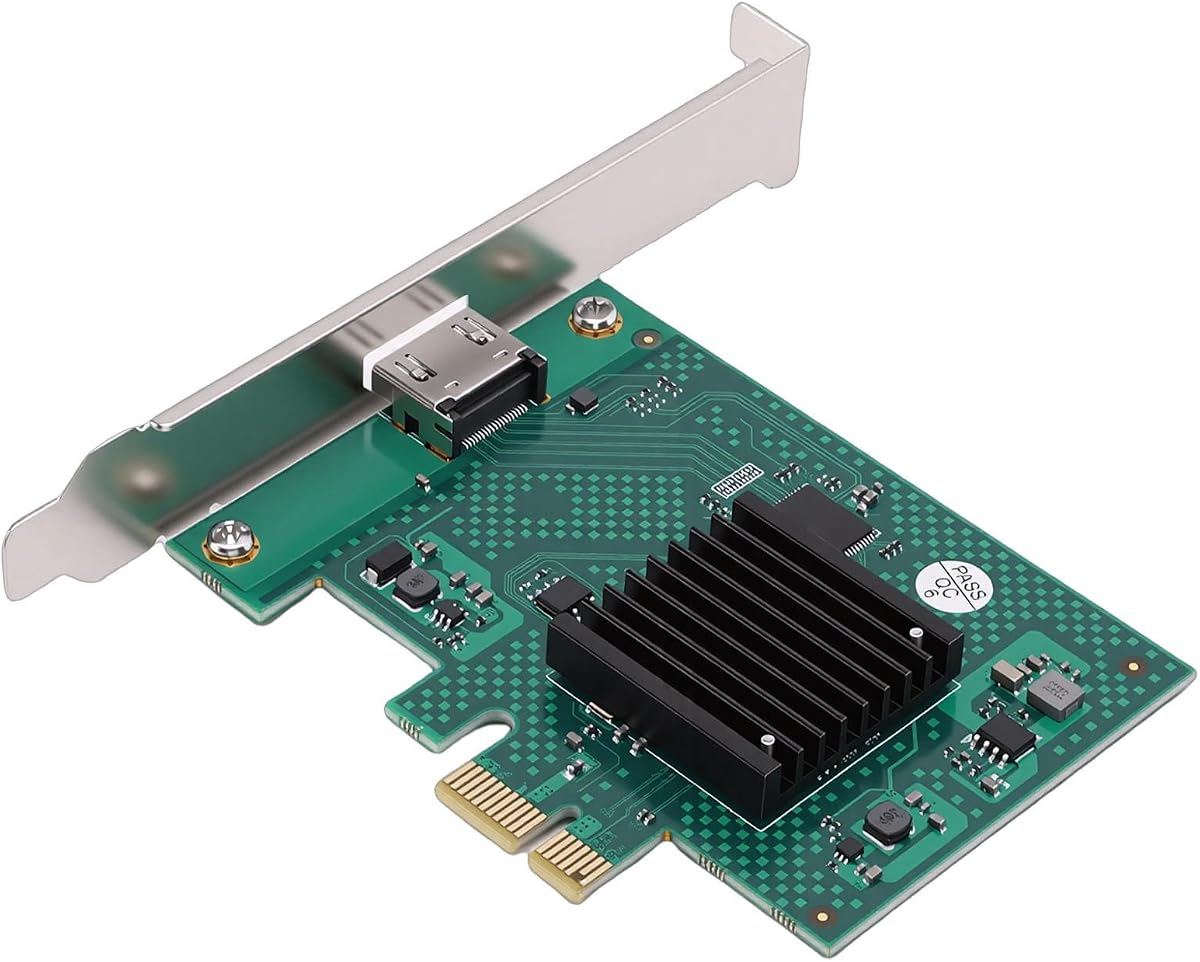
This specialized accelerator card is designed for industrial computers and POS systems requiring stability. While it lacks gaming specs its robust features ensure reliable performance across different fields including harsh environmental conditions.
We may earn a commission when you buy through this link, at no additional cost to you.
The card supports multiple displays with a max resolution of 1920×1440 making it compatible with a wide range of systems. Its ability to rotate images at various angles enhances versatility for display orientation in kiosks or counters.
Operating effectively between -40°C and +85°C it is built for reliability in challenging conditions. The powerful 2D graphics acceleration ensures efficient performance for demanding applications like digital signage.
Best for industrial use this card provides consistent performance where standard GPUs might struggle with environmental stress. Its wide compatibility simplifies integration into existing Linux-based industrial control systems.
Designed for harsh environments the card maintains stability in extreme temperatures ensuring uptime for critical systems.
Screen rotation options allow flexible mounting configurations for POS terminals or vertical displays.
We may earn a commission when you buy through this link, at no additional cost to you.
This AMD Radeon RX 550 card is ideal for small form factor builds on Linux. With a 4.4 rating it offers a quiet and efficient solution for 1080p gaming and video editing tasks.
We may earn a commission when you buy through this link, at no additional cost to you.
The unique 9CM fan provides low noise and huge airflow for the GPU ensuring stable temperatures. It supports DirectX 12 and OpenGL 4.6 making it suitable for CAD/CAM working and light games.
Built with solid capacitors and a silver plated PCB it offers higher efficiency and stability. The card fits perfectly into ITX cases where space is limited but decent graphical performance is still required.
Best for compact desktops this card balances power and size effectively. Its hardware acceleration for video decoding ensures smooth playback in media centers without excessive power consumption.
The specialized fan design maintains low noise levels even during extended use in small enclosures.
AMD GPUs are known for excellent open-source driver support ensuring seamless integration with Linux distributions.
We may earn a commission when you buy through this link, at no additional cost to you.
The msi GT 1030 provides a cost-effective entry into dedicated graphics for Linux systems. Rated 4.5 stars it offers smooth 1080P video playback and stable performance for office tasks and basic rendering.
We may earn a commission when you buy through this link, at no additional cost to you.
With a 64-bit interface and 4GB DDR4 memory it handles everyday applications reliably. The single fan design ensures quiet operation suitable for small PCs or quiet work environments.
Its low power draw means no external power connectors are required simplifying installation. The card supports DirectX 12 and DP/HDMI outputs ensuring compatibility with modern monitors and displays.
Best for general computing this card improves graphical performance over integrated graphics. It delivers a flicker-free visual experience ensuring smooth web browsing and multimedia consumption.
Support for HDCP ensures compatibility with encrypted content streams on modern displays and streaming devices.
No external power needed simplifies the setup process in older or limited power supply systems.
We may earn a commission when you buy through this link, at no additional cost to you.
The MOUGOL RX 580 delivers strong budget gaming performance on Linux. With a 4.2 rating it offers 8GB of memory and reliable performance for titles like Valorant and GTA V on Linux.
We may earn a commission when you buy through this link, at no additional cost to you.
Its versatile output array includes HDMI DisplayPort and DVI supporting triple-monitor setups for maximum productivity. The dual-fan cooling system ensures stable performance under heavy loads with intelligent fan control.
Support for DirectX 12 and Vulkan provides hardware acceleration for video editing and rendering. This makes it a versatile choice for creators needing both gaming and content creation capabilities.
Ideal for budget builds this card fits into standard ATX and Micro-ATX cases easily. Its high-efficiency heat pipes maintain stable performance ensuring your system remains quiet during light work.
Hardware acceleration for video editing tools allows smooth exports without slowing down the CPU.
Multiple ports allow connecting several screens for expanded workspace or control room setups.
We may earn a commission when you buy through this link, at no additional cost to you.
Selecting the right GPU for Linux requires evaluating compatibility, performance needs, and power constraints. This section breaks down the critical factors to consider before purchasing.
Linux relies heavily on open-source drivers like Mesa and the kernel modules provided by NVIDIA and AMD. Ensure the card you choose has active community support and regular updates to avoid issues with newer kernels.
Look for cards with widely adopted architectures to ensure stable driver support across various distributions without needing proprietary blobs.
Memory capacity affects how large textures and scenes you can handle. A wider bus width ensures faster data transfer between the GPU and memory which is critical for rendering and compute tasks.
Prioritize cards with at least 6GB of VRAM for modern workloads to prevent bottlenecks when running multiple applications or large datasets.
Linux desktops often benefit from energy-efficient cards that do not require external power connectors. This reduces stress on the power supply and keeps heat output low in small chassis.
Check the TDP rating to ensure your PSU can handle the load efficiently without unnecessary fan noise during idle or light use.
Modern workflows often require multiple monitors for productivity. Ensure the card provides enough HDMI or DisplayPort connections to support your desired setup without needing expensive adapters.
Verify the maximum resolution and refresh rates supported to ensure compatibility with your specific monitors and future upgrades.
Compact builds like ITX or Micro-ATX require low-profile or single-slot cards to fit inside the case. Verify your chassis clearance before purchasing to avoid compatibility issues with installation.
Measure your internal space and check the card dimensions to ensure it fits comfortably alongside other components like CPU coolers.
Professional users may need ISV certification for software stability. Cards designed for workstations often include better memory controllers and certification for CAD or rendering applications.
Consider these features if you rely on specific professional software that demands validated hardware support for critical projects.
Install the latest stable Linux kernel and open-source Mesa drivers to ensure maximum compatibility. Most modern distributions include these drivers by default for AMD and integrated Intel GPUs.
Monitor GPU temperatures and usage using tools like nvtop or radeontop to identify thermal throttling or driver issues early. Keeping the system clean prevents dust buildup that can cause overheating over time.
Regularly update your system using package managers to receive security patches and performance improvements. Check manufacturer websites for specific firmware updates that might improve stability for workstation cards.
AMD cards generally offer better out-of-the-box support on Linux because they use open-source Mesa drivers. NVIDIA requires proprietary drivers that can sometimes cause issues with kernel updates. However, high-end NVIDIA cards provide superior raw performance for gaming and CUDA-based workflows.
Cards with multiple DisplayPort and HDMI outputs like the T1000 or RX 580 are ideal for multi-monitor setups. Ensure the driver supports the total resolution and refresh rate of your combined displays to avoid stuttering.
Yes, most modern cards work for basic development. However, for deep learning or AI tasks you need NVIDIA GPUs with CUDA support or specialized AMD cards. Check software requirements before buying a workstation card.
Yes, servers running 24/7 benefit from low-power GPUs to reduce electricity costs and heat. Look for cards with no external power connectors to minimize power draw in silent environments.
Check the Linux Hardware Database (HCL) or kernel driver status to verify compatibility. You can also run terminal commands like lspci to detect the card and check driver loading status with modinfo.
ISV certification ensures the card is tested for specific professional software. If you use CAD or 3D tools on Linux choose a workstation card with this certification to avoid crashes or graphical glitches.
We have reviewed ten diverse graphics cards ranging from entry-level budget options to premium workstation GPUs. The ASUS RTX 3050 and GIGABYTE RTX 3050 offer strong value for general Linux desktops.
For professionals requiring massive memory and multi-GPU scaling the ASRock Arc Pro B60 stands out as a powerful choice. Legacy users might prefer the T1000 or RX 580 for stable display performance.
Remember that availability and pricing fluctuate frequently so verify current stock and compatibility before purchasing. Always check community forums for the latest kernel support updates before finalizing your decision.