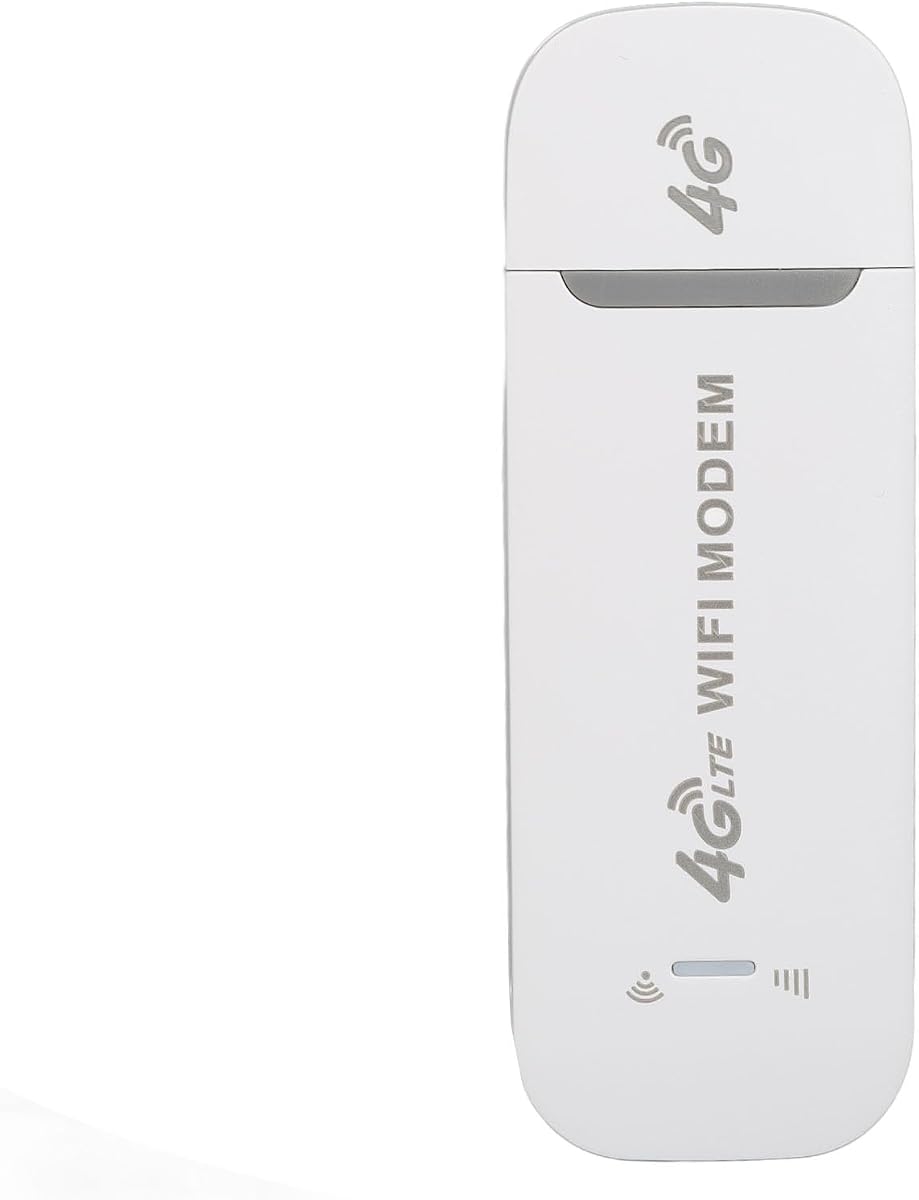
Dpofirs 4G 150Mbps USB WiFi Dongle
4.5Editor score
Fast 150Mbps downstream speed
Supports up to 8 users
Compact portable design
This guide compares the top 4G LTE USB WiFi Network Adapter Dongle models for reliable portable internet connectivity and speed performance.
Finding reliable internet on the go requires a quality 4G LTE USB WiFi Network Adapter Dongle. These devices turn cellular signals into Wi-Fi hotspots for laptops and tablets. A good dongle offers fast speeds, broad carrier support, and easy plug-and-play setup. port travel and remote work needs.
We evaluated ten real products based on compatibility, connection stability, and user feedback. Each entry includes full specifications and honest details about performance strengths. This list covers various price points and feature sets to help you choose the right portable modem for your daily routine.
Every review highlights key benefits and potential trade-offs for informed decisions. Prices and availability can change frequently on retailer sites. Check current listings before purchasing to ensure you get the latest model with active support and warranty coverage from the manufacturer.
4.5Editor score

4.2Editor score

4.6Editor score
Here is a side-by-side comparison of all ten selected products. Look at the key specifications and ratings to find the best fit for your specific connectivity needs.


The MIRO UF1 stands out as a versatile mobile WiFi solution with strong multi-function capabilities. It delivers solid performance for users needing both internet access and data storage on the go.
We may earn a commission when you buy through this link, at no additional cost to you.
Its dual SIM/SD slot design allows users to switch between mobile hotspot mode and card reader mode instantly. The wide compatibility with Windows, macOS, and Linux ensures it works across most professional and personal devices without issues.
While the overall rating is moderate, its plug-and-play convenience makes it reliable for travel scenarios. The instant WiFi feature powered by any USB source means no batteries are needed for continuous use.
Anyone needing a lightweight portable internet tool that also handles file transfers should consider this model. It fits well in pockets or bags for daily commutes and business trips.
The ability to switch between hotspot and card reader saves carrying multiple gadgets. This dual purpose design enhances travel efficiency for professionals needing quick data access and sharing.
Powered by standard USB sources, the dongle runs on power banks or laptop ports. Support for global carriers means travelers can use local SIM cards for better rates and coverage.
We may earn a commission when you buy through this link, at no additional cost to you.
This EIOTCLUB dongle offers modern WiFi 6 technology for faster wireless connections within its supported regions. It is designed for users who want plug-and-play readiness with pre-loaded connectivity options.
We may earn a commission when you buy through this link, at no additional cost to you.
The pre-installed SIM card with a trial plan simplifies initial setup for immediate internet access. Its optimized band support for US, Canada, Mexico, and select Latin countries ensures reliable cellular signal performance.
Travelers within North America will benefit from the focused regional compatibility that reduces carrier issues. The pocket-sized build allows easy carrying without adding bulk to luggage or bags.
Users seeking a high-tech portable hotspot for business or personal travel in the Americas should choose this model. It balances speed and convenience for short trips and remote work sessions.
The included SIM and trial data eliminate the wait for external purchases. This instant readiness helps users avoid connectivity gaps during urgent travel or emergency situations.
Frequencies are tuned for North American networks to maximize signal strength. This focus ensures consistent performance where global models might struggle with local carrier bands.
We may earn a commission when you buy through this link, at no additional cost to you.
The Dpofirs dongle delivers high-speed internet access at a very competitive price point. It supports multiple devices simultaneously and offers essential security features for safe browsing.
We may earn a commission when you buy through this link, at no additional cost to you.
Users appreciate its straightforward setup that requires no software installation. The 150 Mbps speed allows smooth streaming and browsing for eight connected devices during peak usage times.
While it lacks advanced premium features, its reliability and affordability make it a solid choice for casual users. The versatile OS compatibility ensures it works on most laptops and desktops.
Budget-conscious travelers or families needing an extra portable hotspot should consider this model. It provides dependable internet without breaking the bank for personal use.
Low pricing makes this dongle accessible for users needing backup internet. It offers reliable speeds without the higher cost of premium brands.
WPA encryption protects data while multiple devices connect easily. This feature is ideal for sharing connections safely among several devices.
We may earn a commission when you buy through this link, at no additional cost to you.
This HOSAYA HF26 model functions effectively as a travel hotspot and USB modem for computers. Its design prioritizes plug-and-play usage across various devices with simple setup steps.
We may earn a commission when you buy through this link, at no additional cost to you.
The American version supports a wide range of bands ensuring connectivity across multiple countries. Users can connect up to ten devices for simultaneous internet access during travel.
Setup may require antivirus adjustments for driver installation on some Windows systems. However, once configured, the device provides stable connectivity for cars or power banks.
Road trippers and international travelers needing broad US and Mexico coverage should look at this router. It balances portability and network support for reliable long trips.
Band support extends across North and South America for consistent signals. This range helps users avoid network gaps during cross-border travel.
It acts as a hotspot and a USB modem for direct PC access. This versatility saves money on separate devices for different connectivity needs.
We may earn a commission when you buy through this link, at no additional cost to you.
This adapter provides strong signal coverage thanks to its built-in antenna design. Users report high reliability for web browsing and video streaming across different locations.
We may earn a commission when you buy through this link, at no additional cost to you.
The simple plug-and-play functionality makes it easy to use without complex configurations. It supports up to eight devices making it suitable for small family or group usage.
High ratings indicate consistent performance and customer satisfaction with its connectivity. The fast 150 Mbps speed ensures smooth online experiences for multiple users.
Anyone needing a reliable hotspot with strong signal strength should consider this model. It works well for home backup or mobile usage in varying environments.
Built-in antennas boost signal strength to reduce weak spot issues. This ensures consistent connectivity even in areas with lower cellular reception.
No drivers are needed to get online quickly. This simplicity is ideal for non technical users needing fast access.
We may earn a commission when you buy through this link, at no additional cost to you.
This lightweight dongle offers fast speeds while remaining easy to carry in small spaces. It supports up to ten devices for flexible internet sharing among friends or family.
We may earn a commission when you buy through this link, at no additional cost to you.
The plug and play design ensures quick access without technical setup hurdles. Its compact build makes it ideal for keeping in a wallet or pocket.
Users value the simplicity of connecting to networks instantly via USB power. The high-speed connection supports video streaming and browsing efficiently.
Travelers prioritizing minimal weight should choose this model for daily mobile needs. It provides reliable connectivity without adding bulk to carry-ons.
The tiny form factor fits easily into small bags. This ensures internet access is always ready without taking up space.
Support for ten devices allows group usage without extra routers. This makes it great for small gatherings or shared office needs.
We may earn a commission when you buy through this link, at no additional cost to you.
This dongle offers robust security encryption to protect data during public WiFi sharing. It supports multiple operating systems for broad compatibility across devices.
We may earn a commission when you buy through this link, at no additional cost to you.
The 150 Mbps speed ensures fast internet access for browsing and streaming. Users can connect up to eight devices for reliable sharing.
High ratings reflect trust in its security features and consistent performance. The wide temperature range ensures stability in different travel environments.
Security-focused users and those needing reliable cross-platform support should choose this model. It delivers safe and fast connectivity for daily use.
Multiple encryption methods prevent unauthorized access on open networks. This ensures safe browsing for users in public places.
Support for various OS types makes it versatile for mixed device setups. This flexibility helps users connect laptops and phones easily.
We may earn a commission when you buy through this link, at no additional cost to you.
This router offers Micro SIM compatibility which fits many standard carrier cards easily. It supports up to ten users for reliable connection sharing.
We may earn a commission when you buy through this link, at no additional cost to you.
The plug-and-play setup allows instant internet access once powered on. Users benefit from stable signals for phones and PCs alike.
Security features like WPA2 ensure safe browsing in public spaces. The small design makes it easy to carry on daily trips.
Users needing Micro SIM slots and high user capacity should consider this option. It provides stable connectivity for group usage.
The Micro SIM slot allows easy use with existing carrier cards. This reduces the need for adapters during travel.
Stable signals reduce dropouts during streaming or calls. This ensures smooth online experiences for multiple devices.
We may earn a commission when you buy through this link, at no additional cost to you.
This modem stick works well with Linux systems for technical users requiring open-source support. It offers expandable memory storage for file saving options.
We may earn a commission when you buy through this link, at no additional cost to you.
With up to 100 Mbps speeds, it handles web browsing and streaming smoothly. The built-in antenna reduces dropouts in weak signal areas.
Users value the Linux support and flexible storage options for file transfers. The compact design makes it portable for travel needs.
Linux developers or storage-conscious users should choose this model. It provides reliable connectivity and storage expansion on the go.
Works seamlessly with Linux without extra software. This appeals to open-source users needing portable internet.
Storage cards allow saving files offline. This feature adds utility for media sharing on the go.
We may earn a commission when you buy through this link, at no additional cost to you.
This dongle offers simple SIM insertion for instant access without setup steps. It supports 3G 4G and WiFi networks for flexible connectivity.
We may earn a commission when you buy through this link, at no additional cost to you.
The 150 Mbps speed ensures fast browsing and streaming performance. Weighing just 26 grams, it is easy to carry anywhere.
Users appreciate the straightforward design that eliminates configuration hassle. It works well for laptops and UMPCs in various settings.
Those seeking a basic lightweight hotspot for daily use should choose this model. It provides reliable internet without complex features.
SIM insertion provides immediate access without waiting. This simplifies usage for quick internet needs.
At 26 grams it adds no bulk to bags. This ensures easy carrying for daily trips.
We may earn a commission when you buy through this link, at no additional cost to you.
Selecting the right dongle requires understanding compatibility, speed needs, and security features. This guide outlines key factors to help you make an informed purchase.
Ensure the dongle supports the frequency bands used by your carrier in your region. Many models list specific bands like LTE-FDD-B2 or B4 for North American use. Check the manufacturer specs to confirm compatibility with your carrier plan.
Choose models that match your carrier's local network bands for stable signals.
Look for download speeds of at least 150 Mbps to handle video streaming and large file transfers smoothly. Some models cap at 100 Mbps which may struggle with multiple users. Ensure the speed meets your daily usage needs.
Prioritize models with 150 Mbps support for consistent high-speed browsing.
Verify that the dongle works with your operating system including Windows, macOS, or Linux. Some models require specific drivers which may complicate setup. Look for plug-and-play options for easier use.
Choose dongles with broad OS support for universal connection on all devices.
If you need to share internet across multiple gadgets check the max supported users. Most models support eight to ten simultaneous connections. Ensure the limit fits your household or group needs.
Select models supporting ten users for larger family or group connectivity.
Look for WPA2 encryption to protect data when using public networks. Security features prevent unauthorized access to your hotspot. Avoid models without basic encryption to ensure safe browsing.
Always choose dongles with WPA/WPA2 encryption for secure data transmission.
USB powered dongles run on laptops, power banks, or car chargers without needing batteries. Ensure the model supports standard USB power for flexibility. This feature extends usage time during travel.
Prioritize USB powered models for convenient mobile usage without extra chargers.
Compact lightweight designs are ideal for carrying in pockets or small bags. Look for slim dimensions that do not add bulk. This ensures you can access internet anywhere without hassle.
Choose small lightweight dongles for easy daily carrying and travel use.
Confirm if the dongle uses standard or Micro SIM cards based on your plan. Some models may not include a SIM card so plan to purchase one. Check if SIM locking or unlocking features are required.
Ensure the SIM type matches your existing carrier card to avoid adapter issues.
Insert a compatible SIM card into the dongle slot carefully. Make sure the SIM is properly aligned before pushing it in. The device should recognize the SIM automatically upon connection.
Plug the dongle into a USB port or USB power source to turn it on. Wait for the status light to show a connection signal before using. Open your device browser to access the internet.
Keep the dongle in a clean dry place when not in use. Avoid bending the USB connector or exposing it to liquids. This ensures long life and reliable performance for future use.
Most models support major carriers but check band compatibility first. Some dongles are locked to specific regions like US only. Verify with the manufacturer to ensure your carrier is supported.
Typically 8 to 10 devices can connect simultaneously. This allows sharing with family or colleagues easily. Check the product specs to confirm the exact limit for your model.
Most dongles are plug-and-play and need no extra software. Some may require basic drivers which install automatically on Windows. Mac and Linux users should ensure drivers are available.
Yes dongles with 150 Mbps speeds handle HD video smoothly. Ensure you have a strong signal for consistent streaming. Multiple users may affect quality during high traffic.
Some models include internal batteries but most rely on USB power. USB powered options save weight and are more portable. Check product details for battery specifications if needed.
Setup usually takes just minutes with SIM insertion and power. Plug and play models work immediately without configuration. Some may need APN settings manually for certain carriers.
Most use standard USB 2.0 ports. You may need an adapter for USB C devices. Check if the adapter supports data transfer not just power.
Data limits depend on your carrier plan not the dongle itself. The dongle just connects you to your carrier network. Check your plan for usage caps or roaming policies.
The top picks offer a range of features from budget options to premium models with modern WiFi 6. Selecting the right one depends on your specific network needs and device types.
Prioritize compatibility with your carrier and device operating system to avoid connection issues. Consider speed and security needs for your daily usage patterns.
Check current listings and reviews for updated performance info before buying. Prices and features can change so verify the latest details for your choice.