
ASUS ROG Strix G16 (2025)
4.4Editor score
Intel Core i7 14650HX
RTX 5060 Laptop GPU
165Hz FHD+ Display
Discover the best ASUS ROG Strix laptops for gaming and creation. We compare performance, displays, cooling, and features to help you choose the right model.
The ASUS ROG Strix series offers powerful gaming laptops designed for serious players and creators. These machines combine high-end processors, fast graphics, and stunning displays to deliver immersive experiences across titles and tasks.
We analyzed ten top models from the lineup to highlight their strengths and trade-offs. Each entry features detailed specs, real-world performance insights, and key design elements to help you find the right fit for your needs.
Every pick includes a breakdown of core features, pros, cons, and ideal use cases. Keep in mind that configurations and availability may shift, so verify current details before making your final decision today.
4.4Editor score

4.3Editor score

4.3Editor score
This side-by-side comparison outlines the core specs and unique features of each ROG Strix model. Use it to quickly identify which laptop matches your performance, display, and portability needs.



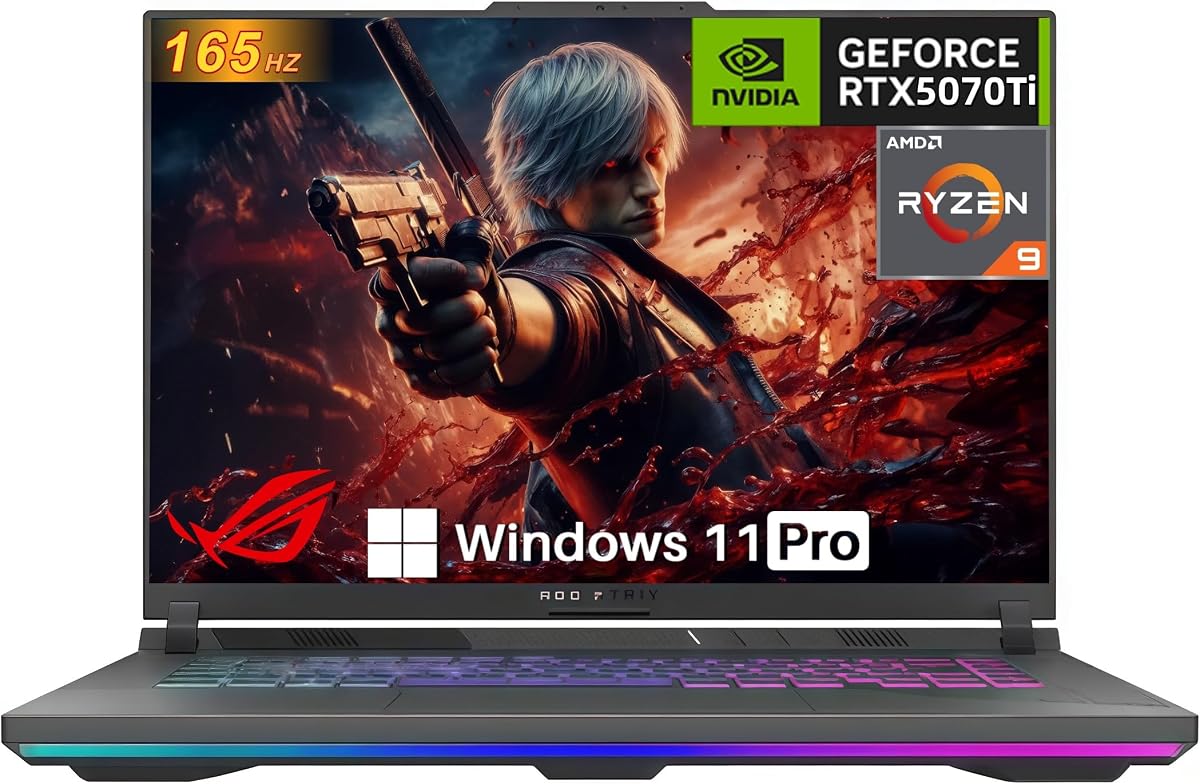

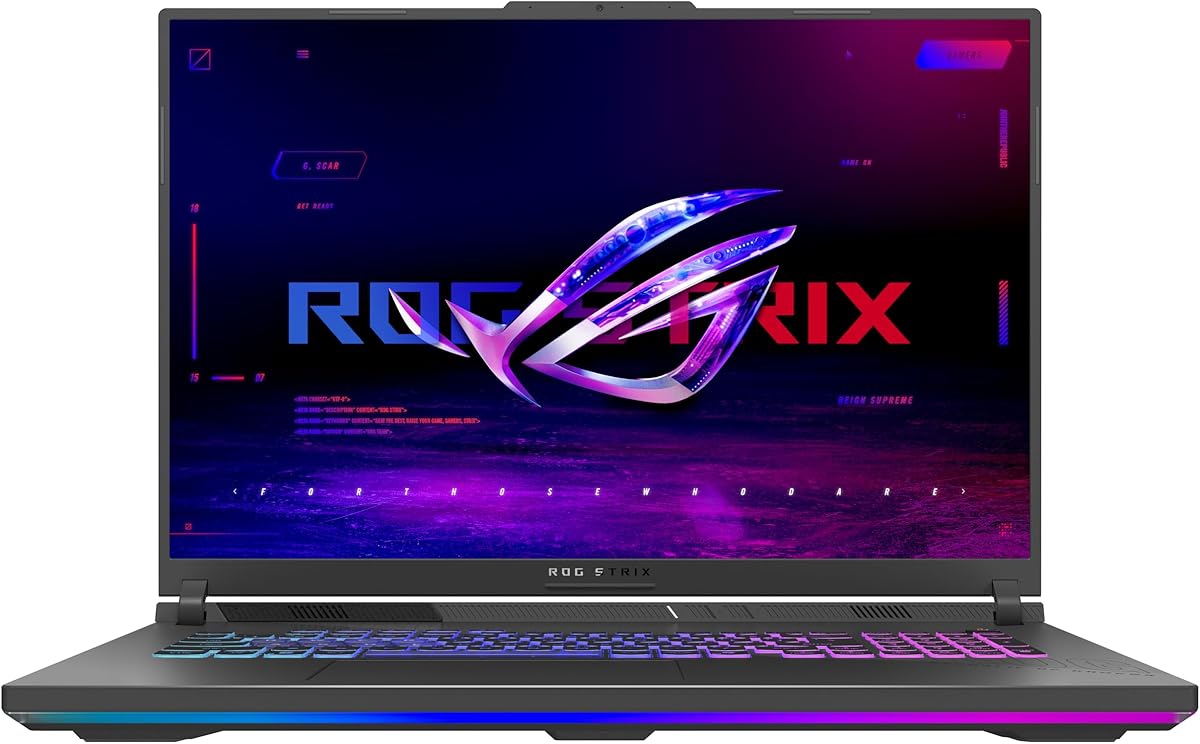
This laptop delivers strong gaming and multitasking performance with an Intel Core i7 14650HX and RTX 5060. It scores 4.4 stars and is ideal for users seeking reliable Blackwell architecture power without premium costs.
We may earn a commission when you buy through this link, at no additional cost to you.
The 16GB DDR5-5600MHz memory and 1TB Gen 4 SSD ensure fast loading and smooth switching between games and apps. The 165Hz FHD+ panel with ACR film offers crisp visuals and reduced glare for immersive play.
ROG Intelligent Cooling with a vapor chamber and tri-fan setup keeps thermal output in check during long sessions. While it lacks a higher-resolution display, the performance-to-price ratio remains compelling for most gamers.
If you want solid Blackwell power at an accessible entry point, this model is a great starting place. It balances modern hardware and cooling efficiency well for casual to mid-level competitive play.
DLSS 4 and Max-Q technologies boost frame rates while maintaining visual quality during demanding scenes.
The 360 degree light bar syncs with your peripherals and keyboard for a cohesive aesthetic setup.
We may earn a commission when you buy through this link, at no additional cost to you.
This model pairs a Core Ultra 9 275HX with an RTX 5070 Ti for top-tier Blackwell performance. Rated at 4.3 stars, it appeals to power users who prioritize speed and a high-refresh Nebula display.
We may earn a commission when you buy through this link, at no additional cost to you.
The 240Hz/3ms ROG Nebula panel delivers incredibly smooth visuals ideal for competitive shooters and fast-paced titles. Combined with 32GB of DDR5-5600MHz memory, it handles heavy multitasking and creative apps with ease.
Thermal design includes an end-to-end vapor chamber and liquid metal on the chipset for consistent output. Though the 1TB SSD is standard, the performance and display quality justify the price for serious enthusiasts.
For users seeking a near-perfect blend of speed, screen quality, and cooling, this is the best all-round pick. It is especially suitable for high FPS gaming and demanding workloads alike.
CR film enhances contrast and reduces glare, keeping colors vibrant even in bright environments.
This processor handles AI-enhanced tasks and modern gaming efficiently with strong single-core speeds.
We may earn a commission when you buy through this link, at no additional cost to you.
The Scar 18 offers a massive 18-inch Mini LED Nebula HDR panel with 240Hz refresh and 2000+ dimming zones. Rated 4.3 stars, it is a desktop-replacement style laptop for immersive gaming and professional workflows.
We may earn a commission when you buy through this link, at no additional cost to you.
With a Core Ultra 9 275HX and RTX 5070 Ti, performance is top-tier, supported by 32GB DDR5 and PCIe Gen 4 SSD. The MUX Switch boosts gaming by 5 to 10 percent and improves battery via Advanced Optimus.
Tool-free access to RAM and SSD simplifies future upgrades, while the AniMe Vision lid lets you show text or animations. The 3-month PC Game Pass bonus adds extra value for new and returning players.
If you want a premium screen, strong cooling, and flexible hardware access, this is the flagship pick. It suits desktop users who want a portable high-end machine without sacrificing visual fidelity.
Mini LED technology delivers deep blacks and bright highlights, ideal for HDR gaming and media.
Custom animations on the lid express personal style while the Stealth Mode keeps it professional when needed.
We may earn a commission when you buy through this link, at no additional cost to you.
This model uses a Core Ultra 9 275HX paired with an RTX 5060 to deliver balanced performance. With 4.0 stars, it offers a premium Nebula display with Dolby Vision HDR at a more accessible price.
We may earn a commission when you buy through this link, at no additional cost to you.
The 240Hz/3ms screen with ACR film ensures crisp motion and accurate colors for creative and gaming tasks. With 16GB DDR5-5600MHz memory and 1TB Gen 4 SSD, it keeps up with modern multitasking and storage needs.
Cooling is handled by ROG Intelligent Cooling, using a vapor chamber and tri-fan tech to maintain stability. While it lacks higher RAM or GPU tiers, the display and CPU quality stand out in this segment.
If a high-refresh Nebula screen and strong CPU are your priorities, this is a smart buy. It delivers a visually rich experience with reliable performance for most gaming and creative workflows.
HDR tuning adjusts brightness and color dynamically, enriching scenes in supported games and media.
This tech switches between iGPU and dGPU automatically, extending battery life without manual changes.
We may earn a commission when you buy through this link, at no additional cost to you.
This AMD-based model features a Ryzen 9 9955HX paired with an RTX 5070 for strong Blackwell power. It offers a robust thermal design and full-surround RGB lighting, making it a standout for AMD-focused buyers.
We may earn a commission when you buy through this link, at no additional cost to you.
The 165Hz FHD+ panel keeps gameplay smooth, while the 16GB DDR5-5600MHz memory and 1TB Gen 4 SSD support quick access to large game libraries. Advanced Optimus improves battery efficiency during light tasks.
Tri-Fan technology and full-width heatsinks help maintain stable performance under load. Though rated as N/A, its component selection and cooling suggest strong potential for performance-focused users.
If you prefer AMD performance and want a solid RTX 5070 laptop with flexible lighting, this is a strong choice. It suits gamers who value raw compute and reliable thermal management.
The 9955HX delivers strong multi-core speeds for multitasking and heavy gaming workloads.
Direct dGPU routing boosts gaming performance by up to 10 percent in compatible titles.
We may earn a commission when you buy through this link, at no additional cost to you.
This laptop features an AMD Ryzen 9 8940HX and RTX 5070 Ti GPU delivering robust Blackwell performance. Rated 5.0 stars, it is praised for its cooling efficiency, high TGP output, and premium audio-visual features.
We may earn a commission when you buy through this link, at no additional cost to you.
The 32GB DDR5 RAM supports heavy multitasking, while the 165Hz display with 100% sRGB offers vibrant and accurate colors. ROG Intelligent Cooling with vapor chamber and liquid metal ensures consistent high-frame-rate sessions.
Advanced Optimus and MUX Switch optimize battery life and gaming performance dynamically. The wide port set and high-res webcam support versatile connections and streaming needs.
If you want strong GPU power and solid build quality at a competitive point, this is a top pick. It suits creators and gamers who need reliable performance and immersive media output.
140W TGP allows the GPU to reach peak performance, improving frame rates in demanding games.
Hi-Res Audio with Dolby Atmos enhances sound depth, while the 1080p webcam improves video call clarity.
We may earn a commission when you buy through this link, at no additional cost to you.
This model features an AMD Ryzen 9 8940 HX and RTX 5070 Ti GPU for strong Blackwell performance. Rated 4.9 stars, it is noted for its tool-free RAM and SSD access, making upgrades simple and quick.
We may earn a commission when you buy through this link, at no additional cost to you.
The 12GB GDDR7 VRAM and 32 threads CPU handle demanding gaming and creative workflows efficiently. With PCIe Gen 4 and 5-ready SSD slots, storage expansion is straightforward and future-proof.
ROG Intelligent Cooling maintains system stability with vapor chamber and liquid metal on the chipset. The 16GB DDR5 RAM provides ample room for multitasking and large game libraries.
If ease of upgrades and high performance are key, this is a compelling option. It is ideal for users who plan to customize RAM or storage without specialized tools.
Sliding latches and Q-latch systems let you swap SSD and RAM in seconds with minimal effort.
GDDR7 memory supports higher bandwidth for faster texture loads and smoother gaming in modern titles.
We may earn a commission when you buy through this link, at no additional cost to you.
This 2026 model features a Core Ultra 9 290HX and RTX 5080 for top Blackwell performance. Rated 5.0 stars, it leads the list with a Nebula HDR display and premium cooling features for sustained output.
We may earn a commission when you buy through this link, at no additional cost to you.
The 240Hz/3ms panel with AGLR film reduces glare and boosts contrast for rich visuals. With 32GB DDR5-5600MHz and PCIe Gen 4 SSD, multitasking and storage speeds are exceptional.
Tool-free access to fans, RAM, and SSD simplifies maintenance and upgrades. Wi-Fi 7 ensures low-latency connections, ideal for competitive gaming and streaming.
For users seeking the highest performance and future connectivity standards, this is the top tier option. It delivers desktop-level power in a portable form with premium display quality.
Mini LED HDR with 2000+ zones delivers deep contrast and vivid brightness for immersive scenes.
Liquid metal on the chipset and tri-fan design keep the system cool during long gaming sessions.
We may earn a commission when you buy through this link, at no additional cost to you.
This model offers a Core Ultra 9 275HX, RTX 5070, and 2TB Gen 4 SSD for ample storage. Rated 4.2 stars, it suits users who prioritize storage capacity and a premium Nebula screen.
We may earn a commission when you buy through this link, at no additional cost to you.
The 240Hz/3ms panel with ACR film delivers smooth visuals with reduced glare. 32GB DDR5 memory ensures smooth multitasking across games and productivity apps.
ROG Intelligent Cooling with vapor chamber keeps system temps in check. Windows 11 Pro adds enterprise features and security enhancements for power users.
If you need large local storage and strong performance, this is a practical high-end option. It is ideal for game libraries and media files without relying on external drives.
Massive Gen 4 SSD lets you store hundreds of games and large media files with quick access.
Dolby Vision HDR enriches colors and brightness, improving the visual experience in supported content.
We may earn a commission when you buy through this link, at no additional cost to you.
This laptop features a 18-inch FHD+ display and Ryzen 9 8940HX for strong performance. Rated 4.4 stars, it is ideal for users seeking a larger screen with solid Blackwell GPU power.
We may earn a commission when you buy through this link, at no additional cost to you.
The 144Hz/3ms panel with ACR film ensures smooth visuals with reduced glare. 16GB DDR5 memory and 1TB Gen 4 SSD provide ample speed and storage for modern workloads.
Tri-Fan cooling and full-width heatsinks keep performance steady during extended sessions. The full-surround RGB lightbar offers custom styling options for desk setups.
If you prefer a larger display for immersion and gaming comfort, this is a great entry-level large form. It balances screen size with performance for home desktop use.
The 18-inch FHD+ panel offers more screen real estate for multitasking and detailed game visuals.
RTX 5050 handles casual gaming and creative apps well with modern Blackwell architecture support.
We may earn a commission when you buy through this link, at no additional cost to you.
Picking the right ROG Strix laptop depends on your performance goals, display needs, and budget. Here are key factors to consider before you buy.
Modern ROG Strix models feature NVIDIA GeForce RTX 50-series GPUs built on Blackwell architecture. Look for DLSS 4 and Max-Q tech for better frame rates and power efficiency. Higher-tier GPUs like the 5070 Ti or 5080 suit AAA gaming and creative workloads, while mid-tier options like the 5050 or 5060 fit casual gaming and general use.
Most models use either Intel Core Ultra 9 or AMD Ryzen 9 mobile CPUs. Intel variants often lead in AI tasks and clock speeds, while AMD Ryzen models offer strong multi-core performance and thermal efficiency. For heavy multitasking or streaming, aim for the 275HX or 9955HX class processor.
Displays range from FHD+ to 2.5K with refresh rates between 144Hz and 240Hz. Nebula panels with ACR or AGLR films reduce glare and boost contrast. Mini LED HDR options add deep blacks and vibrant highlights for media and games. Select a higher refresh rate if you play competitive shooters.
Look for at least 16GB DDR5 RAM for smooth performance. 32GB is better for heavy multitasking and video editing. SSDs range from 1TB to 2TB with PCIe Gen 4 speeds. Tool-free access slots make future upgrades easier. If you store large game libraries, prioritize higher capacity SSDs.
ROG Intelligent Cooling with vapor chambers, liquid metal, and tri-fan setups maintains stable performance. Models with MUX Switch can boost frame rates by 5 to 10 percent. Ensure the laptop supports Advanced Optimus for better battery life. Larger chassis typically offer better airflow and sustained output.
Wi-Fi 7 or 6E ensures low-latency online play. USB-C 4, USB-A, HDMI 2.1, and Ethernet ports support peripherals and external displays. Check for Thunderbolt or full-speed USB4 if you use external GPUs or fast storage. Audio jacks and webcam quality matter for streaming and calls.
ROG keyboards support Aura Sync and full-surround RGB lightbars. Some models include AniMe Vision lids for custom lid animations. Look for per-key RGB if you want precise control. Stealth Mode options turn off lighting for professional or quiet use.
Many models include Windows 11 Pro or bundled PC Game Pass subscriptions. Look for preloaded optimization tools for performance profiles. Battery life varies by task, but Advanced Optimus helps extend it. Check warranty and support terms for service convenience.
Use ROG Armoury Crate to switch performance profiles based on your task. Silent mode saves power for browsing, while Turbo mode maximizes cooling during gaming.
Keep vents clear of obstructions and use a hard, flat surface to avoid overheating. Periodic dusting prevents airflow blockages.
Enable battery saver or adaptive brightness when unplanned to extend runtime. Use MUX Switch only when gaming to maximize performance and avoid unnecessary power draw.
Intel models often lead in single-core speed and AI task performance, while AMD models offer strong multi-core efficiency and thermal management. Both deliver excellent gaming performance with Blackwell GPUs.
Many models include USB-C 4 which offers similar speeds and compatibility. Check the specific product specs for Thunderbolt branding if you need docking or eGPU support.
Most models feature tool-free access to RAM and SSD slots. Some designs include Q-latch systems for quick upgrades. Higher-end models also support larger capacity modules up to 64GB RAM.
MUX Switch lets you route frames directly from the discrete GPU to the display, bypassing the integrated GPU. This boosts gaming performance by 5 to 10 percent in supported titles.
Battery life varies by model and task. Gaming drains the battery quickly, while light tasks can last several hours. Advanced Optimus helps extend runtime by switching to iGPU when the GPU isn't needed.
Yes, especially models with Nebula HDR displays and 32GB RAM. They support color-accurate workloads and fast storage for video editing. RGB lighting can be turned off for professional settings.
Some higher-end models include Windows 11 Pro, while others ship with Windows 11 Home. Check the product title to confirm the OS before purchasing.
Most units include a standard manufacturer warranty with optional extended plans. Contact ASUS support for hardware issues or check the retailer for additional protection policies.
The ASUS ROG Strix lineup offers a range of options from budget-friendly to premium high-end. Each model brings strong Blackwell GPU power, fast memory, and immersive displays.
Focus on your primary needs. Choose higher refresh screens for competitive gaming, larger storage for game libraries, and more RAM for multitasking. Cooling and portability also matter for long-term satisfaction.
Verify current availability and features before buying. Configurations change and new models arrive regularly. Use this guide to narrow your choices and find the best fit.