
Samsung QB43R 43 inch 4K UHD Commercial Signage Display
5.0Editor score
43 inch 4K display
Built-in Wi-Fi and Bluetooth
Cisco WebEx compatible
Selecting the right conference room monitor is crucial for modern business communications. A high-quality display ensures clear video calls, crisp presentations, and seamless collaboration. The right monitor transforms your meeting space into a productive hub for remote and in-person teams.
We have carefully evaluated the top conference room monitors available in the market. Our comparison focuses on display resolution, connectivity options, ease of use, and build quality. This list covers various sizes and features to suit different room configurations and budget requirements.
Each pick in this guide highlights specific strengths and ideal use cases for your office. We include detailed specifications, pros, cons, and real-world application notes. Please note that product prices and availability can change frequently so verify current details before purchasing.
5.0Editor score

4.5Editor score

4.8Editor score
As an Amazon Associate we earn from qualifying purchases.
The following table provides a side-by-side comparison of all ten conference room monitors included in this guide. Review the key specifications to quickly identify which model best fits your specific room size and technical requirements.


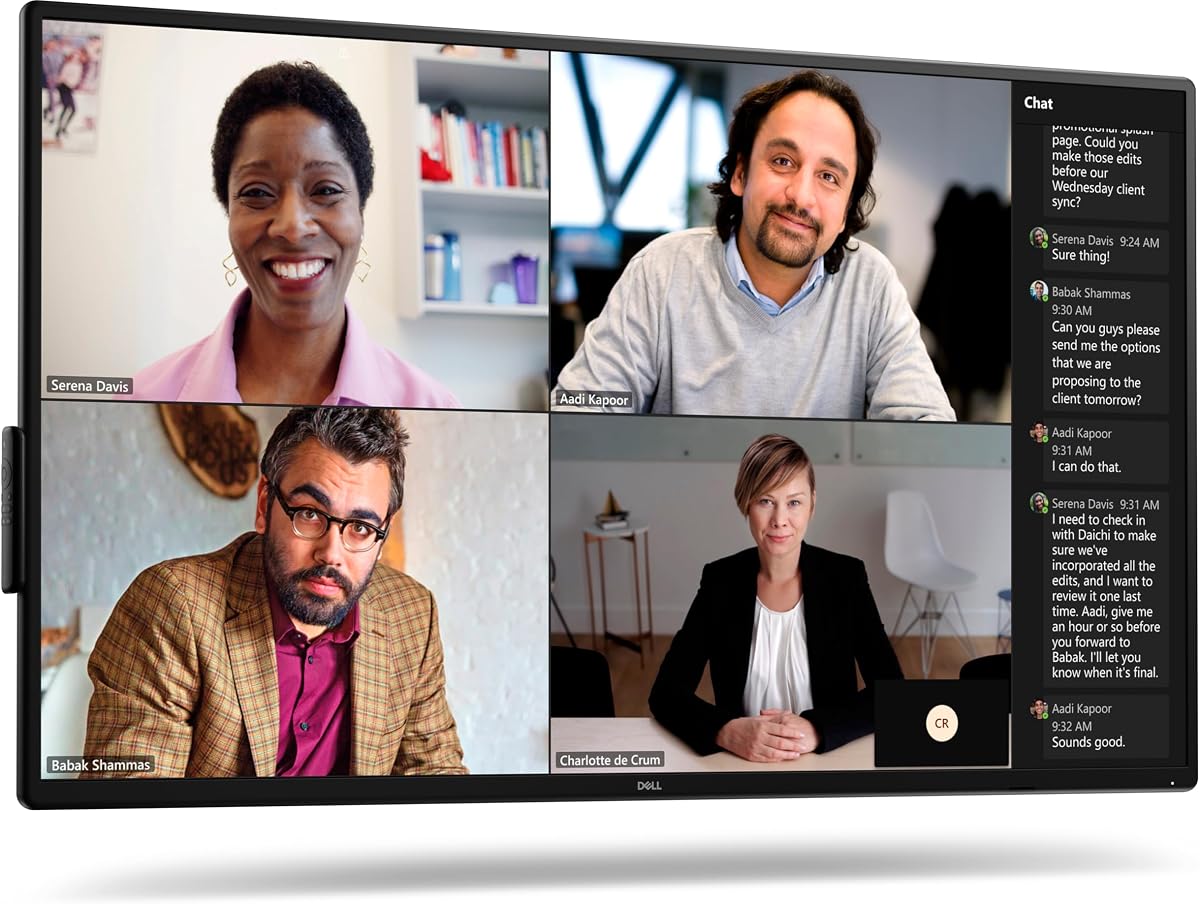


The Dell P5524Q stands out as a top-tier option for serious conference rooms. It offers a massive 55 inch 4K display that ensures every detail in your presentation is sharp and visible from any seat. Its commercial grade build quality ensures it can withstand daily use in high traffic environments.
We may earn a commission when you buy through this link, at no additional cost to you.
This monitor excels in visual fidelity and connectivity. The anti-glare coating reduces reflections from overhead lights which is critical for clear video calls. Integrated speakers simplify setup by eliminating the need for external audio devices during standard meetings.
While it is priced higher than some alternatives the durability and feature set justify the investment. The security lock slot provides peace of mind for valuable equipment in shared spaces. Installation requires some expertise but the result is a professional looking setup.
Ideal for medium to large meeting rooms this monitor enhances collaboration significantly. Teams will appreciate the crisp text and vibrant colors during long sessions. It is a reliable choice for businesses prioritizing quality and longevity in their AV infrastructure.
The 4K UHD resolution ensures text and graphics remain sharp even when displayed on a large 55 inch screen.
Designed for continuous use the monitor features robust construction and security options suitable for office environments.
We may earn a commission when you buy through this link, at no additional cost to you.
The Samsung QB65R offers an impressive 65 inch display at a competitive price point making it ideal for larger conference spaces. Its 4K UHD resolution ensures presentations and video feeds look professional. The built-in System-on-Chip technology reduces the need for external media players.
We may earn a commission when you buy through this link, at no additional cost to you.
This display shines in flexibility and smart features. Wi-Fi and Bluetooth connectivity allow seamless content sharing from mobile devices which streamlines meetings. The Intelligent UHD upscaling ensures even lower resolution content looks crisp on the large screen.
While the interface may require some learning the embedded media player simplifies content playback significantly. The slim design allows for easy mounting with clean cable management options. It balances performance and cost effectively for growing businesses.
Perfect for boardrooms or training centers this monitor delivers big visuals without breaking the budget. The 3-year warranty adds confidence to the purchase. It is a strong contender for those needing a large display without premium price tags.
Built-in Wi-Fi and Bluetooth enable easy connection to tablets and phones for wireless presentation sharing.
The 65 inch size is often expensive yet this model offers it at a budget friendly price point.
We may earn a commission when you buy through this link, at no additional cost to you.
Sony FW75BZ30L delivers an unparalleled visual experience for high end corporate environments. Its 75 inch 4K HDR display produces stunning color depth and contrast. This monitor is engineered for demanding commercial use with superior panel uniformity and longevity.
We may earn a commission when you buy through this link, at no additional cost to you.
The VA LCD panel ensures deep blacks and vibrant colors crucial for creative reviews. It supports both landscape and portrait orientations offering flexibility for unique room layouts. The commercial grade construction guarantees reliability even with continuous daily operation.
While the cost is significant the image quality and durability justify it for critical applications. Installation requires professional handling due to the weight and size. This device transforms any conference room into a premium presentation space instantly.
Best suited for executive boardrooms this monitor sets a high standard for display quality. It handles complex graphics and video seamlessly. Investing in this model ensures your communication infrastructure remains top notch for years to come.
HDR support delivers a wider dynamic range making images appear more lifelike and detailed.
Support for landscape and portrait modes allows creative use in lobbies or vertical displays.
We may earn a commission when you buy through this link, at no additional cost to you.
The LG UL3G offers a convenient bundle solution for small to medium conference rooms. It comes with essential accessories like HDMI cables and a surge protector reducing setup time. The IPS panel provides consistent colors from almost any angle in the room.
We may earn a commission when you buy through this link, at no additional cost to you.
Its webOS 4.1 system simplifies media playback without external devices. Crestron Connected compatibility allows seamless integration with existing building automation systems. The display operates as a virtual router enabling easy wireless sharing for presenters.
The included accessories help streamline installation though they are basic. This model is particularly useful for digital signage tasks alongside meetings. The remote monitoring capability ensures IT teams can manage the display easily.
Ideal for compact meeting rooms this bundle offers great value and functionality. It balances screen quality with smart features effectively. Consider this if you need a ready to go solution without extra peripherals.
The inclusion of cables and a protector saves time and money during initial setup phases.
IPS technology ensures accurate colors even when viewed from the side of the room.
We may earn a commission when you buy through this link, at no additional cost to you.
The HORION 75 brings impressive wireless capabilities to conference rooms. Its Dual WiFi Pro Stability System ensures smooth casting without lag by separating hotspot and internet channels. This makes it easy for attendees to share screens quickly.
We may earn a commission when you buy through this link, at no additional cost to you.
The display supports Miracast and Airplay for broad device compatibility. Built-in speakers simplify audio setup for standard meetings. The 75 inch size is perfect for large teams needing to see details clearly from a distance.
Vertical mounting allows creative use for lobby directories or signage. The low blue light certification reduces eye strain during long meetings. While the brand is less known the features compete with established manufacturers.
Great for tech-savvy offices this monitor prioritizes ease of connection. It eliminates cables for most users enhancing flexibility. Consider it if wireless presentation is a top priority for your daily workflow.
Dual WiFi modules separate traffic to prevent lag during important presentations or video calls.
TUV Rheinland certified low blue light reduces eye fatigue during extended viewing sessions.
We may earn a commission when you buy through this link, at no additional cost to you.
The Dell P5525QC emphasizes modern connectivity with its USB-C and DisplayPort options. This simplifies laptop docking for presenters without needing adapters. It features a robust IPS panel ensuring clear images during presentations and video conferences.
We may earn a commission when you buy through this link, at no additional cost to you.
This monitor is designed for professional environments needing reliable performance. The 4K resolution keeps text sharp which reduces eye strain for readers. Its design aligns well with standard corporate office aesthetics.
It lacks the advanced smart OS of other models but excels as a pure display. This makes it ideal for dedicated conference setups where external PCs handle content. The build quality supports long term daily use.
Best for IT managed offices this monitor offers stable and clean connectivity. It reduces cable clutter through single cable docking. Choose it if you prioritize reliable connections over built-in smart features.
USB-C ports allow video and data transfer through a single connection for laptops.
Dell commercial monitors are known for consistent performance and long lifespans.
We may earn a commission when you buy through this link, at no additional cost to you.
The Philips 34E1C is ideal for huddle rooms needing an all-in-one solution. Its built-in 5MP webcam with noise canceling mic simplifies video conferencing setup. The curved 34 inch UltraWide screen provides an immersive workspace for small groups.
We may earn a commission when you buy through this link, at no additional cost to you.
USB-C docking allows laptop charging and display through one cable. The 100Hz refresh rate ensures smooth visuals during scrolling or presentations. It includes a 4-year advance replacement warranty for peace of mind.
While excellent for small rooms it might be too small for larger spaces. The webcam is convenient but may not match dedicated conference cameras. It balances functionality and simplicity for teams needing quick setup.
Best for small conference spaces this monitor saves desk clutter. It handles daily video calls effectively. Consider this if you want a compact solution with built-in conferencing hardware.
Integrated webcam and mic reduce the need for extra peripherals in small meeting areas.
The curved VA panel helps reduce eye strain during long work sessions.
We may earn a commission when you buy through this link, at no additional cost to you.
The Samsung QB43R is a versatile option for compact conference rooms. Its 43 inch size fits well in tighter spaces while maintaining high 4K resolution. The SoC technology allows standalone playback without an external computer.
We may earn a commission when you buy through this link, at no additional cost to you.
Built-in Wi-Fi and Bluetooth enable easy sharing from devices. The slim bezels create a clean modern look when mounted on walls. It is designed for continuous commercial use with robust durability.
Performance is consistent making it reliable for daily meetings. The warranty adds confidence to the investment. It balances affordability with essential business features effectively.
Best for small huddle rooms this model offers quality at a reasonable price. It suits teams needing reliable visual display without extra complexity. Consider it for focused meeting areas.
Embedded media player allows playing content directly from USB without extra computers.
Slim design and VESA mounts make it easy to integrate into any office wall.
We may earn a commission when you buy through this link, at no additional cost to you.
The Samsung QE50T is built for reliability in demanding environments. It supports 16 hour daily operation which is ideal for busy office schedules. Its IP5X dust-proof rating ensures longevity in less controlled spaces.
We may earn a commission when you buy through this link, at no additional cost to you.
A non-glare panel helps visibility under various lighting conditions. The built-in media player allows content playback directly from USB drives. It maintains Samsung's reputation for consistent commercial performance.
This model focuses on stability over advanced smart features. It is practical for spaces needing constant operation like training rooms. The 3-year warranty ensures long term protection.
Best for frequent use rooms this monitor delivers steady performance. It handles long hours without overheating issues. Consider it if uptime is a critical requirement for your space.
Engineered for 16/7 operation it ensures your display works when you need it.
IP5X dust-proof rating protects internal components from particulate in office environments.
We may earn a commission when you buy through this link, at no additional cost to you.
The Logitech MeetUp enhances existing displays with professional video capabilities. It features a 4K sensor and 120 degree field of view ensuring all participants are captured. The beamforming mics pick up voices clearly across small rooms.
We may earn a commission when you buy through this link, at no additional cost to you.
This system integrates easily with major platforms like Microsoft Teams and Zoom. Its plug-and-play USB connection simplifies setup for users. It transforms any display into a fully functional conferencing station.
While it is not a monitor itself it complements them perfectly. The motorized pan and tilt options help frame meetings dynamically. It is ideal for upgrading existing rooms without buying new screens.
Best for small meeting spaces this system ensures high quality calls. It works alongside existing displays effectively. Consider this if you have a screen but need better cameras and audio.
Beamforming mics capture voices from 4 meters away ensuring everyone is heard.
Works with Zoom Rooms Microsoft Teams and Google Meet for easy room management.
We may earn a commission when you buy through this link, at no additional cost to you.
Selecting the right conference room monitor requires understanding key factors that impact performance and usability. This section outlines essential elements to consider for your specific meeting space.
Screen size should match your room dimensions to ensure visibility from all seats. Larger rooms typically require 55 inch or bigger displays. Resolution like 4K ensures text and images remain crisp even on large surfaces.
Match screen size to viewing distance and prioritize 4K resolution for clarity.
Modern monitors need versatile ports like HDMI USB-C and DisplayPort. USB-C allows single cable charging and video for laptops which simplifies connections. Check for built-in Wi-Fi if wireless sharing is needed.
Ensure the monitor has ports compatible with your existing devices to reduce adapter clutter.
Built-in speakers and microphones can reduce hardware needs in small rooms. Look for systems that support external audio integration for larger spaces. Video conferencing compatibility with platforms like Zoom is vital.
Prioritize integrated audio for smaller huddle rooms or plan for external solutions.
Brightness measured in nits affects visibility under office lighting. 350 nits or higher is recommended for rooms with overhead lights. Anti-glare coatings help reduce reflections during video calls.
Choose monitors with high brightness and anti-glare coatings for well-lit offices.
Commercial monitors are built for continuous operation unlike standard models. Look for warranties that support 16/7 usage and robust build materials. Durability ensures longevity in shared environments.
Select commercial grade displays if the monitor will run daily for long hours.
VESA compatibility allows wall or ceiling mounting. Verify the monitor supports orientation modes like portrait if needed for directories. Ensure mounting hardware is included or easily sourced.
Check mounting specs and orientation support to fit your room layout.
Built-in systems like webOS allow standalone content playback. Smart features can reduce dependency on external computers. However ensure the interface is intuitive for users.
Evaluate if built-in software adds value or if external PCs are preferred.
Features like security slots protect valuable hardware. Dust-proof ratings extend life in less controlled spaces. Consider remote management tools for IT teams.
Look for security options and remote management features to protect and manage equipment.
Position the monitor securely on a wall mount or stand to prevent accidents. Ensure all cables are neatly managed using ties to avoid tripping hazards or damage.
Clean the screen regularly with a microfiber cloth to prevent dust buildup. Use specialized cleaning kits for commercial displays to avoid damaging coatings.
Turn off the monitor when not in use to extend its lifespan. Adjust brightness settings based on room lighting to reduce eye strain.
For a standard room with 6 to 12 people a 55 inch monitor is often ideal. It ensures visibility from the back row while maintaining sharp text. Larger rooms may benefit from 65 inch or bigger displays to avoid craning necks.
Not always. Many modern monitors have built-in processors allowing USB playback. However for advanced video conferencing a dedicated PC or conference bar is usually better. Check your specific meeting software needs before deciding.
Yes many commercial monitors support continuous operation for signage. They often include embedded media players to display content loops. Ensure the model supports 16/7 operation if running 24/7.
Commercial displays are built for longer daily runtimes and durability. They often have better brightness and warranty terms. Consumer models may fail under continuous office use and lack professional features.
Use HDMI or USB-C cables for direct connection. For wireless sharing ensure the monitor supports casting standards like Miracast. Docking stations with USB-C simplify connections for frequent presenters.
4K ensures text and graphics are sharp even on large screens. It prevents pixelation during detailed presentations. This clarity reduces eye strain and professionalizes the meeting experience.
Look for at least a 3-year commercial warranty. Some models offer extended coverage for continuous operation. This protects against defects and ensures support during the monitor's lifespan.
Choosing the right conference room monitor transforms your meeting space into a productive environment. We highlighted top models like the Dell P5524Q and Samsung QB65R that balance quality and price.
Prioritize factors like resolution and connectivity to ensure seamless collaboration. Consider your room size and how the display will be used daily.
Prices and availability change frequently so check current listings before purchasing. Investing in a reliable monitor improves communication efficiency across your team.