
MAIWO Hard Drive Docking Station
4.5Editor score
48TB total capacity support
3X USB 3.0 hub included
LED progress indicators for cloning
Finding the right hard drive duplicator cloner docking station is essential for anyone managing large amounts of data. These devices allow you to copy drives quickly without needing a computer. A good model supports multiple drive sizes and offers reliable transfer speeds for your needs.
We compared ten top-rated models based on cloning speed, compatibility, and ease of use. Each product was evaluated for its ability to handle both HDDs and SSDs efficiently. Our list includes options for budget buyers and professionals needing advanced features.
Each pick highlights key strengths and potential limitations to help you decide. Prices and availability can change often so check the latest details before buying. Our goal is to simplify your search for the perfect data duplication solution.
4.5Editor score

4.5Editor score

4.5Editor score
As an Amazon Associate we earn from qualifying purchases.
This side-by-side comparison highlights the key specifications of all ten models. Use this table to quickly identify which docking station fits your specific drive types and budget requirements.




The SABRENT USB 3.0 Dual Bay Hard Drive Docking Station is a top choice for users needing reliable data duplication. It holds a 4.5 rating from users who appreciate its straightforward design and performance capabilities. This device stands out for its ability to clone drives without a computer connected.
We may earn a commission when you buy through this link, at no additional cost to you.
Its primary strength lies in the offline cloning feature which allows you to copy data directly between drives. This is ideal for IT professionals or home users who need to replicate systems quickly. The USB 3.0 interface ensures fast transfer speeds up to 5Gbps for regular access tasks.
While the cloning speed is capped at 60Mbps this is acceptable for most general backup needs. Some users might prefer faster cloning speeds for very large drives but the reliability makes up for it. The lack of a USB-C port means you may need adapters for newer laptops.
This docking station is perfect for anyone needing a simple way to back up or clone SATA drives. Whether you are upgrading storage or creating backups it delivers consistent performance. We recommend it for users who value ease of use and solid build quality.
You can start the cloning process with a single press of a button without needing a PC.
It supports both 2.5 and 3.5 inch SATA hard drives and SSDs up to 10TB.
We may earn a commission when you buy through this link, at no additional cost to you.
The SABRENT Dual-Bay USB-C Hard Drive Docking Station offers a modern solution for data management. With a 4.4 rating it appeals to users with newer laptops that rely on USB-C ports. This model combines docking and cloning functions in a compact form factor.
We may earn a commission when you buy through this link, at no additional cost to you.
Its standout feature is the offline cloning capability which works even when the dock is unplugged from a PC. This provides flexibility for users who need to copy drives on the go. The USB-C connection ensures faster and more stable data transfers compared to older USB standards.
While it lacks support for IDE or M.2 drives it covers the most common SATA drive types efficiently. The tool-free design makes swapping drives quick and convenient for frequent users. However ensure your computer has a USB-C port before purchasing this model.
This docking station is recommended for tech-savvy users who want a fast and versatile docking solution. It balances performance with portability making it a great choice for mobile professionals. Consider it if you need a reliable tool for SATA drive duplication and access.
The USB-C interface provides faster data transfer and connects easily to modern devices.
Cloning works without a computer allowing for flexible data migration tasks.
We may earn a commission when you buy through this link, at no additional cost to you.
The ICY BOX USB-C 10Gbps NVMe Docking Station is a premium option for advanced storage needs. It holds a 4.5 rating due to its versatility in handling multiple drive types simultaneously. This triple bay design sets it apart from standard dual bay competitors.
We may earn a commission when you buy through this link, at no additional cost to you.
Its key strength is the ability to clone between different drive types such as NVMe to SATA or vice versa. This flexibility is invaluable for professionals managing mixed storage environments. The USB 3.2 Gen 2 technology ensures blazing fast transfer speeds up to 10Gbps.
While the price is higher than basic models the added functionality justifies the investment for many users. Some might find the complexity unnecessary if they only use SATA drives but the performance is top tier. The one-touch cloning simplifies what can otherwise be a technical task.
We recommend this docking station for users who need to manage diverse storage formats efficiently. It is ideal for IT specialists or power users who require maximum speed and flexibility. Consider it if you need a future-proof solution for modern storage technologies.
Clone between NVMe and SATA drives easily for flexible data migration.
USB 3.2 Gen 2 speeds up to 10Gbps ensure rapid data access.
We may earn a commission when you buy through this link, at no additional cost to you.
The MAIWO Hard Drive Docking Station offers exceptional value for budget-conscious buyers. With a 4.5 rating it proves that affordability does not mean sacrificing essential features. This model supports massive capacity up to 48TB making it great for large backups.
We may earn a commission when you buy through this link, at no additional cost to you.
Its standout feature is the built-in USB 3.0 hub which provides three extra ports for other devices. This allows you to connect flash drives or other peripherals directly to the dock. The clear LED indicators help you track cloning progress at a glance.
While the design is basic it remains functional and reliable for daily use. Some users might miss USB-C connectivity but the standard USB 3.0 is sufficient for most tasks. The stable power supply ensures consistent performance even with high capacity drives.
This docking station is ideal for home users or small businesses needing cost-effective data management. It handles large drives well and the extra USB ports add convenience. We recommend it as a top budget choice for reliable drive duplication.
Three additional USB 3.0 ports allow you to connect other devices easily.
Supports up to 48TB total capacity for extensive backup needs.
We may earn a commission when you buy through this link, at no additional cost to you.
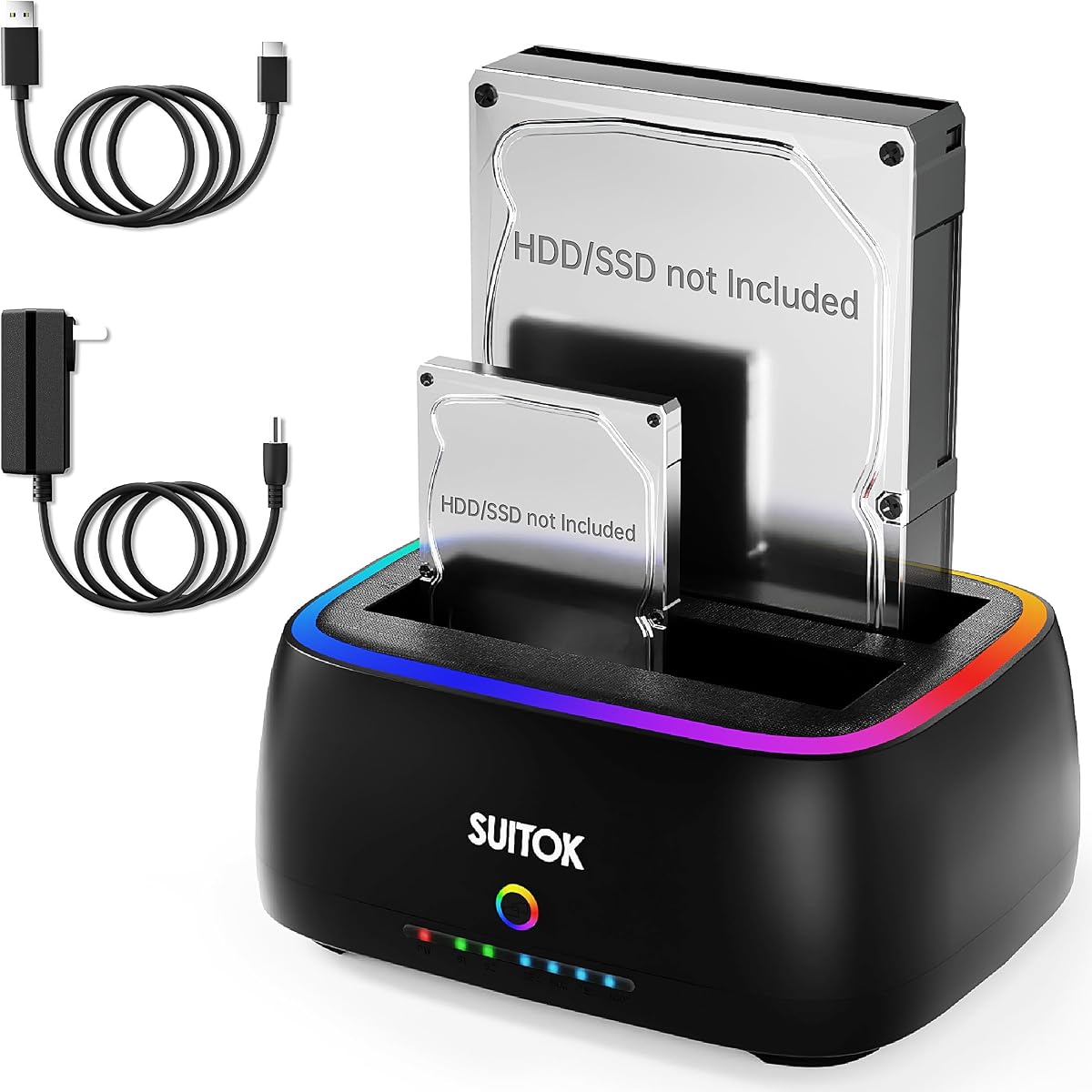
This Dual Bay SATA Hard Drive Cloner Dock offers solid performance at an accessible price point. With a 4.3 rating it meets the needs of users seeking reliable cloning without extra frills. The USB-C connection ensures modern compatibility for your devices.
We may earn a commission when you buy through this link, at no additional cost to you.
Its key strengths include the tool-free vertical design which makes swapping drives quick and easy. The UASP protocol ensures faster data transfers compared to standard USB modes. Built-in cooling vents help maintain safe operating temperatures during long tasks.
While the rating is slightly lower than top models it remains a reliable option for most users. The RGB lighting is a nice touch for those who appreciate desktop aesthetics. Ensure your target drive is large enough before starting any cloning process.
We recommend this docking station for users who want a balance of features and price. It is suitable for home office or gaming storage expansion. Consider it if you need a straightforward tool for SATA drive duplication.
Vertical insertion design lets you swap drives instantly without any tools.
USB-C 5Gbps interface ensures fast and stable data transfers.
We may earn a commission when you buy through this link, at no additional cost to you.
The StarTech Dual-Bay Duplicator is designed specifically for IT professionals who need reliability. It holds a 4.4 rating reflecting its robust build and consistent performance in professional environments. This dock is built for heavy-duty use over many years.
We may earn a commission when you buy through this link, at no additional cost to you.
Its standout feature is the sector-by-sector cloning which copies entire drives including empty space. This is crucial for system recovery and exact backups. The fast duplication speed ensures you do not spend all day copying data.
While the price is higher than consumer models the warranty and support justify the cost. Some might find the cloning speed slower for SSDs compared to newer models but it remains reliable. The top-loading design makes drive access very convenient.
This docking station is recommended for IT departments or professionals managing client hardware. Its durability and support make it a safe long-term investment. Choose it if you need a professional-grade tool for data duplication.
Built for IT professionals with strong technical support and warranties.
Exact cloning of entire drives ensures perfect system backups.
We may earn a commission when you buy through this link, at no additional cost to you.
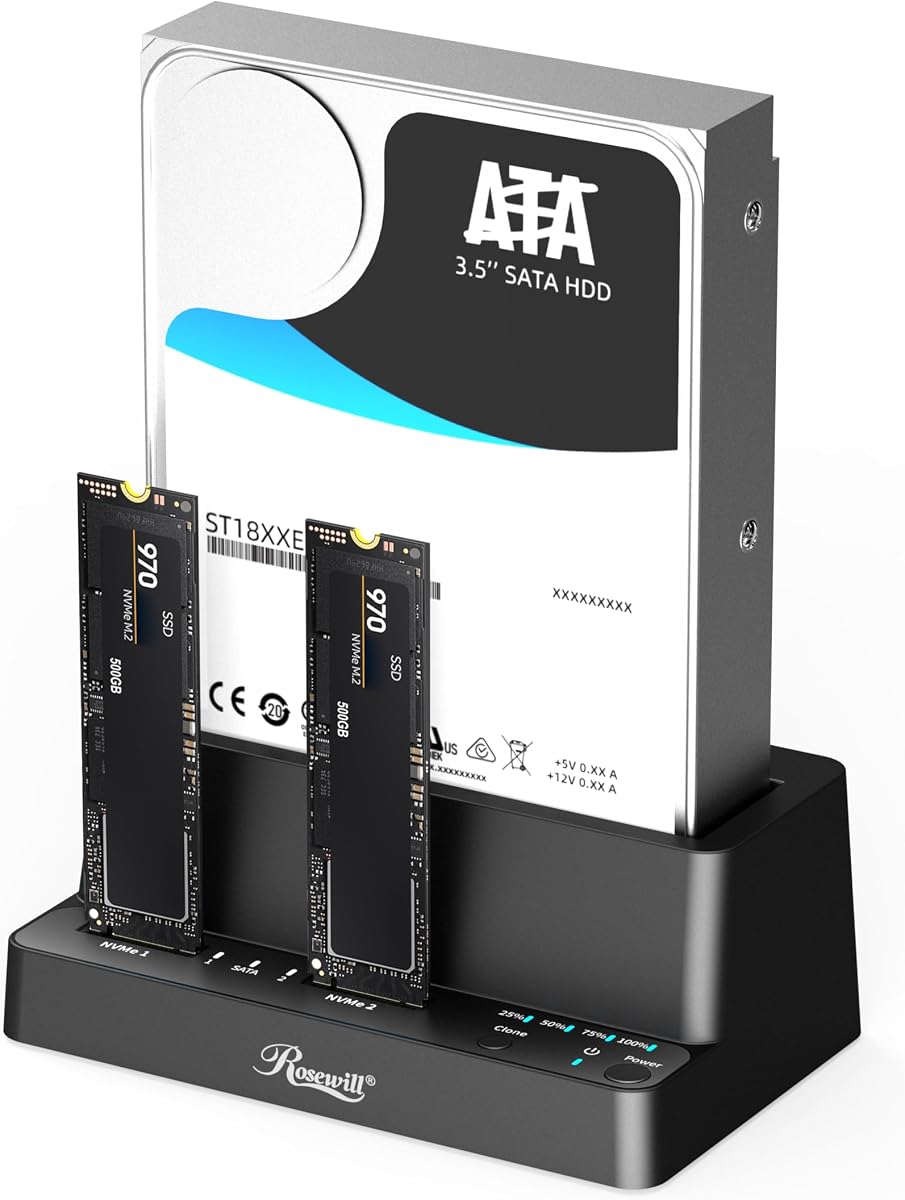
The Rosewill M.2 NVMe & SATA Docking Station is a compact option for users on the go. With a 4.5 rating it balances portability with high performance capabilities. This model supports both modern M.2 drives and traditional SATA types.
We may earn a commission when you buy through this link, at no additional cost to you.
Its primary strength is the combination of triple bay flexibility and USB 3.2 speeds in a small package. You can clone drives without a computer making it easy to use in various locations. The tool-free design simplifies drive installation further.
While its compact size is a benefit it may not have the same cooling as larger stationary models. Users should ensure good airflow when using high-speed SSDs to maintain performance. It is best suited for occasional use rather than continuous operation.
This docking station is ideal for tech enthusiasts who travel or need flexibility. It handles mixed storage types well for versatile data management. Consider it if you need a portable cloning solution for multiple drive formats.
Lightweight and compact for easy transport between devices and locations.
Triple bay allows handling multiple M.2 and SATA drives simultaneously.
We may earn a commission when you buy through this link, at no additional cost to you.
The ORICO USB C 5 Bay Hard Drive Docking Station offers massive storage expansion capabilities. While the rating is 3.9 it provides a unique solution for users needing to duplicate data to multiple drives at once. This model is ideal for photographers or servers.
We may earn a commission when you buy through this link, at no additional cost to you.
Its standout feature is the ability to clone one source drive to four targets simultaneously. This saves significant time for those managing large volumes of data. The aluminum construction helps dissipate heat effectively across five drives.
Some users report inconsistencies which might explain the lower rating compared to others. The setup for simultaneous cloning can be complex for beginners. Ensure you backup your data before cloning as target disks will be overwritten.
This docking station is recommended for users who need to duplicate data across many drives efficiently. It is perfect for creating backups or media archives. Consider it if you need high capacity and unique cloning features.
Supports up to 100TB total capacity for extensive storage needs.
Clone one drive to four targets at once for efficient backups.
We may earn a commission when you buy through this link, at no additional cost to you.
The WAVLINK USB 3.0 and USB C Docking Station offers practical features for energy efficiency. With a 4.4 rating it appeals to users who need reliable access to internal drives. The auto sleep mode helps save power when the dock is idle.
We may earn a commission when you buy through this link, at no additional cost to you.
Its key strength is the built-in power switch which allows easy control over connected drives. The UASP protocol provides faster speeds than standard USB modes for improved performance. Both USB 3.0 and USB-C options provide flexible connectivity.
While it does not support M1 or M2 based Macs it works well with most other systems. The cloning speed is limited but sufficient for basic backup tasks. Users should ensure target drives are larger than source drives before starting.
This docking station is recommended for users who want power control and energy saving features. It is suitable for home office environments where multiple drives are used occasionally. Consider it if you need a reliable SATA docking solution.
Auto sleep mode reduces energy usage when drives are not active.
Supports both USB 3.0 and USB-C for broader device compatibility.
We may earn a commission when you buy through this link, at no additional cost to you.
The StarTech.com 4-Bay Duplicator and Eraser is designed for users prioritizing data security. With a 4.5 rating it is built for professionals who need to sanitize drives reliably. This model offers both cloning and secure wiping capabilities in one device.
We may earn a commission when you buy through this link, at no additional cost to you.
Its standout feature is the secure erase mode which meets NIST standards for data removal. This ensures sensitive data is completely wiped before recycling or selling drives. The LCD menu makes navigation simple without needing software.
While the price is high for general users it is necessary for compliance and security needs. The physical size is large which might require dedicated desk space. It supports IDE and SATA drives for broad legacy compatibility.
This docking station is recommended for IT departments or businesses handling sensitive information. It provides peace of mind with certified data erasure methods. Choose it if security and professional features are your top priorities.
NIST compliant wipe tool ensures sensitive data is permanently removed.
Easy menu display allows operation without needing a computer.
We may earn a commission when you buy through this link, at no additional cost to you.
Choosing the right docking station depends on your specific drive types and workflow needs.
Ensure the dock supports your specific drive types such as SATA or NVMe. Most models handle 2.5 and 3.5 inch SATA drives but newer ones include M.2 slots.
Check if your drives need specific adapters or if they are directly supported.
USB 3.0 is standard but USB-C provides better future-proofing. Look for docks that match your computer's available ports.
Consider USB 3.2 Gen 2 for faster data transfers up to 10Gbps.
Offline cloning allows you to copy drives without connecting to a PC. This saves time and reduces load on your main computer.
Look for clear indicators or buttons that simplify the cloning process.
Check the maximum capacity supported per bay. Modern drives can reach 20TB or more so ensure the dock handles your storage size.
Support for larger capacities ensures future compatibility as you upgrade.
A stable power supply is crucial for reliable performance especially with multiple drives. Look for external adapters that provide sufficient voltage.
Avoid docks that rely solely on bus power for large mechanical drives.
Materials like aluminum alloy help with heat dissipation during heavy use. Durability matters for long-term reliability.
Look for tool-free designs that make swapping drives easier and more convenient.
Features like UASP and TRIM support improve performance for SSDs. Some docks include extra USB ports or cooling vents.
Consider what extras matter for your workflow before making a final decision.
To use the docking station plug it into a power source and connect it to your computer via USB. Insert your drives into the bays ensuring they are seated firmly and correctly aligned.
For cloning ensure your target drive is the same size or larger than the source. Press the clone button or follow the device instructions to start the process.
Keep the dock in a well-ventilated area to prevent overheating. Regularly check connections and clean dust from vents to maintain optimal performance.
Yes many docking stations offer offline cloning which allows you to copy drives without connecting to a PC. You simply press a button on the device to start the process.
USB-C is a smaller reversible connector that supports faster data speeds like USB 3.2 Gen 2. USB 3.0 uses the older Type-A connector which is still common but slower.
Most models are plug and play requiring no drivers. They work immediately with Windows and macOS systems for basic access and cloning.
No the target drive must be the same size or larger than the source drive to ensure all data fits properly without loss.
Cloning speed depends on the size of your drives. Typical speeds range from 60MBps to much faster rates with newer models and SSDs.
Yes many modern docks support TRIM and UASP which protect SSD health and improve performance during data transfers.
Yes when connected to a computer both drives appear as separate storage devices allowing you to transfer files between them easily.
Power loss during cloning may corrupt the data on the target drive. Use a stable power source and avoid interruptions to ensure safe completion.
The top picks offer reliable solutions for different needs from budget models to premium options. Whether you need offline cloning or advanced features there is a dock for you.
Prioritize compatibility and connection types to ensure smooth integration with your current setup. Quality and reliability should guide your final selection over price alone.
Remember to check current availability and prices before purchasing since these details change often. A right tool will keep your data safe and your workflow efficient.