
Acer Nitro V 16S
4.4Editor score
Affordable high performance
Ample DDR5 memory
Fast storage speeds
Finding the right gaming laptop for Baldurs Gate 3 requires balancing powerful hardware with a stunning display to truly enjoy the game's detailed worlds. You need a machine that handles complex character creations and tactical combat without lag or visual stutter during long adventures.
We compared ten top-rated models based on processor speed, graphics capability, and display refresh rates to ensure smooth gameplay. Each laptop was evaluated for its ability to handle ray tracing and high frame rates while maintaining stable temperatures during extended gaming sessions.
Each pick highlights specific strengths like portability, screen quality, or raw power to match different player needs. Please note that availability and pricing can change frequently, so check the latest details before making your final purchase decision.
4.4Editor score

4.4Editor score

4.8Editor score
As an Amazon Associate we earn from qualifying purchases.
The following table provides a side-by-side comparison of all ten featured laptops to help you quickly identify the model that best fits your specific gaming requirements and budget constraints.



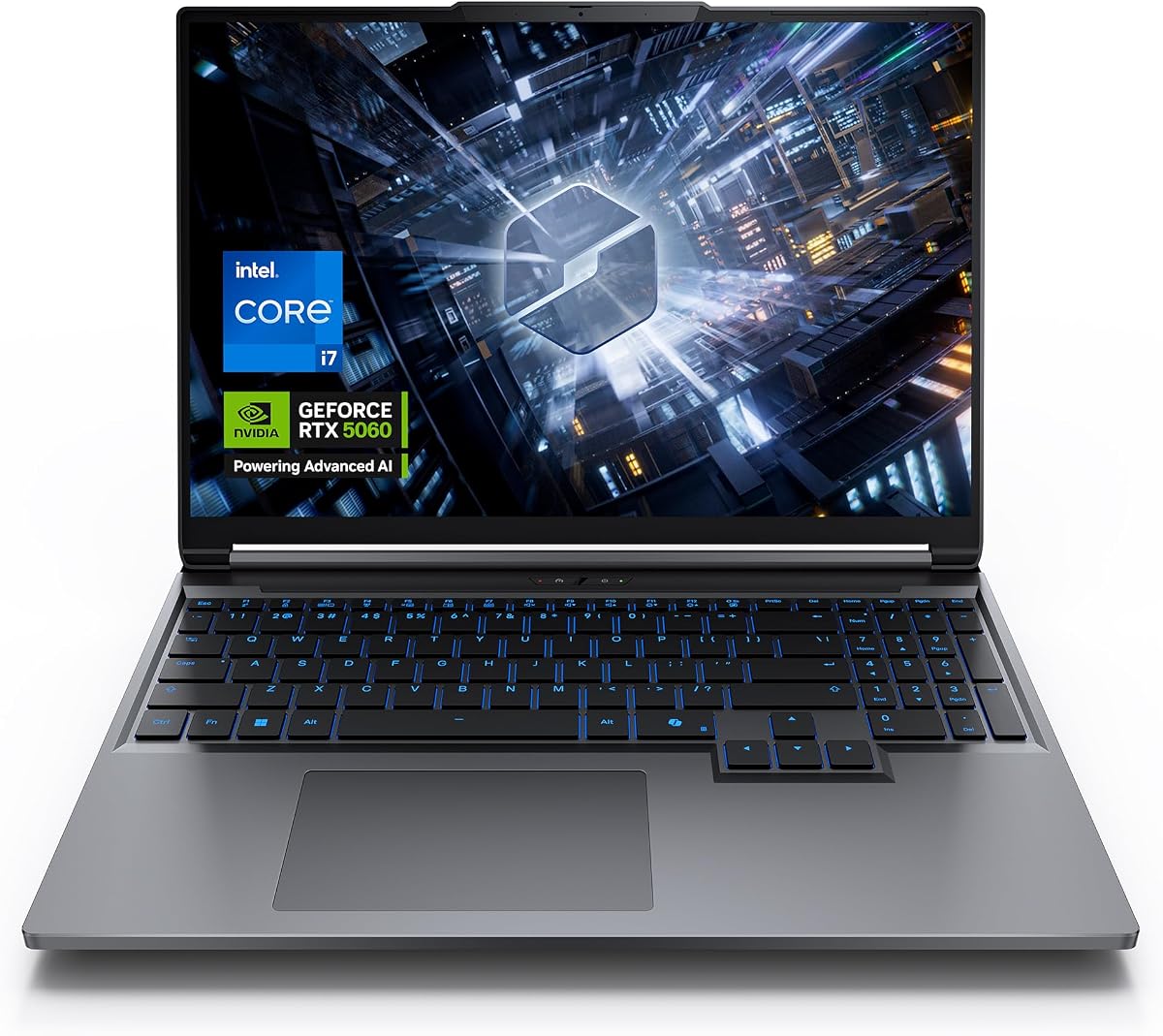


This laptop stands out as a top choice for immersive gaming due to its powerful hardware and smooth display. With a high rating from users, it delivers reliable performance for demanding titles like Baldurs Gate 3.
We may earn a commission when you buy through this link, at no additional cost to you.
The Intel Core i7 processor combined with the RTX 5060 ensures that complex scenes render quickly without stuttering. The 165Hz refresh rate provides fluid motion during combat sequences which is crucial for tactical RPGs.
While the price point is higher than some alternatives the advanced cooling system keeps the device running quietly even under heavy load. This makes long gaming sessions comfortable without excessive fan noise.
Gamers seeking a balance of performance and visual fidelity should consider this model for their setup. It is an excellent investment for those who prioritize smooth gameplay and high-quality graphics rendering.
The ROG Intelligent Cooling system uses vapor chambers and liquid metal to maintain optimal temperatures during intense gameplay sessions.
The ACR film on the display reduces glare and enhances contrast making it easier to see details in dark dungeon environments.
We may earn a commission when you buy through this link, at no additional cost to you.
This model offers impressive value for gamers looking for high-end specs without a premium price tag. The generous amount of RAM ensures smooth multitasking alongside your game.
We may earn a commission when you buy through this link, at no additional cost to you.
The AMD processor and RTX 5060 work together to deliver strong frame rates even with ray tracing enabled. The 180Hz screen provides a competitive edge in fast-paced combat encounters.
Users may notice the build quality is functional rather than luxurious but the performance compensates for this trade-off. It is a practical choice for students or budget-conscious players.
If you want maximum performance per dollar this laptop is a top contender in the current market. It handles Baldurs Gate 3 with ease and leaves room for future software updates.
The integrated AI features help optimize system resources dynamically to ensure consistent performance during complex game scenarios.
With 32GB of DDR5 memory you can run background applications like Discord or streaming tools without impacting game performance.
We may earn a commission when you buy through this link, at no additional cost to you.
This laptop combines top-tier construction with powerful internals to create a premium gaming experience. The high resolution screen is perfect for appreciating the detailed art design in the game.
We may earn a commission when you buy through this link, at no additional cost to you.
The 32GB of RAM and fast SSD ensure quick loading times and seamless switching between tasks. The device maintains a low profile while delivering serious computing power under the hood.
While the refresh rate is lower than some competitors the visual clarity is superior for story-driven exploration phases. It is an ideal choice for users who value design and reliability.
Players who want a machine that looks and feels like a high-end device will appreciate this selection. It is well suited for both gaming and professional work requirements.
The WQXGA display offers rich colors and sharp text making it easy to read character stats and dialogue text clearly.
Windows 11 Pro provides additional security and management tools beneficial for users who need a dual-purpose device.
We may earn a commission when you buy through this link, at no additional cost to you.
The large screen on this laptop provides an immersive view that enhances the storytelling aspect of the game. It is surprisingly lightweight for its size making it easy to carry around.
We may earn a commission when you buy through this link, at no additional cost to you.
Performance remains strong with the RTX 5060 ensuring that visuals look crisp even on the larger panel. The cooling system is effective at keeping heat levels manageable during long sessions.
Some users might find the weight slightly heavier than compact options but the screen real estate is worth it. It is a great choice for those who prefer a desktop-like experience on the go.
This model is ideal for gamers who prioritize screen size over portability. It brings the game to life with a wide view that captures all the environmental details.
The 17.3 inch screen allows you to see more of the game world at once which helps with navigation and exploration.
Despite the large screen the chassis is slim enough to fit easily into a standard backpack for travel.
We may earn a commission when you buy through this link, at no additional cost to you.
This laptop features a powerful RTX 5070 which provides excellent graphical capabilities for demanding titles. The slim design makes it easy to use in various environments without taking up much space.
We may earn a commission when you buy through this link, at no additional cost to you.
The AI mate interface offers a unique way to manage system settings and optimize performance for gaming. It streamlines the user experience by providing intuitive controls for power modes.
While the processor is from an older generation the GPU strength compensates significantly for most gaming scenarios. Users will enjoy high frame rates and detailed textures during gameplay.
It is a solid option for those who prioritize graphics power in a thin device. The hinge design also allows for flexible positioning which is convenient for desk setups.
The RTX 5070 supports advanced ray tracing and DLSS features to enhance visual fidelity without sacrificing performance.
The 180-degree hinge lets you lay the screen flat which is useful for sharing the display or using as a drawing surface.
We may earn a commission when you buy through this link, at no additional cost to you.
This model receives high praise from users for its reliability and solid performance in everyday gaming tasks. The high memory count ensures that the system stays responsive even with multiple apps open.
We may earn a commission when you buy through this link, at no additional cost to you.
The AMD processor handles multitasking well which is useful if you stream or chat while playing. The display refresh rate is sufficient for smooth action without needing top-tier specs.
While the graphics card is a step below the 5060 it still delivers a playable experience for most players. It balances cost and performance effectively for those who need a budget friendly machine.
It is a great choice for casual gamers who want a dependable device without overspending. The connectivity options make it easy to connect to external monitors or accessories.
Users appreciate the consistent performance and lack of technical issues which contributes to the high rating score.
The variety of ports allows you to connect external drives and displays without needing additional adapters.
We may earn a commission when you buy through this link, at no additional cost to you.
This is a powerhouse machine designed for those who want the absolute best performance available. The Ultra 9 processor and RTX 5070 Ti deliver speed that few other laptops can match.
We may earn a commission when you buy through this link, at no additional cost to you.
The screen offers a high refresh rate and resolution which makes gameplay look incredibly smooth and detailed. You will notice the difference in visual quality compared to standard displays.
The price reflects the premium hardware inside so it may be too much for some buyers. However for enthusiasts who demand top performance it is a worthy investment.
It is suitable for competitive gamers or creators who need raw power for video editing. The combination of speed and display quality sets a high bar for the industry.
The ROG Nebula screen delivers vibrant colors and sharp details that bring game worlds to life with stunning clarity.
The Ultra 9 processor handles complex computations quickly ensuring no lag even during intense combat scenes.
We may earn a commission when you buy through this link, at no additional cost to you.
This laptop is designed with flexibility in mind allowing users to upgrade components as needed. The metal chassis adds durability while maintaining a professional look suitable for work environments.
We may earn a commission when you buy through this link, at no additional cost to you.
The high resolution screen and high refresh rate combine to create a vivid and fluid visual experience. It supports a wide color range which is great for creative tasks as well.
The control center software allows fine-tuning of performance modes which can extend battery life or boost speed. Users should take time to learn these settings to get the most out of the device.
It is an ideal choice for users who plan to upgrade their system over time. The ability to add more storage or memory extends the lifespan of the machine significantly.
The dual M.2 slots allow you to add a second drive easily to store more games without replacing existing data.
The sleek metal finish blends well in office settings making it versatile for both work and play.
We may earn a commission when you buy through this link, at no additional cost to you.
Built to withstand tough conditions this laptop is perfect for students or travelers who need a reliable device. The durability testing ensures it can handle daily wear and tear without issues.
We may earn a commission when you buy through this link, at no additional cost to you.
The efficient cooling system keeps the machine running cool even during long gaming sessions. This reliability is reflected in the high user satisfaction ratings from current owners.
While the GPU is less powerful than higher-end options it still handles the game well at moderate settings. The storage is limited but can be expanded easily if needed later.
It is a great pick for those who prioritize build quality over absolute top performance. The compact size makes it easy to carry anywhere while maintaining solid gaming capabilities.
The chassis has been tested to meet military standards for resistance to shock and vibration.
The fan design ensures air flows smoothly through the system to prevent overheating during intense use.
We may earn a commission when you buy through this link, at no additional cost to you.
This model utilizes AMD technology to deliver efficient performance with strong AI integration. The slim design makes it comfortable to use in small spaces or on the lap.
We may earn a commission when you buy through this link, at no additional cost to you.
The RTX 5060 ensures that graphics are crisp and smooth even during complex scenes. It works well with the AI tools to optimize system settings automatically for better results.
The battery life is decent for a gaming laptop allowing for several hours of light use without a charger. This is useful for casual play or working on the move without power.
It is a solid option for those who prefer AMD processors for their efficiency and value. The combination of specs and portability makes it a versatile choice for many users.
The GiMATE system helps manage power usage and performance profiles to extend battery life during non-gaming tasks.
The slim chassis fits easily into most bags making it convenient to transport between home and school.
We may earn a commission when you buy through this link, at no additional cost to you.
Selecting the right gaming laptop involves balancing key hardware features to ensure a smooth and immersive experience in Baldurs Gate 3.
The GPU is critical for rendering detailed environments and smooth combat animations. Look for models with RTX 5060 or higher to support ray tracing and high frame rates.
Prioritize a powerful GPU to ensure visual fidelity remains high during intense game scenes.
A strong CPU helps handle AI calculations and physics simulations required by the game. Intel Core i7 or AMD Ryzen 7 processors are recommended for balanced performance.
Ensure the processor has enough cores to manage multitasking alongside the game effectively.
At least 16GB of RAM is needed to run the game smoothly without background apps causing lag. 32GB provides extra headroom for streaming or heavy multitasking.
Higher memory capacity improves system stability during long gaming sessions.
A high refresh rate like 144Hz or 165Hz ensures fluid motion which is vital for combat. Look for 100% sRGB coverage for accurate colors in the game art.
Focus on display refresh rates to avoid motion blur during fast-paced encounters.
Fast SSDs reduce load times and allow for quick switching between saves or maps. A capacity of 1TB or more is recommended given the game size.
Choose a fast NVMe SSD to minimize waiting during loading screens.
Robust cooling prevents thermal throttling during long play sessions. Vapor chambers or liquid metal cooling are signs of a well-designed chassis.
Effective cooling is essential to maintain consistent performance over time.
Wi-Fi 6E or Wi-Fi 7 ensures stable online play with low latency. Multiple USB ports allow for peripherals like mice and headsets.
Check port availability to ensure compatibility with your preferred accessories.
If you plan to travel with your laptop consider weight and dimensions. Thinner models may have tighter cooling constraints but offer better mobility.
Balance portability needs with performance requirements for your specific use case.
Keep the laptop on a hard flat surface to ensure proper airflow to the fans and vents. Using a cooling pad can further reduce heat buildup during extended gaming sessions.
Update your graphics drivers regularly to benefit from the latest performance optimizations and bug fixes for Baldurs Gate 3. Check the manufacturer website monthly for new releases.
Clean the keyboard and screen with a microfiber cloth to remove dust that can block vents. Avoid eating near the device to prevent crumbs from entering the mechanism.
An NVIDIA RTX 5060 or better is recommended to run the game at high settings with ray tracing enabled. This ensures smooth frame rates during combat and exploration without visual stutter.
Yes 16GB is the minimum recommended amount to play the game smoothly. However having 32GB allows for better multitasking with streaming apps or background downloads.
A refresh rate of 144Hz or higher helps reduce motion blur during fast camera movements. It provides a more fluid experience especially when fighting enemies quickly.
While not strictly necessary a gaming laptop ensures high performance and better visuals. A standard ultrabook may struggle with the high graphics demands of the game.
Effective cooling is vital to prevent the system from slowing down due to heat. A well-vented chassis keeps the hardware running at optimal speeds for longer.
Most models have at least one open slot for upgrading RAM to 32GB or more. Check the specific product manual to confirm expansion options before buying.
A 15 or 16-inch screen offers a good balance between screen space and weight. Larger 17-inch screens provide better immersion but are harder to carry.
Yes Wi-Fi 6E offers lower latency and better stability for online play. It reduces lag spikes that can occur with crowded wireless networks.
We have reviewed ten powerful options ranging from budget friendly to high-end premium laptops. Each model offers unique strengths that cater to different priorities like portability or raw power.
Prioritize a strong GPU and adequate RAM to ensure you can enjoy the game at high settings. The display quality also plays a key role in immersion during exploration.
Always verify the latest pricing and availability before making a purchase. Technology moves quickly and new models may become available with better specs or values.