
Lenovo 15.6 IdeaPad Laptop
AMD Athlon Silver 7120U
External DVD Player Included
Affordable Price Point
Finding a laptop with a built-in or external DVD drive is increasingly difficult as modern devices prioritize slim designs and wireless connectivity. However, many users still need optical media for software installation, data recovery, or watching physical discs. This guide highlights the best options that balance legacy support with modern performance standards.
We evaluated each laptop based on processor speed, memory capacity, storage options, and the reliability of the included optical drive. Our analysis considers both new models with external drives and refurbished units with built-in slots. We also checked battery life, port selection, and overall build quality to ensure you get a reliable machine for your specific needs.
Each pick in this list shows a unique combination of features tailored to different budgets and use cases. Whether you need a powerful workstation or an affordable learning tool, these laptops deliver value. Please note that prices and availability change frequently, so verify current details before making your final purchase decision today.

4.5Editor score

4.1Editor score
As an Amazon Associate we earn from qualifying purchases.
The following table provides a side-by-side comparison of all ten laptops selected for this guide. We have extracted key specifications such as processor type, memory size, storage capacity, and operating system to help you quickly identify the model that best fits your technical requirements and budget constraints.

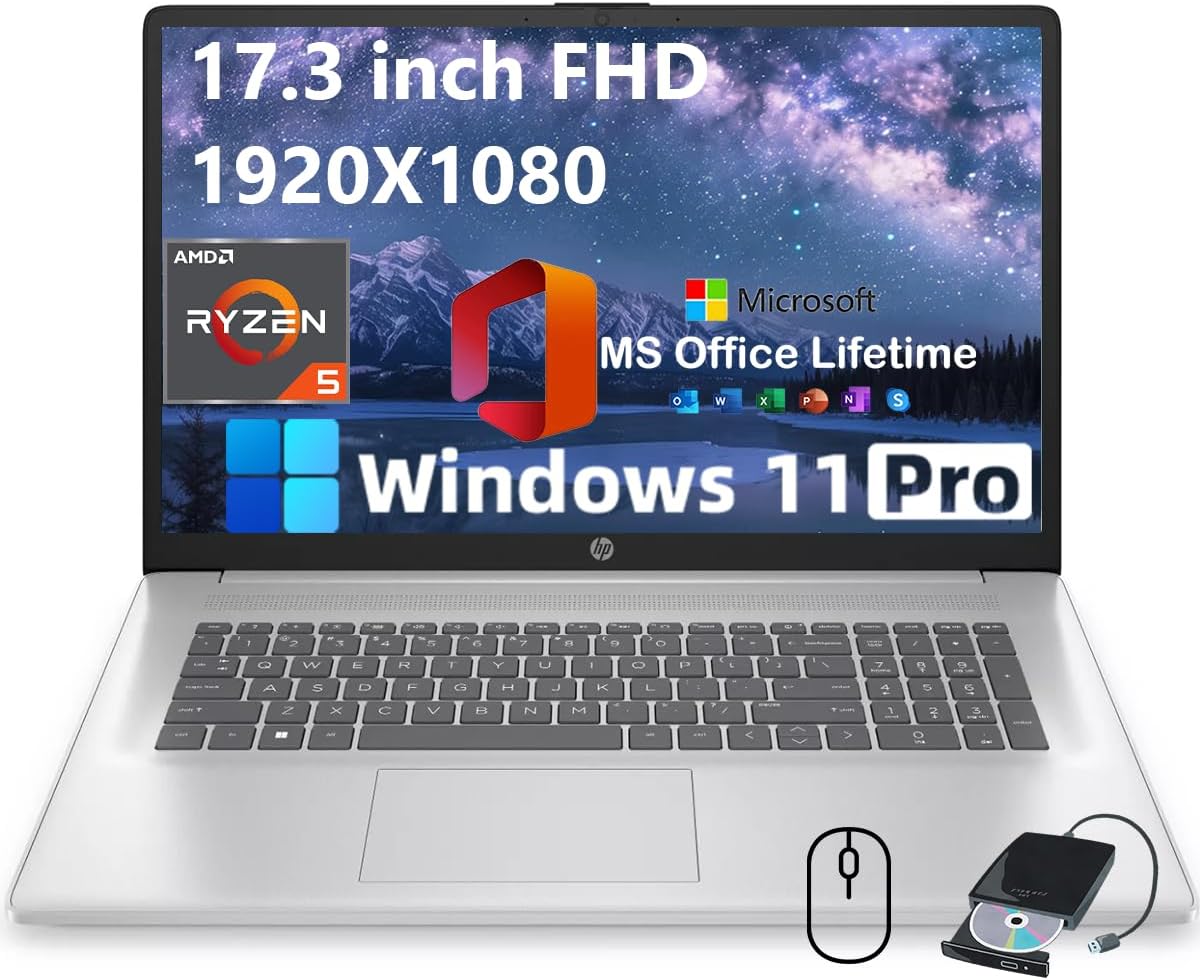



This HP business laptop stands out as a top choice for users who need both modern performance and optical media support. With a solid 4.5 rating from users, it delivers reliable speed for multitasking and professional work. The inclusion of an external CD/DVD drive solves the common problem of lacking disc access on newer machines.
We may earn a commission when you buy through this link, at no additional cost to you.
The AMD Ryzen 5 7430U processor ensures smooth handling of business applications and multimedia tasks. Combined with 16GB of RAM and a fast 512GB SSD, you get responsive performance without lag. The 17.3 inch Full HD display provides ample screen real estate for spreadsheets and documents, making it ideal for office environments.
While the external drive adds a bit of bulk, it is a necessary trade-off for maintaining compatibility with legacy media. The laptop also includes essential software like Microsoft Office Pro and Windows 11 Pro, saving you the cost of separate purchases. The anti-glare coating on the screen reduces eye strain during long work sessions.
If you need a versatile machine for work or study that handles both modern software and older discs, this model is highly recommended. It balances power and practicality well, offering a complete package right out of the box. For professionals who value reliability and connectivity, this HP laptop is a strong investment.
The 6-core processor handles multiple applications simultaneously without slowing down, perfect for busy workdays.
The large IPS display ensures colors remain accurate and text stays sharp even in bright office settings.
We may earn a commission when you buy through this link, at no additional cost to you.
The Lenovo IdeaPad offers an excellent entry point for those seeking a laptop with optical drive capabilities at a budget-friendly price. It is designed for basic home and work tasks, providing dependable speed for everyday use. The external DVD player ensures you can still access physical media without breaking the bank.
We may earn a commission when you buy through this link, at no additional cost to you.
Powered by the AMD Athlon Silver processor, this laptop handles web browsing and document editing efficiently. The 4GB of DDR5 RAM supports modern operating system requirements, though heavy multitasking may be limited. The storage combination of an internal SSD and external drive gives you flexibility for saving files.
One notable feature is the full-size keyboard with a numeric keypad, which is a rare find at this price point. It significantly improves typing speed for data entry and financial tasks. The anti-glare display helps reduce eye strain, making it comfortable for extended use during school or home office work.
For students or home users who need a simple, reliable machine for basic computing and disc access, this is a smart choice. It offers essential features without unnecessary costs, keeping the price low. Just be aware that for demanding software, you might eventually want to upgrade the RAM if possible.
The combination of internal and external storage allows you to keep fast access files and bulk data separate.
The dedicated numeric keypad makes entering numbers much faster than using the top row of keys.
We may earn a commission when you buy through this link, at no additional cost to you.
This HP model is well-suited for students who need a large screen and reliable performance for research and assignments. The 4.5 rating from users indicates general satisfaction with its speed and build. The external CD/DVD drive is a unique feature that supports educational resources on physical media.
We may earn a commission when you buy through this link, at no additional cost to you.
The AMD Ryzen 5 processor provides enough power for running multiple browser tabs and productivity software simultaneously. With 16GB of RAM, you can switch between applications smoothly without waiting for processing. The 17.3 inch display offers plenty of space for viewing documents side-by-side.
Security is a key feature here with the built-in privacy shutter on the webcam, allowing you to block video access when not in use. This is particularly useful for students sharing public spaces. Windows 11 Pro adds advanced security features like BitLocker encryption to protect your data.
If you are looking for a robust laptop that can handle schoolwork and media consumption with optical support, this is a great option. The screen size and processor speed make it versatile for various tasks. Just consider that the external drive means you carry an extra item when traveling.
The physical privacy shutter gives you control over your webcam without relying on software settings.
With 16GB RAM, the system remains responsive even with heavy background applications running.
We may earn a commission when you buy through this link, at no additional cost to you.
For users who need maximum memory and storage for demanding workflows, this HP laptop delivers premium specifications. The 32GB of RAM is rare in this category, allowing for heavy multitasking and virtualization. The external DVD drive ensures you do not lose compatibility with optical media despite the advanced hardware.
We may earn a commission when you buy through this link, at no additional cost to you.
The Intel Core i3-N305 processor is efficient for general business and development tasks. With a 1TB SSD, you have ample room for large files and applications without external drives. Windows 11 Pro brings professional tools like Hyper-V virtualization and Group Policy Management to your desktop.
Microsoft Copilot integration offers AI assistance to boost productivity, making it easier to draft documents or analyze data. The privacy shutter on the camera adds security peace of mind during video calls. This machine is designed for those who value internal capacity and modern software features.
If you are a power user or developer who needs significant RAM and storage along with disc support, this model is ideal. It justifies its price with high-end components that future-proof your investment. While not for gaming, it handles productivity tasks with exceptional speed and reliability.
Windows 11 Pro includes advanced security and management features needed for business environments.
High RAM and storage capacity ensure the laptop remains useful for years to come.
We may earn a commission when you buy through this link, at no additional cost to you.
This HP laptop reinforces the brand's reputation for reliability in business environments. It offers a clean design with essential features for productivity and learning. The external DVD drive is a practical addition for users who still rely on physical media for software or data.
We may earn a commission when you buy through this link, at no additional cost to you.
The AMD Ryzen 5 processor ensures smooth operation for office applications and web research. With 16GB of RAM, you can run multiple programs without slowdowns. The 17.3 inch display provides enough real estate for detailed work, reducing the need for external monitors.
Included lifetime Office Pro license adds significant value, saving you from additional software costs. The full numeric keypad is a bonus for users who work with numbers regularly. Connectivity options like Wi-Fi 6 ensure you stay connected with fast wireless speeds in modern offices.
If you prioritize brand reliability and essential specs for office work, this model is a solid choice. It balances performance and practicality well. The external drive might be slightly inconvenient but ensures you keep compatibility with older discs and files.
Features like the numeric keypad and large screen are specifically designed for efficient data entry.
Pre-installed Office Pro means you can start working immediately without extra subscriptions.
We may earn a commission when you buy through this link, at no additional cost to you.
This HP laptop is designed to adapt to various user needs, from mobile professionals to students. It has a 4.0 rating indicating solid user satisfaction with its performance and design. The external CD/DVD drive ensures you can access physical media when needed for installation or storage.
We may earn a commission when you buy through this link, at no additional cost to you.
The Ryzen 5 processor and 16GB RAM provide a balanced setup for daily tasks. The Full HD display with anti-glare coating is excellent for indoor use, reducing reflections and eye strain. Windows 11 Pro adds enterprise-level security features to keep your data safe.
Included accessories like a wireless mouse enhance convenience, allowing you to start using the laptop right away. The connectivity options cover standard needs including USB-A, USB-C, and HDMI for versatile peripheral support. It is a practical choice for those who want a ready-to-use machine.
If you need a reliable laptop with optical support and good performance for school or work, this is a strong contender. The combination of hardware and accessories offers value. Just remember to keep the external drive close by if you need it for specific tasks.
The included wireless mouse and pre-installed software mean less setup time for you.
The anti-glare coating makes viewing images and text easier in bright environments.
We may earn a commission when you buy through this link, at no additional cost to you.
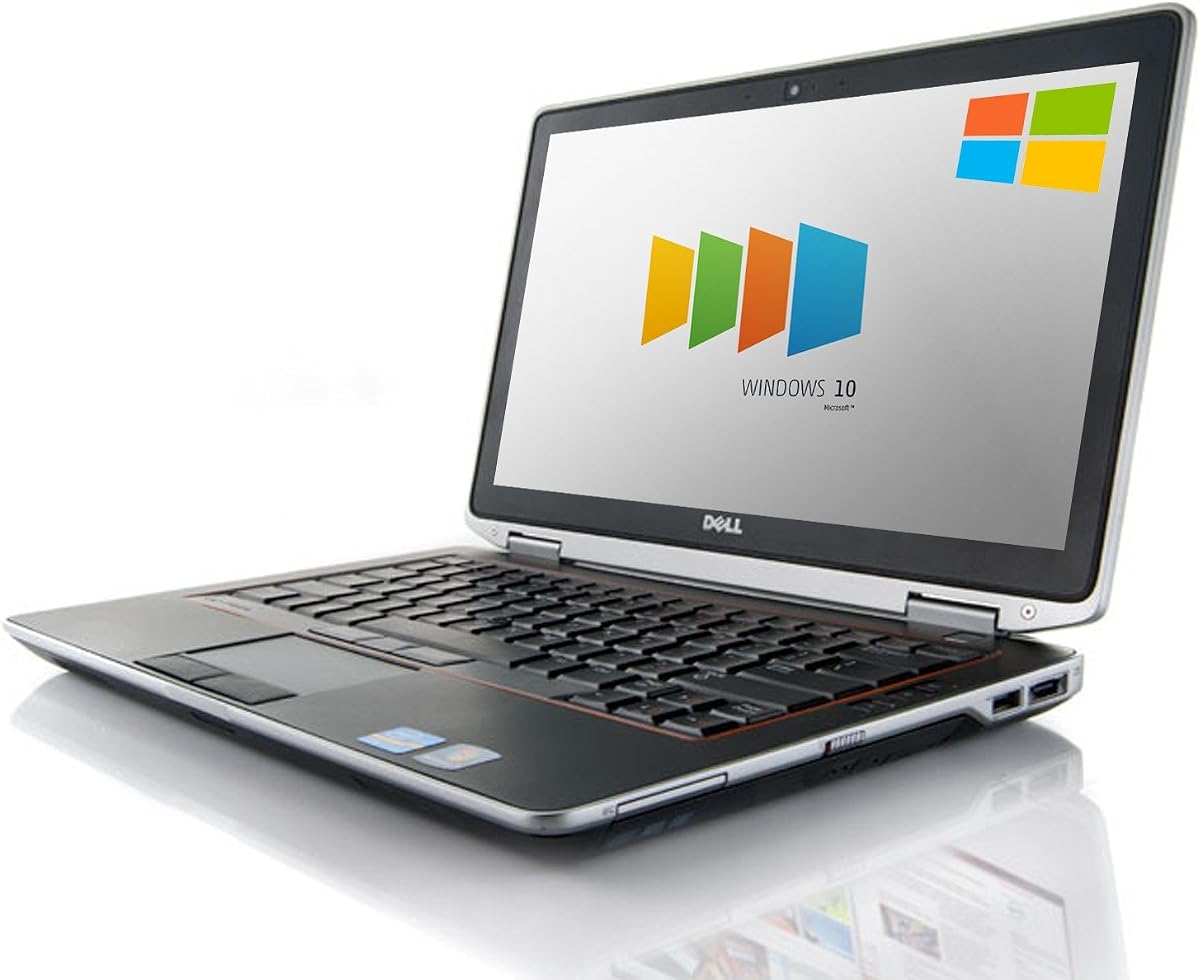
This refurbished Dell laptop offers an affordable way to get a machine with a built-in DVD drive. It is tested by a third-party refurbisher to ensure it looks and works like new with minimal wear. This makes it a practical choice for those on a tight budget who need optical functionality.
We may earn a commission when you buy through this link, at no additional cost to you.
The Intel Core i7-3520M processor provides decent performance for older tasks. With 8GB of RAM and a 240GB SSD, you get responsive speeds for general computing. The built-in DVD drive is a significant advantage over modern ultrabooks that lack this feature entirely.
The unit ships with a 90-day warranty, giving you peace of mind with your purchase. It includes essential ports like USB 3.0, HDMI, and VGA for connecting legacy devices. Windows 10 Pro is pre-installed, though you should be aware that support is ending soon.
If you need a budget machine specifically for light tasks or to burn discs, this is a viable option. Just ensure you have a plan to upgrade the operating system in the future. For basic office work, it offers significant value at a low price point.
Built-in DVD and VGA ports allow compatibility with older projectors and media.
Buying refurbished reduces electronic waste while providing a functional device.
We may earn a commission when you buy through this link, at no additional cost to you.
This is a classic laptop model that still finds use in specific scenarios requiring optical media support. While the hardware is dated, the DVD/CDRW drive is fully functional for reading discs. It is often purchased for legacy systems where modern features are not required.
We may earn a commission when you buy through this link, at no additional cost to you.
The 1.8GHz dual-core processor and 2GB of RAM limit modern performance capabilities. It may handle basic web browsing or running older applications on Windows Vista. For current standards, it falls short on speed and efficiency but retains the physical drive that is hard to find.
Buyers should understand that this unit is for niche needs rather than daily computing. It lacks support for modern Windows versions and most recent software. However, for reading old discs or running specific legacy business software, it might serve a specific purpose.
If you have a unique requirement for very old hardware compatibility, this model could fit the bill. Otherwise, newer options in this guide offer better longevity. It is a reminder of how much technology has changed in recent years.
Only recommended for those with specific legacy hardware compatibility needs.
The DVD/CDRW drive allows reading and burning CDs and DVDs locally.
We may earn a commission when you buy through this link, at no additional cost to you.
This renewed Dell laptop provides a cost-effective solution for users needing optical media support. The refurbishing process ensures functionality with minimal signs of wear. The built-in DVD drive is a key feature that distinguishes it from modern laptops without such slots.
We may earn a commission when you buy through this link, at no additional cost to you.
The Core i7 processor from an older generation offers adequate power for standard office tasks. With 8GB of DDR3 RAM and a 500GB hard drive, you have enough memory and storage for most files. Windows 10 Professional is pre-installed with support for multiple languages.
Pricing is generally lower than new devices, making it attractive for budget-conscious buyers. It includes standard connectivity options like HDMI and VGA for presentations. The 90-day warranty offers some protection for your investment when buying refurbished.
If you need a dependable laptop with a built-in disc drive for everyday tasks, this is a reasonable option. Just be aware that storage speed might be slower compared to SSD models. For general word processing and browsing, it performs well for its age.
You get similar functionality to new machines at a fraction of the cost.
Support for English, Spanish, and French is built-in for international use.
We may earn a commission when you buy through this link, at no additional cost to you.
This Lenovo IdeaPad combines a built-in optical drive with modern storage technology like an SSD. It is rated 4.2 stars by users who value its responsiveness and utility. The DVD+/-RW drive allows both reading and writing discs, making it versatile for backups.
We may earn a commission when you buy through this link, at no additional cost to you.
The AMD A9 processor provides decent speed for daily tasks. With 128GB SSD, the system boots quickly and opens apps faster than older HDD systems. The display is HD resolution which is clear enough for standard office work though not ideal for video editing.
Connectivity includes HDMI for external screens and Bluetooth for wireless peripherals. This makes it adaptable for home office setups. It is lightweight enough for carrying to school or home office work without significant strain on your back or bag.
If you want a balance of old-school disc support and new-school speed, this model fits well. It is a great choice for budget buyers who still need to read physical media. Just keep in mind the screen resolution is standard HD rather than Full HD.
The SSD ensures the computer is ready to use quickly after pressing the power button.
The DVD+/-RW allows you to read old discs and write new ones for storage.
We may earn a commission when you buy through this link, at no additional cost to you.
Selecting a laptop with an optical drive requires balancing modern performance with legacy media support. This guide breaks down the essential factors to consider before making a purchase.
The first major decision is whether you need a built-in slot or can use an external drive. Built-in drives are convenient for frequent disc use but are rare in modern thin laptops. External drives are portable and plug into USB ports but add bulk to your setup and rely on cable connections for power.
If you use discs rarely, an external drive is more practical and flexible. If you use them daily for installations or media playback, a built-in drive offers better convenience. Consider your workflow frequency to decide which type suits your needs best.
Look for processors that match your workload. For basic tasks like web browsing and document editing, dual-core or quad-core CPUs like Intel i3 or AMD Athlon are sufficient. For multitasking and professional work, aim for quad-core or higher like Ryzen 5 or Intel i7.
A stronger processor ensures the laptop stays responsive even when running multiple programs alongside disc burning software. Prioritize processor strength if you plan to use the laptop for long periods without upgrades.
Memory capacity affects how smoothly the system handles background tasks. 4GB RAM is the minimum for modern Windows, but 8GB or 16GB is better for staying current. If you run heavy software, 16GB provides a buffer against slowdowns.
Investing in more RAM now can extend the life of your laptop significantly. It allows you to keep more applications open without closing them to make room for new ones.
Storage needs vary based on your file volume. SSDs are faster and more reliable than traditional hard drives. A 256GB or 512GB SSD offers a good balance of speed and space for most users. Larger capacities like 1TB are useful if you store many videos or large datasets.
Prioritize SSD storage for system speed. If you need massive storage, look for models with hybrid setups or external drive options to save money while maintaining speed.
Screen size and resolution impact your viewing experience. A 15.6 inch display is portable, while 17.3 inch offers more workspace. Aim for Full HD (1920×1080) resolution to ensure text and images are sharp and clear.
Anti-glare coatings are valuable if you work in bright environments. They reduce eye strain by minimizing reflections. Always check display specs to ensure the screen matches your usage environment.
Ensure the laptop runs a current or supported operating system. Windows 11 Pro provides better security and features than older versions. If buying refurbished, check if it comes with a valid license and update plan.
Windows 10 support is ending soon so prioritize Windows 11 models for longevity. This ensures you receive security updates and compatibility with new software for years to come.
Check for ports that match your peripherals. USB-C is standard for modern devices but USB-A is still common for older hardware. HDMI is essential for connecting external monitors. Wi-Fi 6 offers better wireless performance than older standards.
Make sure the ports support the external drive you plan to use. Most external drives use USB-A or USB-C. If the laptop has only USB-C, you might need an adapter which adds another item to carry.
Consider how often you will move the laptop. Larger screens mean larger and heavier devices. External drives add weight and require cable management. If you travel often, a smaller screen and external drive combo may be better.
Balance the need for screen real estate with weight. A 15.6 inch laptop with an external drive is often easier to carry than a 17.3 inch unit with a built-in drive.
To use an external DVD drive, plug it into a USB port and wait for the system to recognize it. If the laptop does not open discs automatically, use the 'This PC' icon to access the drive and select the file to play or install. Always ensure the drive is powered before inserting a disc to avoid data errors.
Keep the discs clean and free from scratches to ensure smooth reading. When burning files, close other applications to prevent interruptions that can corrupt data. After using a physical disc, eject it properly using the system settings rather than pulling the drive out suddenly to prevent hardware damage.
Maintain your laptop by keeping it in a cool, dry place away from direct sunlight. Clean the keyboard and screen with a soft microfiber cloth to avoid dust buildup. Regular updates to your operating system ensure compatibility with optical drive software and maintain security standards.
Most modern laptops do not have an internal slot for a DVD drive so installing one is not feasible. The best solution is to purchase a USB external DVD drive. These connect easily to your laptop and provide the same functionality without requiring internal modification. It is a cheap and effective upgrade.
Most Windows laptops come with built-in tools to burn discs directly from File Explorer. However, you can also use free software like ImgBurn or the built-in Windows burning feature. Check the manual for specific included tools if you need advanced features.
Many modern external drives use USB-C but some still use USB-A. If your laptop only has USB-C ports, you will need a USB-C to USB-A adapter. Always check the specifications of the drive to ensure compatibility with your laptop's available ports.
Manufacturers removed optical drives to make laptops thinner, lighter, and cheaper. Cloud storage and digital downloads have also reduced the need for physical media. However, for data recovery and legacy software, optical drives remain useful which is why some models still offer them.
External DVD drives generally read at speeds between 8x and 24x which is fast enough for most media playback. Installation discs read quickly but writing speeds vary by drive. USB 3.0 connections ensure data transfer does not bottleneck the optical drive speed.
Apple MacBooks rarely include optical drives. You would need a USB external drive compatible with macOS. Check if the specific model supports macOS before buying as some Windows specific drives may lack drivers for Apple systems.
The ten laptops reviewed here offer a range of choices for users needing optical media support. From the powerful HP models to affordable Lenovo and refurbished options, there is a fit for every budget. The top picks balance performance and legacy features effectively for professional and educational needs.
When making your decision, prioritize processor power and storage capacity if you plan to use the laptop for demanding tasks. If portability is key, consider the weight of the unit and the external drive separately. Ensure the OS is current so you have security support for as long as possible.
Prices and availability change frequently so always verify the latest deal before buying. Check current shipping policies especially for refurbished items to ensure satisfaction. By following this guide you can confidently select a laptop that meets your optical and computing needs.
