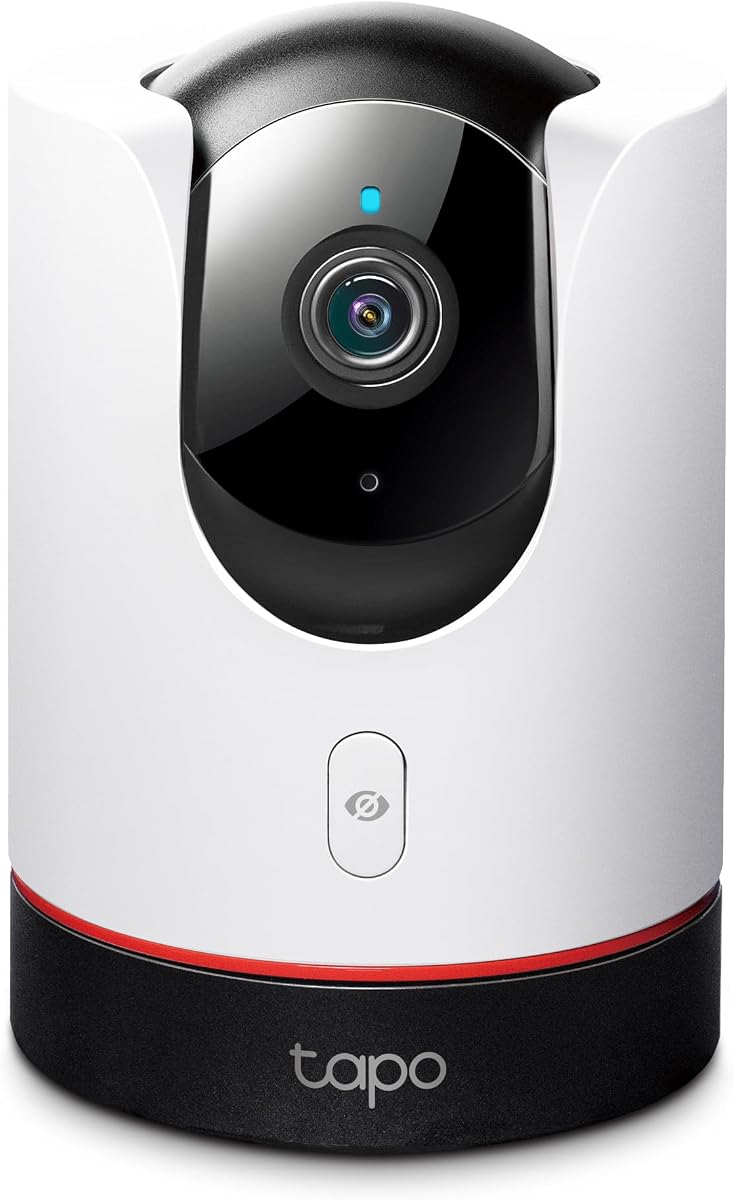
TP-Link Tapo 2K+ Pan/Tilt Security Camera Apple HomeKit, C225
4.5Editor score
2K QHD live view
360 degree horizontal field
Physical privacy mode lens block
This guide compares the top Apple HomeKit security cameras for 2026, evaluating video quality, privacy features, smart integration, and storage options to help
Securing your home with Apple HomeKit cameras ensures privacy and seamless integration across your devices. These cameras offer end-to-end encryption and local processing, keeping your video data safe from external access while providing real-time alerts and smart detection features.
We evaluated ten top models based on resolution, field of view, night vision capabilities, and ecosystem compatibility. Each camera was assessed for its ability to work with HomeKit Secure Video, its AI detection accuracy, and its flexibility for indoor or outdoor use in diverse home environments.
Each pick highlights key strengths like 4K clarity, dual-lens tracking, or Matter support. Prices and availability change frequently, so verify current listings before purchasing. This guide helps you find the right camera for your specific security needs and smart home setup.
4.5Editor score
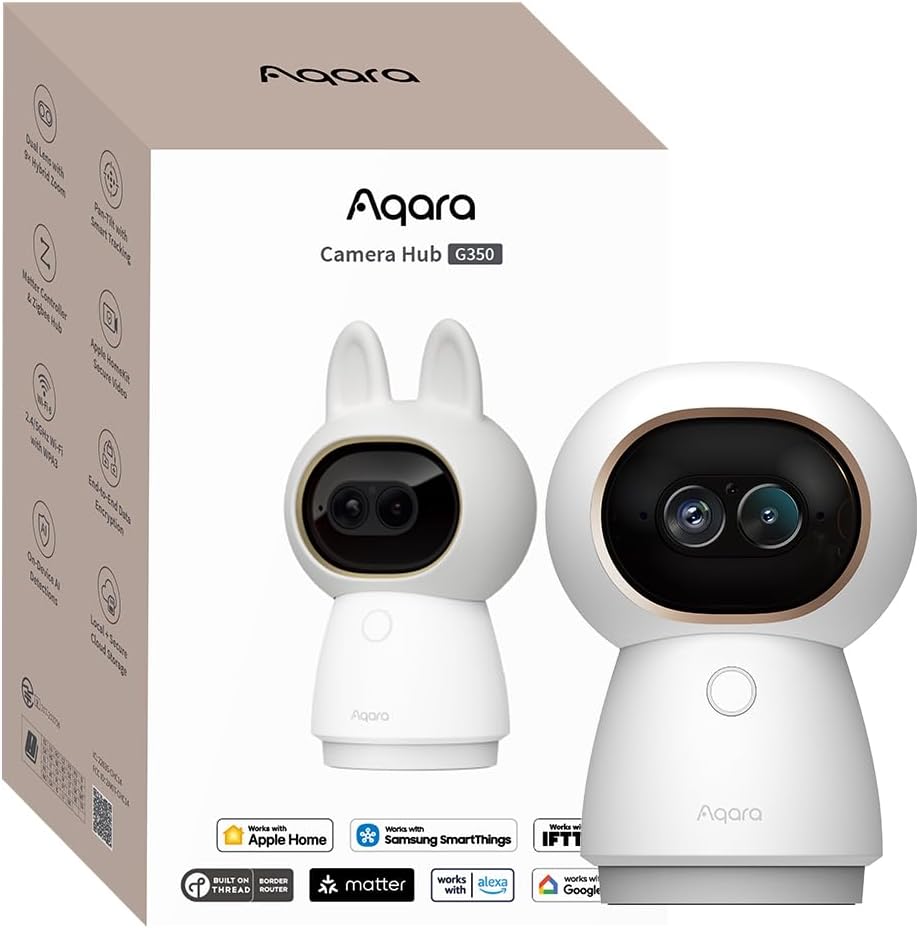
4.3Editor score
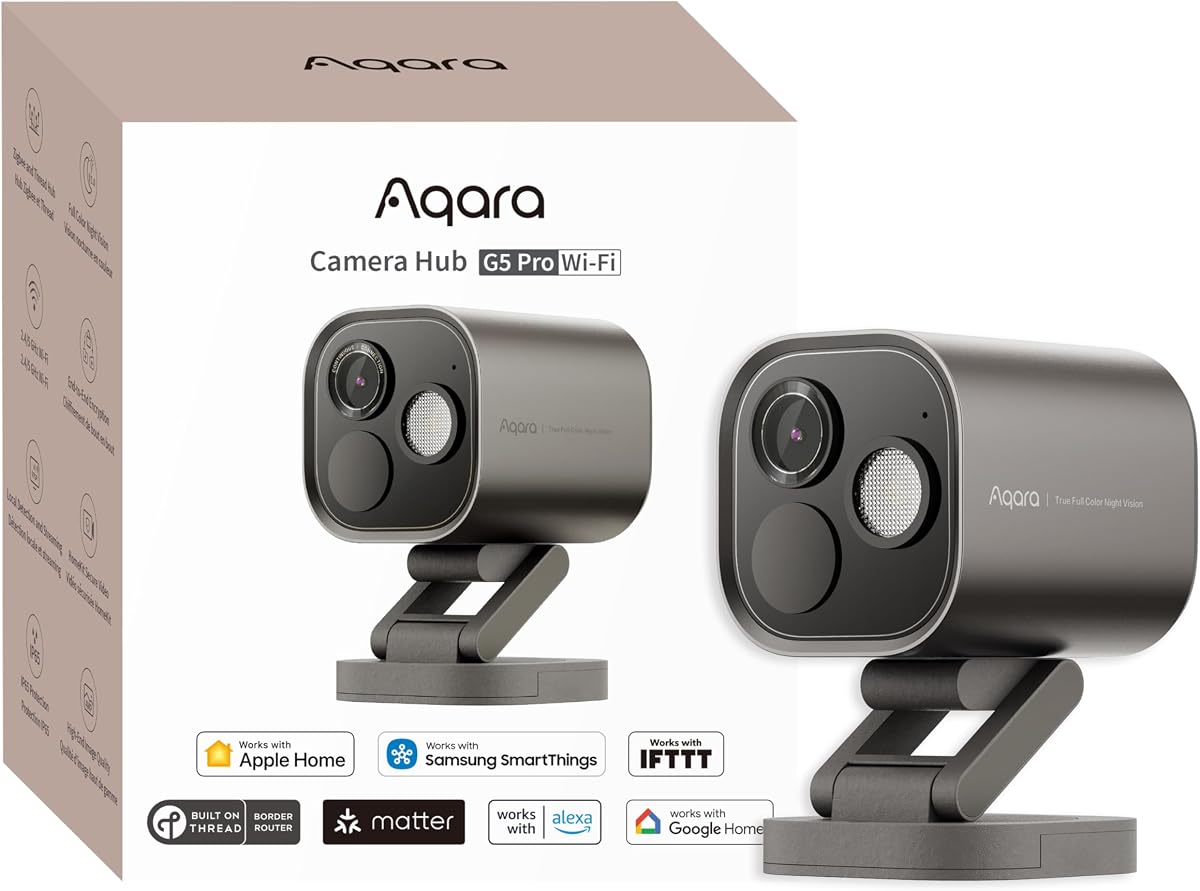
4.3Editor score
The following table provides a side-by-side comparison of all ten cameras, highlighting core specifications like resolution, field of view, night vision type, and unique features such as hub capabilities or physical privacy shutters to help you make an informed decision.
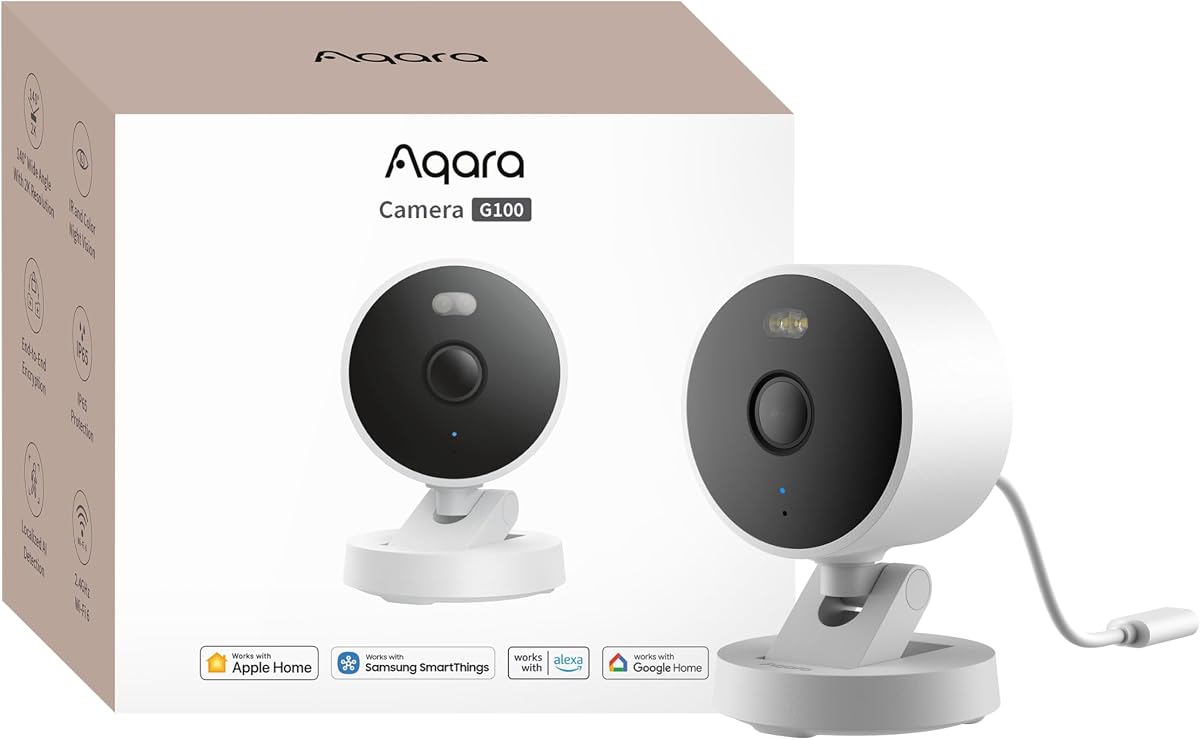



The Aqara G350 stands out as the top choice for users seeking high resolution and smart hub functionality. With a rating of 4.3 stars, it delivers 4K UHD clarity and unique dual-lens zoom capabilities that track subjects without losing detail.
We may earn a commission when you buy through this link, at no additional cost to you.
Its dual-lens system combines a 133-degree wide-angle 4K lens with a 2.5K telephoto lens, enabling 9X hybrid zoom. This allows you to focus on specific areas while maintaining clarity. The camera also integrates local AI for face and pet recognition, ensuring faster response times without cloud uploads.
While it offers excellent privacy with local processing, note that Matter platform adoption remains limited and may vary by ecosystem. The G350 requires the Aqara Home app to unlock full PTZ functionality, which might be a slight hurdle for users preferring native HomeKit apps.
This camera is ideal for tech-savvy users who want a central hub for other smart devices alongside superior video quality. Its combination of 4K clarity, intelligent tracking, and hub capabilities makes it a robust solution for modern home security.
The 9X hybrid zoom allows you to magnify specific areas without losing clarity using fixed tap shortcuts or zoom dials in the app.
The lens physically retracts to provide 100% visual assurance when privacy mode is enabled, ensuring no one can see into your home.
We may earn a commission when you buy through this link, at no additional cost to you.
The Eve Cam is designed exclusively for the Apple ecosystem, making it a top pick for users who prioritize privacy above all else. It ensures that all video analysis happens securely within your home rather than in the cloud.
We may earn a commission when you buy through this link, at no additional cost to you.
With Apple HomeKit Secure Video, it supports end-to-end encryption for both live and recorded video. This means only you can view the footage, providing maximum protection against data theft. It also distinguishes between people and pets to reduce false alerts.
However, it requires an active iCloud+ subscription and a Home hub like Apple TV or HomePod. Additionally, it lacks support for other smart home ecosystems like Google or Alexa, which might limit its flexibility if you use non-Apple devices.
If you are deep in the Apple ecosystem and want the highest privacy standards, the Eve Cam is an excellent choice. Its focus on local data processing ensures your personal information remains under your control at all times.
Built exclusively for Apple HomeKit, it offers instant notifications on iPhone and iPad when motion is detected.
Video analysis is performed locally, meaning data is never uploaded to external servers for processing.
We may earn a commission when you buy through this link, at no additional cost to you.
The Aqara G350 continues to impress with its 4K UHD resolution and ability to zoom into details without losing clarity. Its 9X hybrid zoom is particularly useful for identifying faces or objects at a distance.
We may earn a commission when you buy through this link, at no additional cost to you.
It also features AI auto-tracking that follows movement intelligently. The camera supports local AI for face and pet recognition, which is faster and more private. Additionally, gesture recognition allows you to trigger scenes with simple hand signals.
While it offers excellent performance, note that Matter platform adoption is still limited. Some cloud-based AI features like detailed face tagging may require a HomeGuardian subscription. However, local detection remains robust without extra costs.
This model is perfect for those who need high-definition video and advanced tracking capabilities. Its unique dual-lens system ensures you never miss a detail, making it a standout for serious home security needs.
AI auto-tracking identifies and follows movement of people or pets, keeping them centered in the view.
Trigger scenes with gestures like an OK sign or wave, adding a layer of convenience to your setup.
We may earn a commission when you buy through this link, at no additional cost to you.
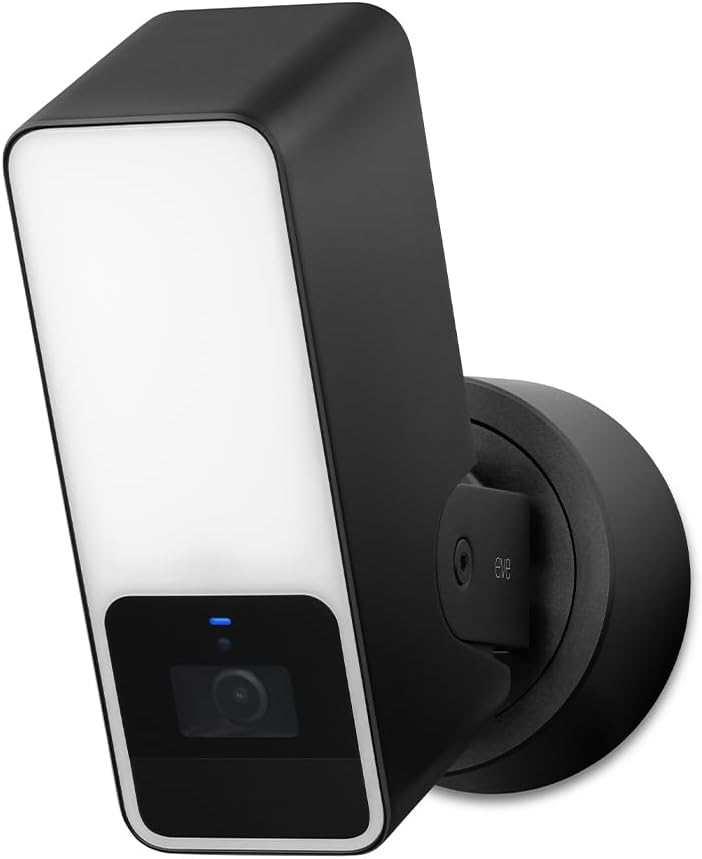
The Eve Outdoor Cam combines a powerful floodlight with HomeKit Secure Video, making it ideal for outdoor security. It provides a 157-degree field of view and distinguishes between people, pets, and vehicles to alert you accurately.
We may earn a commission when you buy through this link, at no additional cost to you.
Its floodlight boosts visibility and serves as a deterrent for intruders. The camera operates entirely locally without cloud dependency, ensuring your data stays secure. It also supports two-way communication for interacting with visitors remotely.
Installation requires a neutral wire and ground connection, which may be challenging for older homes. Also, it records at 1080p, which is standard but lower than newer 4K models. However, its privacy features are unmatched.
If you need a floodlight camera that prioritizes privacy and Apple integration, this is a strong choice. It balances visibility and security while keeping your video data within your home network.
The powerful dimmable floodlight illuminates dark areas and acts as a deterrent to unwanted visitors.
With no Eve cloud registration, your data is protected from external access and tracking.
We may earn a commission when you buy through this link, at no additional cost to you.
The TP-Link Tapo C225 offers exceptional value with 2K resolution and a 360-degree field of view at a budget-friendly price. It captures crystal-clear images in every corner and includes advanced AI detection for people, pets, and vehicles.
We may earn a commission when you buy through this link, at no additional cost to you.
Its starlight sensor delivers superior image quality in low light, allowing for color night vision in dim settings. The physical privacy mode blocks the lens physically, ensuring you control when the camera is active. It has also won a prestigious design award.
While local storage is available via microSD, advanced features like motion tracking require a cloud subscription. This may add cost over time. However, the base functionality is robust and reliable for most households.
For those seeking a cost-effective solution with high-resolution video and privacy controls, this camera is a top contender. Its award-winning design and broad compatibility make it a versatile choice for any home.
Awarded the Red Dot Design Award in 2022, reflecting its excellent aesthetic and functional design.
The starlight sensor captures brighter and sharper visuals even in low-light conditions without extra lighting.
We may earn a commission when you buy through this link, at no additional cost to you.
The Aqara G5 Pro delivers 4MP resolution with true color night vision, identifying intruders even in low light. Its built-in spotlight acts as a deterrent and improves visibility without the need for infrared red glow.
We may earn a commission when you buy through this link, at no additional cost to you.
It includes local AI for visual detection and abnormal sound detection like barking or alarms. The camera acts as a hub for Zigbee devices and supports dual-band Wi-Fi for flexible connection options. Storage options include encrypted local eMMC.
While it lacks infrared light, the spotlight provides unique color visibility. Note that the 24/7 record feature requires RTSP setup. Overall, its advanced detection capabilities make it a premium choice for security.
This camera is ideal for users who prioritize color night vision and local processing. Its ability to detect sounds and visual anomalies ensures you are informed of key events even during outages.
Using a large aperture and spotlight, it captures color images at night without relying on infrared.
Detects abnormal sounds like baby crying or alarms, triggering automations even without internet.
We may earn a commission when you buy through this link, at no additional cost to you.
The Logitech Circle View offers a traditional security camera design with a wide 180-degree field of view. Its TrueView video captures sharp details, and the IP64 rating ensures durability against rain and dust for outdoor use.
We may earn a commission when you buy through this link, at no additional cost to you.
It includes high-quality sensors with wide dynamic range to handle sunlight or shadows effectively. The design features a premium metal base and a physical button for instant privacy. It integrates seamlessly with the Home app on Apple devices.
Note that it relies on motion detection rather than continuous recording. This may save storage but could miss events between triggers. Also, it requires a Home hub for proper operation. These factors are worth considering for your needs.
If you prefer a reliable, wide-angle camera with premium build quality, the Circle View is a solid option. Its focus on privacy and seamless integration makes it a trustworthy choice for front door or porch security.
The 180-degree lens captures more of your porch or entryway compared to standard 130-degree cameras.
Press the rear button to tilt the camera down instantly for privacy without removing power.
We may earn a commission when you buy through this link, at no additional cost to you.
The Aqara E1 is a compact indoor camera offering 2K resolution and 360-degree rotation for complete coverage. It provides end-to-end encryption and local processing to protect your privacy while ensuring reliable HomeKit integration.
We may earn a commission when you buy through this link, at no additional cost to you.
With an advanced NPU, it supports filtering motion events and triggering automations upon person detection. It also has an automated privacy mode that pivots the lens to deactivate the camera. You can store footage locally on a microSD card.
Power requirements include an external USB power supply which is not included. Additionally, audio recording can be disabled through automations for added privacy. Despite this, it offers strong value for indoor monitoring.
For a reliable indoor camera with high resolution and robust privacy features, the E1 is an excellent choice. Its 360-degree viewing ensures you never miss movement, and local storage keeps data under your control.
The built-in NPU processes detection locally to trigger automations faster and more privately.
Automated privacy mode pivots the lens to deactivate the camera, ensuring physical privacy.
We may earn a commission when you buy through this link, at no additional cost to you.
The eufy Security 4K E30 is designed for pet owners with its AI tracking feature that follows pets and humans across the room. It offers 4K Ultra HD recording and a 360-degree panoramic view to ensure full coverage.
We may earn a commission when you buy through this link, at no additional cost to you.
Its color night vision with a built-in spotlight provides clear footage even in darkness. The camera supports HomeKit, Alexa, and Google Assistant for enhanced automation. You can store footage locally on an SD card without mandatory monthly fees.
While some advanced features like cloud storage require a subscription, the base model includes all essential functions. The Quick Focus Tap feature lets you instantly switch focus by tapping the desired area on the screen.
This camera is perfect for pet lovers who want high-definition tracking without ongoing fees. Its ability to distinguish between humans and pets and track them continuously makes it a standout for indoor monitoring.
Harness advanced on-device AI to distinguish humans, pets, and track movement continuously.
Integrated spotlight allows seamless switching between color and infrared night vision for clear surveillance.
We may earn a commission when you buy through this link, at no additional cost to you.
The Aqara G5 Pro PoE uses Power over Ethernet to transmit power and data via a single cable, simplifying installation. It delivers 4MP resolution with true color night vision, making it ideal for professional or permanent setups.
We may earn a commission when you buy through this link, at no additional cost to you.
It includes local AI for visual detection and sound recognition. The camera supports dual protocols for hub connectivity and can connect up to 80 Zigbee sub-devices. This makes it a central node for your smart home system.
Note that a PoE switch is required for operation, which adds to the initial setup cost. However, the simplified wiring reduces clutter and ensures stability. It also includes a USB-C port for alternative power setups.
This model is best for users planning a robust, wired security network. Its professional installation features and high-resolution video ensure reliable coverage, while local AI keeps your data secure without external dependencies.
Power over Ethernet technology transmits power and data via a single network cable for a clean setup.
Detects abnormal sounds like alarms or crying to trigger automations even during internet outages.
We may earn a commission when you buy through this link, at no additional cost to you.
Selecting the right camera involves balancing resolution, field of view, and privacy features. Consider your specific needs, such as indoor versus outdoor placement, and compatibility with your existing smart home ecosystem to ensure seamless integration.
Higher resolution like 4K or 2K ensures you can identify faces and details clearly. Look for cameras with wide dynamic range to handle bright sunlight or shadows effectively without losing detail.
Prioritize cameras with at least 2K resolution for optimal clarity and zoom capabilities.
A wider field of view reduces blind spots. Models with 140 to 180 degrees or 360-degree rotation allow you to monitor larger areas with fewer cameras.
Check the degree specifications to ensure the camera covers your entryways or living spaces fully.
Night vision is essential for 24/7 monitoring. True color night vision uses spotlights for color footage, while infrared provides covert black-and-white images.
Choose based on whether you prefer visible illumination or a discreet approach to outdoor monitoring.
Look for end-to-end encryption and local processing to ensure your video data remains private. Cameras that process data locally reduce the risk of cloud breaches.
Verify that the camera supports HomeKit Secure Video for native encryption standards.
AI detection for people, pets, and vehicles minimizes false alerts. Advanced features like sound recognition and gesture control add convenience.
Ensure the model supports the specific detection types you need without requiring expensive subscriptions.
Compatible Wi-Fi standards like Wi-Fi 6 ensure stable performance. Consider if the camera supports Matter or Zigbee for hub functionality.
Check compatibility with your existing smart home devices to enable automations and voice control.
Local storage via microSD or NAS allows for continuous recording without subscription fees. Some models include encrypted eMMC storage or cloud support.
Verify the storage limits and ease of access to ensure you can retrieve footage when needed.
Consider whether you prefer wireless or wired setups. Power over Ethernet (PoE) simplifies cabling, while battery or USB options offer flexibility.
Check installation requirements like neutral wires for outdoor floodlight cameras to avoid electrical complications.
Set up your camera by plugging it into a reliable power source and connecting it to your Wi-Fi network. Open the Home app on your iOS device and follow the on-screen instructions to add the accessory to your home.
Configure notifications in the Home app to receive alerts on your iPhone or Watch. Adjust sensitivity settings to avoid false alarms triggered by pets or passing shadows for better accuracy.
Clean the lens regularly with a soft, dry cloth to ensure clear video quality. Keep the camera away from direct heat sources and extreme temperatures to maintain optimal performance and longevity.
Yes, a Home hub like Apple TV or HomePod is required to store video clips securely and enable remote access to your cameras. Without a hub, the cameras may function locally but lack many cloud integration features.
You can view local footage via the app on the local network. However, remote access from outside your home requires an active internet connection and a Home hub to relay the signal securely.
No, HomeKit Secure Video does not charge a monthly fee. However, you need an active iCloud+ subscription to store recordings securely. Some cameras may offer optional cloud storage plans for additional features.
Install the camera, open the Home app, tap Add Accessory, and scan the code provided with the camera. Follow the prompts to assign it to a room and enable HomeKit Secure Video in settings.
This happens if the camera has a Home Away Home feature that deactivates recording when you are at home to respect privacy. You can disable this setting in the Home app if you prefer continuous monitoring.
Most HomeKit cameras are exclusive to Apple ecosystems. However, some models support RTSP or Matter to work with third-party ecosystems like Google or Alexa, but features may vary.
For outdoor security, 2K or 4K resolution is recommended to capture details like license plates or faces from a distance. Ensure the camera supports night vision to maintain quality in low-light conditions.
You can use a microSD card if the camera supports it or connect to a Network Attached Storage (NAS) device. These options allow continuous recording without relying on cloud subscriptions.
The best picks like the Aqara G350 and TP-Link C225 offer strong balance between features and value. Whether you prioritize 4K resolution or budget-friendly options, these models provide robust security tailored for Apple users.
Prioritize cameras with local processing and end-to-end encryption to ensure your privacy. Consider installation needs and connectivity options to choose a model that fits your existing smart home ecosystem seamlessly.
Remember to check current pricing and availability as deals change frequently. Verify the latest firmware updates and compatibility with your devices to ensure a smooth setup and long-term reliability.