
VSD Mini Macro Pad
4.1Editor score
6 customizable LCD keys
Compact portable design
RGB ambient lighting bars
This comprehensive guide compares the top macro pads for streaming, evaluating features, compatibility, and performance to help creators find the best deck for
Streaming has evolved into a highly competitive field where every second counts and visual presentation matters immensely. A good macro pad for streaming allows creators to execute complex commands instantly without disrupting their flow or breaking immersion for viewers. These devices serve as physical control centers that bridge the gap between software commands and human interaction.
We have rigorously evaluated ten leading macro pads available in the current market to determine which ones offer the best value and functionality. Our analysis focuses on customization options, software compatibility, build quality, and specific features tailored to live broadcasting needs. Each product was assessed based on its ability to streamline workflows for gamers and content creators.
Each pick in this guide highlights specific strengths that cater to different user requirements and budget constraints. You will find detailed breakdowns of key features, real-world usability insights, and honest assessments of potential limitations. Please note that product availability and pricing may change over time, so verifying current details before purchasing is recommended.
4.1Editor score

4.4Editor score

4.8Editor score
The following comparison table provides a side-by-side overview of all ten products reviewed in this guide. It highlights key specifications and unique features to help you quickly identify which device aligns best with your specific streaming and productivity requirements.





The VSD M18 Macro Pad stands out as a top contender in the streaming deck market with its robust feature set and versatile design. Rated highly by users for its reliability and functionality, this device offers 18 programmable keys that can be customized with visual feedback for intuitive operation. It effectively bridges the gap between complex software commands and physical controls for content creators.
We may earn a commission when you buy through this link, at no additional cost to you.
This macro pad excels in providing single-tap control for a wide range of actions including triggering macros, inputting text, and managing media playback. The inclusion of an adjustable RGB surround light ring adds aesthetic value while maintaining practicality in low-light streaming environments. Its compatibility with major platforms like OBS, Twitch, and YouTube ensures seamless integration into existing workflows.
While the VSD M18 offers impressive capabilities, it does require software installation for full functionality which may be a minor hurdle for some users. Native Linux support is not currently available though SDK development documents are provided for custom secondary development efforts. These trade-offs are acceptable given the extensive feature set and stable long-term operation it delivers.
Content creators and gamers who need a reliable and feature-rich macro solution will find this device highly beneficial for their setup. It is particularly recommended for those who value visual customization and want a dedicated sound board alongside their streaming controls. The VSD M18 represents a strong investment for enhancing productivity and stream quality.
Users can personalize each LCD key with JPG, PNG, and GIF images to mark separate functions clearly and intuitively. This visual feedback system reduces errors and speeds up command execution during live broadcasts.
The built-in USB sound board allows streamers to trigger audio cues without relying on external hardware or complex software setups. This simplifies the audio mixing process during live sessions.
We may earn a commission when you buy through this link, at no additional cost to you.
The Stream Dock N1 distinguishes itself with a vertical space-saving design that maximizes desk real estate without compromising on functionality. With a high user rating reflecting its practical utility and ergonomic benefits, this device offers 15 LCD keys that can be freely customized for various tasks. It caters to users who value efficient workspace organization alongside powerful automation tools.
We may earn a commission when you buy through this link, at no additional cost to you.
This macro deck supports three distinct modes including a left-hand shortcut keyboard mode, a calculator mode, and a numeric keypad mode for added versatility. The ability to drag and drop files, browsers, and apps onto keys streamlines access to frequently used tools. A robust plugin marketplace further extends its capabilities allowing users to tailor the device to specific needs.
While the vertical layout offers significant space savings it may require an adjustment period for users accustomed to traditional horizontal controllers. Some features rely on specific software which necessitates initial setup but provides long-term efficiency gains. These considerations are outweighed by the unique design benefits and extensive customization options available.
Users looking to optimize their desk space while maintaining high productivity levels will appreciate the Stream Dock N1's innovative approach. It is particularly suited for those who utilize calculators or numeric inputs frequently alongside their streaming workflows. The comprehensive warranty and customer support add further value to this versatile device.
Switching between shortcut keyboard, calculator, and numeric keypad modes allows one device to serve multiple functional roles efficiently. This reduces the need for additional peripherals on the desk.
Users can easily assign apps, files, and images to keys by dragging them directly onto the interface for quick access. This intuitive setup process simplifies customization for all skill levels.
We may earn a commission when you buy through this link, at no additional cost to you.
The VSD M18 Stream Controller offers an impressive balance of features and affordability making it a compelling choice for budget-conscious streamers. With a solid rating from users who appreciate its performance, this device includes 18 customized macro keys with visual LCD and button options. It provides a streamlined solution for executing complex workflows without breaking the bank.
We may earn a commission when you buy through this link, at no additional cost to you.
Efficiency is central to this controller with one-touch operations allowing instant launch of macros, apps, and media controls. The surrounding RGB light ring enhances the desktop experience with customizable colors that suit various streaming aesthetics. Its compatibility with Windows and macOS ensures broad accessibility for diverse user environments.
Potential users should note that Linux support is not native and requires SDK development for custom adaptation. Installation of the exclusive VSD Craft software is necessary for full functionality which may add steps to initial setup. These limitations are minor compared to the extensive automation capabilities and build quality provided.
This controller is ideal for gamers and content creators who need reliable macro execution without investing in premium models. It supports a wide range of scenarios from gaming to office work making it a versatile tool. The combination of visual feedback and robust construction ensures lasting value for everyday use.
Executing multi-step tasks with a single tap reduces friction during critical moments in streaming or gaming. This enhances responsiveness and user experience significantly.
The adjustable RGB light ring allows users to match lighting with stream themes or personal preferences easily. This adds a professional touch to the setup.
We may earn a commission when you buy through this link, at no additional cost to you.
The VSD Mini Macro Pad provides a compact solution for users with limited desk space or those seeking portability. Rated for its practical design and functionality, this device features 6 fully customizable LCD keys for essential commands. It serves as an effective entry-level option for beginners looking to enhance their workflow.
We may earn a commission when you buy through this link, at no additional cost to you.
Despite its smaller size, this pad supports single and serial shortcut commands to simplify daily operations significantly. The dual side RGB light bars add style without cluttering the design offering ambient lighting for various setups. Its USB-powered design ensures continuous operation without battery concerns during long sessions.
The limited number of keys compared to larger models may restrict complex multi-step macro capabilities for power users. Software installation is required for full function setup which adds an initial step to the process. These trade-offs are acceptable given the device's focus on space efficiency and affordability.
This macro pad is suitable for streamers and office workers who need basic automation without sacrificing desk real estate. It functions well as a supplementary controller or travel-friendly option for on-the-go productivity. The combination of portability and essential features makes it a smart choice for budget setups.
The mini portable size saves valuable desk space while retaining full macro customization capabilities for essential tasks. This is ideal for tight workspaces.
Customizable RGB light bars enhance the visual appeal of the setup while maintaining a minimalist aesthetic. This balances function and style effectively.
We may earn a commission when you buy through this link, at no additional cost to you.
The VSD N4 Pro is tailored for professional content creators who require advanced audio and studio control capabilities. With a solid rating from users in production roles, this device features 10 LCD keys and 4 RGB knobs for precise adjustments. It functions as a comprehensive console for managing complex streaming and editing workflows efficiently.
We may earn a commission when you buy through this link, at no additional cost to you.
This controller simplifies workflows through one-tap macro activation that converts complex operations into simple triggers. The built-in USB sound deck allows direct control of audio effects and atmosphere enhancing production quality. An adjustable ergonomic stand ensures comfortable viewing and storage for long sessions.
The advanced feature set comes with a higher price point which may not suit casual users or budget setups. The extensive plugin ecosystem requires time to explore and configure fully for optimal use. These factors are justified for users needing professional-grade tools and detailed control over their output.
Professional streamers and editors will benefit from the precise control and automation this device offers. It is particularly recommended for those who integrate audio production into their content creation process regularly. The build quality and ergonomic design support sustained daily use effectively.
The USB sound deck and programmable knobs enable detailed manipulation of audio levels and effects during live sessions. This enhances audience experience significantly.
Switchable haptic keys and an adjustable stand provide a comfortable and responsive user experience during extended use. This reduces fatigue over time.
We may earn a commission when you buy through this link, at no additional cost to you.
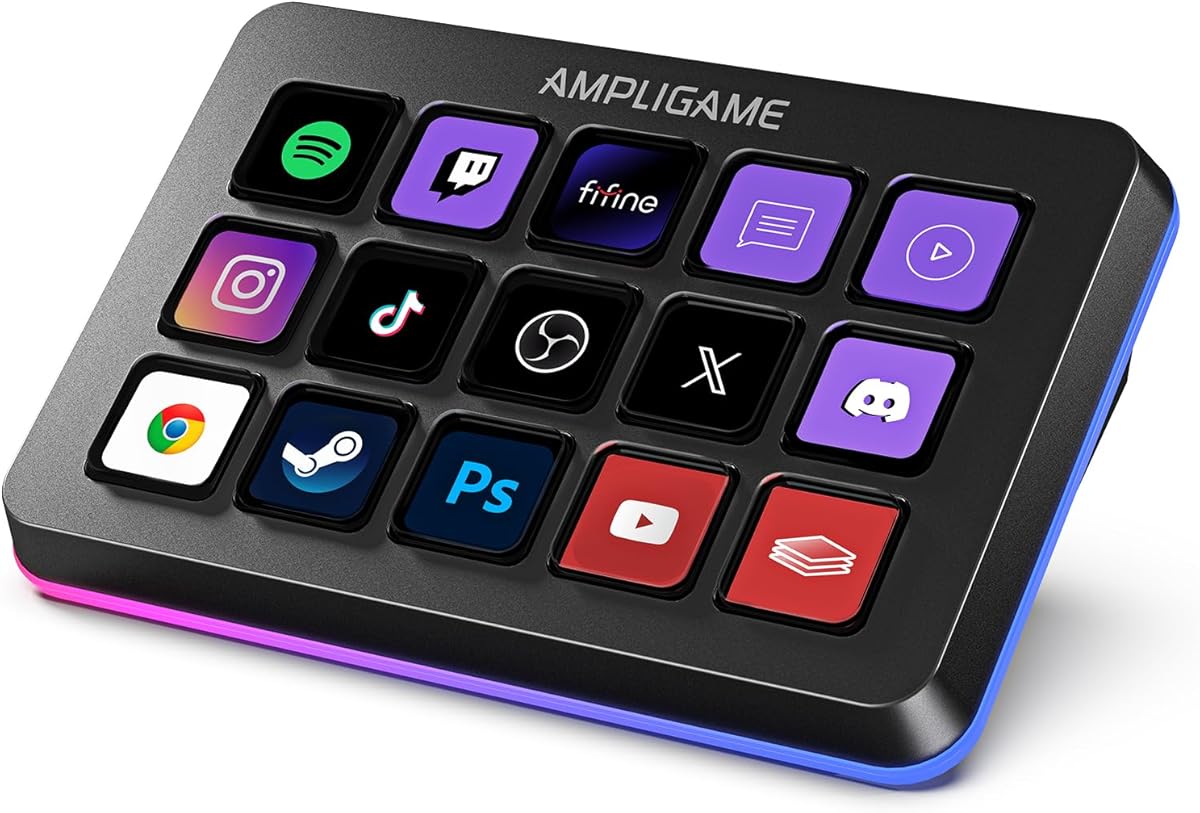
The fifine D6 RGB macro keyboard stands out with its vivid visual interface and wide range of application options. Rated highly for usability and performance, this device offers 15 customizable macro keys for creating and assigning different operations easily. It is designed to streamline workflows across gaming, streaming, and office work scenarios effectively.
We may earn a commission when you buy through this link, at no additional cost to you.
Visual operation is a key strength here allowing users to see applications on the touchscreen and control directly without navigating windows. The RGB ring around the controller offers 9 different controllable modes matching personal preferences or stream themes. A large plugin ecosystem further enhances customization possibilities for diverse user needs.
Users must ensure firmware and software are updated to the latest versions prior to initial use for optimal performance. Some third-party services may require active accounts or memberships which adds complexity to setup. These requirements are standard for modern macro devices and ensure compatibility and stability.
This controller is ideal for creators who value visual clarity and want to minimize window switching during tasks. It suits those looking for a versatile tool that integrates well with existing software environments. The balance of visual appeal and functionality makes it a strong contender in the market.
Seeing applications directly on the keys reduces the need to switch windows constantly during workflows. This improves focus and efficiency.
Customizable lighting modes allow users to match controller aesthetics with their overall setup theme. This enhances the visual presentation of streams.
We may earn a commission when you buy through this link, at no additional cost to you.
The TreasLin VSDinside N1 offers a unique blend of functionality with support for dynamic animated icons that transform interfaces. Rated well for versatility and design, this device provides 18 macro keys with customizable visual feedback for better recognition. It caters to users seeking high levels of personalization in their workflow tools.
We may earn a commission when you buy through this link, at no additional cost to you.
Beyond static images, this controller supports dynamic animated icons allowing users to create unique and vibrant interface scenes. It includes three operation modes including a numeric keypad and calculator mode for added practicality. The extensive plugin marketplace provides thousands of free and premium options for controlling various apps.
Spotify integration requires an active Premium account which may be a consideration for some users. Setup requires dedicated software but is generally easy to install and operate for most users. These minor constraints do not detract from the overall value and customization capabilities provided.
Creators who value aesthetics and want to personalize their interface will appreciate this device's support for animated elements. It is well-suited for streamers looking to add personality to their control deck. The comprehensive plugin support ensures long-term utility as needs evolve.
Support for animated icons allows users to create lively and engaging interfaces that stand out from static options. This adds a unique flair to the setup.
Dedicated scenarios for work, live streaming, and media allow tailored control layouts for different contexts. This increases efficiency during varied tasks.
We may earn a commission when you buy through this link, at no additional cost to you.
The Streonor S15 provides a practical macro deck with unique real-time status panels for at-a-glance information. Rated for its utility in multi-tasking, this device features 15 customizable LCD keys and 3 status display panels. It helps users monitor system performance while maintaining control over their workflow efficiently.
We may earn a commission when you buy through this link, at no additional cost to you.
Users can create dedicated layouts for different scenarios such as streaming, editing, or office work to streamline access. Action flows allow triggering multiple commands with one key reducing repetitive steps significantly. The software offers over 100 plugins and icon packs for extensive customization and personalization.
Linux is not supported which limits compatibility for users on that operating system. Setup requires downloading latest software from the official website and uninstalling similar controller software first. These steps ensure stability but add preparation time before usage.
This controller is suitable for professionals who need both control and system monitoring on one device. It is ideal for those who manage multiple projects and need quick access to varied layouts. The combination of panels and action flows offers a balanced productivity tool.
The 3 status display panels show critical data like CPU temperature and memory usage without opening apps. This keeps essential info visible.
Creating specific pages for different tasks allows for organized and context-specific control layouts. This reduces confusion during complex workflows.
We may earn a commission when you buy through this link, at no additional cost to you.
The Streonor S10 is a flagship controller combining LCD keys, a touchscreen, and programmable knobs in one console. With an exceptional rating reflecting its premium quality, this device offers comprehensive control for demanding workflows. It serves as a central hub for streamers and editors who need both instant commands and precise adjustments.
We may earn a commission when you buy through this link, at no additional cost to you.
The inclusion of an integrated touchscreen adds an extra layer of interaction for accessing supported information and controls. Assigning knobs to volume or timeline adjustments provides tactile precision essential for audio mixing. The build is designed to reduce window switching and keep tools accessible during critical sessions.
As a premium device, it commands a higher price point which may be a barrier for casual users. Linux support is absent limiting its appeal to those strictly on that platform. These limitations are balanced by the robust feature set and high build quality provided.
Professional users requiring detailed control will find this device highly valuable for daily production needs. It is particularly recommended for those who mix audio or require complex workflow automation. The combination of touch and physical controls offers a versatile and powerful solution.
The touchscreen allows quick access to detailed information and controls without cluttering the main interface. This enhances usability during complex tasks.
Programmable knobs enable precise adjustments for volume and media playback directly from the deck. This improves workflow fluidity.
We may earn a commission when you buy through this link, at no additional cost to you.
The Elgato Stream Deck MK.2 is recognized as an industry standard for stream decks with its reliable performance and extensive support. Rated highly by professionals for its consistency, this device features 15 customizable LCD keys for instant control of apps. It provides a proven solution for creators who prioritize stability and ecosystem integration.
We may earn a commission when you buy through this link, at no additional cost to you.
One-touch operation allows triggering single or multiple actions seamlessly including launching posts or adjusting audio. Visual feedback confirms that commands have been executed reducing uncertainty during live broadcasts. A powerful plugin ecosystem supports hundreds of apps enabling deep customization for various workflows.
The higher price point reflects its premium build and extensive compatibility which may exceed some budgets. Basic lighting options compared to newer RGB-focused models are a minor trade-off for its core functionality. These considerations are outweighed by its reliability and broad software support.
This deck is ideal for streamers who want a proven tool with wide plugin support and ease of use. It suits both beginners starting out and professionals maintaining a reliable production setup. The brand reputation and consistent updates ensure long-term value and support.
Access to a wide range of plugins ensures compatibility with almost any app or service used by creators. This future-proofs the device.
Visual feedback on every key press confirms actions were executed correctly providing peace of mind during broadcasts. This reduces errors and distractions.
We may earn a commission when you buy through this link, at no additional cost to you.
Selecting the right macro pad requires considering several key factors that align with your specific workflow and technical needs. This section outlines the essential aspects to evaluate before making a purchase to ensure optimal performance.
The number of available keys dictates how many shortcuts or macros you can create simultaneously. More keys allow for deeper workflow automation but may consume more desk space. Consider your typical multitasking requirements to determine the ideal count.
Look for a key count that matches your daily operational volume without overcrowding your workspace.
Customization capabilities define how flexibly you can adapt the device to your needs. Features like visual feedback, dynamic icons, and multi-step macro support enhance usability significantly. Devices with rich software interfaces make configuration easier for users of all skill levels.
Prioritize models that allow image uploads and multi-step actions to maximize utility.
Ensure the macro pad is compatible with your operating system and the streaming software you use. Many devices support Windows and macOS well but Linux support varies significantly. Checking plugin support for apps like OBS or Twitch is also crucial for seamless integration.
Verify software support for your specific OS and streaming tools before buying to avoid conflicts.
A durable build ensures the device withstands frequent use during long streaming sessions. Materials and construction quality affect longevity and tactile feel. Sturdier devices often provide better stability and reduce the risk of accidental damage.
Choose a device with high-quality materials to ensure stable long-term operation.
Many modern macro pads include RGB lighting or unique designs to match your setup. While not essential, visual appeal can enhance the streaming environment. Consider if customizable lighting aligns with your branding or personal preference.
Assess lighting and design features based on your visual goals for your setup.
Price points vary widely based on features and brand reputation. Balance the cost against the utility provided to ensure you receive good value. Budget options exist but may lack advanced customization or robust support compared to premium models.
Align your budget with the necessary features to avoid overpaying for unused capabilities.
Some devices require dedicated software installation and configuration before use. Evaluate whether you are comfortable with initial setup steps for full functionality. Plug-and-play options are convenient but may limit customization potential.
Consider the initial setup requirements to ensure a smooth user experience from the start.
A solid warranty and responsive customer support protect your investment against defects. Look for brands that offer clear support channels and documentation. This ensures help is available if issues arise during usage.
Check for warranty duration and support availability to ensure long-term peace of mind.
Start by connecting the macro pad to your computer via USB and installing any required software. Follow the manufacturer's instructions to configure keys and assign desired macros. This ensures all features are recognized and functional immediately.
Regularly update the device firmware and software to access new features and maintain compatibility. Keeping drivers current prevents errors and ensures smooth interaction with streaming apps. Periodic updates also fix known bugs that may affect performance.
Clean the device gently with a soft, dry cloth to remove dust and oils from the keys. Avoid using liquids directly on the surface to prevent internal damage. Proper maintenance extends the lifespan and keeps the device looking professional.
Most macro pads are designed primarily for Windows and macOS with native plug-and-play support. Linux users may need to use SDK development documents or rely on open-source alternatives for compatibility. Some models offer limited support but typically require custom configuration efforts.
Basic macro functions work offline once configured, but internet access is needed for initial software setup. Downloading plugins or accessing cloud-based services requires a connection. Routine operation does not depend on continuous internet availability.
Some models offer limited plug-and-play functionality out of the box for simple tasks. However, full customization and multi-step macros usually require installing dedicated software. This software unlocks the full potential and visual features of the device.
They reduce the need for keyboard combinations and mouse clicks during broadcasts. This minimizes disruption and keeps the streamer focused on the content. Users can trigger scenes or effects instantly maintaining a smooth and professional presentation.
Yes, many users utilize macro pads for office work, video editing, or gaming. They streamline repetitive actions in various productivity applications. Their versatility makes them valuable tools beyond just live broadcasting scenarios.
Regularly cleaning the surface with a dry cloth prevents dust buildup. Check USB connections periodically to ensure a secure link to the computer. Updating software ensures optimal performance and compatibility with new applications.
We have explored ten top macro pads ranging from budget-friendly compact options to premium studio controllers. Each device offers unique strengths tailored to different needs such as vertical space-saving, dynamic icons, or audio control. Your choice should reflect your specific workflow priorities and technical environment.
Prioritize features like customization options, software compatibility, and build quality to ensure long-term satisfaction. Models like the VSD M18 and Elgato Stream Deck provide reliable performance and strong ecosystems for varied users. Balancing features with practical constraints will help you find the perfect fit.
Remember that product details and availability can change over time so verify current specifications before purchasing. Check current stock and reviews on official retail sites for the most accurate information. This ensures you receive the latest version and support for your selected macro pad.