
Asustor Drivestor 4 Gen 2
4.0Editor score
Affordable entry price
Quad-core processing
2.5GbE network port
This guide compares the top 4 Bay NAS models for home and office use, evaluating performance, storage capacity, and software features to help you choose the
A 4 Bay NAS offers centralized storage for families and small teams. It supports multiple drives for redundancy and high capacity. This setup ensures your data stays safe and accessible across all devices without relying on expensive cloud subscriptions.
We evaluated ten leading 4 Bay NAS units based on processor power, network speed, and software features. Our analysis covers hardware specs, drive compatibility, and real-world performance scenarios to highlight the strengths and weaknesses of each model for your needs.
Each pick highlights key features like media transcoding, backup tools, and expansion options. Prices and stock change frequently so verify current listings before buying. This guide helps you find the perfect balance of performance and value for your specific storage requirements.
4.0Editor score

4.6Editor score

4.4Editor score
The following table compares all ten selected models across key specifications. Look at processor type, RAM capacity, network ports, and maximum storage support to find the unit that matches your performance needs and budget constraints.



The UGREEN DXP4800 Plus stands out as a top choice for users needing serious performance. It offers smooth collaboration and centralized storage for files and media. The setup process is designed for ease of use across multiple devices and platforms.
We may earn a commission when you buy through this link, at no additional cost to you.
This model supports up to 144TB of capacity with options for HDDs and SSDs. You can back up 1GB in less than a second using the 10GbE port. The AI-powered photo album helps organize your library efficiently without needing third-party tools.
While the unit does not include drives you can choose compatible options from major brands. The price point is higher than budget models but justified by the speed and features. It is a solid investment for families or small teams.
Buy this if you need fast transfers and robust data management. It handles multiple apps simultaneously without lag. The user-friendly app ensures secure access from any device. This NAS provides a secure private cloud experience.
Store all your work files and media in one place for easy sharing and backup.
Retain full ownership with advanced encryption and flexible permission management for privacy.
We may earn a commission when you buy through this link, at no additional cost to you.
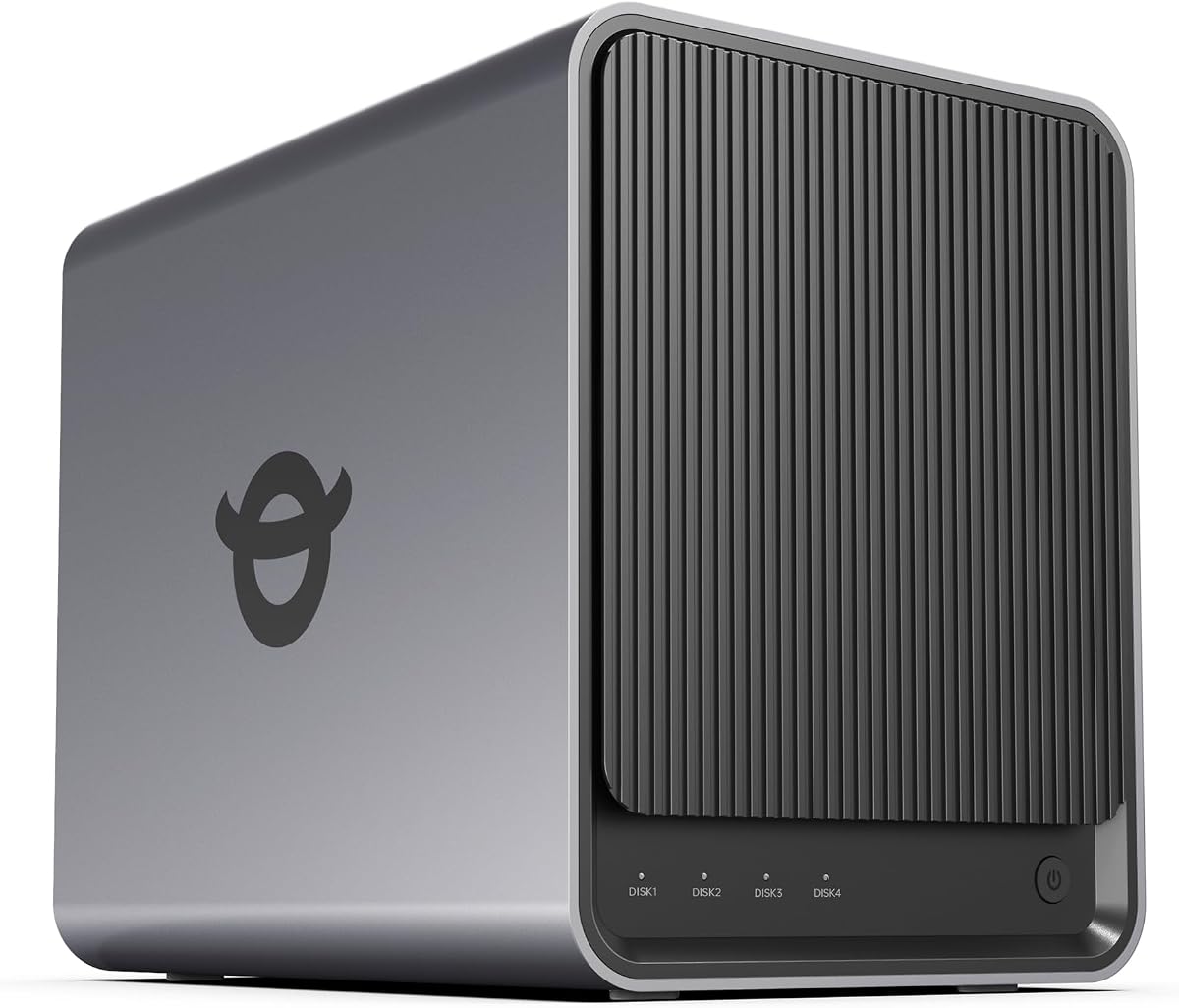
The Asustor Drivestor 4 Gen 2 offers an entry-level solution for home and small office users. It features a quad-core processor for efficient multitasking and daily storage needs. The price point makes it accessible for first-time buyers.
We may earn a commission when you buy through this link, at no additional cost to you.
With 2.5GbE networking this unit provides faster file transfers than standard Gigabit systems. It supports Btrfs snapshots to protect against ransomware and accidental deletion. The 4K media center capabilities ensure smooth playback on TVs.
The limited RAM might restrict heavy virtualization tasks but handles backups well. It is a cost-effective choice if you do not need complex Docker setups. The low power consumption adds to its long-term value proposition.
This NAS is ideal for those transitioning from external drives to a private cloud. It supports RAID configurations for data redundancy. Use it for media streaming and secure remote access to your files anytime.
Enterprise-grade Btrfs snapshots and WORM technology keep your data safe from loss or corruption.
Enjoy 4K media playback on smart TVs and mobile devices with optimized network throughput.
We may earn a commission when you buy through this link, at no additional cost to you.
The UGREEN DXP4800 Pro is built for IT professionals and power users needing serious performance. It features a Core i3 processor and DDR5 RAM for smooth multitasking. This unit serves as a versatile private workstation for advanced workflows.
We may earn a commission when you buy through this link, at no additional cost to you.
Dual high-speed network ports enable blazing-fast transfers up to 1.25GB/s. You can run virtual machines and Docker containers effortlessly for development or smart home hubs. The local AI photo album manages massive libraries with privacy in mind.
The enterprise-grade security includes granular user permissions and a Data Vault for sensitive files. This level of protection is vital for businesses handling confidential data. The cost reflects the high-end hardware and advanced features included.
Buy this if you need a workstation-grade NAS for heavy workloads. It handles video editing and virtualization tasks smoothly. The intuitive UGOS Pro integrates media center and cloud sync into one system for convenience.
Run Docker containers and virtual machines seamlessly to create private development environments.
Use granular permissions and encrypted Data Vaults to protect sensitive business and personal files.
We may earn a commission when you buy through this link, at no additional cost to you.
The TERRAMASTER F4-425 delivers powerful performance for home media streaming. It uses an Intel Quad-Core processor to handle 4K transcoding and multitasking smoothly. The design focuses on quiet operation suitable for bedrooms or offices.
We may earn a commission when you buy through this link, at no additional cost to you.
This NAS supports hardware-level 4K H.265 decoding for compatible Plex and Jellyfin. It also includes a tool-free Push-Lock design for easy drive installation in seconds. The mobile app allows initialization and photo backups without a PC.
While it has fewer features than high-end models it offers a reliable experience for media needs. The flexible RAID options provide data redundancy. The storage capacity supports up to 120TB for large collections.
Choose this if you prioritize a quiet media server with simple controls. It is great for streaming HD video to multiple devices. The secure storage and cloud sync options keep your files accessible from anywhere.
Supports 4K decoding for smooth streaming on Plex and Emby without slowing down the CPU.
Initialize setup and manage backups via the TNAS Mobile app directly from your smartphone.
We may earn a commission when you buy through this link, at no additional cost to you.
The UGREEN DXP4800 GT is powerful for creators and office teams needing speed. It runs on an AMD Ryzen embedded processor with expandable RAM for heavy workloads. The dual 10GbE ports ensure fast file transfers across the network.
We may earn a commission when you buy through this link, at no additional cost to you.
You can install compatible IP cameras to turn this NAS into a surveillance center. This feature keeps footage local without requiring separate subscriptions. The UGREEN NAS app allows control over media and files from any device.
Local privacy is prioritized with strong encryption and security permissions. RAID support adds redundancy to protect against data loss. The design allows for local-like editing directly from the NAS for video creators.
This is a great option for teams needing a private cloud with security. It handles backups and processing smoothly. The built-in SD slot simplifies importing photos without external readers. Use it for centralized storage and collaboration.
Turn your NAS into a security control center with local storage for IP camera footage.
Store files locally to avoid third-party cloud subscriptions while keeping data secure.
We may earn a commission when you buy through this link, at no additional cost to you.
The Synology DS425+ provides enterprise-grade features for home and small businesses. It allows sharing large files and streaming media across offices efficiently. The centralized repository keeps documents and assets secure with granular controls.
We may earn a commission when you buy through this link, at no additional cost to you.
Multi-layered data protection combines RAID redundancy and automated backups to prevent loss. You can monitor homes or businesses with support for up to 30 IP cameras. This makes it a complete solution for media and security.
The 3-year warranty and dedicated technical account management support critical environments. It offers fast speeds for concurrent user access. While the cost is higher it delivers reliability and professional support for businesses.
Choose this if you need reliable data protection and professional support. It is excellent for storing client files securely. The media hub features ensure smooth streaming. Use it for centralized storage with robust backups.
Access audit logs and technical support for business-critical production environments and storage.
Combine RAID and snapshots to prevent data loss from any cause including ransomware.
We may earn a commission when you buy through this link, at no additional cost to you.
The UGREEN DH4300 Plus is an entry-level choice for home users and beginners. It supports Docker but not virtual machines keeping it simple. You can record and share moments easily with families via shared storage.
We may earn a commission when you buy through this link, at no additional cost to you.
Smart photo backup organizes memories with AI recognition of faces and objects. The NFC setup allows quick connection and file sharing. You can access data remotely from any device without a custom OS.
This NAS offers cost-effective storage without recurring monthly fees. The local storage ensures you keep full control over your data. It supports 4K HDMI output for media access in the living room.
Buy this if you want a simple private cloud for family data. It is secure with certified encryption. The user-friendly app helps you share files fast. Use it to organize photos and documents safely.
Automatically organize photos by faces and scenes to find moments quickly without manual sorting.
Keep full control of data with local storage and no hidden third-party access.
We may earn a commission when you buy through this link, at no additional cost to you.
The Synology DS925+ offers robust data management features for users. It provides stable data transfers with dual 2.5GbE ports for redundancy. The throughput supports efficient workflows for files and media.
We may earn a commission when you buy through this link, at no additional cost to you.
You can leverage built-in file and photo management tools easily. It also includes surveillance solutions for monitoring needs. The virtualization capabilities allow running lightweight VMs for additional applications.
Backing by a 3-year warranty this unit ensures reliability. It is a balanced choice for managing storage and security. The network redundancy ensures you stay online even if one port fails.
This NAS is ideal for those needing reliable file management. Use it for media and photo backups. The surveillance features add extra value. Choose it for a stable and efficient storage solution.
Dual 2.5GbE ports provide fast transfer speeds and failover protection for your network.
Run lightweight virtual machines to extend the NAS functionality with custom apps.
We may earn a commission when you buy through this link, at no additional cost to you.
The Yxk Zero1 Pro provides a great platform for families and developers. It uses an Intel N100 processor for everyday tasks and projects. You can install compatible drives to create shared home storage easily.
We may earn a commission when you buy through this link, at no additional cost to you.
It supports third-party NAS operating systems for experienced users. The aluminum housing ensures efficient cooling for long tasks. The photo tools organize family memories with face and scene recognition.
Dual 2.5GbE ports support link aggregation for faster access. The 4K HDMI output connects directly to TVs for playback. This unit is flexible enough for both beginners and custom setups.
Buy this if you want a DIY platform with hardware flexibility. It is great for home office files. Use it to store archives or run smart home hubs. Explore different software environments easily.
Manually install TrueNAS or Unraid to explore different software environments and features.
Create shared home storage for school files and photos without custom operating systems.
We may earn a commission when you buy through this link, at no additional cost to you.
The Synology DS423 offers secure private cloud features for families and businesses. It protects data against malware with immutable snapshots and versioned files. You can access and share files safely from anywhere.
We may earn a commission when you buy through this link, at no additional cost to you.
Versatile video surveillance allows monitoring up to 30 IP cameras. Replace expensive SharePoint with local file sharing and team folders. The 2-year warranty ensures reliable hardware backed by expert support.
Multi-destination backup strategies protect against malware effectively. The ransomware-resistant backup gives you peace of mind for critical files. While you may need camera licenses it adds significant value.
Choose this if you prioritize backup security and privacy. It is a solid choice for business file sharing. Use it to keep photos and documents safe from loss. This unit offers reliable protection.
Use immutable snapshots and versioned files to restore data after a ransomware attack.
Monitor home or business with intuitive tools archiving footage for up to 30 cameras.
We may earn a commission when you buy through this link, at no additional cost to you.
Selecting the right 4 Bay NAS requires balancing processor power, network speed, and software features. This guide covers essential factors to ensure you choose a unit that meets your storage and performance needs.
The CPU determines how well the NAS handles multitasking and transcoding. For smooth 4K streaming or Docker apps look for Intel or AMD quad-core options. At least 4GB of RAM is recommended for stable performance with multiple users.
Prioritize a strong CPU and ample RAM if you plan to run virtual machines or heavy media processing.
Network ports define transfer speeds between your NAS and devices. A 2.5GbE port is standard for fast backups but dual 10GbE ports are better for large files. Check your router compatibility to utilize these high speeds.
Choose a model with 10GbE ports if you need rapid file transfers for video editing or large data sets.
A 4 Bay NAS supports up to four drives so check max capacity per bay. Most models support 30TB or more per drive giving huge total storage. Ensure the NAS is diskless so you can select compatible drives.
Look for high max capacity per bay to future proof your storage as your needs grow over time.
Software affects how easy it is to manage files and backups. Look for intuitive mobile apps and photo management tools. Docker support adds flexibility for custom apps and media servers like Plex.
Select a NAS with a user-friendly app and good media tools to simplify daily management tasks.
Data protection features like snapshots and RAID help prevent loss. Ransomware resistance and encryption secure your files from threats. Always verify the warranty length and support options before buying.
Prioritize snapshots and RAID options to ensure your data remains safe from corruption or hardware failure.
Check for M.2 slots or USB ports for SSD caching or external backups. Some units offer NVMe expansion for faster read speeds. This flexibility helps maintain performance as storage needs increase.
Choose a unit with M.2 or USB expansion if you plan to add high-speed storage later.
Integrated surveillance lets you store camera footage on the NAS. Look for support for multiple cameras and mobile viewing. This removes the need for separate storage drives for security data.
If you need security, pick a model that includes a surveillance center with local storage options.
Price varies by hardware features and brand reputation. Budget units may have less RAM or slower ports. High-end models offer better performance but cost more initially.
Compare specs against your budget to find a NAS that offers the right balance of performance and cost.
To start install compatible hard drives and connect the unit to your router using Ethernet. Follow the guided setup via the mobile app to initialize the system and create user accounts. This ensures quick access to your files and settings.
Regularly update the system software to get security patches and new features. Check drive health using the built-in tools to prevent data loss. Configure automated backups to external drives or cloud services for extra safety.
Place the NAS in a well-ventilated area to prevent overheating during heavy use. Dust the enclosure gently with a soft cloth to maintain cooling efficiency. Keep the device away from direct sunlight or heat sources to ensure longevity.
A 4 Bay NAS is a network storage device with four slots for hard drives. It allows you to store data centrally and access it over your network. This setup supports RAID for data redundancy and high storage capacity.
No most NAS units sold as diskless do not include hard drives. You must purchase compatible drives separately to install in the bays. Always check the compatibility list before buying drives.
Yes many 4 Bay NAS models support hardware transcoding for media apps like Plex. They allow smooth 4K streaming to your TV or mobile devices. Choose a model with a strong CPU for best results.
Most 4 Bay NAS units require a wired Ethernet connection for stability. Some models support 2.5GbE or 10GbE ports for faster speeds. Wi-Fi is generally not supported to ensure reliable data transfer.
Depending on drive size a 4 Bay NAS can hold up to 144TB or more. Each bay typically supports drives up to 30TB or higher. RAID configuration affects the usable capacity and redundancy.
Many modern NAS units offer beginner-friendly setup via mobile apps. You can initialize the system and manage files without complex commands. However advanced features may require some technical knowledge.
RAID is a storage technology that combines multiple drives for performance or redundancy. It helps protect data if a drive fails. Some models use TRAID or specific RAID configurations for better space efficiency.
Yes many NAS models support Docker or apps to run services like media servers. You can install Plex or Home Assistant depending on the hardware. This adds flexibility to your storage device.
The 4 Bay NAS market offers options for beginners and pros alike. Top picks include the UGREEN DXP4800 Plus for performance and Asustor for budget users. Each model brings unique strengths to home and office storage.
Prioritize processor power and network speed if you plan to run heavy tasks. For simple media storage a lower spec unit may be enough. Always match the NAS to your specific capacity and app needs.
Verify current prices and stock before buying since listings change. Read user reviews for real-world reliability and support. A well-chosen NAS keeps your data secure and accessible for years.