
msi Gaming GeForce GT 1030 4GB DDR4
4.5Editor score
Low Profile Design
4GB DDR4 Memory
DirectX 12 Support
This guide compares the top GPUs for Optiplex systems, analyzing performance, size, and compatibility to help you upgrade your small form factor PC effectively.
Choosing the right graphics card for your Optiplex system requires careful consideration of size and power limits. Not every GPU fits into these compact cases, so selecting a low-profile or small form factor model is essential for compatibility and proper airflow within the chassis.
We evaluated ten top-rated graphics cards based on their physical dimensions, power requirements, and performance capabilities. Our comparison focuses on models that specifically address the constraints of Dell Optiplex towers while delivering meaningful upgrades for gaming, design, or productivity tasks.
Each pick highlights key strengths and potential trade-offs to guide your decision-making process. Remember that availability and pricing fluctuate regularly, so verify current stock and costs before making your final purchase decision to ensure you get the best value for your needs.
4.5Editor score

4.3Editor score

4.7Editor score
The following table provides a side-by-side comparison of all ten graphics cards selected for Optiplex systems, highlighting their core specifications and key features to help you quickly identify the right fit for your specific upgrade requirements.
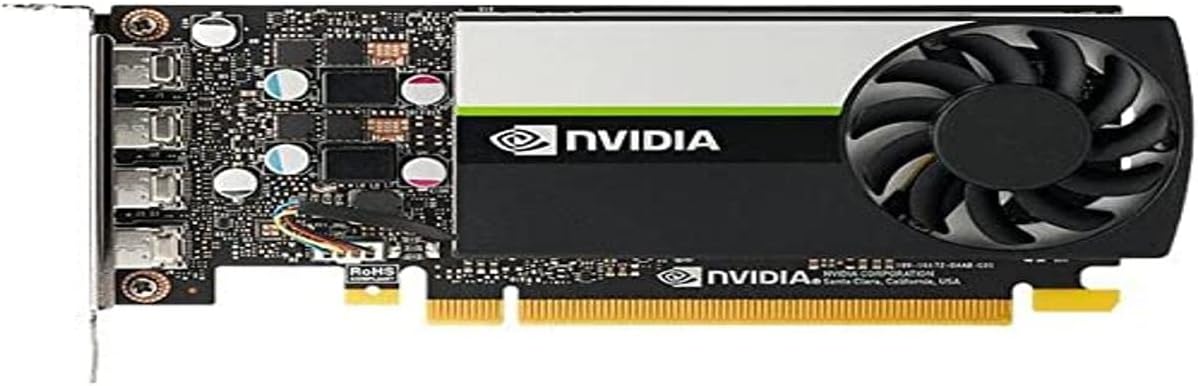


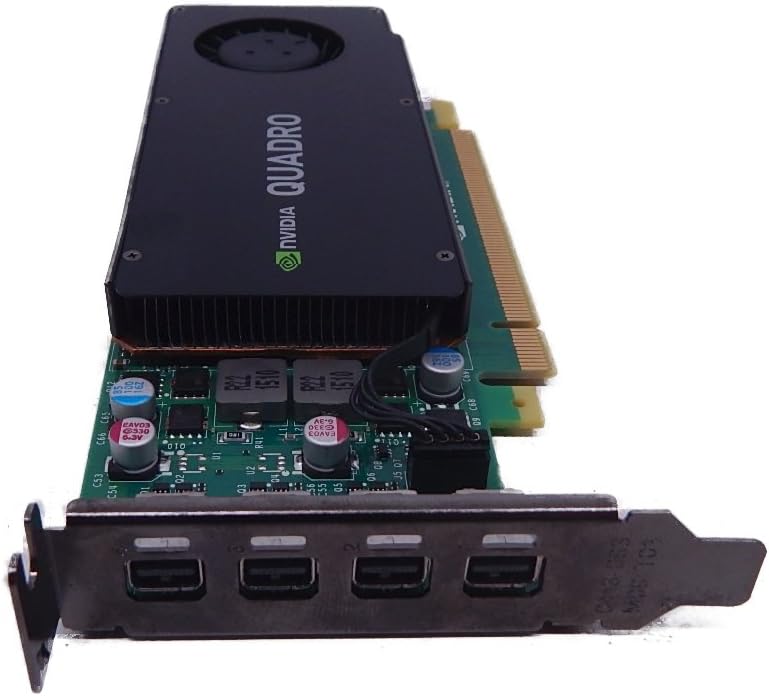
The maxsun GeForce RTX 3050 6GB stands out as a top choice for Optiplex upgrades due to its slim low profile design and robust performance. With a 4.3 rating, it balances power and compatibility exceptionally well for compact business systems needing graphical enhancements.
We may earn a commission when you buy through this link, at no additional cost to you.
Powered by the NVIDIA Ampere architecture, this card delivers significant boosts through DLSS and Tensor Cores. Its 6GB GDDR6 memory ensures smooth multitasking, while the 4.0 PCIe interface provides ample bandwidth for modern applications and gaming workloads.
While the low profile design is ideal for small cases, users should verify their specific Optiplex power supply capabilities. The single slot form factor maximizes airflow and physical compatibility within tight chassis constraints found in Dell business towers.
This card is perfect for professionals seeking a balance of productivity and casual gaming without sacrificing case integrity. Its modern outputs support high-resolution displays, making it a versatile upgrade for mixed-use Optiplex workstations.
The slim profile ensures physical compatibility with Dell Optiplex SFF and mini towers without requiring case modifications.
HDMI 2.1 and DisplayPort 1.4a support high-resolution outputs for professional visualization and multimedia tasks.
We may earn a commission when you buy through this link, at no additional cost to you.
The PNY NVIDIA T600 is a powerful professional GPU designed to enhance productivity workflows on Optiplex systems. Its 4.6 rating reflects high reliability for design and visualization tasks requiring stable graphics processing capabilities.
We may earn a commission when you buy through this link, at no additional cost to you.
Built on the Turing architecture, this card doubles performance over previous generations for 3D workloads. It supports up to four 5K displays, providing expansive workspace options for CAD, engineering, and detailed creative projects.
While it excels in professional environments, it is not optimized for gaming. The focus remains on accuracy and stability for ISV certified applications, ensuring consistent results for critical business and engineering software.
This card is ideal for users prioritizing multi-monitor setups and professional software stability. It offers a robust solution for Optiplex systems used in design studios or engineering offices requiring reliable graphical throughput.
Certification with over 100 professional software applications ensures reliable performance in critical workflows.
Support for up to four 5K displays enables detailed design work and immersive visualization environments.
We may earn a commission when you buy through this link, at no additional cost to you.
The PNY Nvidia RTX A400 4GB represents a premium upgrade for Optiplex systems focused on professional productivity. With a 4.7 rating, it delivers exceptional compute power in a compact single-slot form factor suitable for business environments.
We may earn a commission when you buy through this link, at no additional cost to you.
Its Ampere architecture supports advanced workflows like AI and ray-tracing efficiently. The 4GB GDDR6 memory ensures high-speed data transfer, while the 50W power consumption maintains low heat and energy usage in office setups.
While the Mini DisplayPort outputs require adapters for standard monitors, the four-port capability allows extensive multi-display configurations. This flexibility is crucial for financial traders or designers needing multiple high-resolution screens simultaneously.
This card is best for professionals requiring certified stability and performance without compromising on system space. Its energy-efficient design makes it ideal for 24/7 operations in corporate Optiplex workstations.
Single slot design fits any standard office PC while delivering high-end architectural computing power.
Low 50W power draw ensures reliable operation without overloading standard office power supplies.
We may earn a commission when you buy through this link, at no additional cost to you.
The ASUS Dual GeForce RTX 3050 6GB offers excellent cooling for Optiplex users needing thermal stability during heavy workloads. Its 4.7 rating highlights its reliability and performance consistency in demanding gaming or rendering scenarios.
We may earn a commission when you buy through this link, at no additional cost to you.
Featuring Axial-tech fan design, this card maximizes airflow to maintain lower temperatures. The 2-slot design allows for better heat dissipation, while IP5X dust resistance ensures long-term durability in various operating environments.
Although larger than single-slot cards, it fits well in larger Optiplex towers. The OC Edition boost clock provides slightly higher performance, making it a strong contender for users prioritizing thermal management and raw speed.
This card suits users requiring robust cooling solutions within standard tower cases. It balances performance and longevity effectively for Optiplex systems used in creative production or gaming contexts.
Axial-tech fans create higher air pressure to push heat away from critical GPU components effectively.
Dust resistance protects internal components from particle ingress ensuring reliable operation over time.
We may earn a commission when you buy through this link, at no additional cost to you.
The msi Gaming GeForce GT 1030 4GB provides an affordable entry point for upgrading Optiplex systems. With a 4.5 rating, it delivers essential graphical power for basic gaming and media tasks without breaking the budget.
We may earn a commission when you buy through this link, at no additional cost to you.
Its low profile bracket ensures compatibility with even the smallest Optiplex cases. The DDR4 memory and 64-bit interface are sufficient for light workloads, making it ideal for users needing basic display acceleration.
While not suitable for modern AAA gaming, it handles casual titles and video playback effortlessly. The low power draw means no additional cables are needed, simplifying the installation process significantly.
This card is perfect for users prioritizing cost and simplicity. It brings modern display support to older Optiplex systems without requiring power supply upgrades or case modifications.
Low profile design ensures it fits in any standard small form factor or mini PC chassis.
No external power connectors needed allowing for a truly plug-and-play upgrade experience.
We may earn a commission when you buy through this link, at no additional cost to you.
The GIGABYTE GeForce RTX 3050 WINDFORCE offers reliable performance for Optiplex systems needing enhanced graphical power. Its 4.6 rating reflects solid thermal management and consistent performance in moderate workloads.
We may earn a commission when you buy through this link, at no additional cost to you.
Featuring WINDFORCE cooling technology with two fans, this card maintains stable temperatures during extended use. The Ampere architecture provides significant improvements over previous generations for gaming and creative applications alike.
While not low profile, it fits standard towers comfortably. The 6GB GDDR6 memory ensures smooth multitasking, making it a good choice for users needing more power than entry-level cards provide.
This card is ideal for users who have larger Optiplex cases and want balanced performance. It offers excellent value for those seeking modern features without extreme costs.
Two WINDFORCE fans ensure heat is dissipated efficiently maintaining lower operational temperatures.
Ampere architecture enables ray tracing and DLSS support for enhanced gaming visual fidelity.
We may earn a commission when you buy through this link, at no additional cost to you.
The msi Gaming RTX 3050 LP 6G is tailored for Optiplex users needing high performance in a compact form. With a 4.5 rating, it delivers robust graphical power while maintaining the small physical footprint required.
We may earn a commission when you buy through this link, at no additional cost to you.
Its 1492 MHz boost clock ensures strong performance for gaming and rendering tasks. The low profile bracket fits most small cases, while the 6GB GDDR6 memory supports modern titles and applications efficiently.
While single fan cooling may run warmer under load, it remains adequate for most office or home environments. The combination of speed and size makes it a top contender for SFF Optiplex upgrades.
This card is perfect for users prioritizing performance within size constraints. It offers a balanced upgrade for gaming and productivity without compromising physical compatibility.
High boost clock delivers solid performance without requiring a full tower chassis.
HDMI and DisplayPort outputs provide versatile options for connecting modern monitors.
We may earn a commission when you buy through this link, at no additional cost to you.
The PNY NVidia Quadro K1200 offers reliable professional graphics for older Optiplex systems. Its 4.4 rating reflects consistent performance for CAD and basic visualization tasks requiring stable drivers.
We may earn a commission when you buy through this link, at no additional cost to you.
Designed for legacy support, this card fits standard low-profile cases easily. It supports four displays simultaneously, making it ideal for office environments needing multiple screens without consuming excessive power.
While older in architecture, it remains a solid choice for specific professional workflows. The included warranty adds value for businesses needing guaranteed reliability for critical operational setups.
This card suits users with legacy systems requiring stable multi-monitor outputs. It balances cost and professional reliability for standard office productivity tasks.
Four Mini DisplayPort outputs allow extensive desktop setups for enhanced productivity.
Optimized drivers ensure compatibility and stability with professional software applications.
We may earn a commission when you buy through this link, at no additional cost to you.
The NVIDIA Quadro P1000 Professional delivers robust graphical power for Optiplex workstations. Its 4.5 rating highlights its reliability for design and CAD tasks requiring precise rendering capabilities.
We may earn a commission when you buy through this link, at no additional cost to you.
Powered by Pascal architecture, this card improves performance over previous generations significantly. The low profile design ensures fit in small chassis, while 4K support enables detailed visualization for professionals.
While not intended for gaming, it excels in stability and precision for engineering applications. The efficiency of the architecture allows for cooler operation and quieter environments.
This card is ideal for professionals needing certified stability without high power costs. It provides the right balance for standard business workstations requiring reliable graphical support.
Certified drivers ensure accurate performance for professional design and engineering software.
Low profile design fits any standard business PC while delivering high-end productivity power.
We may earn a commission when you buy through this link, at no additional cost to you.
The NVIDIA Graphics Card VCQK1200DVI provides essential graphical support for legacy Optiplex systems. Its 4.2 rating reflects stability for basic tasks requiring specific legacy connectivity options.
We may earn a commission when you buy through this link, at no additional cost to you.
Designed with a DVI output, it caters to users needing compatibility with older monitors. The low profile design ensures physical fit in compact business cases without requiring special adapters.
While limited by older PCIe 2.0 interfaces, it delivers sufficient power for standard office productivity. It serves as a reliable fallback for systems where modern ports are not available or necessary.
This card is best for users maintaining legacy hardware setups needing basic graphical upgrades. It ensures operational continuity for older display configurations efficiently.
DVI output ensures compatibility with older displays commonly used in legacy office setups.
Sufficient for standard business tasks while keeping power requirements minimal for older PCs.
We may earn a commission when you buy through this link, at no additional cost to you.
Choosing the right graphics card for an Optiplex system involves balancing physical constraints with performance needs. This guide outlines key factors to consider before making your purchase decision.
Optiplex systems often come in Small Form Factor (SFF) or Mini configurations, requiring GPUs with low-profile brackets. Always measure your case height and length to ensure the card fits without blocking other components.
Verify that the card is specifically listed as low-profile or SFF compatible to avoid installation issues.
Many Optiplex power supplies are limited to 150W or less. Ensure the GPU does not require external PCIe power connectors if your system lacks them, as this is a common bottleneck.
Select cards with low total power consumption to prevent system instability or shutdowns under load.
Check if your motherboard has an available PCIe x16 slot and whether it is a 1.0, 2.0, or 3.0 version. Modern cards work with older slots but may not utilize full bandwidth.
Ensure the slot is unblocked by other components like SATA connectors or large cooling units.
Small cases have limited airflow, so passive or single-fan designs are often preferred to avoid heat buildup. Overheating can throttle performance or damage other components in a closed chassis.
Look for models with proven thermal management in SFF environments before purchasing.
Match the output ports on the GPU to your monitor requirements. Ensure you have the correct adapters for HDMI or DisplayPort connections if your monitors use DVI or older interfaces.
Multiple ports are useful for multi-monitor setups, so check the card supports the number of screens you need.
Determine if your primary goal is gaming, design work, or general productivity. Professional cards offer ISV certifications for stability, while gaming cards provide higher frame rates for casual play.
Balance your performance requirements against your budget to avoid overpaying for features you will not use.
Entry-level cards offer basic functionality at minimal cost, while high-end models provide significant performance gains. Compare features against your specific needs to find the best value option.
Remember that total cost includes potential adapter or case modifications needed for installation.
Ensure the GPU manufacturer provides regular driver updates for your operating system. Long-term support is crucial for security and stability in professional environments.
Check compatibility with your existing software applications to ensure seamless integration after installation.
Before installation, power down your system and unplug all cables. Ground yourself to prevent static discharge, then open the case and carefully remove the old graphics card if present.
Insert the new card into the PCIe slot firmly until it clicks, then close the case. Power on your system and download the latest drivers from the manufacturer's website to ensure optimal performance.
Regularly clean dust from the GPU and fans to maintain proper airflow. Monitor temperatures during heavy workloads to ensure the system stays cool and operates efficiently over time.
Most Dell Optiplex Small Form Factor and Mini systems are designed for low-profile GPUs. However, you should always verify your specific model's case dimensions and power supply capabilities to ensure compatibility before purchasing.
Standard full-height GPUs will not fit in SFF cases. You must use low-profile cards with special brackets. Attempting to force a full-height card can damage the motherboard or block essential connections.
Many modern low-profile GPUs do not require external power connectors, making them suitable for stock Optiplex power supplies. However, check the card's wattage requirements against your system's maximum output.
Yes, gaming GPUs generally work well for business applications. They offer higher performance but may lack specific ISV certifications found in professional cards. Choose based on your stability and feature needs.
Modern PCIe 3.0 and 4.0 cards are backward compatible with 2.0 slots. While you may not get full bandwidth, they will function normally for most general tasks and light gaming scenarios.
Check if your case has front intake vents and rear exhaust fans. If not, adding small intake fans might be necessary to prevent overheating, especially with dual-fan graphics cards installed.
Upgrading your Optiplex system with the right graphics card can significantly improve productivity and media handling. The maxsun RTX 3050 and PNY RTX A400 stand out as top choices for their balance of performance and size.
Prioritize physical compatibility and power requirements before considering raw performance numbers. A card that fits perfectly will offer better long-term reliability than one that forces case modifications.
Always check current pricing and availability as these factors can change rapidly. Verify the specific model fits your case model to ensure a smooth upgrade experience without unexpected complications.