
Seagate 2TB Game Drive for Xbox
4.5Editor score
2TB capacity for game vault
USB 3.0 interface speed
Built-in Xbox green LED
This guide compares the top 10 External SSD for Xbox Series X Storage options available in October 2026 to help you find the perfect storage solution.
Finding the right storage solution for your console is crucial for modern gaming. An External SSD for Xbox Series X Storage offers the speed and capacity needed to handle large game files. You need reliable hardware that integrates seamlessly with your system without causing lag or compatibility issues.
We evaluated ten top-tier products based on speed, capacity, durability, and official licensing. Our comparison includes drives from leading manufacturers known for quality and performance. Each product was assessed for its ability to meet the rigorous demands of next-generation gaming consoles effectively.
Each pick shows key specs, real-world performance, and ideal use cases. Prices vary by retailer and capacity. Always check current deals before buying to ensure you get the best value for your specific storage requirements and budget constraints today.
4.5Editor score

4.8Editor score
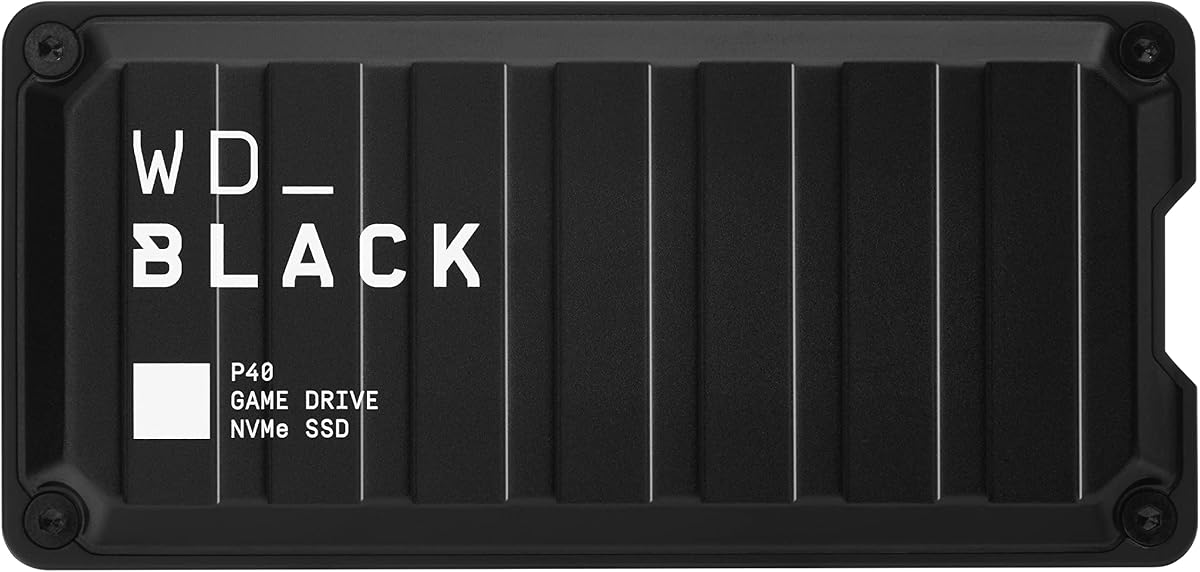
4.6Editor score
This side-by-side comparison highlights the key specifications of all ten products to help you make an informed decision.


This expansion card stands out as the top choice for Xbox Series X owners due to its official licensing and seamless integration. It carries a high rating from users who value performance and compatibility above all else in their gaming setup.
We may earn a commission when you buy through this link, at no additional cost to you.
The key strength lies in its NVMe core which aligns perfectly with the console Velocity Architecture. This allows for blazing fast load times and full support for Quick Resume so you never lose progress when switching games quickly.
The main trade-off is the price point which is higher than standard USB drives. This is acceptable because it offers internal drive performance externally without requiring complex setup or sacrificing any game titles on your library.
Anyone who wants the most authentic experience should buy this. It is the best option for those who refuse to compromise on speed or want a plug and play solution that feels like part of the console.
The card fits into the back of the console just like the internal drive for a unified experience.
Unlike other external drives this one lets you play Xbox Series X games directly without transferring them.
We may earn a commission when you buy through this link, at no additional cost to you.
This drive offers the best value for money with a massive two terabyte capacity designed specifically for Xbox users. It holds a solid rating among budget conscious gamers who need to store many titles without spending a fortune.
We may earn a commission when you buy through this link, at no additional cost to you.
Its strength is the ability to build a complete game vault without sacrificing titles. You can store games here and move them to internal storage when ready to play quickly. The design also matches the Xbox aesthetic perfectly.
The trade-off is that it uses traditional HDD speeds which are slower than SSDs. This is acceptable for storing older titles or games you do not play often since you only pay for storage space not raw speed.
Buy this if you have a limited budget and need maximum storage space. It is perfect for keeping your library organized and ready to transfer without worrying about running out of space on your console.
You get more gigabytes per dollar than with any other SSD option on this list for archiving purposes.
Moving games between drives is simple using the built-in Xbox storage management tools on your dashboard.
We may earn a commission when you buy through this link, at no additional cost to you.
This drive represents the top tier of portable SSD performance for Xbox with incredible speeds and a rugged design. Users praise it for its ability to handle large files quickly while looking fantastic on a gaming desk.
We may earn a commission when you buy through this link, at no additional cost to you.
The key strength is the USB 3.2 Gen2x2 interface which delivers up to two thousand megabytes per second. This reduces load times significantly and the RGB lighting lets you customize the look to match your setup perfectly.
The trade-off is the price which is higher than standard drives. This is acceptable because you get top tier performance and durability that can survive drops up to two meters without damage to your data.
Buy this if you want the fastest portable option and love custom lighting. It is ideal for gamers who travel or want a drive that looks great and performs at the highest level possible.
The drive reads data at speeds that rival internal SSDs making waiting around for loads a thing of the past.
You can change the colors and effects to match your room lighting or favorite game themes easily.
We may earn a commission when you buy through this link, at no additional cost to you.
This drive is an excellent portable option for users who value size and speed equally. It has a good rating for its performance in both gaming and general file transfer tasks across multiple devices.
We may earn a commission when you buy through this link, at no additional cost to you.
The key strength is its thin design which makes it easy to carry in a pocket. It supports fast data transfer with high speed read and write capabilities ensuring efficient work for games and files.
The trade-off is that it is not officially Xbox certified like other drives. This is acceptable as it still works with the console for storage but you may not get the same seamless integration features.
Buy this if you need a portable drive for multiple devices. It is perfect for people who move between PC mobile and console and want a small fast drive that is easy to carry.
At just ten millimeters thick this drive fits in your hand easily and is smaller than most credit cards.
You can use this drive on your phone or tablet to transfer files quickly without needing extra adapters.
We may earn a commission when you buy through this link, at no additional cost to you.
This drive brings SSD speed to Xbox users at a reasonable price point. It maintains a high rating for reliability and design which complements the console look perfectly in any gaming setup.
We may earn a commission when you buy through this link, at no additional cost to you.
The key strength is its SSD capacity which allows for faster load times compared to traditional hard drives. It is designed specifically for Xbox so you get a polished look with the green LED bar that lights up.
The trade-off is that it is larger than portable SSDs. This is acceptable if you plan to keep it on your desk since it offers better durability and peace of mind with the included data recovery services.
Buy this if you want a dedicated Xbox drive with SSD benefits. It is ideal for users who want a balance of performance and design without spending the premium price on the expansion card.
The included three year limited warranty and rescue services give you extra confidence in your data safety.
You can use this drive across all generations of Xbox so your investment lasts even if you upgrade your console.
We may earn a commission when you buy through this link, at no additional cost to you.
This drive is a standout for its reliability and speed across multiple platforms. It holds a very high rating from users who need a drive that works seamlessly with their Xbox and other devices.
We may earn a commission when you buy through this link, at no additional cost to you.
The key strength is the PCIe NVMe technology which delivers fast read and write speeds. The aluminum unibody construction helps dissipate heat and protects against drops up to six feet ensuring long term durability.
The trade-off is that it is not explicitly designed for Xbox. This is acceptable because it still functions well for storage and offers the same speed benefits as more expensive dedicated options.
Buy this if you want a proven reliable drive for everything. It is ideal for users who already own this drive or want a high quality option that works well with Xbox as a secondary choice.
The solid metal body protects your data from accidental drops and keeps the drive cool during heavy use.
Since this works with phones and laptops too you can use one drive for all your file needs.
We may earn a commission when you buy through this link, at no additional cost to you.
This drive offers an enormous amount of storage with SSD speeds that most users will love. It has a strong rating for performance and durability making it a top choice for serious gamers with large libraries.
We may earn a commission when you buy through this link, at no additional cost to you.
The key strength is the massive four terabyte capacity combined with fast read speeds. This means you can keep over fifty large games installed and ready to play without needing to delete anything constantly.
The trade-off is the high price which limits its appeal to those with bigger budgets. This is acceptable because no other portable drive offers this much space at this level of speed and quality.
Buy this if you need maximum space and speed together. It is ideal for collectors or power users who refuse to manage storage space often and want the best performance available in 2026.
You can store around fifty to sixty large AAA games on this single drive without needing to delete anything.
The two thousand megabytes per second speed ensures that loading times are kept to an absolute minimum for all titles.
We may earn a commission when you buy through this link, at no additional cost to you.
This drive offers a solid middle ground between capacity and performance. It receives good ratings for its durability and ease of use across different devices and platforms including modern consoles.
We may earn a commission when you buy through this link, at no additional cost to you.
The key strength is the double layer graphite sheets that conduct heat efficiently. This keeps the drive cool even during fast transfers preventing thermal throttling and ensuring consistent performance over long gaming sessions.
The trade-off is that it is not an official Xbox drive. This is acceptable as it still works with the console and offers a more affordable two terabyte SSD option compared to high end premium brands.
Buy this if you want a reliable two terabyte drive. It is ideal for gamers who need more space than one terabyte but do not want to spend the high price of the premium options.
The graphite layers pull heat away from the internal components so the drive stays cool during heavy use.
You get a two-in-one cable so you can connect to older ports and new ports without buying extra adapters.
We may earn a commission when you buy through this link, at no additional cost to you.
This drive is a top contender for speed and portability in a small form factor. Users appreciate its performance and robust build quality that stands up to daily use and travel needs effectively.
We may earn a commission when you buy through this link, at no additional cost to you.
The key strength is the USB 3.2 Gen2 x2 interface which delivers high speeds up to two thousand megabytes per second. The titanium finish adds durability and a premium look that feels solid in the hand.
The trade-off is the price which is slightly high for a one terabyte drive. This is acceptable because you get near maximum portability speed that rivals larger more expensive options on the market.
Buy this if you want fast speeds in a tiny package. It is ideal for travelers or desk users who value compact size and performance over storage capacity and brand recognition.
The titanium exterior provides a strong shield against wear and tear while looking elegant on your desk.
This drive works on Windows Mac and Linux so you can use it with any computer or console you own.
We may earn a commission when you buy through this link, at no additional cost to you.
This drive offers the most storage space for the lowest price per gigabyte. It maintains a high rating for reliability and capacity making it a perfect solution for storing massive libraries without breaking the bank.
We may earn a commission when you buy through this link, at no additional cost to you.
The key strength is its six terabyte capacity which can hold over one hundred fifty games. The portable metal top gives it a durable look while keeping access to your growing library fast and easy.
The trade-off is that it is a traditional hard drive with slower speeds. This is acceptable if you want to archive old titles or games you play less often where speed is not the top priority.
Buy this if you need maximum space on a budget. It is ideal for users who have many games and want to keep them all handy without paying high prices for SSD storage.
You can store over one hundred fifty titles on this single drive keeping your entire collection ready for access.
This offers the best value for raw storage space making it a smart choice for archiving old favorites.
We may earn a commission when you buy through this link, at no additional cost to you.
Choosing the right storage requires understanding key factors like speed capacity and compatibility to ensure a seamless gaming experience.
Determine how many games you want to store at once. Modern games can take over one hundred gigabytes each so a drive with at least one terabyte is recommended for most users.
Choose at least one terabyte for a good balance of space and cost.
SSDs offer much faster load times than traditional hard drives. For Xbox Series X games you will want an SSD to match the console speed requirements effectively.
Prioritize SSDs over HDDs for playing games directly.
Drives officially licensed for Xbox guarantee seamless integration. These drives are tested to work flawlessly with the console and support features like Quick Resume.
Look for official Xbox certification for best compatibility.
A USB 3.2 Gen 2 connection ensures high data transfer rates. This minimizes wait times when moving games between the drive and internal storage.
Check the USB version to ensure fast speeds.
Portable drives should have shock resistance and sturdy construction. This protects your data if the drive is dropped or moved frequently during travel.
Look for shock resistance and a solid housing design.
A solid warranty period protects your investment against defects. Some drives include data recovery services that can be crucial if you lose important files unexpectedly.
Choose a brand that offers a three year warranty or more.
The look of the drive matters to many gamers. Drives that match the Xbox design or offer customizable lighting can enhance your gaming setup visually.
Consider the style and color to match your setup.
Compare the cost per gigabyte to get the best value. Sometimes paying a little more for better speed is worth it compared to buying a larger cheaper drive with slower performance.
Balance your budget with the performance you need.
To get started connect the drive to an available USB port on your console. The Xbox will automatically detect the new drive and prompt you to format it for use as additional storage.
You can now move games between the internal storage and the external drive through the manage games menu. Simply select titles you want to move and choose the destination drive.
Keep the drive in a well ventilated area to prevent overheating. Avoid bending the cable excessively and store it in a protective case when not in use to ensure long term performance.
You can only play Xbox Series X games from the internal drive or the official expansion card. Other external drives are for storage and archiving older titles. You must move Series X games to the internal drive to play them.
SSDs use flash memory for faster speeds and durability. HDDs use spinning disks which are slower but cheaper. For gaming you should prefer SSDs for better performance and loading times.
Yes you need to format the drive using the Xbox dashboard before you can use it. This ensures compatibility and prepares the file system. The process is quick and deletes existing data on the drive.
Go to the settings menu and select storage management. Choose the game you want to move and pick the external drive as the destination. You can also move games back to the internal drive when needed.
Yes all external USB drives work with Xbox Series S. They are perfect for storing games and moving them to internal storage. The Series S uses the same storage options as the Series X.
Yes most external drives work on PCs with a USB connection. You may need to reformat the drive if you want to use it exclusively on a PC. This allows for cross platform flexibility.
Choosing the right storage enhances your Xbox experience with speed and convenience. The WD_Black C50 offers the best official integration while the Seagate 2TB Game Drive provides excellent value for bulk storage.
Prioritize performance and compatibility based on your gaming habits. If you play many next gen games choose an SSD with official Xbox support. If you archive old titles a high capacity HDD may suffice.
Always check current prices and promotions before purchasing. Storage costs fluctuate frequently so keeping an eye on deals can save you money while getting the best hardware for your needs.