
havit HV-F2056 Laptop Cooling Pad
4.4Editor score
Ultra-portable design
Ergonomic stand
Three quiet fans
Gaming laptops like MSI models generate significant heat during intense sessions. Proper thermal management ensures longevity and consistent performance without throttling or system instability.
We evaluated ten cooling solutions based on airflow, noise, compatibility, and build quality. Our analysis focuses on how well each unit addresses the specific venting needs of MSI chassis designs.
Each pick highlights unique strengths for different user profiles. Prices and availability change frequently, so verify current listings before purchasing to ensure you get the best value today.
4.4Editor score

4.4Editor score

5.0Editor score
As an Amazon Associate we earn from qualifying purchases.
This side-by-side comparison outlines the core specifications and unique features of each cooling solution to help you match the right device to your specific MSI laptop model.


This premium cooling pad stands out for its intelligent thermal management system that adapts to your laptop workload automatically. With a solid 4.4 rating from verified users, it delivers reliable performance for MSI gaming laptops like the Raider or Vector series.
We may earn a commission when you buy through this link, at no additional cost to you.
Its airtight pressure chamber seals around your laptop to force air into bottom intakes efficiently. The 140mm brushless fan reaches up to 3000 RPM while the included Razer Synapse software lets you calibrate fan curves for specific noise or temperature goals.
While the initial cost is higher than budget options, the 2-year warranty and durable build justify the investment. You might find the setup slightly complex if you prefer plug-and-play solutions without installing additional software.
Buy this if you demand precise thermal control and want to maximize sustained performance during long gaming sessions. It is ideal for users who value build quality and are willing to optimize settings for the best results.
The foam seals ensure no cool air leakage while the 140mm fan creates strong airflow pressure to reduce surface and internal temperatures significantly.
Remappable buttons and fan curves via Synapse give you on-the-fly control over speed and RGB lighting to suit different gaming or work scenarios.
We may earn a commission when you buy through this link, at no additional cost to you.
If you need a simple and cost-effective solution, this cooling pad delivers solid airflow without breaking the bank. It holds a 4.4 rating and works well with 15.6 to 17 inch MSI laptops such as the GF63 or Bravo series.
We may earn a commission when you buy through this link, at no additional cost to you.
The three ultra-quiet fans create a noise-free environment so you can focus on your game without distraction. It doubles as an ergonomic stand with two height settings to improve posture while providing extra USB connectivity for peripherals.
Its slim profile makes it easy to slip into a backpack for travel, but the plastic mesh may feel less premium than metal options. You also miss out on advanced features like adjustable fan speeds or customizable lighting.
Choose this for casual gaming or everyday use when you prioritize portability and value. It is perfect for students or users who want basic cooling support without complex setup or high costs.
The slim and light weight design allows you to protect your investment wherever you go while offering adjustable height settings for comfort.
Three ultra-quiet fans provide a noise-free environment so you can focus on your work or entertainment without distracting sound levels.
We may earn a commission when you buy through this link, at no additional cost to you.
Designed explicitly for MSI Raider models, this cooling pad acts as a heat dissipation monster with powerful turbofans that drop temperatures by forty degrees in ninety seconds. It has a perfect 5.0 rating from users who need serious thermal relief.
We may earn a commission when you buy through this link, at no additional cost to you.
The high-power efficient supply and sealed wind pressure design work together to deliver extreme cooling when your CPU and GPU are under heavy load. Retractable side panels and foldable footrests ensure compatibility with laptops from 14 to 18 inches.
Noise can reach sixty decibels at maximum speed so it is best suited for noisy environments or when cooling is the top priority. You must move the pad away when not in use to prevent heat from building up under your laptop.
Invest in this if you own an MSI Raider and need maximum performance during intense gaming or rendering sessions. The robust cooling and dust protection make it a top choice for enthusiasts who push their hardware to the limit.
Super powerful turbofans with sealed wind pressure reduce CPU and GPU temperature by 40 degrees in 90 seconds for quick thermal relief.
Built-in Type-C data input and 3 USB hub ports allow you to connect external devices like keyboards and hard drives easily.
We may earn a commission when you buy through this link, at no additional cost to you.
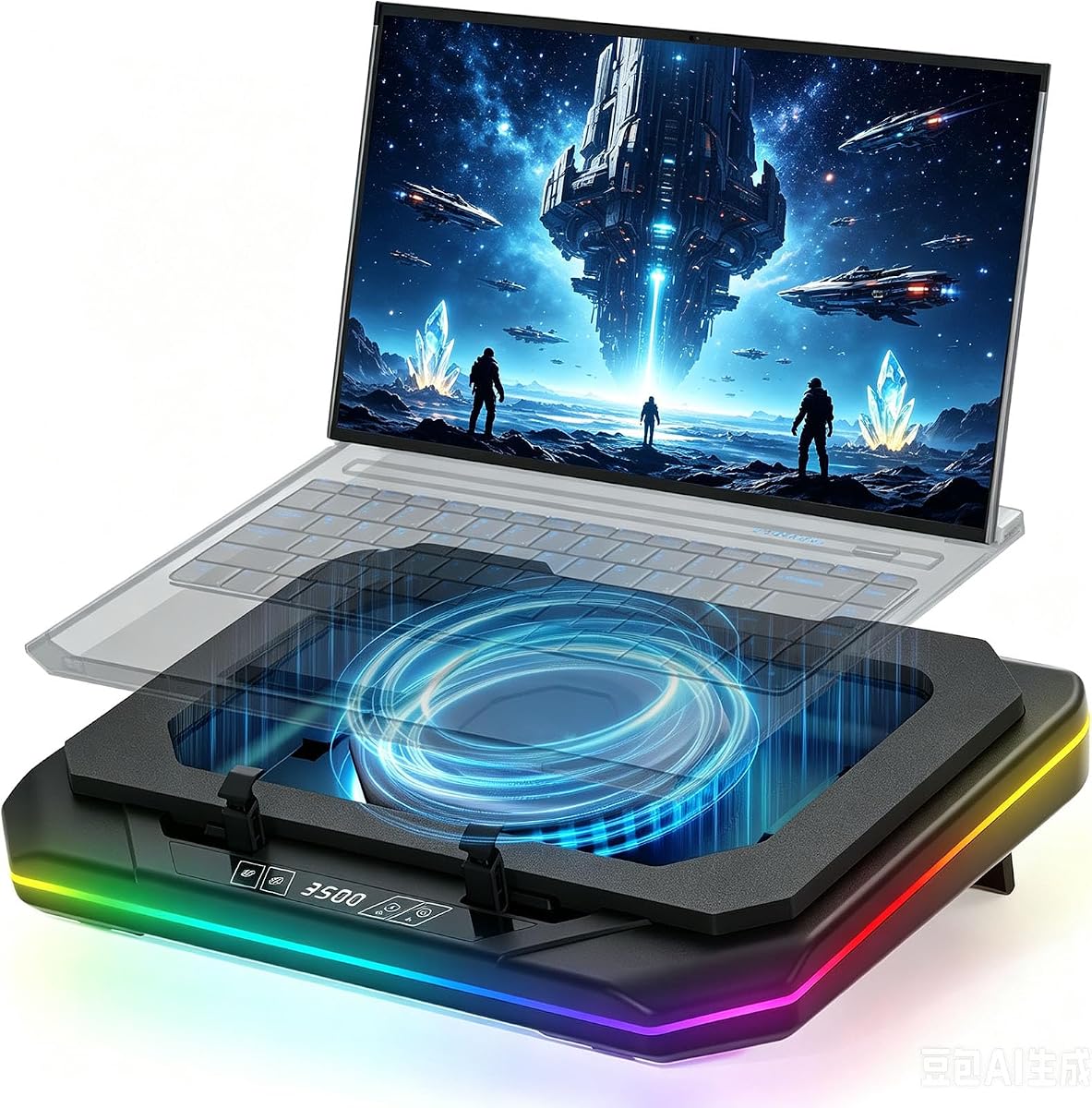
Targeting MSI Vector and Creator models, this cooling pad matches the thermal needs of high-performance laptops with a turbofan capable of reaching 3500 RPM. A perfect 5.0 rating highlights its effectiveness in keeping demanding hardware cool under load.
We may earn a commission when you buy through this link, at no additional cost to you.
The special air duct design reduces noise by thirty to sixty decibels while the high-power adapter ensures the fans run strong enough to handle 4K rendering tasks. Retractable side panels prevent slipping and support laptops from 14 to 18 inches.
It performs best when always active during gaming so you must keep it connected and positioned correctly. Noise levels can be high if you set the speed to max so you may need to adjust for quieter work sessions.
This is the right pick for MSI Vector users who want tailored cooling and extra USB hubs for peripherals. It balances raw power with features like RGB lighting to enhance your gaming atmosphere.
The 12V 1.5A adapter provides sufficient power to make the fan stronger and charge more effectively while reducing noise via special air duct.
An extremely dense dust filtration mesh seals out dust at its origin ensuring your laptop requires less frequent cleaning and lasts longer.
We may earn a commission when you buy through this link, at no additional cost to you.
With five built-in fans and two on-off switches, this cooling pad lets you customize airflow to match your MSI laptop size. It has a 4.4 rating and supports laptops from 12 to 17 inches including MSI GF and GS series models.
We may earn a commission when you buy through this link, at no additional cost to you.
The dual USB hub gives you extra connectivity for peripherals while the 6 adjustable height settings help you achieve a comfortable typing angle. Stopper pins keep the laptop secure on the surface during intense gaming sessions.
While the fans are quiet, you may find the plastic construction less durable than metal alternatives over time. The blue LEDs add a nice touch but cannot be turned off if you prefer a minimal aesthetic.
Buy this if you want flexibility in fan control and ergonomic adjustments without paying premium prices. It is a versatile choice for students or home office setups using MSI gaming laptops.
The laptop cooling pad features 5 built-in fans with blue LEDs allowing simultaneous control or selective operation via two on-off switches.
The cooling stand serves as an ergonomic stand with 6 adjustable height settings to customize angles for comfort during gaming or work.
We may earn a commission when you buy through this link, at no additional cost to you.
This cooling pad features nine core fans designed to cool your MSI laptop efficiently with airflow vents on both the top and bottom. It holds a 4.2 rating and supports large laptops up to 19.3 inches like the MSI Titan or GE78.
We may earn a commission when you buy through this link, at no additional cost to you.
The LCD display readout shows current fan speed while touch buttons control RGB lighting and speed settings easily. Eight height stands allow you to relieve back and neck fatigue by adjusting the viewing angle to your preference.
While the fans are whisper quiet even at max settings the large number of components may require more desk space. The multiple lighting modes can be distracting if you prefer a clean and minimal setup.
Choose this if you need maximum airflow coverage for a large MSI laptop and enjoy customizable RGB effects. The ergonomic design and visual feedback make it a strong option for extended gaming sessions.
The LCD readout shows your current fan speed simply and intuitively so you can easily control RGB lights and fan speed by touching buttons.
The 9-core cooling pad efficiently cools your laptop down with air vents on the top and bottom of the case for different modes.
We may earn a commission when you buy through this link, at no additional cost to you.
Smart software control via Myth.cool allows three modes that auto-adjust fan speed to your MSI laptop workload for optimal thermal performance. It has a 4.5 rating and is built for large laptops from 15.6 to 19 inches including MSI high-end models.
We may earn a commission when you buy through this link, at no additional cost to you.
The 5.5 turbo fan pushes 2800 RPM through a memory foam edge seal to pressurize airflow into bottom intakes. A 36W adapter ensures the fan runs at full speed without draining your laptop battery during demanding tasks.
You will need to download the software to access AI modes though manual control is available via a built-in scroller. The detachable dust filter makes maintenance easy so you keep the airflow clean and efficient over time.
Invest in this if you want automated thermal management for your MSI laptop. The powerful airflow and smart features make it a top choice for users who value convenience and performance.
Myth.cool software offers three smart modes that auto-adjust fan speed to your laptop workload for seamless thermal control.
The 5.5 turbo fan pushes 2800 RPM through a foam seal to cut CPU GPU temps by up to 22C in 90 seconds.
We may earn a commission when you buy through this link, at no additional cost to you.
The V12 features a 5.5 turbo booster fan that reduces temperature by up to forty-four degrees in ninety seconds for intensive gaming. It holds a 4.4 rating and works well with heavy-duty laptops from 15.6 to 19 inches like the MSI Raider.
We may earn a commission when you buy through this link, at no additional cost to you.
A scroll wheel lets you adjust airflow instantly while a 36W adapter ensures robust performance without draining your laptop. The high-density dust filter captures debris to extend the lifespan of your gaming device significantly.
The USB hub connects peripherals but is not for charging devices so you need your original power brick for the laptop. Noise can reach seventy decibels so you may want to adjust speed for quiet work environments.
Pick this for precise airflow control and strong cooling when you are rendering or gaming. The touch-mute button and RGB light bar add convenience and style to your setup.
Equipped with a 5.5 turbo booster fan and sealed foam the cooling gets quiet and quicker for a 44C drop in 90 seconds.
The scroll wheel allows for easy and precise airflow adjustment while the touch-mute button minimizes distractions for RGB lighting.
We may earn a commission when you buy through this link, at no additional cost to you.
This cooling pad uses a patented fan and air-guide design to direct airflow more efficiently so it cools harder at lower speeds. It has a 4.5 rating and fits 12 to 19 inch gaming laptops and MacBooks including MSI models.
We may earn a commission when you buy through this link, at no additional cost to you.
The sealed memory foam forces cool air into bottom intakes for better performance while the spring-loaded bracket auto-grips your laptop. RGB modes with memory and a touch LED panel make adjustments easy without interrupting your workflow.
It runs off a USB-C cable but you may need to buy a wall charger for full turbo power. The slim lightweight design is great for travel but may feel less sturdy than heavier desktop coolers.
Choose this if you prioritize quiet operation and portability while maintaining solid cooling performance. The ergonomic height adjustments and sealed airflow make it a smart pick for diverse laptop sizes.
A patented fan and air-guide design directs airflow more efficiently so it cools harder at lower speeds as low as 35 dBA.
Fits 12 to 19 inch laptops and MacBooks with sealed foam for gaming laptops or active heat sink mode for ultrabooks.
We may earn a commission when you buy through this link, at no additional cost to you.
This llano cooler features a 5.5 turbo external fan that achieves a 44C drop for CPU and GPU in 90 seconds. It holds a 4.4 rating and is designed for gaming laptops ranging from 15 to 21 inches including MSI gaming units.
We may earn a commission when you buy through this link, at no additional cost to you.
The LED display shows fan speed in real time while touch-sensitive buttons allow for instant adjustments. A double non-slip baffle securely holds your laptop on any surface so it stays stable during intense gaming.
It includes a large mouse pad and dust filter for added value but may take up more desk space than slim models. The sturdy design supports heavy laptops so you can trust it to protect your device.
Buy this if you need powerful cooling for larger laptops and want the convenience of an included mouse pad. The display and sturdy build make it a reliable choice for extended gaming sessions.
Experience rapid cooling with a robust 5.5 turbo external fan achieving a 44C drop in 90 seconds.
A real-time LED display and touch-sensitive buttons let you find the perfect balance between cooling and noise.
We may earn a commission when you buy through this link, at no additional cost to you.
Selecting the right cooling fan involves balancing performance, noise, and build quality to match your specific MSI model and use case.
More fans or larger diameter fans generally produce greater airflow to remove heat from CPU and GPU components. Look for units with turbofans or high RPM ratings if you run demanding games or rendering tasks on your MSI laptop.
Cooling performance often comes at the cost of noise so check decibel ratings if you work in quiet environments. Some models allow speed adjustments so you can lower noise during light work and increase it for gaming.
Ensure the cooling pad supports your laptop size from 15.6 inches to 19 inches or larger. MSI laptops vary in venting placement so sealed airflow designs or adjustable frames ensure the fan air targets your intake vents properly.
Metal mesh or reinforced chassis provides better heat dissipation and durability compared to plastic builds. A sturdy design keeps the laptop stable during use and prevents slipping on smooth desk surfaces.
Check for USB hubs or extra ports to connect peripherals like mice and drives without using up your laptop ports. Power sources vary from USB to dedicated adapters so consider how many cables you want on your desk.
Adjustable height and angle settings help improve typing posture and reduce neck strain during long sessions. Some pads double as stands which saves desk space and improves airflow under the laptop chassis.
RGB lighting, dust filters, or touch controls add convenience and style but may increase cost. Consider which features actually benefit your workflow before paying for extras like app control or complex software.
A longer manufacturer warranty indicates confidence in build quality and offers peace of mind. Look for at least a year of coverage to protect against fan failures or component issues over time.
Clean the dust filter and fan blades monthly with compressed air or a soft brush to maintain airflow efficiency. Store the pad in a dry place when not in use to prevent moisture damage and prolong fan life.
Yes cooling pads lower laptop temperatures by forcing cooler air into intake vents and removing hot air from the chassis. Users report drops from ten to forty degrees Celsius depending on the model and ambient room temperature.
Using a cooling pad does not void your warranty unless you damage the device while installing it. Manufacturers recommend external cooling to maintain performance so it is safe to use alongside your standard warranty.
15.6 to 17 inch cooling pads are ideal for most MSI laptops like the Bravo or GF series. Larger MSI Raider models may benefit from pads up to 19 inches to cover wider vent areas efficiently.
Cooling pads vary from whisper quiet at thirty-five decibels to sixty decibels at max speed. Check noise ratings before buying especially if you plan to use the pad during video calls or quiet work.
Most pads fit standard sizes but check vent placement to ensure airflow matches your laptop intake. Some MSI models use top vents so pads with multiple fan zones or adjustable layouts work best for full coverage.
Smaller pads work via USB power but high-performance turbo fans often need a dedicated wall adapter for full speed. Using the provided adapter ensures the fan delivers rated airflow without draining your battery.
Clean the dust filter and fan blades once a month to keep airflow efficient and prevent overheating. More frequent cleaning may be needed if you use the pad in dusty environments or on carpet.
Yes some pads are tailored for MSI Raider or Vector series to match vent layouts and dimensions. These specialized designs force air more effectively into your laptop intake for maximum cooling performance.
Prices and availability change frequently so check current listings and reviews before buying. Invest in a pad with a solid warranty and quality build to protect your investment and keep your MSI laptop running cool.