
Amazon Fire 7 Kids
4.3Editor score
Includes One Year Kids Subscription
Worry Free Two Year Guarantee
Rugged Kid Proof Case Included
Finding the right device for young children requires balancing fun with safety. A good tablet offers educational apps and games while keeping content age appropriate through strict parental controls and secure browsing features.
We evaluated leading models based on durability, battery life, and software ecosystems. Our comparison covers Android and Fire OS options to ensure you find a device that grows with your child from toddlerhood through early elementary years.
Each pick highlights unique strengths like rugged cases or extended warranties. Please note that product availability and pricing can change frequently, so always verify current details before making your final purchase decision for your family.
4.3Editor score

4.6Editor score

3.8Editor score
As an Amazon Associate we earn from qualifying purchases.
This side by side comparison highlights key specifications across all ten selected models. Use this table to quickly identify which device matches your needs for screen size, storage capacity, and operating system features.


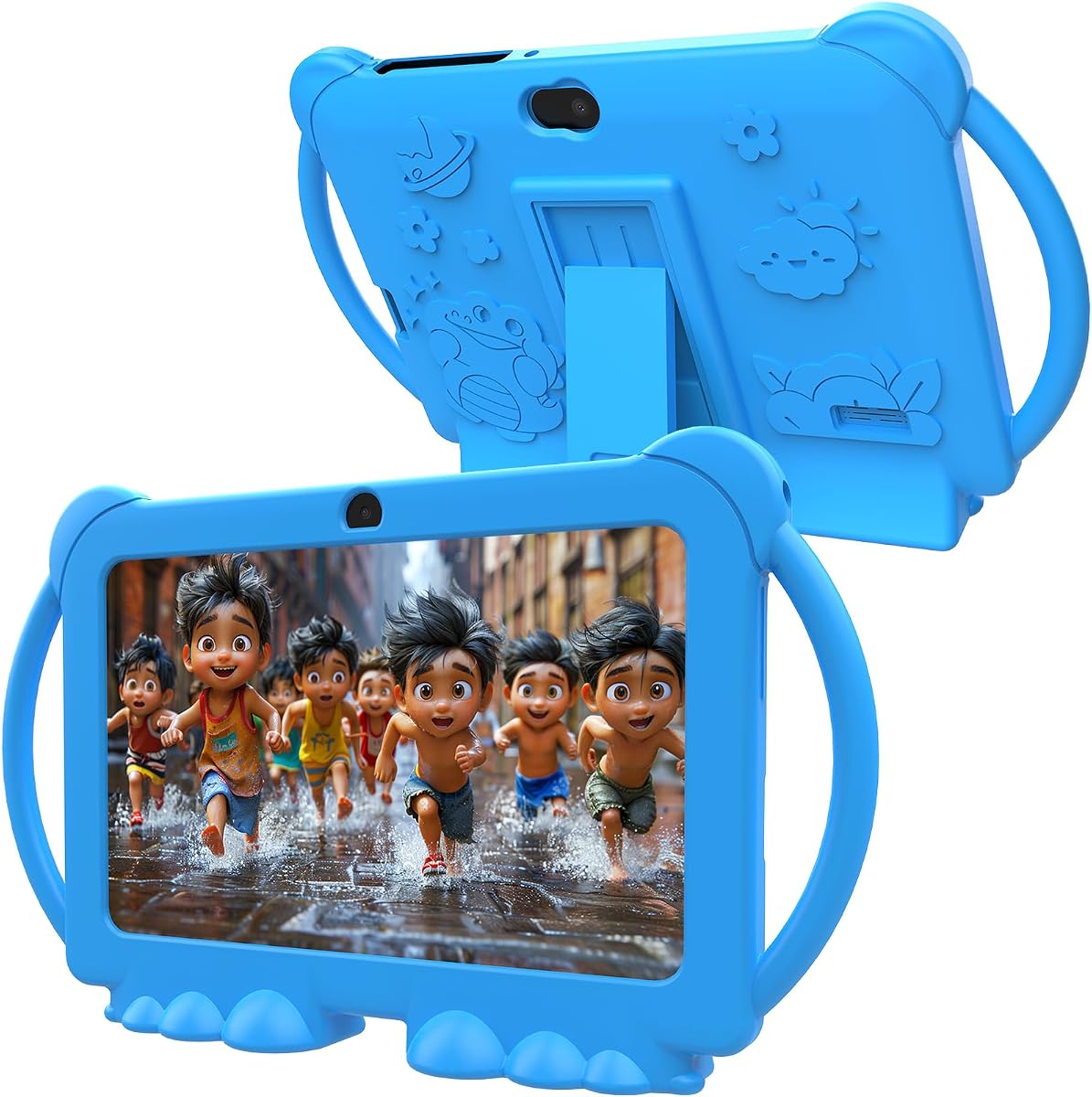


The Amazon Fire 7 Kids stands out as the top overall value for families seeking a reliable first tablet. With a solid rating from thousands of users, it delivers a robust experience specifically tailored for children ages three to seven.
We may earn a commission when you buy through this link, at no additional cost to you.
This device comes bundled with a full year of Amazon Kids plus, granting access to thousands of educational books and games. The included kid proof case ensures durability against daily drops and bumps, while the simple parental dashboard allows you to manage content and set screen time limits efficiently.
While the display resolution is lower than premium models, it remains clear enough for videos and reading. The main tradeoff involves storage capacity, which is limited compared to larger tablets, but expandable options mitigate this for most standard media needs.
This tablet is ideal for budget conscious parents who want a secure ecosystem without extra cost. We recommend it for families prioritizing ease of use and strong safety features over high end graphics performance.
You can set educational goals and time limits easily to ensure healthy device habits.
If the tablet breaks within two years, you can return it for a free replacement.
We may earn a commission when you buy through this link, at no additional cost to you.
The Amazon Fire HD 8 Kids offers a premium upgrade for families wanting better performance. It holds a high user rating and features a brighter screen that makes watching videos and reading more engaging for young children.
We may earn a commission when you buy through this link, at no additional cost to you.
Its thirteen hour battery life ensures all day use during long trips or school days. The device includes 32 gigabytes of storage, allowing for more offline content. Parental controls let you prioritize learning apps over entertainment and review activity reports remotely.
The cost is higher than the Fire 7 model, but the increased performance and storage justify the investment for heavy users. The added weight might be noticeable for very small hands, but the included case offers good balance.
Buy this if you need longer battery life and a larger screen for educational activities. It is the best choice for families willing to pay a bit more for a better viewing experience.
The HD screen provides clearer images for books and cartoons compared to lower resolution devices.
Extended battery life means less frequent charging and more uninterrupted play time.
We may earn a commission when you buy through this link, at no additional cost to you.
This generic Android tablet offers full access to the Google Play Store, giving parents more flexibility in app choices. It features a solid hardware specification with 32 gigabytes of storage and 4 gigabytes of RAM for smooth multitasking.
We may earn a commission when you buy through this link, at no additional cost to you.
The device is packaged with a shockproof case and parental control features to ensure safety. It supports expandable storage via a microSD card which is rare at this price point. The dual camera allows for fun photos while the GPS adds utility.
Performance can vary compared to brand name devices, and software updates depend on the manufacturer. Users may notice slower loading times on heavy applications. However, the value provided by the included case and storage makes it a strong contender.
This tablet is perfect for budget focused shoppers who want Android freedom. We suggest it for children who need access to specific Android apps not available on Fire OS.
Access thousands of apps directly from Google Play without needing a workaround.
Add a microSD card to store more videos and games easily.
We may earn a commission when you buy through this link, at no additional cost to you.
The YosaToo tablet runs the latest Android system and focuses heavily on offline learning. It comes preloaded with apps that allow children to access educational content even without an internet connection making it great for travel.
We may earn a commission when you buy through this link, at no additional cost to you.
Parents appreciate the parental control features that filter content and set daily limits. The device is designed to be durable with a drop proof case that absorbs impact. It also supports Google Kids Space for a curated environment.
Software support may be less consistent than major brands and warranty coverage is often shorter. Users should expect standard Android speeds which might lag with high end games. Still the offline capabilities are a unique advantage.
Choose this if you frequently travel or lack stable internet at home. It is a good fit for families prioritizing offline educational tools over premium build quality.
Offline apps mean learning continues without needing Wi-Fi on airplanes or cars.
Google Kids Space helps organize content safely for younger users.
We may earn a commission when you buy through this link, at no additional cost to you.
Designed for ages six to twelve, the Fire HD 8 Pro features a sleek slim case that appeals to older children. It provides 64 gigabytes of storage which is plenty for downloading large games and videos offline.
We may earn a commission when you buy through this link, at no additional cost to you.
The parental controls are robust allowing you to block specific sites and approve downloads before your child accesses them. A safe web browser protects against inappropriate content while still allowing independent research. You can also approve voice calls to friends.
The design is less bulky than standard kids cases which might not satisfy toddlers looking for extreme durability. The higher price reflects the premium features. However the extra storage and modern look are worth it for preteens.
This tablet is ideal for families with growing kids who want more independence. We recommend it for students who need space for homework files and school apps.
Built-in controls filter out inappropriate sites while allowing safe exploration.
Keep in touch by approving voice and video calls with approved contacts.
We may earn a commission when you buy through this link, at no additional cost to you.
The PEICHENG tablet distinguishes itself with a 5 megapixel rear camera for capturing memories. It runs Android 12 and offers a standard IPS screen that provides decent colors for viewing videos and reading ebooks.
We may earn a commission when you buy through this link, at no additional cost to you.
It includes a shockproof case to protect against drops and a parental control system to manage usage. The Bluetooth connectivity allows pairing with headphones or speakers for audio entertainment. The price point makes it accessible for families on a tight budget.
The display brightness is average so it might struggle in direct sunlight. Storage expansion is limited compared to other models. Users should expect basic performance suitable for casual games and video watching rather than heavy productivity.
Buy this if you want a basic camera feature alongside standard tablet functions. It suits families who want a lightweight device with simple controls and good protection.
The rear camera lets kids take photos of their world easily.
Bluetooth support allows for wireless audio accessories and headphones.
We may earn a commission when you buy through this link, at no additional cost to you.
The ApoloSignage 2026 offers a rare ten inch screen in the kids tablet segment. This large display is excellent for reading textbooks and watching movies. It features advanced eye comfort technology to reduce strain during long sessions.
We may earn a commission when you buy through this link, at no additional cost to you.
With 8 gigabytes of RAM and 64 gigabytes of internal storage it handles multitasking smoothly. The device supports expansion up to 1 terabyte allowing for massive media libraries. Parental controls are comprehensive and easy to access.
The weight makes it less ideal for holding for long periods without support. Users might find it cumbersome for small children. However for stationary use at a desk or dining table it provides a superior viewing experience.
Select this if screen size is your top priority for educational media. It fits families who need a portable home entertainment center for children.
The ten inch screen makes text clearer for reading and homework.
Blue light reduction helps protect eyes during extended use periods.
We may earn a commission when you buy through this link, at no additional cost to you.
The HOTTABLET tablet comes with a silicone case that includes a built-in stand for hands-free viewing. This feature makes watching educational videos and playing games convenient without needing to hold the device constantly.
We may earn a commission when you buy through this link, at no additional cost to you.
It runs Android 12 with 4 gigabytes of RAM providing decent speed for daily tasks. The parental control suite helps filter content and manage app usage. A dual camera setup allows for photos and video calls.
Processing power is average which might cause lag with high end games. Battery life is functional but not exceptional. The 365 day warranty offers peace of mind for first-time buyers.
This tablet is great for families who want a stand case included out of the box. It suits children who watch mostly video content or use the device on a flat surface.
The stand allows for comfortable watching without arm fatigue.
A year of support provides assurance against defects.
We may earn a commission when you buy through this link, at no additional cost to you.
The aiprotablet 10 inch features a massive 6000mAh battery that supports long learning sessions. It runs Android 16 and includes an Octa-Core processor that handles tasks smoothly. The large battery ensures less time spent tethered to a charger.
We may earn a commission when you buy through this link, at no additional cost to you.
Parental controls allow you to set learning goals and manage screen time effectively. The device supports massive expansion up to 1 terabyte for storing thousands of books and videos. Face recognition adds a modern touch to unlocking the device.
The weight can be burdensome for small hands making it better for table use. Software updates might be inconsistent compared to major brands. But the battery performance is a standout feature for travel.
Choose this if battery life is critical for your family routine. It works well for long car rides where charging access is limited.
The large battery supports multiple days of moderate usage.
PD fast charging restores power quickly when needed.
We may earn a commission when you buy through this link, at no additional cost to you.
The PRITOM 7 inch offers a simple and intuitive interface designed for young children. It comes with preinstalled apps that make it ready to use out of the box. The USB Type-C charging port ensures modern connectivity.
We may earn a commission when you buy through this link, at no additional cost to you.
Parental controls are straightforward allowing you to manage screen time and content easily. The device is lightweight making it easy for children to carry around. It supports storage expansion for additional media needs.
Build quality is standard and not as rugged as higher priced models. You might find the performance basic for intensive games. However it remains a solid entry point for digital learning.
This tablet is perfect for first time users who need simplicity. We recommend it for young children who just need to watch videos and play basic games.
The interface is designed for children to navigate independently.
USB-C charging ensures compatibility with many modern chargers.
We may earn a commission when you buy through this link, at no additional cost to you.
Choosing the right tablet involves evaluating hardware specs software safety and durability. Below are key factors to consider before making your purchase.
Android offers more apps via Google Play while Fire OS provides a safer ecosystem with Amazon content. Consider whether your child needs specific apps like Minecraft or if Amazon Kids Plus is enough.
Pick Fire OS for simplicity and safety or Android for app freedom.
Smaller 7 inch screens are lighter and easier to hold for small hands. Larger 8 or 10 inch screens are better for reading and watching movies but add weight.
Choose 7 inches for toddlers and 8+ for older kids.
Toddlers drop devices often so a shockproof case is essential. Some models include the case while others sell it separately. Look for ruggedized edges and reinforced corners.
Always ensure a protective case is part of the package.
Look for features like screen time limits content filters and age ratings. Amazon devices offer deep parental dashboards while generic Android tablets vary in quality.
Prioritize models with customizable time and content restrictions.
Long battery life ensures the device lasts through travel days or school hours. Aim for at least 8 to 10 hours of active use.
Select tablets with high capacity batteries for all-day use.
Children download games and save videos so adequate internal storage matters. Models with microSD expansion are ideal for growing media libraries.
Look for 32GB internal storage or expandable options.
A decent processor ensures apps load quickly and games run smoothly. Quad-core or octa-core processors are standard in modern kids tablets.
Avoid very old models to ensure smooth multitasking.
A warranty protects your investment against accidental damage. Amazon offers a two-year worry-free guarantee which covers drops and cracks for free.
Choose a brand with strong warranty support for peace of mind.
Start by setting up parental controls immediately. Define screen time limits and filter content to match your child's age before they begin using the device.
Install educational apps and games first to ensure the tablet is ready for learning. Avoid downloading unrelated apps that might confuse your child or clutter the interface.
Keep the device away from water and extreme heat. Use a soft cloth to clean the screen and regularly check the charging port for debris.
Yes, all recommended models include parental controls that filter content and set time limits. Amazon tablets offer a closed ecosystem with built-in safety features. Generic Android tablets require you to configure settings yourself to ensure safety.
Most top picks include a kid-proof case in the bundle. The Amazon models definitely include cases. Some generic brands may sell them separately so always check the product details before purchasing.
Amazon tablets allow Netflix but you need a separate subscription. Android tablets allow you to download the Netflix app from Google Play. Ensure the device supports Widevine L1 for high definition playback.
Battery life typically ranges from 8 to 13 hours depending on usage. Bright screens and gaming consume more power while reading uses less. Always keep a charging cable handy for travel.
The Fire HD 8 Kids is designed for ages 3 to 7 but many older children use it too. If your child is older check the Fire HD 8 Kids Pro which targets ages 6 to 12 with a slimmer design.
Use the parental control dashboard to set daily limits. You can schedule 'Bedtime' and 'Learning' goals. Most tablets send you a report so you can see how your child uses the device.
Yes you can download books and games to use without internet. This is great for flights. Ensure you download content while connected to Wi-Fi to avoid data charges.
The free year of Kids Plus or subscriptions will auto-renew. You can cancel anytime via the Amazon Kids Parent Dashboard. You still have full access to the device even without the subscription.
The Amazon Fire 7 and HD 8 Kids offer the best balance of safety and value. They provide robust parental controls and a worry-free guarantee that gives parents peace of mind.
If you prefer more app freedom consider the Android options like the ApoloSignage or YosaToo. Ensure you review parental control features before purchasing to keep content safe.
Remember that prices and availability change frequently. Check the current specs and offers on Amazon before finalizing your order to get the best deal for your child.