
Embedded Desk Wireless Charger
4.3Editor score
Fits standard desk grommet holes
Aluminum alloy housing design
Qi wireless charging support
This guide compares the top ten desk embedded wireless charger models for seamless integration into furniture and professional workspaces.
Desk embedded wireless chargers transform ordinary surfaces into efficient charging zones without cluttering your workspace. These innovative devices hide beneath tables to deliver power seamlessly. A good model offers fast speeds, wide compatibility, and sturdy installation that withstands daily use.
We evaluated ten leading options based on charging distance, magnetic alignment, safety features, and build quality. Our comparison covers budget-friendly pads to premium under-desk solutions designed for offices and homes. Each product was analyzed against real-world usage scenarios to ensure practical value.
Each pick highlights unique strengths like invisible mounting or MagSafe support for modern phones. You will find detailed breakdowns of installation requirements and material compatibility. Note that product availability and costs can change over time so verify details before purchasing.
4.3Editor score

4.3Editor score

5.0Editor score
The following table provides a side-by-side overview of all ten evaluated models. It highlights key specifications like charging power, mounting style, and device compatibility to help you make an informed choice quickly.
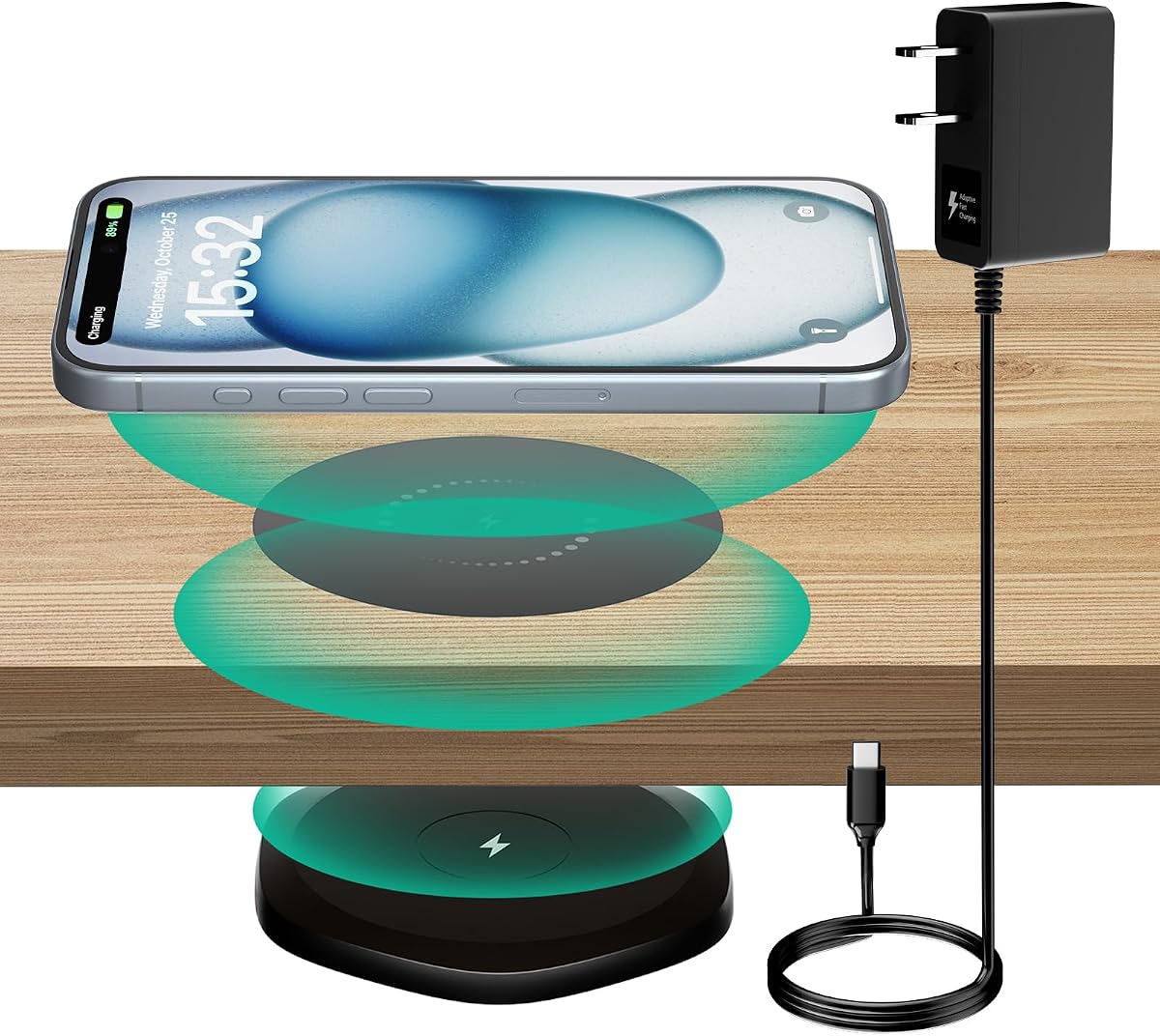




The KPON Invisible Wireless Charger stands out with its impressive thirty millimeter charging distance. It sits completely under your table surface to charge phones placed on top. This model received solid feedback for turning any furniture into a hidden charging station.
We may earn a commission when you buy through this link, at no additional cost to you.
Its ability to charge through wood, glass, or granite makes it highly versatile for office setups. The safety switch ensures no harm comes to your device during regular use. Users appreciate the clean aesthetic that eliminates cords entirely.
While the rating is lower than some competitors the core functionality remains strong. The adhesive ring simplifies installation without tools. Just ensure you have the correct adapter to maximize charging speed.
Buy this if you need a flexible solution that hides entirely under a desk. It suits home offices or hotel nightstands where cable clutter is undesirable. The universal support covers almost all wireless devices available today.
Placing the charger under the desk removes all visible wires from your workspace. This helps maintain a minimalist look while keeping devices powered.
Unlike rigid pads this mat works through various materials. Whether your desk is wood or quartz it will transmit power effectively.
We may earn a commission when you buy through this link, at no additional cost to you.
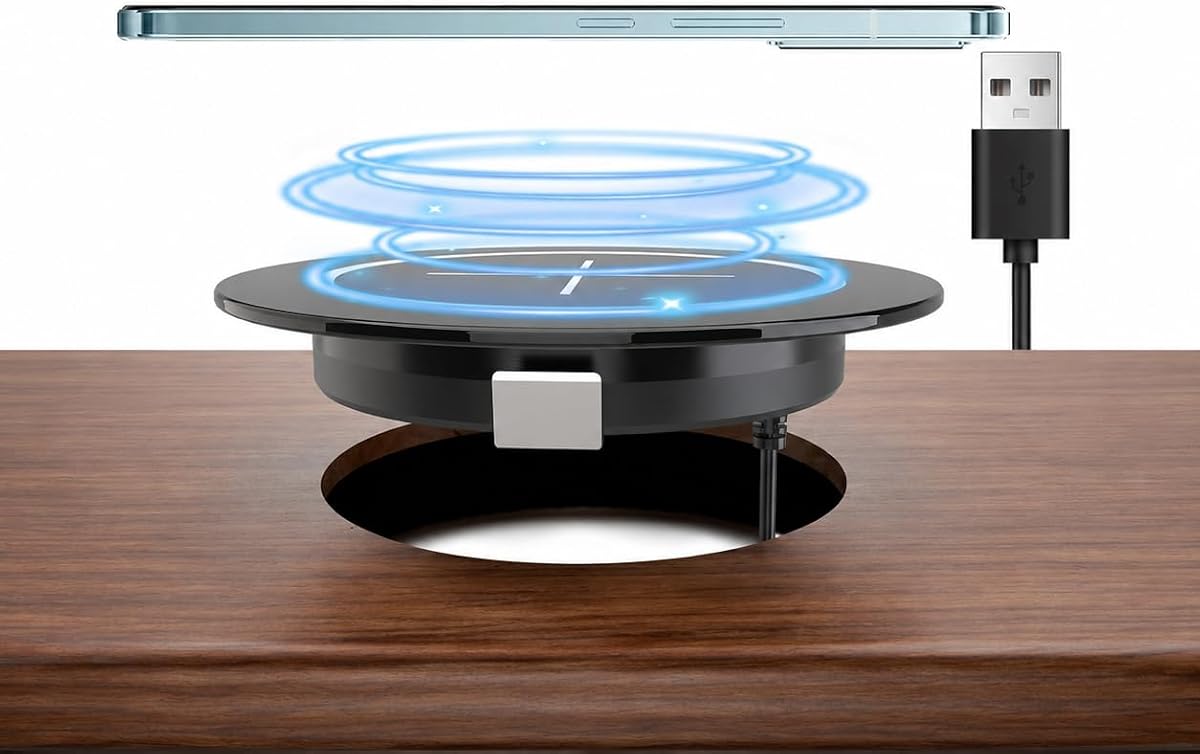
This embedded charger offers excellent value with its low cost and standard fit. It mounts inside desk grommet holes to save space. Users report neat organization since cables are not needed on the surface.
We may earn a commission when you buy through this link, at no additional cost to you.
The aluminum alloy housing provides durability while keeping the build sleek. LED indicators show charging status clearly without being distracting. It supports fast charging when paired with a QC 3.0 adapter.
Installation may require drilling if your desk lacks a pre-made hole. The process is simple but adds time. Ensure you measure the hole size before purchase to avoid fit issues.
Choose this budget option for cafes or offices needing multiple units. It blends well into modern furniture designs. The price makes it easy to install several chargers across a workspace.
The recessed design fits directly into existing table holes. This keeps the top surface free for keyboards or paperwork.
Breathing LEDs inform you when a device is charging. The light is subtle enough not to disturb concentration.
We may earn a commission when you buy through this link, at no additional cost to you.
The Humanscale Under Desk Wireless Charger holds a perfect rating for its reliability. It offers a touchless experience that simplifies device placement. Users value the efficiency it brings to busy work environments.
We may earn a commission when you buy through this link, at no additional cost to you.
Its compact diameter fits neatly under various surfaces. The design promotes a cleaner work surface that is easy to maintain. Installation aligns with a charging sticker for quick setup.
The price reflects its premium build and consistent performance. While speed is limited to 10W it suits most daily charging needs. It is less suited for power users needing very fast charges.
Select this model for high-end offices or homes where design matters. The five star feedback confirms its quality. It integrates seamlessly into modern furniture for a professional look.
Place your device on the desk and charging begins immediately. This removes the friction of plugging in cables every time.
The compact design is built to last. It resists daily wear while keeping the workspace tidy and organized.
We may earn a commission when you buy through this link, at no additional cost to you.
This magnetic charger is optimized for iPhones from twelve to eighteen. It uses N52 magnets to snap devices into perfect alignment. The flush mount design keeps the charger hidden from view.
We may earn a commission when you buy through this link, at no additional cost to you.
Charging reaches fifteen watts for efficient power delivery. A smart chipset protects against overheating and overcurrent. The installation fits standard furniture holes to keep the surface clean.
You need a specific hole saw for setup which may add complexity. Also ensure you have a powerful adapter to enable full speeds. These minor hurdles are acceptable for the magnetic benefits.
Buy this if you use an iPhone and want seamless charging. It keeps your phone centered without slipping. The hidden design preserves the look of your desk completely.
The strong magnets ensure the phone snaps into place. This prevents charging interruptions caused by misalignment.
Built-in protections prevent heat buildup during use. This keeps both the charger and your phone safe.
We may earn a commission when you buy through this link, at no additional cost to you.
The Eazpower charger offers flexibility by working both under and on tables. It handles thick cases better than many hidden models. Users like that they can remove it if needed.
We may earn a commission when you buy through this link, at no additional cost to you.
Installation requires no drilling thanks to the adhesive ring. This makes it ideal for rented spaces where damage is not allowed. The range covers up to thirty millimeters for most wood types.
While it costs more the versatility adds significant value. The visible sticker on top may be a small aesthetic trade-off. Most users find the benefit of no drilling worth it.
Choose this for temporary setups or rental offices. It avoids permanent modifications while keeping the desk clear. The dual use capability adapts to your changing needs.
The adhesive ring holds securely without drilling holes. This is perfect for temporary office setups.
Unlike standard pads this handles thick protective cases. You do not need to remove your phone case to charge.
We may earn a commission when you buy through this link, at no additional cost to you.
This charger stands out with its Qi2.2 certification and twenty five watt output. It charges compatible iPhones rapidly between meetings. The design includes extra clearance for camera bumps.
We may earn a commission when you buy through this link, at no additional cost to you.
Strong magnets hold the device firmly in place. This prevents slipping when typing or placing items near it. It fits standard desk holes for a clean built-in look.
To get full speed you need a separate high power adapter. This adds cost but enables the fastest charging rates available. The housing also helps dissipate heat effectively.
Select this for power users needing quick top-ups. The clearance prevents charging interruptions from camera modules. It is an upgrade for modern office setups.
The Qi2.2 standard delivers faster and more reliable power. It optimizes energy use for better battery health.
The surface raises slightly to accommodate thick camera bumps. This ensures even contact for stable wireless charging.
We may earn a commission when you buy through this link, at no additional cost to you.
This affordable magnetic station supports fifteen watt charging for phones. It snaps devices into place instantly for stable power. The flush mount design keeps your desk looking neat.
We may earn a commission when you buy through this link, at no additional cost to you.
Safety features include temperature control and foreign object detection. It automatically adjusts output for different devices like AirPods. The black finish fits modern furniture styles well.
User feedback suggests checking installation instructions carefully. Some found the alignment tricky initially. But once set up it performs reliably for daily use.
Pick this for budget conscious users needing magnetic alignment. It works well for nightstands or conference tables. Just ensure you have a good adapter for speed.
The charger changes output based on device needs. This optimizes charging for phones and earbuds alike.
The flush mount keeps the surface looking clean. It blends seamlessly into dark furniture finishes.
We may earn a commission when you buy through this link, at no additional cost to you.
The NeatCharge keeps devices charged throughout the workday efficiently. It attaches seamlessly to the bottom of any desk. Users appreciate the sophisticated look that fits various environments.
We may earn a commission when you buy through this link, at no additional cost to you.
This model focuses on maintaining consistent power levels. It helps ensure phones stay ready for meetings or calls. The design minimizes visual clutter significantly.
Data is limited compared to other models. But the brand reputation suggests reliability for office use. The attachment method is straightforward for most tables.
Choose this for consistent daily power in offices. The minimalist look enhances professional spaces. It removes the need for visible plugs or wires.
Devices stay powered during long work hours without intervention. This ensures readiness for unexpected calls.
The black design fits modern office aesthetics. It does not distract from the professional look of a room.
We may earn a commission when you buy through this link, at no additional cost to you.
This model offers both wireless and wired charging in one. It features USB ports that pop up when needed. The design keeps the desktop invisible and clean.
We may earn a commission when you buy through this link, at no additional cost to you.
It handles up to three devices simultaneously. This is useful for cafes or home setups needing variety. The installation fits standard hole spacing for easy setup.
While pop up mechanisms can wear over time it remains handy. It avoids the need for multiple separate chargers. The blend of wireless and wired covers most needs.
Select this for cafes or bars needing flexible charging. It offers convenience without cluttering the counter. The retractable design hides well when idle.
The ports rise when you need them and hide when you do not. This saves space and keeps the desk tidy.
Charge a phone wirelessly plus other items via ports. This reduces the need for extra power outlets.
We may earn a commission when you buy through this link, at no additional cost to you.
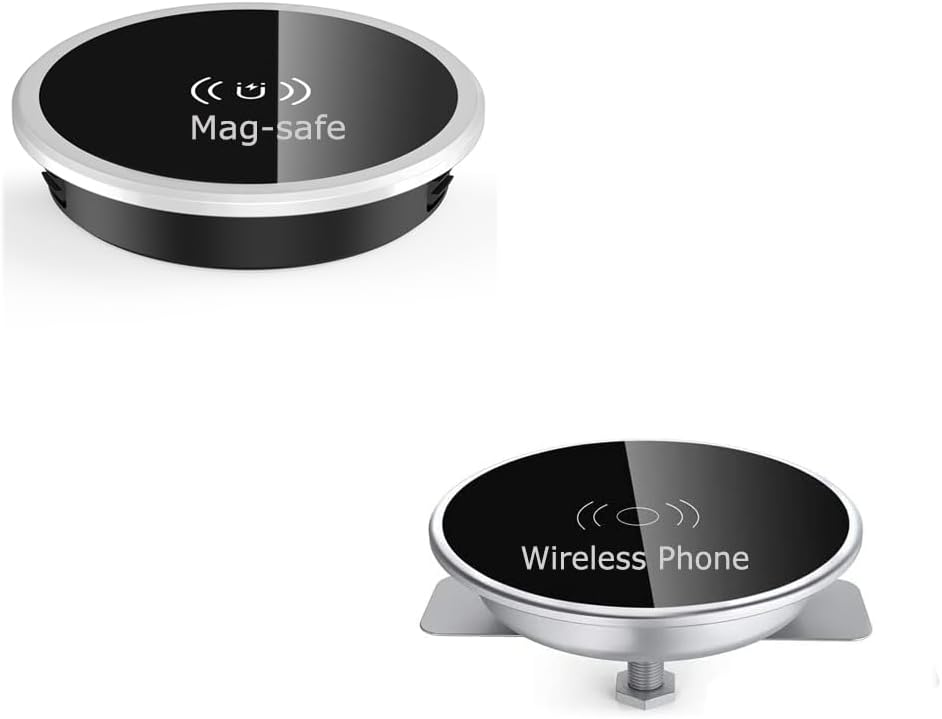
This unit supports MagSafe for seamless device attachment. It fixes directly into the desk hole for a secure fit. It handles iPhone and Samsung Galaxy models efficiently.
We may earn a commission when you buy through this link, at no additional cost to you.
The recessed design keeps the surface clear for use. Charging speeds are optimized for fast wireless needs. It is a versatile option for mixed device households.
Data availability is limited but specs suggest robust compatibility. The MagSafe support adds value for Apple users. It fits standard holes to simplify installation.
Choose this for mixed device environments needing MagSafe. It offers convenience without visible clutter. The fixed mount ensures stability during charging.
The charger aligns easily with MagSafe devices. This provides a snap-on feel for stable power.
Once installed the unit stays secure in the hole. This prevents movement when using the device.
We may earn a commission when you buy through this link, at no additional cost to you.
Selecting the right embedded charger involves matching technical specs to your furniture and device needs. Consider factors like charging power, installation method, and material compatibility to avoid frustration.
Higher wattage models like those supporting Qi2.2 provide faster charging for newer phones. If you need quick top-ups look for 25W options. Standard 10W or 15W units are sufficient for overnight charging.
Choose higher power if you use devices frequently during the day. Ensure your adapter matches the charger requirements.
Some chargers need drilling a hole while others use adhesive rings. If you rent or want a damage-free setup stick to adhesive options. Permanent installation offers a cleaner look but requires tools.
Assess your desk thickness to ensure fit. Standard holes like 60mm simplify recessed mounting.
Wireless signals pass through materials like wood plastic or glass. Thick surfaces can reduce efficiency. Check the product specs to see the max thickness it supports.
Avoid metal or stone if possible as they block signals. Most models work well with wood surfaces.
MagSafe support ensures phones snap into the perfect spot. This prevents interrupted charging caused by sliding. It is crucial for iPhone users wanting reliability.
Non-magnetic models require precise placement. If you move phones often alignment features are worth the extra cost.
Ensure the charger supports your phone brand. Universal models work with Samsung and Pixel. Some are optimized for specific iOS versions.
Check if it charges AirPods or wearables too. This versatility can save you from buying extra pads.
Overheating and overcharging protections are vital for safety. Look for smart chipsets that adjust power levels. This protects your device battery longevity.
Certifications like WPC add trust to the product. They ensure thermal safety during extended use.
The finish should match your furniture style. Black models blend into dark surfaces while silver fits light ones. Hidden designs remove visual clutter entirely.
Consider LED indicators. Some provide useful status while others can be distracting at night.
Many models do not include a power adapter. You may need a separate QC adapter to reach full speeds. This adds to the total setup cost.
Check cable length to ensure it reaches your outlet. A longer cable offers better placement flexibility.
First ensure the charger is securely mounted before connecting power. Clean the surface with a dry cloth to avoid debris. Then place your device in the center for optimal charging.
Second remove thick metal cases that might block the signal. Use a magnetic case if alignment is tricky. This maintains efficient energy transfer during use.
Third regularly check the mounting stability. If it feels loose reapply adhesive or tighten screws. Avoid placing heavy objects directly on the coil area to prevent damage.
Yes most models work through wood up to a certain thickness. Check the specific distance rating to ensure it fits your desk. The signal passes through naturally without interference.
Look for options with adhesive rings or sticky pads. These mount directly to the underside of your desk. It is a renter friendly method that keeps surfaces intact.
Thin cases usually work fine. But thick or metal cases block charging. A magnetic case helps align iPhone models for better results.
Most have overheat and overcharge protection. This prevents device damage during long charging sessions. Always check for safety certifications before buying.
Speeds vary from standard 5W to fast 25W. Higher wattage models charge faster but need specific adapters. Check your phone limits to avoid wasted power.
Many do not include a power adapter. You may need to buy a QC adapter separately for fast charging. This keeps costs lower for the base unit.
The top picks like the Recessed Magnetic and Humanscale models offer reliable integration. They balance speed and aesthetics for modern spaces. Whether you prefer magnetic alignment or budget options there is a fit.
Prioritize charging power if you need quick battery refills. If aesthetics matter choose a fully recessed design. Matching installation requirements to your desk is key.
Always check current product details as specs can change. Verify that the model fits your phone generation. These steps ensure you select a lasting solution for your workspace.