
Creality Falcon2 Pro 60W
4.8Editor score
Class 1 enclosed safety design
Dual laser system for precision
LightBurn software compatibility
Choosing the right 60W laser engraver is essential for professionals and hobbyists who need precise cutting and fast engraving results. These machines offer powerful output suitable for a wide range of materials including wood, acrylic, leather, and even marked metals depending on the technology. Finding the perfect balance between power, safety, and ease of use ensures your projects are completed efficiently without compromising quality.
We evaluated ten leading 60W laser engraver models based on their performance specifications, safety features, software compatibility, and overall usability. Each product was assessed for its ability to handle demanding tasks such as deep engraving, high-speed cutting, and consistent batch processing. Our analysis focuses on real-world capabilities to help you identify the machine that best fits your specific workflow and production needs.
Each pick in this guide highlights key strengths and ideal use cases to help you make an informed decision for your workspace. You will find detailed breakdowns of laser types, working areas, safety certifications, and software support across all models. Please note that product availability and specifications can change over time so verify current details before making your final purchase decision.
4.8Editor score

4.7Editor score

4.2Editor score
As an Amazon Associate we earn from qualifying purchases.
The following comparison highlights the key specifications and unique features of each 60W laser engraver model to help you quickly identify the right fit for your projects.




The Creality Falcon2 Pro stands out as a top-tier 60W laser engraver designed for serious makers and small businesses. It combines powerful cutting performance with exceptional safety features including a fully enclosed Class 1 structure that minimizes exposure risks. The dual laser system and integrated HD camera streamline workflows by allowing precise positioning and batch processing without manual guesswork.
We may earn a commission when you buy through this link, at no additional cost to you.
Its 60W output can be adjusted to 40W or 22W to match different material needs. This versatility helps prevent scorching while maintaining speed on thicker stock. The integrated 1.6W laser enhances fine engraving accuracy and the camera workflow reduces setup time significantly. Compatibility with LightBurn expands creative options for users familiar with professional design software.
While the unit is robust it comes at a premium price compared to open-frame models. The enclosure adds bulk which may affect portability for some users. However the safety and precision benefits justify the investment for those prioritizing consistent output and workplace compliance. The professional build quality ensures long-term reliability for daily production runs.
This model is ideal for professionals seeking high performance without sacrificing safety or control. Its dual laser and camera features make it a standout for detailed engraving and rapid production. If you value precision and a safe working environment the Falcon2 Pro delivers exceptional value through its advanced engineering and comprehensive feature set.
The combined 60W and 1.6W lasers allow separate functions for cutting and fine engraving reducing errors and improving output consistency across diverse materials.
The Class 1 enclosure prevents harmful exposure and contains smoke effectively ensuring a safer workspace for operators working without protective eyewear during operation.
We may earn a commission when you buy through this link, at no additional cost to you.
This Creality Falcon2 Pro model offers a compelling combination of speed and safety for users seeking a desktop laser solution. Its 60W power output enables rapid cutting and engraving on common materials like wood and acrylic. The integrated enclosure ensures Class 1 safety compliance making it suitable for home studios or small commercial environments where protection is essential.
We may earn a commission when you buy through this link, at no additional cost to you.
The machine features a built-in camera for intelligent focus and positioning which streamlines batch processes. This functionality reduces manual measurement steps and improves success rates for repeated designs. Installation is designed to be quick with most components pre-assembled and debris management drawers simplifying cleanup after projects. The air assist system helps maintain cleaner cuts and lens health.
While powerful users have reported variability in performance consistency and support responsiveness. The software options focus on proprietary tools alongside standard compatibility which may require a learning curve for new users. These limitations are offset by the robust hardware and safety features that support continuous operation in demanding settings without compromising user protection.
For makers prioritizing speed and safety on a reasonable budget this model provides a strong foundation. The enclosure and camera features deliver convenience that saves time on setup and alignment. Although some refinement may be needed it remains a capable choice for small production batches and detailed engraving work on non-metal materials.
High-speed engraving combined with automated camera positioning allows users to complete multiple pieces in less time than traditional manual setup methods.
A pull-out drawer collects waste efficiently reducing cleanup frequency and maintaining a tidy workspace during extended engraving sessions.
We may earn a commission when you buy through this link, at no additional cost to you.
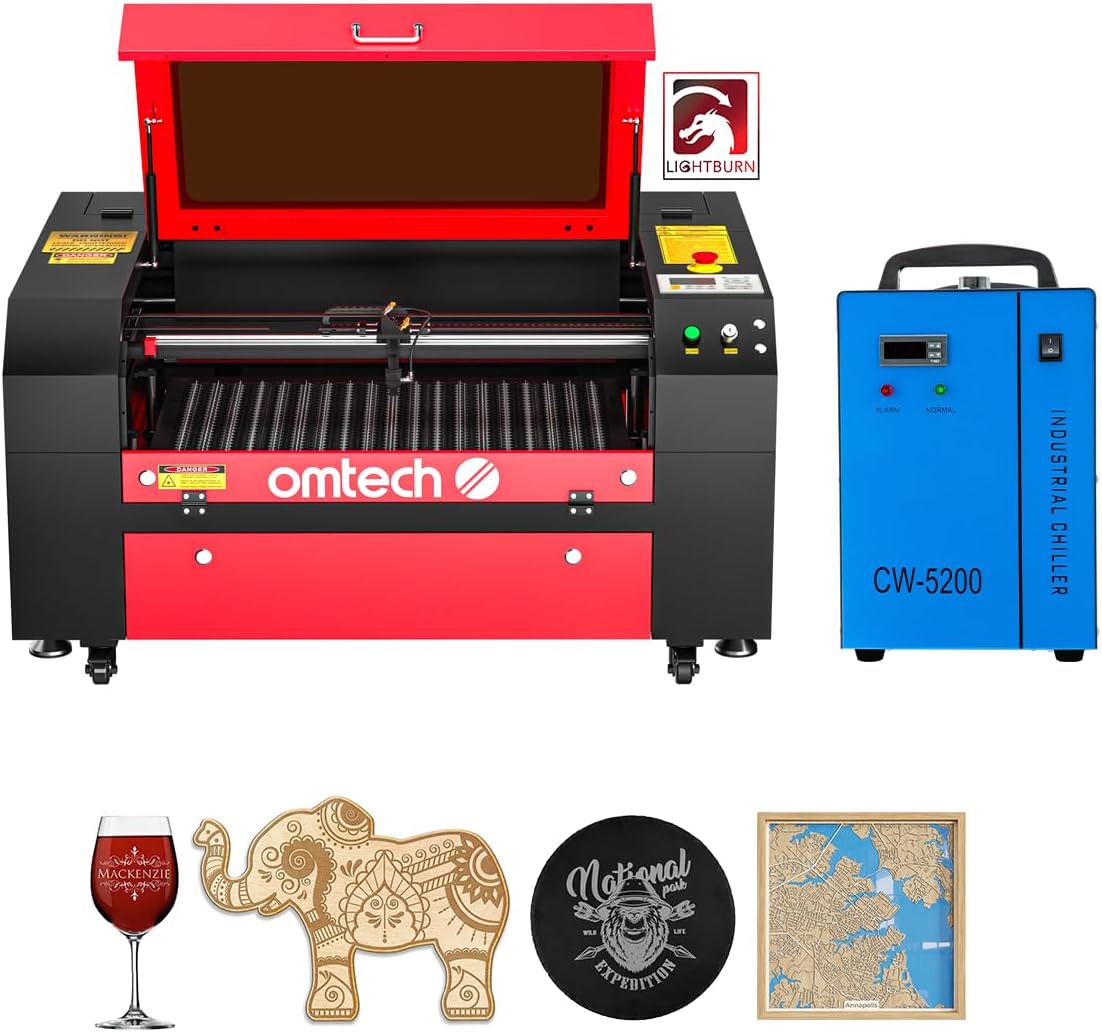
The OMTech Maker 60W CO2 laser engraver delivers professional-grade performance for non-metal materials. Its autofocus system removes the guesswork from setup by automatically finding the correct focal distance. This feature combined with the included water chiller ensures consistent beam quality and extended tube life during heavy usage sessions. The large workspace accommodates big projects without requiring frequent repositioning.
We may earn a commission when you buy through this link, at no additional cost to you.
LightBurn software compatibility provides robust design control while the four-way pass-through doors allow for longer material feeds. The widened viewing window ensures visibility during operation while maintaining safety standards. Built-in air assist keeps smoke and dust away from optics preserving lens clarity and cut quality. These integrated features streamline the workflow from design to finished product effectively.
While excellent for wood and acrylic this CO2 system is not ideal for marking metals directly. Users looking for metal engraving will need alternative setups or additional tools. The price reflects the bundled accessories and larger footprint which may limit placement options. However for users focused on non-metal work the performance and convenience justify the investment.
This model suits professionals or serious hobbyists needing reliable output and minimal setup hassle. The autofocus and water cooling provide stability that enhances repeatability for commercial projects. Its versatility with software and material compatibility makes it a top choice for creative workshops or small businesses expanding their engraving capabilities efficiently.
Motorized workbeds adjust automatically via control buttons eliminating manual focus errors and saving time before each engraving session.
The included water chiller maintains stable operating temperatures to protect the laser tube and ensure consistent performance over long production runs.
We may earn a commission when you buy through this link, at no additional cost to you.
This Creality Falcon2 Pro model emphasizes safety and usability with a Class 1 certification and enclosed structure. The auto-stop function halts operations when the enclosure opens or drawer is removed adding an extra layer of protection. A built-in HD camera visualizes operations enabling batch engraving and precise alignment without separate design software for many tasks.
We may earn a commission when you buy through this link, at no additional cost to you.
The dual laser bundle includes a main 60W unit and a secondary module for fine engraving. This combination allows users to switch between cutting and detailing seamlessly. The exhaust system filters smoke effectively reducing the need for protective glasses during operation. Official software support and after-sales service provide ongoing assistance for setup and maintenance needs.
Users may find the software interface requires adjustment to master all capabilities. Noise levels can vary depending on exhaust fan speed which might affect open studios. Despite these minor trade-offs the safety and visual features offer significant advantages for consistent production and reduced user fatigue during extended engraving sessions.
Ideal for small businesses seeking high performance with strong safety standards this unit delivers reliable results. The visual workflow and dual laser options enhance versatility for diverse projects. With robust support and pre-assembly it remains a practical choice for users prioritizing protection and consistent output in their workspace.
The camera system allows users to scan drawings directly from objects simplifying setup and improving accuracy for irregular surface engraving tasks.
Auto-stop functions triggered by enclosure changes prevent accidents and ensure secure operation throughout every engraving project session.
We may earn a commission when you buy through this link, at no additional cost to you.
The xTool F2 Ultra combines a 60W MOPA fiber laser with a 40W diode to handle all materials from wood to metal. This dual capability allows for deep engraving and vibrant color marking on metals without extra attachments. The speed reaches up to 15000mm/s significantly reducing production times. AI cameras enhance precision and auto-detect materials for simplified setup.
We may earn a commission when you buy through this link, at no additional cost to you.
Users can achieve over 100 consistent colors on metal through pre-set files that eliminate repetitive testing. The industrial-grade build supports long production runs with stable results. Conveyor options expand the working area for batch processing making it suitable for higher volume tasks. The Class 4 laser class requires strict safety protocols but delivers unmatched versatility.
The cost and safety requirements may limit accessibility for hobbyists without controlled environments. The advanced features demand technical knowledge to fully utilize. However for businesses needing multi-material processing the efficiency and quality justify the investment. This unit excels where color metal engraving is a priority for product differentiation.
Professionals seeking maximum capability across diverse materials will find this model transformative. The dual laser system removes the need for multiple machines streamlining operations significantly. With AI support and high speed it stands out as a future-proof investment for serious commercial engraving production workflows.
MOPA technology enables vibrant color marking on metals via calibrated settings that produce consistent visual results without paint or chemicals.
Dual AI cameras detect materials and suggest settings increasing positioning accuracy and reducing manual adjustments during setup.
We may earn a commission when you buy through this link, at no additional cost to you.
Monport's 60W fiber laser is engineered for precise metal marking and engraving on stainless steel aluminum and brass. Its galvanometer system supports speeds up to 10000mm/s ensuring fast processing for small batches. The 0.01mm accuracy delivers intricate details ideal for jewelry or industrial parts. A red dot pointer aids alignment during setup.
We may earn a commission when you buy through this link, at no additional cost to you.
Compatibility with LightBurn software provides flexibility for design management. The included BSLcad alternative allows easy use without extra costs. A lifespan of up to 100000 hours ensures reliability for high-volume marking. However the working area is limited to 5.9 inches which restricts larger metal pieces.
This machine excels in specialized marking tasks but lacks versatility for non-metals. Users needing multi-material capabilities should consider hybrid solutions. The high resolution and speed make it excellent for professional metal detailing. For focused metal engraving the performance remains unmatched in its class.
Ideal for jewelers or industrial users requiring precise metal engraving this model delivers consistent results. Its compact footprint suits desktop setups where metal marking is the primary function. With robust software support it simplifies workflows for technical engraving applications efficiently.
Customized galvanometer with silicon reflectors enables rapid beam movement for efficient production without sacrificing detail or accuracy.
Fiber laser sources designed for longevity reduce maintenance frequency and support continuous operation in professional environments.
We may earn a commission when you buy through this link, at no additional cost to you.
The VEVOR 60W CO2 laser offers a large 24×16 inch workspace suited for cutting larger materials like wood and acrylic. Its four-way pass-through design accommodates long items without restricting movement. Air assist ensures clean edges while the pull-out waste tray simplifies cleanup. Compatibility with LightBurn and RDWorks provides flexible design options.
We may earn a commission when you buy through this link, at no additional cost to you.
Manual focusing via the control panel knob allows precise adjustments but requires time. The laser tube supports over 3500 hours of use providing reliable performance. Water pump cooling maintains stability during operation while multiple security features protect against overloading. The machine is optimized for non-metal materials only.
While effective for large projects the manual focus may slow down rapid batch tasks. Users wanting automatic adjustments might prefer other models. However the large bed and pass-through features offer unmatched flexibility for dimensional projects. It remains a solid budget choice for those prioritizing workspace size.
This model is ideal for hobbyists or small businesses needing wide area cutting. The pass-through doors enhance usability for long materials and the software options suit various workflows. For users focused on non-metal fabrication the VEVOR delivers practical value and consistent performance.
A 24×16 inch area supports big projects like signage or furniture components reducing the need for multiple cutting passes.
Four-way doors allow long materials to pass through the machine enhancing flexibility for extended workpieces.
We may earn a commission when you buy through this link, at no additional cost to you.
OMTech's 60W CO2 model offers a 20×28 inch workspace ideal for commercial production and larger projects. The motorized workbed can be adjusted automatically simplifying setup and reducing manual effort. Air assist and pass-through doors enhance workflow efficiency by clearing smoke and accommodating long materials. Included water chiller ensures stable tube performance.
We may earn a commission when you buy through this link, at no additional cost to you.
Speeds up to 600mm/s enable fast processing while LightBurn compatibility supports professional design needs. The DC tube supports extended usage but manual adjustments may be needed after changes. These limitations are minor compared to the overall production capacity provided by the autolift and cooling systems.
While focused on non-metals the efficiency and speed make it suitable for commercial output. Users needing precise metal marking will require alternative tools. For large-area engraving on wood acrylic the performance remains robust. The bundled accessories add significant value for daily production environments.
This model is best for businesses seeking high capacity and ease of use. The autolift feature reduces downtime and the large bed supports batch production effectively. For those prioritizing speed and workspace the OMTech offers reliable performance for various commercial engraving needs.
Motorized workbeds adjust via button press to automate focal distance setup and reduce manual error.
Bundled chiller and software allow immediate operation for commercial workflows without additional accessory purchases.
We may earn a commission when you buy through this link, at no additional cost to you.
The Aliencell X1 Lite delivers photo-quality results using high acceleration and frequency to achieve smooth gradients and sharp detail. Its 26×21 inch bed supports large projects making it suitable for batch production. Class 1 enclosed safety ensures compliance while auto-focus locks onto materials instantly. Space software simulates results with minimal deviation.
We may earn a commission when you buy through this link, at no additional cost to you.
AI assistant support helps users navigate setup quickly. The one-touch auto-focus reduces manual adjustments saving valuable time. While the software has a learning curve the visual preview tools minimize waste and guesswork. These features combine to create a reliable system for detailed work.
Cost may be higher than standard models but the precision and safety justify the investment. Users requiring photo-realistic output will find this machine superior. The large workspace enables versatility for diverse projects. It is a top choice for professionals prioritizing image fidelity.
Ideal for artists and professionals needing detailed photo-quality engraving this model excels. The simulation software enhances accuracy and the safety features protect operators effectively. With robust performance it remains a standout option for high-end creative production workflows.
High acceleration and frequency produce dense laser pulses for smoother gradients and rich grayscale detail in images.
Simulation software visualizes results before cutting to reduce waste and ensure accuracy on textured surfaces.
We may earn a commission when you buy through this link, at no additional cost to you.
Cloudray's 60W JPT MOPA fiber laser is optimized for deep metal engraving on stainless steel aluminum and brass. It supports speeds up to 10000mm/s ensuring rapid production. Two working areas with manual lift column support diverse project sizes. The 0.01mm resolution ensures intricate details remain sharp.
We may earn a commission when you buy through this link, at no additional cost to you.
Portable design allows easy transport to client sites. Includes safety goggles positioning bar and USB drive for setup. The JPT source delivers consistent quality over 100000 hours. While limited to metals its depth and clarity suit industrial or jewelry marking.
Manual lift column requires adjustments but ensures flexibility for various heights. Users needing non-metal options should look elsewhere. For metal specialists this unit delivers deep precision and reliability. The portability and speed make it versatile for field work.
Ideal for jewelers or industrial engravers focusing on metal work this model excels. The JPT MOPA source ensures consistent depth and resolution. For those needing portable deep engraving capabilities it offers significant performance advantages over standard fiber systems.
JPT MOPA sources maintain high quality and consistency essential for repeatable industrial engraving results.
Compact and lightweight construction enables easy transport to different work sites for on-site engraving services.
We may earn a commission when you buy through this link, at no additional cost to you.
Selecting the right 60W laser engraver involves balancing technical specs with practical needs and safety requirements for your workspace.
CO2 lasers excel on non-metallic materials like wood acrylic and glass while fiber or diode lasers are better suited for metals. The choice depends on your primary material focus and desired cut depth. Hybrid models exist but add complexity and cost.
Choose CO2 for non-metals and fiber for metals to maximize efficiency and quality for specific applications.
Class 1 enclosed models prevent harmful exposure and allow operation without protective eyewear. Open frame units require strict safety measures and goggles. Certification impacts where you can place the machine and operational rules.
Prioritize Class 1 enclosures for home offices or shared workspaces to ensure compliance and safety.
Support for LightBurn expands creative control and file compatibility. Proprietary software may offer ease of use but limits flexibility. Check for driver support and updates before purchasing.
Select machines supporting industry-standard software to ensure long-term usability and design freedom.
A larger bed accommodates bigger projects but requires more space. Compact units save room but limit material sizes. Consider if you need to move the machine frequently.
Match the workspace to your most common project sizes to balance usability and footprint requirements.
Higher speeds reduce production time but may affect detail on certain materials. Batch capabilities like auto-positioning improve consistency and workflow. Evaluate average job sizes.
Choose speed specs that align with your production volume to optimize output without sacrificing quality.
Metal frames and reliable components ensure durability. Warranty and customer service impact long-term satisfaction. Pre-assembled units save setup time.
Verify warranty terms and support availability to protect your investment over time.
Price varies widely based on features and power. Higher cost often reflects better safety and precision. Evaluate total cost including accessories.
Invest in features that match your business needs rather than unnecessary extras.
Fans and cooling systems contribute to noise. Dust and exhaust management are essential for lens health. Cleanliness affects cut quality.
Look for effective exhaust systems and easy maintenance access for better workflow and component longevity.
Prepare your material by cleaning surfaces and securing them properly to the bed to prevent movement during operation. Ensure the workspace is well ventilated and the exhaust system is connected to remove smoke effectively.
Use the software to load designs and set focal distances. Align your laser using preview features or cameras to avoid material waste. Test on a small area to verify settings before running full jobs.
Clean lenses and mirrors regularly to maintain beam quality. Check cables and moving parts for wear. Follow manufacturer guidelines for tube cooling or laser source maintenance to extend device lifespan.
A 60W laser engraver can cut wood acrylic leather and paper easily. CO2 versions handle non-metals well. Fiber lasers focus on metal marking. Avoid PVC vinyl due to toxic fumes.
Class 1 enclosed models eliminate the need for eyewear. Open frame systems require specific laser safety goggles. Always check the safety rating before deciding on protection gear.
Speeds range from 300 to 600mm/s depending on material and detail. High-end fiber models reach 10000mm/s. Faster speeds may reduce depth or precision on some materials.
Only fiber or MOPA 60W lasers engrave metals effectively. CO2 models mark coated metals only. Check the laser type before purchasing to ensure metal compatibility.
No many models come with proprietary software but LightBurn is widely supported. LightBurn provides advanced control and design options but isn't mandatory for basic operation.
Clean the lens gently with alcohol and soft cloth to remove dust. Use air assist during operation to reduce debris buildup. Regular inspection prevents scratches and maintains clarity.
CO2 tubes last 3000 to 10000 hours. Fiber sources can last up to 100000 hours. Lifespan depends on usage and cooling consistency.
Yes some compact fiber units are portable for on-site engraving. Check weight and size limits before buying. Portable models often have smaller working areas for metal.
The top picks like the Creality Falcon2 Pro OMTech Maker 60W and xTool F2 Ultra offer distinct advantages for safety speed and material versatility. Each model provides unique strengths suited for different workshop environments and user skill levels.
Prioritize safety certifications and software compatibility to ensure a smooth workflow. Consider the materials you use most often when selecting laser technology type. The right match between material and laser ensures best results and equipment longevity.
Verify current availability and specifications before purchasing as product offerings can change. Compare the total value of accessories and support provided by the manufacturer. With the right 60W laser engraver your workspace becomes more productive and precise.