
AOC 27G41ZE
4.6Editor score
240Hz refresh rate
0.3ms response time
Adaptive-Sync support
Finding the right display for competitive gaming requires balancing resolution and speed. These 1440p gaming monitors at 240Hz deliver crisp visuals alongside incredibly smooth motion for serious players seeking an edge.
We analyzed ten top models based on panel technology, response times, and adaptive sync support. This list covers IPS and OLED options across various price points to suit different budgets and setups.
Each pick highlights key strengths like color accuracy, stand ergonomics, and connectivity options. Note that pricing fluctuates frequently, so check current deals before making your final purchase decision for your setup.
4.6Editor score

4.4Editor score

4.5Editor score
As an Amazon Associate we earn from qualifying purchases.
Here is a side-by-side look at all ten models to help you compare specs, features, and stand adjustability at a glance before making your choice.


The LG 27GR83Q-B stands out as a top choice for competitive gamers who value color fidelity and smooth motion. With a 4.4 rating, this monitor delivers a balanced experience that suits both gaming and media consumption effectively.
We may earn a commission when you buy through this link, at no additional cost to you.
Its 240Hz refresh rate and 1ms response time ensure fluid gameplay without ghosting or tearing. The IPS panel supports 95% of the DCI-P3 color gamut, making visuals vibrant and true to life during intense sessions.
While it lacks the deep blacks of OLED panels, the VESA DisplayHDR 400 certification still offers better contrast than standard displays. The stand offers tilt, height, and pivot adjustments, which helps maintain comfort during long playtimes.
This monitor is ideal for users who want reliable performance without breaking the bank. Whether you play shooters or RPGs, the combination of speed and color accuracy makes it a strong recommendation for most setups.
The 240Hz refresh rate paired with Adaptive-Sync ensures that motion remains clear and responsive even in fast-paced scenarios.
With 95% DCI-P3 coverage, you get rich hues that make games look immersive without sacrificing speed or response times.
We may earn a commission when you buy through this link, at no additional cost to you.
The AOC 27G41ZE offers an impressive entry point for gamers seeking high refresh rates at a lower cost. With a strong 4.6 rating, it proves that you do not need to spend a fortune for competitive performance.
We may earn a commission when you buy through this link, at no additional cost to you.
This model features a 240Hz refresh rate via DisplayPort and a rapid 0.3ms MPRT response time. These specs ensure that fast movements stay crisp, which is crucial for shooters where split-second reactions matter.
While the stand only offers tilt adjustment, the frameless design keeps the visual focus on the screen. The inclusion of Shadow Control and Game Mode presets adds practical tuning options for different game genres without complex menus.
Budget-conscious gamers will find this monitor hard to beat. It delivers the core features needed for competitive play while maintaining solid image quality and adaptive sync support for a smooth experience.
The 0.3ms response time helps reduce blur significantly, keeping targets clear even during rapid turns and movements.
Though it lacks height adjustment, the tilt range allows you to find a comfortable angle without needing a desk mount.
We may earn a commission when you buy through this link, at no additional cost to you.
The Acer Predator X27U brings premium OLED technology to the 1440p 240Hz category. With a 4.5 rating, it offers visuals that are unmatched by traditional LCD panels for both gaming and media.
We may earn a commission when you buy through this link, at no additional cost to you.
Its QD-OLED display delivers true blacks and infinite contrast, making dark scenes look deep while keeping bright details vibrant. The 0.03ms response time ensures absolutely no ghosting, giving you a clear advantage in competitive matches.
Color accuracy is exceptional with 99% DCI-P3 coverage and low Delta E values. HDR10 support enhances dynamic scenes, though you should manage brightness carefully to preserve panel longevity against static content.
This monitor is perfect for enthusiasts who demand the absolute best picture quality. If you want cinematic immersion combined with blistering speed, the X27U justifies its price with performance that stands out from the rest.
At 0.03ms, the response is so fast that motion blur becomes virtually non-existent, keeping images sharp in motion.
The OLED panel provides perfect blacks and vivid colors, creating a depth that makes games pop off the screen.
We may earn a commission when you buy through this link, at no additional cost to you.
The Acer Nitro XV272U provides a solid experience for gamers looking for ergonomic features alongside high speed. It balances performance with usability, making it a practical choice for daily use.
We may earn a commission when you buy through this link, at no additional cost to you.
With 240Hz over DisplayPort and a 1ms response time, gameplay feels responsive and smooth. The stand offers height, swivel, pivot, and tilt adjustments, which are rare at this price point and help reduce neck strain.
Built-in speakers offer convenience for casual use, though dedicated headphones remain superior. AMD FreeSync Premium ensures smooth visuals on supported cards, preventing tearing without significant input lag during competitive matches.
If you need a versatile monitor that fits many setups well, this model is a strong contender. Its adjustability and reliable performance make it a dependable option for long gaming sessions or work.
The full ergonomic stand allows you to pivot to portrait mode or adjust height, fitting various desk needs.
Multiple HDMI and DisplayPort inputs ensure you can connect consoles and PCs easily without adapters.
We may earn a commission when you buy through this link, at no additional cost to you.
The KTC H27E6S offers high-end specs like overclocking and wide color gamuts at an accessible price. It shows promise for users willing to try newer brands for better performance.
We may earn a commission when you buy through this link, at no additional cost to you.
Native 240Hz refresh rates can be pushed to 275Hz, offering even smoother motion. The Fast IPS panel provides vibrant colors with 123% sRGB, making media consumption enjoyable alongside competitive gaming.
Its stand includes height, tilt, swivel, and pivot adjustments, ensuring comfort. With built-in speakers and multiple ports, it serves as a complete solution for various input sources without cluttering your desk.
This monitor is a great choice for those seeking speed and color without premium prices. The inclusion of a warranty and solid build features make it a safe bet for experimentation and daily use.
Overclocking capabilities allow users to push beyond standard limits for an edge in fast-paced games.
With wide gamut coverage and full stand adjustments, this monitor supports both visual quality and long comfort.
We may earn a commission when you buy through this link, at no additional cost to you.
The ASUS ROG XG27ACMG combines high refresh rates with modern connectivity options. It appeals to pro users who want the latest tech alongside reliable performance.
We may earn a commission when you buy through this link, at no additional cost to you.
With a 270Hz overclocked refresh rate and 1ms response time, this monitor handles rapid motion effortlessly. ELMB SYNC allows simultaneous motion blur reduction and variable refresh rate, which improves clarity significantly.
The USB-C port with DP Alt mode reduces cable clutter, useful for laptops. 95% DCI-P3 coverage ensures consistent colors, while DisplayWidget Center simplifies settings adjustments via mouse clicks.
This model fits well for professionals and gamers who value connectivity and speed. The added software features help tune the display easily, making it a versatile tool for complex setups.
The combination of 270Hz and ELMB SYNC ensures that moving objects remain sharp and clear during combat.
USB-C allows for single-cable charging and video, simplifying your desk and reducing cable management issues.
We may earn a commission when you buy through this link, at no additional cost to you.
The MSI MAG 274QP delivers high-end OLED performance tailored for both PC and console gaming. It offers exceptional quality that stands out in the crowded high refresh rate market.
We may earn a commission when you buy through this link, at no additional cost to you.
Its QD-OLED panel produces 1.07 billion colors with perfect blacks. The 240Hz refresh rate and 0.03ms response time create fluid visuals that make fast games feel incredibly responsive and detailed.
HDMI 2.1 ensures console users can access full performance without compromises. The included software helps maintain panel health and provides AI features that assist in aiming and game assistance.
This monitor is a top choice for enthusiasts seeking the best possible image quality. While it is expensive, the combination of speed, color, and connectivity makes it a worthy investment for serious gamers.
Quantum Dot OLED delivers the best color accuracy and contrast available in consumer monitors today.
HDMI 2.1 ensures next-gen consoles run at full 1440p 240Hz without needing adapters.
We may earn a commission when you buy through this link, at no additional cost to you.
The Alienware AW2723DF combines premium design with reliable performance. It appeals to users who want style and function in one package.
We may earn a commission when you buy through this link, at no additional cost to you.
Its Nano Color technology provides 95% DCI-P3 coverage and vivid visuals. The 240Hz refresh rate and 1ms response time keep gameplay smooth, while G-Sync Compatible certification ensures tear-free experiences.
HDR600 certification offers dynamic contrast that standard IPS monitors lack. The stand offers full adjustments including pivot and swivel, making it comfortable for different working angles and positions.
This monitor is ideal for those who value build quality and aesthetics. If you want a display that looks unique and performs well, the Alienware option is a strong fit for any station.
The Legend 2.0 design and lighting integrate well into themed battlestations without looking cluttered.
Nano Color and HDR600 ensure that colors remain rich and detailed across various lighting conditions.
We may earn a commission when you buy through this link, at no additional cost to you.
The Acer Nitro KG271U offers strong performance for users needing both gaming and creative work. It balances color accuracy with high refresh rates effectively.
We may earn a commission when you buy through this link, at no additional cost to you.
With 99% sRGB coverage, this monitor handles color-critical tasks well. The 240Hz refresh rate and 0.5ms response ensure that gaming remains smooth and responsive during high speed actions.
AMD FreeSync Premium eliminates tearing without stuttering. While the stand is basic, the zero-frame design makes the screen feel larger and more immersive on the desk.
This monitor suits creators and gamers who want a reliable tool for multiple uses. Its focus on color accuracy alongside speed makes it a versatile choice for hybrid workloads.
Support for 99% sRGB ensures that edits and designs match what you see on screen accurately.
Fast response times and high refresh rates prevent ghosting, keeping moving targets sharp and distinct.
We may earn a commission when you buy through this link, at no additional cost to you.
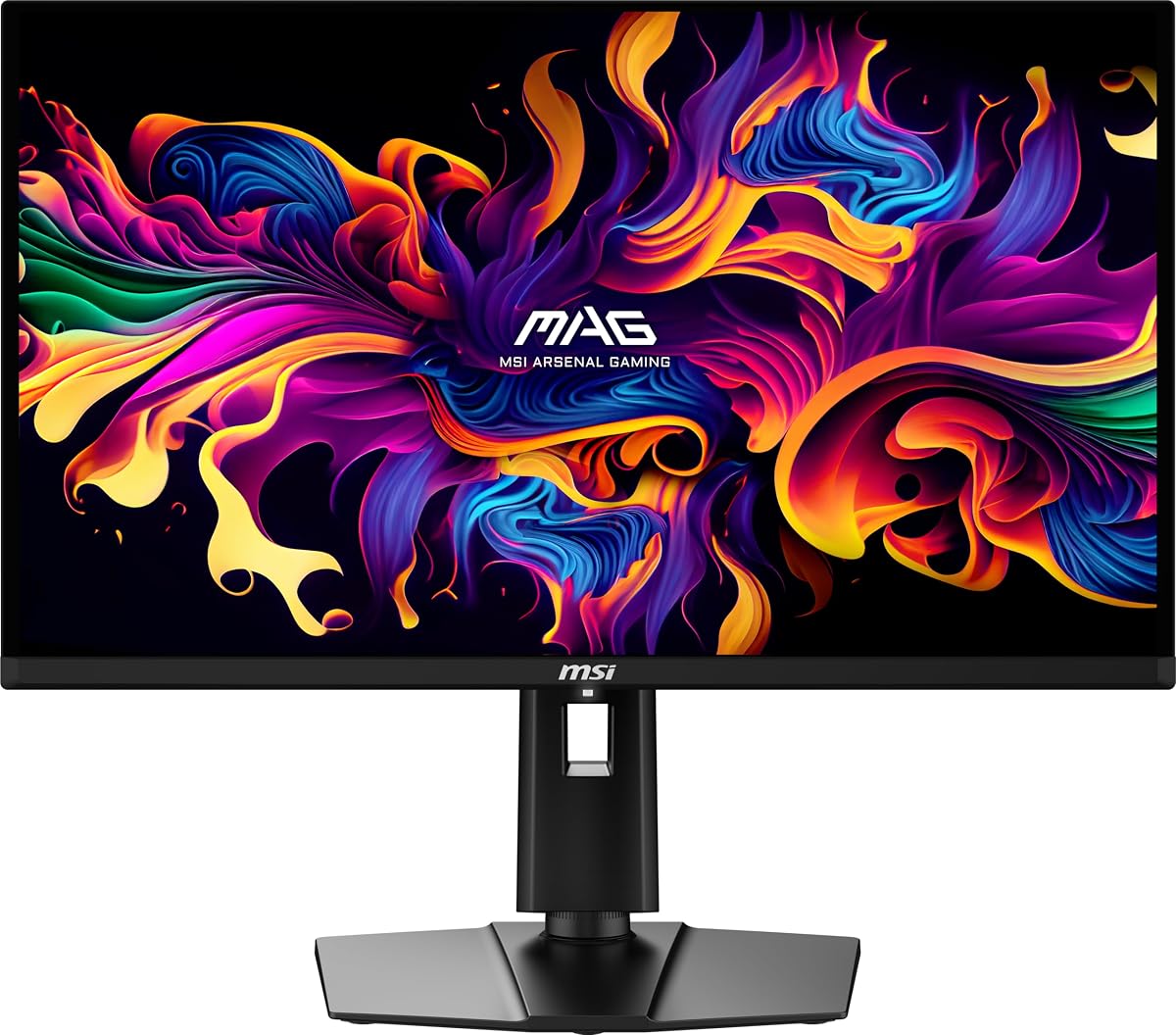
The MSI MAG 271QPX represents the peak of OLED gaming performance. It offers image quality that is hard to match in the current market.
We may earn a commission when you buy through this link, at no additional cost to you.
Its QD-OLED panel delivers infinite contrast and vivid colors. The 240Hz refresh rate and 0.03ms response time ensure that motion stays crisp even in the most demanding games.
The fanless graphene heatsink design ensures silent operation while protecting the panel. OLED Care 2.0 helps mitigate aging, extending the life of the display during heavy use.
This model is perfect for enthusiasts who demand the highest image quality. The combination of speed and visual fidelity makes it a top choice for those prioritizing performance.
The graphene heatsink dissipates heat silently without fans, ensuring stable performance during long sessions.
True Black HDR 400 and QD-OLED tech bring unmatched detail and color richness to your gaming world.
We may earn a commission when you buy through this link, at no additional cost to you.
Selecting the right monitor requires weighing panel types, refresh rates, and features to match your needs.
IPS panels offer better color and viewing angles, while OLED delivers infinite contrast and faster response times. Choose IPS for cost efficiency or OLED for premium visuals.
Prioritize IPS if you need accurate colors for work. Pick OLED if deep blacks and fast motion are your top priorities.
A 240Hz refresh rate ensures ultra smooth motion, reducing blur during fast action. Some models offer overclocking up to 270Hz for even more fluidity.
Ensure your graphics card can support these speeds. Otherwise, lower rates may result in wasted potential.
Look for response times of 1ms or lower to minimize ghosting. OLED monitors often achieve 0.03ms, which is nearly instantaneous.
Faster response times improve clarity during quick movements. This is vital for competitive shooters.
G-Sync Compatible or FreeSync Premium prevents screen tearing by matching refresh rates to GPU output. Both ensure smooth visuals without stuttering.
Check which technology your GPU supports. NVIDIA cards prefer G-Sync while AMD cards work well with FreeSync.
HDR400 or HDR600 adds dynamic contrast, making bright and dark scenes pop. True HDR requires high brightness and local dimming.
Treat HDR as a bonus. Standard SDR gaming often looks better due to brightness consistency on IPS panels.
Height, tilt, swivel, and pivot adjustments help maintain comfort during long sessions. A sturdy stand prevents desk wobble.
If the stand is basic, consider a VESA mount. This flexibility helps adapt the monitor to your desk setup.
DisplayPort 1.4 supports 240Hz at 1440p. HDMI 2.1 allows similar speeds for consoles, while USB-C simplifies laptop connections.
Verify cables are included. Missing cables can add unexpected costs and delay your setup.
High sRGB or DCI-P3 coverage ensures vibrant and true-to-life colors. Look for Delta E values under 2 for professional accuracy.
This is key for designers or media creators. Gamers benefit too since rich visuals enhance immersion.
Connect the monitor using DisplayPort 1.4 to ensure full 240Hz performance. Verify settings in Windows display options to set the correct refresh rate.
Adjust brightness and contrast to match your room lighting. Use game presets like FPS or RTS to optimize visuals for specific genres.
Enable adaptive sync features to reduce tearing. For OLED models, avoid static elements on screen for long periods to prevent burn-in risks.
Yes, 1440p offers sharper visuals and more detail while still supporting high refresh rates. It balances resolution and speed better than 1080p for most gaming rigs.
You need a powerful GPU to drive high frame rates at 1440p. RTX 3070 or higher is recommended to sustain near 240fps in competitive titles.
DisplayPort 1.4 is the standard for 240Hz at this resolution. HDMI 2.1 is needed for console support. Ensure cables are certified for the required bandwidth.
Absolutely. The sharp text and ergonomic stands make them suitable for office work. IPS panels also offer better viewing angles for multi-monitor setups.
OLED provides deeper blacks and faster response times. IPS offers better brightness and lower cost. Choose OLED for contrast or IPS for value and color consistency.
G-Sync Compatible is a validated version that works with FreeSync. It provides similar benefits without the hardware module. It is sufficient for most NVIDIA users.
The LG 27GR83Q-B stands out as the top pick for balanced performance. The AOC 27G41ZE offers the best value for budget gamers seeking speed.
Prioritize adaptive sync and ergonomics for long comfort. Choose OLED if you want premium contrast. IPS works best if you need color accuracy and brightness.
Prices fluctuate often so check current deals before buying. Ensure your system can support high frame rates to get the most from these displays.