
Thermaltake Pure 20 Series
4.5Editor score
High airflow thick design
Silent operation optimized
Long life sleeve bearing
Choosing the right cooling solution is critical for maintaining system stability during intensive workloads. A high quality 200mm case fan provides substantial airflow while keeping noise levels low for a comfortable environment.
We evaluated ten top rated models based on airflow efficiency noise performance and build quality. Each product offers unique features like PWM control RGB lighting or specialized bearing technologies for various user needs.
Each pick highlights key strengths and ideal use cases to simplify your decision process. Please note that availability and pricing may vary over time so verify details before purchasing.
4.5Editor score
4.8Editor score

4.6Editor score
As an Amazon Associate we earn from qualifying purchases.
The following comparison table details the key specifications and performance metrics for each of the ten selected 200mm case fans to help you identify the best fit for your system.


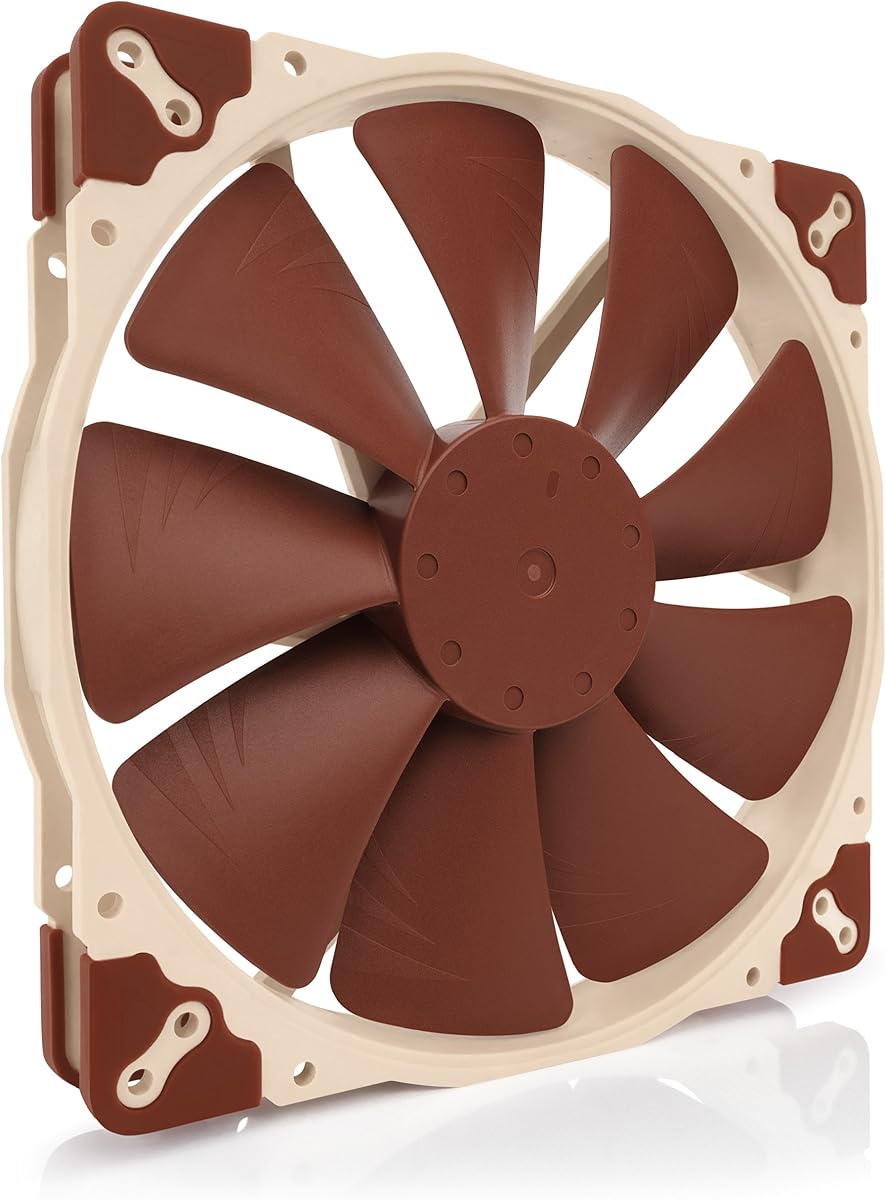
This model represents an excellent entry point for users seeking high airflow without excessive cost. It holds a strong rating due to its balance of silence and efficiency for standard chassis cooling.
We may earn a commission when you buy through this link, at no additional cost to you.
The fan blade design focuses airflow effectively creating a torrent of air without excess noise. The high performance thick frame ensures high air pressure which is vital for pushing air through dense radiators or filters.
While it lacks premium features like PWM control in this base version the reliability of the long life sleeve bearing is a major advantage. The shaved frame allows for more installation flexibility especially with Thermaltake chassis.
Ideal for budget builds needing reliable airflow this fan offers style and efficiency. For those prioritizing raw cooling performance per dollar this remains a top contender in the market.
The blade design is engineered to reduce noise while maintaining high airflow efficiency for a silent build.
Long life sleeve bearings extend the lifespan of the fan ensuring consistent performance over many years.
We may earn a commission when you buy through this link, at no additional cost to you.
This fan stands out as a premium choice for those prioritizing silence and aesthetics. With advanced acoustic optimization it delivers superior quiet cooling performance suitable for high end builds.
We may earn a commission when you buy through this link, at no additional cost to you.
The flow acceleration channels help increase airflow velocity while reducing noise. The chromax.black.swap edition allows for color customization with swappable pads adding a personal touch to the cooling setup.
While the RPM is capped at 800 the large 20cm diameter ensures high airflow at low noise levels. The variety of mounting holes ensures compatibility with many different chassis designs easily.
Perfect for audiophile PC builds this fan offers excellent performance with minimal noise. The included accessories like extension cables make installation smooth and versatile for various setups.
The frame features advanced acoustic optimization to minimize vibrations and reduce overall noise levels significantly.
Swappable red black white blue yellow and green pads let you match the fan to your case aesthetic.
We may earn a commission when you buy through this link, at no additional cost to you.
This model is widely recognized as one of the best 200mm fans available today. It combines high performance with extremely low noise levels making it ideal for silent systems.
We may earn a commission when you buy through this link, at no additional cost to you.
The A-series design with Flow Acceleration Channels optimizes air efficiency. The low noise adaptor allows users to tune the fan for near-silent operation when maximum cooling is not required.
Despite its focus on silence the fan maintains strong airflow for effective heat dissipation. The inclusion of extension cables and Y-cables makes managing multiple fans convenient for larger cases.
Users seeking reliability and top tier performance will find this fan worth the investment. It is a great choice for those building a system where noise reduction is a priority.
The large diameter ensures that air moves effectively through the case even at low rotational speeds.
Three sets of mounting holes allow for flexible installation in a wide range of computer chassis designs.
We may earn a commission when you buy through this link, at no additional cost to you.
This fan is designed to complement the CT lineup while delivering strong airflow performance. It features PWM control for speed management which helps balance noise and cooling efficiency dynamically.
We may earn a commission when you buy through this link, at no additional cost to you.
The hydraulic bearing ensures silent and reliable operation over a long period. The optimization for airflow with 9 blades allows it to push significant volume of air through the case chassis.
Daisy chain connectors simplify cable management by reducing the need for multiple headers. This is particularly useful for users with limited motherboard fan headers on their system.
Best suited for users needing extra airflow in standard cases this fan offers solid performance. It is a practical choice for those looking to upgrade their cooling without complex setup.
Optimized blades allow for increased airflow volume without sacrificing too much noise performance.
Daisy chain connectors allow multiple fans to connect in a series reducing clutter inside the chassis.
We may earn a commission when you buy through this link, at no additional cost to you.
This fan focuses on delivering high airflow with efficient cooling while keeping operation quiet. The frosted blades enhance the dispersion of aRGB lighting for a vibrant customizable luminous effect.
We may earn a commission when you buy through this link, at no additional cost to you.
The hybrid frame design minimizes noise for quieter performance through anti-resonance mounting. The two-tier sealing mechanism prevents dust and oil leakage enhancing stability and extending the lifespan.
Dynamic PWM allows adjustable fan speeds from 0 to 800 RPM to balance noise and airflow. This gives users full control over how quiet or fast the system runs depending on load.
Ideal for builders who want aesthetic lighting alongside solid cooling performance this model is a strong contender. It fits well in modern cases supporting aRGB integration easily.
The frosted blade design enhances the dispersion of aRGB lighting creating a vibrant visual effect.
Two-tier sealing prevents dust and oil leakage ensuring stable performance and extending the lifespan.
We may earn a commission when you buy through this link, at no additional cost to you.
This fan is a premium quiet option designed for systems where silence is paramount. It utilizes a 3-pin connection with a Low-Noise Adaptor to fine-tune speed settings effectively.
We may earn a commission when you buy through this link, at no additional cost to you.
The award-winning A-series design provides superior quiet cooling performance without compromising on airflow. The three sets of mounting holes ensure compatibility with a broad range of PC cases and chassis.
While it lacks PWM control the FLX version offers fixed speed options that are easy to manage. The extension cable and 3:4-pin adaptor provide flexibility for connecting to power supplies.
Best for users prioritizing near-silent operation over dynamic speed adjustments this fan is excellent. It is a great choice for media centers or quiet office setups requiring constant low noise.
The Low-Noise Adaptor allows users to fine-tune the fan for maximum airflow or near-silent operation.
Three sets of mounting holes ensure flexibility for various PC cases and chassis designs effectively.
We may earn a commission when you buy through this link, at no additional cost to you.
This model offers a specialized PWM version that supports 5V applications with polarity protection. The USB power adaptor cable allows the fan to run on devices like power banks or USB power supplies.
We may earn a commission when you buy through this link, at no additional cost to you.
Despite the lower voltage it maintains the high performance and quiet cooling performance of the series. The OmniJoin adaptor set facilitates connection to proprietary fan headers in various cases effectively.
The 5V 4-pin PWM version ensures automatic speed control which is useful for systems without traditional headers. It maintains low noise levels making it suitable for sensitive environments.
Ideal for specialized setups or users needing USB power this fan is unique. It is a strong choice for those looking to integrate cooling into projects without standard motherboard connections.
The USB power adaptor cable allows the fan to run on devices with USB host ports or power banks.
Includes OmniJoin adaptor set for connection to proprietary fan headers found in certain cases.
We may earn a commission when you buy through this link, at no additional cost to you.
This fan delivers high airflow with silent cooling technology to reduce noise in computer cases. The hybrid design applies static pressure without sacrificing overall airflow for efficient cooling.
We may earn a commission when you buy through this link, at no additional cost to you.
It is certified compatible with major RGB controllers allowing seamless integration into existing setups. The smart fan sensor protects the fan by automatically stopping the motor if jammed by objects inside the case.
The mix of noise reduction technology and sound absorbing rubber pads ensures a quieter experience. Users will appreciate the 90 CFM airflow which is effective for intake positions in larger cases.
Best for users needing certified RGB support and solid airflow this fan is a great option. It is ideal for standard builds looking to maintain good ventilation with style.
Certified compatible with Asus Aura ASRock RGB Gigabyte Fusion and MSI RGB software ecosystems.
Smart fan sensor automatically stops the motor if jammed by objects protecting the hardware.
We may earn a commission when you buy through this link, at no additional cost to you.
This fan offers a budget friendly option with vibrant ARGB lighting and solid cooling performance. The hydraulic bearing design reduces lubricant leakage ensuring stable and reliable operation over time.
We may earn a commission when you buy through this link, at no additional cost to you.
It delivers a powerful 95CFM of air volume with a peak speed of 1000RPM. The translucent 9 blade design optimizes airflow while diffusing light for a soft uniform glow.
Support for 5V 3pin ARGB allows users to control lighting effects directly from their software. The standard 4PIN PWM interface provides automatic speed control to balance noise and performance.
Ideal for budget builds wanting colorful lighting this fan provides excellent value. It fits standard mounts and offers simple installation for easy upgrades to existing systems.
Support for 5V 3pin ARGB allows direct software control for customized lighting effects.
Hydraulic bearing design significantly reduces lubricant leakage ensuring ultra quiet operation.
We may earn a commission when you buy through this link, at no additional cost to you.
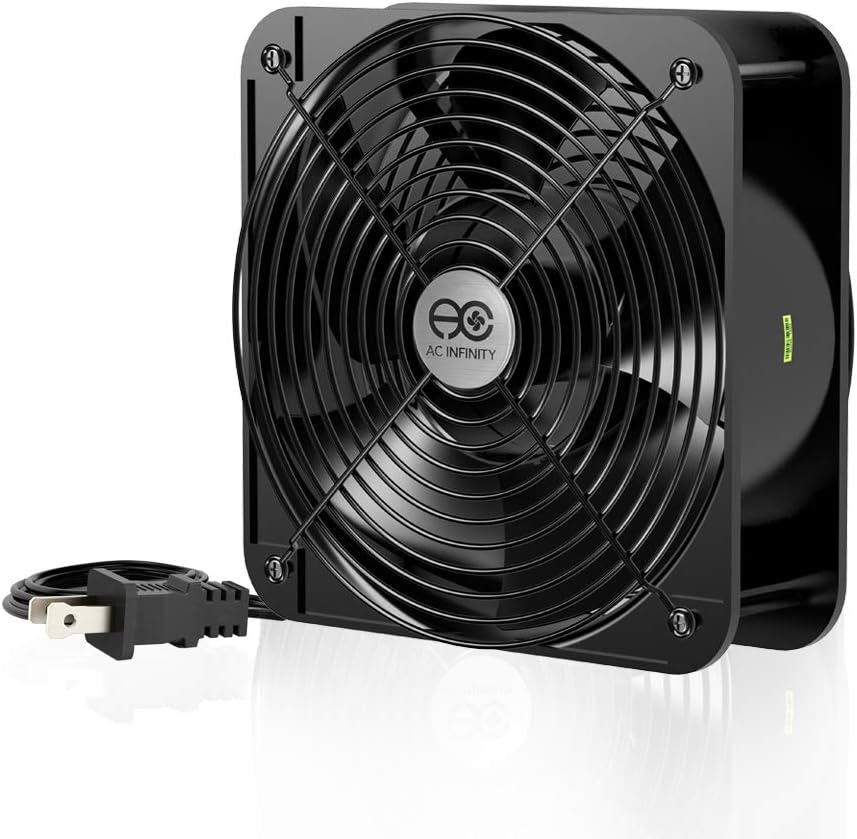
This muffin fan is designed for projects requiring extreme cooling or ventilation. It features a heavy-duty aluminum fan with dual-ball bearings offering a long lifespan and robust construction.
We may earn a commission when you buy through this link, at no additional cost to you.
The high speed design maximizes airflow at 425 CFM making it suitable for industrial or high heat applications. The dual-ball bearings allow the fans to be laid flat or stand upright flexibly.
While the noise level is higher than standard PC fans it compensates with exceptional airflow. It includes guards and mounting screws for safe and secure installation in various projects.
Best for specialized ventilation tasks this fan is not for standard PC builds but offers power. It is ideal for cooling server racks or workshops where silence is less critical than performance.
Maximize airflow at 425 CFM for projects requiring significant cooling or ventilation power.
Heavy-duty aluminum fan and dual-ball bearings offer a long lifespan and versatile mounting positions.
We may earn a commission when you buy through this link, at no additional cost to you.
Selecting the right 200mm case fan requires evaluating multiple factors to ensure optimal cooling and quiet performance for your specific needs.
Airflow is measured in CFM and determines how much air the fan moves. Higher CFM values are ideal for cases with restricted airflow or high heat components.
Look for fans with at least 90 CFM for standard cooling needs and higher for dense radiators.
Noise levels measured in decibels are crucial for silent builds. Lower dB values indicate quieter operation which is preferred for home offices or media centers.
Check noise ratings to ensure the fan remains inaudible during low load scenarios.
Bearing types like sleeve hydraulic or ball bearings affect lifespan and noise. Hydraulic bearings offer a balance of quiet operation and durability.
Choose bearings based on expected usage and desired lifespan to minimize maintenance.
Ensure the fan fits your case mount sizes. 200mm fans often come with multiple hole options to fit various chassis configurations.
Verify the dimensions before purchase to avoid installation issues or gaps.
Fans use 3-pin or 4-pin PWM connections. 4-pin PWM allows for automatic speed control based on system temperature.
Match the fan interface with your motherboard headers to utilize speed management features.
Consider whether RGB lighting or solid colors match your build. Some models offer customizable lighting effects via software.
Choose a design that complements your system style for a polished look.
Install the fan facing inward or outward based on your airflow plan. Typically front fans blow in and rear fans blow out to push hot air away.
Connect the fan to the motherboard header for speed control or directly to the power supply for constant speed.
Regularly clean dust from the fan blades and frame to maintain airflow efficiency and prevent overheating over time.
PWM fans use a fourth wire for automatic speed control based on temperature. Non-PWM fans run at a fixed speed and require manual voltage adjustments for control.
Only if the case supports the larger size. They provide more airflow but may not fit standard 120mm holes without adapters.
Lower the RPM using BIOS settings or include a low noise adaptor. Ensure fans are well mounted with anti-vibration pads.
CFM stands for Cubic Feet per Minute and measures how much air the fan moves. Higher CFM means better cooling potential.
No many models come without RGB. Check product specifications carefully to see if lighting features are included.
High quality fans can last over 100,000 hours. Bearing type and usage conditions impact actual lifespan significantly.
Use the provided screws and align the holes with your chassis. Ensure the direction matches your airflow strategy for best results.
The top three picks offer distinct advantages from budget friendly to premium silent performance. Each provides excellent airflow and reliability for different user requirements.
Prioritize factors like noise and airflow volume based on your specific system needs. A balanced choice ensures your system stays cool and quiet.
Always verify current availability and specifications before purchasing to ensure the best fit for your build.