
Thermaltake Smart 500W
4.6Editor score
80 PLUS White Certified Efficiency
120mm Ultra Quiet Cooling Fan
Industry Grade Safety Protections
Compare the top 350W PSU models for budget PCs and office workstations. This guide reviews efficiency, safety features, and build quality across ten trusted
Finding the right power supply for your system is crucial for stability and longevity. A 350W PSU offers enough power for basic desktops, office tasks, and entry-level builds without excess cost or heat generation.
We compared ten real products based on efficiency ratings, connector options, safety protections, and fan noise levels. Our analysis focuses on units that deliver reliable power while keeping energy costs low for everyday computing needs.
Each pick highlights specific strengths like modular cabling or quiet operation to help you choose quickly. Keep in mind that prices and stock fluctuate regularly so check current listings before making your final purchase decision.
4.6Editor score

4.5Editor score
5.0Editor score
This side-by-side comparison highlights key specifications for all ten power supplies in our list. Look closely at wattage ratings, form factors, and connector types to match your specific motherboard and case requirements before buying.


The Silverstone Technology FX350-G-VT stands out as a top choice for small form factor builds needing high efficiency. Its Gold certification ensures minimal energy waste during typical daily usage.
We may earn a commission when you buy through this link, at no additional cost to you.
With a Flex ATX 1U form factor this unit fits into compact cases where standard ATX PSUs cannot. The 350W continuous output at 40C allows it to run 24/7 in professional environments like network servers.
While the fixed cables limit routing flexibility they are a standard design for 1U power supplies. The single +12V rail simplifies distribution and supports modern GPUs requiring PCIe 6pin connectors.
This PSU is best suited for users needing a reliable high efficiency unit for small cases or server racks. Its solid build quality makes it worth the premium over cheaper budget options.
The 1U height allows installation in ultra thin media centers and mini PCs where space is extremely limited.
80 PLUS Gold certification reduces electricity consumption and heat output compared to lower rated units.
We may earn a commission when you buy through this link, at no additional cost to you.
The Thermaltake Smart 500W delivers solid entry-level power with a strong emphasis on reliability and quiet operation. Its 120mm fan provides effective cooling while keeping noise levels low.
We may earn a commission when you buy through this link, at no additional cost to you.
Compliance with Intel ATX standards ensures compatibility with most modern motherboards. The Active PFC feature helps improve power efficiency which is beneficial for long term usage.
Protection features like OVP and SCP guard components against electrical issues. The all-black cables match modern case aesthetics without requiring extra mods or custom cables.
Budget builders looking for a safe reliable unit will find this PSU fits the bill well. It offers enough headroom for basic upgrades without straining the financial budget.
Multiple safeguards including over power and short circuit protection prevent damage to expensive components.
The large 120mm fan spins slowly under load to maintain silence during daily office tasks.
We may earn a commission when you buy through this link, at no additional cost to you.
Antec brings its years of experience to the Basiq line delivering a power supply that satisfies the demands of entry-level users. This model is built with solid quality you can expect from Antec.
We may earn a commission when you buy through this link, at no additional cost to you.
The 350W output is sufficient for office workstations and low power home PCs. It handles standard component loads without issue and provides reliable continuous power throughout the day.
While it lacks flashy features the core functionality remains strong and dependable. The price point makes it an attractive option for tight budgets without sacrificing brand reliability.
If you need a straightforward PSU for a basic system this unit is a perfect fit. It proves that building on a budget does not mean compromising on trust or safety standards.
Antec has a long history of manufacturing high quality power supplies for PC enthusiasts and professionals.
The power consumption is optimized for systems that run all day with minimal downtime or load changes.
We may earn a commission when you buy through this link, at no additional cost to you.
The Apevia ITX-PFC400W offers a rare fully modular feature in the small form factor segment. This design allows users to only connect the cables they need which reduces clutter inside tight enclosures.
We may earn a commission when you buy through this link, at no additional cost to you.
Its compatibility with Mini-ITX systems makes it a strong candidate for compact gaming or media rigs. The active PFC ensures wide voltage range support which is helpful for unstable power grids.
Installation requires careful attention to cable splitting as noted in the product details. Users must ensure all power cables are connected before the unit will power on properly.
While the rating reflects some user challenges the core design is beneficial for those needing modularity in small cases. It balances size and flexibility better than many competitors in this class.
The ability to plug in only necessary cables improves airflow and aesthetics inside small computer cases.
Active PFC ranging from 90V to 264V protects the system from electrical fluctuations worldwide.
We may earn a commission when you buy through this link, at no additional cost to you.
The APEVIA VENUS450W provides a robust array of connectors for users with multiple storage drives or legacy peripherals. The inclusion of three SATA and three peripheral connectors makes it versatile for older systems.
We may earn a commission when you buy through this link, at no additional cost to you.
Auto-thermally controlled fan technology helps manage noise by adjusting speed based on internal temperatures. This ensures a balance between cooling efficiency and quiet operation.
Voltage tolerance is maintained within a tight range to protect components. The split connectors allow for compatibility with motherboards requiring different pin configurations for CPU power.
For users needing extra legacy connector support this model offers a practical solution. It is a strong choice for maintaining older hardware or systems with extensive peripheral needs.
The generous number of Molex connectors supports older drives and fans without needing adapters.
Fan speed adjustments reduce noise during idle while ensuring cooling during heavy load tasks.
We may earn a commission when you buy through this link, at no additional cost to you.
The ARESGAME AGV Series offers a solid 500W output with Bronze certification for users who want a step up in efficiency. The 5 year warranty adds peace of mind for those concerned about longevity.
We may earn a commission when you buy through this link, at no additional cost to you.
Black cables help maintain a clean look inside the case which is a detail often overlooked by budget manufacturers. The fan runs quietly under typical loads ensuring minimal disturbance.
Protection mechanisms are comprehensive to guard against over voltage and short circuits. This is crucial for protecting expensive CPUs and GPUs connected to the unit.
If you need slightly more power than 350W and value warranty coverage this unit is a strong contender. It delivers reliable performance without demanding a premium price.
A five year warranty shows the manufacturer has confidence in the durability and build quality of the PSU.
All black cables make the unit visually compatible with modern black themed PC builds.
We may earn a commission when you buy through this link, at no additional cost to you.
This unit serves as a straightforward replacement power supply for users needing to upgrade an older system. It adheres to standard ATX form factors and voltages making it a safe drop-in choice.
We may earn a commission when you buy through this link, at no additional cost to you.
The HG2 series designation indicates compatibility with specific older motherboard power standards. This makes it a viable option for maintaining legacy hardware in office environments.
While it lacks advanced certifications the core output is reliable for basic usage. It handles the power demands of typical office PCs without issue.
For those simply needing to replace a failing unit in a standard case this model works well. It provides a functional and affordable path to keeping older machines operational.
Designed to fit standard cases and power needs for computers built in the last decade.
Adheres to typical ATX voltage rails ensuring compatibility with common components.
We may earn a commission when you buy through this link, at no additional cost to you.
The PC Power Supply 350W is designed specifically for low energy consumption desktop systems. It is ideal for workstations that run continuously without demanding heavy graphical processing.
We may earn a commission when you buy through this link, at no additional cost to you.
The adjustable voltage switch allows flexibility for different regions which is useful for office setups. Clear connectors make the installation process quick and effective for any technician.
Double magnetic ring design helps filter out electrical noise which can improve system stability. The fan uses a thermal sensor to control speed and reduce noise when load is light.
This PSU is a strong choice for basic office PCs where energy savings are a priority. It delivers reliable power while keeping electricity costs low for the organization.
Low energy consumption reduces overall electricity bills for offices running many PCs simultaneously.
The switch between 115V and 230V makes this unit adaptable for various power grids.
We may earn a commission when you buy through this link, at no additional cost to you.
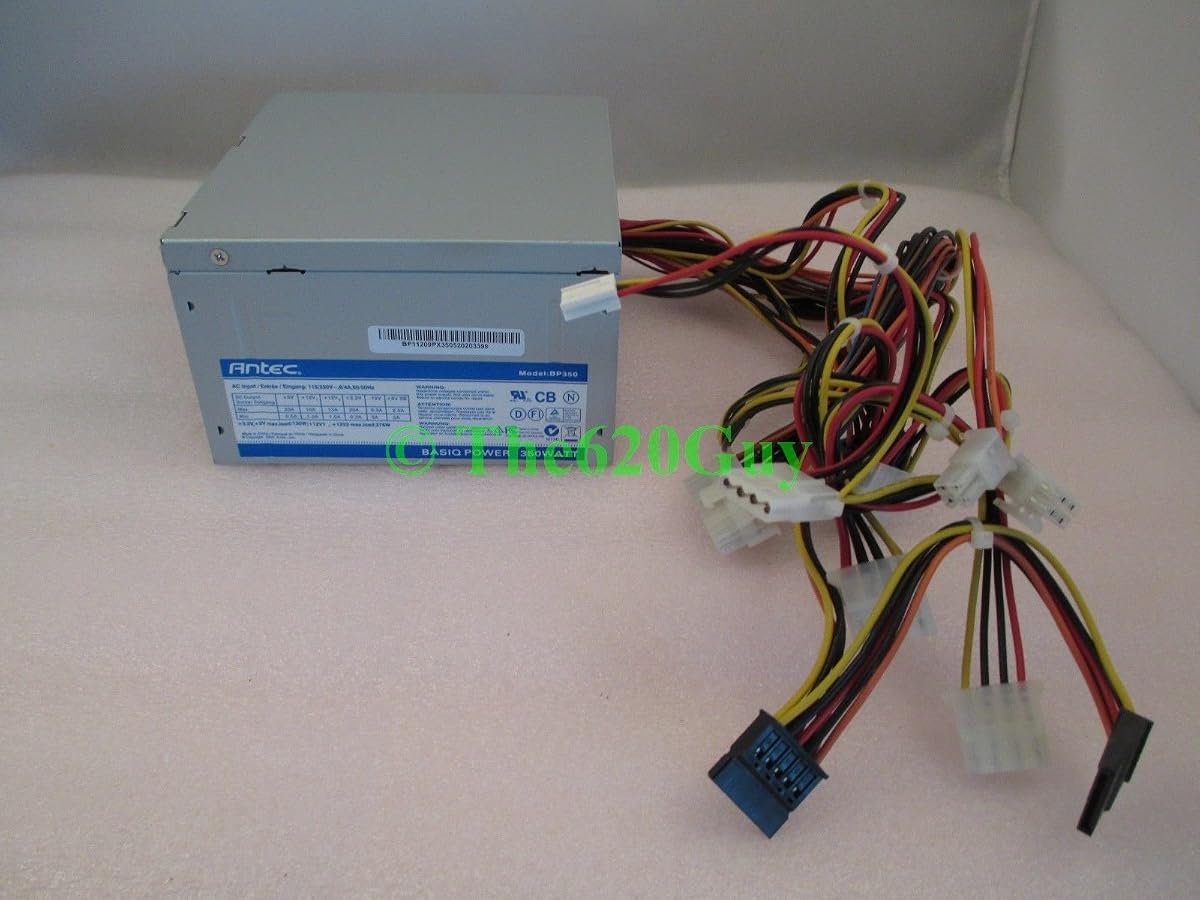
The Antec Basiq BP350 offers a classic design with an 80mm fan that balances cooling and noise. It is built on the reputable Antec quality standards ensuring reliable performance for basic builds.
We may earn a commission when you buy through this link, at no additional cost to you.
Compliance with ATX12V V2.01 standards ensures it works with many older and newer motherboards. The solid build quality means it will withstand typical daily usage without issues.
While smaller fans can sometimes struggle under heavy load this unit is designed for low power systems. It provides stable power output for office and home use.
If you want a trusted brand entry level PSU this model is a great option. It proves that Antec brings solid engineering to budget-friendly categories.
Antec is known for reliable power supplies and this model continues that tradition for basic builds.
The 80mm fan fits compact ATX cases and provides sufficient airflow for low heat components.
We may earn a commission when you buy through this link, at no additional cost to you.
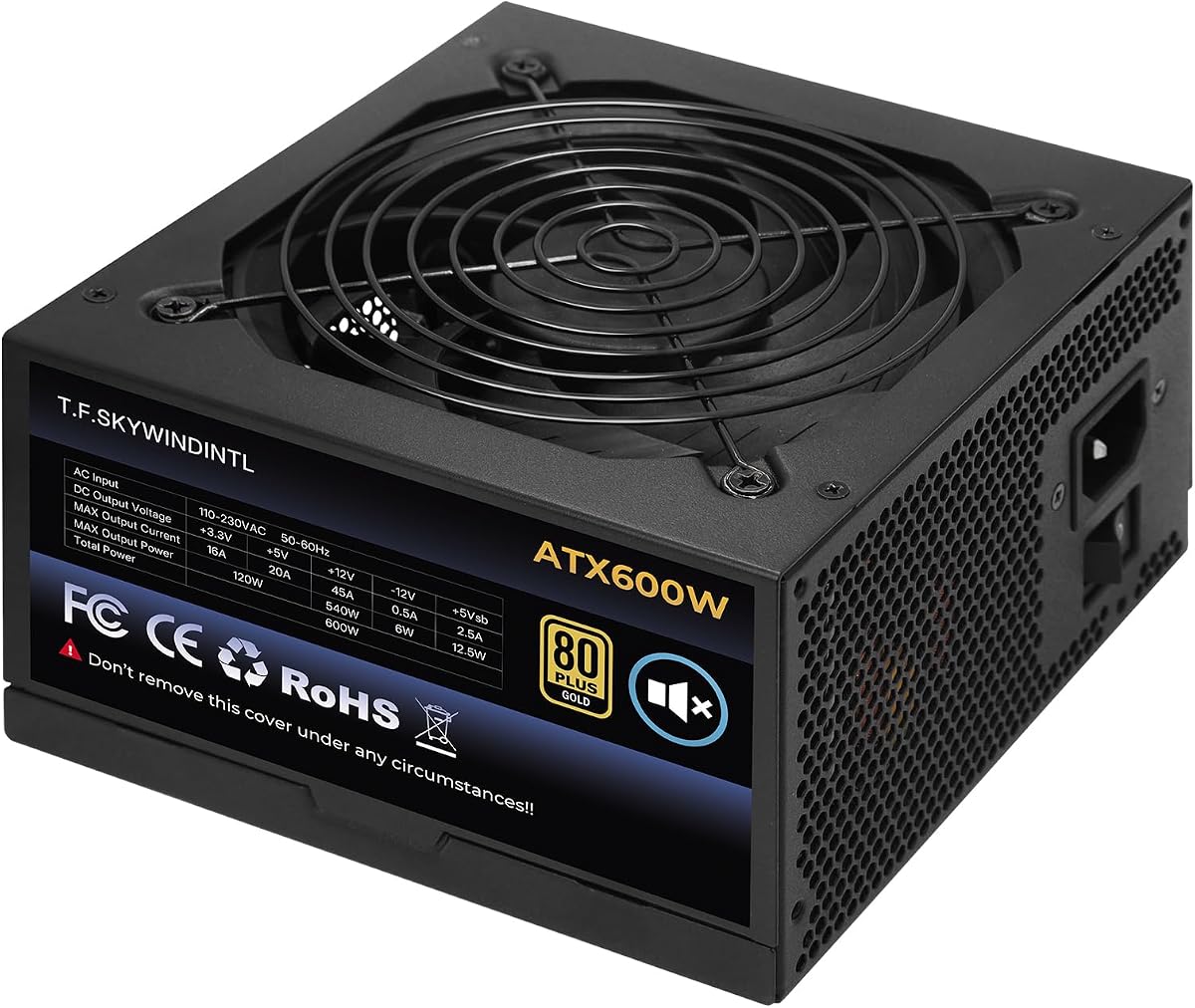
The 600W Power Supply 80 Plus offers significantly higher wattage than typical budget units. This is ideal for users who want headroom for future upgrades without buying a new PSU later.
We may earn a commission when you buy through this link, at no additional cost to you.
Gold efficiency ensures that less energy is wasted as heat which helps keep the system cool. The 125mm fan provides ample airflow to dissipate this heat quietly during operation.
Full voltage active PFC protects the unit from unstable voltage in the wall outlet. This makes it a robust choice for areas with inconsistent power grids.
If you need extra power for gaming or high-end components this unit is worth considering. It delivers premium efficiency and protection at a competitive price.
The 600W output supports higher end GPUs and CPUs without straining the power supply.
90 percent efficiency reduces electricity costs and heat output compared to lower tiers.
We may earn a commission when you buy through this link, at no additional cost to you.
Selecting the right power supply requires understanding key factors like efficiency form factor and connector types. This guide explains the critical elements to consider before you buy a PSU for your specific build.
Efficiency ratings like 80 PLUS White Bronze or Gold tell you how much power is converted to useful energy. Higher ratings mean less wasted electricity and lower heat output inside your case.
For basic office PCs a White or Bronze rating may suffice but Gold units offer better long-term savings on electricity bills.
Choose a PSU that matches your system needs but leaves some headroom for peak usage. A 350W unit is perfect for low power systems but 500W or more may be needed for gaming.
Always check your component power requirements and add a safety margin to ensure stable performance under load.
The physical size of the PSU must match your case. Standard ATX units fit most mid-tower cases but smaller builds need Mini-ITX or Flex ATX compatible models.
Measure your case dimensions carefully to ensure the power supply fits without obstruction.
Ensure the PSU has enough connectors for your components. Look for 24-pin main power PCIe pins for graphics cards and SATA pins for drives.
If your motherboard needs specific pins like 8-pin CPU ensure the unit supports them.
Fixed cables come attached to the unit and are cheaper but can cause clutter. Modular units allow you to connect only the cables you need for a cleaner look.
In compact cases modular designs are often preferred for airflow and organization.
Look for units with Over Voltage Protection Over Power Protection and Short Circuit Protection. These safeguard your components against electrical surges or failures.
Avoid unbranded units that lack these essential safety features to prevent hardware damage.
Reputable brands often offer longer warranties which indicates confidence in product quality. A longer warranty provides peace of mind if the unit fails.
Check the warranty length and support policies before making your final decision.
A good PSU should have a fan that balances cooling and noise. Look for larger fans like 120mm or 125mm as they can spin slower while moving the same air.
Thermal sensors that adjust fan speed can help keep noise low during idle tasks.
Install your PSU in a well ventilated area of the case to ensure proper airflow. Avoid blocking the intake or exhaust vents which can cause the fan to overwork and noise to increase.
Regularly dust the fan blades and vents to prevent buildup that may restrict airflow. Use compressed air every few months to keep the internal components cool and efficient.
Ensure all connectors are fully seated in their sockets to avoid loose connections. Check cables for signs of wear or damage over time and replace them if necessary to maintain safety.
A 350W PSU is suitable for basic office PCs and entry-level builds with low power CPUs and no dedicated graphics card. It handles standard productivity tasks well but may struggle with high-end components.
80 PLUS is the general certification name while Bronze indicates a specific efficiency tier. Bronze units waste less power and run cooler than standard White rated power supplies.
Modular PSUs allow you to plug in only necessary cables which reduces clutter in small cases. They are highly recommended for compact builds to improve airflow and aesthetics.
Check your motherboard manual for required power pins like 24-pin and 8-pin CPU. Also verify how many SATA and PCIe connectors your storage and graphics cards need.
Most modern GPUs require more than 350W especially high-end cards. Check the GPU manufacturer recommendations and ensure your total system power stays within the PSU limits.
Loud fan noise often indicates dust buildup or poor airflow. Clean the vents and ensure the unit has enough space to breathe to reduce noise levels.
We reviewed ten power supplies ranging from basic budget units to high efficiency Gold models. The Silverstone Technology FX350-G-VT stands out for compact builds while Thermaltake offers great value for standard cases.
Consider your specific needs like size constraints and connector types before buying. A PSU is a critical component that impacts the entire stability of your system so reliability should be prioritized.
Remember that prices fluctuate frequently so check current listings before finalizing your purchase. We hope this guide helps you find the perfect power supply for your PC build.