
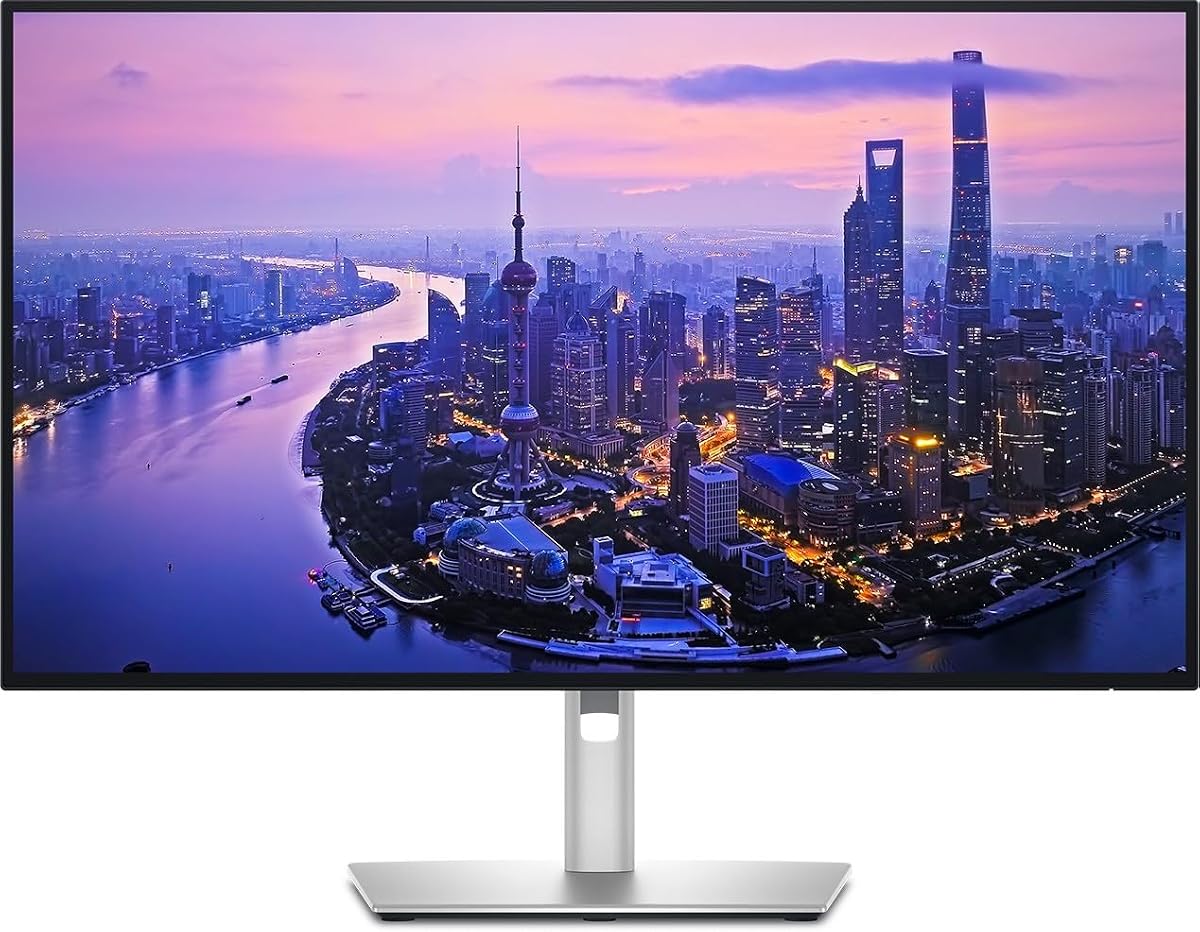
Dell UltraSharp 32 Thunderbolt Hub Monitor
4.6Editor score
IPS Black panel technology
Built-in KVM switch
High contrast ratio
This guide compares the top 4K monitors with Thunderbolt connectivity for professionals and creators, evaluating display quality, port options, and ergonomic
Finding the right display for your workspace involves balancing resolution, connectivity, and color accuracy. A 4K monitor with Thunderbolt support offers high pixel density and seamless single-cable docking for modern laptops. This ensures your setup remains clean while delivering professional-grade visuals for demanding tasks.
We evaluated ten leading models based on panel technology, refresh rates, and hub capabilities. Our analysis focuses on real-world usability for creators, developers, and office workers who need reliable performance. Each entry highlights specific strengths like color gamut coverage and ergonomic adjustability to help you decide.
Every product listed provides distinct advantages depending on your budget and workflow needs. Prices and availability fluctuate frequently so please verify current details before purchasing. Use the detailed breakdowns below to identify which monitor aligns best with your specific technical requirements.
4.6Editor score
4.4Editor score

4.8Editor score
The following table provides a side-by-side comparison of all ten selected monitors. It highlights key specifications such as resolution, refresh rate, color gamut coverage, and connectivity options to help you quickly identify the model that fits your specific workflow requirements.


The Dell UltraSharp U2725QE stands out as a top choice for professionals seeking high fidelity visuals. With a 4.4 rating, it delivers exceptional color accuracy and sharpness ideal for creative workflows.
We may earn a commission when you buy through this link, at no additional cost to you.
Its IPS Black technology provides deeper blacks and higher contrast than standard panels. Thunderbolt 4 connectivity ensures you can charge your device and transfer data through a single cable.
While the price is higher than basic models, the build quality and color precision justify the investment. Users will appreciate the ambient light sensor that adjusts brightness automatically.
This monitor is perfect for designers and editors who need reliable color reproduction. It simplifies your desk setup significantly while maintaining professional visual standards.
Factory calibration ensures Delta E less than 1.5 for precise color matching.
Thunderbolt 4 supports daisy chaining and 140W power delivery for laptops.
We may earn a commission when you buy through this link, at no additional cost to you.
This 32-inch model offers an expansive workspace for multitasking and content creation. It holds a 4.6 rating indicating high satisfaction among professional users. The premium design complements high-end work environments beautifully.
We may earn a commission when you buy through this link, at no additional cost to you.
It features a KVM switch allowing you to control two computers with one keyboard and mouse. This is a significant productivity booster for developers managing multiple environments. The IPS Black panel ensures rich shadows and vibrant colors.
The price reflects its premium features and larger screen real estate. It is a worthy investment for those who demand the best visual performance and connectivity options.
Ideal for executives and creators needing a reliable companion for macOS or PC. The integrated hub simplifies your desk while providing fast Ethernet and USB connectivity.
Built-in KVM switch simplifies workflows across personal and work machines.
IPS Black technology offers 3000:1 contrast ratio for deeper blacks.
We may earn a commission when you buy through this link, at no additional cost to you.
The Samsung ViewFinity S7 provides a large 32-inch canvas at a very accessible price point. With a 4.8 rating, it is highly rated for general productivity and media consumption. It offers excellent value for those needing screen real estate.
We may earn a commission when you buy through this link, at no additional cost to you.
Its HDR10 support enhances contrast and brightness for engaging visual experiences. The Eye Saver Mode reduces blue light to minimize strain during long sessions. This makes it suitable for daily office work.
While it lacks advanced Thunderbolt docking features, it covers basic connectivity needs well. The price makes it a strong contender for budget-conscious buyers. You still get a solid IPS panel with accurate colors.
This monitor is perfect for general users who prioritize size and clarity over docking. It simplifies your setup without breaking the bank.
32-inch display provides ample space for split-screen multitasking.
Certified eye saver mode protects vision during extended work hours.
We may earn a commission when you buy through this link, at no additional cost to you.
This Dell monitor offers a high refresh rate typically reserved for gaming displays. It maintains a 4.4 rating thanks to its smooth performance and vibrant colors. The low response time ensures fluid motion during fast-paced tasks.
We may earn a commission when you buy through this link, at no additional cost to you.
ComfortView Plus reduces harmful blue light emissions without compromising color quality. The audio system has been re-engineered for better depth and range. This makes it versatile for both work and entertainment.
Connectivity is primarily via USB-C which might limit peripherals without extra hubs. However for the price is very competitive for a 4K display with these features. It is a solid choice for general productivity.
Consider this if you need smooth visuals on a tighter budget. It balances performance and comfort well for everyday use.
120Hz refresh rate and FreeSync Premium ensure tear-free performance.
Upgraded speakers provide immersive audio for media consumption.
We may earn a commission when you buy through this link, at no additional cost to you.
The Dell U2725QE focuses on connectivity with its built-in Thunderbolt hub. It provides a stable visual workspace with accurate color reproduction for creative tasks. The sustainable design reflects modern environmental priorities.
We may earn a commission when you buy through this link, at no additional cost to you.
It supports daisy chaining which allows you to connect multiple displays easily. This is useful for setups requiring extensive screen real estate. The stand offers full adjustment options for comfort.
While the rating is lower than other models it still offers strong professional features. The hub functionality simplifies cable management significantly. It might be better for specific professional needs.
This is a strong candidate for those prioritizing connectivity over raw specs. The hub transforms it into a central docking station for your peripherals.
Built-in Thunderbolt hub simplifies cable management and expansion.
Factory calibrated accuracy ensures reliable results for design work.
We may earn a commission when you buy through this link, at no additional cost to you.
This LG model balances image quality with useful software features like the Switch app. It carries a 4.5 rating reflecting its reliable performance for creators and gamers. The HDR400 support adds depth to compatible content.
We may earn a commission when you buy through this link, at no additional cost to you.
USB-C connectivity supports 90W power delivery which is sufficient for many laptops. The built-in webOS platform allows streaming without a separate PC. This versatility makes it a multi-purpose tool.
While it lacks Thunderbolt 4, it still handles data transfer effectively. The ergonomic stand ensures you can find a comfortable viewing angle. It is a good choice for mixed usage.
Consider this if you want a display that can serve as a media source too. It integrates well into modern smart home and office environments.
Switch app enables easy screen splits and layout customization.
DisplayHDR 400 certification enhances contrast for media viewing.
We may earn a commission when you buy through this link, at no additional cost to you.
This listing represents the standard Dell U2725QE configuration often used in professional settings. It follows the high standards of the UltraSharp line with a 4K resolution. The Thunderbolt hub allows for streamlined connections.
We may earn a commission when you buy through this link, at no additional cost to you.
Without a rating it is hard to gauge current user sentiment. However Dell generally ensures consistent quality across this series. It fits well into corporate environments requiring specific compliance.
The design prioritizes durability and functionality. You can expect the same ergonomic benefits seen in other Dell models. It is a safe choice for enterprise procurement.
This model is best for buyers looking for proven enterprise hardware. It delivers on basic professional needs without extra flair.
Standard Dell UltraSharp design meets typical office requirements.
We may earn a commission when you buy through this link, at no additional cost to you.
The ViewSonic VP2488-4K is designed for users needing precise color in a small footprint. It holds a 4.5 rating due to its professional-grade performance. Pantone Validated color ensures accurate output for design files.
We may earn a commission when you buy through this link, at no additional cost to you.
With Thunderbolt 4 it can deliver up to 100W of power to connected laptops. This makes it ideal for MacBook users needing a compact dock. The 24-inch size fits easily on crowded desks.
It might be too small for multitasking compared to larger models. However for the pixel density is excellent for reading text and detail work. The build is solid and reliable.
This monitor is a top pick for designers working in limited spaces. It offers professional quality without taking up too much desk area.
Pantone Validated color helps critical color matching for designers.
Compact 24-inch chassis fits easily on smaller desks.
We may earn a commission when you buy through this link, at no additional cost to you.
This Dell model offers a large 31.5-inch display for immersive visual experiences. It has a 4.0 rating indicating solid performance for general productivity. The sleek design complements modern office setups well.
We may earn a commission when you buy through this link, at no additional cost to you.
It integrates a Thunderbolt hub for versatile connectivity options. This helps streamline your workspace by reducing cable clutter. The HDR support enhances contrast for dynamic content.
It requires sufficient desk depth to support the large screen comfortably. The price is higher but justified by the screen size. It is a good alternative to dual monitor setups.
Choose this if you need a single large canvas for complex diagrams. It simplifies your setup by providing ample workspace.
31.5-inch screen provides ample room for detailed work.
Sleek design elevates the look of any professional environment.
We may earn a commission when you buy through this link, at no additional cost to you.
The Samsung TU87F Series stands out with support for dual 4K displays via daisy chaining. It has a 4.1 rating reflecting its utility for specific workflows. The VA panel provides deep blacks and high contrast.
We may earn a commission when you buy through this link, at no additional cost to you.
Thunderbolt 3 ports enable fast data transfer and up to 90W charging. This allows you to build a clean workstation with minimal cables. The stand is fully adjustable for ergonomic comfort.
Response times are slower than IPS models which may affect gaming. However for productivity tasks remain smooth and stable. It is a robust choice for business use.
This monitor is ideal for those building a multi-monitor setup. It simplifies expansion while maintaining high image quality standards.
Daisy chain support simplifies multi-monitor 4K setups.
VA panel technology delivers deep blacks and sharp images.
We may earn a commission when you buy through this link, at no additional cost to you.
Selecting the right monitor requires understanding your specific workflow needs. This guide covers the essential factors to consider before making a purchase.
Most monitors in this category use IPS panels for wide viewing angles and accurate colors. Some models use VA panels for higher contrast and deeper blacks. Choose based on whether color accuracy or contrast depth is more critical.
Look for IPS panels if you prioritize color consistency and viewing angles.
Professional creatives need high color gamut coverage like 100% sRGB or DCI-P3. Factory calibration ensures the display comes ready for precise work out of the box. Checking for certifications like Pantone Validated adds confidence.
Prioritize factory calibrated models to minimize manual adjustment time.
Thunderbolt 4 allows for 40Gbps data transfer and high wattage power delivery. This single cable solution can power your laptop and connect peripherals simultaneously. Ensure your laptop supports the required Thunderbolt standard.
Verify your laptop has Thunderbolt 4 ports for full compatibility and speed.
A 60Hz refresh rate is standard for productivity but higher rates like 120Hz offer smoother motion. This is beneficial for fast scrolling or light gaming. Most business monitors stick to 60Hz but premium models offer higher speeds.
Consider 120Hz models if you need fluid motion for dynamic workflows.
An adjustable stand allows for height tilt swivel and pivot adjustments. This helps prevent neck strain during long work sessions. VESA compatibility lets you mount the monitor on an arm for more flexibility.
Ensure the stand offers full height and tilt adjustments for comfort.
Features like ComfortView Plus or Eye Saver Mode reduce blue light emissions. Flicker-free technology prevents screen flickering that causes fatigue. These features are essential for all-day work environments.
Choose monitors with certified eye care features for health protection.
HDR support enhances the range of brightness and colors displayed on screen. While not critical for basic office tasks it improves media viewing. Look for DisplayHDR 400 or higher for noticeable benefits.
HDR is useful for creators who work with high dynamic range content.
Prices vary significantly based on size connectivity and premium features. Entry-level models offer basic 4K displays while premium hubs include docking stations. Determine your max spend before comparing options.
Set a clear budget to narrow down choices effectively.
Connect your monitor using a high-quality Thunderbolt cable to ensure maximum data transfer speeds. Proper connection ensures power delivery reaches your laptop without interruption.
Use the on-screen display menu to adjust color profiles to your room lighting. Customizing settings improves comfort and visual accuracy over time.
Clean the screen with a microfiber cloth and avoid harsh chemicals. Dust the vents regularly to maintain optimal thermal performance and longevity.
Thunderbolt 4 provides faster data transfer speeds up to 40Gbps. It also supports higher power delivery so you can charge your laptop with one cable. This simplifies your desk by reducing the need for multiple dongles.
Most monitors in this guide work well with Mac due to USB-C and Thunderbolt support. Models with Display P3 color coverage offer better color matching for macOS. Always check the manufacturer's compatibility notes before buying.
Yes many of these models support daisy chaining via Thunderbolt ports. This allows you to connect two or more displays using a single cable. It keeps your desk organized while expanding your workspace.
Higher refresh rates like 120Hz make scrolling and window moving look smoother. While 60Hz is sufficient for most tasks the added smoothness can reduce eye strain. Consider it if you work with dynamic content frequently.
You should use a certified Thunderbolt 4 cable for optimal performance. Generic USB-C cables may limit speed or power delivery capabilities. Check the box or manufacturer site for cable requirements.
A 27-inch 4K monitor offers excellent text clarity and screen real estate. Larger 32-inch screens are also good for multitasking but require more space. Choose based on your desk depth and viewing distance.
IPS Black technology improves contrast ratios compared to standard IPS panels. This results in deeper blacks and better detail in shadows. It is ideal for photo and video editing tasks.
If you work long hours reducing blue light helps prevent fatigue. Eye Saver Mode filters harmful wavelengths without affecting color significantly. It is a useful feature for daily office workers.
We have reviewed ten top models ranging from budget-friendly options to premium hubs. Each offers distinct advantages in resolution, color accuracy, and connectivity. The Dell UltraSharp U2725QE and the 32-inch Thunderbolt Hub stand out as top contenders.
Prioritize color accuracy and ergonomics if you spend long hours editing or designing. For general users, the Samsung ViewFinity S7 offers excellent value with a large screen. Assess your specific needs to find the best match.
Prices and stock change frequently so check current availability before ordering. Use the links provided to verify specifications and deals. Your perfect setup is waiting with the right Thunderbolt monitor.