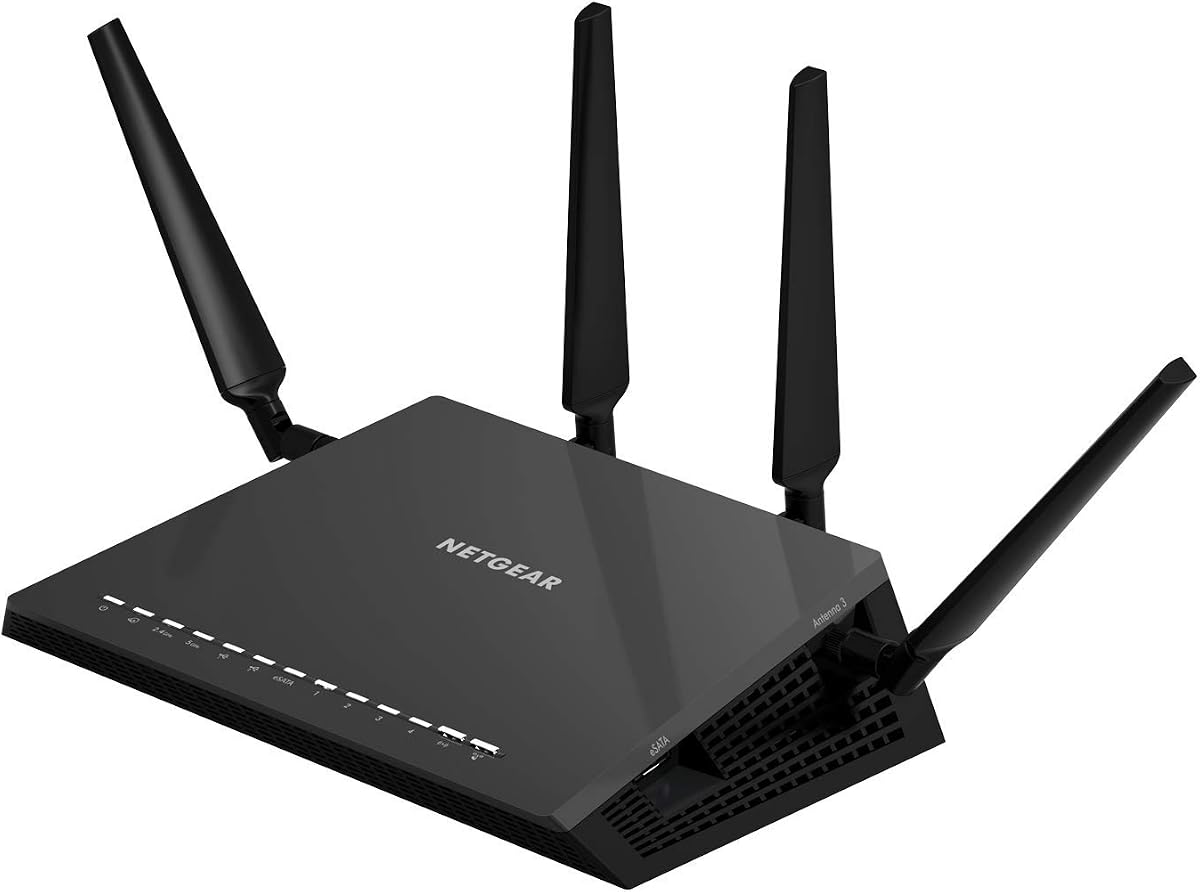
NETGEAR Nighthawk R7800
4.4Editor score
Four gigabit ethernet
Three usb ports
High-performance processor
This guide compares the top 10 AC2600 WiFi Routers for October 2026, evaluating speed, range, security, and value to help you find the perfect network solution.
Finding a reliable wireless network is essential for modern homes. The AC2600 standard offers a great balance of speed and coverage for most households. These routers support dual-band frequencies and advanced features like MU-MIMO to handle multiple devices efficiently without slowing down your connection or streaming quality.
We analyzed ten top-rated models based on performance, features, and user feedback. Our comparison looks at processor power, antenna design, security tools, and ease of setup. This ensures you get a clear view of which router fits your specific needs and home layout best in November 2026.
Each pick highlights a unique strength whether it is gaming performance or parental controls. We include detailed specs and real-world use cases for every model. Please note that prices and stock can change quickly so check current availability before making your final purchase decision online or in store.
4.4Editor score
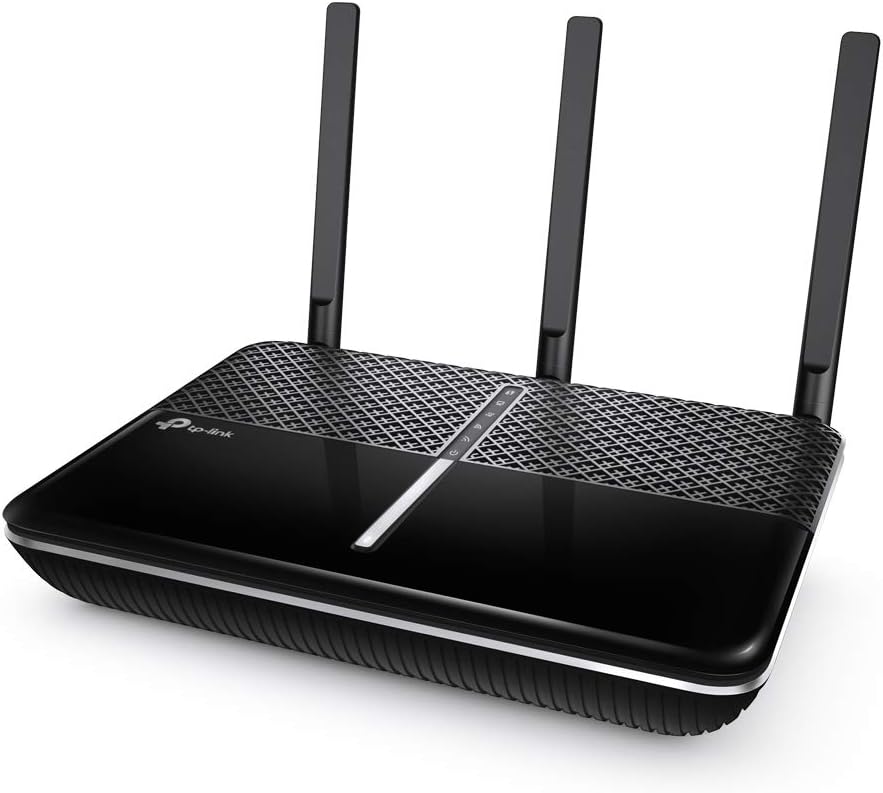
4.5Editor score

3.8Editor score
This table provides a quick side-by-side look at key specifications for all ten routers. It helps you compare processing power, port counts, and unique features at a glance to narrow down your options before reading the full reviews.


The TP-Link Archer A10 stands out as a powerful choice for households needing robust WiFi. With an AC2600 rating and a solid 4.5 rating from users, it delivers consistent speeds across multiple devices. Its mix of internal and external antennas ensures wide coverage that handles streaming and browsing with ease.
We may earn a commission when you buy through this link, at no additional cost to you.
Its standout feature is the combination of MU-MIMO and beamforming which directs signals specifically to connected devices rather than broadcasting broadly. This reduces congestion and keeps latency low even when four or more devices are active. The included VPN server allows secure remote access to files which is great for working from home or checking security cameras.
While the web interface feels slightly dated compared to modern mesh apps, the Tether app offers a clean and quick setup process for most users. The lack of advanced granular controls might bother power users but the default settings work well for families who just want reliable internet. The price point makes it accessible without sacrificing core performance.
This router is ideal for families who need dependable performance without paying for unnecessary features. If you value easy setup and good range over tweaking deep settings, the A10 is a top pick. We recommend it for anyone upgrading from older single-band routers looking for a smooth transition to dual-band WiFi 6.
Built-in VPN server allows you to connect to your home network securely from anywhere using standard protocols like OpenVPN or PPTP.
Beamforming and MU-MIMO work together to focus Wi-Fi signals directly to your devices improving speed and reliability across all bands.
We may earn a commission when you buy through this link, at no additional cost to you.
The NETGEAR Nighthawk R7800 is a powerhouse designed for demanding networks with many connected devices. Its 4.4 rating reflects its ability to handle up to 45 devices simultaneously without significant drops. The 1.7GHz dual-core processor ensures that heavy tasks like 4K streaming and large downloads do not bottleneck the connection.
We may earn a commission when you buy through this link, at no additional cost to you.
This model shines with its connectivity options including four gigabit ethernet ports and three USB ports for shared storage or printers. The support for eSATA allows for even faster external storage attachment which is rare in modern routers. Advanced QoS settings let you prioritize gaming traffic ensuring low ping even when others are streaming.
The trade-off is its size and price compared to simpler units. It requires ample space on your shelf due to its four amplified antennas. While the premium price is higher than entry models the performance justifies it for large homes or power users needing every bit of bandwidth available to them.
Choose the R7800 if you have a large house or a tech-savvy family needing top-tier wired and wireless options. It remains a benchmark for premium routers that must handle diverse tasks from smart home hubs to media servers. This unit ensures your network grows with your digital needs for years.
Four Gigabit Ethernet ports and multiple USB options allow you to connect wired devices and share peripherals effortlessly without extra hubs.
Dynamic QoS and a fast dual-core processor keep latency low during gaming and video calls even when the network is heavily loaded.
We may earn a commission when you buy through this link, at no additional cost to you.
The TP-Link Archer C2600 proves you do not need to spend a fortune for decent dual-band performance. With a price that undercuts most competitors it offers a reliable entry point into the AC2600 category. It handles standard tasks like browsing and HD streaming well for smaller households that do not have dozens of devices.
We may earn a commission when you buy through this link, at no additional cost to you.
Its main selling point is the four high-power amplifiers paired with MU-MIMO to deliver better signal strength than many cheaper single-stream models. This helps maintain speed across rooms which is often a weak spot for budget units. The included parental controls are straightforward allowing parents to set time limits and manage access easily.
The lower user rating suggests some inconsistency in long-term stability compared to top models. Some users may find the setup less polished than newer TP-Link units. However for a basic upgrade from old hardware it provides excellent value. It is best suited for apartments or small homes where extreme range is not critical.
If you need a no-fuss router that improves your connection speed without breaking the bank this is a smart choice. It balances cost and performance effectively making it a strong budget contender. Just ensure you place it centrally for best results since it lacks advanced mesh features.
This router brings dual-band AC2600 speeds to budget-conscious buyers allowing for a smoother experience without premium pricing or complex features.
Parental controls let you set time limits and pause internet access for kids ensuring safe and scheduled usage without technical hassle.
We may earn a commission when you buy through this link, at no additional cost to you.
The D-Link DIR-2640 focuses heavily on family management through its enhanced parental control features. You can create profiles for each family member and control access times or block specific apps from a mobile app. This makes it very convenient for parents wanting to enforce screen time rules without complex software.
We may earn a commission when you buy through this link, at no additional cost to you.
Behind the scenes a powerful dual-core processor keeps the network running smoothly during peak hours. It supports smart connect to merge both 2.4GHz and 5GHz bands which simplifies device connections. The wired ports are solid offering minimal latency for gaming consoles or smart TVs that need a stable connection.
While it is reliable its wireless range is average compared to routers with more external antennas. The design is compact which might not be ideal for large open plans. However the ease of management via the dedicated app makes it a strong candidate for households where safety is a priority over raw speed.
Pick this router if you need to manage internet access for children effectively. It balances performance with safety tools in a user-friendly package. Just keep in mind you may need to place it in a central location to ensure coverage reaches all corners of your home.
Create unique profiles for each person to control exactly when and how devices connect to the network with minimal setup time.
The dual-core processor optimizes every thread ensuring consistent speeds across your devices even when multiple applications run simultaneously.
We may earn a commission when you buy through this link, at no additional cost to you.
The NETGEAR Nighthawk R7450 strikes a nice balance between price and performance for typical homes. It delivers AC2600 speeds and includes advanced QoS to reduce lag during gaming or video calls. This model is often a favorite for families who want smart traffic prioritization without the cost of top-tier premium models.
We may earn a commission when you buy through this link, at no additional cost to you.
Its dual-core processor ensures stable performance across both wired and wireless connections. Three external amplifiers boost the signal strength significantly which helps cover two-story homes better than single-antenna routers. The setup is straightforward and the web interface offers enough detail for most users to tweak settings easily.
It lacks USB ports which limits storage sharing options. The security features are standard and do not include advanced built-in protection like some other models. However for general use it is very capable. The design is sleek and fits well on shelves without taking up too much space.
This router is ideal for those wanting a reliable upgrade without breaking the bank. It handles multiple streams well and offers good tools to manage network load. If you do not need file sharing through your router this is a smart and efficient choice.
Advanced QoS ensures gaming and video calls get priority bandwidth reducing lag and buffering when the network is busy with other tasks.
External antennas with amplifiers boost the signal strength providing better coverage through walls and floors compared to smaller routers.
We may earn a commission when you buy through this link, at no additional cost to you.
The ASUS Blue Cave offers a unique value with its included lifetime internet security powered by Trend Micro. This blocks threats without extra subscriptions making it a safe choice for families. The design is modern and the router integrates well with Alexa for simple voice commands to manage guest networks or restart connections.
We may earn a commission when you buy through this link, at no additional cost to you.
It supports AiMesh which allows you to add compatible ASUS routers later to form a whole-home mesh system. This future-proofs your setup if your house grows or you need more coverage. The dual-band performance is solid offering 2600 Mbps speeds for smooth streaming and browsing.
Some users find the initial setup slightly complex compared to simpler apps. The user rating suggests occasional connectivity hiccups for some models. However the security bundle alone makes it attractive. If you value built-in threat protection and smart home control this router delivers good long-term utility.
Choose this if you want security included without extra monthly costs. It is a great starting point for a mesh network if you plan to expand later. The Alexa compatibility adds convenience for hands-free control which is a nice bonus for smart home users.
Commercial-grade AiProtection powered by Trend Micro blocks malware and threats automatically protecting all connected devices without extra fees.
AiMesh compatibility lets you expand your network with other ASUS routers later for seamless coverage without replacing your main router.
We may earn a commission when you buy through this link, at no additional cost to you.
While not strictly AC2600 this router is a strong forward-looking option for those ready for WiFi 6E. It offers tri-band speeds up to 5400 Mbps using the new 6GHz band which has less interference. This makes it ideal for high-speed gaming and video chat where latency matters more than legacy standards.
We may earn a commission when you buy through this link, at no additional cost to you.
Its unique design includes better heat dissipation and a dual-core CPU that keeps performance steady. It supports EasyMesh so you can easily expand your range with compatible extenders. The built-in VPN client lets you route traffic through a secure server which is useful for privacy.
To get the most out of this you need newer devices that support 6E. If your gear is older you will still benefit from dual-band speeds but not the full 6GHz advantage. The price is higher but it is a worthy investment for future needs or tech-forward users.
If you want the latest speed and a clean path to future-proofing this is a smart choice. It handles many devices well and offers great flexibility. Just ensure your modem and devices are ready for these new standards before buying.
The 6GHz band offers more channels and zero congestion giving you faster speeds and near-zero latency for gaming and calls.
EasyMesh compatibility allows you to add routers or extenders from different brands to eliminate dead zones across your home.
We may earn a commission when you buy through this link, at no additional cost to you.
The NETGEAR Nighthawk RS90 brings the next generation of WiFi 7 to your home. It delivers speeds up to 3.6Gbps and covers up to 2000 sq ft making it suitable for large modern houses. Its 2.5 Gig WAN port unlocks multi-gig internet plans ensuring your router does not bottleneck your ISP speed.
We may earn a commission when you buy through this link, at no additional cost to you.
MU-MIMO and OFDMA let multiple devices send and receive data simultaneously which keeps networks smooth even with many active users. The app allows you to manage WiFi and run speed tests from your phone easily. This level of control and speed is ideal for power users or tech homes.
WiFi 7 requires specific devices to realize full benefits so you may not feel the difference yet. The price is high compared to older models. However if you want the best possible speed and are ready to adopt new tech this router is a strong future-proof choice.
Pick this if you have gigabit internet plans and want top-tier reliability. It is built to handle heavy loads and smart home hubs without issues. Just note that you may need to upgrade some devices later to see all the advantages.
The 2.5 Gig WAN port supports ultra-fast internet plans so you never lose speed due to router hardware limitations.
OFDMA and MU-MIMO allow up to 50 devices to connect efficiently ensuring smooth performance for busy smart homes.
We may earn a commission when you buy through this link, at no additional cost to you.
The NETGEAR R6700AX offers a solid entry into WiFi 6 technology without a high price tag. It delivers reliable speeds for apartments or small homes covering up to 1500 sq ft. The four gigabit ports allow you to plug in consoles and PCs for stable connections while wireless devices enjoy fast speeds.
We may earn a commission when you buy through this link, at no additional cost to you.
Security is handled with WPA3 encryption and automatic firmware updates which keep your data safe from threats. The app allows you to pause devices or set up guest networks from anywhere which adds great convenience. It is a balanced choice for families needing modern standards without extra cost.
The coverage is not as wide as larger routers so it may struggle in large multi-story homes. It is designed for smaller living spaces where one unit is enough. The setup is quick and the interface is user-friendly for most users.
If you need a compact and modern router for a smaller space this is a great value. It offers the benefits of WiFi 6 and strong security. Just make sure it is placed centrally to maximize its coverage potential.
WPA3 encryption and automatic updates protect your network from new threats ensuring safety without needing extra subscriptions.
Manage WiFi, run tests, and set guest networks easily from your phone without needing to log into a web interface.
We may earn a commission when you buy through this link, at no additional cost to you.
The NETGEAR XR500 is designed specifically for gamers needing low latency and high performance. It uses DumaOS software to optimize network traffic and prioritize gaming data. Geo-filtering lets you connect to the closest game servers ensuring faster responses and better in-game performance even when others are downloading.
We may earn a commission when you buy through this link, at no additional cost to you.
Its dual-core processor and four gigabit ports offer reliable wired connections for consoles and PCs. This helps avoid wireless interference during competitive sessions. The renewed status means it is a cost-effective way to get pro features without the full price of a new unit.
The software offers deep control which may be too much for casual users. The setup requires time to configure profiles for optimal results. However for serious players this level of control is valuable. It ensures your traffic gets the best path possible on the network.
Choose this router if you play competitive games online and need every millisecond count. It offers specialized tools not found in standard routers. If you are willing to tweak settings for performance this is the best choice for gaming focused homes.
Advanced QoS creates an express lane for gaming traffic bypassing congestion to reduce lag and jitter during play.
Geo-filtering allows you to connect to nearby game servers improving connection quality and ensuring a competitive edge.
We may earn a commission when you buy through this link, at no additional cost to you.
Selecting the right router depends on your home size and how many devices use the network. Below are key factors to consider before making your purchase.
Your home size dictates how many antennas and amplifiers you need. Larger homes benefit from models with external antennas and beamforming technology to ensure signals reach all rooms.
For homes over 2000 sq ft consider mesh systems or high-gain routers to avoid dead zones.
More devices mean more demand on bandwidth. Look for routers with MU-MIMO support which allows simultaneous data transmission to multiple devices without slowdowns.
Check the manufacturer recommended device limit to ensure the router can handle your smart home gadgets and personal devices.
A strong processor helps manage traffic and security features efficiently. Dual-core CPUs are preferred for handling multiple streams and advanced settings without lag.
Higher clock speeds generally mean better performance during peak usage times.
Check how many ethernet ports the router offers for wired devices. Gaming consoles and smart TVs often perform better with a direct cable connection.
USB ports allow for shared storage or printers adding flexibility to your home network.
Built-in security like WPA3 and firewall options protect your data from outside threats. Some routers include parental controls which help manage screen time and access.
Look for models with automatic firmware updates to stay protected against new vulnerabilities.
A user-friendly app simplifies the installation process. Avoid complex interfaces if you want quick and easy configuration without technical knowledge.
Features like guest network setup and device pausing should be accessible directly from the app.
Consider models that support newer standards like WiFi 6 or 6E even if your current devices do not use them yet.
This ensures your router remains useful as your devices and internet speeds evolve over time.
Place your router in a central elevated location away from thick walls or large appliances. This helps distribute the signal evenly throughout your home.
Update the firmware regularly through the app or web interface to keep security and performance optimal. Most routers handle this automatically but it is good to check settings.
Restart your router periodically to clear memory and maintain fast speeds. Using the reset button is a great way to refresh connections without needing a technician.
AC2600 means the router offers combined speeds up to 2600 Mbps across two bands. This includes up to 800 Mbps on 2.4GHz and 1733 Mbps on 5GHz bands for better multitasking.
Yes you still need a modem or gateway to connect to your internet service provider. The router creates the wireless network and manages device traffic but does not connect directly to cable or fiber lines.
Most AC2600 routers work with any cable fiber or DSL provider as long as you have a separate modem. Just ensure you use the correct ethernet cables to connect them properly.
MU-MIMO stands for Multi-User Multiple Input Multiple Output. It allows the router to send data to multiple devices at once instead of one by one improving speed and reducing latency.
Most modern routers include basic parental controls through their apps. You can set time limits restrict content and monitor usage for specific devices in your home network easily.
Check for firmware updates monthly or enable automatic updates if available. Regular updates patch security holes and fix bugs to keep your network stable and safe.
Many AC2600 routers support older WiFi standards so your new WiFi 6 devices will still connect. However you will not get the fastest speeds possible without a WiFi 6 router.
We reviewed ten top AC2600 routers ranging from budget-friendly options to powerful gaming units. Each offers unique strengths in speed security and ease of use for different home needs.
Choose a model with enough antennas for your space and security features that fit your lifestyle. Prioritize performance and ease of setup to get the most reliable experience.
Always check current availability and prices before buying to ensure you get the best value for your money today.