
Ai Pen, Chat Gpt Pen
5.0Editor score
Real-time AI answers
Offline translation support
Built-in voice recording
Finding the right AI Scan Pen with Chatgpt can transform how you learn and work. These devices combine optical character recognition with powerful AI to turn printed text into digital notes, translations, or answers instantly.
We evaluated ten top models based on scanning accuracy, AI integration, battery life, and ease of use. Our testing considered real-world scenarios like studying, travel, and office work to ensure reliable performance.
Each pick below highlights unique strengths and ideal user profiles. Keep in mind that features and availability may change over time, so always check the latest details before making your final decision.
5.0Editor score

3.9Editor score

4.0Editor score
As an Amazon Associate we earn from qualifying purchases.
The following table provides a side-by-side overview of key specifications and core capabilities for all ten models reviewed in this guide.




The Scanmarker AI Pen stands out as a powerful tool for students and professionals needing instant feedback from printed text. With a built-in screen, it displays scanned words immediately, reducing the need to check a separate device.
We may earn a commission when you buy through this link, at no additional cost to you.
Its OCR technology captures text accurately, and the integrated text-to-speech function helps with comprehension and pronunciation. The ChatGPT-like features allow users to get quick answers and explanations without leaving the page.
While the screen provides convenience, its size may feel small for extended reading sessions. Battery performance can also vary depending on usage intensity, but for short study bursts, it remains reliable.
If you want a dedicated pen that keeps notes and translations right at your fingertips, this model offers a balanced mix of portability and smart features.
Slide the pen over printed material to see words appear on the screen within seconds, saving time during research or homework.
Hear text read aloud to improve focus and reduce reading fatigue, making it easier to absorb complex information quickly.
We may earn a commission when you buy through this link, at no additional cost to you.
The NEWYES AI Pen is designed with learning in mind, offering an AI Homework Checker and Dictionary for students. It adapts to different reading levels, making it versatile for kids and adults alike.
We may earn a commission when you buy through this link, at no additional cost to you.
With 16GB of storage and Bluetooth connectivity, you can save scans and export them easily to your phone or computer. The dyslexia-friendly design includes adjustable speeds and clear accents to support various needs.
Some users may find the initial setup slightly involved if they prefer plug-and-play simplicity. However, the extensive features justify the setup time for those needing structured learning support.
For families or students needing a tool that grows with their reading ability and supports multiple languages, this pen delivers strong educational value.
Equipped with tools like an AI Homework Checker, this pen helps clarify concepts and solve problems without needing a teacher.
Adjust reading speeds and choose accents to reduce stress and make text processing smoother for readers with specific needs.
We may earn a commission when you buy through this link, at no additional cost to you.
The XNote Smart Pen allows you to write naturally on real paper while syncing strokes to a digital app. It is ideal for professionals who prefer handwriting but need digital organization.
We may earn a commission when you buy through this link, at no additional cost to you.
AI features include summarizing lectures, auto-tagging notes, and enabling keyword search. The battery lasts up to 17 hours, ensuring it keeps up with long workdays or study sessions.
The pen itself does not record audio; you must use the companion app for transcriptions. This separation keeps the pen simple but requires carrying a phone for full functionality.
If you value the tactile experience of paper but require digital searchability and meeting summaries, this starter set provides a seamless bridge between analog and digital workflows.
Enjoy the comfort of real pen and paper while every stroke is captured instantly and synced to the XNote app.
Go beyond digitization with features that summarize lectures and auto-tag notes for faster retrieval and planning.
We may earn a commission when you buy through this link, at no additional cost to you.
This pen targets travelers and learners who need a wide language range. Supporting 142 online languages and offline scanning, it covers nearly any destination or document scenario.
We may earn a commission when you buy through this link, at no additional cost to you.
The built-in 5MP camera allows for photo recognition, translating text in images which is useful for menus or signs. Voice recording helps capture meeting notes alongside text translations.
The interface can be dense, requiring time to learn all functions. Additionally, the screen resolution is not high, which might affect clarity for small text.
If extensive translation options and photo recognition are priorities, this tool offers powerful capabilities for diverse environments despite a learning curve.
Traditional translation tools fail without network, but this pen handles voice dialogue and scanning translation seamlessly online.
Identify various complex text scenarios and realize flexible multi-language conversion using the built-in camera.
We may earn a commission when you buy through this link, at no additional cost to you.
This budget-friendly option offers instant AI answers for subjects like math and history. The large 3.69-inch HD touchscreen makes viewing translations and notes easy without needing a phone.
We may earn a commission when you buy through this link, at no additional cost to you.
It includes voice recording for lectures and offline translation for over 150 languages. This makes it highly portable for travelers or students attending classes with limited data.
The device feels lightweight, which some may find less durable than heavier models. Battery life is sufficient for daily use but requires charging after extended scanning sessions.
For those seeking AI capabilities at a lower price, this pen delivers strong functionality for studying and travel with a clear display.
Enhance learning with AI integration that offers intelligent suggestions and insights to make studying effective.
Quickly scan text across 60+ languages to efficiently store and organize notes for easy access later.
We may earn a commission when you buy through this link, at no additional cost to you.
Designed for kids, this pen helps them stay engaged with books by scanning words and offering reading-level explanations. It simplifies complex vocabulary so children can continue reading without frustration.
We may earn a commission when you buy through this link, at no additional cost to you.
The AI Reading Buddy syncs scans for deeper learning, including fun facts and quizzes. Offline tools ensure uninterrupted reading, even without a Wi-Fi connection at home.
While it focuses heavily on reading support, it lacks the advanced conversational AI found in adult models. This specialization makes it perfect for younger readers but less versatile for professionals.
If you are looking to foster independent reading habits in children, this pen provides a supportive and interactive experience that builds confidence.
Scan a word or sentence to receive clear, age-appropriate explanations in seconds without leaving the page.
Discover big ideas and get insights beyond scanned text with features like Tell Me More and reading quizzes.
We may earn a commission when you buy through this link, at no additional cost to you.
This pen focuses on bridging analog and digital learning with built-in ChatGPT integration. You can ask questions and brainstorm ideas directly through the device without needing a separate interface.
We may earn a commission when you buy through this link, at no additional cost to you.
With offline translation for over 50 languages and a vibrant HD touchscreen, it supports travel and daily tasks. Voice recording ensures you can capture ideas or meetings on the go.
There is limited information on specific companion app features, which may affect organization. Users should verify software compatibility before purchase if detailed note management is needed.
For professionals who want to integrate AI brainstorming and translation into their workflow, this device offers a solid foundation with strong connectivity options.
Boost productivity with built-in ChatGPT to ask questions, refine essays, or explore topics via an intuitive interface.
Record lectures wirelessly and pair files with scanned notes for a complete review experience.
We may earn a commission when you buy through this link, at no additional cost to you.
This set turns ideas into reality using AI voice transcription and handwriting recognition. It allows you to write notes and simultaneously convert voice into editable documents.
We may earn a commission when you buy through this link, at no additional cost to you.
Reusable refills and wireless charging make it eco-friendly and convenient. The voice creation feature generates visuals from verbal expressions, adding a creative twist to note-taking.
The voice generation is fast but may require specific keywords for best results. It is best suited for those who want a creative writing experience alongside standard transcription.
If you need a tool that handles both audio meetings and visual brainstorming, this set offers a unique combination of voice and text capabilities.
The built-in microphone catches sound clearly, converting voice into text in real time for effortless recording.
Users can draw a sketch and enter a keyword, letting the phone generate compliant artwork in seconds.
We may earn a commission when you buy through this link, at no additional cost to you.
The Scanmarker Pal is a versatile translator and reader pen designed for learners with dyslexia. It highlights words on the screen while reading them aloud for immediate comprehension.
We may earn a commission when you buy through this link, at no additional cost to you.
It supports over 100 languages, with offline options for common languages like English and Spanish. This ensures utility while traveling without relying on constant internet access.
While it lacks voice recording, its focus on reading support is strong. Bluetooth allows you to connect headphones for a private listening experience during study or travel.
If you need a reliable tool for reading and translating with minimal distractions, this compact device offers excellent support for various learning styles.
Scan and translate text in over 100 languages, including offline support for English, Spanish, French, and German.
This reading pen reads text aloud instantly with highlighted words to improve comprehension for auditory learners.
We may earn a commission when you buy through this link, at no additional cost to you.
This pen focuses on travelers needing a broad language range and entertainment options. It supports photo translation, allowing you to scan foreign menus or signs for instant understanding.
We may earn a commission when you buy through this link, at no additional cost to you.
In addition to translation, it includes a music and video player. While not essential for study, these features make long flights or commutes more enjoyable.
The screen resolution is basic, and some users may find the extra media functions distracting. However, for pure translation utility, it remains robust.
If you prioritize language coverage and need a portable companion for international trips, this pen offers strong translation capabilities in a compact form.
Aim the camera at any text to translate it automatically, perfect for foreign menus or magazines.
Beyond translation, it supports offline scanning, voice translation, and includes a music and video player.
We may earn a commission when you buy through this link, at no additional cost to you.
Selecting the right AI Scan Pen requires evaluating language support, connectivity, and specific use cases. This section outlines the most important factors.
Check how many languages are supported online versus offline. Offline support is crucial for travel where internet access may be limited or unreliable.
Prioritize devices offering offline translation for common languages to ensure functionality in any environment.
A larger screen allows for easier viewing of scanned text and translations. Look for HD resolution to avoid eye strain during long sessions.
Ensure the display is clear enough for small fonts and text in images.
Battery life impacts how long you can use the pen without interruption. Aim for at least 10 hours of active scanning and translation.
Longer battery life ensures uninterrupted work during meetings or travel.
Look for tools like AI homework checkers, chatbots, or summarization features. These add value beyond basic scanning and translation.
Choose a model with AI features that match your learning or work goals.
Bluetooth and WiFi syncing allow you to transfer notes to your phone or computer. Ensure the companion app works seamlessly with your OS.
Seamless syncing keeps your notes organized across all your devices.
Features like adjustable text speed, highlighting, and text-to-speech are vital for users with dyslexia. These options improve readability and reduce stress.
Check for specific accessibility modes before purchasing if you need them.
Internal storage determines how many scanned files and recordings you can save. Look for at least 16GB for extensive note-taking.
Ample storage ensures you can archive projects without frequent deletion.
A built-in camera enables photo scanning for text in images or menus. This is essential for non-standard text layouts.
Confirm the camera supports HD recognition for accurate text extraction.
To start using your pen, fully charge the battery and install the companion app on your phone. Pair the devices via Bluetooth for seamless synchronization.
When scanning, hold the pen steady and move it smoothly over the text. Ensure the surface is clean and flat for optimal recognition.
Maintain your pen by cleaning the optical lens with a soft cloth. Store it in a protective case to prevent damage when not in use.
Yes, many models offer offline translation and basic scanning features. However, advanced AI chat functions usually require an internet connection to process data. Check the product specifications for offline capabilities.
Most pens are designed for printed text. Some advanced models like the XNote allow handwriting recognition via their companion app. Verify if the device supports handwritten text conversion.
You can usually export text via Bluetooth or USB connection. Most pens have a companion app that lets you save scans to your phone in formats like PDF or TXT.
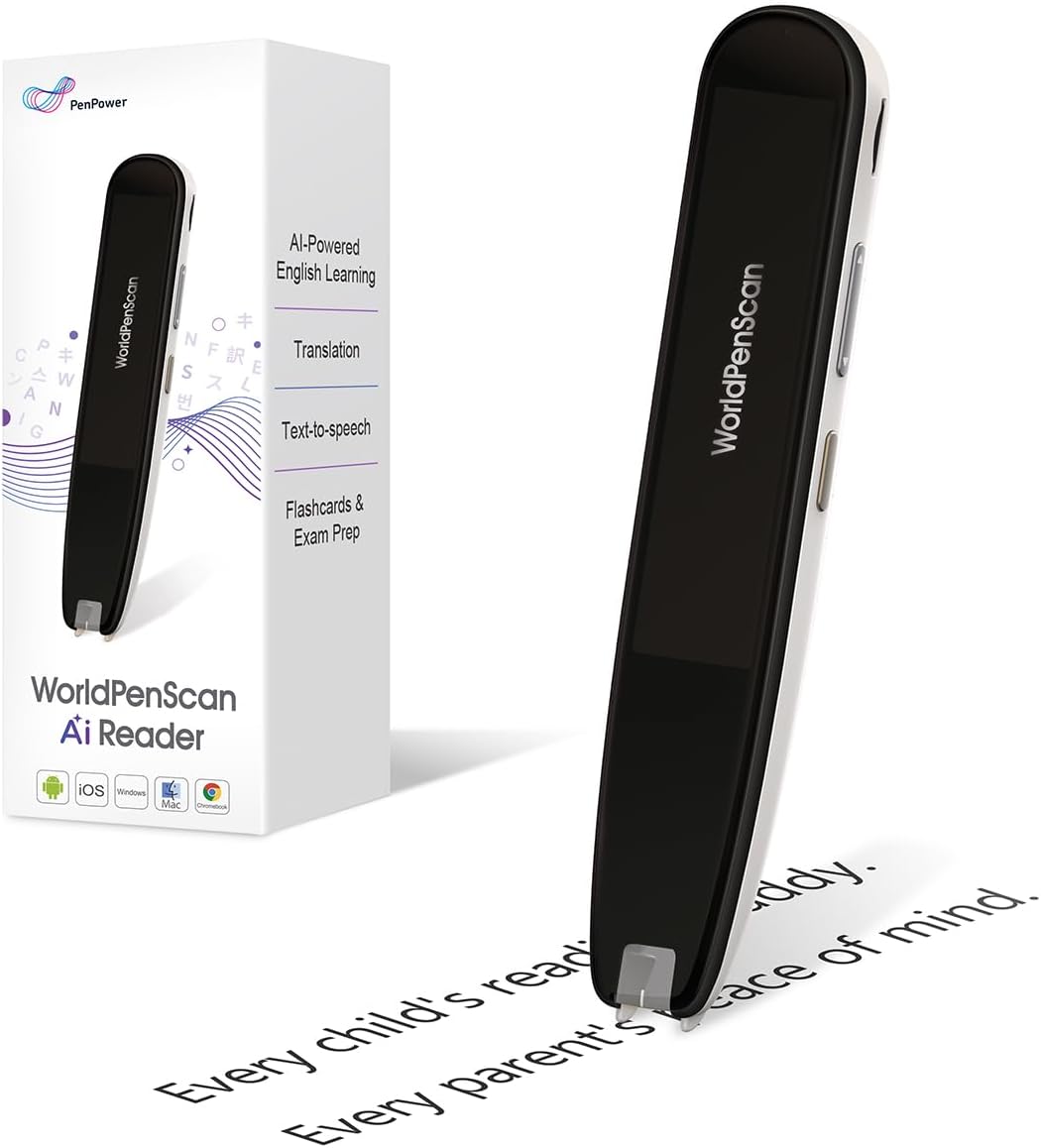
Some pens like WorldPenScan are specifically designed for kids with age-appropriate explanations. Others may have complex interfaces for young users. Choose models with simplified modes for children.
Battery life typically ranges from 10 to 17 hours depending on usage. Scanning and translation drain more power than standby. Check the specific product specs for details.
Most devices support translation between multiple languages, but usually one pair at a time. Some allow switching language pairs quickly within the app interface.
The cameras enable photo scanning, useful for menus or labels. Higher resolution cameras provide better accuracy. If photo scanning is a priority, choose a model with a built-in HD camera.
Yes, pens with voice recording and transcription features are excellent for meetings. Ensure you sync the audio with notes for better context later.
Choosing the right AI Scan Pen depends on your specific needs. Whether you need budget-friendly options or premium features, the models reviewed here offer strong capabilities for students and professionals.
Prioritize features like battery life and language support based on your daily tasks. For deep learning, AI integration and offline tools are essential.
Always verify current specifications and compatibility before buying. Prices and features may evolve, so checking the latest product details ensures you get the best value for your needs.