
Redragon BM4195 AI Wireless Optical Computer Office Mouse
3.9Editor score
AI voice typing support
Multi-mode connectivity
Type-C fast charging
This guide compares the top AI Smart Wireless Mouse models featuring voice typing, translation, and productivity tools to help you choose the right device.
AI Smart Wireless Mice are transforming how we interact with computers by adding voice control and translation features directly to your desk. These devices aim to boost productivity through hands-free typing and seamless multi-device switching.
We analyzed ten leading models based on their voice recognition accuracy, battery life, connectivity options, and specialized AI software capabilities. Our comparison focuses on real-world utility for professionals and students alike.
Each pick highlights unique strengths like silent clicks, ergonomic designs, or advanced transcription tools. Note that prices and availability fluctuate frequently so verify current deals before purchasing your ideal mouse.
3.9Editor score

4.1Editor score

5.0Editor score
The following table provides a side-by-side comparison of all ten AI Smart Wireless Mouse models evaluated in this guide to help you quickly identify key specifications.


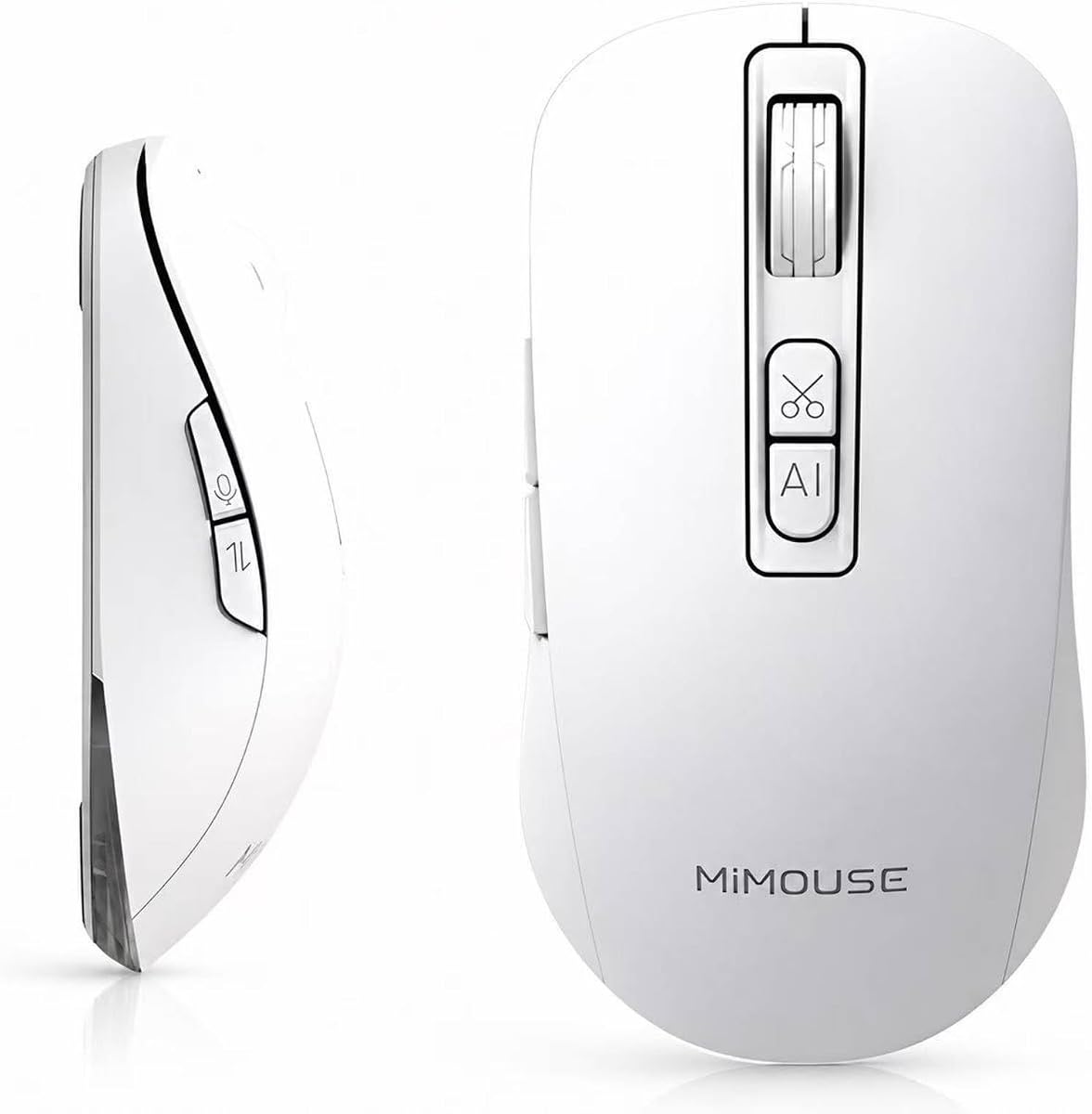


This mouse ranks highly for its combination of voice typing and comprehensive AI tools. It achieves a 4.1 rating from users who value its 98% accuracy in converting speech to text efficiently.
We may earn a commission when you buy through this link, at no additional cost to you.
The device supports over 200 languages for translation and includes functions like article writing and code generation. Local processing ensures your data remains private without cloud storage reliance.
Ergonomics are well considered with silent clicks suitable for office environments. However initial setup involves downloading an app which may delay immediate use for some buyers.
Ideal for professionals needing fast note-taking or students managing lectures. It balances productivity features with security making it a top recommendation for this category.
Data is handled locally ensuring sensitive documents remain secure on your device without external transmission risks.
Access tools for writing code creating presentations or summarizing content directly from the mouse interface efficiently.
We may earn a commission when you buy through this link, at no additional cost to you.
This model offers an entry point into AI mouse technology at a competitive price. Users report decent performance with voice typing after installing the necessary software support.
We may earn a commission when you buy through this link, at no additional cost to you.
It supports switching between two Bluetooth devices and a 2.4G connection allowing flexibility across different workstations. The battery life is supported by Type-C charging for convenience.
While not as feature-rich as premium options it covers essential tasks like basic transcription. The build quality is functional though it may lack the refinement of higher rated models.
Best for users needing a simple voice typing solution without high costs. It provides a practical way to test AI mouse capabilities before investing in advanced features.
A cost-effective choice for those wanting to try voice typing without committing to expensive premium devices.
Switch effortlessly between a desktop laptop and tablet using the simple mode switch button.
We may earn a commission when you buy through this link, at no additional cost to you.
This device stands out with a magnetic detachable design allowing it to function as both a mouse and a presentation remote. It maintains a perfect 5.0 rating from users.
We may earn a commission when you buy through this link, at no additional cost to you.
Users appreciate the ability to record meetings and save notes automatically. The air mode helps presenters move freely while controlling slides without being tethered to a spot.
The battery lasts up to 20 days which reduces charging frequency during travel. Its lightweight build makes it easy to carry in a pocket for business trips.
Recommended for presenters and professionals who need versatile tools in one device. It justifies the cost through unique features not found in standard wireless mice.
Combines a mouse, clicker, and recorder into one portable tool for streamlined workflows.
Use gestures to flip slides and highlight points without interrupting your flow during meetings.
We may earn a commission when you buy through this link, at no additional cost to you.
This model mirrors the features of the ChatGPT assistant but includes RGB lighting for a modern look. It focuses on providing silent operation and accurate voice conversion.
We may earn a commission when you buy through this link, at no additional cost to you.
It supports multiple languages and keeps data local for privacy. The battery is rechargeable and includes an LED display to track power levels conveniently.
The lack of published ratings makes it a newer or niche option. However the specs suggest it competes well with established models in terms of functionality.
Suitable for users who want visual customization alongside productivity tools. It is a strong contender for those prioritizing silence and local processing.
Add style to your desk with RGB lighting effects that can be matched to your workflow preferences.
Silent clicks ensure you can work in shared spaces without disturbing colleagues or roommates.
We may earn a commission when you buy through this link, at no additional cost to you.
This mouse emphasizes accuracy with claims of 98% recognition and supports 200 languages. It includes a battery display screen for easy power monitoring.
We may earn a commission when you buy through this link, at no additional cost to you.
It offers triple connection modes to switch between Bluetooth and 2.4G. The privacy focus ensures data is not stored in the cloud for security.
Users note that setup requires specific app installation which might seem tedious initially. Once configured it provides quick access to translation and search tools.
Great for multilingual teams needing instant translation capabilities. It offers robust features for those who value precise voice transcription.
Break language barriers with real-time translation for meetings or content creation efficiently.
Check power levels instantly without software using the built-in LED display screen.
We may earn a commission when you buy through this link, at no additional cost to you.
This model uses BT 5.0 for stable connectivity and features an ergonomic shape. It is designed for quiet environments with low noise clicks.
We may earn a commission when you buy through this link, at no additional cost to you.
The software allows for customization of keys and DPI settings. It is compatible with MacOS and Windows providing broad device support.
While the rating is slightly lower it still offers functional voice typing capabilities. Users appreciate the build quality and comfort for extended use.
Best for office workers who need quiet operation and comfort. It delivers reliable performance for standard voice input tasks.
Reduce hand strain with a shape designed for all day use in professional settings.
Bluetooth 5.0 ensures a strong connection with minimal dropouts during work.
We may earn a commission when you buy through this link, at no additional cost to you.
This mouse offers a high reliability rating with a very long battery life of 24 months. It uses Logitech Options+ software for efficient management.
We may earn a commission when you buy through this link, at no additional cost to you.
It does not feature voice typing but focuses on hardware efficiency. The Logi Bolt receiver provides a reliable connection for workstations.
It is a safer choice for users needing a standard ergonomic mouse with long uptime. The software support ensures smooth operation on Mac and PC.
Recommended for users who prefer hardware longevity over voice features. It serves as a dependable tool for daily tasks.
Use AA batteries for months without frequent changes ensuring uninterrupted workflow.
Customize gestures and settings easily with Logitech's mature software ecosystem.
We may earn a commission when you buy through this link, at no additional cost to you.
This device features a centralized AI platform that integrates multiple language models for writing and summarizing. It supports up to 3 devices simultaneously for switching.
We may earn a commission when you buy through this link, at no additional cost to you.
The battery life is significant at 30 days which reduces charging needs. It also supports charging while in use to avoid downtime.
It is designed for professionals needing transcription and meeting summaries. The lightweight design helps carry it during business travel effectively.
Ideal for those who need robust AI writing tools and recording. It balances power with portability for modern office needs.
Access multiple AI tools like summarization and drafting from one unified software interface.
Record and transcribe meetings directly to save time on manual note taking.
We may earn a commission when you buy through this link, at no additional cost to you.
This mouse includes specific tools for generating PPT content via voice commands. It works across Windows and MacOS with universal compatibility.
We may earn a commission when you buy through this link, at no additional cost to you.
It offers triple mode connectivity allowing seamless transitions between a desktop laptop and tablet. The ergonomics are designed for long remote work sessions.
The voice assistant helps manage content creation and summarization efficiently. It is a strong tool for remote workers needing content creation aid.
Best for users who need content generation alongside basic typing. It streamlines workflow for those managing digital content regularly.
Use voice commands to create presentation outlines and copywriting without manual typing.
Connect to multiple remote devices easily for seamless transition between workstations.
We may earn a commission when you buy through this link, at no additional cost to you.
This model provides basic voice typing and translation without complex software. It aims to simplify tasks like email drafting or notes.
We may earn a commission when you buy through this link, at no additional cost to you.
It is a rechargeable silent mouse that fits various desks. However user ratings indicate potential issues with reliability or ease of use.
The translation feature allows 200 languages which is useful for global teams. But advanced users might find it less capable than others.
Suitable for simple tasks where complex software is not desired. It offers a basic entry into voice to text conversion.
Convert speech to text quickly without installing additional AI platforms.
Enjoy quiet clicks that keep your workspace peaceful during use.
We may earn a commission when you buy through this link, at no additional cost to you.
Selecting the right AI mouse requires evaluating features that match your workflow needs and budget constraints effectively.
High accuracy ensures your words are transcribed correctly without frustrating errors. Look for models claiming 95% or higher accuracy rates in reviews.
Prioritize mice with proven recognition to avoid needing to retype your content.
If you work in multilingual environments ensure the mouse supports your required languages. Translation features can break barriers for global teams.
Check the supported language list to confirm it covers your specific needs.
Some models process data locally keeping your text and voice recordings private. This is critical for sensitive business or personal information.
Opt for devices that advertise local processing to avoid cloud storage risks.
Long battery life ensures the mouse works for weeks without frequent charging. Rechargeable models with Type-C ports are convenient for daily use.
Check the claimed battery hours or days to match your usage patterns.
Mice with Bluetooth and 2.4G connections allow switching between multiple devices. This is useful if you use a laptop desktop and tablet.
Select a mouse with triple mode connectivity for maximum device flexibility.
Comfort is key for users working all day. Look for ergonomic shapes that support your hand posture.
Silent clicks are also important for shared office environments to reduce noise.
Many AI mice need a companion app for full functionality. Ensure the software is available for your operating system.
Review the setup process to understand any initial configuration steps required.
Beyond typing look for tools like summarization or code generation. These features enhance productivity for writers or developers.
Choose a mouse with the specific tools you need for your workflow.
Start by downloading the required software or app from the manufacturer. Pair the device via Bluetooth or plug in the USB receiver.
Test the voice typing by holding the dedicated key and speaking clearly. Adjust DPI settings to match your cursor speed preference.
Clean the mouse with a soft cloth to remove dust. Keep it charged regularly to maintain battery health.
Most models require software or an app to enable voice typing and AI tools. This allows the mouse to communicate with your operating system.
Yes many models support MacOS as well as Windows. Always check compatibility before purchasing to ensure your OS is listed.
Top models claim accuracy rates near 98%. Real-world results depend on your accent and background noise levels.
Yes you can use it as a standard mouse. The voice features are optional and only activate when you press the dedicated keys.
Some devices process data locally to protect privacy. Review the specific privacy policy of the model you choose to be sure.
Battery life ranges from days to months depending on the model. Rechargeable units typically last weeks on a single charge.
We reviewed ten top models highlighting privacy, accuracy, and multi-device support as key factors for selection.
Focus on your specific needs like language support or battery life before buying.
Prices change regularly so check current deals to get the best value for your choice.