
TCL NXTPAPER 11 Gen 2
4.4Editor score
NXTPAPER 4.0 Display
8GB RAM 128GB Storage
Real-Time Bilingual Subtitles
8000mAh Battery Life
The landscape of portable computing has evolved dramatically with the integration of artificial intelligence into modern tablets. These devices now offer advanced tools for note-taking, creative work, and daily tasks that adapt to your needs seamlessly.
We have carefully analyzed the latest models on the market to bring you a comprehensive comparison. Our evaluation focuses on performance, display quality, battery life, and the practical application of AI features in real-world scenarios.
Each pick in this guide highlights specific strengths suited for different user profiles. Keep in mind that prices and availability can fluctuate, so verify current details before making your final decision to ensure you get the best value.
4.4Editor score

5.0Editor score

4.7Editor score
As an Amazon Associate we earn from qualifying purchases.
The following table provides a side-by-side comparison of all ten models to help you quickly identify the key specifications and capabilities that matter most for your specific use case.




The Lenovo Yoga Tab AI Tablet stands out as the top choice in our list with a perfect rating. It combines powerful hardware with intelligent software features designed specifically for creators and professionals who need reliability and performance on the go.
We may earn a commission when you buy through this link, at no additional cost to you.
Powered by the Qualcomm Snapdragon 8 Gen 3 processor, this device handles complex tasks like video editing and multitasking without breaking a sweat. The included Lenovo Tab Pen Pro allows for natural writing and sketching, enhanced by AI tools like live transcription and smart writing assistance.
While the price reflects its high-end specifications, the value is justified by the included accessories and premium build quality. The IP53 rating offers peace of mind against everyday splashes, making it suitable for various environments from cafes to outdoor settings.
This tablet is ideal for users who demand the best in performance and versatility. If you are looking for a device that can replace a laptop for many tasks while offering superior AI integration, this is the recommendation to consider.
The included AI tools help streamline creative tasks such as photo editing and translation, allowing you to focus on the work itself rather than administrative details.
With a 144Hz refresh rate and 98% DCI-P3 color gamut, the display delivers ultra-smooth motion and accurate colors for both media consumption and professional design work.
We may earn a commission when you buy through this link, at no additional cost to you.
The TCL NXTPAPER 11 Gen 2 offers an incredible value proposition for budget-conscious users who still want smart features. Its unique display technology reduces eye strain, making it perfect for long reading sessions or study periods without compromising on functionality.
We may earn a commission when you buy through this link, at no additional cost to you.
This tablet is equipped with AI-powered productivity tools such as real-time bilingual subtitles and writing assistants. These features make it a strong candidate for students or professionals who need to communicate across language barriers or organize notes efficiently.
The battery life is robust enough to last a full day of mixed usage, and the support for reverse charging adds convenience for powering other small devices. While it may not match the raw speed of premium models, it handles everyday tasks with ease.
For those seeking a reliable companion for reading, note-taking, and basic media consumption, this is an excellent choice. It balances cost and features effectively without sacrificing the core experience of a modern tablet.
NXTPAPER 4.0 technology reduces glare and filters blue light to ensure comfortable viewing for extended periods which helps reduce eye strain significantly.
AI tools like Circle to Search and real-time translation help break down language barriers and improve workflow efficiency for both work and study.
We may earn a commission when you buy through this link, at no additional cost to you.
The Samsung Galaxy Tab S10+ Plus represents the pinnacle of premium tablet design with its massive display and sophisticated AI integration. It is designed for users who want the best display quality and productivity tools available on an Android device today.
We may earn a commission when you buy through this link, at no additional cost to you.
Its Galaxy AI features allow you to turn simple sketches into art and summarize long notes instantly. The included S Pen works seamlessly with these tools, offering precision and creativity capabilities that rival dedicated drawing tablets.
The IP68 rating ensures that the device is protected against dust and water, which is a rare and valuable feature for high-end tablets. This durability makes it suitable for use in various environments, adding to its appeal as a professional tool.
This device is perfect for creative professionals and power users who need a large canvas for work and entertainment. The combination of a top-tier screen, robust AI features, and build quality justifies its position as a top premium pick.
Features like Sketch to Image allow users to transform rough ideas into polished concepts instantly using advanced artificial intelligence algorithms.
Note Assist helps organize meeting notes and summaries automatically saving you significant time during busy schedules and important lectures.
We may earn a commission when you buy through this link, at no additional cost to you.
The Samsung Galaxy Tab S11 excels in multitasking capabilities with its 12GB of RAM ensuring smooth transitions between apps. It brings the Galaxy AI features to a compact 11-inch form factor making it highly portable for daily use.
We may earn a commission when you buy through this link, at no additional cost to you.
The included S Pen and Note Assist help keep ideas tidy and organized during meetings. Drawing Assist further enhances creativity by turning rough sketches into shareable mock-ups which is useful for professionals and students alike.
With an IP68 rating this tablet is ready to handle spills and dust when you are on the go. The dynamic AMOLED display provides vivid colors and sharp text which reduces eye strain during long reading sessions.
This tablet is an ideal choice for users who prioritize performance and durability. If you need a reliable device for work and play that can handle demanding workflows without lag this model fits the bill perfectly.
The 12GB of RAM allows for seamless app switching and ensures that workflow interruptions are minimized during productive sessions.
The IP68 rating provides peace of mind against water and dust damage making this tablet a robust choice for various environments.
We may earn a commission when you buy through this link, at no additional cost to you.
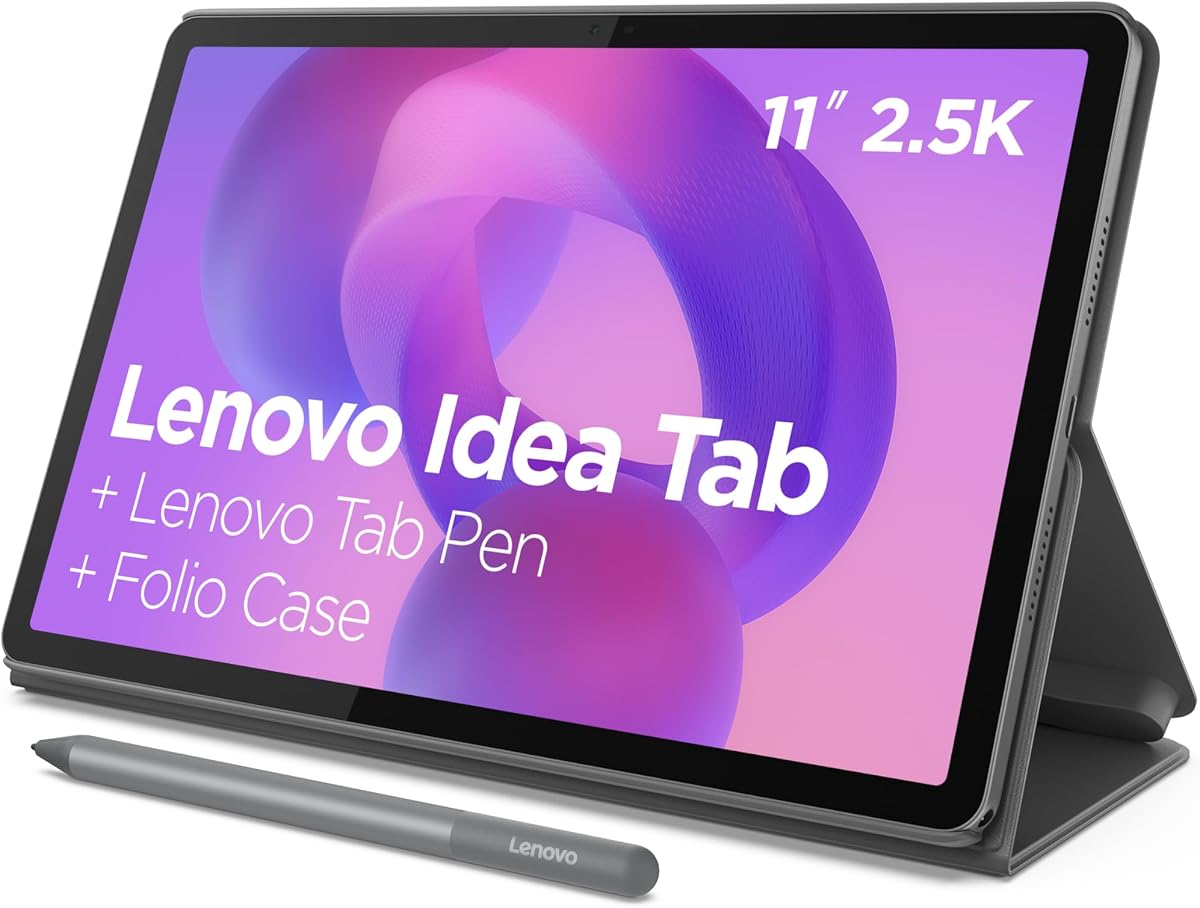
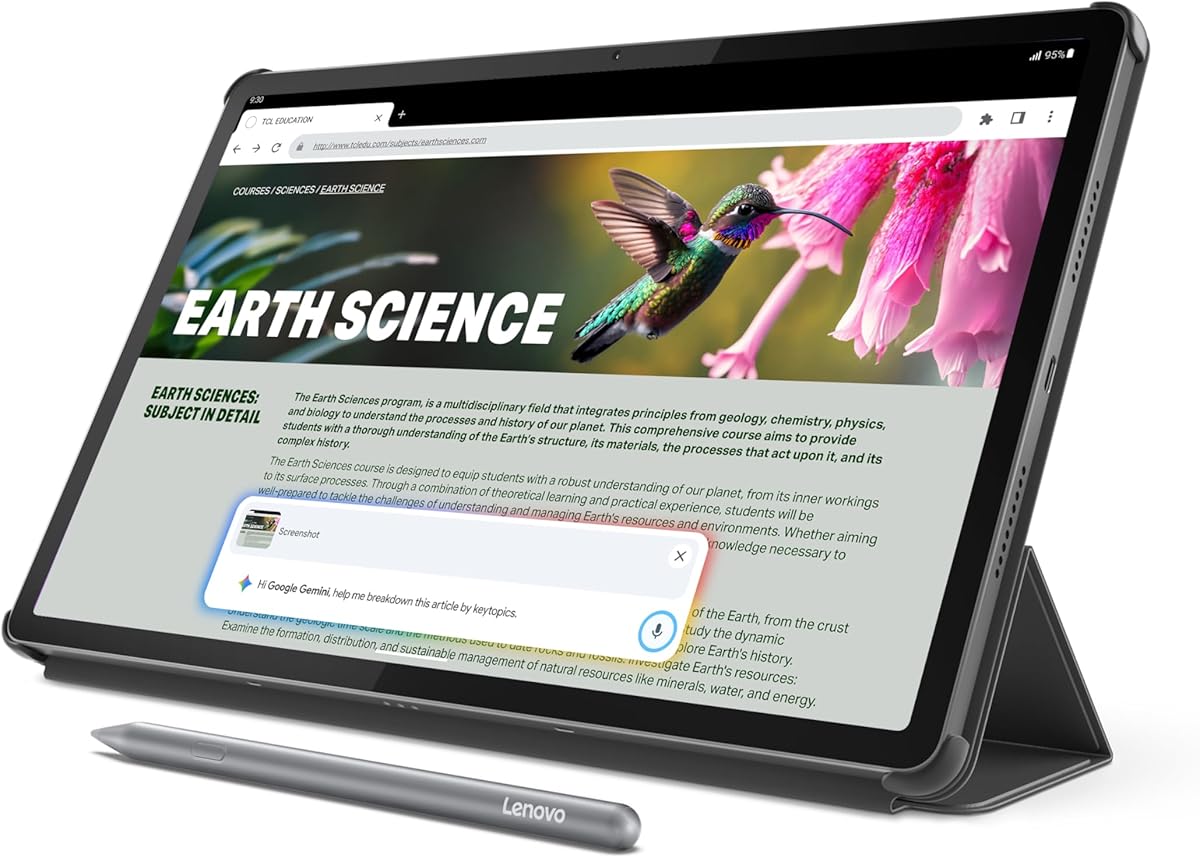
The Lenovo Idea Tab is designed specifically with students in mind offering tools that enhance learning and productivity. It features AI-powered apps like Lenovo AI Note and Nebo that help organize study materials and streamline assignments.
We may earn a commission when you buy through this link, at no additional cost to you.
The display is certified for low blue light which protects your eyes during late night study sessions. Circle to Search with Google makes finding answers quick and easy without needing to switch between different applications.
Battery life is reliable enough to get through a full day of lectures and library work. The inclusion of a tab pen and folio case adds value making it ready to use out of the box for note taking.
This is the perfect tablet for college students looking for a balance of performance and affordability. If you need a device that supports your academic workflow with smart features and comfortable viewing this is a strong candidate.
Built-in apps like Squid and MyScript Calculator help you stay clear focused and ready for every study session effectively.
The TÜV Rheinland Low Blue Light hardware solution keeps your eyes safe from harmful blue light so you can work fatigue free.
We may earn a commission when you buy through this link, at no additional cost to you.
The Samsung Galaxy Tab A11+ is designed to meet the needs of every family member with ample storage and a large bright screen. It provides optimal performance for day-to-day activities ensuring that tasks run smoothly for everyone in the household.
We may earn a commission when you buy through this link, at no additional cost to you.
The display features a 90Hz refresh rate that delivers natural fluid motion making it great for streaming and gaming. Quad speakers powered by Dolby Atmos create an immersive audio experience that rivals cinema quality sound at home.
Fast charging ensures that the tablet is ready to use quickly when you need it. With 256GB of storage there is plenty of space for movies music and games without worrying about running out of room quickly.
This is an excellent choice for households looking for a shared device that is reliable and capable. If you need a tablet for entertainment and browsing that keeps up with multiple users this model is a solid option.
The 90Hz refresh rate and quad speakers with Dolby Atmos make watching movies and playing games a truly immersive experience.
With 256GB of storage and 8GB of RAM you have the space and speed to multitask seamlessly and handle large files easily.
We may earn a commission when you buy through this link, at no additional cost to you.
The TCL NXTPAPER 14 offers a massive 14.3-inch display that is perfect for creative work and media consumption. Its paper-like screen technology reduces eye strain making it suitable for extended reading or drawing sessions.
We may earn a commission when you buy through this link, at no additional cost to you.
This tablet combines creativity productivity and entertainment in a single device. The included stylus allows for precise drawing and note taking while the versatile display modes adapt to different content types like comics or digital art.
Battery life is robust with a 10000mAh cell that supports reverse charging for other devices. The design is slim yet durable with a metal body that feels premium in the hand despite its larger size.
For users who need extra screen space for work or art this is a compelling choice. If you want a tablet that doubles as a digital notebook and entertainment center this model delivers well on those fronts.
Switch between Standard Color Paper and Ink Paper modes effortlessly to suit any task from reading to drawing with optimal clarity.
Powerful performance and multi-window productivity features allow for smooth multitasking and study or creative app usage without lag.
We may earn a commission when you buy through this link, at no additional cost to you.
The CHUWI Hi10 Max stands out as a powerful alternative to a traditional laptop. Its Intel Ultra 5 processor provides balanced low-power high-performance for daily productivity and creative workloads that require significant computing power.
We may earn a commission when you buy through this link, at no additional cost to you.
The 12.96-inch display offers a productivity-focused 3:2 aspect ratio which provides more vertical space than standard screens. Full-featured ports including Type-C and HDMI allow for extensive connectivity with external monitors and peripherals.
With 12GB of RAM and a 512GB SSD this device handles multitasking and storage needs efficiently. The ability to upgrade the storage manually adds flexibility for long-term use and growing file requirements.
This tablet is ideal for users who need a portable work device that can handle office software and design programs. If you want a machine that functions like a desktop but fits in a bag this is a practical solution.
The Intel Core Ultra 5 processor enables fast local AI content generation and intelligent document sorting for efficient workflows.
Full-function Type-C ports support PD charging and DisplayPort output making it easy to connect to external monitors and devices.
We may earn a commission when you buy through this link, at no additional cost to you.
The Lenovo Idea Tab Pro is a powerful device that synergizes work and play with a stunning 12.7-inch display. It is packed with battery life and AI-enhanced smarts that make studying a breeze for students.
We may earn a commission when you buy through this link, at no additional cost to you.
Google Gemini acts as a super-assistant helping you brainstorm ideas or find answers quickly. The screen supports gaming with a high touch sampling rate ensuring you are always a step ahead of the action.
Visuals are crystal clear thanks to the 3K LCD display and quad JBL speakers. This combination creates an immersive environment for streaming lectures or relaxing after class with high-quality audio and video.
For gamers and students who need a premium experience this tablet is a great choice. If you want a device that excels at media consumption while offering smart study tools this model is worth the investment.
PUBG certified for FPS excellence with a 360Hz touch sampling rate ensures smooth gameplay and responsive controls.
Google Gemini helps you pick your brain on assignments so you can get back to chasing your passion quickly and efficiently.
We may earn a commission when you buy through this link, at no additional cost to you.
The Android 16 Tablet offers a staggering amount of RAM for its price point ensuring buttery-smooth multitasking and lag-free gaming. It is a compelling option for budget buyers who need robust specs on a tight budget.
We may earn a commission when you buy through this link, at no additional cost to you.
With 128GB of internal ROM expandable up to 2TB this device is a vast digital vault for files apps and movies. The display features anti-blue light design protecting your eyesight during extended use sessions.
Navigation is precise with built-in GPS and connectivity is stable with dual-band WiFi. The battery life supports long days of work travel and entertainment without constantly searching for an outlet.
This tablet is a solid choice for those needing basic functionality and high storage capacity. If you are looking for an affordable device for entertainment and navigation this model delivers strong value for the money.
The powerful Octa-Core processor and 32GB of RAM ensure effortless app switching and a lag-free gaming experience.
With 128GB of internal ROM expandable up to 2TB you have a vast digital vault for all your files apps and photos.
We may earn a commission when you buy through this link, at no additional cost to you.
Selecting the right AI tablet involves considering several key factors to ensure the device meets your specific needs.
A powerful processor is essential for handling AI tasks and multitasking without lag. Look for chipsets like Snapdragon 8 Gen series or equivalent performance tiers for smooth operation.
Prioritize high-end processors if you plan to use heavy apps or AI tools frequently.
The screen is your primary interface so resolution and size matter. High refresh rates and accurate colors improve the viewing experience for media and work.
Choose a screen size that balances portability with usability for your primary tasks.
Sufficient RAM ensures apps run smoothly in the background while storage holds your files and media. Expandable storage options provide extra flexibility for large libraries.
Aim for at least 8GB of RAM and 128GB of storage for a comfortable user experience.
Long battery life is crucial for productivity on the go. Look for devices with large capacity batteries and fast charging capabilities to minimize downtime.
Check usage hours to ensure the battery lasts through your typical day of use.
Assess the specific AI tools offered such as transcription note summarization or translation. These features can significantly enhance workflow efficiency and productivity.
Ensure the AI features align with your specific work or study needs before buying.
Protection against water and dust extends the lifespan of the device especially for travel. An IP rating adds peace of mind against accidental spills or splashes.
Look for IP67 or IP68 ratings if you use your tablet in varied environments.
Keyboards and styluses can turn a tablet into a full productivity machine. Check if these are included in the box or must be purchased separately to understand the total cost.
Consider models that include accessories if you want an all-in-one solution.
Compare the features against the price to ensure you are getting good value. High-end models cost more but offer better performance and longevity for professional use.
Determine your budget and prioritize features that matter most to avoid overspending.
To get the most out of your AI tablet start by exploring the built-in AI tools. Customize settings to fit your workflow such as enabling auto-transcription for meetings or translation for travel.
Keep the device clean by wiping the screen with a microfiber cloth regularly. Avoid exposing the tablet to extreme temperatures or direct sunlight for long periods to preserve the battery and screen quality.
Update your software regularly to benefit from new features and security patches. This ensures the AI capabilities remain efficient and protected from potential vulnerabilities over time.
AI tablets offer advanced productivity tools like real-time transcription note summarization and language translation. These features help streamline workflows and make multitasking more efficient for professionals and students.
Yes many modern AI tablets feature high refresh rate displays and powerful processors that support gaming effectively. They provide smooth visuals and responsive controls for immersive gaming experiences.
Most AI tablets support external keyboards via Bluetooth or USB-C. Some models even include a keyboard accessory in the box for a complete laptop-like experience.
Several premium models come with IP68 ratings meaning they are dust and water resistant. This protects the device from spills and splashes during everyday use.
Battery life varies by model but most range between ten to twelve hours of video streaming. Fast charging capabilities ensure quick power-ups when you are on the go.
Not all models support expandable storage so check the specifications carefully. Some devices offer microSD slots while others rely solely on internal storage capacity.
We have explored a diverse range of AI tablets from budget-friendly options to premium powerhouses. Each device offers unique strengths tailored to specific needs whether for students creators or professionals.
When making your final decision prioritize the features that align with your daily workflow. Look at display quality battery life and specific AI capabilities to ensure satisfaction.
Remember that availability and pricing can change quickly so verify current details before purchasing. We hope this guide helps you find the perfect device to enhance your digital life.