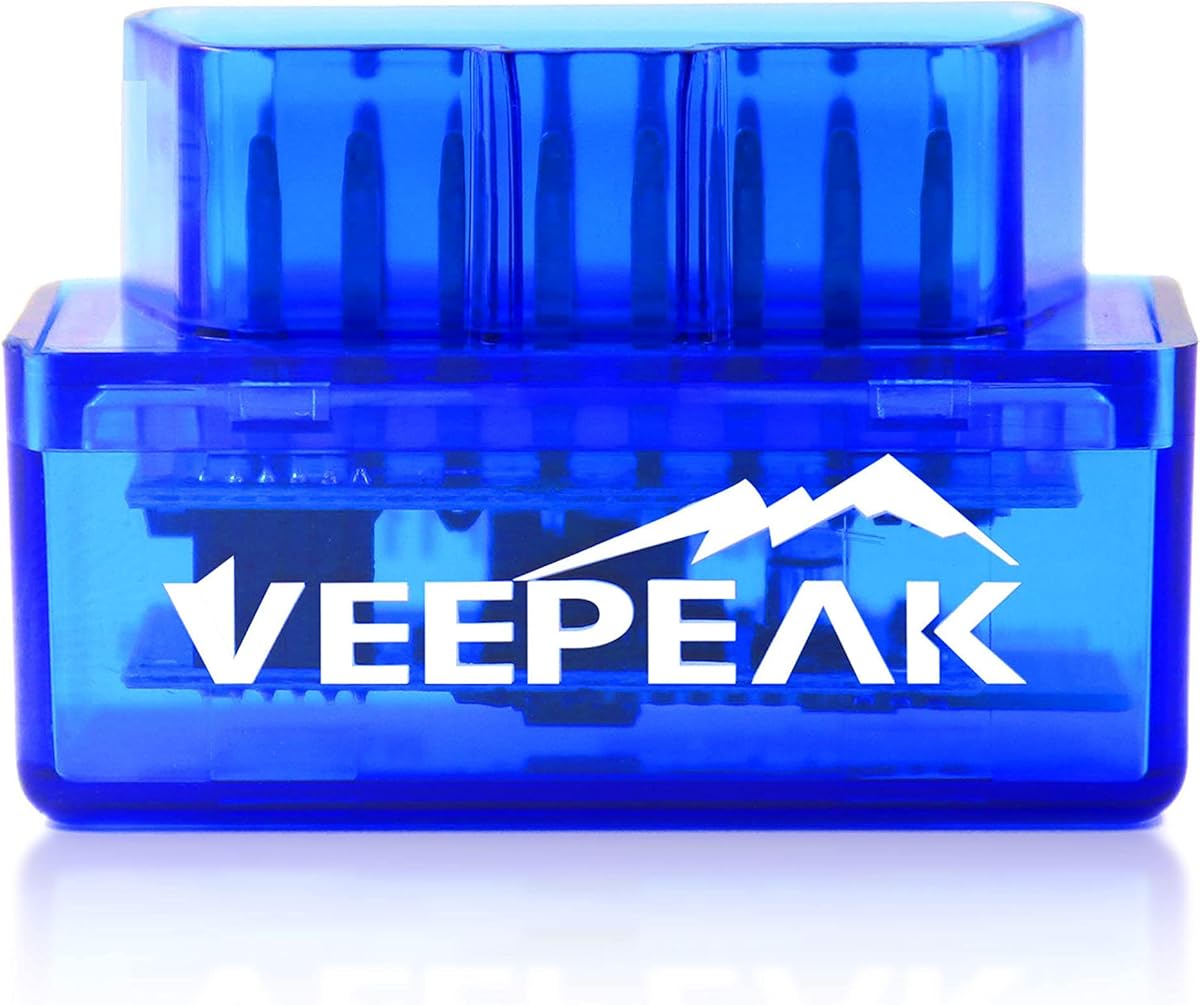
Veepeak Mini Bluetooth OBD2 Scanner Code Reader for Android (NOT for iOS)
4.4Editor score
Classic Bluetooth connection
Android phones only
Compact design
This guide compares the top Android Obdii Scanner Tool options for 2026 to help you find the right diagnostic device for your vehicle.
Choosing the right Android Obdii Scanner Tool can save you time and money on vehicle maintenance. These devices connect to your car to read error codes and monitor performance metrics effectively.
We evaluated ten top models based on connectivity, app compatibility, and diagnostic depth. Our list covers budget adapters to professional-grade scanners for diverse needs.
Each pick highlights key features and ideal use cases. Prices fluctuate regularly so verify current listings before purchasing your next diagnostic tool today.
4.4Editor score

4.5Editor score

4.6Editor score
This side-by-side comparison helps you evaluate key specifications across all ten selected Android Obdii Scanner Tool models to make an informed decision quickly.


The BlueDriver OBD2 Scanner is a top choice for its professional-grade diagnostic capabilities. It holds a solid 4.5 rating from thousands of users who appreciate its reliability and depth.
We may earn a commission when you buy through this link, at no additional cost to you.
Its standout feature is the provision of unlimited, technician-verified repair reports. This means you get definitions, causes, and confirmed fixes for trouble codes matched to your VIN.
While the price point is higher than basic readers, the one-time purchase includes full access without hidden fees. You save money by avoiding unnecessary repairs and dealership visits.
This tool is perfect for DIYers wanting accurate diagnostics without complicated software. It balances ease of use with powerful features for a wide range of vehicles.
BlueDriver connects via Bluetooth to your phone. This eliminates wires and turns your smartphone into a powerful scan tool instantly.
Unlike many modern tools, BlueDriver charges no subscription fees. Your one-time purchase includes all features and free app updates forever.
We may earn a commission when you buy through this link, at no additional cost to you.
The OBDLink MX+ stands out as a premium option for serious car enthusiasts and professionals. It boasts a high 4.6 rating for its robust performance and advanced capabilities.
We may earn a commission when you buy through this link, at no additional cost to you.
It offers enhanced OEM support for major brands like Ford, GM, and Toyota. This allows you to access live parameters like ABS and SRS data that basic scanners miss.
While it costs more, the adapter is built to last with over-voltage protection. It works seamlessly with apps like FORScan and BimmerCode for deep diagnostics.
Choose this if you need a professional-grade tool for multiple platforms. It delivers speed and accuracy that cheaper Bluetooth adapters cannot match.
This scanner accesses manufacturer-specific systems. You can view ABS, SRS, and TPMS data beyond standard generic OBD-II checks.
The device includes updates via Bluetooth. This ensures compatibility with new vehicle models and evolving diagnostic protocols over time.
We may earn a commission when you buy through this link, at no additional cost to you.
The Veepeak Mini is an excellent entry-level choice for Android users needing basic diagnostics. It holds a 4.4 rating and is highly regarded for its value and simplicity.
We may earn a commission when you buy through this link, at no additional cost to you.
It connects via classic Bluetooth to apps like Torque or Car Scanner. You can read engine codes, view live data, and check I/M readiness easily.
This device does not work with iOS. It is designed specifically for Android phones and tablets so ensure your phone is compatible before buying.
For those on a tight budget, this is a practical tool. It gets the job done for engine light issues without breaking the bank.
This adapter works exclusively with Android devices. It uses classic Bluetooth to connect to your phone for immediate diagnostics.
Its small profile fits in your pocket easily. You can carry it in your glove box for emergencies without taking up space.
We may earn a commission when you buy through this link, at no additional cost to you.
The Veepeak OBDCheck BLE is a versatile adapter for both iOS and Android users. It maintains a strong 4.5 rating for reliability and ease of use.
We may earn a commission when you buy through this link, at no additional cost to you.
It supports Bluetooth LE which saves battery life on your phone. You can read and clear generic OBD-II codes for most 1996 plus vehicles.
Note that this tool requires a third-party app to function. Popular choices include Torque for Android or BimmerLink for BMW vehicles.
This is a solid choice for general maintenance and engine light checks. It offers a balance of features and price for everyday drivers.
This adapter works with most smartphones. It uses Bluetooth LE to ensure a stable connection with both iOS and Android systems.
It focuses on generic OBD-II functions. You can view freeze frames and sensor data to monitor engine health effectively.
We may earn a commission when you buy through this link, at no additional cost to you.
The Veepeak OBDCheck BLE+ builds on the standard model with enhanced connectivity options. It holds a 4.5 rating for its versatility and performance across platforms.
We may earn a commission when you buy through this link, at no additional cost to you.
It supports both Bluetooth LE and classic Bluetooth. This ensures compatibility with a wider range of Android apps compared to LE-only adapters.
This tool is great for monitoring live data while driving. You can view engine temperature, RPM, and other vital signs in real time.
It is a reliable pick for those who need more than just code reading. It offers a good mix of features for a reasonable price.
This adapter offers both LE and classic modes. You can connect to almost any OBDII app on your phone without issues.
View live data streams easily. The device sends sensor information to your phone so you can spot issues before they worsen.
We may earn a commission when you buy through this link, at no additional cost to you.
The BlueDriver Next-Gen version improves on the original with expanded coverage. While the rating shows a lower score, it still offers professional diagnostic features.
We may earn a commission when you buy through this link, at no additional cost to you.
It supports newer models including select 2024 vehicles. This makes it a future-proof choice for drivers with the latest cars.
The tool comes with 24/7 North American support from real technicians. You get verified reports that help you understand issues clearly.
It is a strong option for those wanting reliable support. Just check the current compatibility charts for your specific vehicle model.
This version works with newer car models. It supports select 2024 vehicles which standard scanners may not handle well yet.
You get access to real technicians. They help you interpret results and ensure you choose the right repair strategy.
We may earn a commission when you buy through this link, at no additional cost to you.
The ANCEL AD310 is a classic handheld scanner that does not require a smartphone app. It holds a 4.6 rating for its reliability and straightforward operation.
We may earn a commission when you buy through this link, at no additional cost to you.
It reads and clears codes directly on its own screen. The display is large and easy to read even in daylight without needing extra tools.
This device gets power directly from the OBDII port. It has no batteries to replace and is simple to use for quick checks.
It is ideal for those who prefer a no-fuss approach. The sturdy build ensures it survives drops in the garage.
This scanner supports all standard protocols. It works with most 1996 and newer cars for accurate engine code reading.
You do not need a phone to use it. The tool shows you codes and freeze frames directly on its built-in screen.
We may earn a commission when you buy through this link, at no additional cost to you.
The FOXWELL NT301 is designed for owners who want pro-level features without the high price. It has a 4.5 rating for its detailed data and robust build.
We may earn a commission when you buy through this link, at no additional cost to you.
It includes I/M readiness checks which are vital for emissions tests. The device tells you if your car is ready to pass before you visit the station.
The color screen allows you to view live data in graphs. This visual helps you spot issues like bad sensors or fuel problems easily.
It is a strong choice for serious DIY mechanics. The lifetime updates ensure the tool stays current with vehicle changes.
This feature helps you prepare for emissions tests. It shows if your car is ready so you avoid failing inspections unexpectedly.
Graphs make data easy to understand. You can see trends in sensor data to diagnose issues that code numbers alone cannot show.
We may earn a commission when you buy through this link, at no additional cost to you.
The XTOOL A30D stands out for its bidirectional control and reset functions. It holds a 4.4 rating for its advanced capabilities that rival expensive shop tools.
We may earn a commission when you buy through this link, at no additional cost to you.
It lets you command car components like windows or fuel pumps. This helps you test parts without taking the car to a mechanic.
The tool includes 19 reset functions like EPB and Oil resets. These routines are essential for maintaining your vehicle properly.
It is perfect for those who want to do maintenance at home. The wireless design makes it easy to move around the car.
This tool sends commands to your car. You can test parts like lights or valves to diagnose electrical issues quickly.
Perform resets like oil or TPMS easily. This saves money on routine service visits and keeps your car running smoothly.
We may earn a commission when you buy through this link, at no additional cost to you.
The V011 OBD2 Scanner features the latest Bluetooth 5.4 for stable connections. It has a 4.4 rating for its modern design and user-friendly app.
We may earn a commission when you buy through this link, at no additional cost to you.
It offers exclusive visual data charts to help you understand engine status. This makes it easier for beginners to spot problems in real time.
This tool works with iOS and Android devices seamlessly. It supports a wide range of brands from Toyota to BMW.
It is a great option for new users wanting a full package. The free app ensures you do not need to hunt for software.
Uses Bluetooth 5.4 for faster pairing. This ensures a stable connection with your phone for uninterrupted diagnostics.
The included app simplifies reading. It uses visual charts so you do not need to be an expert to understand data.
We may earn a commission when you buy through this link, at no additional cost to you.
Selecting the right Android Obdii Scanner Tool requires understanding your specific needs and budget constraints.
Consider whether you need Bluetooth or a wired connection. Wireless scanners offer convenience but some prefer wired reliability.
Choose a scanner that matches your phone's Bluetooth capabilities.
Many scanners require third-party apps to function. Ensure your preferred apps work with the device you choose.
Check if the app is free or requires a subscription before buying.
Verify the tool supports your car's make and model. Some adapters only work on certain brands or years.
Look for tools claiming 1996 plus compatibility for best results.
Decide if you need ABS or SRS codes in addition to engine codes. Budget tools often lack these advanced features.
Professional scanners provide deeper data for complex repairs.
Live data allows you to see real-time sensor readings. This is vital for diagnosing intermittent issues while driving.
Check if the tool supports live data streaming.
Durability matters if you drop tools often. Look for rugged casings and good cable protection.
A sturdy device lasts longer in a garage environment.
User interfaces should be intuitive for beginners. Clear screens and simple menus help you read codes faster.
Avoid tools with overly complex setup processes.
Prices range from basic adapters to professional tools. Choose a price point that fits your finances without sacrificing essential features.
Remember that higher cost often brings more reliable performance.
Plug your Android Obdii Scanner Tool into the OBDII port under your dashboard.
Pair the device with your phone using the provided app instructions.
Follow on-screen prompts to read or clear trouble codes quickly.
It is a device that connects to your car to read diagnostic codes. It works with Android phones to help you find engine issues.
Most scanners require a smartphone app. Some tools have their own apps but others need third-party ones like Torque.
No they only help you find problems. They tell you the code so you can decide on the right repair.
Most work on 1996 and newer cars. But always check the list to see if your specific make is supported.
Most basic tools only read engine codes. You may need a pro scanner for ABS or airbag issues.
Update whenever the app offers new versions. This keeps the tool working well with newer cars.
Many have no fees but some require subscriptions. Check before you buy to avoid extra costs later.
Yes they only read data. They do not change settings on your car during use.
We reviewed ten top Android Obdii Scanner Tool options for you today. Each offers unique features for different needs and budgets.
Focus on connectivity and vehicle coverage when you decide. These factors matter most for accurate results.
Prices change often so check the current price before you buy.