
Dexpt 65W Laptop Charger Replacement
4.5Editor score
Supports 65W 45W 33W
Three connector tips included
Wide input voltage range
This guide compares top ASUS Vivobook and Zenbook power cord options for reliable charging across various models and connector types.
Finding the right power cord for your ASUS laptop is essential for uninterrupted productivity and device safety. A quality charger ensures stable voltage and protects against surges that could damage your hardware over time.
We evaluated ten top-rated replacements based on compatibility, build quality, safety certifications, and user feedback. Each option supports specific ASUS models and connector types to help you choose the best match.
Every pick includes detailed specs and pros to simplify your decision. Note that availability and pricing may fluctuate, so check current listings before purchasing to ensure the best deal.
4.5Editor score
4.8Editor score

4.6Editor score
The following table provides a side-by-side comparison of all ten products evaluated. Use this overview to quickly identify specs and compatibility for your specific ASUS model.


The Superer 65W laptop charger is a reliable solution for ASUS laptops using traditional round power connectors. With a 4.4 rating, it offers strong value for users needing a straightforward replacement without USB-C compatibility.
We may earn a commission when you buy through this link, at no additional cost to you.
Its standout feature is the set of four switchable round connectors, allowing it to fit a wide range of Vivobook and Zenbook models requiring 65W, 45W, or 33W. The 19V 3.42A output ensures stable power for compatible devices.
While it does not support modern USB-C ports or high-performance gaming laptops, this limitation is clear from the product description. Users with older or standard models will find it a practical and cost-effective choice.
This charger is ideal for students or professionals seeking a basic, dependable power source. Always verify your connector size before ordering to ensure compatibility with your specific ASUS model.
The included switchable connectors cover most round port sizes found on older ASUS laptops, reducing the need for multiple adapters.
A 24-month manufacturer warranty provides added peace of mind for buyers concerned about long-term reliability and potential defects.
We may earn a commission when you buy through this link, at no additional cost to you.
The Dexpt charger offers a 7.5-foot power cord, providing greater flexibility in desk setups or areas with limited outlet access. Its 4.4 rating reflects consistent performance for users with compatible round-port ASUS laptops.
We may earn a commission when you buy through this link, at no additional cost to you.
This model supports 65W, 45W, and 33W outputs with four detachable round connectors. The LED indicator adds convenience by showing when the charger is actively supplying power to your device.
Like many alternatives, it does not work with USB-C ports or high-performance gaming laptops. However, for standard Vivobook and Zenbook models, it delivers reliable charging at a competitive price point.
Choose this charger if you need extra cord length for better workspace arrangement. Verify your laptop's power requirements and connector size before purchase to ensure a proper fit.
The 7.5-foot cable reduces the need for extension cords, allowing you to place your laptop further from wall outlets comfortably.
An LED light provides a clear visual cue when the charger is connected and delivering power, helping avoid guesswork during setup.
We may earn a commission when you buy through this link, at no additional cost to you.
The Powseed 65W charger provides broad compatibility with ASUS VivoBook and Zenbook series using round barrel ports. Its 4.4 rating highlights reliable performance across many models from various years.
We may earn a commission when you buy through this link, at no additional cost to you.
It includes four interchangeable DC barrel tips to cover common sizes like 4.5×3.0mm and 5.5×2.5mm. Safety features like short circuit protection help safeguard your laptop during charging cycles.
While the six-foot cord is shorter than some alternatives, it remains sufficient for most desk setups. The two-year warranty adds value for users prioritizing long-term protection and support.
This charger is well-suited for those with older ASUS models needing a simple replacement. Always measure your original connector carefully to match one of the included tips.
Four different DC barrel tip sizes ensure you can match the connector on most traditional ASUS laptops without buying additional adapters.
Built-in short circuit protection helps prevent electrical issues that could damage your laptop or the charger during normal use.
We may earn a commission when you buy through this link, at no additional cost to you.
This 90W USB-C charger is designed for modern ASUS Vivobook and Zenbook models requiring higher wattage. With a 4.6 rating, it delivers fast and efficient charging for devices with USB-C power ports.
We may earn a commission when you buy through this link, at no additional cost to you.
Its 20V 4.5A output meets the demands of OLED and performance variants like the S16X and 14X series. FCC CE and RoHS certifications confirm adherence to strict safety and quality standards.
While it comes at a higher price, the performance and compatibility justify the investment for users with newer laptops. The included AC cable ensures you can start using it immediately upon arrival.
Select this charger if your ASUS laptop requires USB-C charging and supports 90W input. Confirm your device's power requirements to avoid underpowering or overloading your system.
90W power delivery supports fast charging and sustained performance for newer Vivobook and Zenbook models that demand more energy.
Multiple safety certifications ensure the charger meets international standards for electrical safety and environmental compliance.
We may earn a commission when you buy through this link, at no additional cost to you.
The 90W USB-C fast charger stands out with a 4.8 rating, reflecting strong user satisfaction. It supports USB Power Delivery, allowing it to adjust voltage and current for optimal charging speed.
We may earn a commission when you buy through this link, at no additional cost to you.
With outputs ranging from 5V to 20V, it accommodates a variety of ASUS models including Vivobook S and Zenbook 14X series. Rigorous testing ensures reliable operation and protection against overheating or overcurrent.
Though priced higher, its high efficiency and compatibility with multiple models make it a smart choice for tech-savvy users. Always verify your laptop's USB-C power input before purchasing.
This charger is recommended for anyone seeking top-tier performance and safety for their USB-C compatible ASUS laptop. Check the included specifications to ensure it meets your device needs.
USB-PD technology enables dynamic power adjustment, ensuring your laptop charges quickly and safely without risking battery health.
Support for multiple voltage levels allows compatibility with a broader range of devices beyond just the listed ASUS models.
We may earn a commission when you buy through this link, at no additional cost to you.
This 65W USB-C charger from LAP POW is tailored for ASUS Chromebook and Zenbook models with USB-C charging ports. Its 4.4 rating indicates solid performance for compatible devices on a budget.
We may earn a commission when you buy through this link, at no additional cost to you.
The foldable plug design enhances portability, making it ideal for students or travelers. It supports 33W, 45W, and 65W outputs to cover various power needs across different laptop models.
While the cord length is shorter than some options, the compact form factor offsets this for on-the-go use. Safety certifications ensure it meets industry standards for reliable operation.
Choose this charger if you need a portable and certified USB-C solution for your ASUS Chromebook or Zenbook. Verify your laptop's power requirements to ensure full compatibility.
The foldable plug reduces the charger's footprint in your bag, making it easier to carry without damaging other items.
Compatible with multiple USB-C charging standards, allowing it to work with a variety of devices beyond just ASUS.
We may earn a commission when you buy through this link, at no additional cost to you.
The Nicpower charger provides extensive compatibility with ASUS Vivobook series laptops using round connectors. Its 4.4 rating reflects dependable performance for everyday charging tasks across many model years.
We may earn a commission when you buy through this link, at no additional cost to you.
It supports 65W, 45W, and 33W outputs to cover most standard ASUS laptop power needs. The 19V 3.42A rating ensures sufficient power for smooth operation during use.
While it does not support USB-C or high-performance gaming models, it remains a solid choice for traditional laptops. The simple design ensures easy setup without additional configuration.
This charger is ideal for Vivobook owners seeking a cost-effective and reliable replacement. Always check your specific model number against the compatibility list to avoid mismatch.
This charger lists compatibility with numerous Vivobook models, increasing the likelihood it will fit your specific device.
A straightforward plug-and-play design means no software or settings adjustments are needed to get started charging.
We may earn a commission when you buy through this link, at no additional cost to you.
This 45W adapter is designed for ASUS VivoBook and Zenbook models requiring lower wattage. With a 4.5 rating, it offers reliable charging for compatible devices at an accessible price point.
We may earn a commission when you buy through this link, at no additional cost to you.
It features a 4.0mm round connector compatible with specific models like the E402 and X540. The design also allows backward compatibility with 33W devices, providing flexibility across different requirements.
The six-foot cord and foldable plug make it convenient for home or travel use. However, it is not suitable for USB-C devices or higher wattage laptops, so confirm your specs.
Select this charger if your laptop specifically requires 45W power and uses a 4.0mm round tip. Always verify your original charger's specifications before replacing it.
As one of the most affordable options, it offers excellent value for users with standard low-wattage laptops.
The ability to support 33W devices in addition to 45W increases its utility for users with different model years.
We may earn a commission when you buy through this link, at no additional cost to you.
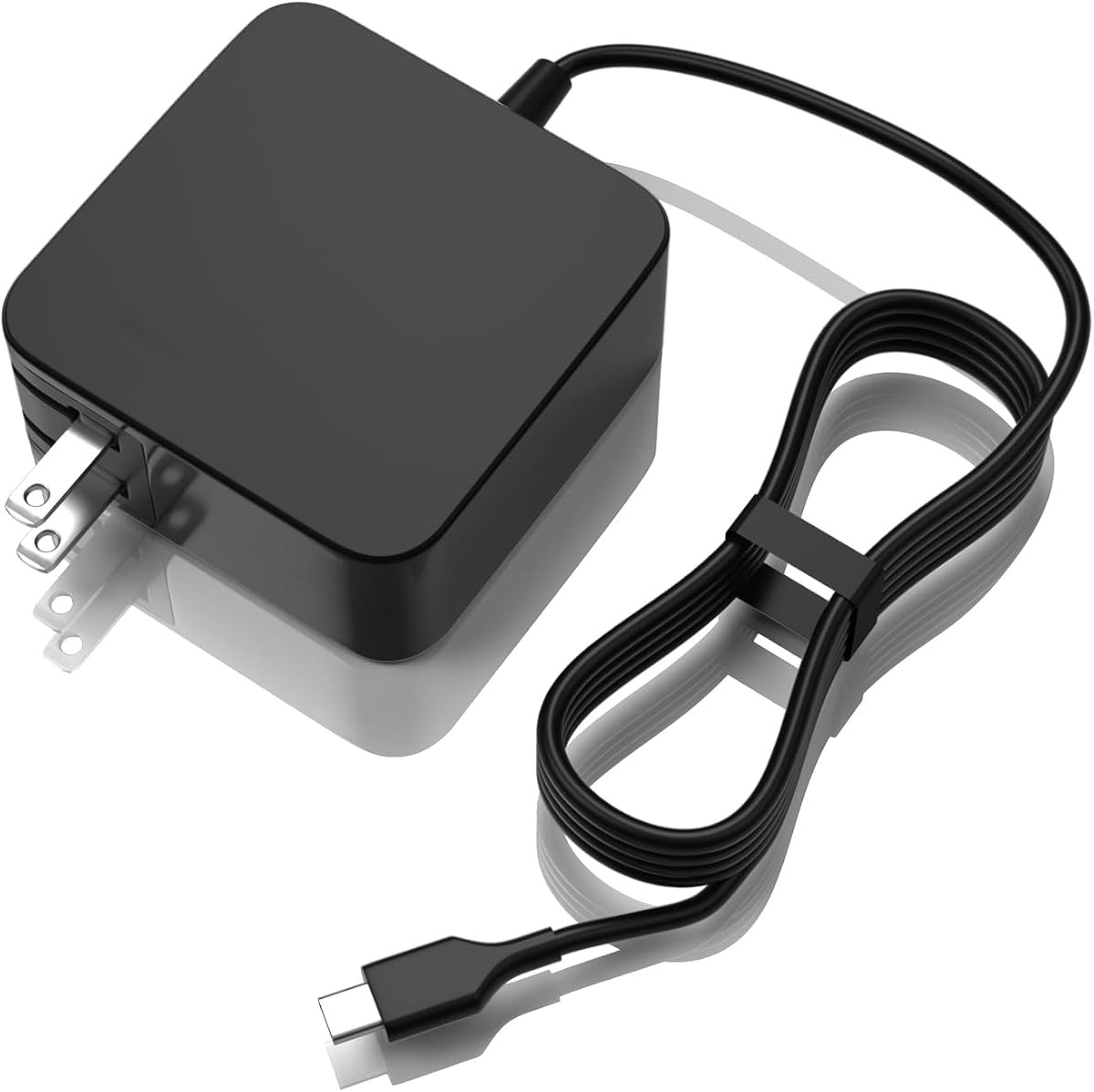
The Dexpt 65W replacement offers strong value with a 4.5 rating from users seeking an affordable ASUS charger. It supports 65W, 45W, and 33W outputs for broad model compatibility.
We may earn a commission when you buy through this link, at no additional cost to you.
Three connector sizes are included to cover common round port types found on older laptops. This flexibility makes it a practical choice for users unsure about exact connector dimensions.
While it lacks USB-C support, it delivers consistent performance for compatible devices. The one-year warranty provides basic protection against defects or performance issues over time.
This charger is ideal for budget-conscious buyers needing a reliable replacement for standard ASUS laptops. Verify your connector type before purchase to ensure proper fit.
Offering three connector tips at a low price makes this an economical choice for replacing lost or damaged chargers.
Support for multiple wattages increases the range of ASUS models it can power, reducing the need for precise specs.
We may earn a commission when you buy through this link, at no additional cost to you.
The EERSY 65W charger achieves a 4.8 rating, reflecting strong user satisfaction and reliability. It supports 65W, 45W, and 33W outputs for broad compatibility with ASUS laptops.
We may earn a commission when you buy through this link, at no additional cost to you.
Its 8.8-foot cord provides exceptional reach, making it ideal for setups where outlets are far from your desk. Multiple socket types increase the likelihood of finding a proper fit.
While the long cord adds some weight, the flexibility it provides is a significant advantage. The extensive model list ensures most common Vivobook and Zenbook models are covered.
This charger is excellent for users needing extra cord length and wide model compatibility. Verify your laptop's connector type and power requirements to ensure full compatibility.
An 8.8-foot cord offers unmatched flexibility for placement, reducing the need for extension cords or moving your desk setup.
A 4.8 rating indicates consistent performance and reliability based on real user experiences with this charger.
We may earn a commission when you buy through this link, at no additional cost to you.
Selecting the right power cord requires understanding your laptop's power requirements, connector type, and safety features. This guide outlines the key factors to consider for a reliable purchase.
Most ASUS laptops use either a round barrel connector or USB-C. Older models typically use round tips like 4.5×3.0mm or 5.5×2.5mm, while newer models use USB-C ports. Check your original charger or laptop port to identify which type you need.
Matching the correct connector is essential for compatibility. Using the wrong type can prevent charging or damage your laptop.
ASUS Vivobook and Zenbook models vary in power needs. Most use 65W, 45W, or 33W. Higher-performance models like those with OLED displays may require 90W via USB-C. Check your original charger's wattage and voltage ratings.
Using a charger with lower wattage than required may result in slow charging or insufficient power. Ensure the replacement meets or exceeds your laptop's requirements.
The voltage must match your laptop's requirement, typically 19V or 20V. Amperage should meet or exceed the original charger's rating. Deviations can cause charging issues or hardware damage.
Always match voltage exactly and ensure amperage is equal to or higher than your original charger for optimal performance.
Look for chargers with FCC, CE, or RoHS certifications. These indicate compliance with safety standards and protect against electrical hazards like overheating or short circuits.
Certified chargers reduce the risk of damage to your laptop and ensure safe operation during normal use.
Standard cords range from six to eight feet. Longer cords provide more flexibility in desk setups, while shorter ones are more portable. Choose based on your typical usage environment.
Consider your workspace layout to ensure the cord reaches comfortably without tension or tripping hazards.
High-quality chargers use durable materials and reinforced cables to prevent fraying and breakage. Inspect user reviews for feedback on long-term reliability and cable flexibility.
Robust build quality ensures the charger withstands regular use and travel without failure.
Many third-party chargers come with one to two-year warranties. A longer warranty indicates manufacturer confidence and provides protection against defects or early failure.
Prioritize options with solid warranty terms to safeguard your investment against potential issues.
Affordable options can perform well, but avoid extremely cheap chargers that lack safety features. Compare ratings and specifications to find the best balance between cost and reliability.
Investing in a slightly higher-priced certified charger often pays off in long-term safety and durability.
Before using your new charger, verify the connector size matches your laptop's port. Ensure the voltage and wattage match your original charger to prevent charging issues.
Plug the charger into a stable power outlet and connect the other end to your laptop. Observe the charging indicator to confirm power is flowing correctly before extended use.
Store the cord neatly to avoid tangling or damage. Avoid bending the cable sharply near the connector to prevent internal wire damage and extend its lifespan.
No, older ASUS laptops typically use round barrel connectors, not USB-C. Using a USB-C charger requires a compatible port on your device. Check your laptop's specifications to confirm supported charging methods before purchasing a replacement charger.
Yes, using a 65W charger for a 45W laptop is generally safe as long as the voltage matches. The laptop will only draw the power it needs. Ensure the connector size matches your laptop's port to avoid compatibility issues.
Measure the outer and inner diameter of your original charger's tip. Common sizes include 4.5×3.0mm and 5.5×2.5mm. You can also check your laptop's manual or product listing for specified connector dimensions to ensure proper fit.
Chargers generate some heat during operation, but excessive heat may indicate a problem. Ensure proper ventilation and avoid covering the charger. If it becomes too hot to touch, stop using it and contact the manufacturer for support or replacement.
Many third-party chargers meet quality standards and perform reliably. Look for certified options with strong user reviews and warranties. While originals may offer perfect compatibility, reputable third-party chargers can provide cost-effective alternatives.
Check that the connector is fully inserted and the outlet works. Verify the charger specifications match your laptop's requirements. If issues persist, try a different outlet or contact the seller for troubleshooting guidance or replacement.
The right power cord ensures your ASUS laptop remains reliable and ready for daily tasks. Our top picks cover a range of budgets and specifications to suit different user needs.
Prioritize safety certifications and proper connector compatibility when selecting a replacement. These factors protect your device and ensure consistent charging performance over time.
Remember to check current listings for availability and pricing before purchase. Conditions may vary, so verifying details ensures you secure the best deal for your needs.