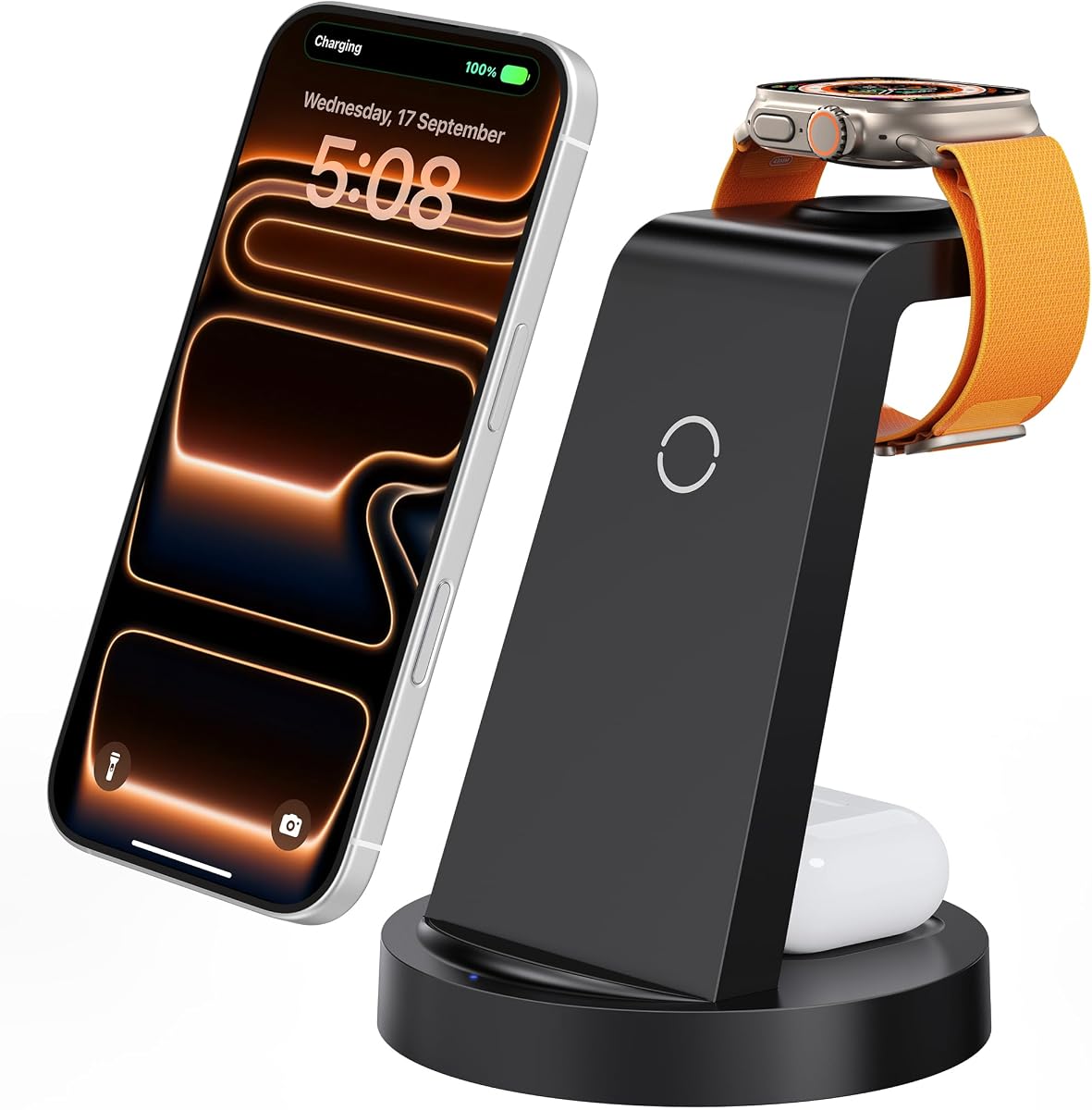
Anlmz 3 in 1 Charging Station – Wireless Charger for Apple Multiple Devices
4.2Editor score
Compact single cable setup
18W stable power delivery
LED status indicator
Discover the top charging dock for multiple Apple devices. This guide compares wireless stations, multi-port hubs, and travel organizers to find your perfect
Finding the right charging dock for multiple Apple devices can transform your daily routine by reducing clutter and ensuring all your gadgets stay powered up throughout the day. With so many options available, choosing the best station requires understanding your specific needs regarding device compatibility, charging speed, and design preferences for your home or office setup.
We have carefully evaluated the leading options on the market to bring you a comprehensive list that covers everything from compact foldable travel pads to powerful multi-port charging hubs. Our analysis focuses on real-world usability, safety features, and the ability to handle simultaneous charging for iPhones, Watches, and AirPods without overheating or performance issues.
Each pick in this guide highlights unique strengths whether you need a bedside solution, a desk organizer, or a robust station for family use. Please note that product availability and specific features may change over time, so always verify the latest details before making your final purchase decision to ensure it meets your current requirements.
4.2Editor score

4.2Editor score

4.6Editor score
The following table provides a side-by-side comparison of all ten top-rated charging docks to help you quickly identify the model that fits your ecosystem and budget needs.
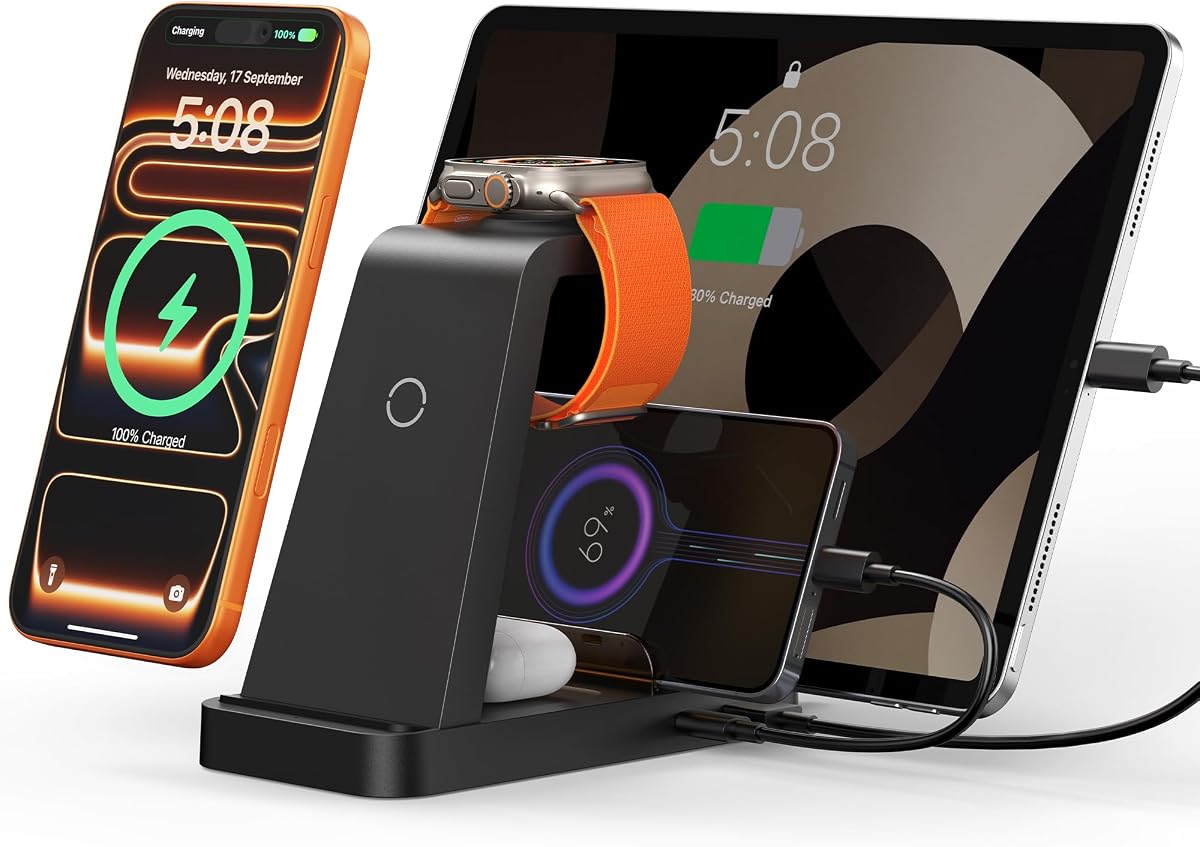


The GETPALS Wireless Charger stands out as a reliable solution for users seeking a straightforward 3-in-1 station that handles iPhones, Watches, and AirPods with ease. It earns its spot as an Editor's Choice due to its balance of functionality, safety features, and portability that suits both home and travel environments effectively.
We may earn a commission when you buy through this link, at no additional cost to you.
This station supports a wide range of Apple models including the latest iPhone 16 series and Apple Watch Ultra. Its foldable design makes it easy to pack for trips while the built-in overcurrent and overheating protection ensure your devices remain safe during overnight charging cycles without worry.
While it lacks magnetic alignment for the newest iPhones, it accommodates cases up to 4mm which adds convenience for daily use. The non-slip surface keeps devices secure on nightstands ensuring that your phone or watch does not slide off during the night when you need reliable power most.
Anyone looking for an affordable and practical way to organize their Apple ecosystem on a nightstand or desk will find this charger highly satisfactory. It provides a clean look without unnecessary complexity making it a thoughtful gift for couples or family members who value simplicity and reliable power delivery every day.
Its foldable structure allows it to fit into bags easily making it ideal for business trips or weekend getaways.
Built-in protection against overvoltage and overheating ensures safe charging for all your connected devices.
We may earn a commission when you buy through this link, at no additional cost to you.
This 5-in-1 charging station offers significant versatility by accommodating phones, watches, earbuds and even tablets via wired ports. It is an excellent choice for those who want to consolidate multiple charging habits into one organized unit that supports a broader range of Apple and third-party devices simultaneously.
We may earn a commission when you buy through this link, at no additional cost to you.
The included 36W adapter delivers fast charging speeds to ensure your devices are ready quickly whether you are at work or home. The partition design helps keep devices in order while charging so you can wake up to a tidy nightstand with all your gadgets powered up and ready for the day.
Users should note that for optimal wireless performance phone cases must be removed as the manual suggests. However the provided cables for iPad and other USB-C devices add convenience reducing the need for extra adapters on your desk or bedside table at night.
Ideal for families or power users who juggle multiple devices this station provides a robust solution that grows with your tech needs. Its ability to handle various port types makes it a flexible addition to any workspace where different gadgets require different charging methods throughout the day.
Comes with Type-C and Lightning cables to reduce clutter and support immediate setup out of the box.
FCC certified with over-temperature protection ensures reliable and safe operation for daily use.
We may earn a commission when you buy through this link, at no additional cost to you.
The 320W Charging Station is a powerhouse designed for households with many devices needing simultaneous power. It features ten ports including high wattage USB-C slots that can charge laptops and phones at once making it a central hub for tech-heavy families or busy offices.
We may earn a commission when you buy through this link, at no additional cost to you.
With smart chips that detect device needs automatically it prevents overcharging and ensures efficient power distribution across all connected gadgets. The anti-slip design keeps items secure on the surface while the included cables help you start using it right away without searching for adapters.
Its flame-retardant material provides peace of mind regarding safety during long charging sessions. While it takes up more space than smaller docks the organizational benefits it offers outweigh the size consideration for users who struggle with cable clutter and multiple wall plugs in their space.
This station is perfect for shared spaces where everyone has their own tablet or phone. It simplifies the morning routine by allowing everyone to plug in their device and grab it fully charged ensuring a productive start to the day without power anxiety.
Dual 65W ports support fast charging for laptops and tablets reducing time spent waiting for power.
Slots and cables included keep the area tidy and prevent devices from sliding off the base.
We may earn a commission when you buy through this link, at no additional cost to you.
The Acer Gadget 7-in-1 Wireless combines charging with style by adding a smart clock and ambient lighting features. This makes it a standout choice for users who want their nightstand to look modern and functional while keeping all their essential devices powered up and synchronized.
We may earn a commission when you buy through this link, at no additional cost to you.
The Bluetooth time sync ensures the clock always shows the correct time by connecting to your phone. Additionally the adjustable warm and cool lighting allows you to set the mood for your room which is a nice touch for evening routines or bedside reading sessions.
It supports up to six devices including two phones and an Apple Watch making it versatile for couples or power users. However it requires thin cases for best performance which might be a constraint for those who prefer heavy-duty protection on their daily drivers.
For anyone seeking a charger that doubles as a decor piece this model offers a great balance. It helps reduce cable clutter while adding a sleek tech element to your space ensuring your devices are ready for the day ahead in style.
Bluetooth sync keeps the clock accurate and displays temperature and day of the week.
Customizable ambient light creates a relaxing atmosphere for your home or office setup.
We may earn a commission when you buy through this link, at no additional cost to you.
The Anlmz 3-in-1 Station delivers essential functionality at an affordable price point making it an ideal choice for budget-conscious shoppers. It provides a clean way to charge an iPhone Watch and AirPods simultaneously without taking up much space on a desk or nightstand.
We may earn a commission when you buy through this link, at no additional cost to you.
It includes an 18W adapter to ensure stable power delivery and protect your devices with smart safety chips. The soft blue LED indicator shows charging status without being too bright which helps maintain a restful sleeping environment when used on a bedside table.
While it lacks magnetic alignment requiring manual centering of the phone it works well with most standard cases. This simplicity means fewer moving parts and less to go wrong over time making it a reliable option for daily charging needs.
Best for those who just want to keep their Apple trio powered without spending extra on premium features. It offers a solid entry point into organized charging that keeps your nightstand tidy and your devices ready for use every morning.
Delivers core wireless charging features at a competitive price with reliable safety protections included.
Single cable setup simplifies connection and reduces clutter around your desk or bedside area.
We may earn a commission when you buy through this link, at no additional cost to you.
This folding magnetic charger is specifically designed for users who travel frequently and need a compact solution. Its ability to fold into a small flat pad makes it easy to slip into a pocket or bag ensuring you can charge your devices anywhere without bulky gear.
We may earn a commission when you buy through this link, at no additional cost to you.
The magnetic suction aligns your phone quickly and securely making it easy to use one-handed while traveling or on the go. It supports the latest iPhone models well and includes all necessary cables and adapter to get started immediately upon arrival at your destination.
While it does not support older non-MagSafe phones the convenience it offers to MagSafe users is significant. The 180 degree folding mechanism turns it into a phone stand allowing you to watch videos or video call while charging on your hotel desk.
Perfect for business travelers or commuters who want a reliable charger that fits easily in a travel kit. It combines convenience with power delivery ensuring your devices stay topped up throughout your journey without adding weight to your luggage or backpack.
Compact foldable design ensures it fits in any bag while providing full charging capability anywhere.
Strong magnets hold the phone in place for efficient charging and easy one-handed access.
We may earn a commission when you buy through this link, at no additional cost to you.
The Lcssio 300W Charging Station focuses on building a tidy and organized workspace with its sturdy integrated slots. It is designed to keep devices like iPads and phones secure while charging making it a great fit for kids or users who want a neat desk setup.
We may earn a commission when you buy through this link, at no additional cost to you.
With a powerful 300W output it can handle laptops and multiple accessories at once without slowing down. The GaN technology helps keep it cool even during high-load charging cycles ensuring safe operation over long periods of use.
Its anti-slip pads protect your desk from scratches and keep the station from moving around during cable handling. The included mixed cables help you get started immediately reducing the need to hunt for compatible adapters for every single device you own.
Ideal for shared home offices or family rooms where space saving is a priority. It combines robust charging power with physical organization to help you manage multiple devices efficiently while keeping your surface looking clean and professional.
Fixed slots hold devices securely in place preventing sliding and keeping cables tidy.
Advanced cooling and efficiency help maintain low temperatures during heavy usage.
We may earn a commission when you buy through this link, at no additional cost to you.
For households with a large number of devices the 600W Charging Station offers an unmatched capacity to power everything at once. It combines wireless Apple charging with high-power USB ports allowing you to charge laptops tablets and phones simultaneously from a single unit.
We may earn a commission when you buy through this link, at no additional cost to you.
The inclusion of dual 100W USB-C ports ensures that even power-hungry laptops can charge quickly without compromising other devices. This level of performance makes it a strong solution for tech-heavy families or creative professionals who need reliable power for multiple tools daily.
It features a compact design that tries to save space despite its high output and includes smart protection features to prevent overheating. While it is an investment the convenience of replacing multiple chargers with one station provides long-term value and simplicity.
Best suited for environments where outlet shortage is a frequent issue. By consolidating charging needs into one robust dock it simplifies evening routines and ensures every device in the home stays powered and ready for use whenever needed.
100W ports allow fast charging for MacBooks and other high-power laptops effectively.
Overcurrent and temperature protection safeguards devices from damage during extended charging.
We may earn a commission when you buy through this link, at no additional cost to you.
The Anker MagGo Qi2 3-in-1 Charging Station represents the pinnacle of wireless charging technology with its Qi2 certification. It delivers the full 15W speed allowed by Apple ensuring your phone charges as fast as possible while maintaining strict safety standards for everyday use.
We may earn a commission when you buy through this link, at no additional cost to you.
One of its most unique features is the adjustable tilt angle which allows you to find the perfect view for StandBy mode. This flexibility is excellent for bedside use allowing you to see the time and notifications without reaching over to grab your phone.
It is officially certified for Apple Watch charging ensuring reliable overnight performance. The build quality and compact footprint mean it sits elegantly on any desk without cluttering the space while offering a premium experience that feels worth the investment.
Ideal for users who want the best in charging performance and reliability. This dock combines speed with convenience and style providing a seamless experience for anyone invested in the Apple ecosystem who values quality engineering and design.
Certified Qi2 tech ensures efficient and safe 15W charging for compatible phones.
Up to 45 degree tilt lets you position the phone for optimal viewing while charging.
We may earn a commission when you buy through this link, at no additional cost to you.
This powerful station combines a 3-in-1 wireless dock with a robust 12-port organizer making it one of the most versatile all-in-one solutions. It is designed for users who need to charge a wide array of devices simultaneously without sacrificing safety or speed.
We may earn a commission when you buy through this link, at no additional cost to you.
The extra-wide laptop slot accommodates iPads and laptops with thick cases securely ensuring they stay in place during charging. This physical organization helps prevent sliding which is a common issue with standard flat chargers on smooth nightstands or desks.
With GaN III technology it maintains cool temperatures even under high load protecting your expensive devices from heat damage. The automatic LED indicator turns off after five seconds to eliminate light pollution at night making it a friendly choice for bedroom use.
Best for those who need a central charging hub for a tech-heavy setup. It simplifies outlet usage and keeps cables managed efficiently providing a reliable foundation for keeping all your family devices powered and organized throughout the day and night.
Wider slots ensure tablets and laptops fit easily even with protective cases on.
Auto-off indicator ensures a dark room for undisturbed sleep when used on a bedside table.
We may earn a commission when you buy through this link, at no additional cost to you.
Selecting the right charging dock requires understanding your specific needs regarding device count, charging speed, and design preferences.
Check that the dock supports all your current devices including the latest iPhone models, Apple Watch, and AirPods. Some stations support older models while others focus on newer MagSafe standards.
Ensure the dock works with your specific cases as thicker materials can block wireless charging signals.
Look for docks that offer fast wireless charging up to 15W for iPhones to reduce wait times. Ports that support high wattage for laptops or tablets are also important for power-hungry devices.
A dock with adequate wattage ensures all devices charge simultaneously without slowing down.
If you have multiple devices choose a dock with enough ports to handle them all. USB-C ports are becoming standard for faster charging and better compatibility.
A mix of wireless and wired ports offers flexibility for different device types and charging needs.
Consider the size of the dock and how it fits on your nightstand or desk. Foldable designs are great for travel while sturdy organizers work well for home offices.
A compact footprint helps save space and reduces visual clutter in your living environment.
Always look for docks with overcurrent, overvoltage, and temperature protection to keep your devices safe. Certified materials ensure the dock does not overheat during extended charging periods.
Proper safety features protect your investment and ensure long-term reliable performance.
Choose a dock that includes cables or has built-in routing to keep your space tidy. A single cable setup reduces the number of plugs needed for your wall outlet.
Good cable management ensures your desk remains clean and organized while charging.
Balance your budget with the features you need to avoid overspending on unnecessary tech. Basic models offer essential charging while premium options add smart features like clocks or adjustable angles.
Selecting the right price point ensures you get the best value for your daily usage needs.
Stick with reputable brands that offer warranties and customer support for peace of mind. Known manufacturers often provide better build quality and safety certifications.
A trusted brand ensures you get a durable product that lasts and performs reliably.
Place the charging dock on a flat and stable surface to ensure your devices stay in place during charging. Ensure that the dock is not covered by a thick cloth or blanket as this can cause overheating.
Connect the dock to a power source using the provided adapter and cable. Make sure the adapter matches the wattage requirements of the dock to maintain safe and efficient performance.
Periodically clean the surface of the dock with a soft dry cloth to remove dust and debris. Check that all charging pads are free of foreign objects like coins or keys that could interfere with charging.
Yes most docks allow cases up to 4mm thick but you should avoid cases with metal rings or magnets. Thick rubber cases may slow down charging speeds so test your specific case for best results.
Most docks come with a recommended adapter so always use the provided one to ensure safety. Using a lower wattage adapter may result in slower charging speeds or no charging at all.
Not all docks have dedicated Apple Watch ports so check for compatibility. Models with a magnetic watch puck or dedicated stand work best for reliable overnight charging.
Slow charging often happens if the phone case is too thick or if the dock is not aligned correctly. Ensure the phone is centered on the pad and remove any case that blocks the signal.
Most modern docks have smart chips that stop charging when devices are full preventing overcharging. However always ensure the dock has safety certifications and does not get excessively hot during use.
Yes many docks have USB ports that work with Android phones and other electronics. Check the port types and wattage to ensure compatibility with your non-Apple gadgets.
Use a soft dry cloth to wipe the surface and keep it free of dust. Do not use water or liquid cleaners directly on the charging pads to avoid damaging the electronics.
We hope this guide helps you find a charging dock that suits your specific lifestyle and device needs. Whether you need a compact travel pad or a powerful multi-port organizer there is an option that will keep your Apple devices powered efficiently.
Prioritize safety features and compatibility to ensure your investment protects your expensive gadgets over time. Consider how much space you have available and how many devices you need to charge daily to narrow your choice.
Always check current product availability and specifications before making a final decision to ensure you get the best model. Your devices deserve reliable power so take your time to find the dock that fits your daily routine perfectly.