
Square Reader for magstripe (USB-C)
4.6Editor score
Works with Apple devices
Free POS app included
Next business day payout
This guide compares the top credit card readers for phones including mobile POS systems to help businesses accept payments securely and efficiently anywhere.
Mobile payment solutions have transformed how small businesses and freelancers operate in the digital age. A reliable credit card reader for phones allows you to accept payments anywhere without needing a traditional register or bulky hardware setup.
We evaluated ten leading devices based on connectivity, security features, compatibility with major platforms, and ease of use. Our analysis focuses on real-world performance for merchants who need speed and reliability during peak transaction times.
Each pick highlights specific strengths like budget options or advanced chip support. Please note that prices and availability change frequently so verify current details before purchasing to ensure you get the best deal for your business needs.
4.6Editor score

4.5Editor score

5.0Editor score
This side-by-side comparison evaluates all ten selected devices across key specifications including connectivity type, card support, and software ecosystem to help you find the ideal match for your operational requirements.




This device stands out as a top choice for modern merchants needing versatile payment options. With a rating of 4.5 stars it offers reliable performance for both contactless taps and traditional chip insertions.
We may earn a commission when you buy through this link, at no additional cost to you.
The enhanced connectivity ensures stable pairing with your mobile device during busy hours. You can process transactions even without internet access for up to 24 hours which is crucial for events or remote locations.
While it requires an upfront investment the lack of monthly fees and contracts makes it cost effective over time. The integrated fraud prevention tools provide peace of mind for both you and your customers.
It is ideal for small businesses that need a complete POS solution without long term commitments. We recommend this for anyone prioritizing security and flexibility in their mobile payment strategy.
Built in encryption protects sensitive data during every transaction ensuring compliance with industry standards.
Keep accepting payments during connectivity outages by storing transactions locally until connection is restored.
We may earn a commission when you buy through this link, at no additional cost to you.
For those starting out with minimal budget this reader offers the fastest path to accepting card payments. It holds a strong 4.6 rating due to its simplicity and cost effectiveness for micro merchants.
We may earn a commission when you buy through this link, at no additional cost to you.
The USB-C connection ensures compatibility with newer devices while the free Square Point of Sale app handles all transaction tracking. You can get started immediately without signing long term contracts.
Keep in mind that magstripe transactions are less secure than chip or contactless options. However for low risk environments or occasional use this trade off is often acceptable for the price point.
This is perfect for pop-up shops or freelancers who need a simple solution. Choose this if you want to test the waters with mobile payments without a large financial commitment.
Download the app create an account and plug in the reader to start accepting payments within minutes.
Receive your earnings as soon as the next business day to maintain healthy cash flow.
We may earn a commission when you buy through this link, at no additional cost to you.
This model delivers a premium experience with a perfect 5.0 rating reflecting high user satisfaction. It transforms your smartphone into a full POS system with robust features for growing businesses.
We may earn a commission when you buy through this link, at no additional cost to you.
Bluetooth connectivity allows seamless pairing without cables while the app supports custom tax rates and employee permissions. This level of control helps manage operations more efficiently across multiple staff members.
The requirement to process through SwyftPAY limits flexibility but ensures integrated support and security. While the cost is higher the included features justify the investment for established small businesses.
Ideal for merchants needing detailed control over transactions and staff access. We suggest this for those ready to scale operations with a reliable and feature rich mobile solution.
Track sales and manage employee permissions easily to maintain accountability and operational efficiency.
Offer text or email receipts to reduce paper usage and improve customer convenience.
We may earn a commission when you buy through this link, at no additional cost to you.
This unique device serves both general banking needs and secure government access requirements effectively. With a 4.3 rating it provides versatile connectivity for various card types including military and civilian credentials.
We may earn a commission when you buy through this link, at no additional cost to you.
The dual head cable supports both USB-A and USB-C ports eliminating the need for adapters. It works across Windows Mac Linux and Android making it highly adaptable for different operational environments.
While it offers broad compatibility the setup may require specific middleware for government cards. For general credit card use it functions well but is optimized for secure identity verification tasks.
Best for organizations needing both payment and access control in one device. Choose this if you handle sensitive ID verification alongside standard transaction processing needs.
Eliminate port issues with a reinforced cable that supports both USB-A and USB-C standards.
Verify military and government personnel securely with certified PIV and CAC reading capabilities.
We may earn a commission when you buy through this link, at no additional cost to you.
This standalone terminal combines a reader printer and screen into one unit for maximum convenience. It holds a 4.5 rating for its reliability and ease of use in retail environments.
We may earn a commission when you buy through this link, at no additional cost to you.
Process chip cards in seconds and print receipts directly without relying on a mobile phone. The built-in battery ensures you can run shifts without needing constant power access.
While the upfront cost is higher it eliminates the need for multiple devices and cables. This simplifies your counter setup and improves transaction speed during peak hours.
Perfect for brick-and-mortar stores needing a dedicated point of sale. Choose this for a seamless counter experience where reliability and speed are critical.
Ring up sales and accept payments independently without pairing with a separate smartphone.
Operate cordlessly throughout the day with a battery designed to last all business hours.
We may earn a commission when you buy through this link, at no additional cost to you.
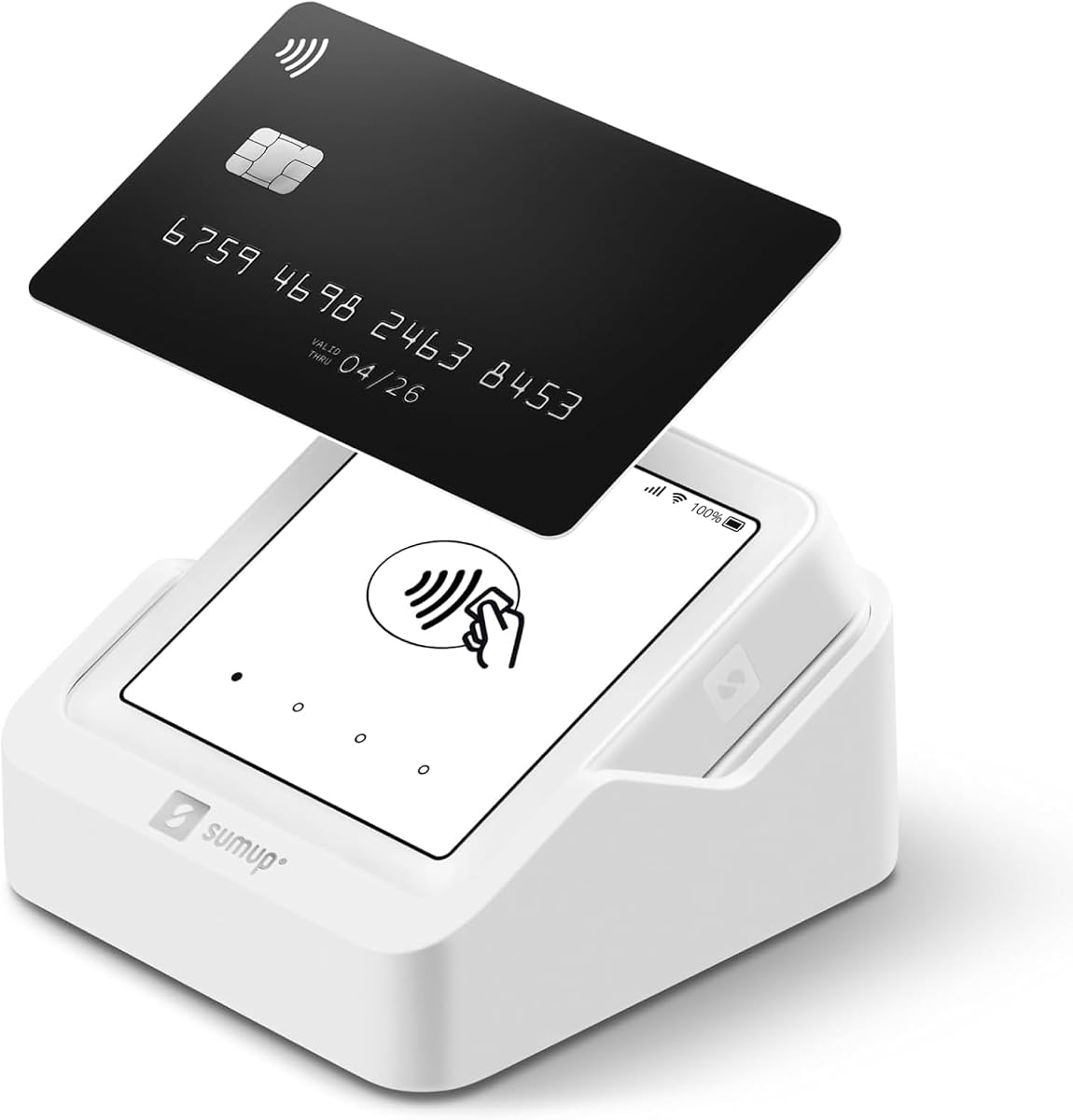
SumUp offers a straightforward payment solution for those wanting simple acceptance without complexity. With a 3.8 rating it serves as a functional option for casual sellers and traders.
We may earn a commission when you buy through this link, at no additional cost to you.
The free app lets you start accepting transactions immediately on your smartphone or tablet. Payments are processed via Bluetooth with no long term contracts or monthly fees to worry about.
While it may lack advanced features it covers basic needs effectively for low volume businesses. The flat rate structure makes costs predictable for small merchants monitoring expenses closely.
Ideal for individuals at markets or events needing quick payment acceptance. Choose this if simplicity and low overhead are your top priorities for mobile transactions.
Enjoy transparent pricing with no hidden fees and a single low rate for every transaction.
Take your business anywhere with a portable reader that pairs easily with mobile devices.
We may earn a commission when you buy through this link, at no additional cost to you.
This model provides a complete standalone terminal with its own data connection for maximum mobility. A 3.5 rating reflects its utility for users needing independence from cellular networks.
We may earn a commission when you buy through this link, at no additional cost to you.
The full touch screen simplifies the payment process while the included SIM card ensures you can process transactions anywhere. An additional charging station keeps the device powered throughout extended use.
While the price is higher than basic readers the built-in data connection removes reliance on Bluetooth pairing. This is beneficial for remote locations where phone connectivity might be unstable.
Best for merchants traveling to areas with poor network coverage. Choose this if you need a reliable independent system for consistent transaction processing.
Process payments anywhere with a built-in SIM card providing mobile data without phone dependency.
Maintain continuous business with a strong battery and included charging station for quick recharging.
We may earn a commission when you buy through this link, at no additional cost to you.
The newest model in the Clover line offers updated features for modern business needs with a 3.6 rating. It aims to provide a robust ecosystem for managing payments and staff efficiently.
We may earn a commission when you buy through this link, at no additional cost to you.
Custom tax rates and employee permissions allow detailed control over your transaction settings. Bluetooth pairing ensures you can use it with any smartphone for flexible mobile operations.
While it offers strong management tools it ties you to a specific processing partner. This integration ensures security but reduces flexibility if you prefer other payment processors.
Ideal for merchants already aligned with the Powering POS ecosystem. Choose this if you need detailed management features within a trusted merchant network.
Set multiple tax rates automatically to ensure accurate calculations for different product categories.
Restrict access to sensitive data by managing employee permissions easily within the app.
We may earn a commission when you buy through this link, at no additional cost to you.
This device offers a simplified entry into EMV compliance with contactless capabilities for a 4.0 rating. It is designed for merchants who want to accept modern card types without complex contracts.
We may earn a commission when you buy through this link, at no additional cost to you.
It works with both iOS and Android devices supporting taps and chip insertions seamlessly. The option to operate without a traditional merchant account streamlines the onboarding process significantly.
Keep in mind that quantities may be limited as this version transitions to newer models. If available it remains a practical choice for mobile sellers needing basic modern payment acceptance.
Best for quick adoption of chip and tap payments. Choose this if you need immediate EMV compliance without extensive setup overhead.
Accept both chip and contactless transactions to meet current consumer expectations and security standards.
Use the device with either iOS or Android systems for broad compatibility across devices.
We may earn a commission when you buy through this link, at no additional cost to you.
This third generation reader continues the legacy of reliable mobile payments with a 3.6 rating. It focuses on security and flexibility for merchants already using the Clover ecosystem.
We may earn a commission when you buy through this link, at no additional cost to you.
End to end security ensures data is protected from acceptance to transaction completion. Custom tip settings allow you to manage revenue streams effectively without manual adjustments.
While it requires a Clover account it offers seamless integration with existing business tools. This consistency helps reduce friction for merchants managing multiple operations or expanding services.
Ideal for existing Clover users needing a reliable mobile solution. Choose this to maintain consistency with your current payment processing setup.
Maintain customer trust with end to end encryption protecting sensitive data throughout the process.
Adjust tip percentages and tax settings on the fly to accommodate various customer preferences.
We may earn a commission when you buy through this link, at no additional cost to you.
Selecting the right mobile payment device involves weighing several technical and operational factors. This guide outlines the most important elements to consider for a smart purchase decision.
Most readers connect via Bluetooth or direct cable attachment. Bluetooth offers more freedom of movement while cables ensure a consistent connection without pairing issues.
Choose Bluetooth for mobility and cables for stability in high-traffic areas.
Modern transactions often require chip and contactless capabilities to meet security standards. Readers that only support magstripe may limit your customer base due to security concerns.
Ensure your reader accepts chip and tap for broader acceptance.
The payment processor app manages your sales tracking and payouts. Some systems integrate accounting features while others focus purely on transaction recording.
Select an app that matches your business management needs.
Transaction fees vary by provider and processing method. Some charge a flat rate while others have monthly fees for advanced features.
Compare total costs to find the most economical option for your volume.
PCI compliance and encryption standards protect customer data. Ensure the device meets current industry requirements to avoid liability issues.
Prioritize end-to-end encryption and tokenization features.
For mobile operations battery duration is critical. Some devices rely on phone power while others have independent batteries.
Choose devices with long battery life for full-day shifts.
Verify the reader works with your specific phone model and operating system. Some options are iOS only while others support Android or both.
Check device compatibility before purchasing to ensure functionality.
Some devices store transactions during internet outages to process later. This feature is vital for events or locations with poor connectivity.
Consider offline support if you frequently operate in remote areas.
Start by downloading the designated app and creating your merchant account. Follow the on-screen prompts to pair the device via Bluetooth or cable as instructed.
Keep the reader clean by wiping the chip slot and surface with a dry cloth. Avoid exposing the device to water or extreme temperatures that may damage internal components.
Regularly update the app and firmware to ensure security compliance. Disconnect the device when not in use to save battery and prevent unnecessary wear.
Most modern readers support iOS and Android devices but you should check specific compatibility. Some models are optimized for newer connector types like USB-C or Lightning.
Many providers bundle processing without a traditional merchant account for simplicity. However some systems may require a business verification process before enabling payments.
Fees are usually a percentage of the sale plus a fixed flat fee per transaction. Some providers offer discounted rates for contactless or chip transactions compared to swipe.
Certain advanced readers can store transactions locally to process later. Always check if offline mode is supported for your specific model and app.
Payouts typically occur within one to three business days depending on the provider. Some offer next-day transfer options for an additional fee.
Most manufacturers provide warranties covering defects for a limited period. Contact support for replacements if damage occurs during normal use.
The top picks offer diverse solutions from budget options to premium systems. Select the device that best aligns with your technical and business needs.
Prioritize security and connectivity stability for a smooth payment experience. Ensure the system supports all card types you expect to encounter.
Always verify current pricing and availability before purchasing. Prices fluctuate so checking the latest details ensures you get the best value.