
Cable Matters DisplayPort to DVI Cable
4.6Editor score
6ft length for standard desks
Foil and braid shielding
Supports 1080p Full HD
This guide compares the top Displayport to DVI Cable options for reliability, speed, and value to help you find the right connection for your setup.
Finding the right Displayport to DVI Cable ensures your monitor receives clear video signals without signal loss or compatibility issues during daily use or gaming.
We evaluated ten top-rated cables based on build quality, shielding, connector durability, and customer feedback to determine which ones deliver consistent performance over time.
Each pick below highlights specific strengths and trade-offs so you can choose the best fit for your budget while noting that prices and stock change frequently online.
4.6Editor score

4.6Editor score
4.8Editor score
This side-by-side comparison table lets you quickly evaluate the key specifications and features of each of the ten selected cables to aid your purchasing decision.

This BENFEI DisplayPort to DVI cable is rated highly for its ability to maintain stable video signals over time. It uses a professional chip solution and multiple shielding layers to ensure accurate data streaming for connected monitors.
We may earn a commission when you buy through this link, at no additional cost to you.
The built-in IC chip converts DisplayPort signals to DVI efficiently. Gold plated connectors resist corrosion and abrasion, improving signal transmission performance. The molded strain relief increases the overall durability of the cable during regular use.
While it supports resolutions up to 1920×1080@60Hz, it is strictly uni-directional and cannot convert DVI to DisplayPort. This limitation is acceptable for most users who need to connect a PC to a monitor.
It is ideal for office setups and home theaters where a secure latch design ensures the cable stays plugged in. The 18-month warranty adds confidence to the purchase for users seeking reliability.
The DisplayPort connector features latches that provide a secure connection stability during usage, preventing accidental disconnections.
Benfei offers an unconditional 18-month warranty to ensure long-time protection of your purchase with friendly customer service.
We may earn a commission when you buy through this link, at no additional cost to you.
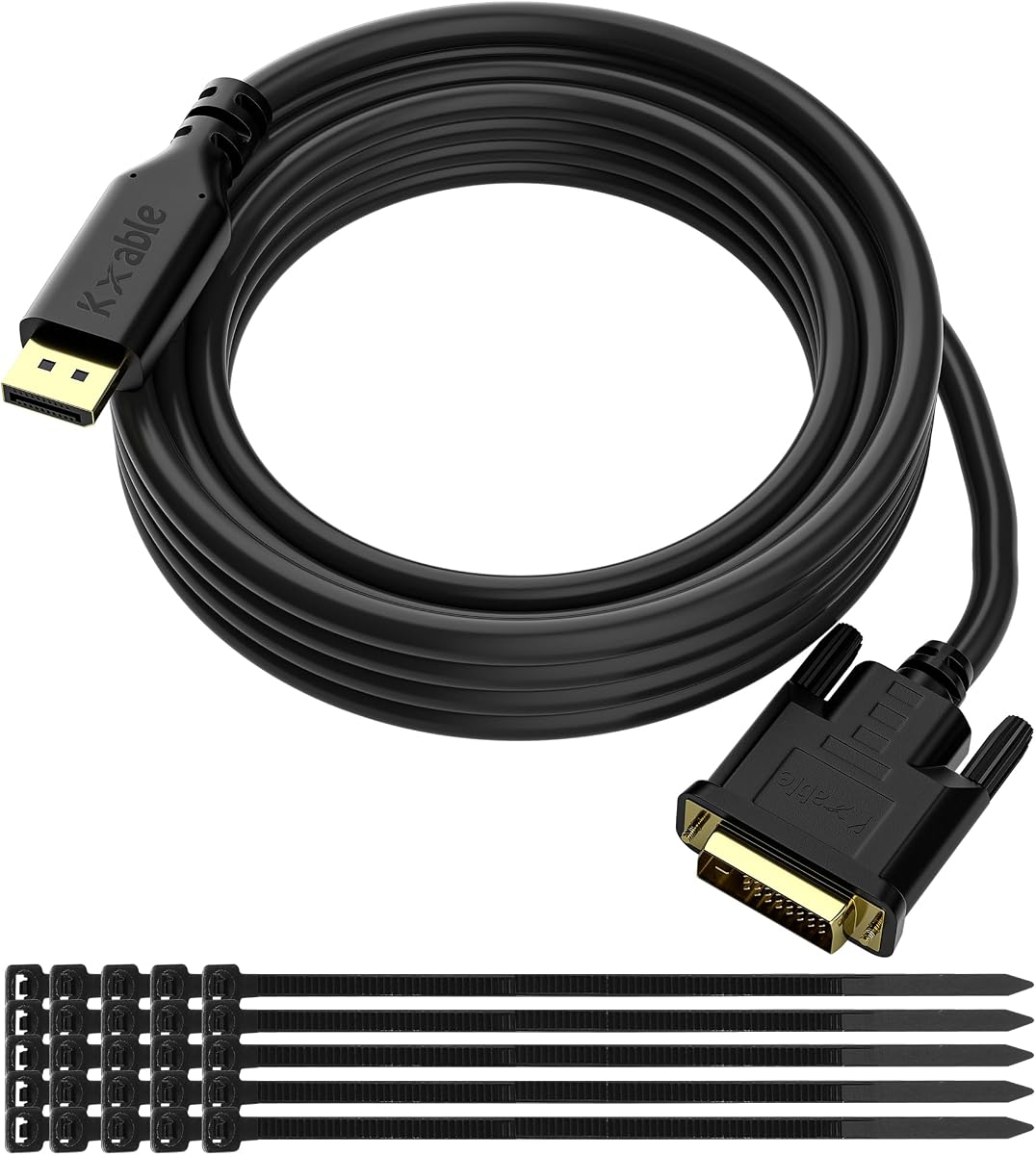
This Kxable DP to DVI cable supports video resolutions up to 1920×1080@60Hz and is backward compatible with lower resolutions. It uses high-quality pure copper wire for much better conductivity than copper clad steel.
We may earn a commission when you buy through this link, at no additional cost to you.
The corrosion-resistant 24K gold-plated connectors increase service life while multi-layer shielding transmits high-quality video free from interference. The reinforced strain relief and soft PVC jacket make this cable have an excellent texture.
It is perfectly compatible with various laptops and desktops from HP, Dell, and Lenovo. The cable supports extend and mirror modes making it suitable for office and gaming scenarios. It is uni-directional only.
With a length of 25 feet, it offers significant reach for large setups. The inclusion of 25 complimentary cable ties helps keep cables organized. A one-year warranty is provided with professional customer service support.
High-quality pure copper wire ensures superior conductivity compared to copper clad steel for reliable signal transmission.
The cable comes with 25 complimentary black zip ties for effective cable management and keeping your setup orderly.
We may earn a commission when you buy through this link, at no additional cost to you.
The Cable Matters DisplayPort to DVI cable directly connects a DisplayPort equipped computer to a monitor or projector with DVI input. It transmits high-definition video for streaming or gaming scenarios.
We may earn a commission when you buy through this link, at no additional cost to you.
It supports video resolutions up to 1080P Full HD. Gold-plated connectors, bare copper conductors, and foil and braid shielding provide superior cable performance and reliable connectivity for daily use.
The DVI to DisplayPort connector includes latches for a secure connection with a release button that must be depressed before unplugging. This ensures the connection remains stable during active sessions.
This cable is ideal for users who need a standard length solution without extra cost. It offers extended desktop or mirrored displays for configuring your monitor. The build quality is solid for the price.
Foil and braid shielding of the DVI to Display Port cable provides both superior cable performance and reliable connectivity.
Gold-plated connectors and bare copper conductors ensure high quality transmission for your computer to monitor setup.
We may earn a commission when you buy through this link, at no additional cost to you.
This CableCreation Active DP to DVI cable uses Active Altmode to connect standard DP laptop or PC to DVI port display devices. It supports Eyefinity Multiple Screen SLS mode for max 6 screens at a time.
We may earn a commission when you buy through this link, at no additional cost to you.
It supports video resolutions up to 1920×1200 or 1080P Full HD. The DisplayPort Latch design provides a solid and secure connection that requires pressing the release button before unplugging.
The construction includes gold-plated connectors, tinned copper conductors, and foil and braid shielding. These combine to provide superior cable performance and reliable connectivity with a high strength ABS Shell.
This cable is suitable for users needing active conversion and multi-display setups. It comes with a 24 Months Product Warranty and Lifetime Technical Support backed by 24/7 friendly customer service.
Active Altmode enables compatibility with Eyefinity Multi-Display Technology for connecting multiple screens simultaneously.
The cable includes Lifetime Technical Support and 24 Months Product Warranty for continued assistance after purchase.
We may earn a commission when you buy through this link, at no additional cost to you.
This product listing is currently incomplete. Please check the product page for detailed specifications and compatibility before purchasing.
We may earn a commission when you buy through this link, at no additional cost to you.
It may offer a standard connection type but lacks verified details in our current data set.
We recommend verifying the cable length and connector type directly on the product page.
The product may be valid but requires further confirmation to confirm its features.
Please check the product page for detailed specifications and compatibility before purchasing this cable.
We may earn a commission when you buy through this link, at no additional cost to you.
Selecting the right cable depends on several factors including length, build quality, and compatibility with your specific devices.
Most cables are uni-directional and convert DisplayPort signals to DVI but not the reverse. Ensure the cable direction matches your setup.
Choose cables clearly marked as DisplayPort source to DVI display for proper compatibility.
Gold-plated connectors resist corrosion and ensure stable contact over time. This is important for ports that may be plugged in frequently.
Look for gold-plated connectors for improved signal transmission and longer life.
Multi-layer shielding prevents signal interference and data loss especially in areas with high electromagnetic noise.
Prefer cables with foil and braid shielding to reduce static and maintain clarity.
Determine the exact distance between your computer and monitor before buying to avoid excess cable clutter or shortage.
Select a length that fits your desk layout without needing extension cables.
Verify that the cable supports your monitor's native resolution such as 1080p or 1920×1200 for optimal display quality.
Ensure the cable specifications include Full HD or higher to avoid resolution limits.
Molded strain relief protects the cable where it enters the connector to prevent breakage from bending and movement.
Choose cables with reinforced strain relief for increased durability and safety.
Latches on the DisplayPort connector help lock the connection in place so it does not loosen during daily use.
Look for connectors with a release button for secure and easy connections.
A warranty indicates the manufacturer stands behind their product and can provide replacements if needed.
Check for at least an 18-month warranty for better long-term protection.
To start connect the DisplayPort end of the cable to your computer and the DVI end to your monitor ensuring the latches are fully engaged.
After connecting configure your display settings to extend or mirror your screens depending on your workflow requirements.
To extend the life of the cable avoid sharp bends and unplug by pressing the release button rather than pulling the cable body.
Most cables sold are uni-directional meaning they can only transmit signals from DisplayPort to DVI. They cannot transmit from DVI to DisplayPort so be sure to check the direction.
Standard DVI cables do not carry audio signals only video. You will need a separate audio connection for sound unless you use HDMI.
Most support up to 1920×1080@60Hz Full HD. Some models support higher resolutions like 1920×1200 so check the specs for your needs.
If your monitor has DVI-D or DVI-I input you may need an adapter. Most cables are DVI-D so check the pinout compatibility for your device.
Passive cables work best up to 15 feet but active cables can go longer. For distances over 15 feet look for active conversion options.
Flickering can be caused by poor shielding or a loose connection. Ensure the connectors are secure and the cable has proper shielding layers.
We identified the BENFEI and Kxable cables as top performers for reliability and material quality in our evaluation.
Prioritize cables with gold-plated connectors and strain relief to ensure long-term stable performance for your displays.
Always verify current prices and availability before purchase as offers and stock can change quickly on Amazon.