
Acer 4-in-1 USB C Hub
4.2Editor score
Affordable dual HDMI 4K
100W Power Delivery pass-through
Compact 4-in-1 design
This guide compares the top dual HDMI monitor adapters for 2026, helping you choose the right USB-C or USB-A hub for dual 4K displays and productivity.
Finding the right dual HDMI monitor adapter can transform your workspace by enabling a multi-screen setup. These devices allow you to connect two external displays to a single laptop port, boosting productivity and multitasking capabilities significantly for professionals.
We evaluated ten top-rated adapters based on compatibility, resolution support, and build quality. Our analysis focuses on USB-C and USB-A options that support extended displays, ensuring you can work efficiently across multiple screens without sacrificing performance or visual clarity.
Each pick highlights specific strengths like 4K support or power delivery. Prices and availability change frequently so verify details before buying. This guide helps you navigate the options to find the adapter that fits your specific workflow and hardware requirements perfectly.
4.2Editor score

4.4Editor score

4.5Editor score
The following table compares the key specifications of all ten adapters reviewed in this guide to help you make an informed decision based on your technical needs and budget constraints.


The Selore USB C Docking Station stands out as a top choice for users needing robust connectivity. It offers dual 4K 60Hz HDMI ports alongside a full suite of data and power options. With a strong rating, it delivers reliable performance for multitasking professionals.
We may earn a commission when you buy through this link, at no additional cost to you.
Its eight ports include two USB A, a card reader, and a 100W PD port. This setup allows you to charge your laptop while running two external monitors smoothly. The high-resolution support ensures crisp visuals for both work and creative tasks.
Users should note that macOS only supports mirroring with this device due to system limitations. Additionally, the power adapter is not included so you will need to provide your own 100W charger. These are minor trade-offs for the extensive features provided.
This docking station is ideal for those who need a single hub to replace multiple cables on their desk. It simplifies your setup and enhances productivity by keeping your laptop and peripherals connected efficiently. It is a strong recommendation for Windows and macOS users alike.
With multiple USB ports and an SD card reader, this hub handles various peripherals without needing extra dongles.
The 100W PD port ensures your laptop stays charged even while driving two high-resolution external displays.
We may earn a commission when you buy through this link, at no additional cost to you.
The Acer 4-in-1 USB C Hub offers an impressive array of features at a budget-friendly price. It supports dual 4K 60Hz outputs which is rare at this cost. This makes it a top pick for those seeking high performance without spending a lot on a docking station.
We may earn a commission when you buy through this link, at no additional cost to you.
It includes a high-speed USB A port for data and a 100W PD port for charging. This versatility allows you to keep your laptop powered while transferring files quickly. The sleek design fits easily into travel bags for on-the-go productivity needs.
One limitation is the short 20cm cable which may restrict desk positioning depending on your setup. Also macOS users can only mirror displays rather than extend them. Despite these small issues, the value proposition is hard to beat for general use.
If you need a reliable adapter that delivers high-quality visuals and charging in one package this is an excellent choice. It simplifies your workflow by reducing cable clutter while maintaining strong performance standards. It is highly recommended for budget-conscious professionals.
This hub delivers crisp 4K 60Hz visuals on dual screens ensuring sharp text and vibrant colors for work.
You can charge your laptop at 100W while transferring data at 5Gbps ensuring a seamless workflow.
We may earn a commission when you buy through this link, at no additional cost to you.
StarTech is a trusted name for IT professionals and this adapter reflects that reliability. It provides a stable connection for dual monitors using a USB-A 3.0 port. The design is robust and includes a generous three-year warranty for peace of mind.
We may earn a commission when you buy through this link, at no additional cost to you.
While it supports 4K at 30Hz it also allows for a 1080p 60Hz second screen. This balance is suitable for most office tasks where high refresh rates are not critical. It supports audio output through HDMI which simplifies your cable management significantly.
Note that this device only supports Windows systems and requires driver installation. The 30Hz limit on 4K might not suit video editing but is fine for productivity. These constraints are acceptable given the build quality and support included.
For IT managers or businesses needing standardized hardware this adapter is a solid choice. It ensures compatibility across various Windows machines and offers long-term support. It is recommended for office environments prioritizing stability over extreme refresh rates.
Built for IT pros with a three-year warranty this adapter ensures consistent performance across Windows workstations.
It carries audio through HDMI so you do not need a separate cable for sound on your monitors.
We may earn a commission when you buy through this link, at no additional cost to you.
This adapter is specifically designed for desktops with dedicated graphics cards that have DisplayPort outputs. It leverages MST technology to drive two 4K 60Hz monitors from a single port. This makes it a powerful option for high-performance PC setups.
We may earn a commission when you buy through this link, at no additional cost to you.
It supports both mirroring and extending without needing extra drivers for the video output. The anti-interference design ensures stable signals even with long cables. However you must connect a USB-C power cable to keep the hub running effectively.
Users should verify their graphics card supports DP 1.4 for dual 4K 60Hz performance. Integrated graphics might not support this so it works best with dedicated cards like NVIDIA or AMD. It is important to note it does not work with USB hubs or docks.
If you have a desktop or powerful laptop with a DisplayPort this adapter offers excellent versatility. It lets you expand your screen real estate significantly while maintaining high resolutions. It is ideal for gamers or designers needing dual high-res screens.
This hub unlocks dual 4K 60Hz potential for modern graphics cards using DisplayPort 1.4 input signals.
The built-in chipset and shielding ensure your video signal remains stable even with extended cable runs.
We may earn a commission when you buy through this link, at no additional cost to you.
WAVLINK offers a solution that works across both Windows and macOS systems easily. It supports extended display modes allowing three separate screens including your laptop display. This makes it a solid choice for mixed device environments.
We may earn a commission when you buy through this link, at no additional cost to you.
You will need to install a driver for it to function properly. This setup takes a bit of time but ensures compatibility with various OS versions. It supports up to 1080p 60Hz on each screen which is sufficient for office apps.
This adapter is not recommended for gaming or high-intensity graphic design due to bandwidth limits. However for productivity it is quite effective. The dual USB input options allow it to connect to older and newer laptops seamlessly.
If you need to extend your display on a Mac or PC this hub provides flexibility. It is particularly useful for teams using different operating systems. Just remember to install the drivers before expecting the screens to extend.
This device bridges the gap between Mac and Windows allowing dual displays on both operating systems.
Although it requires drivers this ensures stable performance across different OS versions and hardware configurations.
We may earn a commission when you buy through this link, at no additional cost to you.
The OREI SplitExtend HDMI Splitter is designed to boost productivity with a three-screen setup. It connects a single source to two external displays allowing for extended viewing. This is useful for multitasking in office environments.
We may earn a commission when you buy through this link, at no additional cost to you.
It supports 4K at 30Hz which is adequate for static work like writing or coding. The Silicon Motion driver is necessary for proper functionality so check compatibility with your IT admin if on a work laptop. It is an important step to ensure it works.
Your system needs an Intel i5 processor or higher for optimal performance. If your laptop is older it might struggle with the display output. The USB-A and USB-C flexibility allows it to adapt to different ports easily.
This adapter is a good option for those needing extra screens on a budget. It simplifies your workspace by allowing more information on screen at once. Just ensure your processor meets the requirements before purchasing for best results.
Add two external monitors to your laptop to create a spacious three-screen workspace for better focus.
This unit requires an Intel i5 processor or better to handle the video processing efficiently.
We may earn a commission when you buy through this link, at no additional cost to you.
This HDMI splitter is perfect if you only need to show the same image on two screens. It is simple to use without any driver installation required. The 4K 30Hz output ensures decent clarity for presentations or monitoring setups.
We may earn a commission when you buy through this link, at no additional cost to you.
Audio synchronization is built-in so you do not need a separate audio cable. This saves clutter and simplifies the connection process. It supports various input sources like game consoles or PCs making it versatile for entertainment.
Since it does not support extended displays you cannot use separate windows on each screen. This limitation makes it less suitable for multitasking but ideal for sharing screens. It is a straightforward tool for specific use cases.
If you need a basic splitter to mirror your desktop to a TV and monitor this works well. It is reliable and cost-effective for showing content to a group. Just remember it duplicates your screen rather than expanding it.
No software installation is needed so you can set up the mirrors instantly for immediate use.
Audio travels through the HDMI cable ensuring sound is perfectly synchronized with your video output.
We may earn a commission when you buy through this link, at no additional cost to you.
This compact hub brings powerful connectivity to your laptop bag. It supports dual 4K 60Hz displays allowing for a crisp and smooth visual experience. The 4-in-1 design keeps it lightweight while offering essential ports for work.
We may earn a commission when you buy through this link, at no additional cost to you.
With a 100W PD port you can charge your laptop while using the adapters. This ensures you are never running out of battery during long meetings. The USB-A port provides additional space for a flash drive or mouse.
Note that macOS users are limited to mirroring screens. Windows users can extend the desktop for multitasking. It also requires a 100W adapter for full performance which is not included in the box.
For frequent travelers needing a reliable dual-screen setup this hub is ideal. It balances performance and portability well for mobile professionals. Just ensure you have a compatible charger to maximize its potential.
Its compact size makes it easy to carry in a laptop bag for presentations on the go.
Transfer files quickly with the USB-A port while keeping your laptop powered via PD.
We may earn a commission when you buy through this link, at no additional cost to you.
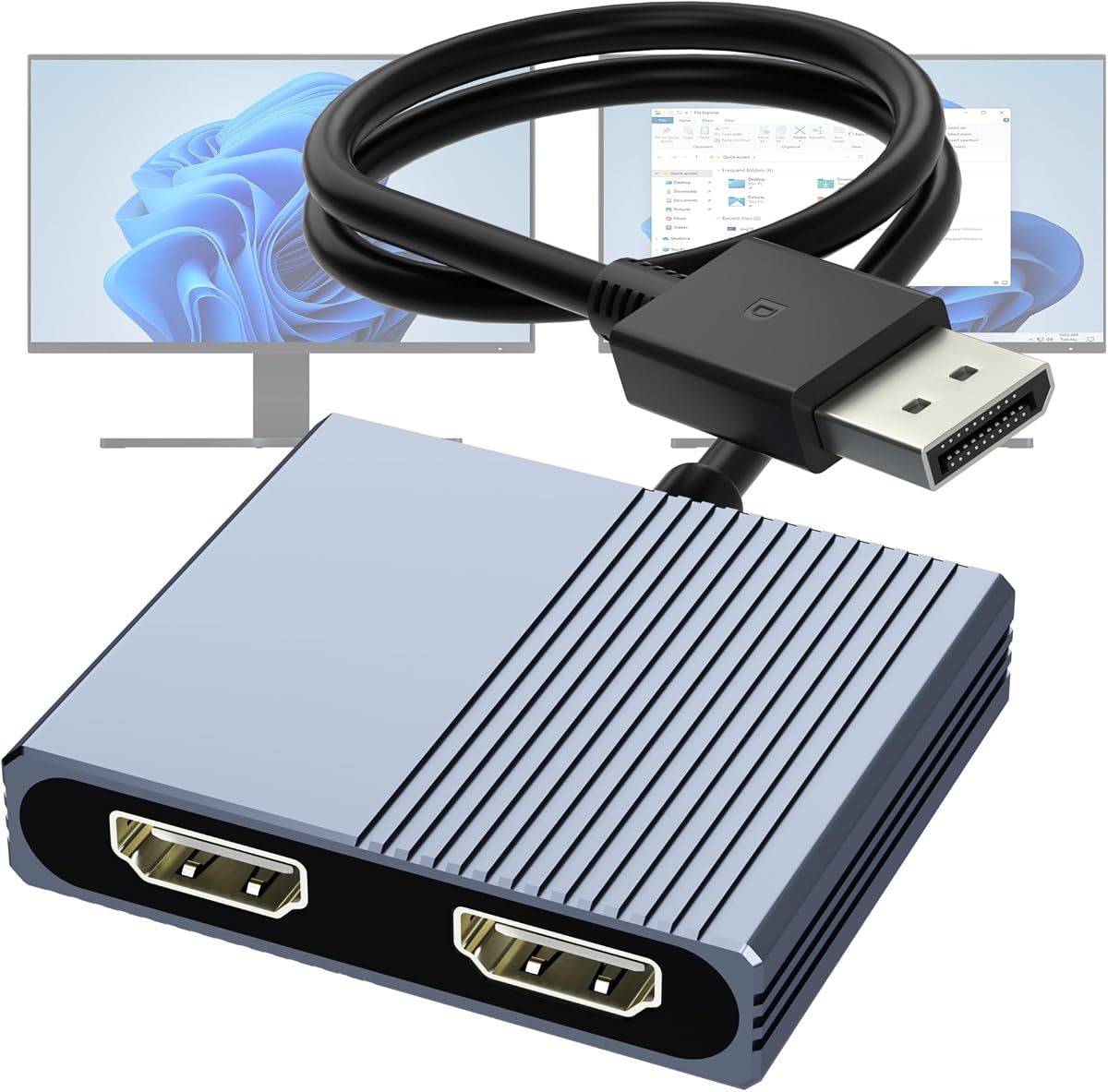
This adapter is built for durability and performance with its aluminum alloy housing. It connects a DisplayPort signal to two HDMI screens providing a smooth visual experience. The gold-plated ports ensure reliable connection and stability over time.
We may earn a commission when you buy through this link, at no additional cost to you.
It supports 4K at 60Hz on both monitors which is great for detailed work. It works seamlessly with Windows and macOS for extended or mirrored displays. This makes it a versatile choice for PC users looking to upgrade their setup.
Integrated graphics might not support the full range of features so a dedicated card is recommended. Also it requires a specific DP 1.4 port on your device to function correctly. These requirements are standard for high-performance hubs.
For PC users with dedicated GPUs this hub offers a premium extension solution. It is designed to handle long-term use without overheating. It is a solid choice for expanding your workspace efficiently and reliably.
The aluminum housing protects internal components and helps dissipate heat during extended use.
Dual 4K 60Hz support ensures you get the best possible resolution for your productivity needs.
We may earn a commission when you buy through this link, at no additional cost to you.
The UANTIN 6-in-1 Hub brings multiple connections into a single slim package. It supports dual 4K 60Hz HDMI ports which allows for a vibrant visual setup. This is great for those needing extra ports without bulky hardware.
We may earn a commission when you buy through this link, at no additional cost to you.
With three USB-A ports you can connect a mouse keyboard and drive simultaneously. The 100W PD port ensures your laptop stays charged during heavy usage. It is designed for quick setup with no drivers needed for basic functions.
The cable length is 30cm which might be short for some desk configurations. Also macOS users are limited in extended mode compared to Windows. These are minor constraints for an otherwise feature-rich hub.
If you need a compact way to add ports and screens this hub fits well. It simplifies your desk and keeps everything organized. It is a solid choice for home or office workstations.
Three USB-A ports let you attach multiple peripherals without needing extra hubs or adapters.
The 100W PD support ensures your device remains powered while you work on dual screens.
We may earn a commission when you buy through this link, at no additional cost to you.
Choosing the right adapter requires understanding your laptop ports and desired screen resolution. Here are key factors to consider.
Identify if your laptop has a USB-C or USB-A port. USB-C adapters often provide power delivery which helps keep your laptop charged while connected. USB-A adapters are common for older laptops but may require a separate power source.
Check your laptop ports to determine which adapter type matches your hardware capabilities.
Look for adapters that support at least 1080p 60Hz. For high-quality visuals consider 4K 60Hz options. Note that some adapters split bandwidth so dual 4K might run at 30Hz depending on the device.
Prioritize 4K 60Hz if you need sharp details for design work.
Windows typically supports extended displays while macOS may limit you to mirroring on certain adapters. Check the product description for MST support. If you are on a Mac ensure the adapter explicitly supports dual-screen extension.
Verify OS compatibility to avoid display limitations like mirroring only.
Adapters with Power Delivery allow your laptop to charge while connected. Look for 100W PD ports to ensure fast charging speeds. This feature is essential for reducing cable clutter on your desk.
Select a hub with PD charging to simplify your workspace.
Some adapters require driver installation to function. While plug-and-play options exist drivers can improve stability. Check if you have permission to install drivers on your work computer before purchasing.
Decide if you need plug-and-play convenience or are comfortable installing drivers.
Adapters with aluminum housings help dissipate heat. Quality ports ensure stable connections over time. Investing in a durable adapter reduces the risk of signal loss or hardware failure.
Choose adapters with metal construction for better durability and heat management.
Consider adapters with extra USB ports or card readers. This versatility allows you to connect more devices without additional hubs. A good adapter can replace multiple dongles.
Look for extra ports to maximize functionality in a single device.
Reputable brands offer warranties to protect your investment. Check for lifetime or multi-year support options. Good customer service is vital if you encounter compatibility issues.
Prioritize brands with strong warranties for peace of mind.
Connect the adapter to your laptop first. Then plug in the HDMI cables to your monitors. Ensure your laptop is powered or connected to a charger if the adapter uses Power Delivery. This setup ensures a stable connection for your displays.
Configure your display settings through your operating system. Go to the display settings menu to choose between extending or mirroring your screens. This step is crucial to make the most of your new multi-screen setup.
Keep the adapter in a cool and dry place. Avoid bending the cables excessively to prevent internal damage. When unplugging always pull from the adapter body not the cable to ensure longevity and safety.
Yes if you use a USB-A to USB-C adapter. However ensure the USB-C port supports video output. Some laptops do not allow video out via USB-A so you might need a USB-C hub instead.
macOS often restricts extended displays on certain adapters. This is due to hardware limitations or driver support. Check if the product explicitly supports MST mode for extended screens on Mac.
Some adapters require drivers for extended displays. Others work plug-and-play. Always check the product description. Installing drivers ensures you get the full features like dual 4K support.
Yes if you include your laptop screen. These adapters add two external displays so you get three total. This setup is great for multitasking.
Most adapters are not for gaming. They work best for productivity. Gaming requires high refresh rates which these adapters may not support well due to bandwidth limits.
With proper care they can last several years. Avoid pulling the cables and keep them away from heat. Quality adapters with metal casings often last longer than plastic ones.
Yes these adapters work well with stands. Ensure the cables are not under tension when your laptop is elevated. Use a cable tie to manage the slack neatly.
HDMI adapters connect to HDMI ports while DisplayPort adapters use DP inputs. DisplayPort often supports higher bandwidth for dual 4K. Choose based on your laptop available ports.
We have reviewed ten top adapters that cater to different needs from budget to premium. Each option offers unique strengths in connectivity and performance.
Prioritize compatibility and power delivery when making your choice. Ensure the adapter supports your resolution requirements and operating system for seamless use.
Prices and stock vary so check current listings before purchasing. With the right adapter you can boost your productivity significantly.