
acer SB240Y G0bi
4.6Editor score
120Hz Refresh Rate
IPS Panel Technology
Zero-Frame Design
Edge to edge monitors provide immersive visuals by minimizing bezels for a seamless viewing experience. These displays are ideal for multitasking, gaming, and creative work where screen real estate matters most.
We compared ten top models based on resolution, refresh rate, panel technology, and connectivity. Each entry includes verified specifications, user ratings, and practical insights to help you find the perfect fit.
Every pick highlights key strengths and trade-offs so you can choose with confidence. Prices fluctuate often, so verify current deals before purchasing to ensure you get the best value available.
4.6Editor score

4.4Editor score

4.3Editor score
As an Amazon Associate we earn from qualifying purchases.
This table offers a quick side-by-side overview of key specifications across all ten monitors. Use it to compare resolution, refresh rates, panel types, and connectivity options at a glance.





The Dell 34 Monitor S3425DW stands out as a top choice for those seeking balance between work and entertainment. With a 4.4 rating, it delivers sharp WQHD visuals and smooth 120Hz performance.
We may earn a commission when you buy through this link, at no additional cost to you.
Its ComfortView Plus technology reduces harmful blue light without compromising color accuracy, making it ideal for long sessions. The 99% sRGB and 95% DCI-P3 coverage ensure vivid, true-to-life colors.
While the VA panel offers deep contrast, some users might notice slight ghosting in fast motion. However, the 0.03ms response time and FreeSync Premium mitigate this for most casual and competitive games.
For professionals and gamers alike, this monitor offers excellent value. Its single USB-C connection simplifies desk setups, while the re-engineered audio reduces the need for external speakers.
Reduces blue light emissions to ≤35% for all-day viewing without sacrificing color accuracy.
A single USB-C cable provides up to 65W power delivery and data transfer for clutter-free setups.
We may earn a commission when you buy through this link, at no additional cost to you.
The Z-Edge 49 inch Ultrawide delivers cinematic immersion with its 49-inch DQHD display. Rated 4.5 stars, it offers a 32:9 aspect ratio that replaces dual monitors seamlessly.
We may earn a commission when you buy through this link, at no additional cost to you.
Its 165Hz refresh rate and 1ms response time ensure fluid motion for gaming and video. The built-in KVM switch allows control of two devices with one keyboard and mouse.
The curve wraps around your field of view, which some find distracting for static tasks. Additionally, this monitor may require more power than standard displays due to its size.
For multitasking professionals and immersive gamers, this model excels. The PIP and PBP modes enhance productivity, while the ergonomic stand ensures comfort during extended use.
Delivers panoramic workspace equivalent to two QHD monitors side-by-side without bezels.
Built-in KVM allows control of two devices with a single keyboard and mouse setup.
We may earn a commission when you buy through this link, at no additional cost to you.
The Dell UltraSharp U4924DW offers reliable performance with a 49-inch DQHD curved screen. Its 4.2 rating reflects solid build quality and clear visuals for professional workflows.
We may earn a commission when you buy through this link, at no additional cost to you.
USB Type-C enables efficient data transfer, and Edge WLED backlighting ensures smooth display performance. The 5120 x 1440 resolution provides exceptional sharpness for detailed work.
However, its 5ms response time lags behind faster gaming monitors, and it lacks USB-C power delivery. These trade-offs may limit appeal to competitive gamers seeking high refresh rates.
For office environments and media consumption, this model delivers consistent results. VESA mount compatibility adds flexibility, and the 32:9 aspect ratio supports comfortable multitasking.
Enables powerful and efficient data transfer for maximum productivity with compatible devices.
Provides a clear and smooth display with 5120 x 1440 maximum resolution for sharp visuals.
We may earn a commission when you buy through this link, at no additional cost to you.
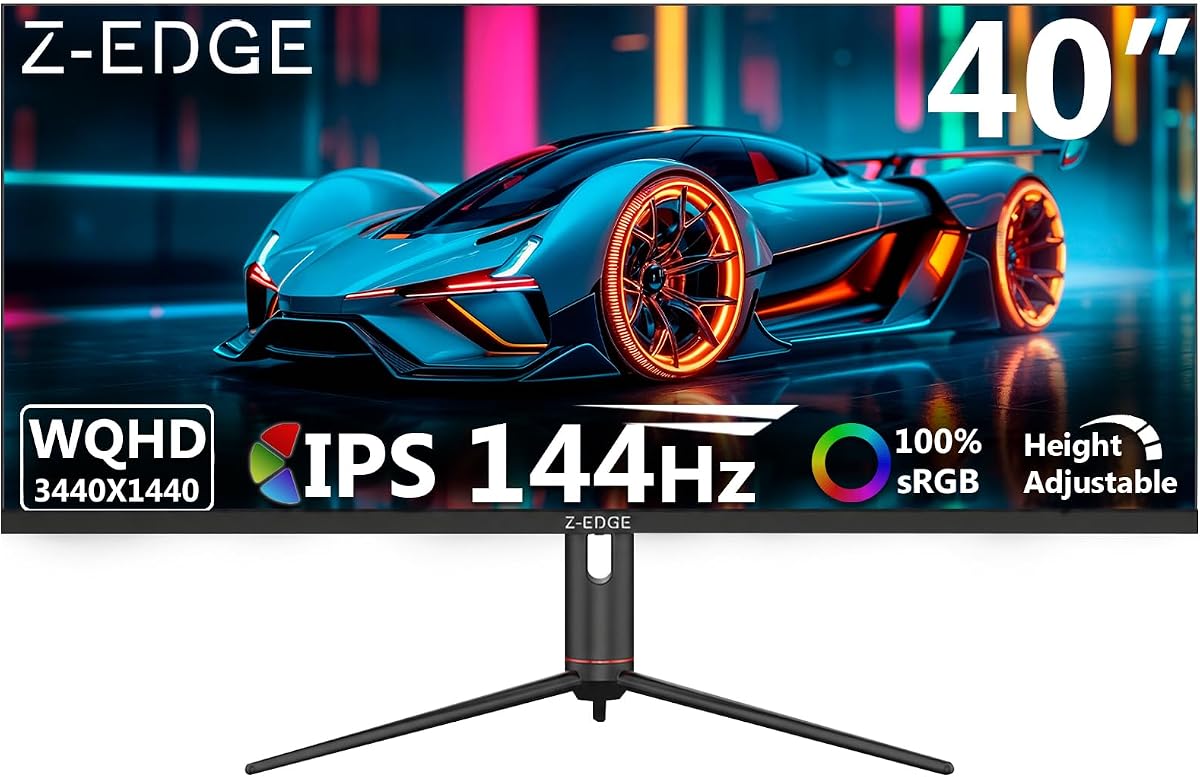
The Z-Edge 40 inch Ultrawide balances size and performance with its WQHD IPS panel. Rated 4.5 stars, it offers consistent colors and brightness from nearly any viewing angle.
We may earn a commission when you buy through this link, at no additional cost to you.
With 144Hz refresh rate and 100Hz via HDMI, motion remains fluid for gaming and video. USB-C connectivity ensures convenient data transmission alongside efficient power delivery options.
While smaller than 49-inch rivals, its 21:9 aspect ratio still provides expanded screen space. The stand offers height, tilt, and swivel adjustments, though all are manual.
This monitor suits users seeking compact ultrawide versatility. PIP and PBP modes support multitasking, and built-in speakers reduce clutter while maintaining decent audio quality.
Advanced IPS panel delivers 178° wide viewing angles for consistent color from any perspective.
PIP and PBP split-screen modes allow simultaneous display of multiple input sources.
We may earn a commission when you buy through this link, at no additional cost to you.
The Corsair XENEON Edge is designed for portability with a 14.5-inch 2K touchscreen. Its 4.1 rating reflects its unique ability to showcase metrics or widgets inside or outside a PC case.
We may earn a commission when you buy through this link, at no additional cost to you.
Wide viewing angles and vibrant colors make it visually appealing. The five-point multi-touch interface allows intuitive interaction with applications and games.
However, its 60Hz refresh rate makes it unsuitable for competitive gaming. Its smaller size also limits use as a primary display for multitasking.
Ideal for PC builders seeking additional screens, this model shines as a secondary tool. Magnet and screw mounts ensure secure placement, while the stand supports standalone use.
Mount inside your case or use as a standalone monitor with included stand for maximum flexibility.
Five-point multi-touch capacitive screen enables intuitive interaction like a smartphone.
We may earn a commission when you buy through this link, at no additional cost to you.
The Sceptre Curved 34-inch targets gamers with a 240Hz refresh rate and 1ms response time. Its 4.4 rating highlights smooth motion performance and vibrant 100% sRGB visuals.
We may earn a commission when you buy through this link, at no additional cost to you.
Blue-Light Shift technology reduces eye strain during long sessions. Built-in speakers provide audio convenience without desk clutter, and DisplayPort and HDMI ports offer versatile connectivity.
Its stand does not adjust height, and it lacks USB-C. These missing features may inconvenience users seeking ergonomic flexibility or modern single-cable setups.
Despite limitations, this monitor delivers competitive performance. The 1500R curvature enhances immersion, making it a strong choice for FPS games and multimedia.
Up to 240Hz refresh rate ensures buttery-smooth visuals for work and play.
100% sRGB color gamut performance ensures accurate and stunning visuals for creative tasks.
We may earn a commission when you buy through this link, at no additional cost to you.
The LG 45GX950A-B sets a new standard with its 5K2K OLED gaming monitor. Its 4.3 rating reflects stunning visuals, deep blacks, and exceptional detail in games.
We may earn a commission when you buy through this link, at no additional cost to you.
OLED technology delivers up to 1300 nits brightness and 1.5M:1 contrast. Dual-Mode switches between 5K2K 165Hz and WFHD 330Hz for tailored gameplay experiences.
At this price, OLED burn-in remains a consideration for static content users. However, certified anti-glare and low blue light features protect eyes during long sessions.
For gamers prioritizing image quality, this monitor is unmatched. Its 800R curve and USB Type-C 90W power delivery provide both immersion and modern connectivity.
World's first 5K2K WUHD resolution offers unparalleled clarity on a 45-inch curved screen.
Switch to WFHD at 330Hz for ultra-responsive gameplay in competitive titles.
We may earn a commission when you buy through this link, at no additional cost to you.
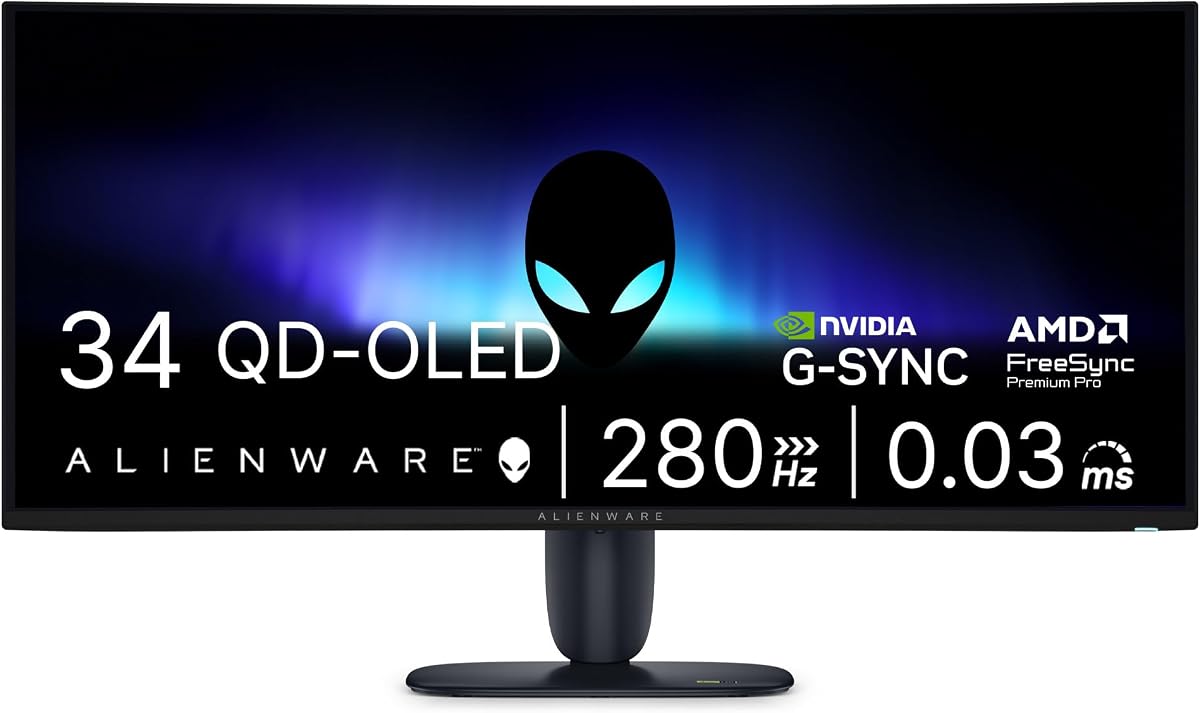
The Alienware 34 Gaming Monitor delivers ultra-fast 280Hz refresh with QD-OLED technology. Its 4.2 rating emphasizes speed, color depth, and responsiveness.
We may earn a commission when you buy through this link, at no additional cost to you.
G-SYNC compatibility ensures tear-free visuals, and 0.03ms response minimizes ghosting. The UWQHD resolution provides sharp details for immersive gameplay.
Price and burn-in risks are trade-offs. However, Alienware quality assurance and OLED brightness make it compelling for high-end setups.
For enthusiasts seeking top-tier speed, this monitor excels. Its design complements premium gaming rigs, and performance dominates competitive titles.
Combines quantum dots with OLED for vivid color and deep blacks.
280Hz refresh rate provides buttery-smooth gameplay for competitive gaming.
We may earn a commission when you buy through this link, at no additional cost to you.
The acer SB240Y G0bi offers edge-to-edge visibility with its zero-frame design. Its 4.6 rating reflects value, responsiveness, and solid build quality.
We may earn a commission when you buy through this link, at no additional cost to you.
120Hz refresh and 1ms VRB response ensure smooth visuals for gaming. Adaptive-Sync eliminates tearing, while Full HD resolution suits budget-conscious buyers.
Full HD limits detail compared to WQHD models, and it lacks USB-C. However, its compact size and tilt adjustment suit small desks.
For entry-level gaming or office use, this monitor is a strong pick. Its affordability and performance balance make it accessible for most users.
Provides maximum visibility from edge-to-edge with minimal bezel distractions.
Matches monitor refresh rate with graphics card for smooth, tear-free gameplay.
We may earn a commission when you buy through this link, at no additional cost to you.
The Samsung 57 Odyssey Neo G9 delivers an expansive 57-inch dual UHD display. Its 4.3 rating highlights unmatched immersion and visual fidelity.
We may earn a commission when you buy through this link, at no additional cost to you.
Quantum Matrix Technology creates controlled brightness with 2,392 dimming zones. VESA DisplayHDR 1000 ensures deep blacks and brilliant highlights.
Its size demands ample desk space, and premium pricing limits accessibility. However, CoreSync and Core Lighting enhance room ambiance.
For enthusiasts seeking the ultimate setup, this monitor is unmatched. Its performance supports multitasking, gaming, and multimedia with equal excellence.
Resolution as wide as two UHD monitors offers incredible detail and field of view.
Revolutionary Mini LED dimming creates controlled brightness and improved contrast.
We may earn a commission when you buy through this link, at no additional cost to you.
Selecting an edge to edge monitor requires evaluating resolution, refresh rate, panel technology, and connectivity to match your needs.
Resolution determines image sharpness. Edge to edge monitors range from Full HD on compact models to Dual UHD on massive displays. Match resolution to screen size; 23.8-inch displays may suit Full HD, while 49-inch panels benefit from DQHD or higher.
Larger panels need higher resolution to avoid pixelation.
Refresh rates above 120Hz ensure smooth motion, vital for gaming. Response times below 1ms minimize ghosting. For office work, 60Hz to 120Hz suffices, but competitive gaming demands 240Hz or more.
Lower response times reduce motion blur and improve gameplay precision.
IPS panels offer consistent colors and wide viewing angles. VA panels provide deep contrast. OLED and QD-OLED deliver perfect blacks and vivid colors. Each has trade-offs in speed and burn-in risk.
Choose panel type based on color accuracy and contrast priorities.
USB-C simplifies setups with power and data in one cable. DisplayPort 2.1 supports high refresh rates. HDMI 2.1 connects consoles. Ensure your system has matching ports.
Modern connectivity reduces cable clutter and supports high performance.
Height, tilt, and swivel adjustments improve comfort. VESA mounts allow arms for flexibility. Built-in speakers reduce external devices. Check adjustability before purchasing.
Ergonomic stands reduce strain during long sessions.
KVM switches control multiple devices. PIP and PBP modes support multitasking. Blue-light filters protect eyes. These features enhance productivity and health.
Extra features justify costs for multi-user or long-session setups.
Edge to edge monitors span $129 to $2,000. Balance features against needs. Premium models offer OLED and high refresh, but budget options deliver solid performance.
Avoid overspending for features you won't use.
Consider warranties and brand reputation. OLED models carry burn-in risk. LED and LCD offer longer lifespans. Read user reviews for reliability insights.
Strong warranties provide peace of mind for long-term use.
Calibrate display settings for accurate colors and brightness. Use built-in presets or external tools. Proper calibration reduces eye strain and improves visual fidelity.
Clean the screen with a soft microfiber cloth. Avoid harsh chemicals. Dust accumulates on bezels, so wipe gently. Keep liquids away from ports.
Adjust monitor height so the top aligns with your eyes. Use ergonomic settings to tilt slightly. Position speakers or headphones for balanced audio.
An edge to edge monitor has minimal bezels, creating a seamless display area. This design improves immersion for multitasking and gaming.
Yes, many models offer high refresh rates and low response times. Curved and ultra-wide variants enhance immersion significantly.
Most support standard VESA mounts. Check dimensions before purchasing arms. Built-in stands are adjustable but may lack flexibility.
IPS offers best color consistency. OLED delivers perfect blacks. VA provides contrast. Your use case determines the ideal choice.
Use a dry microfiber cloth. Avoid water directly on the screen. Power off before cleaning. Do not use abrasive materials.
Many modern models include USB-C with power delivery. Verify specs if single-cable setup is needed for your devices.
Absolutely. High resolution and color accuracy suit design and data tasks. PIP/PBP modes streamline workflows.
LED and LCD monitors last 5-7 years. OLED may have shorter lifespans due to burn-in. Care and settings affect longevity.
Our top picks include the Dell 34 S3425DW for balance, Z-Edge 49 for premium immersion, and acer SB240Y for budget value. Each serves distinct user needs effectively.
Prioritize resolution, refresh rate, and connectivity that match your workflow. Don't overlook ergonomics or eye-care features.
Prices change frequently. Check current listings before purchasing to secure the best deal on your ideal model.