
MINISFORUM DEG1 Docking Station
4.5Editor score
Compact Portable 14cm Design
OCuLink 4i 64Gbps Interface
Force Power On Smart Startup
This expert guide compares the top egpu docks for 2026 evaluating bandwidth compatibility and features to help you choose the best external GPU enclosure.
Choosing the right egpu dock transforms your laptop into a powerful desktop workstation. It requires balancing bandwidth speed compatibility and build quality to ensure seamless performance.
We evaluated ten leading models focusing on Thunderbolt and OCuLink interfaces. Our analysis covers connectivity options power supply flexibility and real-world usability for creators and gamers.
Each pick highlights unique strengths from storage integration to cooling design. Remember that product availability and specifications can change so verify details before purchasing.
4.5Editor score

4.4Editor score

4.8Editor score
The following table compares all ten egpu docks side by side to highlight key differences in interface speed power support and physical design.




The MINISFORUM DEG2 stands out as a versatile egpu dock designed for modern workflows. It supports both USB4 V2 and OCuLink interfaces giving users flexibility in connectivity. Its built-in M.2 NVMe slot allows storage integration directly on the dock.
We may earn a commission when you buy through this link, at no additional cost to you.
This model excels at reducing friction in mixed-device environments. By storing project files on the dock itself users avoid repeated transfers when switching between devices. The signal booster ensures stable data transfer even during intensive tasks like 8K rendering or LLM inference.
While powerful the dock requires a separate GPU and power supply which adds to the total cost. Additionally the single-cable workflow depends on specific host capabilities so checking compatibility before purchase is wise.
Creators and professionals needing a seamless desktop transition will find this dock valuable. It balances performance and convenience effectively making it a top choice for serious users.
Users can switch between USB4 V2 and OCuLink modes with a hardware toggle allowing optimization for different host devices without changing cables.
The M.2 NVMe slot enables direct storage of large assets on the dock reducing file transfer overhead and streamlining cross-device workflows.
We may earn a commission when you buy through this link, at no additional cost to you.
The MINISFORUM DEG1 offers impressive performance in a tiny form factor. Measuring just 14 cm long it fits easily into bags making it ideal for mobile professionals. It uses the OCuLink 4i interface for high-speed data transfer.
We may earn a commission when you buy through this link, at no additional cost to you.
Its compact design does not sacrifice speed delivering 64Gbps bandwidth for smooth graphics processing. The Force Power On function simplifies startup processes compatible with specific MINISFORUM mini PCs. Signal amplifier chips enhance transmission stability.
Users must turn off the computer before unplugging the cable since hot-plugging is not supported. This limitation requires careful handling to avoid port damage or system errors during connections.
For users needing a portable upgrade solution without breaking the bank this dock is a strong candidate. Its balance of size speed and cost makes it a top budget pick.
The small 14cm footprint allows easy transport in backpacks or handbags enabling performance upgrades anytime and anywhere without bulk.
With PCIe 4.0×4 connectivity the dock delivers 64Gbps transfer speeds ensuring smooth graphics processing and data handling for demanding tasks.
We may earn a commission when you buy through this link, at no additional cost to you.
The UGREEN LinkStation delivers premium performance with its dual-channel OCuLink and USB4 support. It transforms laptops into desktop powerhouses with stable high-speed connections. The semi-open aluminum chassis aids heat dissipation effectively.
We may earn a commission when you buy through this link, at no additional cost to you.
Its removable top cover allows installation of GPUs up to 370mm in length accommodating even the largest high-end cards. The integrated cable storage keeps desks organized while the low-RPM fan ensures quiet operation during intensive sessions.
The dock supports dual-slot bracket GPUs but excludes triple-slot models which may limit compatibility for some users. The higher cost reflects its build quality and versatility compared to more basic enclosures.
Enthusiasts and professionals seeking maximum flexibility and quiet operation will appreciate this dock. It stands out for its thoughtful design and robust connectivity options.
A removable top cover extends compatibility to GPUs up to 370mm in length allowing users to install oversized modern graphics cards easily.
Users can choose between OCuLink for low latency or USB4 for universal compatibility ensuring optimal performance for different use cases.
We may earn a commission when you buy through this link, at no additional cost to you.
The Razer Core X V2 brings next-gen Thunderbolt 5 performance to egpu docks. It supports ultra-fast bandwidth up to 80Gbps enabling smooth experiences for demanding creative apps and AAA games. It fits PCIe desktop graphics cards up to four slots wide.
We may earn a commission when you buy through this link, at no additional cost to you.
The tool-free installation process using thumbscrews makes swapping GPUs simple. A built-in 120mm fan provides active cooling that ramps up during heavy loads. The included Thunderbolt 5 cable ensures immediate setup without extra purchases.
Apple devices with M1 or later chips do not support eGPUs with this model limiting Mac compatibility. Users should verify host support before investing in this premium enclosure.
Gamers and creators on Windows devices seeking maximum Thunderbolt bandwidth will find this dock compelling. Its spacious design and modern connectivity make it a standout choice.
With up to 80Gbps transfer speed the dock manages the most demanding creative workflows and gaming sessions with exceptional smoothness.
The enclosure fits graphics cards up to four slots wide providing flexibility for users wanting to install large high-performance GPUs.
We may earn a commission when you buy through this link, at no additional cost to you.
This PCIe 4.0 x4 dock offers straightforward high-speed connectivity at an affordable price. It includes an OCuLink SFF-8612 female to PCIe x16 enclosure with a flexible flat cable. The detachable end design improves portability and storage convenience.
We may earn a commission when you buy through this link, at no additional cost to you.
PCB boards with 10μ gold-plated contacts ensure superior conductivity reducing oxidation risks that could cause system crashes. Multi-status LED indicators provide clear visual feedback for real-time device monitoring during use.
The dock supports standard ATX power supplies only which limits flexibility for users preferring smaller SFX units. Additionally hot-plugging is not supported requiring users to power off before unplugging.
Budget-conscious users needing reliable OCuLink speeds will find this enclosure practical. Its durable design and clear indicators make it a solid entry point.
Detachable design on both ends enhances portability allowing easy storage and transport without compromising connectivity performance.
Gold-plated contacts reduce resistance and oxidation risks ensuring stable data transfer and minimizing system crash possibilities.
We may earn a commission when you buy through this link, at no additional cost to you.
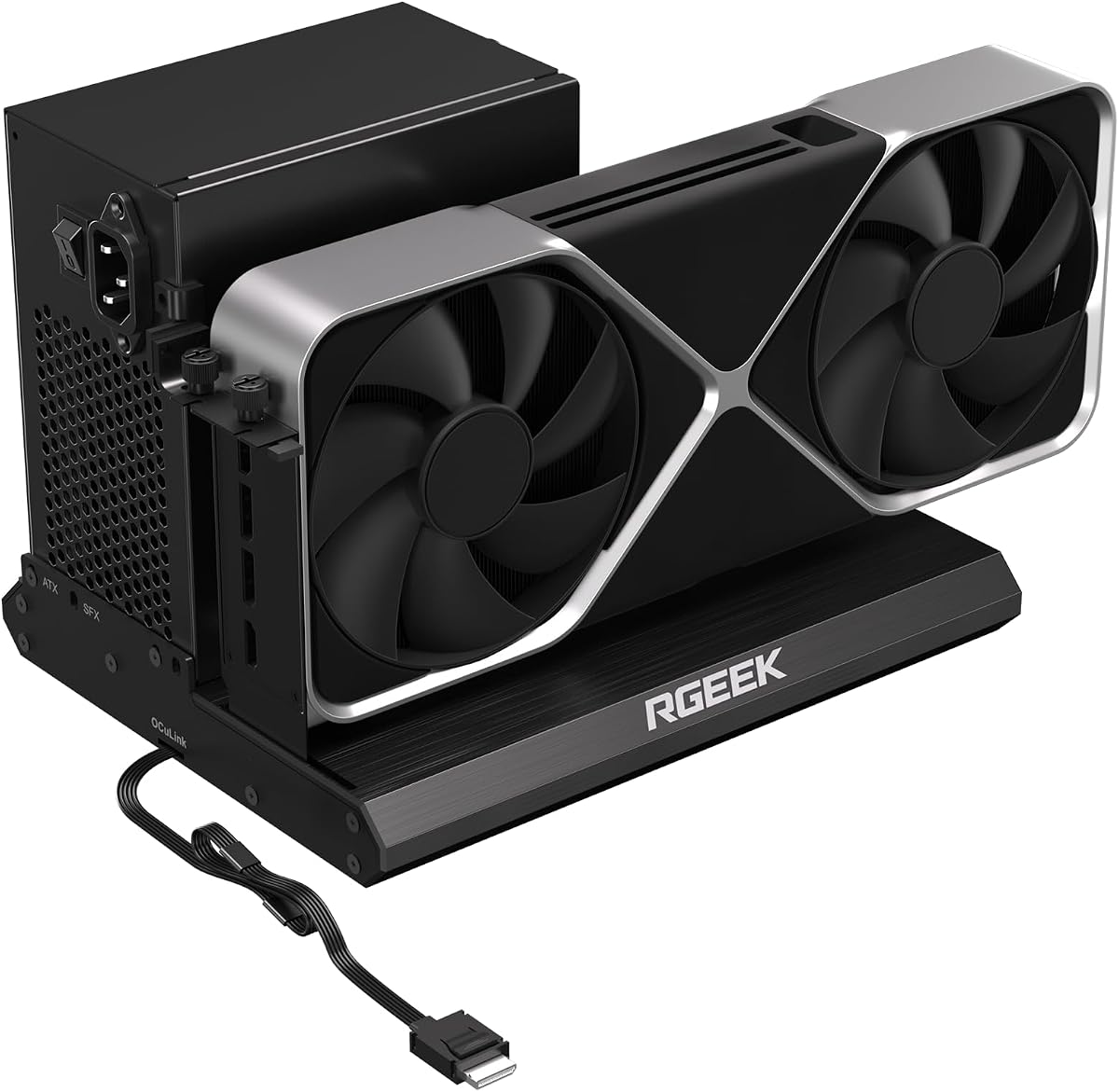
The RGEEK OCuLink eGPU Dock offers future-ready PCIe 5.0 x4 bandwidth up to 128Gbps. It remains backward compatible with PCIe 4.0 and 3.0 devices. A factory-soldered cable avoids adapters for negligible signal loss during use.
We may earn a commission when you buy through this link, at no additional cost to you.
Its full aluminum material provides excellent heat dissipation and durability. The dock supports ATX SFX and SFX-L power supplies offering flexibility in power setups. Most mainstream NVIDIA and AMD graphics cards are supported.
To achieve full PCIe 5.0 speed an M.2 slot or PCIe 5.0 to OCuLink adapter is required which is sold separately. This extra requirement may add complexity to the setup process.
Users planning long-term upgrades will appreciate the bandwidth headroom. Its robust build and PSU flexibility make it a strong choice for advanced setups.
Up to 128Gbps bandwidth supports future graphics cards ensuring users stay ahead as hardware evolves over time.
Full aluminum construction ensures durability and effective heat dissipation maintaining stable performance during demanding tasks.
We may earn a commission when you buy through this link, at no additional cost to you.
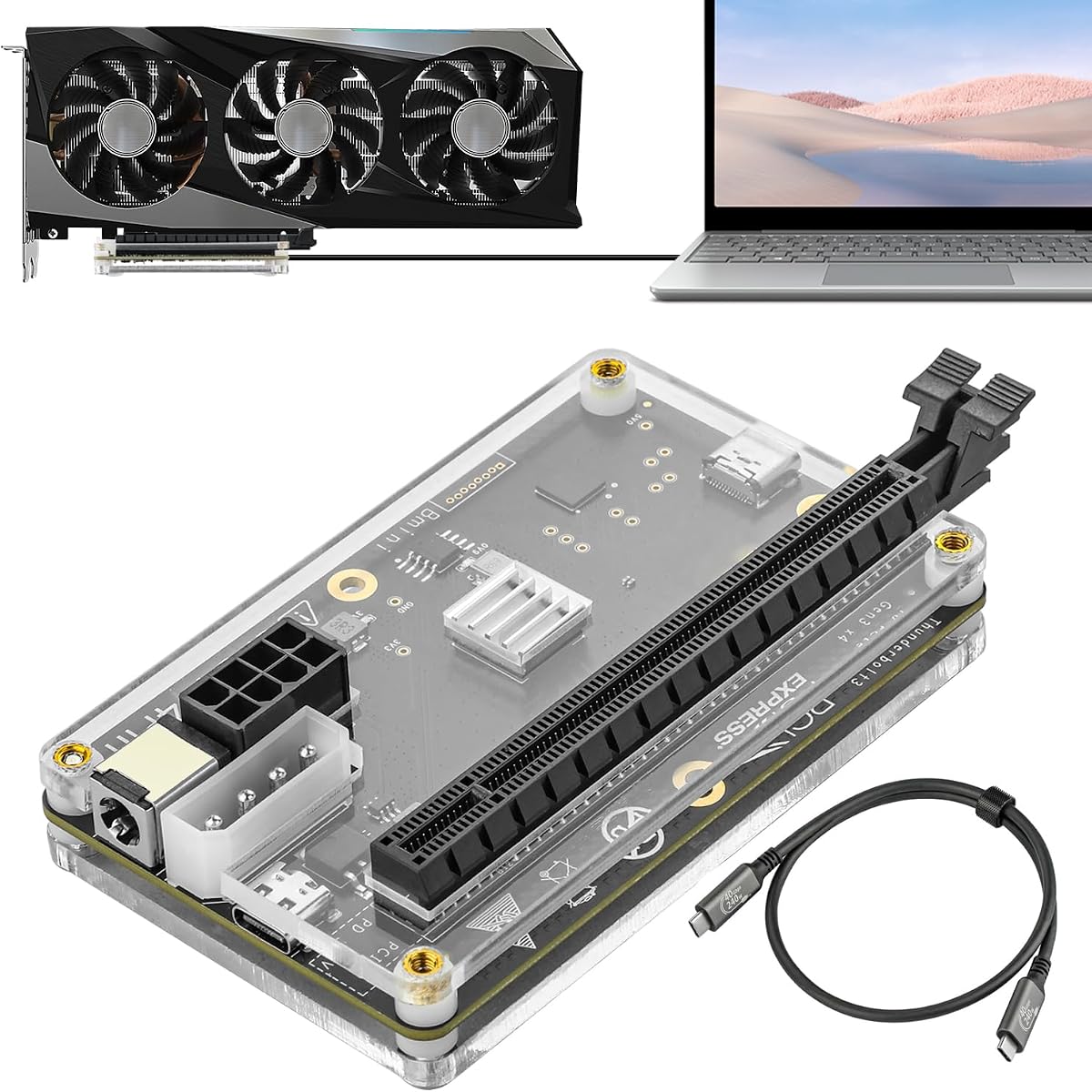
This dock offers exceptional flexibility with four power input options including CPU Molex PD and DC5521. It uses the JHL6340 controller module ensuring stable performance on Windows 10 and 11 systems. A high-quality Thunderbolt 4 cable is included in the package.
We may earn a commission when you buy through this link, at no additional cost to you.
It supports a wide range of graphics cards from top-end models down to older variants. The dock delivers around 22Gbps transfer speeds which suits graphics work video editing and AAA gaming without bottlenecks.
Intel GPUs are not recommended for use with this dock potentially limiting some users. The PCIe 3.0 speed limit means high-end GPUs may not reach full potential.
Users needing adaptable power setups will find this dock practical. Its broad compatibility and included cable make it a convenient option.
Four distinct power input options allow users to adapt the dock to existing power setups without requiring specific adapters.
The included high-quality Thunderbolt 4 cable ensures reliable connectivity and reduces the need for additional purchases.
We may earn a commission when you buy through this link, at no additional cost to you.
This MINISFORUM model provides a feature-rich egpu docking experience. It supports both OCuLink and TBT5 modes allowing users to toggle between them easily. A built-in M.2 storage slot helps streamline workflows by storing project files locally.
We may earn a commission when you buy through this link, at no additional cost to you.
The 2.5G LAN port enables fast network connectivity reducing reliance on host ports. Flexible power support for both ATX and SFX supplies offers upgrade flexibility for different chassis needs.
Some users may find the device incompatible with specific workstations like the MS-02. The lower rating indicates potential issues with stability or user expectations compared to competitors.
Users valuing integrated networking and storage will find this dock compelling. Its comprehensive connectivity makes it a versatile hub for desktop setups.
A 2.5G LAN port provides dedicated high-speed network access ensuring stable internet connectivity during intensive gaming or rendering.
The M.2 slot allows direct storage of assets reducing file transfer time and improving cross-device workflow efficiency.
We may earn a commission when you buy through this link, at no additional cost to you.
This dock is optimized for AI training inference and local model deployment. It uses the JHL7440 controller module for high performance in rendering and modeling tasks. The 40Gbps port includes 85W PD charging for convenient laptop power.
We may earn a commission when you buy through this link, at no additional cost to you.
It supports the latest RTX 50 and RX 7000 series GPUs ensuring compatibility with new hardware. The dock functions as a hub with a USB A port and daisy chain capability enabling multiple device attachments.
Users must avoid inserting CPU cables into the PCIe-8PIN port as this triggers automatic power-off protection. Proper reconnection steps are required if this occurs to restore functionality.
AI enthusiasts and users needing a hub-like egpu dock will find this model suitable. Its GPU support and charging features make it versatile for modern workflows.
Optimized for local model deployment the dock delivers high performance for AI training and inference tasks without throttling.
Built-in USB A and daisy chain ports allow users to connect additional peripherals turning the dock into a multi-device hub.
We may earn a commission when you buy through this link, at no additional cost to you.
This MINISFORUM DEG2 model boasts a perfect 5.0 user rating reflecting high satisfaction. It supports OCuLink and TBT5 modes with a physical toggle for seamless switching. Integrated M.2 storage and 2.5G LAN port enhance its all-in-one appeal.
We may earn a commission when you buy through this link, at no additional cost to you.
The auto-on and single-cable functionality deliver a smooth desktop-like experience. Users can synchronize power with the host device eliminating manual startups. The dock reduces file transfers by keeping assets local.
Compatibility issues exist with the MS-02 Workstation limiting use for some mini PC owners. The need for separate GPU and power supply means additional upfront investment beyond the dock itself.
Users seeking a high-rated versatile egpu dock will find this option compelling. Its comprehensive features and signal optimization make it a strong contender for demanding workflows.
With a 5.0 rating this dock reflects high user satisfaction driven by its reliability and comprehensive feature set.
Integrated ports including LAN and storage create a complete hub reducing external adapter needs and keeping desks tidy.
We may earn a commission when you buy through this link, at no additional cost to you.
Selecting the right egpu dock requires understanding interface speeds power compatibility and physical constraints to match your host device and performance goals.
The connection interface determines bandwidth and performance. Thunderbolt 5 and OCuLink offer higher speeds up to 80Gbps or 128Gbps whereas PCIe 3.0 is slower. Choose the fastest interface your host supports.
Prioritize interfaces matching your GPU needs to avoid bottlenecks.
Docks vary in power supply support. Some accept standard ATX units while others limit to SFX or specific connectors. Confirm which type fits your space and cooling needs.
Ensure your chosen PSU type matches the dock for stable power.
Enclosure dimensions dictate which graphics cards fit. Look for models supporting multi-slot GPUs and longer lengths like 370mm if using high-end cards.
Check slot and length limits to avoid fitting issues.
Some egpu docks support hot-plugging allowing changes without shutting down. Others require power cycles before connection which adds steps to workflows.
Prioritize hot-plugging if frequent connection changes are needed.
Extra ports like LAN M.2 slots or USB hubs improve functionality. Features such as built-in storage reduce file transfers while LAN ports enable stable networking.
Consider integrated features that match your workflow needs.
Verify the dock works with your host OS and hardware. Some docks exclude Mac M1 chips or specific mini PCs. Checking manufacturer lists prevents purchase errors.
Confirm OS and host compatibility before buying.
Active cooling fans help manage heat during intensive tasks. Look for quiet fans or open chassis designs to reduce noise in home offices.
Check cooling specifications to ensure acceptable noise levels.
Aluminum chassis provide durability and better heat dissipation than plastic. Gold-plated contacts improve conductivity reducing oxidation risks over time.
Prioritize metal enclosures for longevity and stable performance.
Connect the egpu dock to your host device using the recommended cable type ensuring secure attachment. Power on the dock before launching graphics-intensive applications to initialize drivers.
Regularly update graphics drivers on both host and external GPU to maintain compatibility and performance. Clean dust from the chassis vents periodically using compressed air to prevent overheating.
Store the dock in a dry stable environment when not in use to protect ports from moisture and physical damage. Handle cables gently avoiding sharp bends that could degrade signal integrity over time.
OCuLink offers direct PCIe connectivity with lower latency and higher bandwidth up to 128Gbps on PCIe 5.0. Thunderbolt provides universal compatibility and hot-plugging convenience but caps at lower speeds depending on version.
Most egpu docks do not support Mac devices with M1 or later chipsets due to system architecture limitations. Some older Intel-based Macs may work but verify compatibility before purchasing.
Compatibility depends on power supply support physical dimensions and drivers. Ensure the card fits the enclosure size and the PSU provides enough wattage for stable operation.
Not all egpu docks support hot-plugging. Many require shutting down the system before connecting or disconnecting cables to avoid port damage or system errors.
Most egpu docks support standard ATX power supplies but some accept SFX or SFX-L. Check specific dock documentation to confirm compatible PSU types and connector requirements.
Match the dock interface to your laptop ports such as USB4 Thunderbolt or OCuLink. Consider GPU size limits power needs and whether you want integrated features like storage or LAN ports.
Updating drivers ensures communication between host OS and external GPU remains optimal. It resolves compatibility issues and improves performance during intensive tasks like gaming or rendering.
Setup is generally straightforward involving connecting cables installing GPUs and drivers. Most docks are plug-and-play though some require BIOS updates or specific host configurations for full functionality.
The ten egpu docks evaluated offer diverse solutions ranging from portable OCuLink models to high-performance Thunderbolt enclosures. Each caters to different needs from budget-conscious buyers to premium enthusiasts.
Prioritize interface speed power compatibility and physical dimensions when selecting. Look for models with integrated features like storage or LAN ports to enhance workflow efficiency.
Remember to verify host compatibility and current availability before purchasing. Checking manufacturer specifications ensures your chosen dock meets performance expectations without surprises.