
External GPU Enclosure Thunderbolt 4 3
4.5Editor score
Includes 240 watt power supply
Compact aluminum design with carrying case
Supports 85 watt laptop charging
This guide compares the top ten egpu enclosures for Thunderbolt and USB4 laptops helping you choose the right external graphics docking solution for gaming.
External graphics enclosures transform thin laptops into powerful workstations capable of running demanding 3D applications and high fidelity games with ease and flexibility.
We evaluated ten leading models based on bandwidth throughput power delivery support cooling efficiency and port selection to find the most versatile solutions for modern systems.
Each selection highlights distinct strengths for different workflows while noting that availability and pricing shift frequently so always verify current listings before you finalize your purchase decision.
4.5Editor score

4.0Editor score

4.5Editor score
The following table summarizes key technical details for every enclosure reviewed including supported interfaces power supply compatibility maximum graphics card dimensions and special features for docking or storage.


The Razer Core X V2 leads our list with its next generation Thunderbolt 5 interface that delivers up to eighty Gbps of bandwidth for maximum graphics throughput.
We may earn a commission when you buy through this link, at no additional cost to you.
Its spacious chassis fits up to four slot wide desktop graphics cards making it ideal for high end NVIDIA GeForce or AMD Radeon GPUs that demand physical room.
Users may note that the power supply and graphics card must be purchased separately which increases upfront cost but allows flexibility to choose preferred components.
Creative professionals and gamers seeking the most future proof external graphics solution should consider this enclosure for its modular design and top tier connectivity.
The wide chassis accommodates nearly any modern desktop graphics card ensuring you are not limited by physical size when upgrading your setup.
With double the bandwidth of Thunderbolt 4 this model minimizes bottlenecks so your external GPU performs closer to an internal desktop configuration.
We may earn a commission when you buy through this link, at no additional cost to you.
Sonnet delivers a premium experience with the Breakaway Box 850 T5 featuring an integrated docking station plus a robust power supply for demanding professional GPU accelerated tasks.
We may earn a commission when you buy through this link, at no additional cost to you.
The eight hundred fifty watt supply ensures even the most power hungry future graphics cards will operate without instability while the built in ports reduce desk clutter.
Cost is a factor here as you pay extra for the docking integration and high capacity power unit compared to basic enclosure only models.
If you need reliable workstation performance with added peripheral connectivity this enclosure offers a comprehensive all in one solution for your laptop setup.
The massive wattage headroom supports high end GPUs now and later so you can upgrade your graphics without buying a new enclosure.
Multiple USB ports and Ethernet are built into the chassis turning the eGPU into a hub that simplifies your cable management.
We may earn a commission when you buy through this link, at no additional cost to you.
This compact enclosure stands out for its value by providing a complete kit with power supply and carrying case ideal for users with smaller graphics cards.
We may earn a commission when you buy through this link, at no additional cost to you.
It supports laptops and handhelds with Thunderbolt 4 interfaces and delivers solid performance for rendering or light gaming without breaking your budget.
The main limitation is the two hundred forty watt power supply which restricts you to lower power graphics cards and shorter length models.
For students or casual users who want a portable external graphics solution this option balances cost and functionality better than most competitors.
Everything needed for setup arrives in the box including cables and a case so you can start using it immediately after purchase.
The lightweight aluminum shell and included case make it easy to transport between home and office without risking damage to components.
We may earn a commission when you buy through this link, at no additional cost to you.
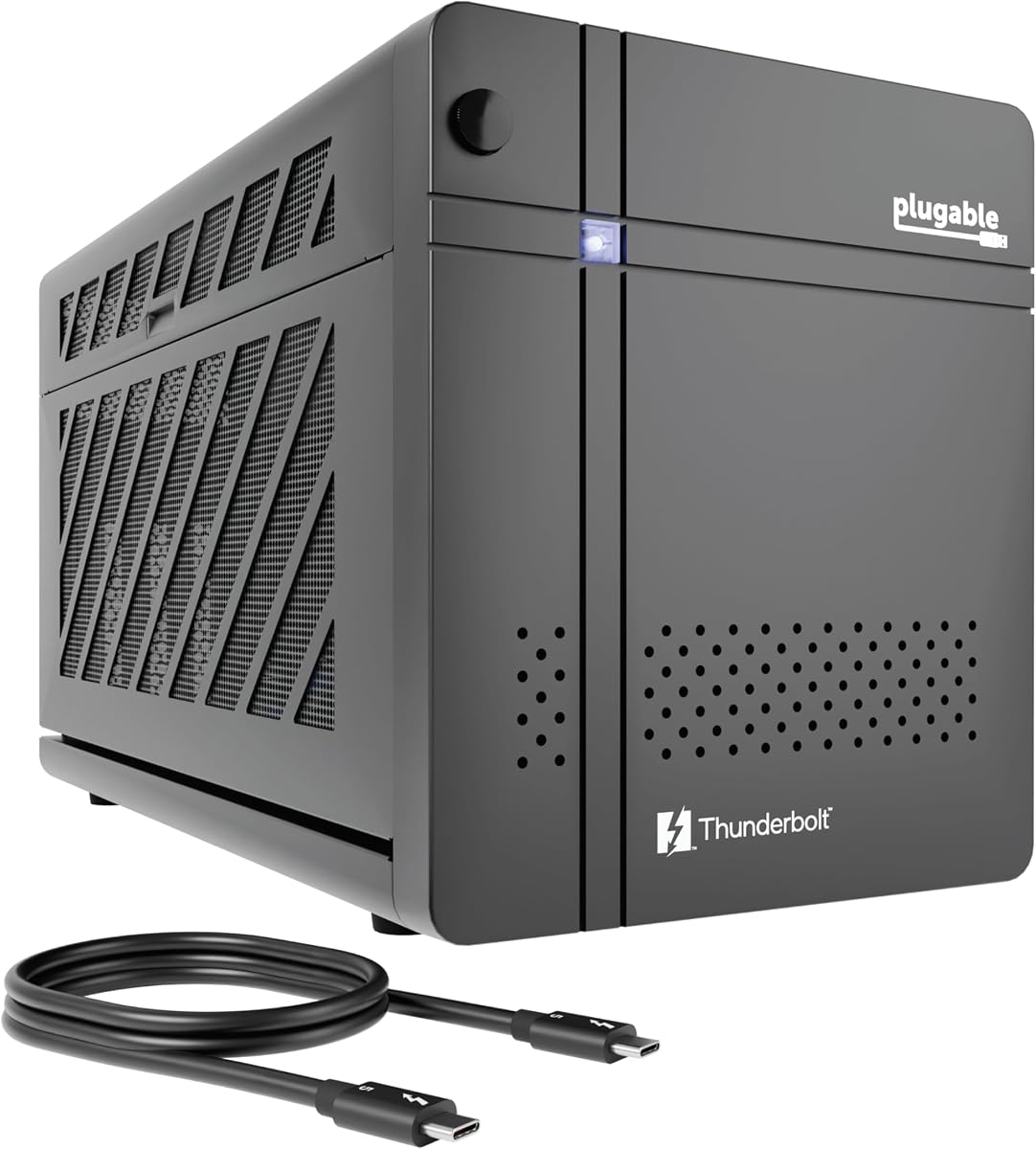
Plugable designed this enclosure specifically for secure local AI model execution providing a privacy focused solution that keeps sensitive prompts and data on your machine.
We may earn a commission when you buy through this link, at no additional cost to you.
It features an eight hundred fifty watt power supply and high bandwidth connection ensuring large language models run smoothly without external network reliance.
While it supports standard graphics tasks its marketing and features target developers who need offline capabilities and TAA compliance for government or enterprise use.
If your priority is running local AI or machine learning models with maximum privacy this enclosure offers a tailored and reliable platform for your work.
Run tools like Ollama or LM Studio locally without sending data to the cloud which protects sensitive information and reduces subscription costs.
The TAA compliant design meets strict government procurement standards making it suitable for secure or regulated professional environments.
We may earn a commission when you buy through this link, at no additional cost to you.
This mini enclosure prioritizes portability with a small footprint designed to pair with gaming handhelds or laptops that have limited desk space.
We may earn a commission when you buy through this link, at no additional cost to you.
It supports a wide variety of power supply types from DC to SFX allowing users to choose their preferred power source based on availability.
Performance may vary depending on the specific controller implementation and GPU chosen so users should verify compatibility before installation.
Travelers or handheld gamers who need a lightweight graphics boost can benefit from this flexible and compact external solution.
Designed to work seamlessly with devices like ROG Ally X it enhances mobile gaming performance without adding bulk to your travel bag.
Multiple PSU options allow you to reuse existing power supplies or select a smaller unit that matches your portability needs.
We may earn a commission when you buy through this link, at no additional cost to you.
The VK-Y900 stands out with dual Thunderbolt ports allowing you to chain peripherals while still maintaining high speed graphics connections for your laptop.
We may earn a commission when you buy through this link, at no additional cost to you.
It includes support for TinyGPU applications enabling developers to run AI models on compatible hardware which is a niche but valuable feature for creators.
Users should be prepared to provide their own ATX power supply and ensure proper cable management to avoid connection issues during setup.
Tech enthusiasts who want extra connectivity and AI potential will find this model offers more versatility than standard single port alternatives.
The dual port design allows you to connect monitors or storage downstream from the eGPU reducing cable clutter on your workspace.
Support for TinyGPU means you can experiment with deep learning tasks locally using the enclosure as a dedicated compute engine.
We may earn a commission when you buy through this link, at no additional cost to you.
For users with older laptops that only support Thunderbolt 3 this Sonnet model remains a robust choice providing reliable connectivity and strong power for desktop GPUs.
We may earn a commission when you buy through this link, at no additional cost to you.
The seven hundred fifty watt power supply handles high end cards while the integrated USB and Ethernet ports offer convenience for wired networking or peripherals.
Modern laptops may lack this older port so buyers should verify their system compatibility before purchasing to avoid adapter complications.
Those upgrading older workstations with external graphics will appreciate its proven track record and solid performance in professional environments.
It explicitly supports Mac systems with Thunderbolt 3 ports making it a rare option that works with legacy Apple hardware.
The high wattage supply ensures stable operation even when using power demanding graphics cards for rendering or gaming.
We may earn a commission when you buy through this link, at no additional cost to you.
This mini enclosure is an affordable starting point for DIYers who want to build a custom setup with specific power and card combinations.
We may earn a commission when you buy through this link, at no additional cost to you.
It provides a basic shell with controller module but users must supply the power unit and graphics card which adds complexity to installation.
Verification of system compatibility is critical since it relies on specific controller recognition and may not work with all USB4 configurations.
For tinkerers who enjoy building hardware solutions this model offers flexibility and low cost entry into external graphics capabilities.
You can choose your own power supply and graphics card to match specific budget or performance goals without vendor restrictions.
It offers a simple expansion slot for adding graphics power when you already have the necessary components lying around.
We may earn a commission when you buy through this link, at no additional cost to you.
This unique dock offers both Thunderbolt 5 and OCuLink support allowing users to choose between universal connectivity and high speed direct link performance.
We may earn a commission when you buy through this link, at no additional cost to you.
The included M.2 NVMe slot provides local storage for files and AI models which keeps data synchronized across different host devices efficiently.
Setup may require switching modes and configuring settings so technical comfort is recommended to fully leverage its dual interface capabilities.
Power users who need both standard connectivity and maximum bandwidth will find this hybrid design a powerful solution for demanding workflows.
The OCuLink interface offers higher bandwidth than Thunderbolt for compatible devices improving rendering and gaming performance.
A built-in NVMe slot lets you attach storage directly to the dock so your project files stay close to the GPU.
We may earn a commission when you buy through this link, at no additional cost to you.
This final selection mirrors the earlier budget option offering a solid all round package with included power supply and carrying case for general users.
We may earn a commission when you buy through this link, at no additional cost to you.
It supports Thunderbolt 4 interfaces and includes standard ports for display and charging making it a straightforward upgrade path for many laptops.
While it lacks advanced features like docking or high wattage supplies it delivers reliable performance for casual rendering and gaming tasks.
If you need a dependable external graphics solution without extra bells and whistles this kit offers excellent value and ease of use.
All cables and accessories are included so you can connect and start using your external GPU immediately after unpacking.
It delivers consistent graphics performance for standard tasks without requiring complex configuration or additional hardware.
We may earn a commission when you buy through this link, at no additional cost to you.
Choosing the right enclosure involves evaluating bandwidth power needs port options and physical dimensions to ensure compatibility with your laptop and graphics card.
Thunderbolt 5 offers the highest speeds up to eighty Gbps followed by Thunderbolt 4 at forty Gbps while older models use Thunderbolt 3 which may limit GPU performance.
Always match the enclosure interface to your laptop port capabilities to avoid bottlenecks.
Graphics cards vary widely in power draw so check your GPU specifications and choose an enclosure with sufficient wattage headroom for stable operation.
Enclosures with ATX support allow you to replace the PSU later if you upgrade to a more powerful card.
Desktop graphics cards come in various sizes and you must ensure the enclosure internal width and length can accommodate your specific GPU model.
Measure your graphics card length height and width before purchasing to avoid fit issues.
Some enclosures include extra USB ports Ethernet or DisplayPort outputs which can reduce cable clutter and provide a more integrated desktop experience.
Decide if you need these extra features or prefer a basic model focused solely on graphics expansion.
If you plan to move your eGPU frequently look for lightweight designs with included carrying cases and compact form factors that fit in your backpack.
Mini enclosures are designed for handhelds but may sacrifice power or cooling performance.
Check the product documentation for compatibility with your operating system as some models do not support macOS or Linux environments properly.
Windows users generally have the widest range of supported models compared to other platforms.
Enclosures with active cooling fans help prevent thermal throttling during long rendering sessions or gaming marathons.
Look for units with adjustable fan curves or temperature monitoring to manage noise levels.
Reliable customer support and warranty coverage protect your investment especially when dealing with complex hardware setups.
Choose brands that offer responsive help channels and clear return policies.
Install your chosen graphics card inside the enclosure and connect the power supply before attaching the Thunderbolt cable to your laptop to ensure safe setup.
Allow the drivers to install fully and restart your computer before testing graphics performance to avoid connection errors or instability.
Keep vents clear and regularly clean dust buildup from fans to maintain cooling efficiency and prevent overheating during use.
Not every laptop supports eGPUs you need a Thunderbolt or USB4 port that supports external graphics. Check your laptop specifications or system hardware manager before purchasing an enclosure.
Most gaming consoles do not support eGPUs though some handhelds with USB4 like ROG Ally can work with compatible enclosures designed for portable gaming workflows.
You can use most desktop PCIe cards as long as they fit physically inside the chassis and match the power supply wattage supported by your enclosure.
An eGPU typically does not improve battery life since it requires external power and usually drains the battery faster when used without being plugged into a wall outlet.
Yes some Sonnet models support older Macs with Thunderbolt 3 but newer Macs with Apple Silicon do not support external graphics enclosures directly.
Check the port label for the Thunderbolt icon or look in device manager for Thunderbolt controllers. If unsure contact your laptop manufacturer for confirmation before buying.
The Razer Core X V2 Sonnet Breakaway Box and compact enclosures offer distinct advantages depending on your needs for power portability or cost.
Prioritize compatibility with your laptop interface and GPU power requirements to ensure a stable and high performing setup.
Verify current availability and specifications before purchase as product offerings evolve with new technology releases.