
Brother HL-L2460DW
4.0Editor score
36ppm print speed
Dual-band wireless and Ethernet
250-sheet paper tray
This guide compares the top Ethernet laser printers for offices and home use, evaluating speed, security, connectivity, and reliability for professional
Ethernet laser printers provide reliable network connectivity for consistent document output in busy environments. They ensure secure data transmission and stable performance without relying on wireless signals that may fluctuate.
We evaluated ten top models based on print speed, connectivity options, security features, and paper handling capacity. Each product offers unique benefits for small teams and home offices requiring dependable network printing.
Our picks highlight standout features and real-world performance metrics to help you choose the right device. Note that availability and pricing may vary over time, so verify current details before purchasing.
4.0Editor score

4.4Editor score

4.2Editor score
This side-by-side comparison highlights key specifications across all ten models including print speed, paper capacity, connectivity types, and security features to help you decide quickly.



The HP LaserJet Pro 4001dn stands out as a top choice for small teams needing reliable network printing. With a 4.4 rating, it delivers consistent quality and speed for professional documents.
We may earn a commission when you buy through this link, at no additional cost to you.
Its blazing 42 pages per minute speed ensures high volumes are handled quickly. The included HP Wolf Pro Security protects sensitive data with customizable settings on hardware and firmware.
While Ethernet-only connectivity limits wireless flexibility, it ensures stable performance for office networks. The trade-off is acceptable for users prioritizing security and speed over mobile convenience.
Buyers should choose this printer if they need fast, secure network printing for up to ten people. Its advanced security and performance make it ideal for professional environments.
Up to 42 pages per minute keeps workflows moving efficiently for busy small teams.
HP Wolf Pro Security safeguards printer and data with hardware and firmware protections.
We may earn a commission when you buy through this link, at no additional cost to you.
The Brother HL-L2460DW offers excellent value for home offices and small teams. Rated 4.0, it balances cost, speed, and connectivity for everyday black and white document needs.
We may earn a commission when you buy through this link, at no additional cost to you.
Print speeds reach 36 pages per minute with automatic duplex to save paper. Built-in Ethernet and dual-band wireless ensure flexible connections for multiple devices without hassle.
Security features are basic compared to enterprise models, which may concern larger teams. However, the price and performance suit most home and small office environments perfectly.
Choose this printer if you want reliable network printing on a budget. Its compact design and connectivity options make it a smart choice for home offices.
Built-in Ethernet and dual-band wireless allow versatile device connections for any setup.
Affordable price point combined with duplex printing keeps ongoing operational costs low.
We may earn a commission when you buy through this link, at no additional cost to you.
The Brother HL-6210DW delivers professional performance with 50 pages per minute output. Rated 4.2, it is built for high-volume printing with robust security and connectivity.
We may earn a commission when you buy through this link, at no additional cost to you.
Its 520-sheet main tray and Gigabit Ethernet support ensure uninterrupted printing and fast network speeds. Triple Layer Security protects documents during transmission and storage.
The larger size and higher cost may not suit small home offices. However, businesses needing reliable high-volume printing will find the investment worthwhile for productivity.
Select this printer if you prioritize speed and capacity for demanding office tasks. Its advanced security and network features make it a premium choice for professionals.
Up to 50 pages per minute ensures high-volume jobs are completed with exceptional speed.
Triple Layer Security features provide robust protection for your network and documents.
We may earn a commission when you buy through this link, at no additional cost to you.
The HP LaserJet M207dw is perfect for 1 to 5 people needing reliable office printing. Rated 4.0, it combines trusted HP quality with essential security and connectivity.
We may earn a commission when you buy through this link, at no additional cost to you.
Two-sided printing is among the fastest in its class for quick multipage projects. Self-reset dual-band Wi-Fi helps maintain stable connections while built-in security protects data.
Speed is lower than larger models, which could limit productivity in busy environments. But for smaller teams, the balance of features and security works well.
This printer suits small offices prioritizing security and reliability over raw speed. Its compatibility with many devices makes it versatile for modern workspaces.
HP ensures consistent quality with trusted features for professional document printing needs.
Self-reset dual-band Wi-Fi helps detect and resolve connectivity issues automatically.
We may earn a commission when you buy through this link, at no additional cost to you.
The Brother DCP-L2640DW combines printing, scanning, and copying in a compact unit. Rated 4.1, it offers high productivity for small businesses needing all-in-one convenience.
We may earn a commission when you buy through this link, at no additional cost to you.
Print speeds reach 36 pages per minute with scan speeds up to 23.6 ipm. A 50-page auto document feeder allows quick multi-page scanning and copying.
This model focuses on scanning and copying, which may not suit users needing faxing. However, its space-saving design and mobile app make it versatile.
Buyers needing an all-in-one solution should consider this printer. Its compact size and scanning capabilities make it ideal for home offices.
Fast scan speeds up to 23.6 ipm help handle multi-page documents quickly.
Compact footprint fits easily into smaller office spaces without sacrificing functionality.
We may earn a commission when you buy through this link, at no additional cost to you.
The HP Laserjet Pro 3001dw is tailored for small teams needing secure mobile connectivity. Rated 4.1, it offers flexible printing options with strong security features.
We may earn a commission when you buy through this link, at no additional cost to you.
Print speeds reach 35 pages per minute with Bluetooth and Ethernet included. Intelligent Wi-Fi finds the best connection to stay online and ready.
Missing duplex printing means higher paper usage compared to similar models. But its security and connectivity options work well for secure office needs.
Choose this printer if you need secure mobile connectivity for up to seven people. Its speed and security make it a solid choice for small businesses.
Intelligent Wi-Fi searches for the best connection to ensure reliable printing.
HP Wolf Pro Security includes customizable settings to protect your data.
We may earn a commission when you buy through this link, at no additional cost to you.
The Brother HL-L2405W is an affordable compact solution for homes and home offices. Rated 4.1, it delivers crisp prints with flexible connectivity options.
We may earn a commission when you buy through this link, at no additional cost to you.
Print speeds reach 30 pages per minute with 250-sheet tray capacity. Flexible dual-band wireless and Ethernet support secure connections across multiple devices.
Lacking duplex printing means manual handling for two-sided documents. But the compact design and ease of use suit most home environments.
Select this printer if you need reliable and compact printing for home use. Its connectivity and price make it ideal for individual professionals.
Compact footprint fits easily into small office spaces without taking up room.
Secure dual-band wireless allows fast and stable connections for multiple devices.
We may earn a commission when you buy through this link, at no additional cost to you.
The HP LaserJet Pro M404dn delivers consistent high-quality documents with network reliability. Rated 4.4, it focuses on productivity and environmental efficiency.
We may earn a commission when you buy through this link, at no additional cost to you.
Print speeds reach 40 pages per minute with built-in Ethernet and automatic two-sided printing. Enhanced energy efficiency saves up to 18 percent compared to prior products.
Wireless connectivity is not available, which limits device flexibility. But the speed and energy savings suit shared office areas well.
Buyers looking for efficient network printing should choose this model. Its speed and eco features make it ideal for shared workspaces.
Fast 40 pages per minute speed with duplex keeps business workflows moving quickly.
Enhanced energy efficiency reduces consumption and helps minimize paper waste.
We may earn a commission when you buy through this link, at no additional cost to you.
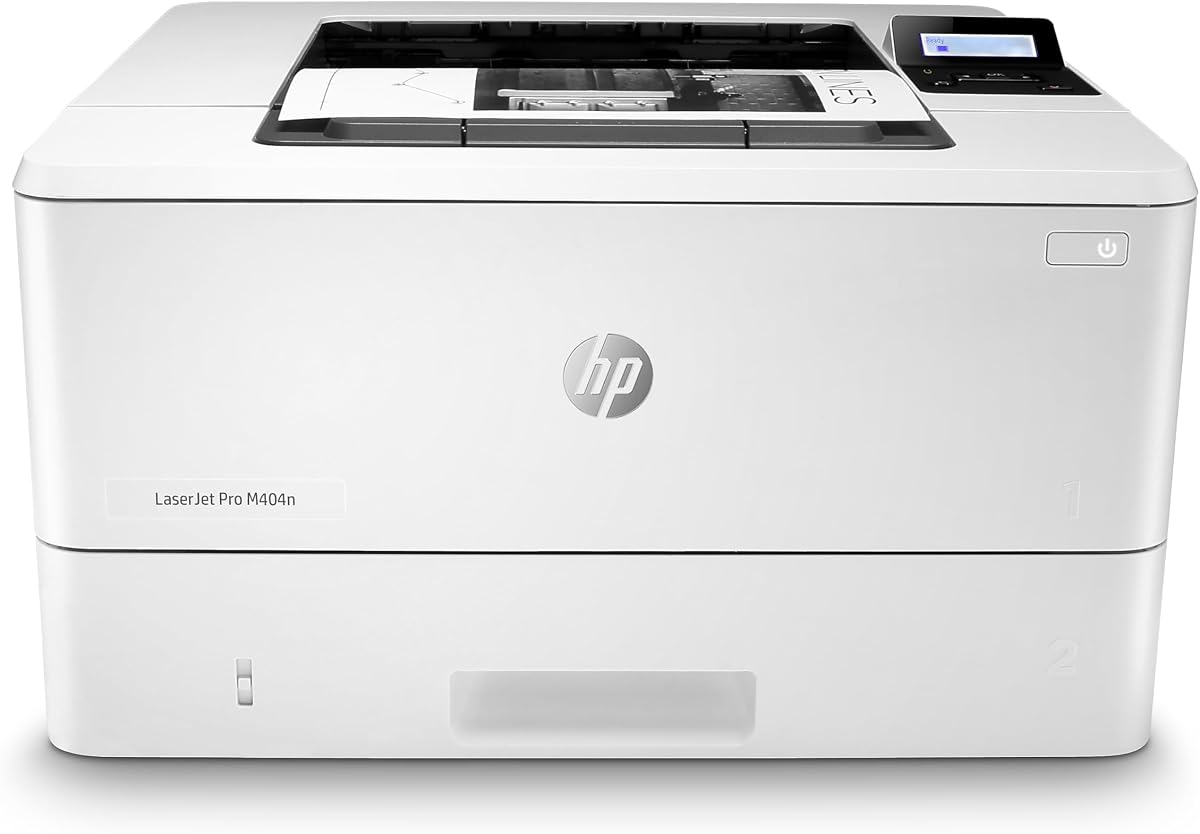
The HP LaserJet Pro M404n is designed for businesses focusing on growth and reliability. Rated 4.3, it offers consistent document output with strong security.
We may earn a commission when you buy through this link, at no additional cost to you.
Print speeds reach 40 pages per minute with built-in Ethernet. Wolf Pro Security protects company data with hardware and firmware protections.
Manual duplex printing means more handling for two-sided documents. However, the compact design and energy efficiency suit shared office spaces.
Choose this printer if you need dependable network printing with strong security. Its speed and size work well for focused business teams.
Consistent high-quality documents ensure your business moves forward without interruptions.
Built-in security features safeguard data and protect against cyberattacks.
We may earn a commission when you buy through this link, at no additional cost to you.
The Brother HL-L5100DN helps increase productivity with fast black print speeds up to 42 pages per minute. Rated 4.4, it supports high-volume printing with flexible paper trays.
We may earn a commission when you buy through this link, at no additional cost to you.
The 250-sheet tray adjusts for letter or legal plus a 50-sheet multi-purpose tray. Built-in Ethernet networking allows easy sharing and local USB printing.
Wireless connectivity is unavailable, which may limit mobile printing options. But the expandable capacity and security features suit busy office environments.
Buyers needing reliable high-volume Ethernet printing should choose this model. Its speed and security make it ideal for productive office workflows.
Total capacity expandable to 1,340 sheets handles high-volume printing without frequent refills.
Secure function lock helps protect sensitive documents from unauthorized access.
We may earn a commission when you buy through this link, at no additional cost to you.
Selecting the right Ethernet laser printer requires evaluating connectivity, speed, and security to match your specific workflow demands and network environment.
Ethernet provides a stable and secure wired connection ideal for offices needing reliable network access. Some models offer dual Ethernet or additional USB ports for local computer connections.
Prioritize Ethernet if you need consistent performance without wireless interference or security risks associated with Wi-Fi.
Print speeds vary widely from 28 to 50 pages per minute. Higher speeds improve productivity in busy environments with frequent document demands.
Match speed to your expected volume to ensure efficient operations without unnecessary expense.
Paper capacity affects how often you need to refill trays. Look for models with 250 to 520-sheet main trays to handle high-volume workflows.
Select printers with expandable options if you anticipate growing document needs or multiple users.
Security is vital for businesses handling sensitive data. Built-in hardware and firmware protections safeguard against cyberattacks and unauthorized access.
Choose models with customizable security settings to protect your network and documents during transmission.
Automatic duplex printing reduces paper waste and saves money over time. This feature is essential for cost-conscious buyers aiming to minimize operational costs.
Verify that duplex is automatic rather than manual for true efficiency in high-volume environments.
Many printers support mobile apps and cloud services for remote management. Ethernet integration allows seamless network sharing among multiple users without dedicated cables.
Ensure compatibility with your existing systems to avoid workflow disruptions.
Original toner cartridges ensure quality and maintain printer warranties. Consider subscription services that deliver supplies automatically to avoid running out.
Look for high-yield options to reduce costs and downtime between replacements.
Compact models save space in shared work areas. Consider dimensions and weight if you have limited desk or storage space.
Balance size with paper capacity to ensure it fits your workspace without sacrificing functionality.
Connect the printer to your network via an Ethernet cable and install the manufacturer's driver software on each device. Verify the connection by printing a test page from your computer.
Set up secure printing options in the device settings to protect sensitive data. Configure automatic duplex and mobile access features as needed for your workflow.
Regularly update firmware to maintain security and performance. Clean rollers and check trays for debris to prevent jams and ensure consistent output.
An Ethernet laser printer uses a wired Ethernet connection to link with your network. This ensures secure stable and reliable access across multiple devices without relying on Wi-Fi signals.
Ethernet provides faster speeds stronger security and more stable connections. It avoids interference issues and is ideal for offices needing consistent performance and data protection.
Some models include both Ethernet and Wi-Fi while others are Ethernet only. Check specifications before buying to ensure it meets your specific connectivity needs and preferences.
Enable built-in security features and set strong passwords. Update firmware regularly and limit user access to protect data and prevent unauthorized use of your printer.
Print speed is measured in pages per minute and depends on the model. Network speed and document complexity can also impact overall throughput in real-world environments.
Check cable integrity and ensure the printer is powered on. Restart the router printer and devices to refresh the network connection and clear temporary glitches.
Original toners ensure print quality and maintain warranty coverage. Using non-original chips may block functionality after firmware updates and compromise printer performance over time.
Some models allow additional paper trays to be added. Check compatibility and expandable limits to increase capacity for high-volume environments.
Our top picks highlight strong options including the HP LaserJet Pro 4001dn and Brother HL-L2460DW. Each model offers distinct advantages for speed security or budget considerations.
Prioritize speed security and connectivity that align with your workflow needs. Evaluating features against your team size and document demands will ensure long-term satisfaction.
Remember to verify current pricing and availability before purchasing as details may change over time. This guide remains updated to help you make an informed choice.