
DKE Desktop Computer Power Switch
4.7Editor score
Compact 2.1cm design
Two meter long cable
Affordable replacement option
Finding a reliable external PC power button can transform how you interact with your desktop computer every single day. Whether your case is tucked under a desk or you need a convenient switch for a test bench, an external button offers practical access and cleaner cable routing for modern builds.
We have evaluated ten distinct models based on their build quality, cable length, connector compatibility, and additional features like USB hubs or wireless control. Each product was analyzed for ease of installation, durability of the switch mechanism, and how well it integrates with standard ATX motherboard headers.
Each pick below highlights specific strengths such as budget friendliness, premium materials, or unique connectivity options. Please note that product availability and pricing can change frequently on retailer platforms so always verify current listings before making your final purchase decision today.
4.7Editor score

4.6Editor score

4.5Editor score
As an Amazon Associate we earn from qualifying purchases.
The following table provides a side by side comparison of all ten products evaluated in this guide. Use these specifications to quickly identify which model meets your specific requirements for cable length, connector types, and additional functionality.





This external PC power button stands out as the top choice for users needing exceptional cable reach without compromising on standard compatibility. It carries a rating of 4.6 based on extensive customer feedback regarding its reliability and ease of integration into diverse desktop setups.
We may earn a commission when you buy through this link, at no additional cost to you.
The standout feature is the 118 inch cable which allows you to place the switch on a desk or wall even if your PC tower is on the floor or behind a wall. The 4 pin connector matches standard POWER SW and LED headers ensuring it works with most boards out of the box.
While the long cable offers flexibility it may require additional cable ties to manage neatly in tight spaces. The adhesive stickers are convenient but users with textured surfaces might prefer screw mounting for added stability over time.
Ideal for test benches custom builds and hidden PC setups this model delivers the best balance of functionality and value. It is the top recommendation for anyone seeking a reliable long reach power solution for their desktop computer today.
The 118 inch cable ensures you can route the switch through almost any cabinet or desk opening without strain on the connector.
The included splitter lets you keep the original chassis button while adding an external one for maximum convenience.
We may earn a commission when you buy through this link, at no additional cost to you.
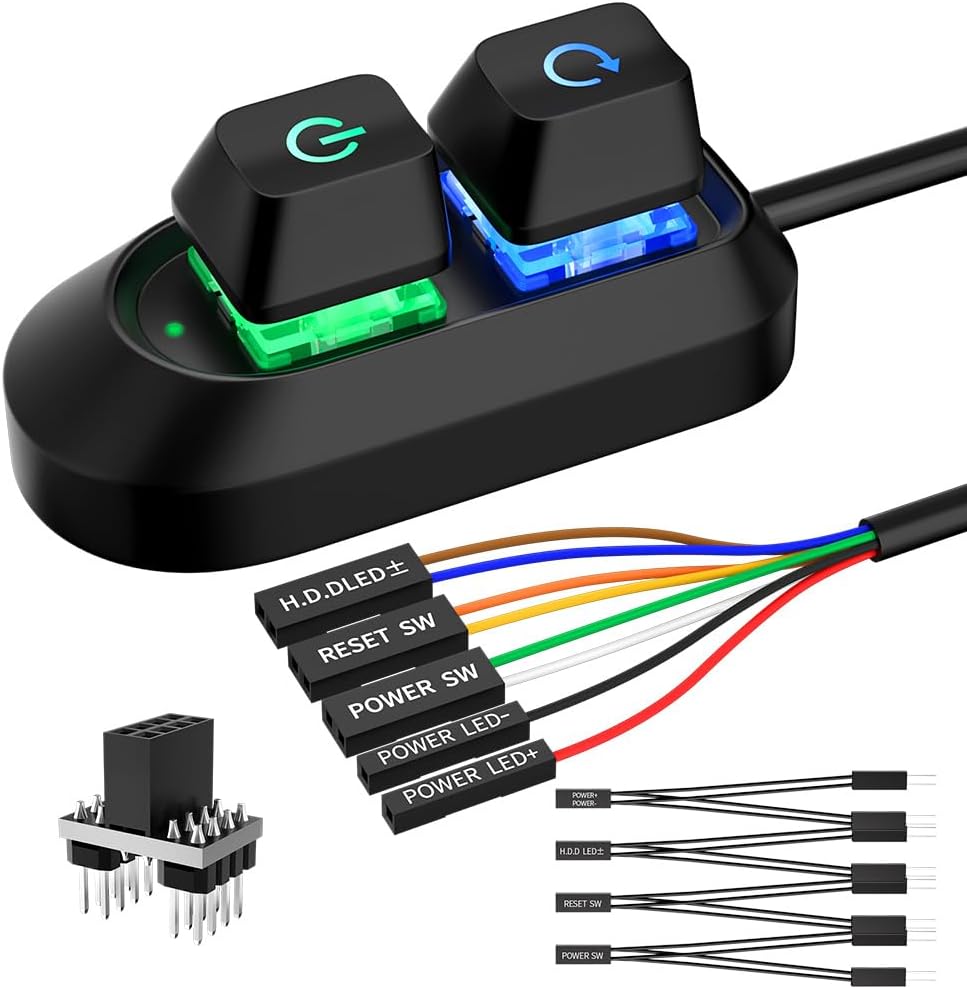
This model offers a comprehensive set of front panel features including power reset and HDD LED indicators all in one external module. It is rated 4.5 by users who appreciate the extra functionality for organizing their desk and monitoring system activity.
We may earn a commission when you buy through this link, at no additional cost to you.
The inclusion of reset and HDD LED wires allows you to replicate all original chassis functions on a custom mounted button. The 2 meter cable provides ample reach for most standard desk to tower distances without feeling restricted during use.
The split board ensures you do not lose the original chassis button functionality which is useful for testing or secondary control. However the higher price compared to basic switches may not suit users who only need simple power on off.
Best for users who want a complete front panel replacement without drilling into their case this model delivers solid performance. It is a strong choice for office environments where system monitoring and control are priorities.
All standard headers including reset and HDD LED are included making this a full functional upgrade for your setup.
Use the splitter to keep both the front panel and external switch active simultaneously for added convenience.
We may earn a commission when you buy through this link, at no additional cost to you.
For those seeking a simple cost effective solution this DKE model delivers a highly reliable power switch without unnecessary features. It holds a strong 4.7 rating from users who value straightforward functionality and ease of setup for their desktop towers.
We may earn a commission when you buy through this link, at no additional cost to you.
The compact 2.1cm by 2.1cm size makes it easy to place on tight desks or inside cramped cable management areas. The 2 meter cable is sufficient for most standard desk to floor tower configurations ensuring you reach the power point easily.
While it lacks advanced features like USB or RGB the core power function is consistent and durable for daily use. The adhesive plate is strong enough for smooth surfaces but may struggle on rough or painted wood textures.
This is the ideal pick for budget conscious users who need a basic replacement or extension for their PC power. Its high rating and low cost make it a safe choice for general home office or study room setups.
Focused purely on power switching this unit avoids extra costs while maintaining reliable performance standards.
The small square design fits discreetly on most surfaces without cluttering your desk or workspace.
We may earn a commission when you buy through this link, at no additional cost to you.
This OwlTree model distinguishes itself with a polished acrylic finish that adds a touch of elegance to any modern desk setup. It earns a 4.8 rating from users who appreciate the aesthetic quality combined with functional power and status indicators.
We may earn a commission when you buy through this link, at no additional cost to you.
The boot restart and hard disk indicators provide clear visual feedback on system status which is helpful for monitoring activity at a glance. The acrylic surface is easy to wipe clean and resists minor scuffs better than plastic alternatives.
The 1.6m cable is shorter than others which may require closer placement to your tower for effective reach. The glossy finish can show fingerprints easily so regular cleaning may be needed to maintain its premium look.
Best for users who prioritize design and visual appeal this button offers a refined look without sacrificing essential functionality. It is a great match for glass desks or minimalist workspaces where appearance matters most.
The acrylic casing looks elegant and matches high end office equipment better than standard plastic buttons.
LED indicators for boot and disk activity keep you informed about system state without opening your software.
We may earn a commission when you buy through this link, at no additional cost to you.
This model appeals to users who want a subtle RGB lighting effect to enhance their setup without requiring complex software control. It maintains a 4.5 rating from customers who enjoy the ambient glow and reliable power switching for their ATX systems.
We may earn a commission when you buy through this link, at no additional cost to you.
The 7 color breathing LED effect adds a decorative element that complements RGB gaming setups or dark rooms. The low voltage design ensures safety while maintaining consistent performance across different motherboard power headers.
The RGB light may be distracting in professional environments so consider turning it off during work hours if needed. This unit focuses on aesthetics as well as function making it a versatile choice for gamers and home users.
Perfect for users who value visual flair this power button delivers a stylish look with reliable operation. It is a solid recommendation for those looking to add a touch of color to their desktop management.
The breathing LED effect provides a clean ambient glow that enhances your desk without extra software.
Designed specifically for standard ATX headers it ensures a secure connection with most desktop motherboards.
We may earn a commission when you buy through this link, at no additional cost to you.
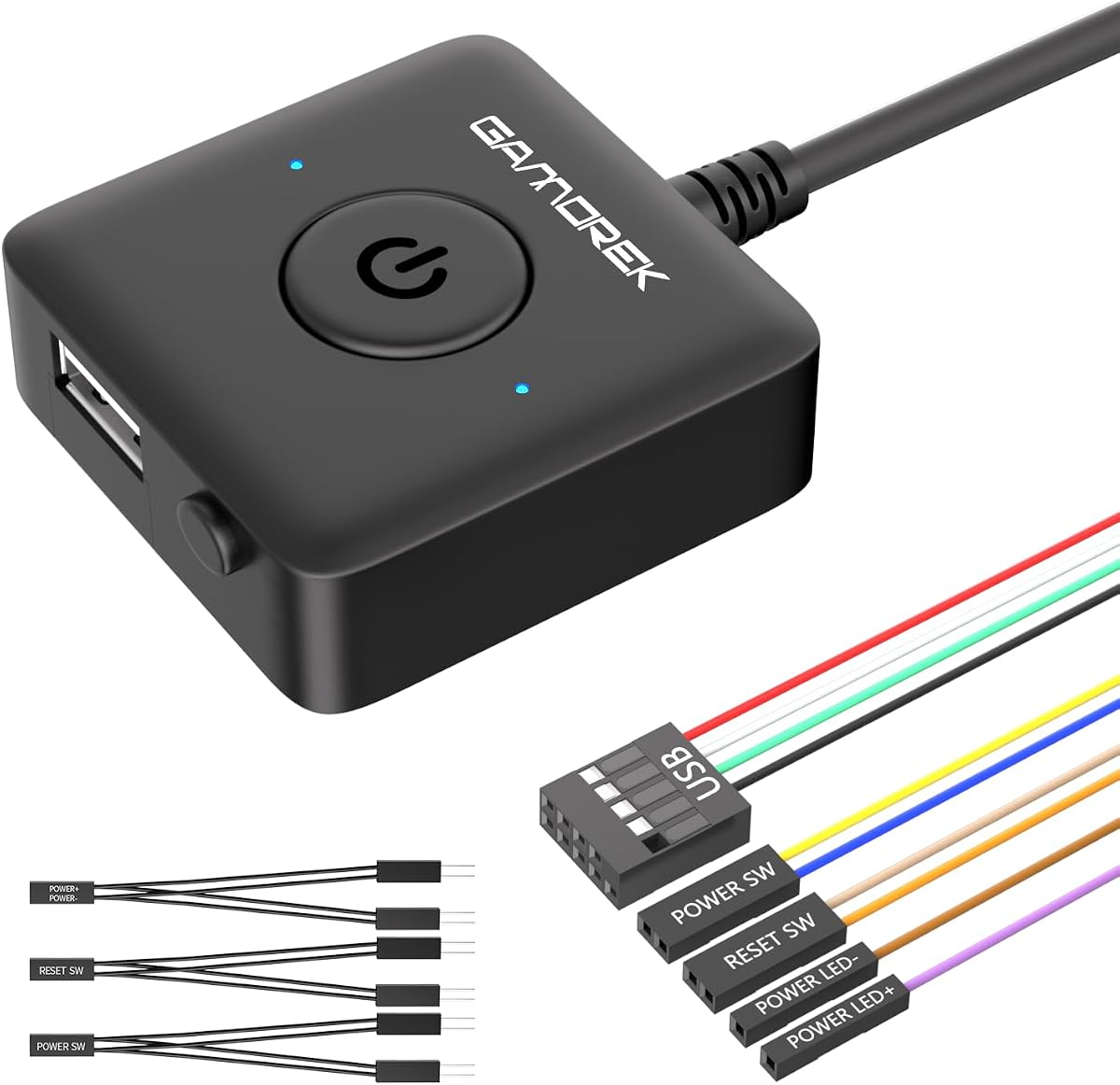
This unit provides added convenience by integrating a USB 2.0 port alongside power and reset functions for easier access. It earns a 4.7 rating from users who want to expand port access on their desk while keeping a tidy cable layout.
We may earn a commission when you buy through this link, at no additional cost to you.
The included PCI bracket allows you to mount the switch in a rear expansion slot for a cleaner look on professional setups. This keeps the external hardware visible but organized and reduces clutter on your desktop surface.
Connectivity depends on having a free 9 pin USB header on your motherboard which is common on modern boards. The bracket installation adds a small amount of complexity but results in a professional fixed installation.
Ideal for users needing extra USB access at their desk this model combines power control with practical connectivity. It is a strong choice for those who want a cleaner workstation with more accessible ports.
The built in USB header extends a port to your desktop for easy connections to drives and peripherals.
The PCI bracket offers a fixed and organized installation option for those preferring hidden switches.
We may earn a commission when you buy through this link, at no additional cost to you.
This compact device combines a power switch with a 4 port USB 3.0 hub making it a multifunctional addition to any desk. It has a 4.3 rating from users who appreciate the convenience of having fast USB access directly on their external switch.
We may earn a commission when you buy through this link, at no additional cost to you.
The 3.0 support ensures fast data transfer for flash drives and peripherals without needing extra hubs elsewhere. This integration reduces cable clutter by consolidating power and data access into one small device on your desk.
The 1.2m cable is shorter than some models so ensure your PC is close enough for comfortable routing. The hub function may draw more power so avoid connecting high energy devices without external power.
Best for users needing multiple accessible USB ports this model streamlines your desk layout effectively. It is a practical solution for those who frequently plug and unplug drives and peripherals.
Combining power and USB hub reduces the need for separate devices on your desk workspace.
USB 3.0 speeds ensure quick access to external drives without slowing down your daily workflow.
We may earn a commission when you buy through this link, at no additional cost to you.
This model delivers a highly reliable power switch without unnecessary features for simple and straightforward control. It holds a strong 4.7 rating from users who value straightforward functionality and ease of setup for their desktop towers.
We may earn a commission when you buy through this link, at no additional cost to you.
The compact 2.1cm by 2.1cm size makes it easy to place on tight desks or inside cramped cable management areas. The 2 meter cable is sufficient for most standard desk to floor tower configurations ensuring you reach the power point easily.
While it lacks advanced features like USB or RGB the core power function is consistent and durable for daily use. The adhesive plate is strong enough for smooth surfaces but may struggle on rough or painted wood textures.
This is the ideal pick for budget conscious users who need a basic replacement or extension for their PC power. Its high rating and low cost make it a safe choice for general home office or study room setups.
Focused purely on power switching this unit avoids extra costs while maintaining reliable performance standards.
The small square design fits discreetly on most surfaces without cluttering your desk or workspace.
We may earn a commission when you buy through this link, at no additional cost to you.
This model is built with aluminum for a more durable and premium feel compared to standard plastic alternatives. It carries a 4.6 rating from users who appreciate the robust construction and the inclusion of reset and LED functions for full control.
We may earn a commission when you buy through this link, at no additional cost to you.
The aluminum casing resists wear and tear better than plastic which is beneficial for frequently used buttons. It includes a reset switch and dual LED indicators ensuring you can replicate all front panel features exactly on your external button.
The weight and size may be slightly larger than basic units so ensure your desk or surface can support it. This unit is designed for long term use making it a good investment for professional or high traffic setups.
Best for users prioritizing durability and build quality this aluminum switch offers a premium replacement for your PC. It is a strong choice for those who want a sturdy and reliable external control interface.
The aluminum casing ensures long term resistance to wear and keeps a sleek look over time.
Reset and LED indicators are included so you do not lose any original panel functions.
We may earn a commission when you buy through this link, at no additional cost to you.
This wireless model allows you to power your PC from up to 50 feet away using a remote which eliminates the need for cables. It has a 4.5 rating from users who value the convenience of remote access without modifying their desk surface.
We may earn a commission when you buy through this link, at no additional cost to you.
The PCIe receiver board connects to your motherboard ensuring a stable signal that resists interference from other devices. This provides a clean solution for those who want to control their PC from across the room or another location.
Installation requires a free PCIe slot and BIOS configuration which adds complexity compared to cable based switches. The wireless nature means batteries are needed for the remote so consider long term maintenance and replacements.
Ideal for users who want the ultimate convenience and cable free setup this remote is a unique solution. It is best for professional studios or large rooms where physical access to the PC is difficult.
Control your PC power from across the room which saves effort and keeps your desk clutter free.
The PCIe board ensures reliable wireless signaling even in busy environments with multiple devices.
We may earn a commission when you buy through this link, at no additional cost to you.
Choosing the right external power button involves considering cable length, connector compatibility, and extra features like USB or reset switches. This guide breaks down the key factors to help you pick the best model for your specific setup and needs.
The length of the cable determines how far you can place the switch from your tower. Measure the distance from your PC to where you want the button. Consider cable routing paths through desk grommets or around corners.
Choose a cable that is long enough for comfort without excess slack. Most options range from 1.2 meters to 118 inches depending on your setup needs.
Ensure the connector matches your motherboard headers. Standard units use 4 pin POWER SW and LED headers. Some models include separate wires for reset HDD LED and USB support.
Check your motherboard manual to confirm available pins. Standard ATX boards usually have these headers but some small form factor boards may vary.
Most buttons come with adhesive stickers for quick mounting. Some models include brackets for rear panel installation which looks more professional.
Consider your desk surface and available space. Adhesive works best on smooth surfaces while brackets require a free slot or panel opening.
Beyond power on off buttons may include reset switches USB ports or RGB lighting. These add convenience but may increase cost and complexity.
Identify which features you truly need. USB hubs are useful if you need more ports. RGB adds aesthetics but is not essential for function.
Materials range from plastic to acrylic and aluminum. Aluminum and acrylic offer better durability and a premium look but cost more.
Plastic is lighter and cheaper but may show wear over time. Choose materials that fit your aesthetic and durability requirements.
Some models include a splitter to keep the original chassis button functional. This is useful for testing or secondary control.
Verify the splitter includes the correct connectors. Dual control allows you to keep both options active without losing original features.
Wireless options remove cables but require a PCIe board and remote batteries. Wired options are simpler and cheaper but need routing.
Decide if wireless convenience justifies the extra cost and installation complexity. Wired is generally more reliable for most users.
Prices vary based on features and build quality. Basic switches are affordable while premium wireless models cost significantly more.
Set a budget based on your needs. You do not always need extra features to get reliable power control for your system.
To begin install the button by connecting the power and LED wires to the motherboard headers. Use the provided adhesive or bracket to mount it on your desired surface. Ensure the cables are routed safely to avoid tripping hazards.
Test the power function before finalizing placement. Press the button to confirm your PC turns on and off correctly. If the PC does not respond check the pin alignment and header connections on your motherboard.
Care for the unit by keeping it clean and avoiding water exposure. For adhesive mounts avoid placing on textured or dusty surfaces. For wired units check the cable regularly for signs of wear or strain near the connectors.
Most external power buttons work with standard ATX motherboards that have a 4 pin power header. However some proprietary or mini ITX boards may use different connectors. Always check your motherboard manual to confirm header availability before purchasing.
Yes if the model includes a splitter. The splitter allows both buttons to send signals to the motherboard simultaneously. This lets you use both the original front panel and the new external switch.
Yes these buttons operate on low voltage lines just like the original case button. They do not carry high power from the PSU and pose no risk to your system when installed correctly with standard connectors.
Standard models come with 2 meter cables but some specialized units offer 118 inch extension cables. If you need more than 10 feet consider getting a custom extension cable that is compatible with your button connectors.
Yes external power buttons are designed to replace broken case buttons. You simply disconnect the old damaged wires and connect the new button to the motherboard. This restores power control without needing to replace the entire case.
Yes the PCIe receiver board must connect to the motherboard power header to send the signal. The wireless part is the remote control the actual signal still needs a wired link to your system board.
Use the included adhesive stickers which work well on glass. Clean the surface thoroughly to remove dust before sticking. For extra security you can also use small double sided tape at the corners.
No external power buttons typically only work for power on and off. They do not support wake signals unless your motherboard supports specific settings. Check BIOS settings for USB wake options but power buttons usually do not include this feature.
In conclusion the best external power button depends on your need for cable length features and build quality. The top pick offers exceptional reach and standard compatibility while the budget model provides reliable value.
Prioritize cable length and connector type to ensure a smooth installation. If you need extra features like USB or RGB check models that support these options. For durability consider metal builds over plastic.
Remember to check current availability and specifications before purchasing. These units offer a simple upgrade that can greatly improve how you access your desktop computer. Choose the one that fits your desk and budget perfectly.