
10Gb PCIe NIC Network Card Intel 82599EN
4.5Editor score
Intel 82599EN chipset
No vendor lock SFP+
Plug and play on Proxmox
This guide compares the top Fiber Optic Network Interface Card options for servers and PCs, highlighting speed, compatibility, and value for diverse networking
Network infrastructure demands have evolved rapidly, requiring robust solutions for high-speed data transmission. A Fiber Optic Network Interface Card serves as a critical component, enabling devices to connect via light-based signals for superior bandwidth and reliability.
We evaluated ten leading models based on chipset performance, interface compatibility, and real-world throughput capabilities. Each product offers unique strengths, from budget-friendly 10GbE adapters to advanced dual-port 25GbE solutions for demanding environments.
Our selections showcase verified specifications and user feedback to help you make an informed decision. Please note that pricing fluctuates frequently, so check current offers before purchasing to ensure you secure the best value available.
4.5Editor score

4.9Editor score

4.4Editor score
This table provides a side-by-side view of the top Fiber Optic Network Interface Card models, detailing their core specifications, interface types, and key features to help you compare performance and compatibility quickly.


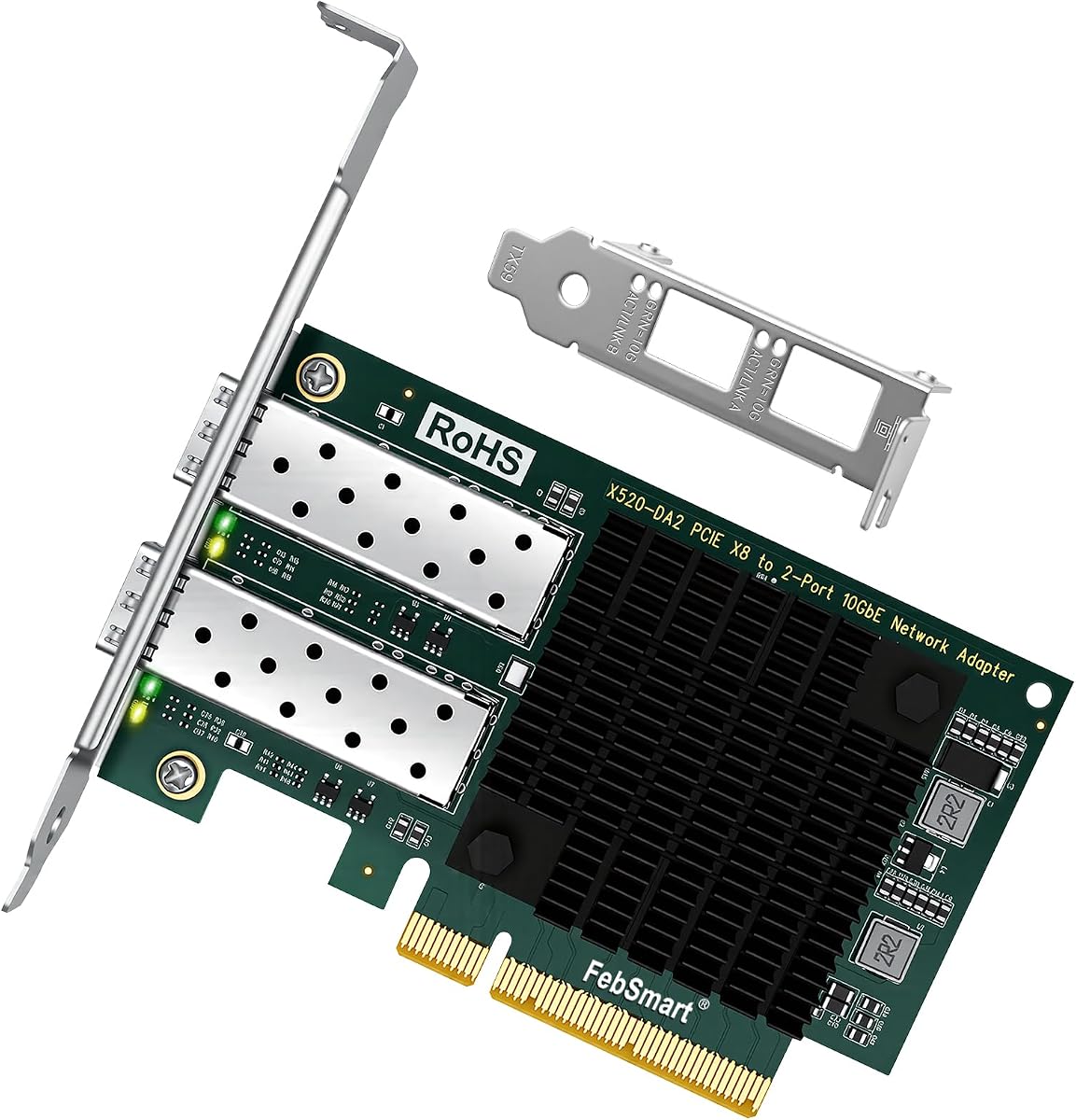
This dual-port adapter stands out as the top performer in our lineup, delivering enterprise-grade speeds for modern infrastructure. With a 4.9 rating, it offers robust connectivity for servers requiring high throughput and low latency.
We may earn a commission when you buy through this link, at no additional cost to you.
Powered by the Mellanox ConnectX-4 Lx controller, it supports advanced features like RDMA over RoCE, which significantly reduces CPU overhead during data transfers. This makes it ideal for virtualized environments and storage-intensive workloads.
While it requires compatible SFP28 transceivers and cables, the performance gains justify the investment for serious users. The PCIe 3.0 x8 interface ensures full bandwidth utilization without bottlenecks.
If you need reliable 25GbE connectivity for data centers or heavy server tasks, this adapter is the definitive choice. It balances high performance with competitive pricing effectively.
RDMA over RoCE enables direct memory access between systems, bypassing the CPU for faster data movement critical in virtualization.
Compatible with major hypervisors and cloud platforms, ensuring seamless integration into existing enterprise architectures.
We may earn a commission when you buy through this link, at no additional cost to you.
This model earns the Best Budget badge by offering genuine Intel silicon without the high cost of branded cards. It delivers consistent 10GbE performance for home labs, NAS, and basic server needs.
We may earn a commission when you buy through this link, at no additional cost to you.
The unlocked SFP+ cage allows you to use third-party optics and DAC cables, saving money over time. It works seamlessly with Proxmox, TrueNAS, and ESXi out of the box.
Users should ensure adequate case airflow since the heatsink is passive. However, the reliability and compatibility make it a practical choice for cost-conscious builders.
For those needing a reliable 10GbE connection without overspending, this card provides excellent value and long-term flexibility.
Unlike branded cards that reject non-approved optics, this adapter accepts any MSA-compliant SFP+ module, reducing hardware costs significantly.
Its compatibility with popular NAS systems ensures quick deployment for storage arrays without complex driver configurations.
We may earn a commission when you buy through this link, at no additional cost to you.
This premium pick delivers enterprise stability with its original Intel 82599EN controller, ensuring reliable throughput for critical applications. It supports advanced storage protocols like iSCSI and FCoE effectively.
We may earn a commission when you buy through this link, at no additional cost to you.
The 3-year warranty provides peace of mind for business deployments. It works across Windows Server, Linux, and VMware environments, making it versatile for diverse IT setups.
Note that it supports 10G speeds strictly, so verify your switch compatibility. The single port design limits redundancy but suits straightforward high-speed uplinks.
For businesses needing certified hardware with strong support, this adapter balances performance and warranty coverage exceptionally well.
Built-in support for FCoE and iSCSI allows direct storage networking, reducing latency in virtualized storage environments.
The extended warranty period reflects manufacturer confidence and offers added security for commercial network investments.
We may earn a commission when you buy through this link, at no additional cost to you.
This StarTech card offers a perfect balance of reliability and flexibility for networks prioritizing stability over raw speed. Its dual SFP slots allow mixed fiber and copper connections easily.
We may earn a commission when you buy through this link, at no additional cost to you.
The Intel I350 chipset ensures consistent performance with advanced features like IPv6 and link aggregation. It excels in server environments requiring robust networking management.
While limited to 1Gbps, the immunity to EMI from fiber makes it ideal for long runs. The low-profile bracket aids installation in compact systems.
Best for admins needing manageable, reliable gigabit fiber links in office or small server setups without 10GbE overhead.
Two open SFP slots allow mixing media types, enabling flexible network design without replacing entire hardware infrastructure.
Integrated PXE boot and VLAN support simplify deployment and segmentation for IT teams managing multiple systems.
We may earn a commission when you buy through this link, at no additional cost to you.
Designed for desktops and NAS units, this adapter delivers solid 10GbE performance for high-speed local transfers. It works well for gaming and 4K streaming where bandwidth matters.
We may earn a commission when you buy through this link, at no additional cost to you.
The Intel 82599ES controller supports virtualization features like SR-IOV, which benefits users running VMs on desktop hardware. It includes both full height and low profile brackets.
Users should install drivers manually on Windows 11, but once configured, performance is reliable. The PCIe 2.0 interface is sufficient for 10GbE but limits future upgrades.
A strong option for enthusiasts upgrading home labs or workstations without breaking the bank on enterprise gear.
Optimized for Network Attached Storage, this card accelerates file transfers and media streaming on home or office networks.
Low latency and high throughput ensure smooth online gaming experiences, even when local storage is networked.
We may earn a commission when you buy through this link, at no additional cost to you.
Asus brings both aesthetic appeal and technical prowess with this adapter. The aluminum heatsink ensures thermal stability during extended high-throughput sessions.
We may earn a commission when you buy through this link, at no additional cost to you.
Built-in QoS automatically prioritizes gaming or critical traffic, making it excellent for home labs or gaming PCs. It supports both fiber and direct-attach copper cables.
While it carries a higher price, the build quality and convenience features justify it for those valuing design and ease of use.
Choose this for a visually appealing and high-performing upgrade for desktop networking where cable length matters.
The stylish aluminum heatsink keeps the controller cool, maintaining consistent speeds during long file transfers or streaming.
Automatically allocates bandwidth to priority tasks, ensuring smooth gaming or video calls even during heavy usage.
We may earn a commission when you buy through this link, at no additional cost to you.
This model leverages PCIe Gen4 technology to provide modern compatibility while keeping physical footprint small. The Realtek RTL8127 controller offers stability with RealWoW enhancements.
We may earn a commission when you buy through this link, at no additional cost to you.
Its x1 lane design fits almost any slot, ideal for systems with limited PCIe space. It supports VLAN tagging and QoS for professional network environments.
Linux users must verify kernel compatibility, but Windows Server support is broad. The QR code simplifies driver downloads significantly.
Best for compact builds needing next-gen interface standards without sacrificing 10GbE performance.
The Gen4 x1 form factor maximizes slot flexibility, allowing installation in mini-ITX cases or systems with limited expansion space.
RealWoW technology boosts wake and diagnostic functions, improving reliability for remote management and automated tasks.
We may earn a commission when you buy through this link, at no additional cost to you.
A practical choice for basic fiber uplinks, this card comes with a multimode optical module ready for immediate use. The gold-plated fingers ensure durable physical connections.
We may earn a commission when you buy through this link, at no additional cost to you.
It offloads TCP/UDP checksums efficiently, freeing CPU resources for other tasks. Compatible with diverse systems including FreeBSD and VMware environments.
While it lacks redundancy, the included module and flexible brackets make it a quick win for single-link upgrades.
Ideal for industrial PCs or workstations needing a reliable fiber connection without buying extra accessories.
Shipping with a multimode module saves initial setup costs and reduces compatibility risks for new deployments.
Gold-plated connectors resist oxidation, ensuring stable contact over time even in varied environmental conditions.
We may earn a commission when you buy through this link, at no additional cost to you.
While technically copper-based, the TX401 provides 10GbE speeds essential for modern fiber workflows. It includes a CAT6A cable, simplifying setup instantly without extra purchases.
We may earn a commission when you buy through this link, at no additional cost to you.
Auto-negotiation ensures compatibility with existing network gear. QoS features protect gaming and streaming bandwidth during heavy traffic.
Users seeking fiber-like speeds without optical modules will find this convenient. It is an entry point for 10GbE without fiber complexity.
Best for quick upgrades where existing copper cabling can support high speeds without rewiring.
The included CAT6A cable guarantees readiness for 10GbE speeds out of the box, avoiding separate purchases.
QoS technology ensures critical applications remain responsive during peak network usage.
We may earn a commission when you buy through this link, at no additional cost to you.
This dual-port adapter doubles the connectivity for users needing redundancy or separate storage and data networks. The PCIe x8 interface handles full duplex 10Gb/s on both ports.
We may earn a commission when you buy through this link, at no additional cost to you.
Virtualization support is robust, with Flexible Port Partitioning and VMDq enabling efficient VM traffic management. It supports FCoE for converged networking needs.
Though limited to PCIe 2.0, the bandwidth suffices for two 10GbE links. Installation is straightforward on servers and workstations.
Best for setups requiring independent links for traffic separation or failover without multiple cards.
Two independent ports allow network segmentation for storage versus general traffic, improving security and performance.
Advanced partitioning and queue technologies reduce host CPU load when managing multiple virtual network interfaces.
We may earn a commission when you buy through this link, at no additional cost to you.
Selecting the right Fiber Optic Network Interface Card requires balancing speed, interface compatibility, and system requirements. This guide breaks down the key factors to consider for optimal performance.
Determine if you need 1Gbps, 10GbE, or 25GbE speeds based on your server workload or NAS transfer needs. Higher bandwidth costs more and may demand faster PCIe lanes.
Match the card speed to your switch or network gear to avoid bottlenecks and ensure consistent throughput across your infrastructure.
Ensure your motherboard has an available PCIe slot matching the card's version and lane count. For 10GbE, PCIe 2.0 x4 or higher is recommended; 25GbE often requires PCIe 3.0 x8.
Check physical slot availability and bandwidth limits to prevent throttling that could reduce expected network speeds.
Look for cards with unlocked SFP+ cages that accept third-party transceivers and DAC cables. Vendor-locked cards often reject non-approved optics, raising costs unnecessarily.
Verify that the cage supports the fiber type needed, such as multimode SR or single-mode LR, for your distance requirements.
Confirm driver availability for your OS, especially for Linux, ESXi, or newer Windows versions. Some cards may need manual driver installation on desktop OSs.
Community-tested compatibility reduces setup time and ensures stability in professional or production environments.
For virtualized environments, features like SR-IOV, VMDq, and VLAN tagging improve VM network performance and management. Enterprise cards typically include these capabilities.
These features minimize CPU overhead and allow flexible network segmentation without additional hardware.
Check if the card includes low-profile brackets to fit small form factor cases or 1U/2U servers. Full-height brackets are standard but may not suit compact builds.
Proper bracket selection ensures secure mounting and adequate airflow around the heatsink or controller.
Higher-speed cards often generate more heat and require case airflow or passive heatsinks. Verify your system can dissipate heat effectively.
Ensure your power supply has adequate connectors if the card requires auxiliary power, though most NICs draw from the PCIe slot.
Business deployments should prioritize cards with longer warranties and manufacturer support options. Budget models may lack extended coverage.
A reliable warranty protects your investment and ensures access to drivers and troubleshooting assistance when needed.
Install the card by inserting it firmly into an available PCIe slot and securing it with the appropriate bracket. Ensure all connectors are firmly seated and the case provides sufficient airflow for cooling.
Install the latest drivers from the manufacturer's website if required, especially for newer operating systems. Verify connectivity using built-in network diagnostics or switch status lights.
Regularly update firmware and drivers to maintain compatibility and security. Keep optical ports clean by using dust covers when not in use to prevent signal loss or damage.
It is a PCIe expansion card that enables a computer or server to connect to fiber optic networks. It converts electrical signals to light for high-speed, long-distance data transmission.
Yes, fiber NICs require compatible fiber optic cables and SFP transceivers or DAC cables. Ensure the cable matches the card's port type (SFP or SFP+).
You must use transceivers or DAC cables that match the switch port type. Some cards support dual copper/fiber via SFP ports but need specific modules.
Most 10GbE cards support 1GbE modes, allowing them to work with slower switches. Always verify auto-negotiation support to ensure compatibility.
SFP supports up to 1Gbps while SFP+ supports up to 10Gbps. SFP+ cards are usually backwards compatible with SFP modules but not vice versa.
Many models are designed specifically for NAS and support popular operating systems like TrueNAS and Synology. Check driver compatibility before buying.
This can be due to incompatible transceivers, mismatched cable types, or PCIe slot limitations. Verify hardware and settings match the required specs.
Yes, 10G cards generate significant heat. Ensure your case airflow is adequate or use models with included heatsinks for stable performance.
Our top picks offer reliable performance across different needs, from the versatile CX4121A dual 25GbE model for enterprise use to budget-friendly Intel-based 10GbE options for home labs.
Prioritize chipset compatibility, vendor lock status, and OS support when selecting your card. Ensure your infrastructure matches the card speed to avoid bottlenecks.
Prices and availability change frequently, so review current listings and warranty terms before purchase. Choosing the right card today ensures seamless network upgrades tomorrow.