
HP x900w USB 3.0 Flash Drive
4.5Editor score
Compact lightweight design
USB 3.0 interface speed
Two year limited warranty
This guide compares the top flash drives for HP laptops evaluating speed capacity durability and compatibility to help you choose the right USB storage
Finding the right flash drive for your HP laptop is essential for seamless data management and portability. Modern users need reliable storage that balances speed capacity and security without breaking the bank.
We analyzed ten top-rated USB drives focusing on real-world performance and user feedback. Each product was evaluated for compatibility with HP systems transfer rates and build quality to ensure you get the best value.
Every pick below highlights key features pros and cons to help you decide quickly. Prices and availability change frequently so please verify current details before making your final purchase decision for your setup.
4.5Editor score

4.6Editor score

4.3Editor score
This side-by-side comparison table allows you to quickly assess the key specifications and features of each recommended flash drive. Use this data to match your specific HP laptop needs with the right storage option.

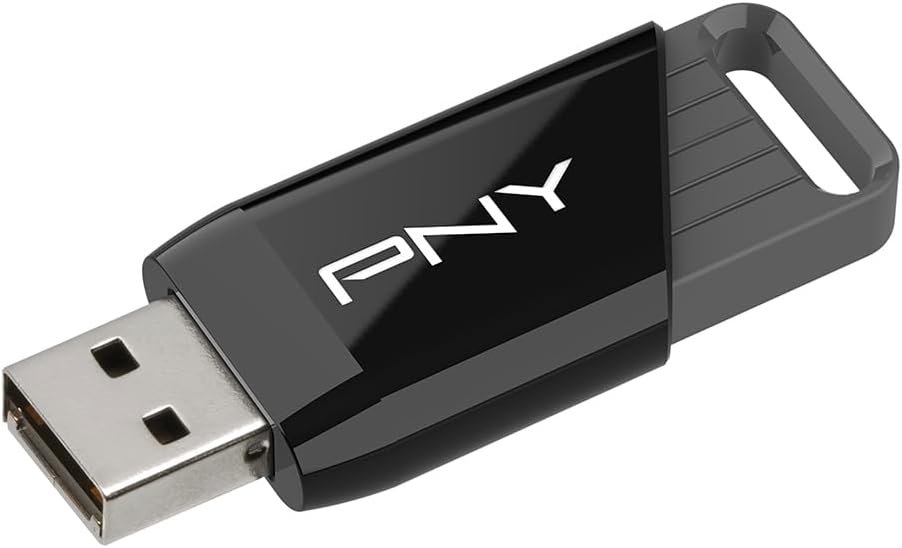

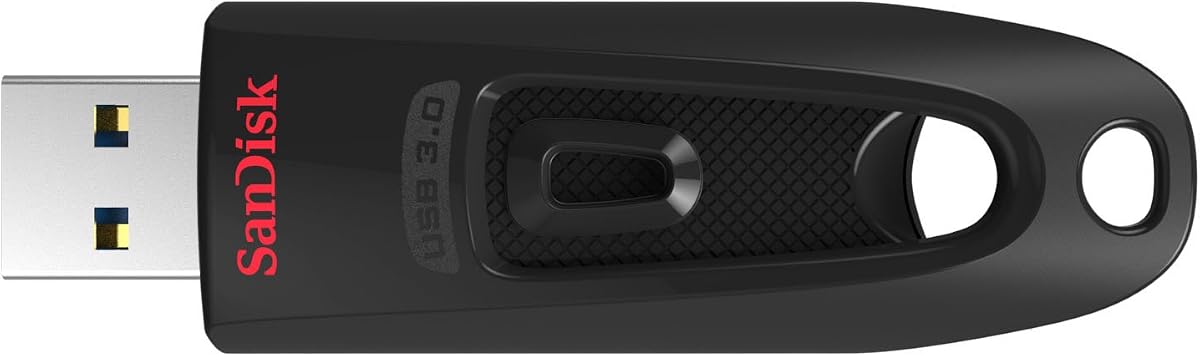

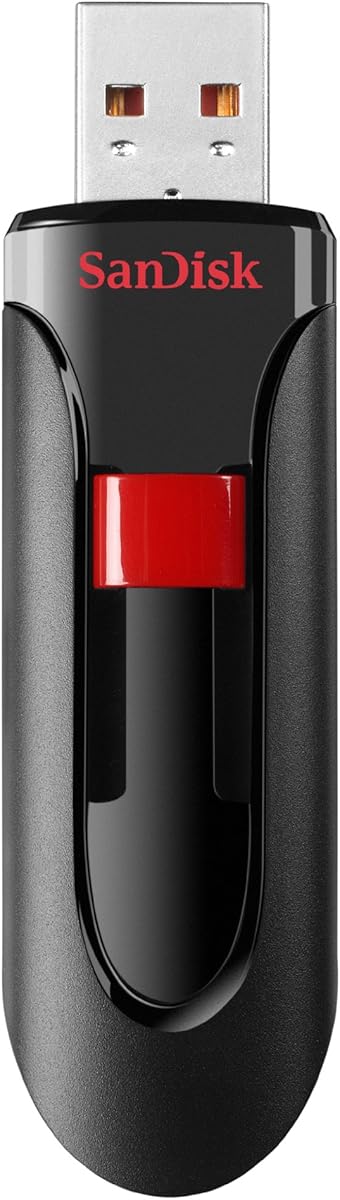

The SANDISK 128GB Ultra Flair stands out as our top pick for HP laptop users who need reliable and fast storage. With a rating of 4.6 stars it has proven its worth through consistent performance and durability in real-world usage.
We may earn a commission when you buy through this link, at no additional cost to you.
Its standout quality is the USB 3.0 interface which delivers read speeds up to 150MB/s. This means you can transfer large files like movies or high-res photos in seconds rather than minutes. The sleek metal casing not only looks professional but also protects the drive from physical damage.
While it lacks a USB-C port which might limit compatibility with newer devices the trade-off is acceptable for most HP laptops that still use USB-A. The included password protection software adds a layer of security for sensitive business files.
If you need a dependable flash drive for daily backups or presentations this model offers the best balance of speed and build quality. We recommend it for professionals and students who value performance over price.
The 150MB/s read speed ensures you spend less time waiting and more time working on your HP laptop.
Built-in encryption software allows you to password protect private files directly on the drive.
We may earn a commission when you buy through this link, at no additional cost to you.
The Lexar D40E 256GB Dual USB is ideal for users who need versatility and high capacity. Its dual connector design makes it perfect for modern workflows involving both older laptops and newer USB-C devices like tablets.
We may earn a commission when you buy through this link, at no additional cost to you.
It features a 360-degree swivel design that protects the connectors without needing a cap. The 256GB capacity offers ample space for extensive media libraries or large project files. Security is also a priority here with 256-bit AES encryption to keep data safe.
While the transfer speed tops out at 100MB/s which is decent but not the fastest the added convenience of the Type-C port justifies the choice for many. The metal build ensures it can withstand daily wear and tear.
We recommend this drive for professionals who need to transfer files across multiple device types. It is a solid investment for anyone looking for premium features and reliability.
Connect to USB-A and USB-C devices effortlessly without carrying extra adapters.
Protect sensitive information with industry-standard encryption software included with the drive.
We may earn a commission when you buy through this link, at no additional cost to you.
The HP x900w USB 3.0 Flash Drive is our top budget choice for those who need basic storage without breaking the bank. As an official HP product it is specifically designed to work seamlessly with HP laptops.
We may earn a commission when you buy through this link, at no additional cost to you.
Despite its low price it offers USB 3.0 speeds which are significantly faster than older USB 2.0 drives. This makes it suitable for quick transfers of documents and moderate media files. The compact design fits easily in a pocket or keychain.
The only downside is the limited 64GB capacity which may not suffice for large video projects. However for general school or office use it provides excellent value. The two-year warranty adds peace of mind for buyers.
We recommend this drive for students or casual users who need a reliable spare drive. It is the best entry-level option for HP owners on a tight budget.
Optimized to work perfectly with HP laptops ensuring stable connection and performance.
Get USB 3.0 performance without paying a premium price for advanced features.
We may earn a commission when you buy through this link, at no additional cost to you.
The JOIOT 128GB USB C Flash Drive is perfect for users who frequently move data between computers and smartphones. Its dual connector design removes the need for separate adapters.
We may earn a commission when you buy through this link, at no additional cost to you.
It delivers read speeds up to 130MB/s which is efficient for moving photos and videos. The drive supports Android devices and modern smartphones like the iPhone 15 making it a versatile tool for hybrid workflows.
The plastic casing is lightweight but may feel less premium than metal alternatives. Also write speeds are lower than read speeds so large file uploads might take longer. However for general use it is highly reliable.
We recommend this drive for digital content creators or travelers who need cross-device compatibility. It offers a practical solution for modern multi-device ecosystems.
Works with Android phones iPhones Macs and Windows laptops without additional software.
Read speeds allow you to access photos and videos instantly without lag.
We may earn a commission when you buy through this link, at no additional cost to you.
The PNY 256GB Attaché X USB 3.2 is a solid choice for those who need substantial storage for large files. Its 256GB capacity is ideal for media backups or extensive work files.
We may earn a commission when you buy through this link, at no additional cost to you.
The sliding collar cap design keeps the USB port protected without the risk of losing a separate cap. Read speeds of up to 130MB/s ensure that moving data is efficient. The drive is compatible with both Mac and Windows systems.
One potential drawback is the lack of built-in encryption software which might be a concern for sensitive data. Also the sliding mechanism could wear out over time with heavy use. Despite this it remains a reliable option.
We recommend this drive for users who need high capacity and portability. It is suitable for creatives or students storing large projects.
Store thousands of photos hours of video or complex documents on a single drive.
The sliding collar protects the connector and adds a sleek look to the device.
We may earn a commission when you buy through this link, at no additional cost to you.
This 2-Pack 128GB USB C Flash Drive bundle is the best value option for those needing multiple drives. You get two drives which is perfect for keeping backups separate or sharing with others.
We may earn a commission when you buy through this link, at no additional cost to you.
Both drives feature USB-C and USB-A connectors making them versatile across devices. While they support USB 2.0 speeds which are slower than USB 3.0 they are sufficient for documents and small media files. The total capacity of 256GB is generous for the price.
The plastic build is basic and the slower speeds mean you should avoid moving large files frequently. However for casual backup needs this bundle offers unbeatable value. No software installation is required.
We recommend this for home users or small offices needing multiple drives for redundancy. It is an economical solution for general storage tasks.
Get two full-size drives for the price of a single premium drive.
Use one drive for active work and the second for secure off-site backup.
We may earn a commission when you buy through this link, at no additional cost to you.
The SANDISK 256GB Ultra USB-A is a robust option for users who prioritize capacity and speed. It delivers reliable performance with a rating of 4.6 stars from satisfied customers.
We may earn a commission when you buy through this link, at no additional cost to you.
Its 256GB capacity allows for extensive storage of high-definition videos and software backups. The USB 3.0 interface ensures quick read speeds up to 130MB/s. Security is handled via included encryption software to protect sensitive files.
One limitation is that it does not support USB-C ports which are becoming standard on new laptops. If your HP laptop has USB-C ports you might need an adapter. Otherwise it is a very dependable choice.
We recommend this drive for professionals needing large storage in a traditional USB-A format. It is ideal for backing up entire project folders or media collections.
Keep all your important files safe and accessible with massive 256GB space.
Built-in encryption keeps your personal and business data private and safe.
We may earn a commission when you buy through this link, at no additional cost to you.
The SANDISK 16GB Cruzer Blade is the ultimate entry-level drive for basic needs. It is perfect for students or users who only need to carry documents or small files.
We may earn a commission when you buy through this link, at no additional cost to you.
Its compact contoured design fits easily into keyrings or small pockets. Although it uses USB 2.0 technology which is slower than modern standards it is sufficient for text files and presentations. The included SecureAccess software adds basic password protection.
Given the low capacity and slow speed this is not suitable for media transfers or heavy backups. It works best for emergency file sharing or system recovery keys. The build quality is solid despite the low price.
We recommend this drive for lightweight casual use. If you need more space or speed consider upgrading to a USB 3.0 model.
Keep your basic files safe with straightforward password protection tools.
The small shape ensures you never lose your drive in your bag.
We may earn a commission when you buy through this link, at no additional cost to you.
The SANDISK 128GB Cruzer Glide USB-A offers a practical design with a retractable connector. This feature is great for users who often forget or lose protective caps.
We may earn a commission when you buy through this link, at no additional cost to you.
With 128GB of space it provides a good balance between portability and storage. The retractable mechanism keeps the USB connector safe when not in use. It also includes encryption software to secure your files.
The speed is limited to USB 2.0 which means transfers will take longer than with USB 3.0 drives. The plastic body is durable enough for daily use. The two-year warranty adds to its reliability.
We recommend this drive for general use and travelers who want a simple cap-less solution. It is a versatile choice for everyday file transfers.
Never worry about losing a cap with the integrated retractable design.
128GB is enough space for most personal and professional documents.
We may earn a commission when you buy through this link, at no additional cost to you.
The SANDISK Ultra 32 GB USB 3.0 is a classic choice that offers solid performance for everyday tasks. It is a reliable workhorse for basic storage needs.
We may earn a commission when you buy through this link, at no additional cost to you.
It features USB 3.0 speeds allowing for decent transfer rates of up to 80MB/s. While the 32GB capacity is modest it covers most standard use cases. The five-year warranty is a standout feature indicating manufacturer confidence.
The design is straightforward and functional without extra features. It is a cost-effective option for students or home users. The brand reputation ensures consistent quality over time.
We recommend this drive for users who need a reliable USB 3.0 drive on a budget. It is a safe bet for general file storage.
Enjoy peace of mind with an industry-leading five-year coverage plan.
USB 3.0 speeds ensure smooth transfers for everyday documents and media.
We may earn a commission when you buy through this link, at no additional cost to you.
Selecting the right flash drive involves understanding several key factors that impact performance and usability. This guide breaks down the essential criteria to help you make an informed decision.
Storage capacity determines how much data you can save on the drive. For basic documents 32GB or 64GB is sufficient. If you work with videos or large backups consider 128GB or 256GB options.
Choose a capacity that matches your daily file needs to avoid constant file management.
Transfer speeds are crucial for saving time when moving large files. USB 3.0 and 3.2 drives offer significantly faster performance than USB 2.0. Look for read speeds above 100MB/s for smooth operation.
Higher speeds reduce waiting times during backups and file transfers.
Ensure the drive connector matches your HP laptop ports. Most older HP models use USB-A while newer ones may have USB-C. Dual connector drives offer flexibility for both types.
Check your laptop port type before buying to avoid needing adapters.
Build quality impacts how long the drive lasts in your pocket or bag. Metal casings provide better protection against drops than plastic. Water resistance is a bonus for travelers.
Invest in a durable design to protect your important data from physical damage.
Security features like encryption and password protection keep your data safe from unauthorized access. This is essential for business files or sensitive personal data.
Prioritize drives with built-in software for protecting confidential information.
A portable design ensures the drive is easy to carry without taking up much space. Retractables or swivels prevent cap loss. Compact sizes fit keychains or small pockets.
Choose a shape that fits comfortably in your bag or pocket for daily use.
Ensure the drive supports your operating system such as Windows or macOS. Most modern drives are cross-compatible but some features may require specific software installation.
Verify compatibility lists to avoid software hurdles on your HP laptop.
A good warranty offers protection against defects and failures. Brands often provide warranties ranging from two to five years which adds value to the purchase.
Look for longer warranty periods to ensure long-term reliability for your purchase.
To use your flash drive simply plug it into an available USB port on your HP laptop. Wait for the system to recognize the drive and open File Explorer to view and transfer your files.
Always use the Safe Eject option before removing the drive to prevent data corruption. This ensures all pending writes are completed and the drive is ready for removal.
Keep your drive in a protective case when not in use to avoid dust and physical damage. Avoid exposing it to extreme temperatures or moisture to ensure long-term performance.
The fastest drives typically use USB 3.2 Gen 1 or USB 3.1 interfaces with read speeds over 150MB/s. Look for drives labeled with these specs to ensure quick data transfers.
No a flash drive does not slow down your laptop. It acts as external storage. Performance depends on the drive speed and your laptop USB port capabilities.
You may need a USB-C to USB-A adapter if your HP laptop lacks USB-C ports. Alternatively choose a dual connector drive for native compatibility across devices.
Flash drives typically last between five to ten years with regular use. Factors like write cycles and storage conditions affect longevity.
Yes USB 3.0 drives are backward compatible with USB 2.0 ports. However they will operate at USB 2.0 speeds which are slower.
For general documents and photos 64GB or 128GB is ideal. For large media files 256GB offers more room.
Use data recovery software like Recuva or Disk Drill to retrieve lost files. Ensure you do not overwrite data on the drive during recovery.
Yes if you store sensitive data. Encryption software keeps files secure even if the drive is lost.
We hope this guide has helped you find the ideal flash drive for your HP laptop. Whether you choose the fast SAN Disk Ultra Flair or the budget-friendly HP x900w each option offers distinct benefits for different users.
Prioritize storage capacity and transfer speed based on your specific workflow needs. Security features and build quality should also be considered for long-term reliability.
Remember to check the current prices and availability before buying. Deals may change so ensure you are getting the best value for your investment today.