
SANDISK 256GB Phone Drive
4.3Editor score
Dual connector for Lightning and USB-C
Automatic backup with Memory Zone app
Password protected file encryption
Seamless file management across devices
Designed specifically for iPhone 15 and older
Discover the top Flash Drives for iPhone to expand storage and backup photos securely. We compare speed, compatibility, and features across ten verified models.
Modern smartphones offer incredible convenience but often struggle with limited internal storage. As you capture more high-resolution photos and videos, filling up your device becomes a frequent headache. External flash drives provide a practical solution to expand capacity without relying on expensive cloud subscriptions.
This guide evaluates ten top-rated flash drives designed specifically for iPhone and iPad users. We analyze compatibility, transfer speeds, build quality, and software features to help you find the perfect match for your needs. Each product has been selected based on user feedback and technical specifications.
Every recommendation includes detailed insights into performance and ease of use for daily tasks. Keep in mind that prices and availability can fluctuate rapidly in the online marketplace. Always verify the latest details before making a purchase decision to ensure you get the best value.
4.3Editor score

4.4Editor score

4.3Editor score
This side-by-side comparison highlights the key specifications and features of each drive to help you make an informed choice based on your storage needs and device compatibility.


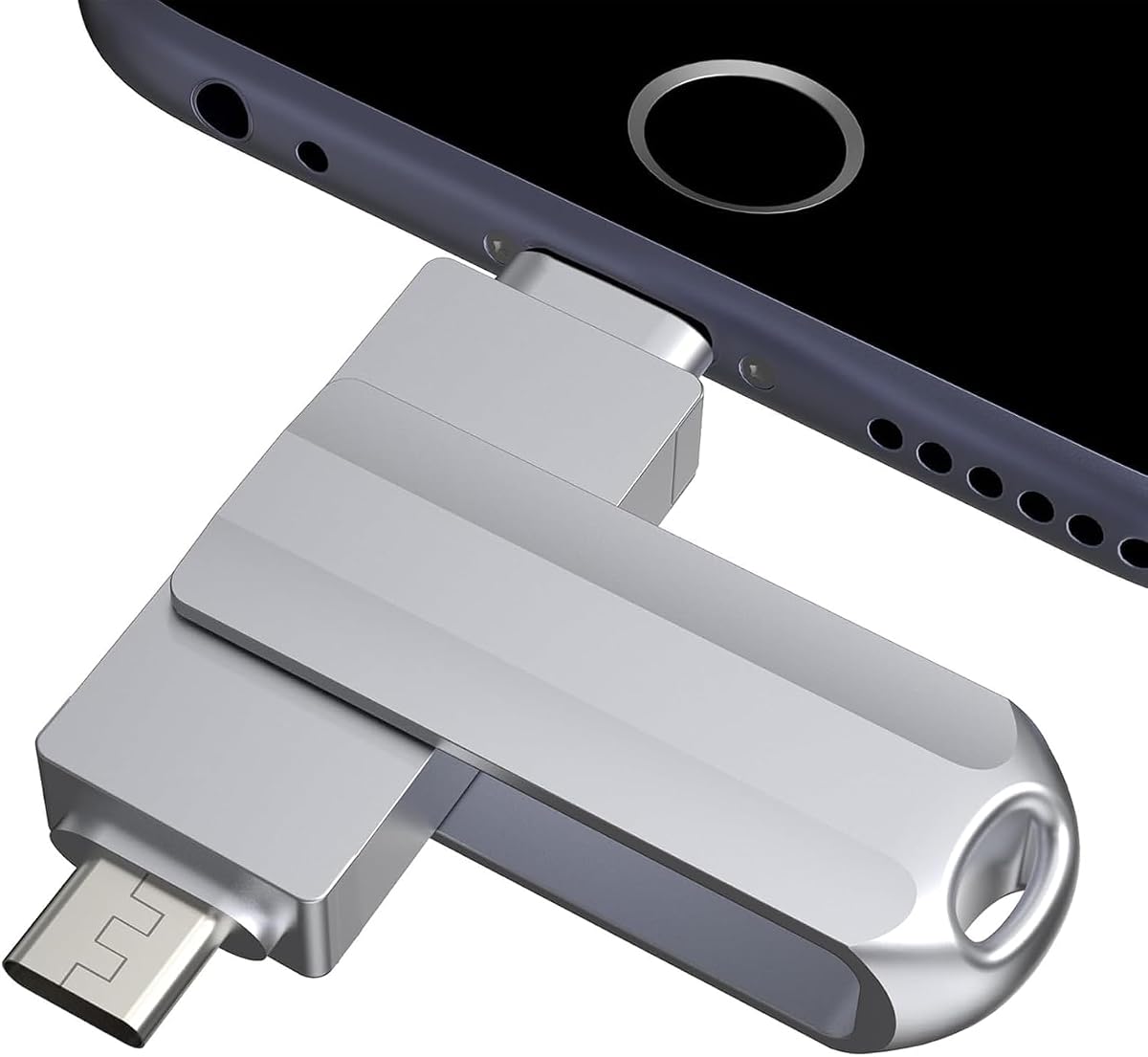


This MFi certified flash drive stands out as the top choice for iPhone users seeking reliable external storage. With a solid 4.4 rating, it delivers secure data transfer and ample space for your media collection. Its triple interface design ensures broad compatibility across different devices.
We may earn a commission when you buy through this link, at no additional cost to you.
The standout feature is the ability to backup photos and videos with a single click using the dedicated app. This simplifies the process of freeing up device space without needing iCloud. Additionally, the drive supports Touch ID encryption to keep your sensitive information safe from unauthorized access.
While the app requirement for iOS might seem like a small hurdle, it enables powerful features like automatic storage and on-the-go playback. The metal construction ensures durability against drops and dust. The included keychain adds practical value for everyday carry.
This drive is ideal for anyone needing a balance of capacity, security, and ease of use. It works seamlessly with iOS, Android, and PC devices. For users who prioritize reliable backups and flexible connectivity, this is the recommended option.
One click backup allows instant saving of media files to the drive via the app, eliminating cable dependency.
With USB, Lightning, and Type-C interfaces, you can connect to almost any modern device without extra adapters.
We may earn a commission when you buy through this link, at no additional cost to you.
Offering a budget friendly price point, this drive provides essential storage expansion for iPhone and iPad users. It carries MFi certification ensuring safe and reliable connection to Apple devices. The 128GB capacity is sufficient for most casual users who need to store essential photos and documents.
We may earn a commission when you buy through this link, at no additional cost to you.
Key strengths include its lightweight design and multi-interface utility. You can connect to USB ports, Lightning ports, or Type-C ports easily. The app supports one click backup and sharing directly to social media platforms. This makes it convenient for travel and quick data transfers.
The main trade-off is the reliance on the U-Disk app for iOS functions. However, the ease of use generally outweighs this minor inconvenience. The drive also supports encryption for added privacy which is a valuable feature at this price level.
Consider this model if you need a portable and affordable solution for expanding your device storage. It is particularly useful for those who switch between iOS and Android devices frequently. The value proposition is strong for basic backup needs.
Delivers reliable 128GB storage at a lower cost, making it accessible for budget conscious consumers.
Share photos and videos directly to social media from the drive without needing to transfer to your phone first.
We may earn a commission when you buy through this link, at no additional cost to you.
SanDisk offers a premium solution tailored specifically for the transition from Lightning to USB-C on iPhone 15 models. This drive supports both connectors, ensuring compatibility across generations of devices. The 256GB capacity provides significant room for media and documents.
We may earn a commission when you buy through this link, at no additional cost to you.
The Memory Zone app enhances the experience with automatic backup and real-time progress tracking. Users can choose manual or automatic backups depending on their workflow. Encryption features add an extra layer of security for sensitive personal files.
While the price is higher than generic alternatives, the integration with Apple systems is seamless. It avoids common compatibility issues found with third party drives. The drive is designed to work natively with the Files app and offers robust management tools.
This is the ideal choice for users upgrading to USB-C iPhones who want a trusted brand solution. It balances high capacity with intelligent software features. For those who value reliability and advanced backup tools, this drive is worth the investment.
Dual connectors allow use with both new USB-C and older Lightning devices, extending the drive's useful lifespan.
Memory Zone app provides granular control over what files are backed up and when the process occurs.
We may earn a commission when you buy through this link, at no additional cost to you.
The Lexar D50E is a high performance solid state drive offering incredible transfer speeds. It is designed for modern devices with USB-C ports, making it ideal for newer iPhones and iPads. The 128GB capacity is compact yet efficient for daily use.
We may earn a commission when you buy through this link, at no additional cost to you.
Performance is the key selling point here, with read speeds up to 400MB/s. This ensures large files transfer quickly without long wait times. The compact metal housing protects the drive from physical damage during travel. It is simple to use as it requires no app for PC or Mac.
One limitation is the lack of a Lightning connector for older iPhone models. However, for users with USB-C iPhones, it offers a sleek and fast solution. The Lexar app can also be used for photo backups on iOS if desired.
Choose this drive if speed and durability are your top priorities. It works well for professionals who need to move large video files or datasets. The lack of mandatory software makes it very user friendly across different platforms.
Up to 400MB/s read speed ensures minimal waiting when moving large photos or video files between devices.
Dual connectors on a single device eliminate the need for separate cables when connecting to different ports.
We may earn a commission when you buy through this link, at no additional cost to you.
This drive stands out with its unique retractable design that protects the connectors when not in use. It is MFi certified ensuring compatibility with Apple devices. The 256GB capacity offers generous space for storing media files and documents.
We may earn a commission when you buy through this link, at no additional cost to you.
It supports four interfaces including USB, Lightning, Micro USB, and Type-C. This versatility makes it highly adaptable for almost any device you might own. The one-click backup feature simplifies saving photos and videos without tedious file management.
While the multiple ports are convenient, managing the retractable mechanism can be slightly finicky at times. The drive is built with a frosted aluminum finish for durability and style. It is a great choice for those who travel frequently.
Consider this if you need a versatile drive that works across many device types. The protection of the connectors adds value for daily carry. It is a solid option for users who want capacity and flexibility in one package.
The retractable mechanism covers connectors to prevent damage and loss of caps during transport.
Four interfaces allow connection to older and newer devices without needing extra adapters or cables.
We may earn a commission when you buy through this link, at no additional cost to you.
Lexar offers a sleek dual drive option with USB-A and USB-C connectors. This design is perfect for laptops and modern phones without needing extra cables. The 128GB capacity is suitable for standard storage needs like photos and documents.
We may earn a commission when you buy through this link, at no additional cost to you.
The 360 degree swivel design ensures you never lose the protective cap. It allows easy switching between connectors while keeping the drive compact. The metal enclosure protects internal components from heat and impact during use.
It works as a plug and play device on most systems without software installation. Security is handled via included software offering AES encryption for your files. This is a practical tool for general data transfer tasks.
This drive is best for users who value simplicity and portability. It fits easily in pockets and works across many devices. For those needing a reliable backup for USB-C devices, this is a strong choice.
A rotating connector mechanism eliminates the risk of losing caps and keeps the drive streamlined.
256-bit AES encryption ensures your private files remain protected from unauthorized access or theft.
We may earn a commission when you buy through this link, at no additional cost to you.
For those who need substantial storage, this 512GB drive offers ample space for extensive media libraries. It connects via USB-C and Type-iOS connectors for compatibility with modern devices. The included USB-A adapter ensures you can use it with older computers.
We may earn a commission when you buy through this link, at no additional cost to you.
The mFlash app simplifies file management and backup tasks on iPhone and iPad. It allows you to organize photos and videos without cluttering your device memory. This is especially useful for content creators or heavy media consumers.
The 512GB size is a significant advantage over smaller drives. It allows you to store months of video without needing to delete files. The drive is designed for easy transfer between phones and computers.
This is the ideal choice for users who need serious storage capacity. It supports direct access via USB for PCs while offering app management on mobile. If you have lots of photos or videos, this drive is worth considering.
512GB storage space allows users to store thousands of photos and hours of 4K video easily.
USB-A adapter enables connection to older laptops and desktops without extra dongles.
We may earn a commission when you buy through this link, at no additional cost to you.
This drive combines style and function with its metallic silver finish and MFi certification. It offers 256GB of storage suitable for expanding phone memory significantly. The dual connector design supports USB Lightning and Type-C connections.
We may earn a commission when you buy through this link, at no additional cost to you.
It enables one-click backup of photos and videos to free up device space. The app allows secure file encryption to protect sensitive information. It is designed to work across iOS Android and PC systems efficiently.
The transfer speeds are decent for general file management tasks. While the app is necessary for iOS features it simplifies the backup process. The build quality feels sturdy with a metal body to resist daily wear.
This is a good option for users wanting a reliable and secure storage drive. It balances capacity with protection features at a reasonable price point. For those who value aesthetics along with utility it is a solid choice.
Encrypt specific files or entire drive with passcode to ensure personal data remains private.
Backup photos and contacts instantly with a single button press in the accompanying app.
We may earn a commission when you buy through this link, at no additional cost to you.
SSK provides a high-speed option optimized for USB-C devices and modern laptops. With read speeds up to 550MB/s it transfers large files quickly. This makes it ideal for professionals or users moving heavy data sets regularly.
We may earn a commission when you buy through this link, at no additional cost to you.
The drive is built with a zinc alloy shell for durability and heat dissipation. It supports plug and play operation on Windows Mac and Android systems. No extra software is required for basic file transfers.
It is important to note this drive does not support Lightning ports. It works best with iPhone 15 models or devices with USB-C ports. For those with older iPhones it will need a separate adapter.
Choose this drive if speed is your main requirement. It delivers performance similar to high-end SSDs in a compact form. For users with USB-C iPhones it is one of the fastest options available.
Up to 550MB/s read speed means transferring full movies or large video projects happens in minutes.
Zinc alloy shell resists falls and heat better than standard plastic drives.
We may earn a commission when you buy through this link, at no additional cost to you.
EATOP offers a straightforward storage solution that works with the native iOS Files app. This eliminates the need to download third-party apps just to manage files. It is a simple plug-and-play experience for iPhone and iPad users.
We may earn a commission when you buy through this link, at no additional cost to you.
The 256GB capacity is sufficient for daily storage needs. It supports multiple interfaces including USB and Type-C for flexibility. Android users can also use it by enabling OTG support on their devices.
Transfer speeds are lower compared to high-performance SSDs but acceptable for general files. The simplicity of use is its main advantage for non-technical users. It connects directly to the system without extra steps.
This is a great choice for those who dislike managing separate apps. It works seamlessly with the system's built-in tools. If you want a hassle-free way to expand storage this is a reliable option.
Access files directly through the native Files app without installing extra software.
Plug in and manage files immediately reducing steps for everyday data transfers.
We may earn a commission when you buy through this link, at no additional cost to you.
Selecting the right flash drive involves understanding your device requirements and usage patterns.
Ensure the drive matches your phone's port type. Lightning drives are needed for older iPhones, while USB-C drives suit iPhone 15 and newer.
Look for dual connector drives if you want flexibility across different devices and platforms.
Assess how much data you typically store. For photos and documents, 128GB is often sufficient, but video creators may prefer 256GB or 512GB.
Higher capacity drives offer better value for storing large files without frequent management.
Some drives require proprietary apps for iOS, which can add features but also steps to manage.
Prefer drives compatible with the native Files app if you want a simpler user experience.
Check the read and write speeds, especially for large video files. Faster speeds save time and improve workflow efficiency.
SSD-based drives offer significantly higher speeds than traditional flash drives for heavy use.
Metal housings provide better protection against drops and heat than plastic cases.
Consider models with keychains or protective caps to prevent loss or damage to connectors.
Encryption features help protect sensitive personal data from unauthorized access.
Look for drives with password protection if you store private or work-related files.
Ensure the drive works with your computer system if you plan to transfer files between phone and PC or Mac.
Universal compatibility ensures you can use the same drive across all your devices seamlessly.
Choose brands that offer a warranty and responsive customer support for peace of mind.
A solid warranty indicates confidence in product quality and longevity.
Connect the drive securely to your phone and ensure it is recognized by the Files app or the manufacturer's software. Follow any on-screen instructions to grant permission for file access.
To transfer files, select them in your photos or files app and choose to copy or move to the drive. Wait until the process completes before removing the drive to avoid data corruption.
Keep the connectors clean and free from dust or debris. Store the drive in a safe place when not in use to prevent physical damage or loss.
Some drives require proprietary apps to manage files, while others work directly with the native Files app. Check product details to see if an app is needed for your specific model.
Yes, drives with Lightning connectors or dual interfaces can connect to older models. Ensure compatibility with your device's port type before purchasing.
Many models offer encryption and password protection to secure your data. Use these features if you store private or confidential information on the drive.
Most drives come pre-formatted for use with iOS and Android. If needed, you can format the drive using your computer's disk utility for compatibility.
Yes, most drives support direct playback of videos via their apps or the Files app. This lets you view content without storing it on your phone first.
Removing the drive during a transfer can lead to data loss or corruption. Always wait until the transfer process is fully complete before unplugging.
The top picks like the MFi Certified USB 3.0 and SanDisk options offer reliable performance for various needs. Choose based on your capacity and connectivity requirements.
Prioritize drives that match your device's port and offer features like encryption or easy file management. This ensures you get value and convenience from your purchase.
Prices and availability change frequently so always check the latest offers on product pages. Verify specifications before buying to ensure compatibility with your iPhone model.