
Kingston NV3 1TB M.2 2280 NVMe SSD
4.7Editor score
Gen 4×4 NVMe PCle performance
Up to 6000MB/s read speed
Includes Acronis cloning software
This guide compares the top Kingston Internal NVME SSD models for speed and reliability helping you choose the right storage upgrade for your PC or laptop
Choosing the right internal storage is critical for modern computing. A solid state drive enhances system responsiveness and reduces load times significantly across all your applications and games.
We evaluated ten top models focusing on performance specs reliability and value. Each product offers unique features tailored to different user needs from casual computing to professional workflows.
Our reviews detail standout strengths and potential trade-offs for every pick. Prices fluctuate frequently so check current listings before purchasing to ensure you get the best deal available now.
4.7Editor score
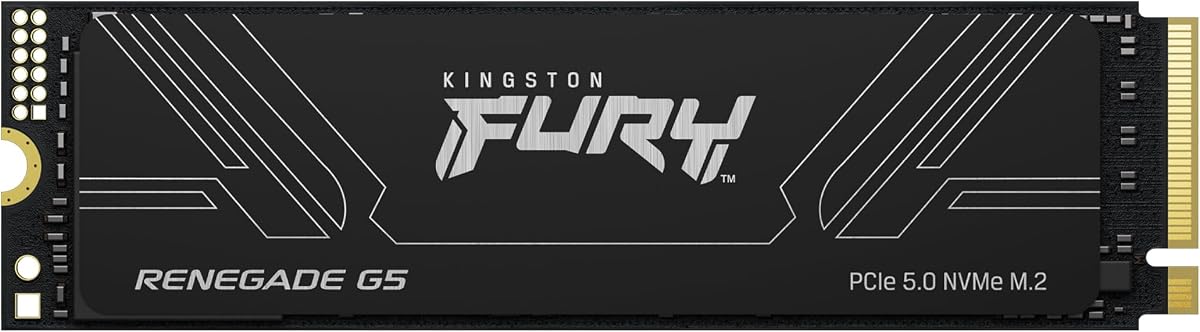
4.7Editor score

4.8Editor score
This side-by-side comparison highlights the key specifications and capabilities of the ten selected Kingston Internal NVME SSD models to help you make an informed decision quickly.


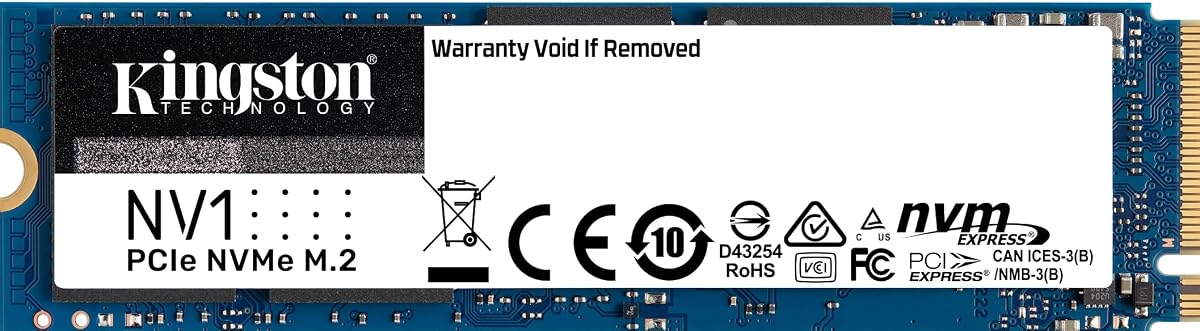


This model stands out as a top choice for power users needing maximum performance. It offers blazing speeds and robust build quality suitable for demanding tasks.
We may earn a commission when you buy through this link, at no additional cost to you.
It features PCIe 5.0 technology delivering read speeds up to 14800MB/s. The SM2508 controller ensures stable power and reliable performance during intensive operations.
The thermal design is advanced with a 12-layer PCB for efficient cooling. While expensive the speed gains justify the cost for professional content creators.
Buy this if you need top-tier responsiveness and massive storage. It fits seamlessly into desktops and motherboards with Gen 5×4 support.
Designed for hardcore gamers this drive delivers ultra-fast load times for seamless gameplay experiences.
Demanding apps benefit from the high throughput ensuring smoother workflows for video editing and rendering.
We may earn a commission when you buy through this link, at no additional cost to you.
This drive is a top pick for gamers seeking premium performance. It combines speed with reliability making it ideal for high-end setups.
We may earn a commission when you buy through this link, at no additional cost to you.
It offers PCIe Gen 4×4 performance with speeds up to 7300MB/s. The PS5 Ready status ensures seamless integration for console upgrades.
The heatsink option helps manage thermal throttling during long sessions. The slim M.2 2280 form factor fits easily into tight spaces.
Choose this for top-tier responsiveness in gaming and daily tasks. It is available in high capacities up to 4TB for extensive libraries.
Available with heatsink or low-profile heat spreader to maintain consistent performance under load.
PS5 Ready certification allows for easy storage expansion on supported next-generation consoles.
We may earn a commission when you buy through this link, at no additional cost to you.
This model is an excellent choice for users needing fast storage on a budget. It delivers strong performance suitable for most everyday tasks.
We may earn a commission when you buy through this link, at no additional cost to you.
It features Gen 4×4 NVMe PCle performance with up to 6000MB/s read speeds. The inclusion of Acronis cloning software simplifies migration to new drives.
A 5-year limited warranty provides peace of mind for your investment. It is ideal for high-speed low-power storage needs across various systems.
Buy this if you want reliable speed without breaking the bank. The warranty and cloning software add value for general consumers and students.
Includes Acronis cloning software to help you move your OS easily to the new drive.
A 5-year limited warranty ensures support and reliability for your purchase over time.
We may earn a commission when you buy through this link, at no additional cost to you.
This drive is designed specifically for compact devices requiring high performance. It balances speed with power efficiency for portable gaming rigs.
We may earn a commission when you buy through this link, at no additional cost to you.
It features Gen 4×4 NVMe PCle performance with up to 6000MB/s read speeds. The 2230 form factor makes it ideal for modern handheld gaming devices.
Capacities up to 2TB allow for expanded storage in small spaces. It is designed for high speed and low power consumption in tight chassis.
Choose this if you need to upgrade a handheld console or SFF PC. The specific form factor ensures compatibility with modern compact gaming hardware.
Perfect for upgrading storage in compact handheld gaming consoles requiring specific 2230 sizing.
Low power design ensures longer battery life when used in portable gaming devices.
We may earn a commission when you buy through this link, at no additional cost to you.
This SSD is a top tier choice for notebook upgrades seeking high performance. It offers reliable speeds ideal for professional workflows and multitasking.
We may earn a commission when you buy through this link, at no additional cost to you.
It delivers read speeds up to 7000MB/s and write speeds up to 6000MB/s. The M.2 2280 PCIe NVMe interface ensures broad compatibility with modern laptops.
Quality Assured Products standards ensure durability and consistent performance over time. The high throughput supports demanding applications like video editing and data analysis.
Buy this if you need robust storage for your notebook. The balanced read write speeds make it versatile for all computing needs.
Read speeds up to 7000MB/s ensure quick access to files and applications.
Write speeds up to 6000MB/s allow for fast data saving and transfer.
We may earn a commission when you buy through this link, at no additional cost to you.
This drive is a powerful alternative offering massive speed boosts for PC users. It excels in random performance and power efficiency across tasks.
We may earn a commission when you buy through this link, at no additional cost to you.
It provides random read/write speeds 40%55% faster than predecessors. The nickel coated controller delivers effective thermal control for sustained performance.
Samsung MAGICIAN SOFTWARE allows easy monitoring and optimization of drive health. The slim size fits perfectly in desktops and laptops meeting PCI-SIG standards.
Choose this for ultimate gaming experience and direct storage support. The improved performance per watt makes it efficient for daily workloads.
Up to 50% improved performance per watt over previous models for cooler operation.
Nickel coated controller and slim size ensure effective heat management during use.
We may earn a commission when you buy through this link, at no additional cost to you.
This drive offers excellent value for users prioritizing storage capacity. It delivers decent speeds suitable for general computing and media storage.
We may earn a commission when you buy through this link, at no additional cost to you.
It supports up to 2TB capacity to meet your data storage requirements. The up to 2100MB/s read speed ensures responsive performance for everyday tasks.
Ideal for laptops and small form factor PCs due to its compact design. Available in a range of capacities to fit various budget needs.
Buy this if you need reliable bulk storage at a good price. The range of capacities allows flexibility for different storage requirements.
Available in a range of capacities up to 2TB to meet your specific data needs.
Ideal for laptops and small form factor PCs with limited internal space.
We may earn a commission when you buy through this link, at no additional cost to you.
This model is a solid entry point for upgrading older systems. It provides sufficient speed for web browsing and basic productivity applications.
We may earn a commission when you buy through this link, at no additional cost to you.
It supports up to 2TB capacity to meet your data storage requirements. The up to 2100MB/s read speed keeps daily operations smooth and responsive.
Ideal for laptops and small form factor PCs with limited space constraints. Available in a range of capacities to fit various budget and storage needs.
Choose this for a reliable upgrade at an affordable price point. The range of capacities allows flexibility for different storage requirements.
Available in a range of capacities up to 2TB to meet your data needs.
Ideal for laptops and small form factor PCs where space is limited.
We may earn a commission when you buy through this link, at no additional cost to you.
This drive prioritizes security alongside performance for professional workloads. It supports encryption standards vital for sensitive corporate data protection.
We may earn a commission when you buy through this link, at no additional cost to you.
It delivers read/write speeds up to 3500/2900MB/s using Gen 3.0 x4 controller. The hardware based encryption supports XTS-AES 256 bit data protection.
Built-in Microsoft eDrive support allows usage with BitLocker for easy management. The compact M.2 design increases storage but also saves space in chassis.
Buy this if you need self-encrypting drive capabilities. The encryption and security solutions make it ideal for business and professional use.
Supports end-to-end data protection using XTS-AES 256 bit hardware-based encryption.
Allows usage of independent software vendors with TCG Opal 2.0 security solutions.
We may earn a commission when you buy through this link, at no additional cost to you.
This drive is a niche solution for devices needing compact internal storage. It serves specific hardware like Stream Deck with essential data capacity.
We may earn a commission when you buy through this link, at no additional cost to you.
It is a Kingston 2230 128GB PCIe NVMe M.2 Gaming Internal Solid State Drive. The design ensures compatibility with Stream Deck Laptops and Desktops easily.
The 128GB capacity is sufficient for OS and essential apps on compact devices. It provides a dedicated solid state drive for specialized portable or control interfaces.
Buy this if you need internal storage for a Stream Deck or similar device. The compact form factor ensures fit where larger drives cannot be used.
Designed specifically to work seamlessly with Stream Deck control devices.
Internal solid state drive offers reliable storage for specialized compact devices.
We may earn a commission when you buy through this link, at no additional cost to you.
Selecting the right SSD involves evaluating interface speed capacity and specific use cases to ensure compatibility and value.
Check if your system supports PCIe 3.0 4.0 or 5.0 to maximize performance. Higher generations offer significantly faster data transfer rates for heavy workloads.
Match the drive interface to your motherboard slot for optimal speed compatibility.
Estimate your file storage requirements for OS applications and games. Larger capacities like 2TB provide more room for growth and less frequent upgrades.
Choose a capacity that balances cost with your long-term storage plans.
Ensure the M.2 size fits your device chassis like 2280 or 2230. Handheld devices often require smaller 2230 drives while desktops usually take 2280.
Verify physical dimensions before purchasing to avoid installation issues.
High-speed drives generate heat so consider those with heatsinks or efficient cooling. Adequate thermal management prevents throttling during long gaming or rendering sessions.
Look for drives with advanced thermal designs or add external cooling if needed.
Review the warranty length and terms to ensure long-term protection. A longer warranty often indicates higher manufacturer confidence in product durability.
Prioritize drives with reliable warranties for peace of mind.
For sensitive data choose drives with hardware-based encryption support like BitLocker. Security features protect information without significantly impacting performance speeds.
Ensure the drive supports required encryption standards for your use case.
Check device compatibility lists especially for consoles like PS5 or handhelds. Not all drives are optimized for every specific system platform.
Confirm system requirements are met to avoid functional limitations.
Compare cost per gigabyte across models to find the best value. Higher performance usually comes at a premium price so balance budget with needs.
Focus on total value rather than just the lowest upfront cost.
Install the drive into the M.2 slot ensuring it is secure and flat. Use the provided screw to lock it in place before applying any thermal pads.
Initialize the drive using your operating system disk management tools after installation. Format it to the desired file system like NTFS for optimal compatibility.
Update firmware regularly to ensure security patches and performance improvements. Use the manufacturer tool like Kingston's software for reliable maintenance.
Most modern operating systems recognize NVMe drives automatically without extra drivers. However using the manufacturer software can help with firmware updates and monitoring.
Select models like the Fury Renegade are PS5 Ready and designed for console expansion. Always check the specific product description for official console certification details.
Gen 5 drives offer significantly faster read and write speeds compared to Gen 4. However Gen 5 requires specific motherboard support and may generate more heat.
Many M.2 NVMe SSDs work with Mac laptops but you may need an adapter. Check your Mac model compatibility list before purchasing to ensure proper fit.
These SSDs have high endurance and typically last several years under normal usage. The warranty period often covers 5 years which reflects their expected lifespan.
Yes NVMe SSDs support direct OS installation for faster boot and load times. Ensure your BIOS is set to UEFI mode for proper boot recognition.
In laptops space is often limited so a low-profile heatsink is preferred. If thermal throttling occurs consider adding a compatible cooling solution.
Our top picks highlight the best budget premium and overall options available for most users. Each model offers unique strengths suited to different performance and capacity needs.
Prioritize interface speed and capacity based on your specific use case whether gaming or work. Consider thermal design for sustained performance during heavy tasks.
Check current prices and stock availability as they fluctuate frequently. Ensure your system supports the drive features before finalizing your purchase decision.