
KAIGERR Light Gaming Laptop
4.6Editor score
AMD Ryzen 7 5700U Processor
16GB DDR4 RAM Capacity
512GB NVMe SSD Storage
Finding the right laptop for emulators requires balancing processing power, graphics capability, and memory. Emulation software demands consistent performance to run legacy games smoothly without lag or stuttering during gameplay sessions.
We evaluated ten real products based on processor speed, RAM capacity, storage type, and graphics performance. Each model was analyzed for its ability to handle various emulator workloads ranging from retro consoles to modern handheld systems.
Each pick highlights specific strengths like fast SSDs or powerful integrated graphics. Remember that prices fluctuate frequently so always check current listings before making your final purchase decision for your gaming needs.
4.6Editor score

4.2Editor score

4.4Editor score
As an Amazon Associate we earn from qualifying purchases.
This side-by-side comparison highlights key specifications across all ten models to help you identify the best fit for your emulation requirements and budget constraints.


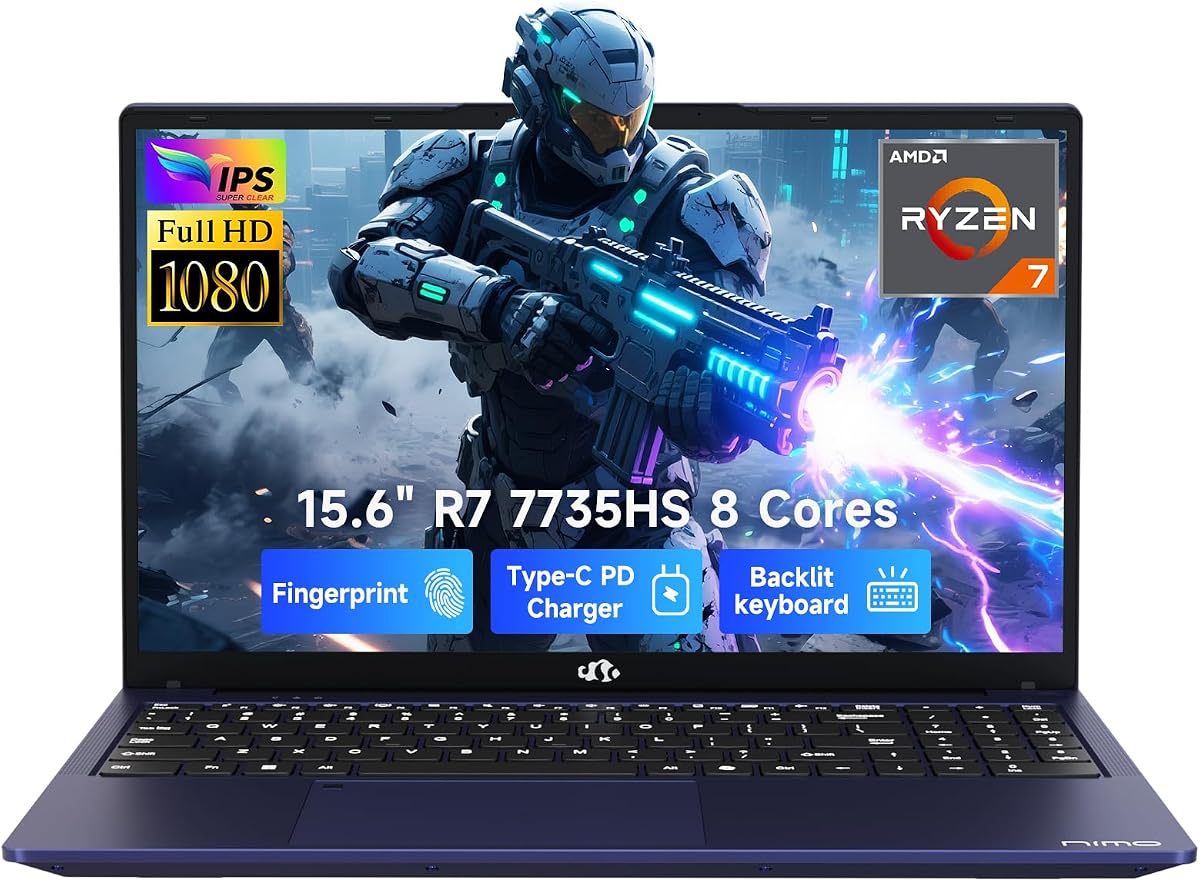


This NIMO laptop delivers robust performance for emulation thanks to its Ryzen 7 7735HS processor and Radeon 680M graphics. It handles multiple emulator instances smoothly without significant lag during intensive sessions.
We may earn a commission when you buy through this link, at no additional cost to you.
The 8 core architecture supports heavy multitasking when running emulators alongside voice chat or streaming tools. Its PCIe 4.0 SSD ensures quick loading times for game files and emulator software packages.
While the display is solid it lacks high refresh rates which might matter for fast-paced competitive emulation. The fingerprint reader is convenient but Windows Hello face unlock is missing from this configuration.
For enthusiasts needing a balance of power and price this model stands out. It is an excellent choice for those who prioritize raw processing speed over premium display features.
The Ryzen 7 7735HS provides 8 cores and 16 threads ensuring sustained performance during long emulation sessions without thermal throttling issues.
Radeon 680M graphics based on RDNA 2 architecture handle 1080p gaming and emulation tasks effectively without needing a dedicated GPU.
We may earn a commission when you buy through this link, at no additional cost to you.
This large 17.3 inch laptop offers exceptional value with 32GB of DDR5 RAM and a 1TB SSD which is rare at this price point. It is ideal for users running memory hungry emulators like Dolphin or RPCS3.
We may earn a commission when you buy through this link, at no additional cost to you.
The 17.3 inch FHD display provides ample screen real estate for managing emulator settings and game windows simultaneously. The spacious keyboard layout aids long typing sessions when configuring complex emulation profiles.
Performance is slightly lower than the Ryzen 7 models but still capable for most console emulation tasks. The extra RAM ensures smooth operation even with dozens of browser tabs open while gaming.
If you need maximum multitasking capability on a budget this machine delivers. It suits gamers who prefer larger screens and do not mind carrying a slightly heavier device.
With 32GB of DDR5 RAM you can run multiple heavy applications simultaneously without slowdowns making it perfect for multitasking emulators.
The 17.3 inch screen reduces eye strain during long sessions and offers enough space for split screen emulation workflows.
We may earn a commission when you buy through this link, at no additional cost to you.
The ROG Strix G16 brings dedicated NVIDIA graphics and a high refresh rate display to the emulation space. This combination ensures smooth frame pacing and detailed visuals for graphics intensive emulation tasks.
We may earn a commission when you buy through this link, at no additional cost to you.
The RTX 5060 GPU supports DLSS and ray tracing which can enhance visuals in modern emulated titles. Advanced cooling keeps the system quiet and cool even during extended gaming marathons.
While expensive this laptop is a future-proof choice for serious enthusiasts. The premium build quality and comprehensive connectivity options justify the cost for those who demand top-tier performance.
Investors looking for the ultimate emulation experience will appreciate this device. It handles everything from retro consoles to modern handheld emulation with unparalleled graphical fidelity and speed.
NVIDIA GeForce RTX 5060 GPU delivers exceptional rendering capabilities allowing for high fidelity emulation of complex 3D games.
ROG Intelligent Cooling with vapor chamber and liquid metal ensures stable performance during long gaming sessions without overheating.
We may earn a commission when you buy through this link, at no additional cost to you.
This compact model packs the same powerful Ryzen 7 7735HS processor found in larger laptops but in a lighter chassis. It offers a great balance between portability and raw emulation performance for daily use.
We may earn a commission when you buy through this link, at no additional cost to you.
The 32GB of DDR5 RAM ensures that even complex emulation setups run without hiccups. The included 100W GaN charger makes travel easier by reducing the bulk of power adapters.
Build quality is functional though the chassis is mostly plastic which feels less premium than metal alternatives. However for the price it delivers excellent performance for emulation and general computing.
Ideal for students or travelers who need power on the go this laptop fits easily into a backpack. It is a reliable workhorse for emulation without the weight of a heavy gaming machine.
Weighing under 1.7kg this laptop is easy to carry while still providing the processing power needed for high fidelity emulation.
The 100W Type-C PD charger provides rapid power delivery ensuring the device is ready for use quickly after short charging breaks.
We may earn a commission when you buy through this link, at no additional cost to you.
This premium model offers unmatched capacity with 64GB of RAM and a 2TB SSD making it ideal for extensive game libraries. The Ryzen 7 8745HS processor pushes emulation speeds to new heights for demanding users.
We may earn a commission when you buy through this link, at no additional cost to you.
Radeon 780M graphics deliver impressive visuals for integrated graphics handling modern console emulation with ease. The metal chassis provides durability and better heat dissipation during intensive gaming sessions.
The USB4 port allows for high speed external storage and monitor connections which is useful for setup flexibility. This model suits power users who need maximum resources for professional or hobbyist emulation.
Investors looking for a workstation grade laptop for emulation will find this compelling. It combines top tier specs with reliable build quality for long term usage and performance.
With 64GB of DDR5 RAM you can run multiple virtual machines or heavy emulators without any memory constraints or slowdowns.
The 2TB SSD provides massive room for storing thousands of game ROMs and emulator binaries without needing external drives.
We may earn a commission when you buy through this link, at no additional cost to you.
The KAIGERR Light Gaming Laptop uses the reliable Ryzen 7 5700U processor to deliver consistent performance for emulation. It is a solid choice for users who need stability and efficiency without paying premium prices.
We may earn a commission when you buy through this link, at no additional cost to you.
The Zen 3 architecture ensures good single core performance which is vital for many emulators. Its lightweight design makes it easy to carry around campus or work while maintaining gaming capabilities.
While not the fastest model available it handles most popular emulators smoothly. The build quality is durable and supports everyday use without compromising on essential features like keyboard quality.
For casual gamers or students on a tight budget this is a dependable option. It offers enough power for emulation while keeping costs low and battery life reasonable for all day use.
The Ryzen 7 5700U offers a good balance of speed and power efficiency ensuring decent emulation performance without draining battery quickly.
Its compact build allows for easy portability making it ideal for users who need to move between different locations frequently.
We may earn a commission when you buy through this link, at no additional cost to you.
This laptop comes with Windows 11 Pro and Office included making it ready for work and play out of the box. The Intel Core i7 processor provides reliable performance for mid level emulation tasks and daily computing.
We may earn a commission when you buy through this link, at no additional cost to you.
The 16GB of RAM allows for smooth multitasking when running emulators alongside other applications. Its 15.6 inch Full HD display offers clear visuals for managing emulator settings and game windows.
While it lacks a dedicated GPU it handles lighter emulation scenarios effectively. The backlit keyboard adds convenience for users who work in low light environments or play during the evening.
It is an all rounder suitable for users who need a reliable machine for both professional and personal use. The inclusion of Pro features adds value for those who need advanced security options.
Windows 11 Pro includes enhanced security and management features that can be useful for organizing emulator libraries and protecting data.
Having Office included helps with documentation and setup tasks related to configuring emulators or managing game files efficiently.
We may earn a commission when you buy through this link, at no additional cost to you.
This KAIGERR model provides a reliable platform for emulation with a solid chassis and modern connectivity. The Ryzen 7 430U handles many emulation tasks well while maintaining efficiency for general productivity work.
We may earn a commission when you buy through this link, at no additional cost to you.
The FHD display offers crisp visuals which are important for accurate pixel rendering in retro games. Its 16GB RAM ensures smooth switching between emulator software and web browsers during research or setup.
Webcam privacy slides and WiFi 6 support add practical features for security and connectivity speed. The storage is expandable allowing users to add more space for game libraries as needed.
It is a versatile choice for users who need a balanced machine for gaming and work. While not the most powerful it delivers consistent performance for most common emulation scenarios.
WiFi 6 support ensures fast wireless connection speeds reducing latency when downloading large emulator files or game assets.
A physical webcam cover slide offers extra security for users who value privacy during video calls or offline work sessions.
We may earn a commission when you buy through this link, at no additional cost to you.
This HP laptop offers a massive 17.3 inch screen in a relatively light package ideal for those who want big visuals without heavy weight. The Ryzen 3 30 processor supports basic emulation and general productivity tasks.
We may earn a commission when you buy through this link, at no additional cost to you.
Battery life is a highlight allowing for hours of use without needing a charger. The AI noise reduction helps keep voice calls clear when communicating with friends while playing games online.
The limited RAM might restrict running multiple heavy emulators simultaneously. However for single game setups it provides enough power to enjoy titles without excessive lag or stuttering.
It is a great option for casual users who prioritize screen size and battery over raw performance. It works well for light gaming and media consumption on the go.
Up to 14 hours of battery life ensures you can use the device throughout the day without searching for a power outlet.
Advanced AI noise reduction tracks your voice during calls ensuring clear communication even in noisy environments.
We may earn a commission when you buy through this link, at no additional cost to you.
The Light Gaming Laptop by KAIGERR offers an affordable entry point for emulation enthusiasts. Its Ryzen 7 430U provides sufficient speed for many older console emulators and light gaming.
We may earn a commission when you buy through this link, at no additional cost to you.
The 16GB of RAM ensures smooth operation for multitasking while running games and background apps. Its thin bezel design maximizes screen space for a more immersive gaming experience.
While it lacks high-end graphics capabilities it is a viable choice for retro gaming. The portable design makes it easy to take anywhere for gaming sessions at friends homes or campus.
It is ideal for users who need a budget friendly device for general use and occasional emulation. It balances cost and functionality well for entry level gamers.
This model offers a low cost entry into gaming laptops making it accessible for students or casual users with limited budgets.
Its lightweight design and compact form factor make it easy to transport for gaming on the go.
We may earn a commission when you buy through this link, at no additional cost to you.
Choosing the right laptop for emulation involves balancing several technical factors to ensure smooth performance and longevity.
Modern emulators often rely on multi-threaded performance to decode instructions and simulate hardware accurately. Look for at least 6 cores to handle complex emulators without lag during peak usage times.
Prioritize processors with high clock speeds alongside core count for best results.
Many modern emulators require significant memory to load assets and buffer game data efficiently. 16GB is the minimum standard while 32GB or more ensures future proofing for heavier software updates.
Always choose DDR5 RAM when possible for faster data throughput.
A fast NVMe SSD reduces load times for game files and emulator launchers significantly. Traditional hard drives can cause stutters during texture loading which ruins immersion.
Ensure at least 512GB of SSD space to store multiple game libraries comfortably.
While integrated graphics can handle retro consoles dedicated GPUs are essential for modern emulation like PlayStation 3 or Switch. Look for NVIDIA or AMD Radeon integrated graphics capable of supporting OpenGL and Vulkan.
Higher end dedicated GPUs provide better upscaling options for modern displays.
A high refresh rate display helps reduce motion blur in fast paced games. Aim for at least 120Hz if you plan to use the laptop for active gaming sessions.
IPS panels offer better color accuracy which is useful for visual fidelity.
Emulation pushes CPUs and GPUs hard which generates substantial heat. A robust cooling system prevents throttling and ensures sustained performance over long periods.
Check reviews for thermal performance to avoid overheating issues.
Ports like USB-C and HDMI allow you to connect external controllers and monitors easily. Wi-Fi 6 support ensures stable online connectivity for downloads and multiplayer features.
Multiple USB ports are necessary for connecting controllers and storage drives.
Battery life matters if you plan to use your laptop away from power outlets. Emulation drains battery quickly so aim for at least 5 hours of general use.
Look for laptops with efficient processors to extend play time.
Ensure your laptop drivers are up to date to maximize GPU and CPU efficiency. Download the latest graphics drivers from AMD or NVIDIA to unlock performance patches for emulation software.
Use external cooling pads during extended sessions to prevent overheating and maintain performance. This helps prolong the lifespan of internal components by keeping thermal output in check.
Regularly clear emulator cache files to free up storage space and maintain speed. A clean file system ensures that games load quickly without errors caused by corrupted temporary data.
Switch emulation requires a powerful CPU and dedicated GPU. Look for at least a Ryzen 7 or Intel Core i7 paired with RTX graphics. At least 32GB of RAM ensures smooth gameplay.
Integrated GPUs like Radeon 680M work well for retro and mid-range consoles. They handle lighter emulation tasks efficiently but dedicated GPUs are needed for modern systems like Switch or PS3.
16GB is the minimum for most modern emulators. It works for many retro games but heavier consoles will perform better with 32GB or more to avoid memory bottlenecks.
Both AMD and Intel perform well but AMD often offers better multi-core performance at lower prices. Look for models with high core counts regardless of brand for best emulation results.
Yes laptops with dedicated GPUs handle streaming and emulation simultaneously. Ensure your model has enough RAM and a strong CPU to manage both tasks without frame drops.
High refresh rates help with motion clarity in fast paced games. Aim for at least 120Hz to reduce blur and enjoy smoother gameplay which enhances the overall emulation experience.
Our top picks highlight a range of options from budget friendly to premium models. The NIMO and KAIGERR laptops offer strong value while the ASUS ROG delivers top tier power for enthusiasts.
Prioritize CPU and GPU strength when selecting your laptop to ensure smooth performance. Also consider RAM capacity and storage speed for a seamless gaming experience.
Prices and availability change so always verify current details before purchasing. Choose the model that best fits your budget and emulation needs for the best results.