
Wireless Gaming Mouse Rechargeable with LED Light
4.3Editor score
Up to 25 days battery life
Silent click technology included
2.4G wireless stable connection
This comprehensive guide compares the top light up LED mouse models for gaming and office use, highlighting performance, battery life, and customizable
Finding the right light up LED mouse can transform your workspace into a vibrant environment. Whether you need precision for gaming or style for work, these devices offer colorful illumination and ergonomic designs to suit various preferences.
We evaluated ten leading models based on connectivity, build quality, and lighting customization. Our analysis focuses on user feedback and technical specifications to ensure you select a device that delivers reliability and visual appeal without unnecessary complexity.
Each pick highlights unique strengths like silent clicks, rechargeable batteries, or adjustable DPI settings. Keep in mind that availability and stock levels may vary over time, so checking current listings helps ensure you get the best option for your setup.
4.3Editor score

4.6Editor score

4.5Editor score
This side-by-side comparison helps you quickly identify key differences between each model based on their core specifications and intended use cases.


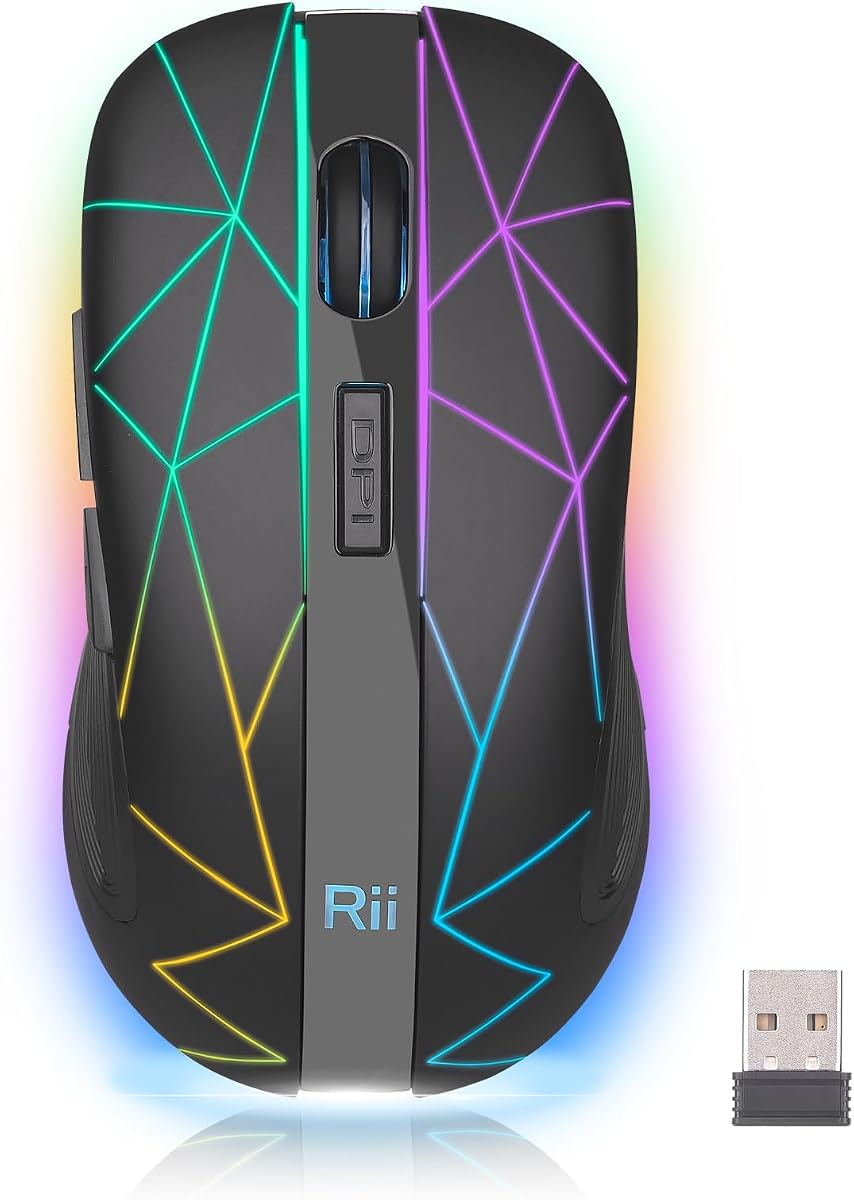


This wired mouse stands out for its high performance and ergonomic comfort. With a solid rating, it balances gaming precision with everyday usability effectively.
We may earn a commission when you buy through this link, at no additional cost to you.
The 3600 DPI switch lets you adjust speed instantly while the RGB lighting adds flair to your setup. Six buttons offer extra controls for navigation and shortcuts.
While it lacks software customization, the hardware lighting is bright and the build feels sturdy enough for daily use. The ergonomic shape reduces hand strain over time.
Ideal for gamers and office users who want reliable performance without complex setup. It delivers value through its balance of features and build quality.
The four DPI levels allow you to switch from precise design work to rapid gaming movement with a single button press.
Skin-friendly materials and a palm-fitting design help prevent fatigue during long work or gaming sessions.
We may earn a commission when you buy through this link, at no additional cost to you.
An affordable wireless option that keeps your desk clean. Its rechargeable battery and silent clicks make it perfect for shared workspaces or libraries.
We may earn a commission when you buy through this link, at no additional cost to you.
The RGB lighting provides visual appeal while the 2.4G connection ensures smooth tracking. Buttons are soft and silent, reducing noise during typing or clicking.
Battery life is impressive when lights are off, but turns bright settings lower longevity. The build is lightweight yet durable enough for regular home use.
Best for users seeking a quiet and stylish mouse without breaking the budget. It offers a great mix of convenience and visual style.
Silent click technology ensures you can use the mouse in offices or dorms without disturbing others.
The built-in battery allows days of use on a single charge, eliminating the need for disposable batteries.
We may earn a commission when you buy through this link, at no additional cost to you.
This model focuses on durability and premium aesthetics. The metal chassis and laser carved details give it a distinctive look compared to standard plastic mice.
We may earn a commission when you buy through this link, at no additional cost to you.
Tracking is stable with up to 3200 DPI available for various tasks. The breathing light mode creates a soothing ambiance that matches a modern setup.
Weight might be noticeable for users preferring lightweight gear, but it adds stability. The ergonomic shape ensures comfort even during intense usage periods.
Recommended for those who value robust build and unique design over portability. It is a strong choice for a permanent desktop setup.
Metal flanking and a coated surface make this mouse resistant to drops and daily wear.
The laser carving and breathing lights work together to create a unique visual identity for your desk.
We may earn a commission when you buy through this link, at no additional cost to you.
This slim mouse is designed for travelers and mobile workers. Its dual wireless capability means it works with most devices without requiring specific drivers.
We may earn a commission when you buy through this link, at no additional cost to you.
The LED light adds a touch of color while the silent clicks ensure privacy in public spaces. A desktop return button simplifies navigation when browsing deeply.
Battery life is solid for light use, but the slim design means less surface area for palm rests. It remains stable during typical office tasks.
Best for laptop users who need a reliable and compact companion. It balances portability with useful features like dual connectivity.
Switch seamlessly between Bluetooth for tablets and 2.4G for computers to match your current device.
The slim shape ensures it fits into laptop sleeves without adding bulk to your bag.
We may earn a commission when you buy through this link, at no additional cost to you.
A straightforward wired mouse that emphasizes light effects. The breathing LED light cycles through seven colors to enhance your gaming atmosphere.
We may earn a commission when you buy through this link, at no additional cost to you.
It offers four DPI settings for easy switching between tasks. The six buttons provide quick access to navigation and shortcuts without software.
While the build is simple, the tracking is reliable for most users. Comfort is prioritized with an ergonomic curve that fits well under the palm.
Recommended for users who want colorful lighting without advanced software settings. It is a practical choice for general use and casual gaming.
The circular breathing light creates a soft glow that highlights your workspace without distracting from tasks.
Side buttons help with browser navigation and file management, reducing time spent on keyboard shortcuts.
We may earn a commission when you buy through this link, at no additional cost to you.
This mouse balances performance and battery efficiency well. Smart power-saving features ensure it wakes quickly when needed but sleeps when idle.
We may earn a commission when you buy through this link, at no additional cost to you.
Silent clicks reduce noise while the 2.4G connection remains stable. The breathing light adds a dynamic visual touch suitable for evening work.
Battery drains faster with lights on, so turning them off saves energy. The design supports standard hand positions effectively.
Ideal for users who want long-term reliability and quiet operation. It is a practical choice for offices and home workstations.
Automatic sleep mode ensures the battery lasts longer even during heavy daily usage.
Designed to withstand millions of clicks, this mouse is built for consistent daily performance.
We may earn a commission when you buy through this link, at no additional cost to you.
A compact option designed for portability and ease of use. It fits easily into laptop bags and works well in various environments.
We may earn a commission when you buy through this link, at no additional cost to you.
The LED light adds a nice touch to your workspace while the rechargeable battery keeps you powered for days. Smooth tracking ensures precision.
Battery efficiency is good thanks to smart sleep features. The ergonomic shape fits well even though the size is reduced.
Best for travelers and commuters who need a reliable mouse on the go. It balances size and function effectively.
Its compact dimensions make it easy to carry without adding bulk to your travel gear.
The wireless receiver provides a stable link that handles most office and travel needs.
We may earn a commission when you buy through this link, at no additional cost to you.
This mouse prioritizes silence and comfort for quiet environments. The soft LED lighting creates a soothing atmosphere without being distracting.
We may earn a commission when you buy through this link, at no additional cost to you.
Tracking is accurate and the wireless range is sufficient for most desks. Buttons are super silent, making it ideal for late night or library work.
The ergonomic shape ensures comfort during long hours. The rechargeable battery provides consistent power without frequent maintenance.
Recommended for users who need a quiet tool for focus. It delivers reliability with a calm aesthetic.
The super silent click mechanism ensures you can work without disturbing anyone nearby.
Cool soft lighting adds a relaxing vibe to your desk without being too bright.
We may earn a commission when you buy through this link, at no additional cost to you.
A visually appealing mouse that cycles through rainbow colors. The breathing light adds a dynamic flair that suits modern gaming setups.
We may earn a commission when you buy through this link, at no additional cost to you.
Performance is solid with stable tracking and long battery life. The silent buttons ensure a quiet environment for work and play.
Power saving features help extend battery life between charges. It offers a blend of aesthetics and practical usability.
Best for users who value style in their peripherals. It provides a colorful experience without sacrificing daily comfort.
The rainbow LED light shifts colors to add energy to your workspace.
Smart sleep modes ensure the battery lasts for regular use without constant charging.
We may earn a commission when you buy through this link, at no additional cost to you.
This mouse connects to both Bluetooth and USB for flexible setup. It works across tablets and laptops making it a versatile tool.
We may earn a commission when you buy through this link, at no additional cost to you.
The breathing LED lights create a cool atmosphere. Silent buttons ensure you stay focused without distraction during meetings.
Battery life is good but may decrease with lighting on. The ergonomic shape feels natural for standard hand positions.
Ideal for users switching between multiple devices often. It provides a stable and stylish experience across platforms.
Dual mode supports easy transition between Bluetooth tablets and wired PCs.
Seven color options provide visual variety while working or gaming.
We may earn a commission when you buy through this link, at no additional cost to you.
Selecting the right light up LED mouse depends on understanding your specific needs for connectivity, comfort, and visual effects.
Decide between wired and wireless options. Wireless mice offer freedom of movement and cleaner desks, while wired ones ensure zero latency and continuous power.
Choose wireless for portability and wired for competitive gaming or stationary setups.
Look for DPI levels that suit your workflow. Higher DPI allows for faster cursor movement which is useful for gaming or large screens.
Ensure the sensor offers smooth tracking across different surfaces without stuttering.
LED lighting can range from fixed colors to breathing effects. Consider whether you want the lights always on or dimmable for night work.
Remember that active lighting consumes more battery in wireless models.
Check rechargeable battery capacity if opting for wireless. Some models last weeks while others require daily charging.
Prioritize models with auto sleep modes to extend battery performance.
Standard mice have two buttons but some offer extras like DPI switches or forward backward navigation.
Choose a layout that matches your need for shortcuts and efficiency.
Materials vary from plastic to metal chassis. Metal builds are durable and heavier while plastic is lighter and cheaper.
Consider the weight and feel to ensure it matches your hand style.
Quiet clicks reduce noise which helps in shared spaces. Look for noiseless switches if you work in offices or libraries.
This feature helps maintain focus and respects those around you.
Ensure the mouse works with your operating system. Most support Windows and Mac but specific features may differ.
Check Bluetooth or USB support for your device to guarantee easy setup.
Connect your mouse to the USB port or Bluetooth settings on your device to begin using it. Ensure the battery is charged if wireless to avoid interruptions.
Clean the surface regularly with a dry cloth to prevent dust buildup which can affect tracking. Avoid harsh chemicals that might damage the LED components.
Store the mouse in a cool dry place when not in use. If it has a sleep mode, let it engage to save battery life when idle.
Yes, active lighting consumes more energy. Wireless models with lights on may need more frequent charging. You can usually turn off the lights to extend battery life significantly.
Most models in this guide support macOS without drivers. However, some advanced features like extra buttons may be limited on Mac systems.
No, most are plug and play devices. Some offer optional software but basic functions work immediately via USB or Bluetooth.
Yes, many models include a physical switch to disable lights. Others cycle through modes or turn off automatically via button presses.
For office tasks, 1000 to 1600 DPI is usually sufficient. Higher DPI settings are useful for gaming or large screens.
Use a soft dry microfiber cloth to clean the surface. Avoid wet wipes that could seep into electronic parts.
Yes, silent click technology reduces the mechanical noise significantly. It is ideal for quiet environments like offices or dorms.
Most rechargeable wireless mice support use while plugged in. This allows uninterrupted work if the battery runs out.
We highlighted top picks that balance style and function for various needs. Whether you want quiet clicks or vibrant lights there is a model here for you.
Focus on battery life and comfort to ensure long term satisfaction. Consider your daily usage habits to find the best fit.
Always check current listings before purchasing to confirm availability. These options remain reliable choices for enhancing your workspace.