
HP Chromebook 14 Laptop
4.3Editor score
Intel Celeron N4120 processor
Up to 14 hours battery life
ENERGY STAR certified design
Finding a laptop that balances performance with energy efficiency is crucial for modern users. Low power consumption models extend battery life and reduce electricity costs without sacrificing essential computing capabilities for daily tasks.
We analyzed ten leading models focusing on processor efficiency, battery duration, and thermal management. Our comparison highlights devices designed for long sessions away from outlets while maintaining reliable speed for work and study.
Each pick below showcases specific strengths in energy optimization and usability. Note that availability and pricing fluctuate frequently, so verify current details on the product pages before making your final decision.
4.3Editor score

4.3Editor score

5.0Editor score
As an Amazon Associate we earn from qualifying purchases.
The following table provides a side-by-side overview of key specifications for all ten selected low power consumption laptops. Use this to quickly compare processors, memory, and storage options across different brands.
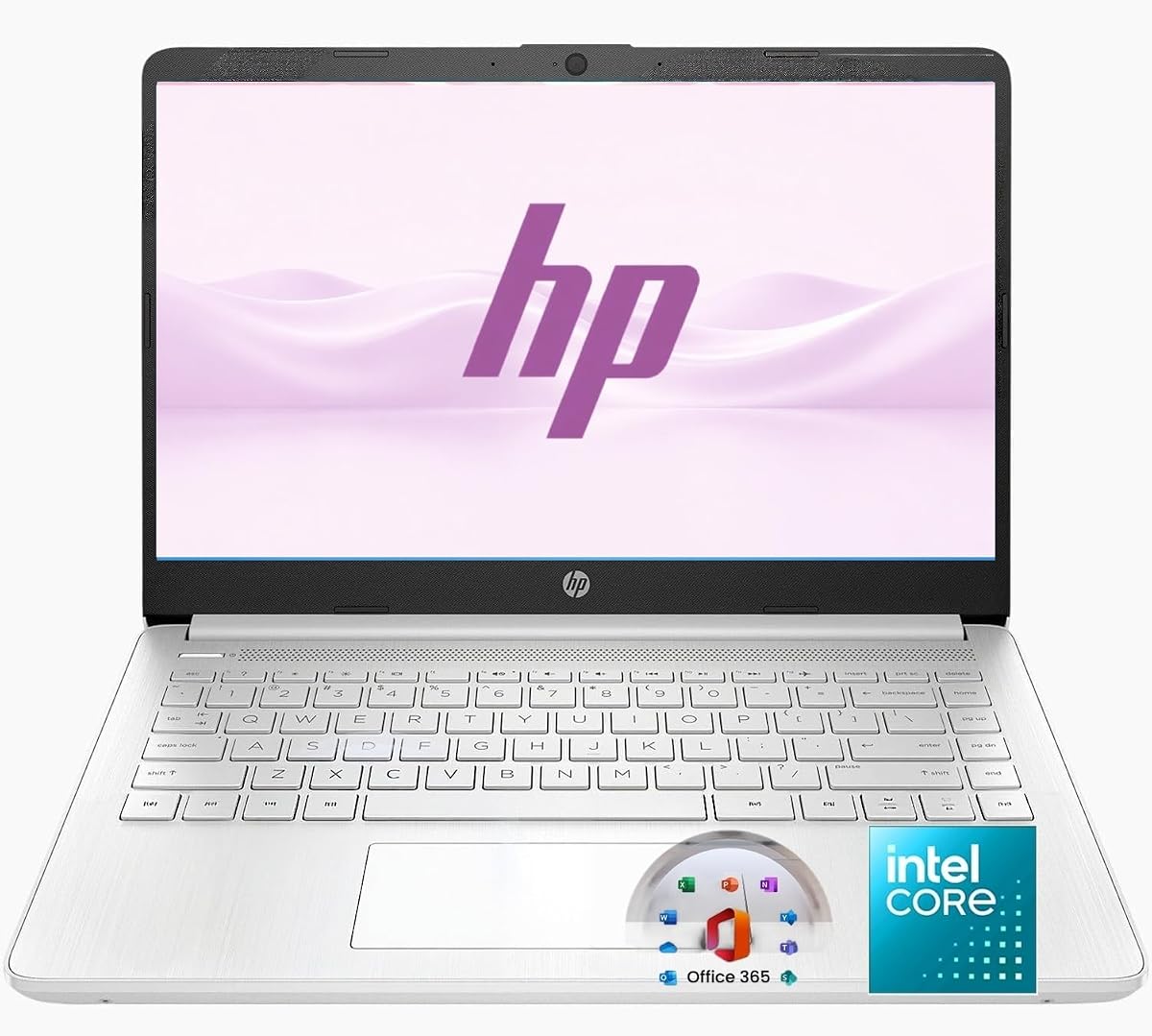


The HP Chromebook 14 stands out as an exceptional budget option for those prioritizing low power consumption. With a strong rating, it promises reliability for everyday tasks. Its standout quality is the remarkable battery endurance that supports all-day mobility without frequent charging.
We may earn a commission when you buy through this link, at no additional cost to you.
Powered by the Intel Celeron N4120 processor, this device balances performance and energy efficiency effectively. The 4 GB RAM allows for smooth multitasking across web apps. Its ENERGY STAR certification confirms its commitment to reducing electricity usage during operation.
While the 64 GB eMMC storage is limited, cloud integration mitigates this constraint significantly. The HD display offers clarity for standard tasks though not ultra-high definition. Users seeking basic functionality will find the trade-offs acceptable for the price point.
This laptop is ideal for students and casual users needing a portable, efficient machine. Its Fast Charge capability ensures quick top-ups during short breaks. Ultimately, it represents a smart investment for energy-conscious buyers on a tight budget.
The Intel processor is optimized to minimize power draw while maintaining necessary speed for browsing and streaming.
Its thin design and lightweight build make it easy to carry in a backpack for daily commutes.
We may earn a commission when you buy through this link, at no additional cost to you.
The Lenovo V15 Business Laptop earns our Editor's Choice for its robust balance of efficiency and durability. It features a modern Intel N100 processor that delivers solid performance with minimal power drain. This model is well-suited for professional environments requiring reliability.
We may earn a commission when you buy through this link, at no additional cost to you.
Its 128GB UFS storage provides faster access times compared to traditional drives. The 15.6 inch Full HD display ensures clear visuals for detailed work. Connectivity options include Wi-Fi 6 which supports stable and energy aware wireless performance.
Some users may find the Windows 11 S mode restricts certain app installations. The 4 GB RAM is adequate for essential tasks but may limit heavy multitasking. However, these constraints are reasonable given the device focus on efficiency and cost.
Business users and students seeking a sturdy workhorse will appreciate its MIL-STD certification. The laptop maintains low energy usage even during extended sessions. We recommend it for those needing a durable and efficient daily driver.
Military grade testing ensures the device withstands daily wear while maintaining efficient operation.
The Full HD screen offers sharp text which reduces eye strain during long reading sessions.
We may earn a commission when you buy through this link, at no additional cost to you.
With a perfect rating, the HP New Everyday Slim Laptop sets a high bar for premium efficiency. The Intel N150 processor offers significant gains in speed per watt. It stands out for providing ample cloud storage alongside its local capabilities.
We may earn a commission when you buy through this link, at no additional cost to you.
The inclusion of 1TB Cloud Storage allows users to keep files accessible without taxing local storage. Windows 11 Home ensures a familiar interface for all users. The battery life supports extended periods of work away from a power outlet.
The display resolution is HD which might not suit creative professionals needing precision. The keyboard lacks backlighting which can hinder usage in dim environments. These are minor drawbacks for a device focused on portability and energy savings.
Premium users looking for a blend of speed and cloud integration will find this ideal. It handles multitasking with DDR5 RAM efficiently. We highly recommend this model for those seeking top-tier efficiency and storage value.
The bundled OneDrive access helps manage files without needing large local hard drives.
The N150 chip brings newer architecture that optimizes power use for modern apps.
We may earn a commission when you buy through this link, at no additional cost to you.
The 2026 edition of this HP Slim Laptop introduces Copilot AI features for enhanced productivity. It retains the efficient N150 processor known for low energy usage. This version aims to offer the latest software benefits within a portable chassis.
We may earn a commission when you buy through this link, at no additional cost to you.
Its lightweight nature makes it easy to transport between locations. The SSD storage ensures quick boot times and responsive application launches. Battery metrics suggest it can handle typical daily workflows on a single charge.
As a newer release, real-world long-term performance data is still emerging. The display remains standard HD which may limit visual detail for some users. These factors are balanced by its modern feature set and low power design.
Early adopters looking for AI integration in a portable device should consider this model. It provides a smooth user experience for general tasks. We anticipate it will serve well for students and home office users.
Copilot AI tools help streamline workflows without demanding excessive system resources.
The slim profile maintains comfort during travel while protecting internal components.
We may earn a commission when you buy through this link, at no additional cost to you.
This Lenovo Essential model distinguishes itself with 8GB of DDR5 RAM which aids performance. The N150 processor ensures that this extra memory does not come at a high energy cost. It is an excellent choice for smoother multitasking.
We may earn a commission when you buy through this link, at no additional cost to you.
The 15.6 inch Full HD screen provides more working space for applications. Wi-Fi 6 ensures that network transfers remain efficient and fast. ENERGY STAR certification confirms its alignment with green computing standards.
Storage is limited to 128GB which may require frequent cloud reliance. Windows 11 S mode restricts app installation to the store which can be limiting. However, these trade-offs support a streamlined and secure user experience.
Users needing more memory for browser tabs and apps will appreciate this configuration. The device handles daily workloads with ease. It is a solid recommendation for those prioritizing multitasking capability.
The 8GB DDR5 RAM allows for more apps to run simultaneously without slowdowns.
Wi-Fi 6 helps keep connection speeds high while managing power usage effectively.
We may earn a commission when you buy through this link, at no additional cost to you.
The Amzboy laptop offers a unique fanless design that ensures silent operation. This design choice reduces moving parts and often correlates with lower power consumption. It handles basic tasks smoothly with an efficient processor architecture.
We may earn a commission when you buy through this link, at no additional cost to you.
Its Type-C PD fast charging supports modern power standards. Users can expand storage significantly using a TF card slot. The Full HD display adds value for a device in this price category.
The N4020 is an older chip which may struggle with very heavy loads. Build materials are functional but not premium. These limitations are acceptable for users seeking a quiet and affordable machine.
This laptop is perfect for environments where noise is a concern. It provides a stable experience for document editing and browsing. We suggest it for users prioritizing silence and simplicity.
The fanless architecture ensures a quiet workspace suitable for libraries or homes.
Type-C charging aligns with current standards allowing versatile power adapter options.
We may earn a commission when you buy through this link, at no additional cost to you.
The ASUS Vivobook Go is designed with slim portability as a primary goal. Its dual-core processor targets efficient performance for students and light users. The backlit keyboard enhances usability in varying lighting conditions.
We may earn a commission when you buy through this link, at no additional cost to you.
The battery features fast charge technology which quickly replenishes power levels. A Full HD display offers better clarity than standard models. The slim chassis makes it easy to fit into small bags.
Its lower rating indicates some users found performance limits. DDR4 memory is slightly older technology compared to DDR5. However, the features provide good value for those needing basic study tools.
Students requiring a thin device for campus life will find this suitable. The keyboard backlight adds a premium touch at a low price. It is a viable option for budget-conscious students.
The ErgoSense backlit keyboard supports typing in dimly lit environments comfortably.
Fast charge technology restores significant battery capacity in a short time.
We may earn a commission when you buy through this link, at no additional cost to you.
This 2027 edition HP laptop promises forward compatibility with modern software. The N150 processor and DDR5 RAM provide a responsive experience. It balances energy efficiency with necessary processing power for daily tasks.
We may earn a commission when you buy through this link, at no additional cost to you.
Antiglare coating on the display reduces reflections during work. The 14 inch form factor is compact yet functional. Microsoft 365 inclusion adds value for productivity focused users.
Storage capacity may require careful management for large media files. The display brightness is standard for indoor use. These constraints are typical for this class of energy efficient machines.
Those looking for a modern device that lasts will appreciate this design. It handles basic computing tasks with speed. We recommend it for users seeking a balanced future-proof solution.
As a 2027 edition model it anticipates future software requirements efficiently.
The antiglare coating ensures screen visibility is maintained in bright rooms.
We may earn a commission when you buy through this link, at no additional cost to you.
The jumper laptop stands out for its high 12GB RAM capacity. This allows for significant multitasking without slowing down. The 256GB SSD provides ample local space for essential files.
We may earn a commission when you buy through this link, at no additional cost to you.
Its Full HD IPS panel offers good viewing angles. Dual-band WiFi ensures reliable connectivity in crowded networks. The processor maintains low power usage despite the higher memory allocation.
The processor is dual-core which limits raw computational power. Build quality is basic which might lack premium feel. However, the specs offer a unique balance for multitasking users.
Power users on a budget who need extra RAM will find this compelling. It supports heavier browser usage effectively. We suggest it for those prioritizing multitasking efficiency.
12GB RAM ensures that multiple apps run smoothly without crashing.
Dual-band WiFi maintains strong signal quality for uninterrupted streaming.
We may earn a commission when you buy through this link, at no additional cost to you.
This HP model comes bundled with Office 365 for immediate productivity. The 8GB RAM and N150 processor offer a balanced performance. It focuses on providing a complete solution for students and home users.
We may earn a commission when you buy through this link, at no additional cost to you.
Wi-Fi 6 ensures modern connectivity standards are met. The UFS storage is fast for its class though limited in capacity. Users can expand storage using an SD card for files.
The inclusion of a mouse and drive adds value to the package. Some users may need to manage files actively due to storage limits. These trade-offs are acceptable for an all-in-one package.
Users wanting a ready-to-use machine will appreciate this bundle. It simplifies setup for daily tasks. We recommend it for those seeking a comprehensive starter laptop.
Office 365 inclusion means users can start work immediately without extra purchases.
Wi-Fi 6 provides faster data transfer speeds for online learning.
We may earn a commission when you buy through this link, at no additional cost to you.
Selecting the right low power consumption laptop requires evaluating several key factors beyond just battery life. This section breaks down the critical aspects to consider for your specific needs.
The processor is the heart of energy consumption. Modern chips like Intel N-series are designed to provide sufficient performance for web browsing and document editing while minimizing power draw. Look for newer generations that offer better instruction per watt metrics.
Choosing a processor specifically marketed for low power ensures longer battery life and less heat.
Battery life varies significantly between models. High Wh (Watt-hour) ratings generally translate to longer usage time. Check manufacturer claims but also look for real-world reviews that report actual hours of video playback or web browsing.
Prioritize models with at least 10 hours of rated life for true all-day portability.
Higher resolution screens require more power to render pixels. While Full HD is great for work, it consumes more energy than HD. Consider your visual needs versus battery trade-offs when selecting a screen.
HD displays are often more power efficient if you do not need detailed graphics.
More RAM can help manage multiple apps efficiently but may increase idle power use slightly. Solid State Drives (SSD) are generally more efficient than mechanical drives. Ensure your device has enough memory for your workflow to avoid slow down.
Balancing RAM size with your typical workload prevents unnecessary power strain.
Some operating systems like Chrome OS are optimized for low power consumption compared to full Windows versions. However Windows has improved significantly in power management. Check power settings and features like sleep mode in the OS.
Select an OS that aligns with your app needs and energy goals.
Certifications like ENERGY STAR indicate that a device meets strict efficiency guidelines. These labels provide confidence that the manufacturer has considered environmental impact. Look for these marks when browsing product details.
Certified models offer a verified level of energy efficiency.
Lighter materials often reduce transport energy for travelers but also impact internal cooling. Lighter builds can mean thinner chassis which may limit battery space. Weigh portability against battery size when evaluating the physical design.
A portable build should not sacrifice essential battery capacity.
To maximize battery life avoid keeping the device plugged in constantly once fully charged. Modern batteries are smart but heat from constant charging can degrade performance over time. Use power-saving modes when running on battery to reduce CPU usage.
Keep the device clean from dust to ensure efficient thermal management. A clean chassis allows airflow to cool internal components which helps maintain low power efficiency during use. Use a soft cloth to wipe surfaces and vents regularly.
Update your system software regularly to benefit from the latest power optimizations. Manufacturers often release updates that refine how the device handles energy. This ensures you get the best performance per watt available.
They are designed for efficiency not speed but modern models handle typical tasks well. They are suitable for web browsing and media streaming. Heavy gaming or video editing may still require higher performance devices.
Using these laptops reduces your energy bill significantly over time. They draw less power than traditional desktops. If you run your computer often the savings accumulate to a noticeable amount.
Most run standard Windows or Chrome OS which supports popular apps. Some specialized software may have higher system requirements. Check specific needs before purchase to ensure compatibility.
Many modern models have non removable batteries for sleek design. Some business models allow battery replacement. Check the service manual or manufacturer support before attempting upgrades.
Yes they are ideal for students needing all-day battery in classes. They are often lightweight and easy to carry. The energy efficiency keeps costs low for students on a budget.
Low power consumption usually means less heat generation. Fanless models are silent and cool. If the device gets warm check if too many apps are running.
We have reviewed ten top models offering varying balances of efficiency and features. The HP Chromebook 14 stands out for budget users while the Lenovo V15 offers business durability. The HP Everyday Slim provides a premium cloud experience.
Prioritize your specific needs such as screen size or memory capacity when making your choice. A device that fits your workflow will serve you better than one with just the best specs.
Always check current prices and availability as these fluctuate often. Our guide provides a solid starting point for your search but verify details on the product pages before buying.