
Magnifying Glasses with Light
4.5Editor score
Interchangeable lenses system
Three LED lights included
Rechargeable battery pack
Finding the right magnifying glasses for computer monitors can transform your daily viewing experience. These tools help reduce eye strain and make small text easier to read without sacrificing clarity or comfort during long work sessions.
We compared ten top-rated products based on optical quality, adjustability, durability, and user feedback. Each entry offers unique features like flexible necks, LED lighting, or screen-specific designs tailored to different viewing needs.
Every pick highlights key specifications, pros, and cons to help you decide quickly. Keep in mind that availability and pricing may fluctuate over time, so check current listings before making your final purchase decision.
4.5Editor score

3.6Editor score
3.4Editor score
As an Amazon Associate we earn from qualifying purchases.
This side-by-side comparison evaluates all ten products across key criteria including lens type, magnification range, mounting style, and additional features like lighting or portability to help you find the ideal match.


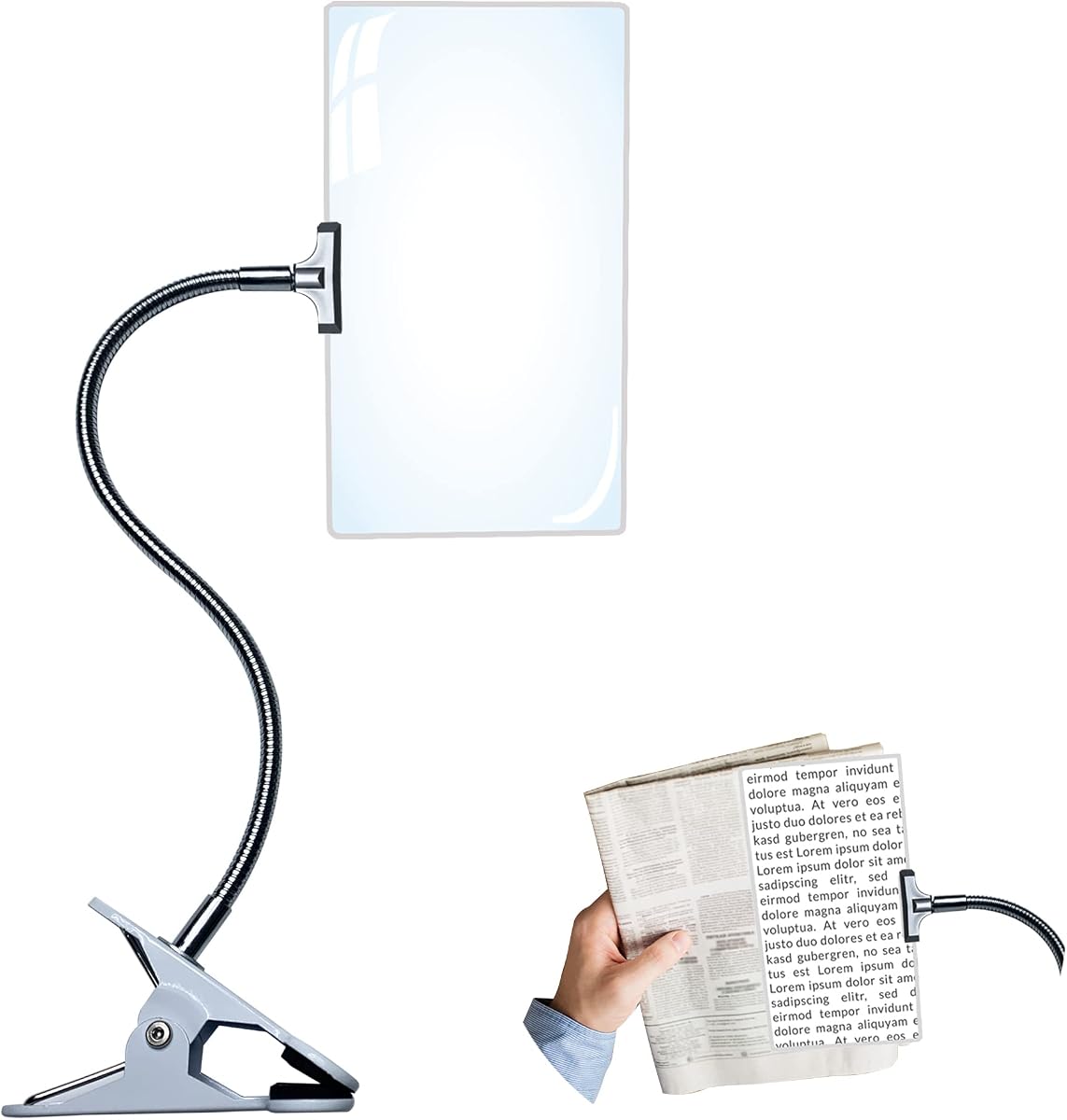
This 5X magnifying glass offers a large 10×6 inch viewing area ideal for detailed work. Its optical grade PVC lens minimizes distortion while providing clear visibility for seniors and hobbyists alike.
We may earn a commission when you buy through this link, at no additional cost to you.
The flexible gooseneck allows for 360-degree adjustment so you can position the lens exactly where you need it. The detachable clip design lets you switch between desktop and handheld use effortlessly.
While the rating is modest, users appreciate the lightweight build and ease of use. Some reports mention the clip could loosen with heavy use but overall performance remains solid for casual tasks.
Buy this if you need a versatile magnifier for reading, crafts, or embroidery without breaking the budget. It suits those who value portability and adjustable positioning in their daily routine.
The optical grade PVC material ensures minimal distortion and a crystal clear image quality ideal for aging eyes.
With a 14 inch gooseneck and 360-degree bend capability you can adapt the lens to any angle or task.
We may earn a commission when you buy through this link, at no additional cost to you.
This 21 inch screen magnifier is designed to fit laptop screens comfortably. It uses HD acrylic Fresnel lens material to amplify content 3 to 5 times reducing eye strain during long sessions.
We may earn a commission when you buy through this link, at no additional cost to you.
Users can adjust the viewing angle from 0 to 45 degrees standing or 45 to 90 degrees lying. The foldable design makes it easy to carry for travel or use across different rooms.
It performs best in low light environments and avoids direct sunlight which may cause glare. Although ratings are moderate it offers a practical solution for seniors watching movies or reading text.
Choose this if you want a non-electric screen amplifier that is simple to use and easy to store. It works well for laptops and tablets without obstructing keyboard access or setup.
The curved design fully fits the human eye curvature providing more comfortable and immersive viewing experiences.
Built to reduce discomfort and visual fatigue it helps protect against blue radiation during extended screen use.
We may earn a commission when you buy through this link, at no additional cost to you.
This screen magnifier combines high definition optical technology with a flexible frame to magnify screens 3 to 5 times. Its wooden frame bracket adds style while supporting multiple viewing configurations.
We may earn a commission when you buy through this link, at no additional cost to you.
Six branch points and four pivot points allow rotation over 180 degrees enabling diverse placements for reading or gaming. It suits laptops and phones from 14 to 21 inches with ease.
The design aims to prevent radiation harm and reduce strain from close viewing distances. While pricing is higher than basic clip-ons it offers robust adjustability for varied tasks.
Opt for this if you need a universal magnifier for both mobile and desktop screens. It is an ideal gift for movie lovers and gamers seeking clear vision without eye fatigue.
Compatible with laptops and phones ranging from 14 to 21 inches it adapts to multiple device sizes and shapes.
With adjustable pivot points you can rotate the lens to find the most comfortable angle for any activity.
We may earn a commission when you buy through this link, at no additional cost to you.
This headset offers five optical lenses ranging from 0.75X to 4.0X with a simple click and release system. Three LED lights with adjustable brightness ensure clear illumination for detailed tasks.
We may earn a commission when you buy through this link, at no additional cost to you.
Users praise the comfortable rubber wrapped nose bridge and flexible strap that prevents falling during extended wear. The built-in lithium battery charges via USB-C saving money on replaceable batteries.
While not intended for vision correction it excels at hobbies like cross stitch sewing and watch repair. The acrylic resin lenses resist wear and provide a wider field of view.
Pick this if you want hands free magnification with strong light support at an affordable price. It suits hobbyists and seniors needing reliable clarity for precision work and crafts.
Three LED lights with two brightness levels offer excellent visibility on detailed surfaces without causing glare.
The rechargeable lithium battery and USB-C cable eliminate ongoing costs for disposable batteries and reduce waste.
We may earn a commission when you buy through this link, at no additional cost to you.
This headset features four detachable lenses from 1.5X to 5.0X with focal lengths tailored for each magnification. The adjustable LED headlight can tilt up or down for precise illumination.
We may earn a commission when you buy through this link, at no additional cost to you.
Wearers enjoy an ergonomic frame with a silicone coated nose bracket that spreads pressure evenly. The elastic headband fits various head sizes comfortably for long periods of use.
Battery life lasts 3.5 to 7 hours on a full charge and includes a power indicator. Cleaning cloth helps maintain lens clarity without scratching the acrylic resin surface.
Choose this if you need reliable hands free magnification for close work like soldering or modeling. Its comfort and flexibility make it a strong tool for crafts and repairs.
You can angle the headlight up or down to meet specific needs and improve visibility on small details.
One lens slot allows you to swap magnification lenses quickly using fingers to avoid fingerprints and ensure firm fit.
We may earn a commission when you buy through this link, at no additional cost to you.
These glasses offer 200% magnification using durable polycarbonate lenses and bright LEDs on both frame sides. The ergonomic fit makes them ideal for reading needlework or circuit board repairs.
We may earn a commission when you buy through this link, at no additional cost to you.
Blue light blocking technology protects eyes from harmful emissions by electronic devices and artificial lighting. This reduces strain and sleep disruption for users spending hours in front of screens.
Charging is quick via the included cable and the battery holds well for extended use. Users appreciate the lightweight frame that remains comfortable even during long hobby sessions.
Buy this if you prioritize eye protection and hands free visibility for close tasks. It suits those needing moderate magnification without sacrificing comfort or blue light safety.
Bright LEDs on both sides of the frame provide even illumination and reduce shadows on your work area.
Blue light blocking helps prevent headaches and sleep issues for heavy screen users under artificial lighting.
We may earn a commission when you buy through this link, at no additional cost to you.
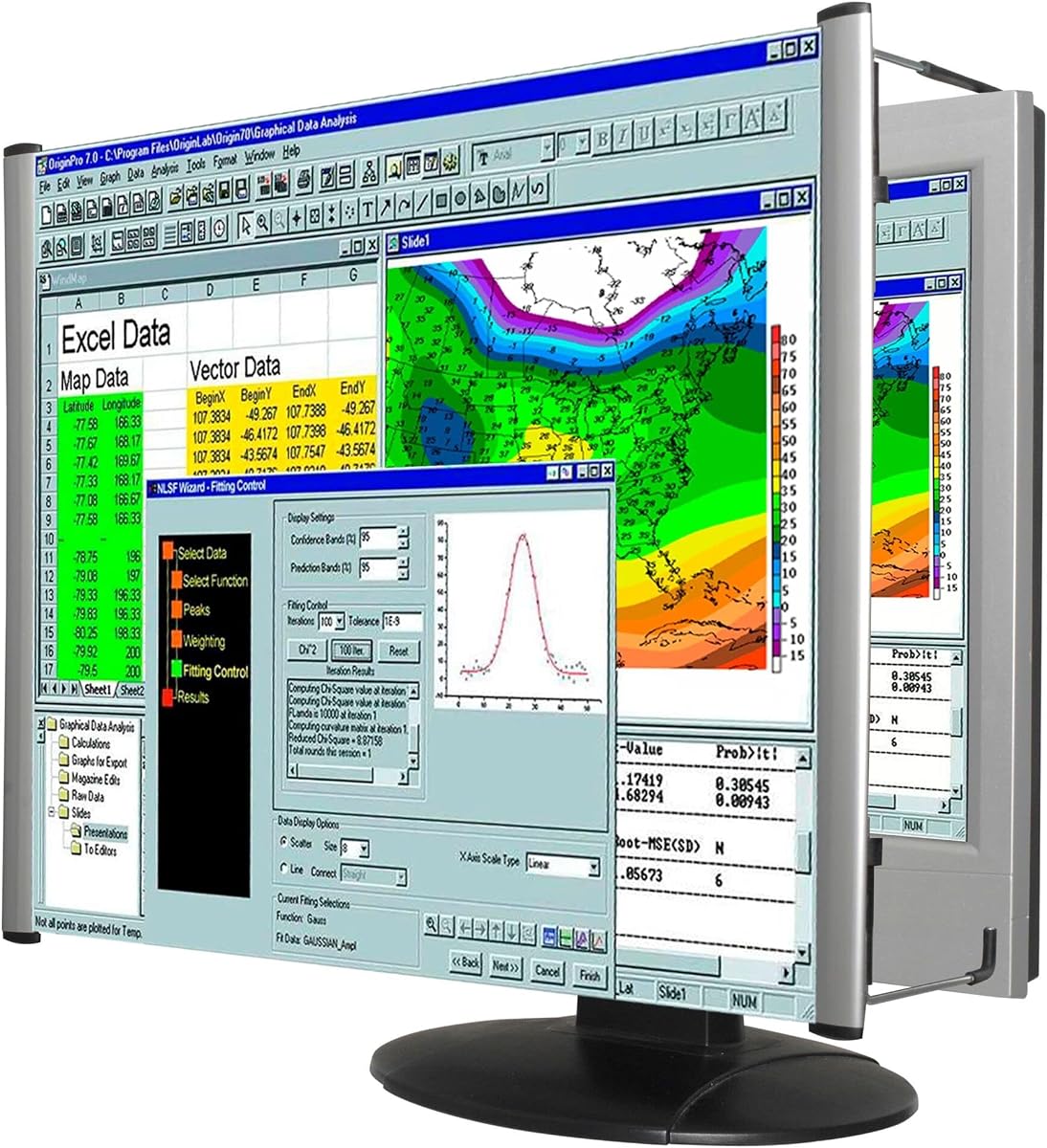
This monitor magnifier fits 22 inch widescreen flat panel monitors with 16:9 or 16:10 aspect ratios. It features a lightweight design with a Fresnel lens and antiglare coating for clear viewing.
We may earn a commission when you buy through this link, at no additional cost to you.
Users can adjust magnification by moving the filter closer or farther from the display. The fully assembled unit installs quickly without needing extra tools or assembly time.
Though rated lower it provides a reliable optical solution for office tasks where text clarity matters. Antiglare features reduce reflections and maintain focus during daily computer work.
Select this if you need a simple filter for a standard office monitor. It suits professionals who want adjustable clarity without complex setup or electronic components.
The antiglare coating on the Fresnel lens reduces glare and improves contrast for readable text on screens.
Fully assembled and ready to use it installs quickly and easily on compatible widescreen flat panel monitors.
We may earn a commission when you buy through this link, at no additional cost to you.
This large clip-on magnifier offers up to 5x magnification with a bendable hose design for flexible positioning. The alloy spring clamp secures it stably on desks or beds for hands free reading.
We may earn a commission when you buy through this link, at no additional cost to you.
Users rate it highly for clarity and ease of use across tasks like sewing maintenance and reading small print. The desktop stable structure takes up minimal space while delivering a clear view.
The adjustable viewing angle lets you change height and tilt with ease for comfort. It works well for seniors and repair work where steady close focus is essential.
Pick this if you want a dependable clip-on that balances portability with stability. It suits reading and craft tasks on flat surfaces where consistent lighting is available.
The high definition lens provides up to 5x magnification and helps read small print with less strain.
The bendable hose allows you to change the lens angle and height easily for optimal viewing positions.
We may earn a commission when you buy through this link, at no additional cost to you.
This 10×6 inch magnifier enlarges a full page by 400% without distortion using a plastic Fresnel lens. The flexible gooseneck adapts to complex scenarios and allows perfect display positioning.
We may earn a commission when you buy through this link, at no additional cost to you.
Seniors and visually impaired users find it ideal for reading in bed or at a desk without wrist strain. The clamp stabilizes the lens so you can focus on text without fatigue.
Though made of plastic it resists scratches and breakage while remaining lightweight and detachable for handheld use. It serves long term tasks comfortably and acts as a helpful gift.
Choose this if you need a large stable magnifier for low vision support. It suits reading and sewing needs where consistent hands free viewing is a top priority.
The 10×6 inch lens easily enlarges full pages of books clearly with a 400% distortion free expansion.
The 360 degree flexible gooseneck adapts to various scenarios and allows custom positioning for perfect viewing.
We may earn a commission when you buy through this link, at no additional cost to you.
This MAXVIEW filter fits 21.5 and 22 inch widescreen monitors with an optical grade acrylic Fresnel lens. The patented design allows easy adjustability by moving the magnifier closer for larger images.
We may earn a commission when you buy through this link, at no additional cost to you.
The light tint enhances contrast for increased readability in ambient office light. It weighs less than glass alternatives and is fully assembled for quick setup without extra tools.
Users should avoid intense perimeter lighting which can reflect within grooves. The manufacturer advises against use for visually impaired users as tint may limit visibility.
Opt for this if you need a premium office magnifier with reliable contrast enhancement. It suits general office use where stable adjustability and clarity are valued.
The patented design features easy adjustability to increase image size by moving the magnifier closer to display.
A light tint on the optical grade acrylic Fresnel lens provides contrast enhancement for increased readability.
We may earn a commission when you buy through this link, at no additional cost to you.
Choosing the right magnifying glasses involves balancing magnification power, lens quality, and mounting style to match your screen and vision needs effectively.
Magnification levels vary from 2X to 5X depending on the product. Higher magnification suits smaller text but may reduce field of view.
Pick a power that offers enough clarity without making your work area feel too cramped for daily tasks.
Optical grade PVC or acrylic Fresnel lenses provide clear images with minimal distortion. Look for materials that resist scratches and maintain clarity over time.
High definition lenses reduce eye strain and improve readability for long sessions.
Clip-on designs allow hands free use on desks while handheld options offer flexibility. Some models feature flexible goosenecks for adjustable positioning.
Select a mount that fits your workspace and ensures stable use during focused work.
Built-in LEDs help illuminate small text and detailed tasks in low light. Adjustable brightness or color temperature adds versatility for different environments.
Good lighting reduces shadows and prevents eye fatigue during extended use.
Lightweight and foldable designs suit travelers or those with limited desk space. Larger viewing areas help read full pages but require more room.
Consider weight and dimensions to ensure comfort and fit for your routine.
Rechargeable batteries save money and reduce waste compared to replaceable cells. USB-C charging is common and offers quick power replenishment.
Check battery life to ensure it supports your typical work duration without interruption.
Durable frames and lenses resist wear and scratches from frequent use. Some products include warranties or customer support for long-term peace of mind.
Invest in quality construction to ensure reliability over time.
User feedback reveals real-world performance regarding comfort and image quality. Higher ratings often indicate better satisfaction and fewer defects.
Read recent reviews to assess current product consistency and support.
Place the magnifier at a comfortable distance from your screen or text and adjust the angle to match your posture. Ensure the lens is centered to avoid distortion at the edges.
Clean the lens gently with a soft cloth to remove fingerprints and dust. Avoid harsh chemicals that could scratch or damage the optical surface.
Store the magnifier in a dry place when not in use. Rechargeable models should be kept charged and disconnected from power sources to preserve battery life.
For most users, 2X to 4X works well for screen text. Higher magnification suits small fonts but may reduce field of view and increase eye movement.
Most screen magnifiers are designed for a single monitor. Clip-on options may fit two screens if placed on one but coverage will be limited per lens.
Some models include blue light blocking technology to reduce strain from electronic screens. Others use tinted lenses for contrast but not specific blue light protection.
Use a soft microfiber cloth to wipe lenses gently. Avoid water or chemicals unless specified and store in a clean case to prevent scratches.
Most clip-on designs are stable on flat surfaces but may shift on uneven desks. Models with alloy clamps or weighted bases offer better stability over time.
Yes many models work for reading books or crafts. Flexible mounts and detachable lenses allow handheld use across different activities easily.
The top picks balance clarity, adjustability, and ease of use for varied tasks. Each offers unique strengths whether you need hands free reading or screen-focused magnification.
Prioritize lens quality and mounting style to match your workspace. Comfort and lighting features also play key roles in long-term satisfaction.
Check current availability and pricing before buying as values can change. With the right choice you can enjoy clearer vision and reduced strain daily.