
HP OfficeJet Pro 8125
3.9Editor score
AI layout optimization
Dual-band Wi-Fi
225-sheet input
This guide compares the top AI printers for 2026, evaluating smart features, print quality, connectivity, and efficiency to help you choose the perfect device.
AI printers are revolutionizing how we handle document workflows at home and in offices. These smart devices use artificial intelligence to optimize layouts, detect errors, and streamline printing tasks. Choosing the right model means looking beyond basic specs to understand how AI enhances your daily productivity and reduces waste significantly.
We evaluated ten leading AI-capable printers based on performance, ease of use, and smart features. Our analysis covers ink efficiency, print speed, connectivity options, and how well each model integrates with modern digital ecosystems. This list ensures you find a device that matches your specific volume needs and technical requirements today.
Each pick highlights unique strengths whether you need low-cost ink, high-speed output, or creative cutting capabilities. Prices and availability change frequently so check current listings before buying. Our goal is to provide clear, honest insights helping you invest in technology that delivers long-term value without unnecessary complexity or hidden costs.
3.9Editor score

4.0Editor score

4.2Editor score
This side-by-side comparison highlights key specifications across all ten models. Evaluate print speeds, ink types, smart features, and connectivity to find the best fit for your workspace needs and budget constraints effectively.





The HP OfficeJet Pro 8125 stands out as an affordable entry into AI-enabled home office printing. With a rating of 3.9, it delivers solid performance for users needing reliable daily output without breaking the bank. Its standout quality is HP AI which optimizes print formatting to eliminate wasted pages and awkward layouts automatically.
We may earn a commission when you buy through this link, at no additional cost to you.
Key strengths include its speed reaching 20 pages per minute in black and robust connectivity. The dual-band Wi-Fi ensures stable connections while automatically resolving issues to keep you working. The 2.7-inch touchscreen makes navigation intuitive and the 225-sheet tray reduces refills. Wolf Essential Security keeps your data protected from cyber threats effectively.
Trade-offs involve the limited three-month Instant Ink trial and cartridge restrictions preventing non-HP chip use. These are acceptable for most home offices seeking value and reliability. The savings on ink after the trial period help offset initial costs while maintaining print quality consistently.
Ideal for home office users wanting professional document output with minimal hassle. Prioritize this model if you need cost-effective printing with smart layout features that save paper and time daily. Check current prices before purchase to secure the best deal available today.
HP AI analyzes web pages and emails to remove sidebars and headers so only essential content prints saving time and ink.
HP Wolf Essential Security bolsters network defenses helping protect sensitive documents and data from potential cyber threats effectively.
We may earn a commission when you buy through this link, at no additional cost to you.
The HP Smart Tank 5003 offers exceptional value for high-volume home printing needs. Rated 4.1, it eliminates cartridge hassles with a refillable tank system providing up to three years of ink right out of the box. This model focuses on long-term savings and reliability for busy households printing constantly.
We may earn a commission when you buy through this link, at no additional cost to you.
Strengths include the mess-free refill system allowing easy ink replenishment without spills. With up to 6,000 pages of yield it supports heavy usage without frequent replacements. AI capabilities enhance formatting and borderless printing ensures photos look professional. Wireless printing connects seamlessly to smartphones and tablets effortlessly.
Trade-offs involve a larger footprint on your desk and initial setup time for tank filling. These are acceptable given the significant ink savings over years. The convenience of not buying cartridges regularly outweighs the space required for this robust machine.
Perfect for families or home offices with frequent printing demands. Prioritize this if you want lowest cost per page and worry-free ink supply. Verify current prices to maximize your savings when buying this high-capacity model today.
Simply plug HP ink bottles into the tank and let them drain without squeezing or spilling for a clean user experience.
Up to 6,000 pages included means you save significantly on ink costs compared to traditional cartridge-based printers daily.
We may earn a commission when you buy through this link, at no additional cost to you.
The HP OfficeJet Pro 8139 is an excellent choice for home offices needing extended ink support. Rated 4.0, it provides a full year of Instant Ink trial ensuring you stay productive without immediate refill costs. Its standout feature is the combination of fax capabilities and AI layout optimization for professional documents.
We may earn a commission when you buy through this link, at no additional cost to you.
Key strengths include fast printing speeds and robust security with Wolf Essential Security. The automatic document feeder handles multi-page tasks efficiently while AI removes unwanted content from web pages. Dual-band Wi-Fi ensures reliable connectivity and the touchscreen interface simplifies navigation for all users.
Trade-offs include cartridge restrictions and a higher initial price point than basic models. These are acceptable for the extended ink trial and professional features. The long-term savings on ink and improved workflow justify the investment for serious home office work.
Ideal for users needing fax support and reliable high-quality output. Prioritize this model if you want extended ink benefits and smart tools reducing manual editing. Check current prices to secure the best deal before starting your work.
One full year of Instant Ink trial gives you ample time to print comfortably without worrying about ink delivery costs immediately.
Print scan copy and fax all from one device with AI tools optimizing layouts to reduce waste and improve efficiency.
We may earn a commission when you buy through this link, at no additional cost to you.
The HP Smart Tank 7603 combines massive ink capacity with essential business features for home offices. Rated 3.9, it supports high-volume printing with up to 8,000 color pages included out of the box. Its standout quality is the seamless refill system that prevents spills while delivering professional quality.
We may earn a commission when you buy through this link, at no additional cost to you.
Strengths include fax capabilities and an auto document feeder for scanning tasks. The magic touch control panel simplifies navigation and borderless prints enhance photos. AI-Capable features optimize formatting ensuring your outputs look clean and professional without manual adjustments or wasted paper.
Trade-offs involve a complex initial setup and higher upfront investment. These are acceptable given the extended ink supply and feature set. The long-term savings and reliability make it a worthwhile choice for demanding home office environments needing consistent output.
Perfect for home offices needing fax and high-volume color printing. Prioritize this if you want long-term ink savings and all-in-one functionality. Check current prices to ensure you get the best value for this robust machine today.
Get up to 8,000 color or 6,000 black pages from the initial setup ensuring years of worry-free printing without refills.
Print scan fax and copy efficiently with AI tools optimizing documents and magic touch panels making navigation easy.
We may earn a commission when you buy through this link, at no additional cost to you.
The HP Envy 6155 delivers vibrant photo printing tailored for home creativity. Rated 4.2, it focuses on visual quality with True-to-screen Tech ensuring prints match your display colors. Its standout quality is AI optimization that keeps layouts clean without unnecessary headers or sidebars on printed pages.
We may earn a commission when you buy through this link, at no additional cost to you.
Key strengths include borderless photo capabilities and a sleek compact design fitting well in living spaces. The intuitive 2.4-inch touchscreen simplifies operations while dual-band Wi-Fi maintains reliable connections. AI removes unwanted web content saving time and ink during everyday print tasks.
Trade-offs involve slower speeds and smaller tray capacity compared to office models. These are acceptable for home users prioritizing photo quality and aesthetics. The design and performance balance well for households printing personal projects and photos regularly.
Ideal for home users needing high-quality photo prints. Prioritize this if design matters and you want vibrant colors without complex setup. Check current prices to find the best deal for this stylish printer today.
HP P3 technology ensures printed photos match screen vibrancy for true-to-life results on every project you create.
AI optimization removes unwanted web content automatically ensuring clean professional prints without manual formatting effort.
We may earn a commission when you buy through this link, at no additional cost to you.
The HP OfficeJet Pro 9135 is a powerhouse for professional office environments. Rated 4.0, it offers top-tier speed with 25 pages per minute black output and robust security features. Its standout quality is Wolf Pro Security ensuring your network remains protected while AI optimizes document layouts effortlessly.
We may earn a commission when you buy through this link, at no additional cost to you.
Strengths include fax capabilities and a large 4.3-inch touchscreen for easy management. The auto document feeder supports single-pass 2-sided scanning boosting efficiency significantly. AI ensures no wasted pages on emails and web documents while dual-band Wi-Fi maintains stable office connections.
Trade-offs involve a higher price and cartridge restrictions. These are acceptable for businesses needing speed and security. The professional features and rapid output justify the investment for offices relying heavily on daily document workflows.
Ideal for small business environments needing fast secure printing. Prioritize this if workflow speed and data protection are critical for your needs. Check current prices to secure the best value before deployment today.
Print up to 25 pages per minute black with AI tools ensuring layouts are optimized to save ink and time.
Wolf Pro Security bolsters defenses helping keep your network protected from cyber threats during sensitive office operations.
We may earn a commission when you buy through this link, at no additional cost to you.
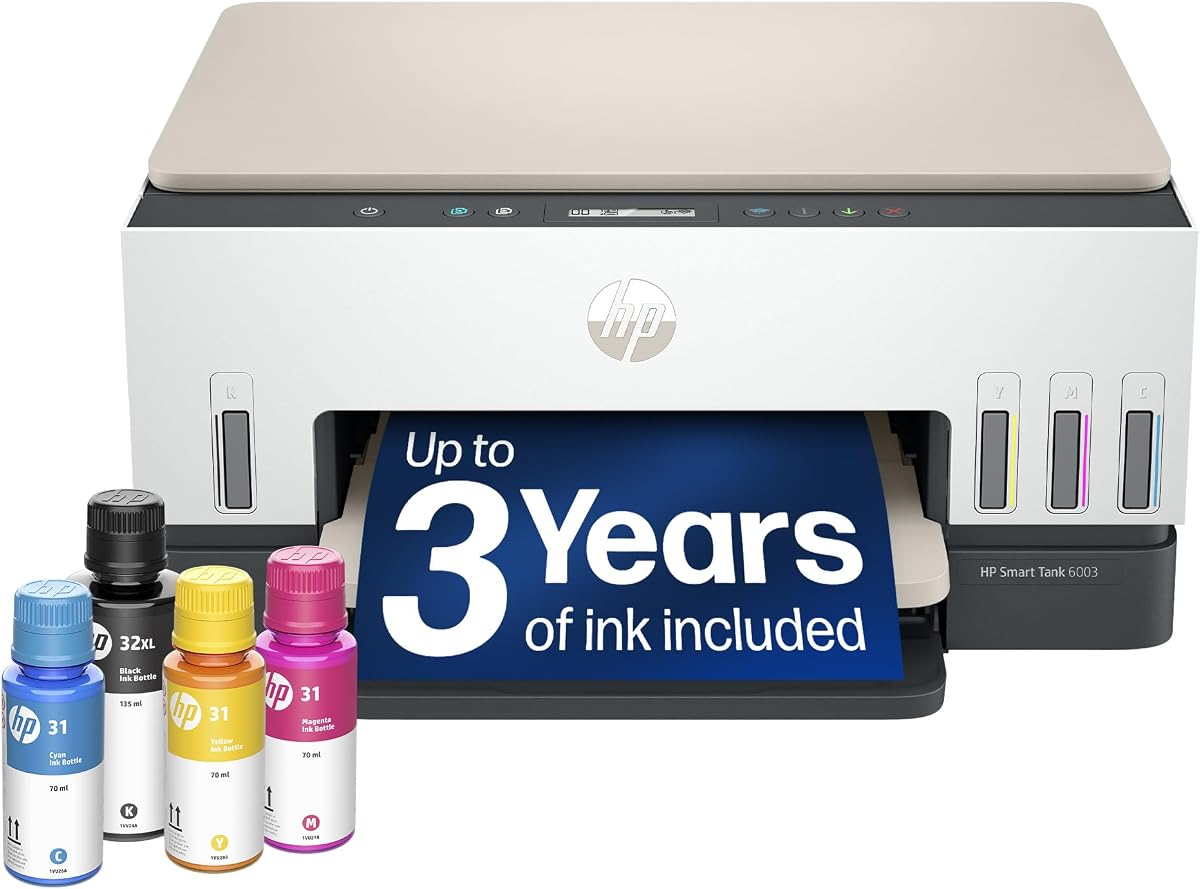
The HP Smart Tank 6003 offers exceptional value for high-volume home printing needs. Rated 3.8, it includes up to three years of ink ensuring minimal maintenance and costs. Its standout quality is the mess-free refill system preventing spills while delivering professional quality prints.
We may earn a commission when you buy through this link, at no additional cost to you.
Strengths include borderless printing and wireless connectivity for seamless mobile use. AI-Capable features optimize layouts ensuring your documents look clean without wasted pages. The cartridge-free design simplifies upkeep and supports up to 8,000 color pages right out of the box.
Trade-offs involve lack of fax capability and initial setup complexity. These are acceptable for home users prioritizing ink savings. The long-term value and convenience make it a solid choice for households printing frequent documents and photos.
Ideal for families needing low-cost high-volume printing. Prioritize this if you want extended ink supply without ongoing cartridge costs. Verify current prices to maximize your savings when buying this model today.
Mess-free refill system allows easy replenishment without spilling ensuring reliable performance for high-volume printing needs.
AI tools optimize layouts ensuring no wasted pages or awkward layouts on your printed documents saving time.
We may earn a commission when you buy through this link, at no additional cost to you.
The HP Smart Tank 7603 variant offers a complete solution for home offices needing fax capabilities. Rated 4.0, it supports high-volume printing with up to 8,000 color pages included out of the box. Its standout quality is the seamless refill system that prevents spills while delivering professional quality.
We may earn a commission when you buy through this link, at no additional cost to you.
Strengths include fax capabilities and an auto document feeder for scanning tasks. The magic touch control panel simplifies navigation and borderless prints enhance photos. AI-Capable features optimize formatting ensuring your outputs look clean and professional without manual adjustments or wasted paper.
Trade-offs involve initial setup time and larger footprint. These are acceptable given the extended ink supply and feature set. The long-term savings and reliability make it a worthwhile choice for demanding home office environments needing consistent output.
Perfect for home offices needing fax and high-volume color printing. Prioritize this if you want long-term ink savings and all-in-one functionality. Check current prices to ensure you get the best value for this robust machine today.
Get up to 8,000 color or 6,000 black pages from the initial setup ensuring years of worry-free printing.
Print scan fax and copy efficiently with AI tools optimizing documents and magic touch panels making navigation easy.
We may earn a commission when you buy through this link, at no additional cost to you.
The Bambu Lab P2S Combo redefines AI printing with 3D capabilities. Rated 4.7, it features AI failure detection preventing wasted prints and saving time. Its standout quality is the ability to print multi-color objects seamlessly using the AMS 2 Pro system for creative projects.
We may earn a commission when you buy through this link, at no additional cost to you.
Strengths include high speed of 600 mm/s and adaptive airflow for engineering materials. Setup takes just 15 minutes and AI helps with calibration for flawless results. Carbon filter ensures clean air while printing making this safe for home environments.
Trade-offs involve higher price and material requirements. These are acceptable for creatives and engineers needing precision. The workflow and speed justify the investment for those building physical prototypes or custom models.
Ideal for makers needing precise multi-color 3D printing. Prioritize this if workflow speed and AI error prevention are critical. Check current prices to secure the best value before deployment today.
AI failure detection identifies print errors early saving you time and materials by stopping failures before they ruin prints.
AMS 2 Pro enables seamless multi-color/multi-material printing keeping every spool ready for flawless professional results.
We may earn a commission when you buy through this link, at no additional cost to you.
The Liene PixCut S1 is a premium AI tool for creative DIY sticker making. Rated 4.2, it integrates high-resolution printing with precise die cutting in one device. Its standout quality is AI image extraction that recognizes subjects and auto-cuts edges without manual design experience.
We may earn a commission when you buy through this link, at no additional cost to you.
Strengths include thermal dye-sublimation for vivid 300 DPI prints and waterproof stickers. AI Lab lets you transform selfies into anime characters instantly. No subscription fees mean unlimited access to templates and fonts ensuring pure creativity for projects.
Trade-offs involve specialized use and app dependency. These are acceptable for crafters. The seamless workflow and durability justify the investment for those needing custom professional stickers quickly.
Ideal for crafters needing custom stickers fast. Prioritize this if you want precision cutting and AI design tools. Check current prices to secure the best value for this creative machine today.
Unleash creativity as AI automatically recognizes and extracts subjects from photos allowing precise cutting without manual design.
Unlock 50,000+ free images and 10,000+ templates with no paywalls or hidden fees just pure creativity.
We may earn a commission when you buy through this link, at no additional cost to you.
Choosing the right AI printer requires analyzing key factors beyond basic specs. This section helps you weigh performance against needs to ensure a smart investment.
Modern AI printers offer features like layout optimization, subject extraction, and failure detection. Evaluate how much automation you actually need versus manual control for your workflow.
Prioritize models with AI that reduces waste and editing time without requiring complex configuration.
Consider whether cartridge-based or tank systems fit your usage volume. Tanks save long-term costs while cartridges offer convenience and lower upfront prices.
Select systems matching your monthly page count to avoid unnecessary expenses or frequent refills.
Speed varies significantly between home and business models. Check pages per minute (PPM) ratings for both black and color documents to ensure productivity matches your demands.
Choose speeds that minimize wait times during busy workflows.
Dual-band Wi-Fi ensures stable connections across home or office networks. Check for Bluetooth, Ethernet, and mobile app support for seamless printing.
Opt for reliable connectivity to prevent interruptions and ensure consistent operation.
Input tray capacity and automatic document feeders (ADF) impact workflow efficiency. High capacity trays reduce refills while ADF supports multi-page scanning or copying tasks.
Select models with sufficient capacity for your typical document volumes.
For office use, security like Wolf Protection ensures data safety from cyber threats. Home users may benefit from basic encryption during wireless transmission.
Prioritize models with strong security if handling sensitive information regularly.
Physical size and design matter for home spaces. Tanks are bulkier than compact inkjets. Consider dimensions and aesthetics for your desk or workspace.
Balance size with features to fit comfortably in your environment.
User-friendly apps and templates simplify printing complex projects. Check subscription requirements versus free features in companion apps.
Choose software that supports your needs without hidden fees or limitations.
Begin by installing the manufacturer app on your device to access AI features. Connect to your Wi-Fi network and run a test print to ensure the AI layout engine optimizes correctly. This initial setup allows you to manage ink and maintenance remotely.
Regularly clean the printhead using built-in maintenance tools or cartridges to prevent clogs. For tank models, use only manufacturer-branded inks to avoid damage and ensure warranty coverage. Keep firmware updated to maintain AI and security feature performance over time.
Store paper in a dry environment to prevent jams and poor print quality. Monitor ink levels through the app and refill tanks only when prompted. Consistent care ensures longevity and steady performance of your smart printing capabilities.
AI-capable printers use machine learning to optimize document layouts, detect errors, and automate design tasks. This reduces wasted paper and improves visual output automatically. These features are typically accessed through companion mobile apps or device interfaces.
Initial costs may be higher for advanced AI features, but long-term savings often offset this. Improved efficiency reduces ink waste and maintenance needs over time. Evaluate total cost of ownership rather than just sticker price when comparing options.
Many smart printers use chips that detect non-manufacturer ink and block operation to ensure quality. Using unauthorized supplies may void warranties or cause printing errors. Always check compatibility guidelines before purchasing third-party consumables.
This feature identifies subjects in photos and automatically crops out backgrounds for clean stickers or labels. It saves manual editing time using machine learning algorithms integrated into the printing software. Perfect for DIY crafts and quick creative projects.
Yes, modern tank models often include AI tools for layout optimization and connectivity management. They combine high-volume ink capacity with smart features for efficient home office workflows. Ensure you check specific capabilities before purchase.
Look for trials of at least six months to a year to cover initial printing needs. Longer trials reduce early costs while you test the device. Check cancellation terms to avoid unexpected charges after the trial ends.
They monitor network activity to block unauthorized access and protect sensitive data during transmission. Some models update firmware automatically to patch vulnerabilities quickly. This ensures safe printing for business or personal use.
Standard multipurpose paper works for most document tasks. For photos, use glossy or matte paper recommended by the manufacturer for AI color optimization. Always verify paper weight limits to avoid jams.
Our top picks cover budget home models, high-volume tanks, and creative tools like the PixCut S1. Each offers distinct AI features tailored to different needs and work environments. Choose based on your volume requirements and smart capabilities desired.
Prioritize ink efficiency and AI layout tools if you print frequently. Home offices may prefer tanks for lower costs while creatives need cutting features. Balance upfront price with long-term value to find the best fit.
Prices and availability fluctuate constantly so verify current listings before buying. Use our comparison table and detailed reviews to make an informed decision. Invest wisely in technology that enhances your workflow effectively today.