
Govee TV LED Backlight RGBIC
4.4Editor score
RGBIC color segmentation technology
99+ preset scene modes available
Music sync with built-in microphone
This guide compares the top Govee TV Lights models for immersive home theater setups featuring sync technology, smart controls, and vibrant lighting effects
Transform your viewing experience with Govee TV lights that sync colors to your screen content. These smart LED strips and light bars create immersive ambient lighting that enhances movies gaming games, and music.
We evaluated ten top models based on color accuracy, installation ease, smart home compatibility, and syncing technology. Each product offers unique features like AI generative lighting, camera-based color capture, and voice control integration.
Each pick highlights key specifications and ideal use cases for different room setups. Please note that pricing and availability change frequently so verify current details before purchasing your ideal lighting solution.
4.4Editor score

4.3Editor score

4.4Editor score
This side-by-side comparison highlights the core specifications and capabilities of each Govee TV lighting model to help you find the perfect match for your display size and smart home ecosystem.
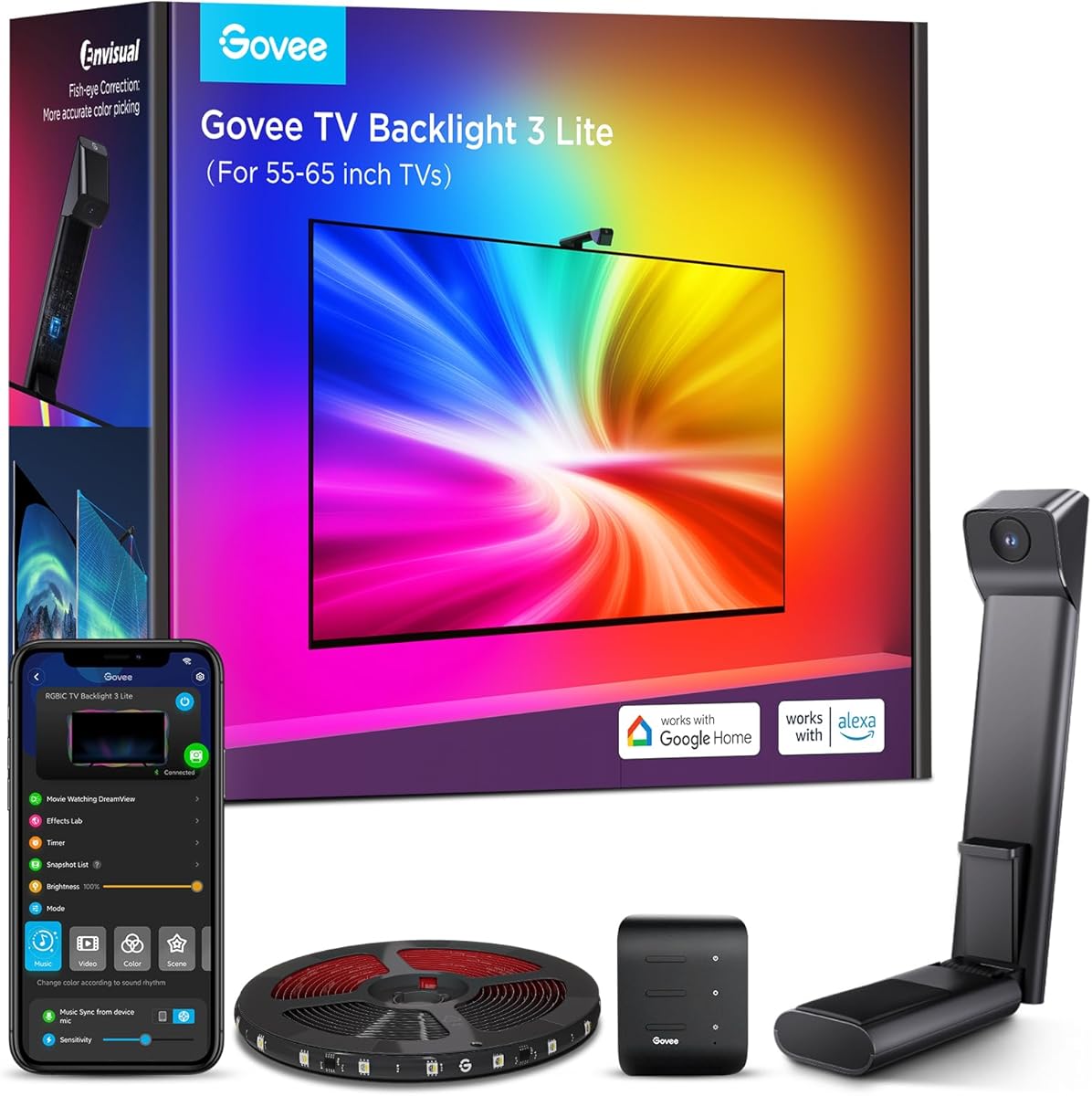


The Govee TV Backlight 3 Lite delivers impressive color accuracy for its price point. With a 4.5 rating it stands out as a top choice for users seeking entry level ambient lighting without sacrificing quality or performance.
We may earn a commission when you buy through this link, at no additional cost to you.
Its upgraded Govee Envisual Technology includes a fish-eye correction function that expands the effective range for more accurate color matching along the edges. The 4-in-1 lamp bead adds a warm white chip ensuring purer tones and improved pixel density.
While the camera is small and uses a gravitational hanging design for ultra-thin TVs some users might find the setup slightly complex compared to simpler strip lights. However the adhesive stabilizes well to prevent wobble during installation.
This model is ideal for anyone upgrading a 55 to 65 inch TV who wants smart AI features like generative lighting and voice control via Alexa or Google Assistant without paying premium prices.
The fish-eye correction ensures that light flows naturally from the screen edge to the wall without color dispersion issues.
The AI lighting bot 2.0 allows users to speak or text to refine personalized lighting effects through natural conversation.
We may earn a commission when you buy through this link, at no additional cost to you.
For those who prioritize dynamic colors over camera syncing this model offers excellent value. Its 4.4 rating confirms strong user satisfaction with the RGBIC technology that allows multiple colors on one line simultaneously.
We may earn a commission when you buy through this link, at no additional cost to you.
The color segmentation display creates more dynamic and gorgeous lighting effects compared to traditional RGB lights. Users can enjoy a symphony of colors with 99+ preset scene modes and music sync capabilities that dance with any audio.
It does not automatically capture colors from the TV screen which limits immersion during content viewing compared to higher end models. Additionally it supports only 2.4G Wi-Fi which might be slower than modern networks.
This is the perfect pick for users who want customizable ambient lighting for gaming or mood settings without needing expensive camera hardware or advanced sync features.
RGBIC technology allows for segmentation display making the TV lights behind more vivid and visually impactful.
A built-in mic detects ambient sound to create breathtaking lighting effects that sync with your music or movies.
We may earn a commission when you buy through this link, at no additional cost to you.
This premium model is designed for true enthusiasts who demand the highest color accuracy. With a 4.4 rating it delivers theater-quality lighting that fuses short and long exposures for rich detail in any scene.
We may earn a commission when you buy through this link, at no additional cost to you.
The HDR image capture capability ensures bright scenes keep detail without overexposure while dark areas stay rich. A high-precision triple camera expands the color-pick area by 50 percent around the corners independently capturing colors across zones.
Installation is simplified with a compact 85mm camera length that fits the curve of TV edges. However the price and complexity might deter casual users who do not need HDR specific features for their content.
Choose this if you have a high-end 55 to 65 inch TV and want a premium whole-home lighting experience with advanced AI filtering and Matter compatibility.
The HDR sensor fuses exposures ensuring bright and dark areas deliver precise color sampling for a realistic picture.
Three independently calibrated zones capture colors with higher precision than standard single or dual lens setups.
We may earn a commission when you buy through this link, at no additional cost to you.
This model sits in the mid range with strong specs like dual 4MP lenses and 24-zone color mapping. It offers a balanced mix of performance and usability for users wanting reliable sync without the most advanced HDR features.
We may earn a commission when you buy through this link, at no additional cost to you.
The hybrid lens structure minimizes color dispersion ensuring every frame is precisely captured. AI filter detects film style to adjust lighting themes for an eye-friendly viewing experience that enhances mood without distraction.
It is 20 percent brighter with richer layers and depth thanks to high-density RGBWIC strips. However some users may find the camera setup requires careful placement to avoid blocking the screen during installation.
This is a solid choice for those upgrading from basic strips who need a reliable camera sync solution that supports Matter and smart home automation.
Industry-leading dual hybrid lens with 4MP high-resolution optical performance ensures sharper edges and natural light flow.
AI filter detects film style and adjusts lighting theme to enhance mood without distraction for eye-friendly viewing.
We may earn a commission when you buy through this link, at no additional cost to you.
These light bars offer flexibility as they can stand next to the TV or mount behind it. With a 4.6 rating they are praised for their upgraded RGBWIC color that delivers purer whites and accurate hues.
We may earn a commission when you buy through this link, at no additional cost to you.
They provide 27 extra LEDs per bar compared to older models making colors more vibrant. The bars are designed for TVs between 45 and 70 inches and support Matter for seamless voice control and smart home integration.
Because they lack a camera they do not match TV screen colors. You can only use preset scenes or AI generative lighting to set the mood rather than real-time sync.
This is the best pick for users who want a clean setup without wires behind the TV and prioritize Matter compatibility and sound-sync lighting over image syncing.
Adjust three ways to fit your lighting needs by mounting behind or standing next to the TV without complex wiring.
Upgraded RGBWIC color offers richer colors smoother gradients and consistent accuracy than regular RGB.
We may earn a commission when you buy through this link, at no additional cost to you.
Ideal for smaller rooms this strip brings RGBIC vibrancy to 40 to 50 inch TVs. It boasts a 4.6 rating for its ability to display multiple colors simultaneously and its seamless smart home integration.
We may earn a commission when you buy through this link, at no additional cost to you.
The unique RGBIC lighting effects allow you to customize each strip segment for a better viewing experience. It includes 77 preset scene modes and music sync to help you create the vibe you need for any occasion.
It does not capture colors automatically so you rely on presets or music sync for ambient effects. This simplicity makes installation easier but limits real-time immersion compared to camera models.
Select this if you have a smaller TV and want an affordable way to add segmented color effects and smart voice control to your setup.
Govee TV LED Backlight allows to customize each strip segment and display multiple colors at the same time.
Manage LED lights for TV with Govee Home App via Bluetooth and Wi-Fi or use Alexa and Google Assistant voice control.
We may earn a commission when you buy through this link, at no additional cost to you.
This bar is designed for monitors under 45 inches but works for small TVs too. With a 4.6 rating it offers segmented dynamic color and tunable white that suits your mood and needs perfectly.
We may earn a commission when you buy through this link, at no additional cost to you.
It features tunable cool-to-warm white and vivid RGBIC colors for immersive gaming and viewing ambiance. You can group it with other Govee lights by rooms and automate lighting schedules via the Home App.
While it supports dynamic scenes and DIY lighting the placement is best for desktop setups or smaller screens. It is less effective for large wall mounts compared to full strips.
Pick this if you want a simple stylish bar for your monitor that provides dynamic segmented effects without a complex setup or additional camera hardware.
RGBICWW technology offers tunable cool-to-warm white and vivid RGBIC colors for immersive gaming and viewing ambiance.
Group with other Govee lights by rooms and automate lighting schedules for a cohesive smart home experience.
We may earn a commission when you buy through this link, at no additional cost to you.
This Box is a powerhouse for gamers needing high refresh rate support. It connects via HDMI 2.1 to synchronize lighting without a camera and supports 8K at 60Hz or 4K at 144Hz seamlessly.
We may earn a commission when you buy through this link, at no additional cost to you.
It uses CogniGlow technology to recognize images and text automatically determining trigger conditions to match specific lighting effects. It supports VRR and ALLM reducing screen tearing and latency for a seamless experience.
Setup involves plugging in the HDMI Box which might be complex for those unfamiliar with video chains. It also notes that HDR might decrease saturation requiring app adjustments to achieve the desired effect.
Choose this if you have a high-end gaming PC or console and want accurate lighting for fast-action scenes without relying on a camera system.
Latest HDMI 2.1 interface supports resolutions of up to 8K at 60Hz and 4K at 144Hz for smooth gaming visuals.
AI to automatically recognize images and text determining trigger conditions to match specific lighting effects.
We may earn a commission when you buy through this link, at no additional cost to you.
This versatile strip works well as a TV backlight or bedroom accent. With a 4.4 rating it delivers multiple colors on one line and offers an app community where you can share your piece of art.
We may earn a commission when you buy through this link, at no additional cost to you.
It supports 16 million colors and offers 64+ preset scenes inspired by holidays and movies. You can use the upgraded music sync mode to make your lights dance to your favorite audio tracks.
It does not support Alexa directly and is not recommended for outdoor use. The adhesive also requires a clean dry surface to ensure proper stickiness over time.
Buy this if you want a flexible long strip for general room ambiance and DIY projects without needing voice control for lighting.
You can choose from a variety of lighting effects and share your piece of art on the APP community.
Choose from 11 music modes and the integrated high-sensitivity mic will effortlessly sync with your favorite audio.
We may earn a commission when you buy through this link, at no additional cost to you.
This model is unique because it is fully cuttable to fit various screen sizes. With a 4.4 rating it delivers vivid RGBWIC color and ensures superior brightness with 30 LEDs per meter.
We may earn a commission when you buy through this link, at no additional cost to you.
You can customize the length to fit any 32 to 70 inch TV eliminating dark corners that universal lights can achieve. It includes clips for seamless installation and features 210+ preset scenes for mood and music.
Cutting must be done only at marked scissor symbols on the unpowered light strip to avoid damage. It does not have a camera sync but offers robust smart scene and music options.
This is the best option for users with non-standard screen sizes or those who want to cut the strip to fit a custom install perfectly.
Fully Cuttable Design allows you to customize your Govee cuttable backlight length to fit any 32 to 70 inch TV.
Vivid RGBWIC Color delivers more accurate colors and pure white than standard RGB with superior brightness.
We may earn a commission when you buy through this link, at no additional cost to you.
Finding the right Govee TV lights requires considering your screen size, desired features, and budget. This guide outlines key factors to ensure you get the best immersive experience.
Check that the strip length or camera sensor matches your TV dimensions. Models like the Backlight 3 support 55 to 65 inch screens while others cover 40 to 70 inches. Choosing the correct size ensures full coverage without wasted material.
Verify the product specs against your TV size to ensure proper fit and functionality.
Camera-based models capture screen colors in real-time while Bluetooth strips rely on presets. If you want the screen to sync with on-screen actions choose a model with a lens like the Backlight 3 or Sync Box 2.
Select a model with camera sync for real-time color accuracy and better immersion.
Look for Matter compatibility if you use multiple ecosystems like Apple HomeKit or Google Home. Voice control via Alexa and Google Assistant is standard but check if your model supports Matter for future-proofing.
Ensure the lights support your preferred smart home platform for seamless control.
LED density affects brightness and smoothness of color transitions. Higher density strips like 60 or 75 LEDs per meter offer smoother gradients and more vivid visuals compared to lower density options.
Choose a strip with higher LED density for better brightness and smoother gradients.
Consider if you prefer a plug-and-play strip or a camera setup that requires mounting. Models with gravitational hanging designs simplify camera placement but may still need adhesive support for stability.
Assess the installation effort required and choose based on your comfort with wiring and mounting.
Some lights include a built-in mic to sync with music and movie soundtracks. This feature adds immersion without needing a camera but works independently of screen content.
Look for music sync features if you enjoy lighting that reacts to sound rather than visuals.
Prices range from affordable strips to premium camera bundles. Decide if you need advanced AI features or if preset scenes are sufficient. Premium models cost more but offer unique benefits like HDR support.
Match the feature set to your budget to get the best value for your needs.
Govee Home App offers AI Generative Lighting where you can speak or text to create effects. This modern approach simplifies customization but requires a compatible smartphone and app setup.
Check app features if you want AI tools to refine lighting effects easily.
Start by cleaning the back of your TV with a dry cloth to remove dust before applying adhesive strips. Ensure the surface is smooth and dry for the tape to stick securely without bubbling or peeling over time.
Position the camera module directly in front of the screen using the gravitational hanging design. Make sure it is not blocking any ports or sensors and adjust the angle to capture the full display area accurately.
Update the Govee Home App regularly to access new AI features and scenes. Avoid exposing the lights to moisture or direct heat sources to prolong their lifespan and maintain color accuracy.
No basic models rely on preset scenes and music sync without a camera. Camera-enabled models provide real-time color matching for a more immersive experience. You can choose based on whether you want screen sync or ambient mood lighting.
Most models support Alexa and Google Assistant for voice control of power and colors. Some premium units also support Matter for broader smart home integration. Check specific product details to confirm full ecosystem support.
RGB lights change the whole strip to one color at a time. RGBIC allows multiple colors on one line simultaneously for segmented effects. RGBIC creates more dynamic and complex lighting patterns.
Only certain models like the Backlight 2 are designed to be cuttable. Always cut at the marked scissor symbols on the unpowered strip to avoid damaging the circuit. Non-cuttable models must be used as-is.
Connect the camera to the control box and mount it directly in front of your screen. Use the app to calibrate color zones and ensure it detects the screen area correctly. Adjust positioning for optimal color capture.
Models with HDR capture like the Backlight 3 Pro handle HDR content better. Sync Box 2 supports HDR10+ but saturation may need adjustment in the app. Check compatibility details if HDR is a priority for you.
You can use voice commands via Alexa or Google Assistant once set up. However initial setup and advanced customization require the Govee Home App. Some basic functions like power toggle may work with remote controls.
Clean the surface thoroughly with a dry cloth before installation. Use cable clips to secure the strip if the adhesive is not sufficient. Avoid applying to textured or dusty surfaces for better adhesion.
Our top picks include the Backlight 3 for dual lens precision and the RGBIC strip for value. These models offer strong performance for different needs whether you want premium immersion or affordable style.
Prioritize features like Matter compatibility and LED density if you want a long-term solution. Ensure the model fits your TV size and supports your preferred smart home voice assistants for best results.
Prices and availability change so check current listings before purchasing. Verify the latest updates to the Govee Home App for new AI features that enhance your lighting experience.