
EZ AD Digital Signage Player
4.1Editor score
Free Plan Available
4K Content Support
Template Builder Included
Digital menu displays transform how businesses communicate with customers by replacing static signs with dynamic, updatable screens. These devices enhance engagement, streamline operations, and provide a modern aesthetic that attracts attention in busy environments like cafes and shops.
We evaluated ten leading digital menu displays based on brightness, connectivity, software capabilities, and durability. Our comparison considers factors like remote content management, viewing angles, and commercial-grade build quality to ensure you select a reliable solution for your specific business needs.
Each pick highlights key strengths such as portability, touchscreen functionality, or high-brightness panels suitable for bright indoor spaces. Please note that product availability and pricing may change over time, so verify current details before making a purchase decision for your venue.
4.1Editor score

3.8Editor score

3.4Editor score
As an Amazon Associate we earn from qualifying purchases.
The following table provides a side-by-side comparison of all ten digital menu display options, highlighting their core specifications and key capabilities to help you make an informed decision.


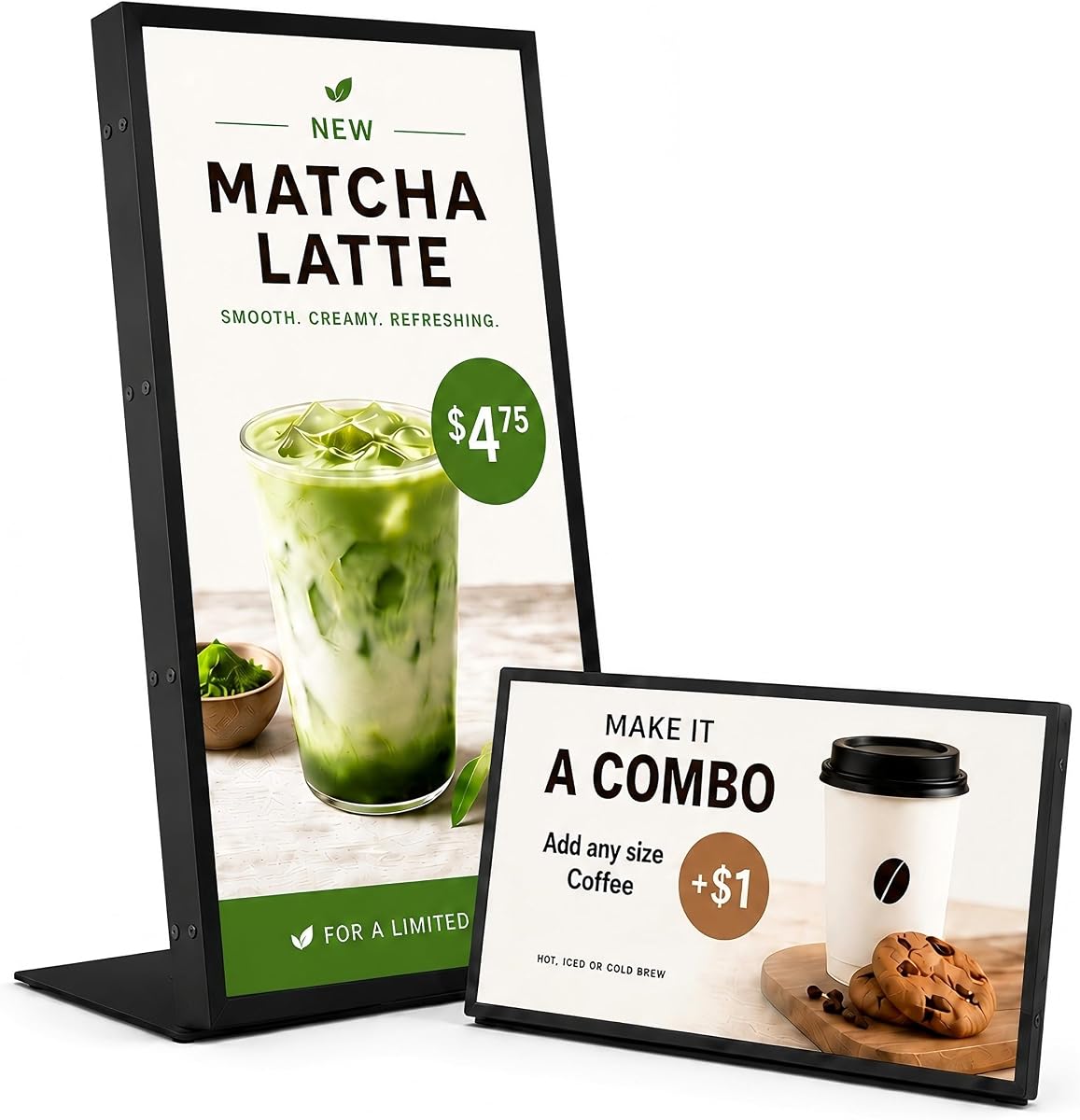


This 18.5-inch digital signage display offers a balanced mix of performance and features suitable for various business environments. With a rating of 3.8, it stands out for its 700 nits brightness and built-in lifetime CMS which simplifies content management significantly.
We may earn a commission when you buy through this link, at no additional cost to you.
The Android 12 system provides stability for 24/7 operation ensuring your menu remains visible without interruptions. Remote management allows you to update promotions or menus quickly using a PC or smartphone which is ideal for busy cafes or retail stores.
While the rating is not perfect, the trade-off is acceptable given the commercial durability and versatile connectivity options like HDMI and LAN. The inclusion of a free CMS is a major advantage for small business owners looking to save on software costs.
This product is best for businesses needing a reliable countertop display that combines visibility with ease of use. Its sturdy design and flexible content options make it a strong choice for reception desks or checkout areas.
The free lifetime CMS allows you to create playlists and schedule playback without additional costs.
At 700 nits, the display ensures clear visibility even in well-lit indoor environments.
We may earn a commission when you buy through this link, at no additional cost to you.
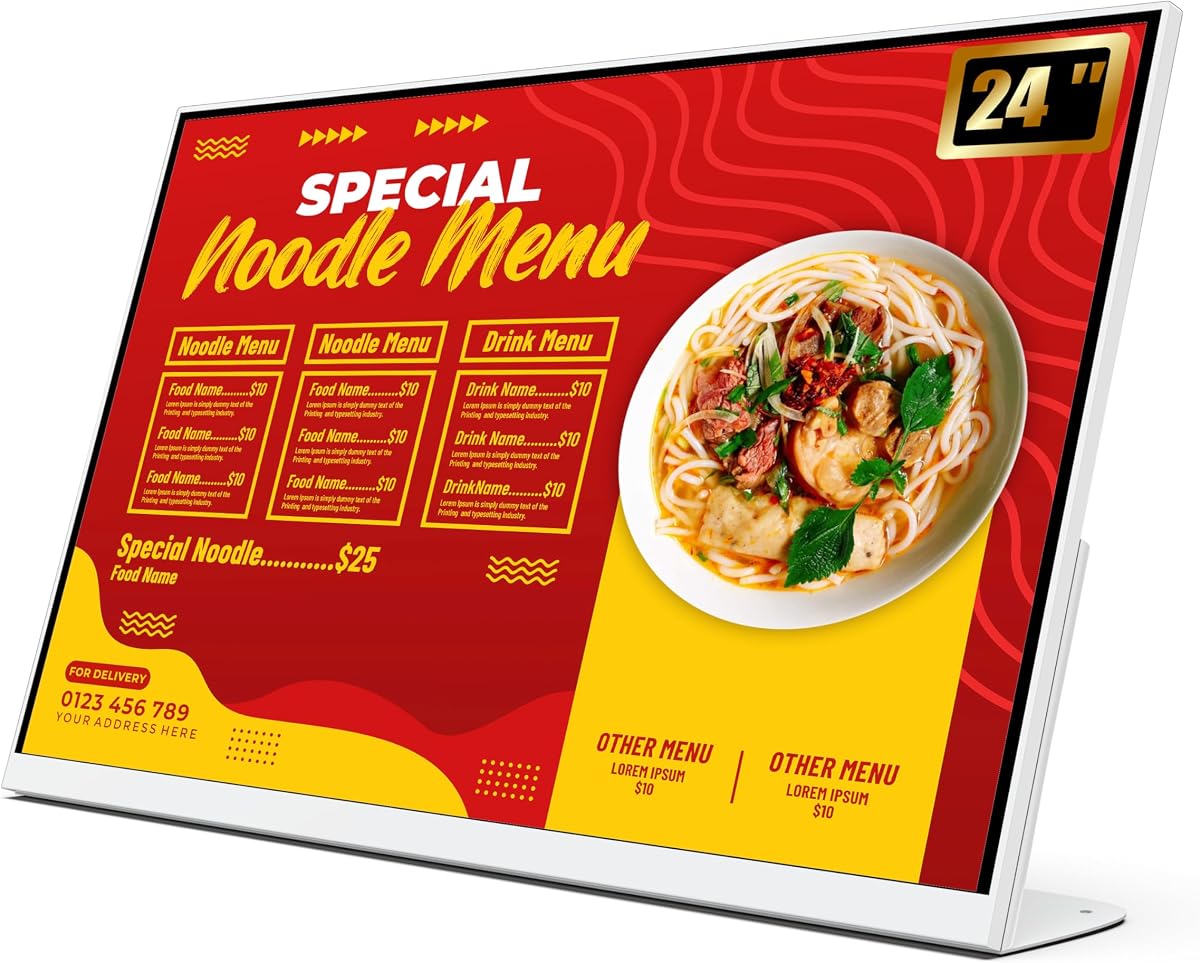
This 24-inch desktop monitor is a top contender with a perfect 5.0 rating, indicating high customer satisfaction. It features a Full HD display that ensures crisp visuals for menus and advertisements in retail or restaurant settings.
We may earn a commission when you buy through this link, at no additional cost to you.
The Android system supports centralized content management allowing you to update menus remotely without onsite computer operations. This feature enhances efficiency for businesses that need to change pricing or promotions frequently throughout the day.
While it is designed for desktop use, its space-saving design fits well on counters without obstructing customer flow. The split-screen functionality allows you to show multiple types of content simultaneously maximizing the utility of the display area.
Ideal for milk tea shops or retail stores, this display combines quality visuals with practical management tools. Its high rating suggests reliable performance and good support which are critical for commercial applications.
With a 5.0 rating, this product stands out for reliability and user satisfaction.
Split-screen features allow for simultaneous ads and menu updates.
We may earn a commission when you buy through this link, at no additional cost to you.
This 32-inch digital signage monitor offers a versatile solution with its foldable and portable design featuring built-in wheels. With a 4.6 rating, it appeals to businesses needing flexibility for events or temporary setups.
We may earn a commission when you buy through this link, at no additional cost to you.
The IPS display provides vibrant visuals with a wide viewing angle ensuring content is visible from any position. CMS features allow real-time updates which are essential for dynamic pricing or urgent announcements in busy environments.
Timed on/off settings help save energy by automatically turning the screen on and off according to business hours. The auto loop playback ensures continuous display of content without requiring manual intervention which reduces operational effort.
Suitable for hotels, malls, or exhibitions, this kiosk combines high-quality visuals with practical portability. Its construction and features justify the investment for businesses prioritizing versatility and customer engagement.
Built-in wheels and foldable structure make moving the display simple.
Timed settings help manage power usage during closed hours.
We may earn a commission when you buy through this link, at no additional cost to you.
The EZ AD digital signage player provides a cost-effective solution for businesses needing advanced content features without high hardware costs. With a 4.1 rating, it offers a free plan and powerful tools like a template builder for easy content creation.
We may earn a commission when you buy through this link, at no additional cost to you.
It supports 4K content which ensures sharp visuals when connected to compatible HD televisions. The mobile app allows for on-the-go management making it convenient for owners to update promotions without being at the venue.
The free plan supports various formats and up to 50 slides which is sufficient for many small businesses. Connectivity options including HDMI and USB provide flexibility to integrate with existing display setups easily.
This player is best for businesses looking to upgrade to digital signage on a tight budget. Its ease of use and free tools make it an accessible entry point for dynamic menu displays.
The free plan includes essential features to get started without extra cost.
Content updates wirelessly from a cloud-based website for convenience.
We may earn a commission when you buy through this link, at no additional cost to you.
This 10.1-inch digital signage display is perfect for compact spaces where a large screen is not feasible. With a 4.0 rating, it offers a touchscreen interface that allows customers to interact with menus or information directly.
We may earn a commission when you buy through this link, at no additional cost to you.
The Android system supports WiFi and USB connectivity enabling simple file transfers and updates. Its space-saving tabletop structure keeps the screen visible at close range which is ideal for coffee shops or small retail counters.
Content control is straightforward allowing you to manage menus or notices without complex software. While the display size limits visibility to close distances, it serves well for reception desks or information points.
Ideal for businesses needing an interactive point of contact without occupying much counter space. The touchscreen feature adds an engaging element that can improve customer interaction significantly.
Touchscreen capability allows customers to browse menus interactively.
Small size saves counter space while providing essential info.
We may earn a commission when you buy through this link, at no additional cost to you.
This countertop display is designed specifically for checkout and service areas with a sturdy metal housing and tempered glass front. A 4.5 rating reflects its reliability and suitability for high-traffic commercial environments.
We may earn a commission when you buy through this link, at no additional cost to you.
The 700-nit 1080P screen provides clear visuals for menus and service details visible at close range. CMS publishing features allow remote content updates ensuring your promotional material is always current and relevant.
Flexible stand options support both landscape and portrait orientations to match different layout needs. The durable construction ensures it can withstand daily use in busy retail or bakery counters without issues.
Best for businesses needing a robust display near the point of sale. Its design focuses on visibility and durability making it a strong choice for operational efficiency.
Optimized for placement near checkout where customers wait briefly.
Tempered glass front protects against damage in busy areas.
We may earn a commission when you buy through this link, at no additional cost to you.
This 50-inch commercial screen delivers a premium viewing experience with 4K resolution and 1000-nit brightness suitable for large spaces. A 3.4 rating suggests high specs but potential complexity in setup or use.
We may earn a commission when you buy through this link, at no additional cost to you.
Ultra-narrow bezels allow for seamless tiling which creates a massive visual impact when multiple screens are used. The interactive zone feature lets you divide the screen into sections for videos, social feeds, and countdowns simultaneously.
High brightness ensures visibility even in well-lit environments making it ideal for malls or large dining areas. The CMS allows automatic menu switching and remote management which enhances operational efficiency for large venues.
Ideal for businesses seeking a statement piece that combines large size with advanced interactivity. While pricey, the capabilities offer a level of engagement that smaller displays cannot match.
The 50-inch screen dominates the wall for maximum visibility.
Divide screen into zones for varied content delivery.
We may earn a commission when you buy through this link, at no additional cost to you.
This 29-inch display offers a mid-size option that balances screen real estate with compact design. A 2.6 rating indicates potential issues with user experience or support that buyers should consider carefully.
We may earn a commission when you buy through this link, at no additional cost to you.
The ultra-slim profile and narrow bezels allow for gap-free wall mounting which looks professional in retail or offices. 700-nit brightness ensures clear content visibility even in standard indoor lighting conditions.
Android-based compatibility ensures seamless connectivity with diverse devices allowing for flexible content management. The multi-zone feature enables simultaneous presentation of videos and social feeds enhancing customer engagement.
While the rating is lower, the specs suggest it can work well if installed correctly. It is suitable for medium spaces needing a balance between size and affordability.
Ultra-slim design blends seamlessly into modern interiors.
Divisible screen zones allow for complex content layouts.
We may earn a commission when you buy through this link, at no additional cost to you.
This media player focuses on ease of use with a built-in canvas menu designer and AI tools for enhancing images. A 3.0 rating suggests mixed experiences but the design tools are a unique selling point for non-designers.
We may earn a commission when you buy through this link, at no additional cost to you.
The AI image enhancer helps optimize display quality for existing files without needing professional editing skills. Remote management features allow you to schedule menu changes and promote events with just a few clicks from anywhere.
PowerPoint uploads are supported which simplifies content creation for those familiar with office software. The cloud control ensures content is always synchronized across all connected displays.
Best for businesses needing a straightforward player with advanced design assistance. While hardware is minimal, the software tools make it accessible for quick content changes.
Built-in tools let you design menus without graphic design skills.
Manage all screens remotely from a single dashboard.
We may earn a commission when you buy through this link, at no additional cost to you.
This media player is powered by a dedicated digital signage cloud service ensuring reliable content delivery and management. A 4.3 rating reflects its stability and performance for continuous operation in commercial settings.
We may earn a commission when you buy through this link, at no additional cost to you.
With a Hexa Core CPU and 4GB RAM, it handles multiple tasks smoothly ensuring smooth playback without lag. Local storage cache prevents playback interruptions which is crucial for maintaining a professional appearance.
The cloud-based service supports both vertical and horizontal screen modes offering flexibility in display orientation. Connectivity options include HDMI WiFi and Ethernet ensuring seamless integration with existing network infrastructures.
Best for businesses prioritizing reliable service and robust hardware. It is a strong choice for those needing a dependable player for critical information display.
Powerful CPU and RAM ensure smooth multitasking.
Local caching prevents interruption during network issues.
We may earn a commission when you buy through this link, at no additional cost to you.
Selecting the right digital menu display requires considering several factors including size, brightness, software, and budget.
The size of your display should match the viewing distance and the layout of your venue. For counters, screens between 10 and 18 inches are often ideal while large wall displays might need 50 inches or more. Resolution impacts clarity so look for at least 1080P for sharp text and images.
Choose a size that ensures customers can read menus easily from their standing or seated positions.
Brightness measured in nits is crucial for visibility especially in well-lit rooms. A brightness of 700 nits or higher is recommended for indoor commercial spaces to ensure content remains clear. Lower brightness may result in washed-out visuals under strong lighting conditions.
Opt for a higher nit count if your display is near windows or bright overhead lights.
A reliable CMS allows you to schedule and update content remotely. Look for features like remote publishing and playlist creation to streamline your workflow. Free CMS options can save costs while premium ones may offer more advanced features.
Ensure the CMS supports your preferred file formats and is easy to navigate.
Android-based systems offer app flexibility and easy integration with various tools. Ensure the system has enough RAM and storage to handle your content without lag. A stable OS ensures continuous playback without frequent crashes or updates.
Verify compatibility with your existing devices and software ecosystem.
Check for multiple ports like HDMI LAN USB and WiFi to ensure flexible connectivity. HDMI is essential for external inputs while WiFi enables cloud updates. Ethernet offers a more stable connection for critical displays.
Choose a device with the necessary ports to connect to your network and content sources.
Commercial-grade displays are built to operate 24/7 without overheating. Look for metal housing and tempered glass to withstand daily wear and tear. Consider warranty options to protect your investment against potential defects.
A sturdy build ensures longevity in high-traffic commercial environments.
Budget for both the hardware and any recurring software fees. Some players require subscriptions for advanced features while others include free plans. Determine your total cost of ownership to avoid unexpected expenses later.
Balance initial cost with long-term value and support quality.
A user-friendly interface makes content management easier for non-technical staff. Touchscreen options can add interactivity but may require maintenance. Look for intuitive software that simplifies the editing process.
Prioritize systems that are easy to learn and operate.
To get started, connect the display to a power source and your network using an HDMI or Ethernet cable. Install any necessary CMS software or log into your account to upload initial content. Test the display to ensure the image is clear and the brightness is set correctly.
Regularly update your content to keep menus fresh and engaging. Use the CMS to schedule changes based on time of day or specific events. For touchscreen models, wipe the surface with a soft cloth to maintain responsiveness.
Clean the screen periodically with a non-abrasive cloth to remove dust and fingerprints. Ensure the device is placed in a well-ventilated area to prevent overheating. Following these care steps will extend the life and performance of your display.
Not necessarily. Many displays support USB playback for local content so you can update manually. However for remote updates and scheduling an internet connection is needed. Some models allow offline playback once content is downloaded.
Yes you can use a media player connected to your TV via HDMI. This is often cheaper than buying a dedicated display. Just ensure the TV supports 24/7 operation or use a player that controls power settings.
For indoor spaces 700 nits or higher is ideal to ensure visibility. Lower brightness may be sufficient in dark rooms but commercial spaces often need more to compete with ambient light.
Most CMS platforms allow you to create schedules for different times. You can upload content for breakfast lunch or dinner and set the system to switch automatically without manual intervention.
Some models include touch functionality for interactive menus but many are display-only. Check the product details to see if a touchscreen is included or if you need a separate device.
Yes many CMS solutions support managing multiple screens simultaneously. You can sync content across devices or customize layouts for different zones within your business.
Most commercial displays come with a 1 to 3 year warranty. Verify the terms to understand what is covered such as defects or accidental damage before purchasing.
Power usage varies by size but LED displays are generally efficient. Smaller screens consume less power while larger 50-inch models may use more. Look for energy-saving features like timed on/off settings.
Selecting the right digital menu display depends on your specific needs such as size, brightness, and software requirements. The options reviewed offer a range of features suitable for cafes, retail, and corporate environments.
Prioritize reliability and ease of use when making your decision. A stable system with a good CMS will save you time and ensure your customers receive clear information.
Remember to check current prices and availability before purchasing to ensure you get the best value for your investment. The right display can significantly enhance your business operations and customer experience.