
8K 90 Degree DisplayPort 1.4 Adapter 2-Pack
4.4Editor score
Includes both up and down adapters
Supports 8K at 60Hz resolution
24k gold plated connectors included
This guide compares the top 90 Degree Displayport Adapter and Cable models for 2026 focusing on build quality resolution support and connector design for
Finding the right connection for your display setup is crucial for performance and aesthetics. A 90 Degree Displayport Adapter and Cable helps manage tight spaces while maintaining high bandwidth signals for modern monitors and TVs.
We evaluated ten leading products based on compatibility, build quality, and signal integrity. Our analysis covers various lengths and connector angles to ensure you find the perfect fit for your specific hardware requirements and desk layout.
Each pick highlights key strengths and potential trade-offs to help you decide quickly. Remember that availability and stock levels can change frequently so checking current listings is always recommended before finalizing your purchase decision today.
4.4Editor score

4.8Editor score

4.5Editor score
The following table provides a side-by-side look at the top ten products we reviewed. It highlights key specifications and connector types to help you compare performance capabilities at a glance.
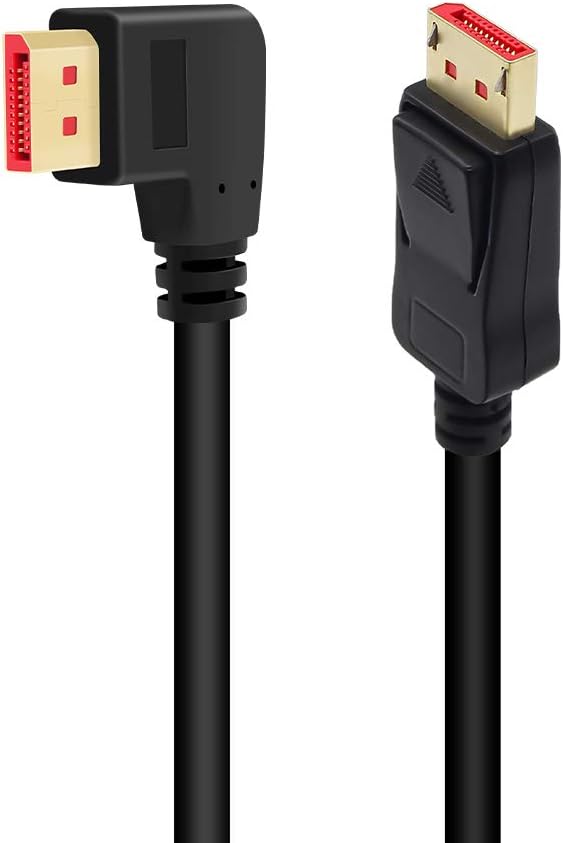



This adapter stands out for its exceptional support of high refresh rates up to 240Hz in 4K resolution. It is ideal for gamers who need smooth motion and low latency without compromising on visual clarity.
We may earn a commission when you buy through this link, at no additional cost to you.
The DisplayPort 1.4 certification ensures it supports essential features like Auto Low Latency Mode and Variable Refresh Rate. The right angle design helps route cables away from obstructions making it perfect for tight entertainment centers.
While it does not come with a long cable it effectively redirects your existing connection with minimal signal loss. The only minor trade-off is that the angle is fixed which might not suit every specific desk orientation.
We recommend this adapter for anyone building a high performance PC setup that needs reliable connectivity in constrained spaces. It delivers premium performance at a reasonable value point for serious enthusiasts.
Enjoy smooth gameplay with support for up to 240Hz at 4K resolution for competitive gaming.
The right angle connector redirects cables efficiently reducing clutter behind monitors and TVs.
We may earn a commission when you buy through this link, at no additional cost to you.
This cable combines a 90 degree adapter with a full six foot length providing great flexibility for routing. It is a strong choice for setups where the PC is located farther from the monitor than usual.
We may earn a commission when you buy through this link, at no additional cost to you.
The construction features gold plated connectors with a latch to ensure a secure fit that won't wiggle loose. Shielding includes both foil and braid layers which helps protect against interference for clean video.
Buyers should verify which way the angle points before ordering since ports vary by device. While it is more expensive than basic adapters the added length and build quality justify the extra cost for many.
It is an excellent solution for users who need reach without sacrificing the benefits of an angled connection. We see it as a practical compromise between extension and adapter in one unit.
Reach distant ports comfortably with a 1.8m cable that maintains signal integrity.
Gold plated latching connectors prevent accidental disconnections during use or maintenance.
We may earn a commission when you buy through this link, at no additional cost to you.
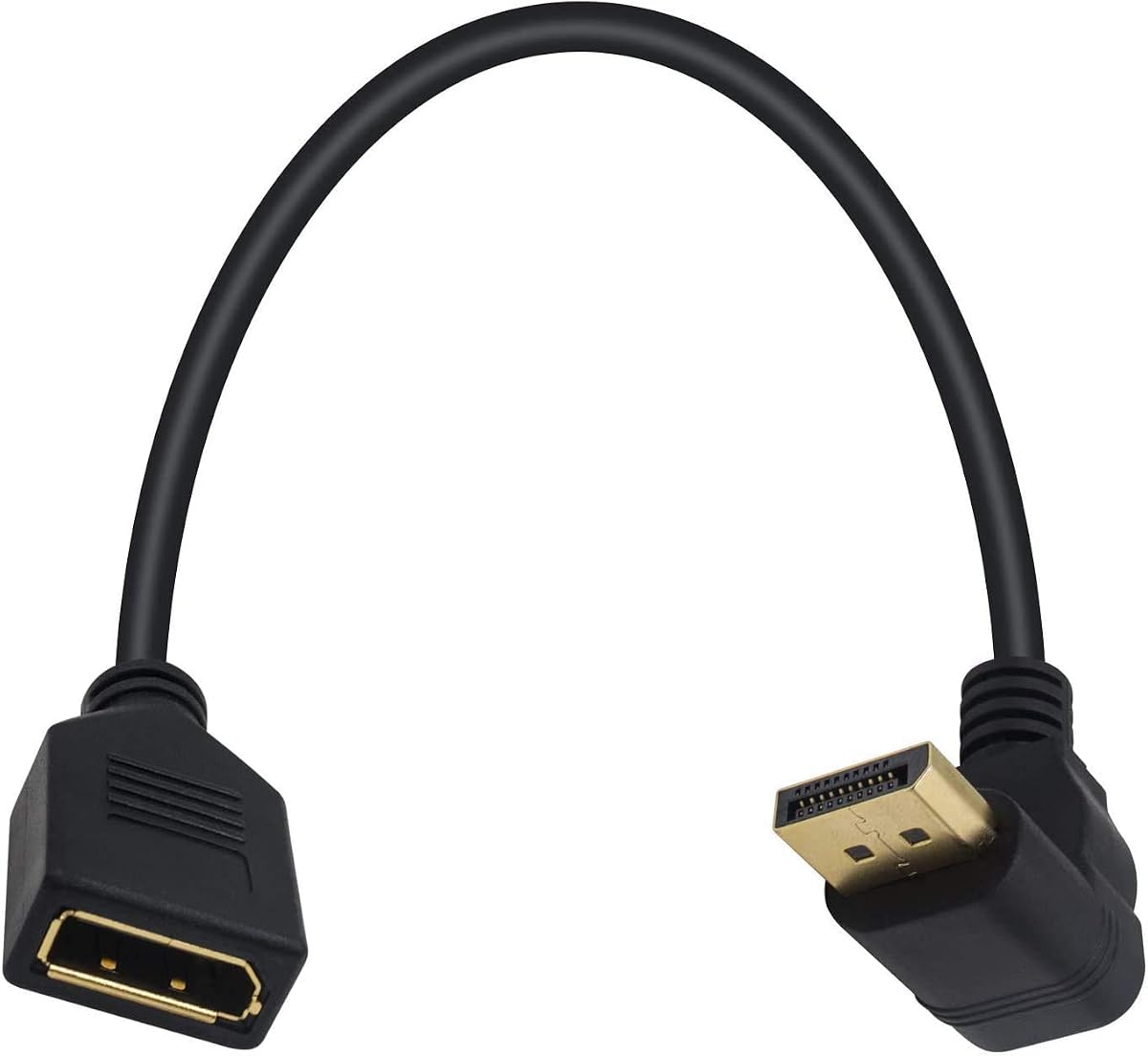
Designed for tricky scenes where standard cables bend awkwardly this short cable offers a clean solution. It supports 8K at 60Hz and 4K at 144Hz making it a versatile choice for modern displays.
We may earn a commission when you buy through this link, at no additional cost to you.
The 28AWG tinned copper conductors combined with triple layer shielding ensure stable video and audio transfer. Its short and flexible nature makes it easy to carry between office and home theater setups.
Users must ensure their PC and monitor are close enough for the 15cm length. While it lacks long reach it excels at minimizing cable slack in tight desk environments with high demands.
We recommend this for users who need a reliable extension without excess cable management issues. It is a solid pick for high bandwidth needs where space is extremely limited.
32.4Gbps bandwidth ensures smooth 8K and 4K gaming with HDR10 support.
Short design reduces clutter and improves portability for on the go use.
We may earn a commission when you buy through this link, at no additional cost to you.
This extender adds half a foot of reach while redirecting the cable for better access. It supports up to 4K at 30Hz which is sufficient for productivity and standard multimedia use.
We may earn a commission when you buy through this link, at no additional cost to you.
Gold plated connectors resist corrosion and ensure stable transmission over time. The low profile design prevents blocking adjacent ports on computers which is a common issue with bulkier adapters.
The trade-off is that high refresh rate gaming is limited to lower frequencies on this model. For general office and home use it offers reliable performance without unnecessary bulk or cost.
We suggest this for users needing a simple extension without high refresh rate demands. It is a budget friendly and dependable option for standard display setups.
Compact design keeps adjacent ports accessible while managing cable direction.
Gold plating ensures long term reliability against corrosion and wear.
We may earn a commission when you buy through this link, at no additional cost to you.
This value pack includes two adapters with different angle directions providing flexibility for various setups. It supports high resolutions up to 8K at 60Hz making it future proof for newer displays.
We may earn a commission when you buy through this link, at no additional cost to you.
The aluminum alloy shell aids heat dissipation while the 24k gold plated connectors resist corrosion effectively. These adapters are rated for up to 15000 plug cycles which speaks to their durability over time.
While the price is very affordable buyers should note that specific warranty terms may vary by seller. The main trade-off is the lack of premium features like locking mechanisms found on costlier options.
We recommend this for users who need reliable adapters for multiple devices without breaking the bank. It is an excellent choice for budget conscious buyers who still want high resolution support.
Get both up and down adapters in one package to fit any port orientation.
Aluminum alloy and 24k gold plating ensure quality at a low price.
We may earn a commission when you buy through this link, at no additional cost to you.
This combo pack offers both 90 and 270 degree adapters allowing you to choose the best direction for your cable. It maintains the high performance standards of Cable Matters with 4K at 240Hz support.
We may earn a commission when you buy through this link, at no additional cost to you.
The flat right angle design maximizes space in tight setups and improves cable accessibility. It supports features like VRR and Dolby Atmos ensuring you get the full potential of your audio and video gear.
The main limitation is that these are adapters only so you must already have a working cable. If you need length you will need to combine them with another extension for a full solution.
We suggest this for users who need to redirect cables in specific orientations for optimal desk layout. It is a smart choice for professionals managing complex multi monitor installations.
Choose between 90 and 270 degree angles to route cables perfectly.
Slim profile fits flush against walls and monitors to save valuable space.
We may earn a commission when you buy through this link, at no additional cost to you.
This cable features a unique upward angled joint that solves space constraints behind compact computer cases. It supports 8K resolution providing an unprecedented visual feast for workstation and home theater users.
We may earn a commission when you buy through this link, at no additional cost to you.
The three point three foot length balances reach and manageability well for most desktop setups. High speed data transfer ensures lag free performance whether playing high frame rate games or processing data.
The only directional limitation is that the angle points upward which may not fit every port location. However the build quality and resolution support make it a strong contender for high end users.
We recommend this for those who need moderate length and a specific cable direction for their desk. It is a reliable choice for upgrading visual experiences with minimal hassle.
Unique joint design reduces cable bending and improves stability behind monitors.
Accurate colors and detailed images for professional and entertainment use.
We may earn a commission when you buy through this link, at no additional cost to you.
This extender supports the latest DisplayPort 2.1 standard offering bandwidth up to 52Gbps for extreme resolutions. It is designed for tricky scenes where a common cable is hard to twist for working needs.
We may earn a commission when you buy through this link, at no additional cost to you.
The 15cm length is short but effective for redirecting ports without adding bulk. It is compatible with popular graphics cards like the RTX 3080 making it a great choice for gamers.
Users should ensure their devices support DisplayPort 2.1 to take full advantage of the bandwidth. For older hardware it will still work due to backward compatibility but may not hit max speeds.
We recommend this for early adopters looking to future proof their setup with the latest specs. It is a high performance solution for those needing maximum bandwidth in a compact form.
Supports the latest standard for up to 16K resolution and high frame rates.
Optimized to work seamlessly with high end graphics cards and monitors.
We may earn a commission when you buy through this link, at no additional cost to you.
This cable offers top tier performance with DisplayPort 2.1 support and bandwidth up to 54Gbps. It enables resolutions up to 16K at 30Hz which is perfect for future proofing workstation setups.
We may earn a commission when you buy through this link, at no additional cost to you.
The dynamic HDR enhances dark scenes and details providing rich image quality for gaming. It supports G Sync and Free Sync ensuring smooth performance across a wide range of modern monitors.
The main trade-off is the short length and premium price point which may not suit everyone. However for those needing the highest possible bandwidth and resolution support it is hard to beat.
We suggest this for users seeking the absolute best in display connectivity for next gen hardware. It is an excellent investment for enthusiasts wanting maximum visual fidelity and performance.
54Gbps speed handles 16K and high frame rates without signal loss.
Enhanced contrast and color for immersive gaming and video experiences.
We may earn a commission when you buy through this link, at no additional cost to you.
This cable features an ultrafine diameter that fits perfectly in tight spaces requiring precise routing. The down angled design is ideal for gimbal and camera stabilizer applications where flexibility is key.
We may earn a commission when you buy through this link, at no additional cost to you.
High quality gold plated connectors ensure a solid connection that resists corrosion over time. The welded design and heavy cable ends guarantee longevity even if accidentally tugged or pulled on.
The trade-off is that its panel mount style may look different on a standard desk setup. But for specialized setups needing thin flexible cabling it is a unique and highly effective solution.
We recommend this for professional users requiring flexibility in constrained environments like camera rigs. It offers high speed performance in a compact and durable package for demanding tasks.
4mm diameter allows routing in spaces where standard cables cannot fit.
Welded design and heavy ends ensure durability against accidental pulls.
We may earn a commission when you buy through this link, at no additional cost to you.
Selecting the right adapter requires considering bandwidth, length, and connector direction to match your display needs. This section explains key factors to look for before purchasing.
Check whether the product supports DisplayPort 1.4 or 2.1 as this determines maximum resolution and refresh rate. Higher bandwidth options like 54Gbps allow for 16K and 240Hz while 32.4Gbps supports 8K and 144Hz.
Prioritize cables that match your monitor and graphics card specs to avoid bottlenecks.
Determine if you need an upward or downward angle based on where your PC ports are located. Some products offer 90 and 270 degree options to give you more flexibility for routing cables.
Always verify the direction before buying to ensure it fits your specific layout.
Decide whether you need a short adapter or a longer cable that provides reach beyond the port. Some options include six foot lengths while others are only 15cm for tight connections.
Choose a length that allows neat routing without excess slack or tension on the connector.
Look for gold plated connectors and shielding like foil and braid to prevent signal loss and corrosion. Durable joints and strain relief extend the life of the cable in busy setups.
Higher quality materials ensure stable transmission for high resolution content.
Ensure the adapter supports features like HDR, VRR, and audio pass-through that you use regularly. Compatibility with G Sync and Free Sync is also important for gaming performance.
Check that your devices are compatible with the specific DisplayPort standard being used.
Compare the price against the number of adapters included and the warranty period offered. Multi pack options can be more cost effective if you need adapters for multiple devices.
A solid warranty gives peace of mind in case of defects or issues.
Connect the adapter to your PC first then plug the cable into the adapter or monitor to secure the link. Ensure the latch clicks into place if present to avoid accidental disconnections.
Route the cable gently around corners without bending the connector at sharp angles to preserve the internal wires. Use cable clips or ties to keep the path tidy and reduce stress on ports.
Inspect the connectors periodically for dust or debris and wipe them with a dry cloth if needed. Store any unused adapters in a protective case to prevent scratches or bending of the metal pins.
Most high quality adapters maintain the same signal integrity as straight connectors when properly shielded. Look for models with gold plating and triple shielding to ensure no loss in resolution or refresh rate.
Yes most adapters are backward compatible with older DisplayPort versions like 1.2 and 1.3. However you will be limited to the lower resolution and refresh rate capabilities of the older standard.
You can combine a 90 degree adapter with a longer cable if you need extra reach. Just ensure the combined setup fits your desk and does not create too much tension on the port.
DisplayPort 2.1 offers higher bandwidth for 16K and 240Hz which is future proof but not yet widely supported. If you have a modern high end monitor it may be worth the extra investment.
It means the cable supports a resolution of 7680 by 4320 pixels at sixty frames per second. This delivers extremely high detail and smooth motion for compatible displays and graphics cards.
Gold plating resists corrosion better than nickel ensuring a stable connection over time. It also helps conduct signal more efficiently reducing the risk of flicker or dropouts.
No these adapters are plug and play and do not require additional software or drivers. Your operating system should recognize the connection automatically once plugged in.
Many adapters support 3D output for compatible monitors and TVs as long as bandwidth is sufficient. Check the specs to ensure it supports the resolution you need for 3D.
We identified the Cable Matters 4K@240Hz adapter as the top choice for performance while the Togconn 2-Pack offers great value for budget buyers. High end users may prefer the Poyiccot 16K cable for future proofing.
Prioritize the standard, length, and angle that match your specific setup to get the best experience. Ensuring compatibility with your GPU and monitor will maximize the investment you make.
Prices and availability can change so check the links provided for current listings and deals. Choosing the right adapter today ensures your display setup remains efficient and clutter free for years to come.