
A-Tech 8GB DDR4 2400 MHz
4.7Editor score
Affordable single module
Lifetime warranty
2400MHz speed
Discover the top DDR4 Sodimm Laptop RAM options for 2026. This guide compares speed, capacity, compatibility, and value to help you upgrade your system
Finding the right DDR4 Sodimm Laptop RAM is essential for boosting performance in modern notebooks. Whether you need more space for multitasking or faster speeds for creative work, selecting the correct module ensures stability and efficiency without compatibility issues.
We evaluated ten leading DDR4 Sodimm Laptop RAM products based on speed, capacity, build quality, and user feedback. Our analysis covers key specs like frequency, CAS latency, and voltage to help you match memory to your specific laptop or notebook requirements.
Each pick below highlights unique strengths, from budget-friendly 8GB modules to high-capacity 32GB kits. Note that prices fluctuate frequently, so always verify current deals and compatibility using your device manufacturer guidelines before finalizing your purchase decision today.
4.7Editor score
4.8Editor score
4.7Editor score
This side-by-side comparison details the specifications and features of ten top DDR4 Sodimm Laptop RAM modules. Review capacity, speed, pin count, and compatibility to find the best upgrade for your specific notebook system needs.


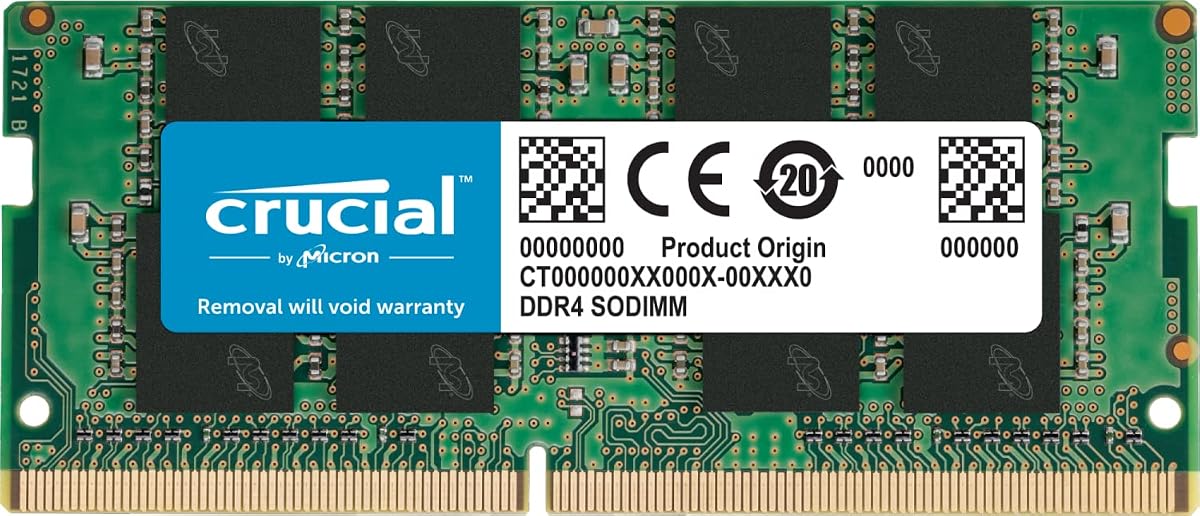
This Crucial 16GB DDR4 RAM module stands out as a top pick due to its reliable 3200MHz speed and Micron-backed quality. It is designed to improve system responsiveness and multitasking for users seeking smooth performance without complex setup procedures.
We may earn a commission when you buy through this link, at no additional cost to you.
The standout strength lies in its guaranteed compatibility, aided by the Crucial System Scanner tool. Users can rest assured this memory matches their laptop needs. The 1.2V standard voltage ensures efficient power use and stability across various systems.
While it might cost more than generic options, the peace of mind from rigorous testing at component levels justifies the investment. The only trade-off is the lack of aesthetic features, but this is acceptable for users prioritizing raw reliability and speed.
Anyone looking to upgrade an existing 8GB system to handle more demanding tasks like video editing or heavy browsing will find this module ideal. It balances speed, capacity, and ease of installation perfectly for modern laptop needs.
This module handles multiple applications smoothly by providing ample memory bandwidth for background processes.
Crucial offers clear guides so users can install this RAM without needing advanced technical skills.
We may earn a commission when you buy through this link, at no additional cost to you.
The Samsung 16GB DDR4 3200MHz module is a powerhouse for notebook users seeking genuine OEM-quality memory. Its dual rank configuration allows for higher performance compared to single rank alternatives while maintaining standard power efficiency.
We may earn a commission when you buy through this link, at no additional cost to you.
Key strengths include its ability to speed up loading times significantly. The quality assurance testing ensures dependable performance even under heavy workloads. This makes it a strong candidate for professionals relying on stability for daily tasks.
The main trade-off is potential limited stock availability and standard packaging. However, the performance gains from Samsung's manufacturing expertise usually outweigh these minor inconveniences. It remains a trusted choice for high-demand users.
This memory is best suited for those wanting a seamless upgrade to 16GB capacity without compatibility fears. Its proven track record in notebooks makes it a safe and effective choice for enhancing system speed.
Dual rank design helps improve memory bandwidth and overall system responsiveness during intensive operations.
Built to strict OEM standards, ensuring reliable operation across select laptop and all-in-one systems.
We may earn a commission when you buy through this link, at no additional cost to you.
This Crucial 8GB DDR4 RAM offers an affordable entry into high-speed memory upgrades. It operates at 3200MHz but can downclock to fit older systems, making it a versatile choice for various laptop users.
We may earn a commission when you buy through this link, at no additional cost to you.
The key strength is its flexibility and ease of use. You can rely on the Crucial System Scanner to confirm compatibility before buying. This reduces the risk of purchasing memory that won't work with your specific hardware.
While 8GB may not suffice for heavy users, it is a smart budget addition for light workloads. The trade-off in capacity is balanced by the low cost and proven reliability of the Micron manufacturing process.
Ideal for students or casual users needing a small boost in performance. This module helps smooth out daily tasks like web browsing and office work without breaking the bank or requiring complex setup.
Downclockable design allows use in laptops requiring lower speeds while maintaining compatibility and stability.
Backed by Crucial's tools and warranty support, ensuring help is available if issues arise during use.
We may earn a commission when you buy through this link, at no additional cost to you.
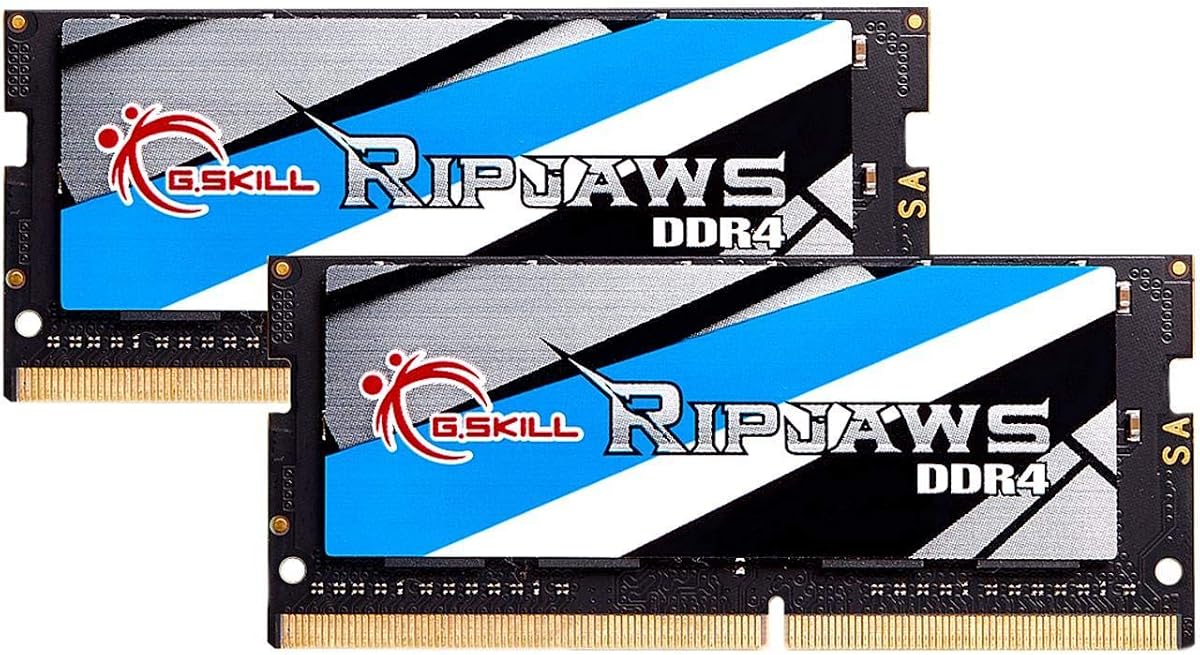
The G.SKILL Ripjaws 32GB Kit delivers exceptional capacity for power users and content creators needing substantial memory. Its dual 16GB configuration maximizes bandwidth and performance potential on compatible laptops and notebooks.
We may earn a commission when you buy through this link, at no additional cost to you.
Strengths include the high 3200MT/s capability and dual channel benefits. This is crucial for tasks like video rendering or gaming where data throughput matters. G.SKILL's reputation for quality ensures stability even at these speeds.
The main trade-off is that achieving top speed may require BIOS adjustments, which might deter non-technical users. Additionally, the price reflects its premium specs. However, those needing 32GB will find the investment worthwhile.
This kit is recommended for users working with large datasets or running virtual machines. It provides the headroom needed for complex workflows without bottlenecks, ensuring your system keeps up with demanding software.
Dual channel setup enhances data transfer rates significantly for faster task completion.
Designed for users with intensive workloads that require consistent, high-capacity memory performance.
We may earn a commission when you buy through this link, at no additional cost to you.
TEAMGROUP Elite offers a 32GB dual kit that is perfect for heavy multitasking and professional applications. It supports high speeds while remaining compliant with environmental standards like RoHS for safe usage.
We may earn a commission when you buy through this link, at no additional cost to you.
The lifetime warranty and free technical support are major strengths that provide long-term value. Users can install it easily following provided guides. This makes it a reliable choice for businesses or individuals needing robust memory.
However, the speed depends on system CPU and motherboard capabilities. If your hardware limits speed, you might not reach the full 3200MHz. Despite this, the capacity and warranty make it a strong contender.
This kit suits users needing maximum capacity in a notebook. Whether for virtualization or large file handling, it provides the necessary space. Always check your device specs to ensure full performance utilization.
Free lifetime technical support ensures peace of mind and assistance throughout the product life.
Two 16GB modules allow flexibility for dual channel performance or single slot expansion.
We may earn a commission when you buy through this link, at no additional cost to you.
The A-Tech 8GB DDR4 module is a practical solution for users on a tight budget. It offers standard 2400MHz speeds which are sufficient for general computing tasks like web browsing or office work.
We may earn a commission when you buy through this link, at no additional cost to you.
Its main strength is the combination of affordability and a lifetime warranty. You get reliable performance without overspending. The friendly tech support team adds value if you encounter any issues during installation.
The trade-off is the lower speed compared to modern 3200MHz options. This limits performance in demanding scenarios. However, for basic laptop users seeking a simple capacity boost, this module is a smart budget pick.
This is ideal for older laptops that may not support higher speeds. It ensures compatibility and stability. Check your system requirements to ensure this speed is supported and meets your daily usage needs.
Provides an accessible way to increase memory without a large financial investment.
Includes lifetime warranty and support to help users through any upgrade challenges.
We may earn a commission when you buy through this link, at no additional cost to you.
GIGASTONE provides a versatile 32GB kit designed to work with a wide range of laptops and all-in-one systems. It delivers high performance speeds that suit modern computing needs effectively.
We may earn a commission when you buy through this link, at no additional cost to you.
The strength lies in its broad compatibility and speed support. It can operate at 3200MHz down to 2666MHz, making it adaptable. This ensures your system can run efficiently regardless of its specific limitations.
While GIGASTONE might be less known than big brands, the specs match top competitors. The only downside is ensuring your specific laptop handles the full 32GB capacity. Check manufacturer specs before buying.
Ideal for users who need significant memory for virtualization or heavy multitasking. This kit ensures you have enough headroom. It is a practical choice for upgrading notebooks to handle more complex software.
Engineered to work across a wide range of laptops and all-in-one desktop systems.
Operates efficiently across a range of supported speeds to match your system's capabilities.
We may earn a commission when you buy through this link, at no additional cost to you.
This Samsung 8GB DDR4 module provides a genuine OEM quality upgrade that boosts system speed effectively. It operates at 3200MHz to reduce bottlenecks and increase workload capacity significantly.
We may earn a commission when you buy through this link, at no additional cost to you.
The key benefit is reducing bottlenecks through genuine hardware. It expands available memory resources reliably. This Samsung part number ensures consistent performance and is perfect for users needing a single slot upgrade.
The trade-off is using a Single Rank module which might not match Dual Rank performance. However, for simple upgrades to 8GB this is acceptable. It fits many standard laptops needing a quick performance fix.
Best for users with a single slot needing a reliable replacement. Ensure your laptop supports single rank to avoid compatibility issues. This module ensures your system runs smoothly with proven brand performance.
Built to strict OEM standards to ensure reliable performance and compatibility with many systems.
Increasing memory capacity reduces system bottlenecks and improves overall responsiveness.
We may earn a commission when you buy through this link, at no additional cost to you.
This dense 32GB module offers massive capacity in a single stick. It is useful for laptops with one slot. The 3200Mbps speed ensures high performance for demanding tasks.
We may earn a commission when you buy through this link, at no additional cost to you.
Strengths include the high density and latest version. It provides dual rank performance which is efficient. This module is suitable for users needing maximum capacity without using two slots.
The trade-off is cost and limited slot availability. Ensure your laptop supports single slot modules. While expensive, it simplifies upgrades for specific notebook models needing single stick memory.
Ideal for users with laptops requiring high capacity in one slot. This module supports your workflows. Always check specs to ensure support for single slot configurations before purchasing.
Delivers massive storage in a single module ideal for limited slot notebook models.
Newest version supports 3200 speed for high performance computing tasks.
We may earn a commission when you buy through this link, at no additional cost to you.
CORSAIR Vengeance SODIMM offers a 16GB module with a slim design perfect for thin laptops. It supports auto-overclocking for stable speeds on compatible systems without complex BIOS tweaks.
We may earn a commission when you buy through this link, at no additional cost to you.
The key benefit is its premium build and stability. CORSAIR is known for quality components. This ensures excellent stability even under load. The design fits well in compact chassis without blocking other parts.
The trade-off is that max speed might need manual adjustments in some BIOS versions. However, reliability remains high. This module suits users who value aesthetics and build quality alongside performance.
Best for users seeking a stylish reliable upgrade. The sleek look ensures it fits modern laptops. Always check your specific laptop compatibility to ensure full auto-overclocking works.
Slim profile fits perfectly in thin and modern laptop chassis designs.
Auto-overclocking ensures performance without manual BIOS configuration on compatible systems.
We may earn a commission when you buy through this link, at no additional cost to you.
Selecting the right RAM requires understanding your laptop's compatibility, speed, capacity needs, and budget constraints to ensure a successful upgrade.
Capacity determines how many programs you can run at once. For basic tasks 8GB suffices. For heavy workloads choose 16GB or 32GB kits.
Choose capacity based on your typical workload to avoid bottlenecks.
Speed measured in MHz affects how fast your system processes data. 3200MHz is standard for modern laptops but ensure your system supports it.
Prioritize speed matching your laptop's supported frequency for optimal results.
Use tools like Crucial Scanner to verify compatibility. Ensure your system supports the module type and voltage.
Verify compatibility before purchase to avoid wasting money.
Dual channel kits improve bandwidth. If your laptop supports it use matched pairs for performance.
Use dual kits when possible for better multitasking speeds.
Lower latency means faster response. CL22 is common for DDR4. Balance this with speed for better results.
Look for balanced latency and speed ratings.
Choose reputable brands with good warranties. This ensures support if issues arise.
Prioritize brands with proven track records and support.
Set a budget based on your needs. Sometimes 8GB offers better value than large kits.
Align your budget with necessary performance needs.
Ensure you buy SODIMM modules which fit laptops. Desktop DIMMs will not work.
Confirm the form factor matches your device slots.
Always power off and unplug your laptop before installing RAM to prevent damage. Use anti-static measures and ground yourself to avoid static shocks.
Align the module notches with the slot and press firmly until it clicks. Secure the retaining clips to hold the module in place.
After installation restart and check your system info. Ensure the new RAM is recognized by your OS.
DDR5 offers higher speeds and capacity but requires new hardware. DDR4 is cheaper and widely supported by most laptops.
It is recommended to use identical kits. Mixing can cause instability or prevent dual channel operation.
Yes but only if your laptop supports it. Speeds beyond support cap out and offer no benefit.
Use Crucial Scanner or check your laptop manual. It lists maximum capacity supported.
For most modern games 16GB is sufficient. 32GB helps for streaming and heavy multitasking.
SODIMM is the small form factor RAM used in laptops. Desktop RAM is larger and will not fit.
Our top picks offer solid options for every user. The Crucial 16GB leads for balance and reliability.
Prioritize compatibility and capacity to ensure long-term satisfaction. Choose speed that matches your laptop specs.
Remember to check current prices and deals. Deals change often so buy when the value is right for you.