
Logitech Litra Glow
4.5Editor score
Natural Skin Tones
Wide Flattering Light
USB Powered Design
Streaming requires professional lighting to ensure viewers see you clearly. A good key light eliminates harsh shadows and provides consistent color accuracy for your broadcasts.
We evaluated ten top models based on brightness output color temperature range and build quality to find the best options for every type of streamer today.
Each pick includes detailed specs and real world performance notes. Please note that prices and availability change frequently so check current listings before purchasing.
4.5Editor score

4.5Editor score
4.7Editor score
As an Amazon Associate we earn from qualifying purchases.
This side-by-side comparison highlights the key specifications and capabilities of each model to help you quickly identify the right fit for your setup.


The Elgato Key Light is a top choice for streamers needing professional quality lighting. It offers strong brightness and reliable color consistency for any setup.
We may earn a commission when you buy through this link, at no additional cost to you.
Its 2800 lumens output ensures you are clearly visible even in bright rooms. The Wi-Fi connectivity allows seamless adjustment via the desktop app.
While it costs more than budget options the build quality justifies the expense. The heat management is excellent preventing discomfort during long sessions.
This light suits serious creators who want plug-and-play reliability. It remains a gold standard for home studios and live broadcasts.
The high lumen count ensures clear visibility without requiring intense camera gain settings.
Adjust settings directly from your desktop without interrupting your workflow or stream.
We may earn a commission when you buy through this link, at no additional cost to you.
The Logitech Litra Glow is perfect for streamers on a tight budget. It provides a soft even light that improves webcam video significantly.
We may earn a commission when you buy through this link, at no additional cost to you.
TrueSoft technology delivers balanced color temperature which is crucial for natural skin tones. The USB connection simplifies setup for laptops and desktops.
It may lack the power for large dark rooms but works well for personal spaces. The mount attaches securely to most monitors without wobbling.
This is the ideal starter light for beginners. It offers great value and performance for casual streaming and video calls.
TrueSoft tech ensures your skin looks natural under the light without weird color casts.
No extra power bricks are needed making cable management much cleaner.
We may earn a commission when you buy through this link, at no additional cost to you.
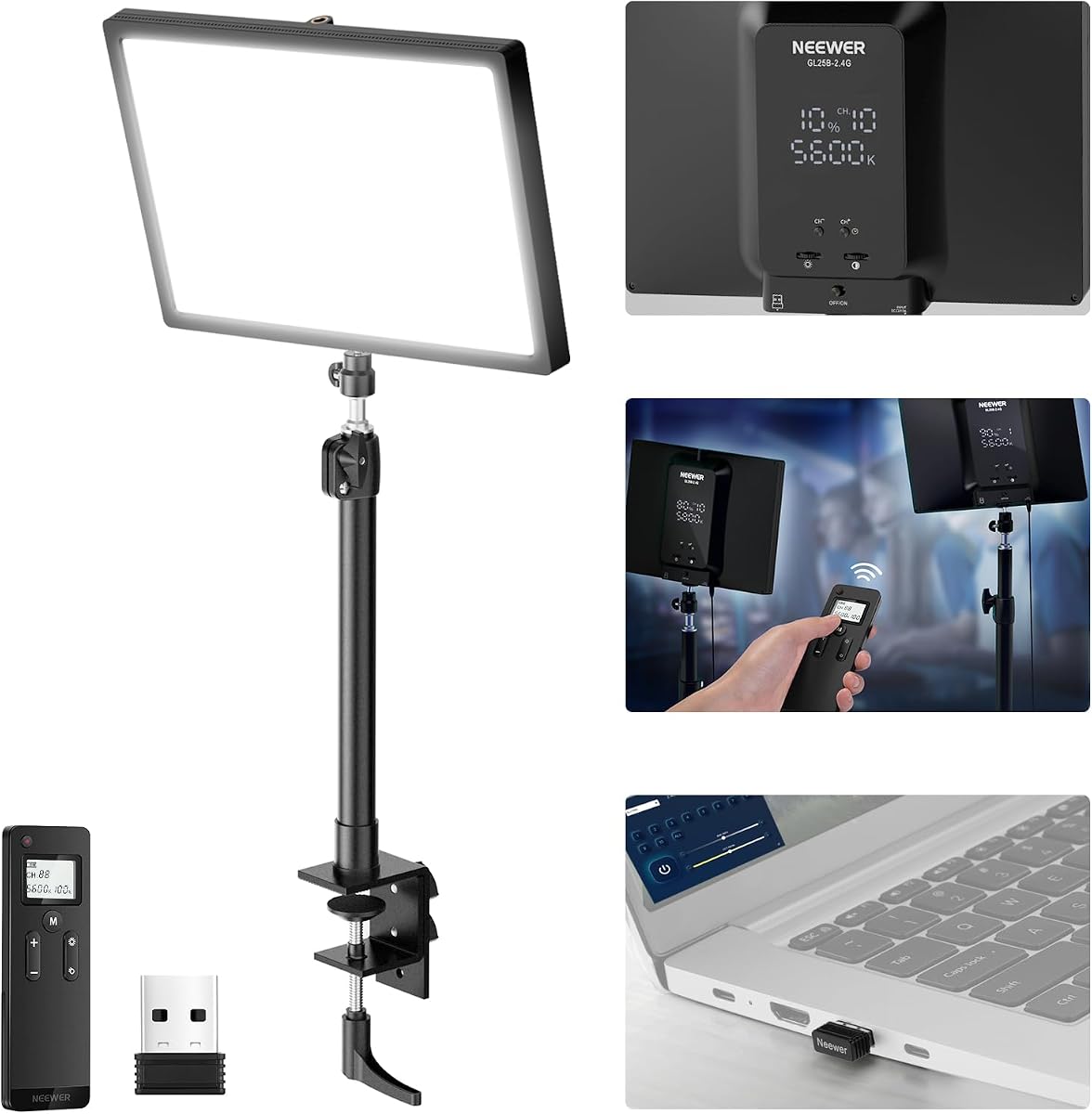
The NEEWER GL25B offers premium performance with a high CRI for accurate color reproduction. It is excellent for creators who need precise lighting.
We may earn a commission when you buy through this link, at no additional cost to you.
The fanless cooling system ensures zero noise during recording. The 2.4G remote and PC app give you total control over brightness and color.
At 25W it provides ample light for most setups. The diffuser panel spreads the light evenly reducing harsh shadows on your face.
This model balances features and cost effectively. It is a top choice for professional podcasters and streamers seeking high quality lighting.
The fanless design means no distracting noise interferes with your audio recordings.
CRI 98+ ensures your products and skin tones look true to life on camera.
We may earn a commission when you buy through this link, at no additional cost to you.
The Key Light Air MK.2 brings the trusted Elgato brand to a more portable form. It is ideal for mobile streamers or tight desk spaces.
We may earn a commission when you buy through this link, at no additional cost to you.
It supports USB-C power allowing flexibility with power banks. The Stream Deck integration offers quick access to your favorite lighting presets.
While it is less bright than the full-size model it still provides solid light for close-up shots. The anti-glare surface is comfortable for the eyes.
This is a great secondary light or main light for small setups. It blends easily into modern workspaces without clutter.
Use USB-C or a battery bank to power the light anywhere without cords.
Automate your lighting changes with a single press on your Stream Deck.
We may earn a commission when you buy through this link, at no additional cost to you.
The Weilisi ring light is a versatile tool for various desktop tasks. It serves well for video calls and content creation alike.
We may earn a commission when you buy through this link, at no additional cost to you.
The 360-degree rotation allows you to direct light exactly where needed. The clamp base keeps your desk clear of extra stands.
It offers multiple brightness levels to suit different environments. The design is simple but effective for casual streamers and remote workers.
This is a practical choice for those needing a quick upgrade to lighting. It is easy to install and adjust for daily use.
The clamp mechanism saves desk space while keeping the light stable.
Adjust the head to eliminate shadows from any angle.
We may earn a commission when you buy through this link, at no additional cost to you.
This kit provides two lights perfect for setting up a basic studio. It is cost effective for creators needing multiple angles.
We may earn a commission when you buy through this link, at no additional cost to you.
The lights offer a wide color temperature range for different moods. The included tripods allow you to place them off the desk.
CRI 97+ ensures good color fidelity for skin and objects. The panels are compact and easy to move around your room.
Ideal for beginners building a multi-light setup. The value here is strong for the price and included hardware.
Getting two lights with tripods at this price is a strong deal.
Adjust color temperature to match your room or branding.
We may earn a commission when you buy through this link, at no additional cost to you.
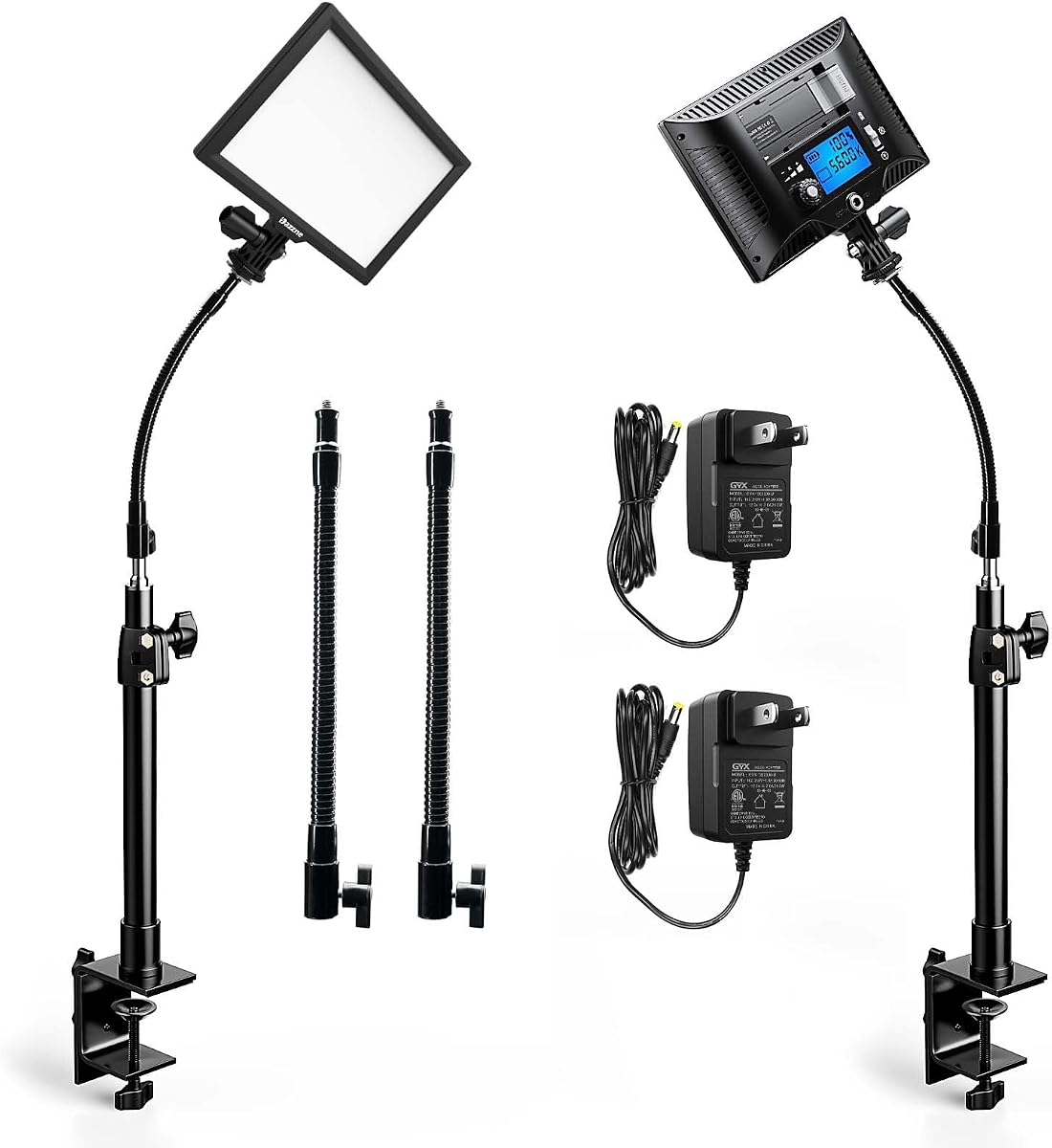
This kit offers unique gooseneck tubes for flexible light positioning. It is excellent for desk-based streaming or close-up work.
We may earn a commission when you buy through this link, at no additional cost to you.
The LCD display lets you see settings clearly while adjusting. The clamps secure firmly to most desks and tables.
Brightness and color are adjustable to suit any need. The high user rating reflects its reliability and ease of use.
Choose this for compact setups needing precise angles. It keeps your desk organized while delivering professional light.
The gooseneck tubes allow you to aim light exactly where you need it.
Bright numbers make checking settings easy during live sessions.
We may earn a commission when you buy through this link, at no additional cost to you.
The Godox ES45 focuses on comfort and ease of use. Its OLED panel provides a soft light that reduces eye strain.
We may earn a commission when you buy through this link, at no additional cost to you.
The magnetic remote auto-charges when attached to the light. This is a thoughtful touch that keeps your workspace tidy.
Control is smooth via app or remote without needing to touch the panel. It fits well into professional streaming environments.
It is a solid pick for streamers wanting quality and convenience. The light quality is gentle yet effective for video.
Soft light reduces strain during long hours in front of the camera.
Auto-charging ensures your remote is always ready to use.
We may earn a commission when you buy through this link, at no additional cost to you.
This set provides two lights for a budget-friendly multi-point setup. It is useful for lighting both you and your backdrop.
We may earn a commission when you buy through this link, at no additional cost to you.
The gooseneck tubes offer flexibility in how you place each light. The LCD panel shows current settings for easy adjustment.
While not a premium build it delivers consistent light. It is a smart buy for expanding your lighting beyond a single panel.
Choose this if you need multiple sources at low cost. It covers basic needs well for streaming and recording.
Two lights allow for key and fill lighting without complex gear.
Tube arms let you angle lights precisely for best results.
We may earn a commission when you buy through this link, at no additional cost to you.
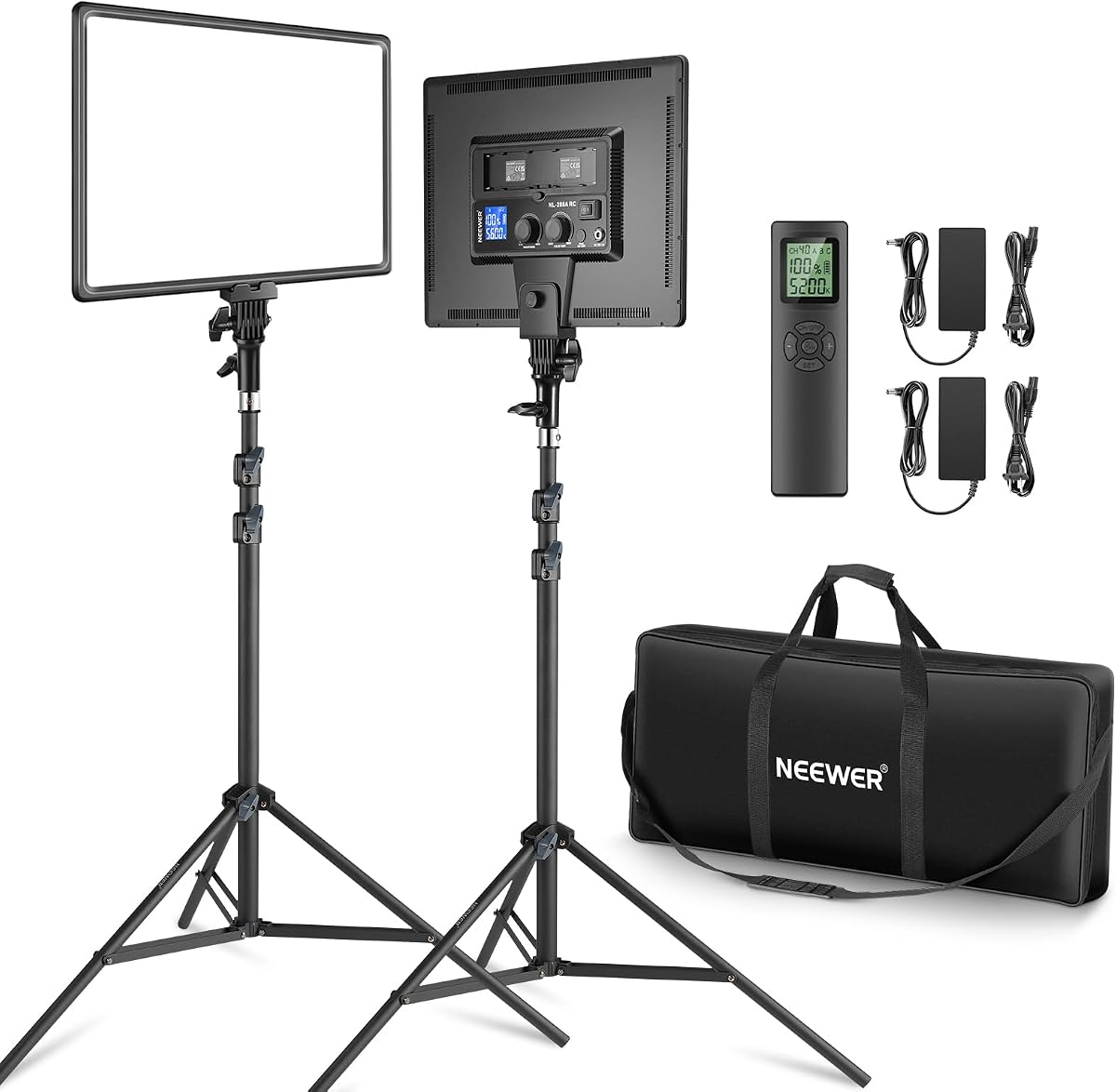
This is a powerful kit for large rooms or high-end production. The 45W panels deliver plenty of light for professional work.
We may earn a commission when you buy through this link, at no additional cost to you.
The 18 inch panels provide wide coverage. Remotes allow easy control from a distance without moving around.
CRI 97+ ensures high quality color reproduction. You can also use batteries for mobile shoots away from outlets.
Choose this for serious creators needing strong and broad light. It is built for demanding environments.
45W panels ensure you are visible even in bright rooms.
Use Sony NP-F batteries for portable shoots without cords.
We may earn a commission when you buy through this link, at no additional cost to you.
Choosing the right key light involves evaluating brightness color quality and mounting options to fit your specific streaming needs.
Brightness is measured in lumens or lux. Higher output helps you remain visible in bright rooms without washing out your image.
Look for lights with at least 2000 lumens for reliable streaming performance in typical home environments.
Color temperature affects the mood of your video. A wide range from warm to cool allows you to match your ambient room lighting.
Choose lights offering 2700K to 6500K to ensure flexibility for different times of day and styles.
CRI measures how accurately a light shows colors. A high CRI ensures your skin and background look natural on camera.
Aim for a CRI of 95 or higher for professional quality color reproduction.
Stable mounting is crucial to prevent light shifts. Clamp stands save space while tripods offer flexibility in placement.
Select a mount that fits your desk thickness and offers secure clamping.
Physical controls app control or remotes impact ease of use during streams. Seamless control prevents interrupting your content.
Consider lights with app support for convenient adjustments without reaching for the panel.
Fans can create noise that interferes with audio. Fanless designs are quieter but may run warmer during extended use.
Check for good heat dissipation to ensure safety and comfort over long sessions.
Some lights use USB for portability while others require wall outlets for full power. Battery options add mobility for on-the-go streaming.
Ensure your setup can support the power requirements of your chosen light.
A sturdy build protects your investment. Metal frames and quality diffusers improve longevity and light consistency.
Prioritize models with solid construction and reliable warranties for long-term use.
Place your key light slightly above and to the side of your face for a flattering look that minimizes shadows.
Keep the light panel clean by dusting it regularly with a soft cloth to maintain optimal brightness and color quality.
Avoid touching the LED surface directly as oils can reduce light output and potentially damage the panel over time.
The Elgato Key Light is widely considered the best overall due to its high brightness and app control. However, the best choice depends on your budget and space needs.
A good streaming light should have at least 2000 lumens. This ensures you are clearly visible without relying heavily on camera gain.
Yes, a CRI of 95+ is recommended for accurate color. It helps your skin look natural under the light.
Position it 45 degrees to the side and slightly above eye level. This angle creates depth and avoids harsh shadows.
Yes, USB lights are convenient for laptops and smaller setups. Just ensure they provide enough brightness for your room.
Key light is the main light, while fill light softens shadows. Many streamers use just a key light for simplicity.
We reviewed ten top key lights ranging from budget-friendly options to professional grade kits. Each offers unique features for different streaming needs.
Prioritize brightness and color accuracy to ensure your video looks polished. Consider your desk space and power options before buying.
Prices may fluctuate so check the latest listings for the best deals. Happy streaming with your new lighting setup.